一、一些概念
1.在Linux系统编程中,当调用系统调用(如open、read、write等)或标准库函数失败时,函数通常会返回一个错误值(如-1),同时会将全局变量errno设置为一个特定的整数,这个整数就代表具体的错误类型;
2.errno这个全局变量在<errno.h>头文件中声明;
3.错误处理函数:
1)perror:直接打印自定义信息 + 错误描述(自动获取当前errno);
2)strerror:将错误号转换为字符串描述(需包含<string.h>)。
二、Linux系统编程中最常用的错误号
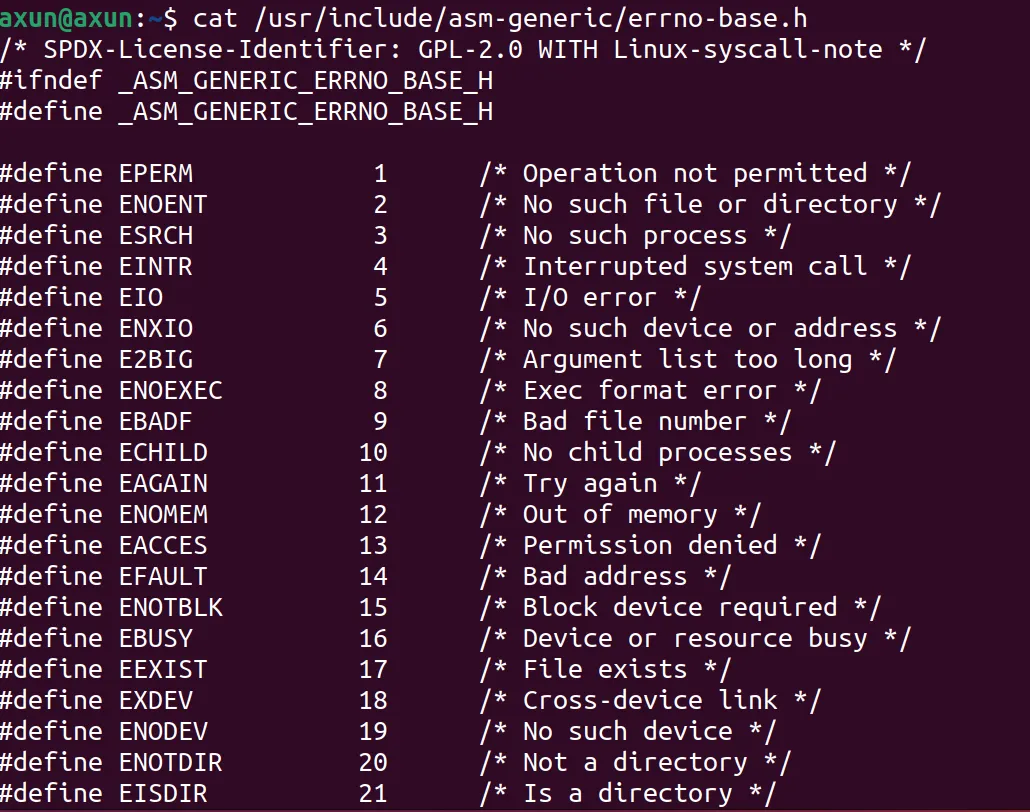
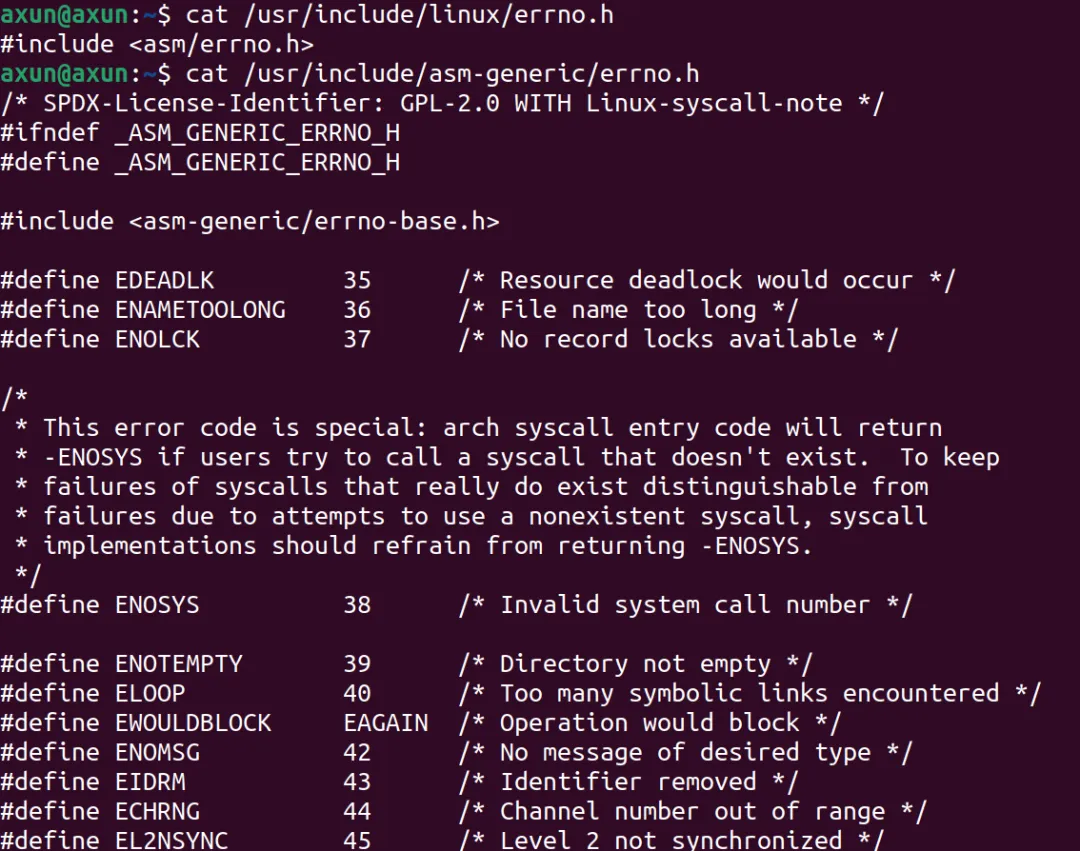
错误号宏 数值 含义 典型产生场景 ENOENT 2 No such file or directory 打开不存在的文件 / 目录、访问路径中不存在的组件 EINVAL 22 Invalid argument 给函数传递了无效参数(如open的 flag 非法、write的 fd 无效) EACCES 13 Permission denied 权限不足(如读无读权限的文件、写只读文件、执行无执行权限的程序) EEXIST 17 File exists 创建已存在的文件(如open用 `O_CREAT O_EXCL` 标志)、创建已存在的目录EBADF 9 Bad file descriptor 使用无效的文件描述符(如关闭已关闭的 fd、用读模式 fd 写) ENOMEM 12 Out of memory 系统内存不足,无法分配(如malloc、brk失败) EIO 5 Input/output error 底层 I/O 错误(如磁盘损坏、读写已移除的 U 盘) ENOSPC 28 No space left on device 磁盘空间不足(如write、mkdir失败) EPERM 1 Operation not permitted 无权限执行操作(如普通用户 kill root 进程、修改系统级配置) EINTR 4 Interrupted system call 系统调用被信号中断(如read时收到SIGINT) ENFILE 23 Too many open files in system 系统级打开文件数达到上限 EMFILE 24 Too many open files 进程级打开文件数达到上限(默认 1024) 详细查看方式cat /usr/include/asm-generic/errno-base.hcat /usr/include/asm-generic/errno.h
三、测试
main.c
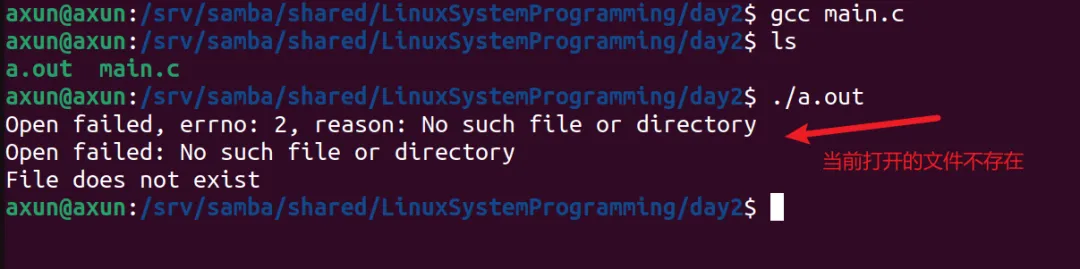
#include<stdio.h>#include<stdlib.h>#include<fcntl.h>#include<unistd.h>#include<errno.h>#include<string.h>intmain(){ // 尝试打开不存在的文件 int fd = open("./nonexist.txt", O_RDONLY); if (fd == -1) { // 方法1:直接打印错误号和对应描述 printf("Open failed, errno: %d, reason: %s\n", errno, strerror(errno)); // 方法2:使用perror(自动拼接自定义信息和错误描述) perror("Open failed"); // 方法3:根据错误号分支处理 if (errno == ENOENT) { printf("File does not exist\n"); } else if (errno == EACCES) { printf("Permission denied\n"); } exit(EXIT_FAILURE); } close(fd); return 0;}