HyperView 批处理运行python脚本指南
ODB 结果文件 Subcase/Increment 信息提取与 H3D 压缩导出
适用版本:HyperWorks 2024+ / Abaqus ODB
一、功能概述
本指南介绍如何通过 Windows 批处理方式调用 HyperView Python API,实现以下功能:
- 1. ✅ 自动解析 Abaqus ODB 结果文件,统计 Subcase(Step) 及 Increment(Frame) 数量
- 2. ✅ 定位最后一个 Subcase 的最后一个 Increment
- 3. ✅ 调用
hvtran 批处理工具将该帧数据导出为压缩 H3D 文件(显著减小文件体积)
应用场景:大规模仿真结果后处理、轻量化结果归档、自动化报告生成。
二、环境准备
2.1 软件要求
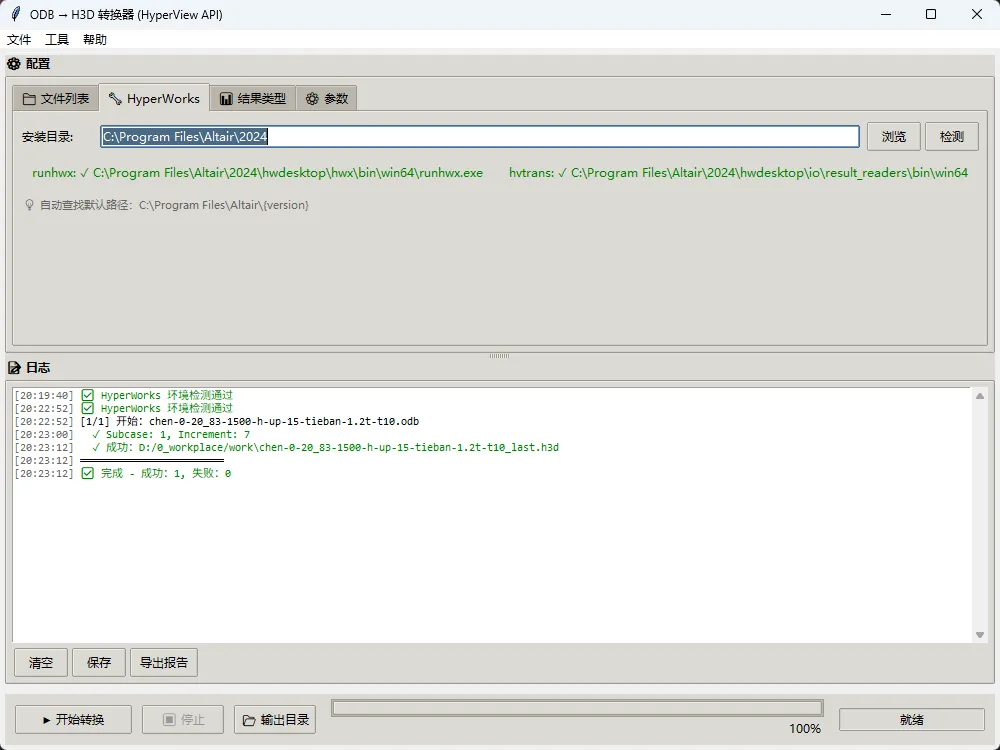
2.2 关键路径确认
# HyperView Python 执行器(runhwx.exe)
C:\Program Files\Altair\2024\hwdesktop\hwx\bin\win64\runhwx.exe

# H3D 转换工具(hvtrans.exe)
C:\Program Files\Altair\2024\hwdesktop\io\result_readers\bin\win64\hvtrans.exe
💡 建议将上述路径添加到系统环境变量,或在脚本中动态检测。
2.3 官方文档参考
- • HyperView Python API 文档
- • https://help.altair.com/hwdesktop/pythonapi/hyperview/hw_hv.html
- • https://help.altair.com/hwdesktop/hwx/topics/getting_started/start_options_hyperworks_desktop_r.htm
三、实现方案
3.1 整体流程
3.2 步骤 1:批处理调用 HyperView Python 脚本
创建 run_hv_script.bat:
@echo off
REM 调用 HyperView 执行 Python 脚本(批处理模式)
"C:\Program Files\Altair\2024\hwdesktop\hwx\bin\win64\runhwx.exe" ^
  -cfg ^
  -client HyperWorksDesktop ^
  -plugin HyperworksPost ^
  -profile HyperworksPost ^
  -f D:\0_workplace\work\batch_test.py ^
  -b
关键参数说明:
| |
|---|
-cfg | |
-client HyperWorksDesktop | |
-plugin HyperworksPost | |
-f xxx.py | |
-b | |
3.3 步骤 2:Python 脚本 - 获取 Subcase/Increment 信息
# -*- coding: utf-8 -*-
"""
HyperView Python Script - 基于官方 API 文档 2026.0
功能:统计 Abaqus ODB 文件的 Subcase(Step) 数目及最后一个 Subcase 的 Increment(Frame) 数目
作者:姜侠
"""
import os
import sys
import hw
import hw.hv as hv

# ================= 用户配置区域 =================
ODB_FILE = r"D:/0_workplace/work/chen-0-20_83-1500-h-up-15-tieban-1.2t-t10.odb"
OUTPUT_TXT = r"D:/0_workplace/work/subcase_summary.txt"
# =================================================

def write_txt(filepath, lines):
    """写入内容到 TXT 文件"""
    with open(filepath, 'w', encoding='utf-8') as f:
        f.write('\n'.join(lines))
    print(f"✅ 输出文件已生成:{filepath}")

def main():
    output = []
    output.append("=" * 70)
    output.append("HyperView - Abaqus ODB 结果统计报告")
    output.append("=" * 70)
    output.append(f"ODB 文件:{ODB_FILE}")
    output.append("")

    ses = None
    try:
        # 1. 创建 Session
        ses = hw.Session()
        ses.new()

        # 2. 获取 Window 并设置为 animation 类型
        win = ses.get(hw.Window)
        win.type = "animation"

        # 3. 加载 ODB 结果文件
        win.addModelAndResult(model=ODB_FILE, result=ODB_FILE)

        # 4. 获取 Result 对象
        res = ses.get(hv.Result)

        # 5. 获取所有 Subcase ID 列表
        subcase_ids = res.getSubcaseIds()
        total_subcases = len(subcase_ids)
        output.append(f"📊 Subcase (Step) 总数:{total_subcases}")

        if total_subcases == 0:
            output.append("⚠️ 未检测到 Subcase,请确认 ODB 文件包含结果数据")
        else:
            # 6. 获取 Subcase 标签列表
            subcase_labels = res.getSubcaseLabels()

            # 7. 获取最后一个 Subcase 的 Simulation/Increment ID 列表
            last_subcase_id = subcase_ids[-1]
            last_subcase_label = subcase_labels[-1] if len(subcase_labels) > 0 else "N/A"
            simulation_ids = res.getSimulationIds(subid=last_subcase_id)
            total_increments = len(simulation_ids)

            output.append(f"🔚 最后一个 Subcase: ID={last_subcase_id}, Name='{last_subcase_label}'")
            output.append(f"🔢 该 Subcase 的 Increment (Frame) 数目:{total_increments}")

            # 8. 可选:输出前 5 个 Increment 的详细信息
            if total_increments > 0:
                output.append("")
                output.append("📋 前 5 个 Increment 信息:")
                for i, sim_id in enumerate(simulation_ids[:5]):
                    try:
                        sim_label = res.getSimulationLabel(subid=last_subcase_id, simid=sim_id)
                        output.append(f"   [{i+1}] Increment ID={sim_id}, Label='{sim_label}'")
                    except:
                        output.append(f"   [{i+1}] Increment ID={sim_id}")

            output.append("")
            output.append("✅ 脚本执行成功")

    except Exception as e:
        output.append(f"❌ 执行异常:{str(e)}")
        output.append("💡 排查建议:")
        output.append("   1. 确认 ODB 文件路径正确且文件未损坏")
        output.append("   2. 确认 HyperView 支持该版本 Abaqus ODB 格式")
        output.append("   3. 检查文件路径是否含中文/空格(建议用正斜杠 /)")
        import traceback
        output.append(f"   4. 详细错误:{traceback.format_exc()}")
    finally:
        # 9. 清理 Session
        if ses is not None:
            try:
                ses.close()
            except:
                pass

    output.append("=" * 70)
    write_txt(OUTPUT_TXT, output)
    for line in output:
        print(line)
    return 0

if __name__ == "__main__":
    main()
核心 API 说明:
| | |
|---|
hw.Session() | | |
win.addModelAndResult() | | |
res.getSubcaseIds() | | list[int] |
res.getSubcaseLabels() | | list[str] |
res.getSimulationIds(subid) | 获取指定 Subcase 下的 Increment ID | list[int] |
res.getSimulationLabel(subid, simid) | | str |
3.4 步骤 3:hvtran 批处理提取 H3D(核心逻辑说明)
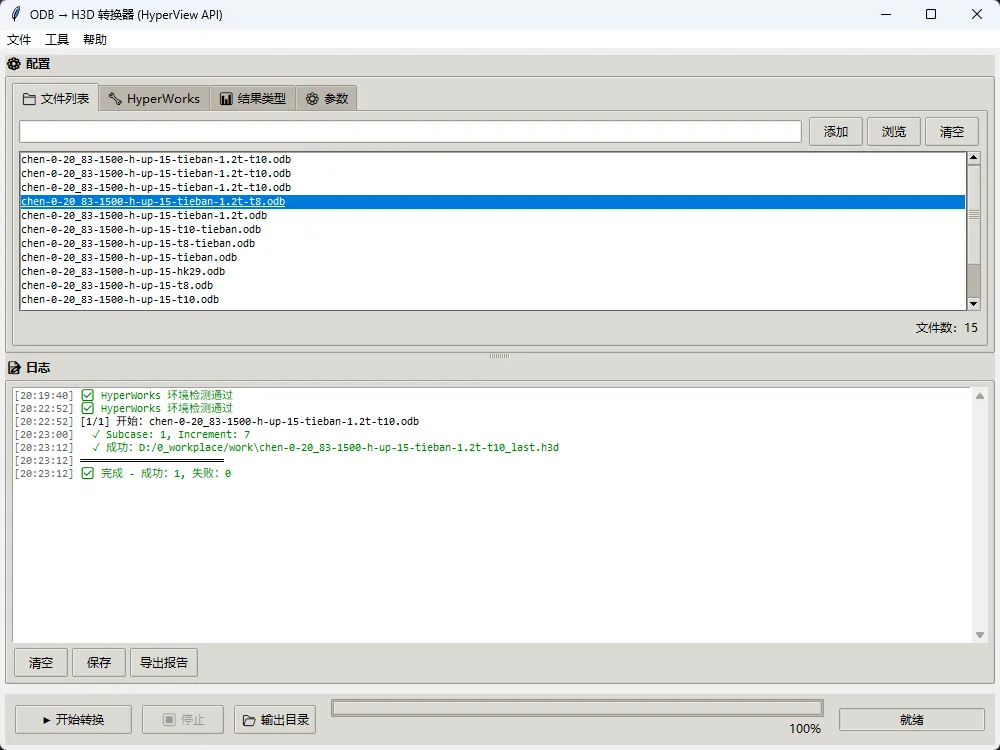
⚠️ 由于 GUI 版本转换脚本代码较长(含 Tkinter 界面、多线程、日志系统等),此处仅说明核心逻辑。
3.4.1 核心转换流程
# 伪代码逻辑示意
def convert_odb_to_h3d(odb_path):
    # 1. 调用 HyperView API 获取步数信息
    subcase_count, increment_count, last_subcase_id = get_last_step_info(odb_path)

    # 2. 生成 hvtran 配置文件 (config.cfg)
    config_content = f"""
BeginSubcase:{subcase_count}
BeginSimulation:{increment_count}
    Displacement
    S-Global-Stress components
EndSimulation
EndSubcase
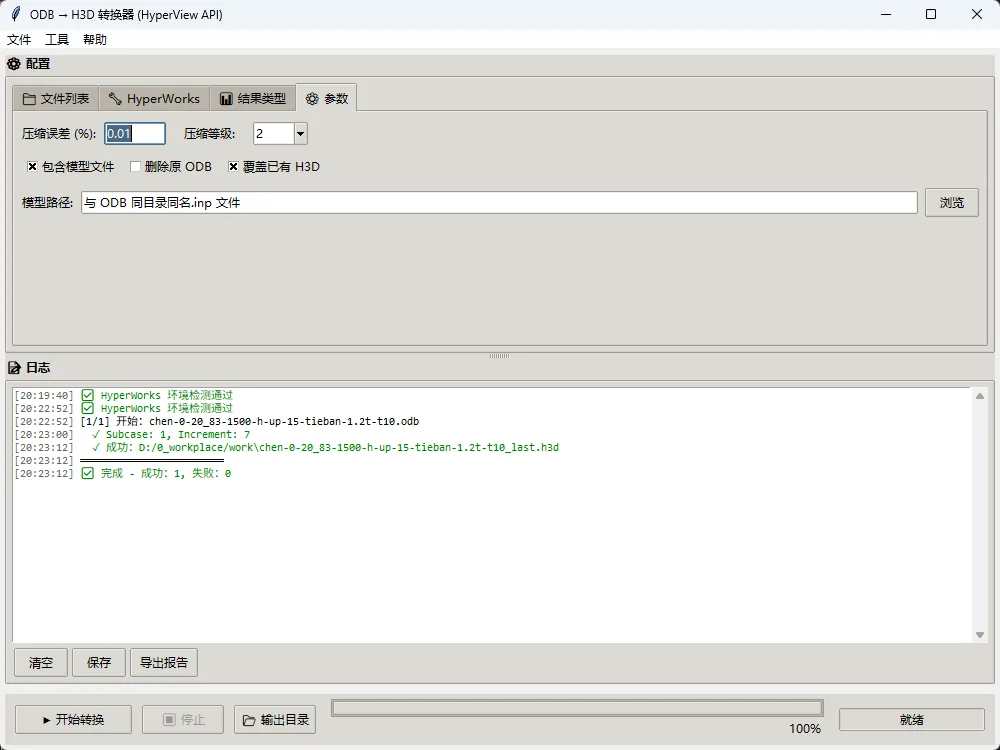
EnableCompression = 0.01, 2
"""

    # 3. 调用 hvtrans.exe 执行转换
    cmd = [
        hvtrans_exe,
        "-c", config_path,      # 配置文件
        odb_path,               # 输入 ODB
        "-o", h3d_output_path,  # 输出 H3D
        f"-z0.01"               # 压缩误差 0.01%
    ]
    subprocess.run(cmd)
3.4.2 hvtran 配置文件关键字段
BeginSubcase:{subcase_id}        # 指定目标 Subcase
BeginSimulation:{increment_id}   # 指定目标 Increment
    Displacement                 # 需提取的结果类型(每行一个)
    S-Global-Stress components
EndSimulation
EndSubcase
EnableCompression = 0.01, 2      # 压缩参数:误差%, 等级(0-9)
3.4.3 压缩效果参考
💡 仅提取单帧数据 + 启用压缩,是 H3D 文件显著减小的关键。
四、使用指南
4.1 快速开始
- 1. 修改 Python 脚本中的
ODB_FILE 和 OUTPUT_TXT 路径 - 2. 运行批处理文件
run_hv_script.bat - 3. 查看生成的
subcase_summary.txt 确认 Subcase/Increment 信息 - 4. 使用提取的参数生成
config.cfg,调用 hvtrans 完成 H3D 导出
4.2 批量处理建议
- • 将 ODB 文件路径写入列表文件,通过 Python 循环调用
- • 使用
subprocess 并行执行多个转换任务(注意 HyperWorks 许可证限制) - • 添加日志记录与异常重试机制,提升批量任务鲁棒性
4.3 常见问题排查
| | |
|---|
runhwx.exe | | |
| | |
getSubcaseIds() | | 确认 addModelAndResult 参数正确 |
| | 参考 HyperWorks 文档校验 result type 名称 |