当前位置:首页>python>Rust FFI 实战:让 Rust 和 Python/Node.js 组队干活

Rust FFI 实战:让 Rust 和 Python/Node.js 组队干活

  • 2026-07-01 13:41:50
Rust FFI 实战:让 Rust 和 Python/Node.js 组队干活

ruff 比 flake8 快 10-100 倍,polars 比 pandas 快 5-50 倍,orjson 比标准库 json 快 10 倍。你有没有想过,这些 Python 库凭什么这么快?

答案不是什么黑魔法,而是它们的性能核心都是 Rust

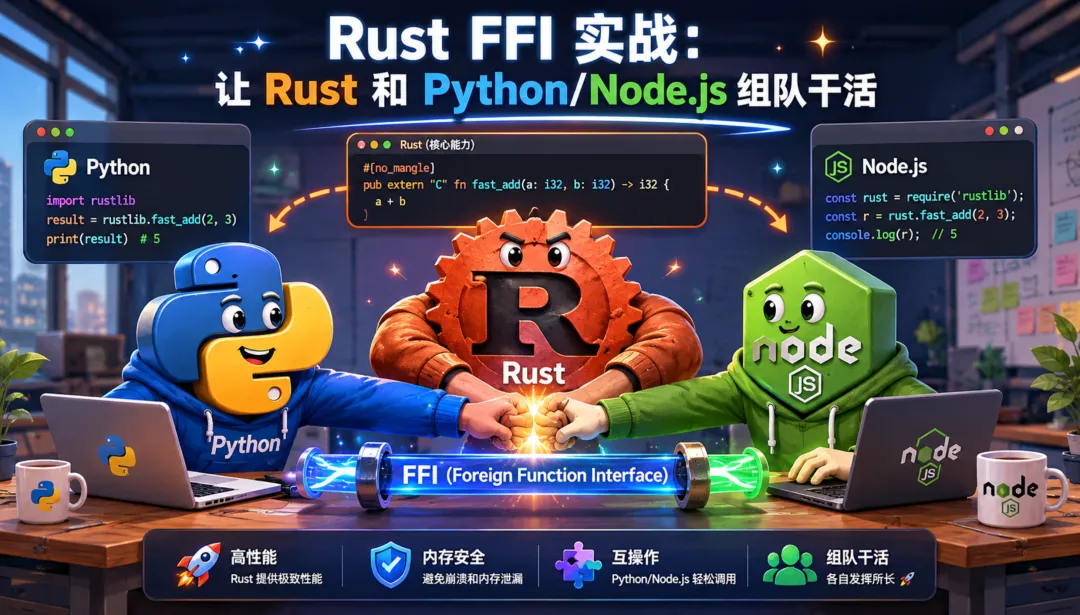
但有意思的是,这些库的用户完全感知不到 Rust 的存在——import ruffimport polars,用法和纯 Python 库一模一样。这就是 Rust FFI(Foreign Function Interface)的魅力:你不需要用 Rust 重写整个项目,只需要把最慢的那部分用 Rust 实现,然后像调普通函数一样调用它。

我之前有个 Python 脚本,批量处理大量文本文件做关键词统计。10 万个文件跑一次要 40 秒。同事说你换成 Rust 重写吧,我说不——我只改了几十行核心代码,让 Rust 来干脏活,Python 依然负责胶水逻辑。最终同样的任务,快了几十倍。

这篇文章就来手把手教你:怎么用 PyO3 给 Python 加速,怎么用 napi-rs 给 Node.js 加速,以及 FFI 这条路上有哪些坑等着你。

先搞明白:FFI 到底是什么

FFI = Foreign Function Interface,翻译过来就是"外部函数接口"。说白了就是让一种语言写的代码能调用另一种语言写的函数

我们这里关注的场景是:

Python/Node.js(上层,胶水逻辑)    ↓ 调用Rust(底层,性能核心)

这是最常见的方向——上层语言负责业务逻辑和生态,Rust 负责把计算密集的部分干到极致。反过来(Rust 调用 Python/Node)也有,但用得少很多。

生态全景

目前主流的 Rust FFI 方案:

方案
Stars
目标语言
上手难度
适用场景
PyO3 + maturin
15.8k / 5.6k
Python
⭐⭐
数据处理、ML 工具链
napi-rs
7.8k
Node.js
⭐⭐
前端工具链、构建工具
neon
8.4k
Node.js
⭐⭐⭐
Node.js 原生模块
uniffi
4.7k
Python/JS/Kotlin/Swift
⭐⭐
多平台 SDK

(Stars 数据截至 2026 年 6 月)

选哪个很简单:Python 生态用 PyO3,Node.js 生态用 napi-rs。neon 也可以做 Node.js 绑定,但 napi-rs 的开发体验更好,生态也在快速增长——rspack、rolldown、swc 这些前端工具链的明星项目都选了它。uniffi 是 Mozilla 出品,适合需要同时支持 Python/JS/Kotlin/Swift 多语言的场景,比如你做一个跨平台 SDK。

哪些知名项目在用

PyO3 生态(Python 侧):

  • • polars — DataFrame 库,号称比 pandas 快 10-50 倍
  • • ruff — Python linter,比 flake8 快 10-100 倍
  • • pydantic-core — Pydantic V2 的验证核心,比 V1 快 5-50 倍
  • • orjson — JSON 库,比标准库 json 快 10 倍
  • • tiktoken — OpenAI 的 tokenizer,纯 Rust 实现

napi-rs 生态(Node.js 侧):

  • • rspack — Webpack 替代品,Rust 实现的打包器
  • • rolldown — Rollup 的 Rust 替代品
  • • swc — Babel/Terser 的 Rust 替代品
  • • oxlint — ESLint 的 Rust 替代品

这些项目证明了一件事:Rust FFI 不是玩具,是经过大规模生产验证的方案。

PyO3 实战:给 Python 装个涡轮增压

废话不多说,直接上手。我们做一个真实的场景:批量读取大量文本文件,用分词提取关键词,统计词频

环境搭建

mkdir text-boost && cd text-boostpython -m venv .envsource .env/bin/activatepip install maturinmaturin init --bindings pyo3

maturin init 会生成一个最小的 PyO3 项目,看看它长什么样:

text-boost/├── Cargo.toml          # Rust 依赖配置├── pyproject.toml       # Python 包配置└── src/    └── lib.rs           # Rust 代码写这里

Cargo.toml 里已经有 PyO3 依赖了:

[package]name = "text-boost"version = "0.1.0"edition = "2024"[lib]name = "text_boost"crate-type = ["cdylib"]   # 编译成动态库,Python 才能 import[dependencies]pyo3 = "0.28"

crate-type = ["cdylib"] 这一行很关键——它告诉 Rust 编译器输出一个动态库(.so / .pyd),而不是普通的 Rust 库。没有它,Python 没法 import。

第一版:纯 Python 基准

先写一个纯 Python 版本,作为性能基准:

# benchmark_pure.pyimport osimport timefrom collections import Counterdef extract_keywords(text: str) -> list[str]:    """简单的中英文关键词提取(按空格和标点切分)"""    import re    # 粗暴切分:按非字母中文字符切    tokens = re.findall(r'[一-鿿]+|[a-zA-Z]+', text)    # 过滤太短的词    return [t for t in tokens if len(t) >= 2]def process_files(root_dir: str) -> dict[str, int]:    counter = Counter()    for dirpath, _, filenames in os.walk(root_dir):        for fname in filenames:            if not fname.endswith(('.txt', '.md')):                continue            fpath = os.path.join(dirpath, fname)            try:                with open(fpath, 'r', encoding='utf-8') as f:                    text = f.read()                keywords = extract_keywords(text)                counter.update(keywords)            except (UnicodeDecodeError, PermissionError):                pass    return dict(counter)if __name__ == '__main__':    start = time.time()    result = process_files('./test_data')    elapsed = time.time() - start    top10 = sorted(result.items(), key=lambda x: -x[1])[:10]    print(f"耗时: {elapsed:.2f}s")    print(f"关键词总数: {len(result)}")    print(f"Top 10: {top10}")

能跑,但慢。瓶颈在哪?文本读取 + 正则切分 + 统计,全是 CPU 密集操作。这正是 Rust 的主场。

第二版:用 PyO3 写 Rust 加速

现在把核心逻辑搬到 Rust 里。编辑 src/lib.rs

use pyo3::prelude::*;use std::collections::HashMap;use std::fs;use std::path::Path;use walkdir::WalkDir;/// 从文本中提取关键词(简单的中英文切分)fn extract_keywords(text: &str) -> Vec<String> {    let mut keywords = Vec::new();    let mut current = String::new();    let mut is_chinese = false;    for ch in text.chars() {        if ch.is_ascii_alphabetic() {            if is_chinese && current.len() >= 2 {                keywords.push(std::mem::take(&mut current));            }            is_chinese = false;            current.push(ch);        } else if ch >= '\u{4e00}' && ch <= '\u{9fff}' {            if !is_chinese && current.len() >= 2 {                keywords.push(std::mem::take(&mut current));            }            is_chinese = true;            current.push(ch);        } else {            if current.len() >= 2 {                keywords.push(std::mem::take(&mut current));            }        }    }    if current.len() >= 2 {        keywords.push(current);    }    keywords}/// 批量处理文本文件,统计词频#[pyfunction]fn process_files(root_dir: &str) -> PyResult<HashMap<String, usize>> {    let mut counter: HashMap<String, usize> = HashMap::new();    for entry in WalkDir::new(root_dir)        .into_iter()        .filter_map(|e| e.ok())    {        let path = entry.path();        // 只处理文本文件        let is_text = path.extension().map_or(false, |ext| {            ext == "txt" || ext == "md"        });        if !is_text {            continue;        }        if let Ok(content) = fs::read_to_string(path) {            for keyword in extract_keywords(&content) {                *counter.entry(keyword).or_insert(0) += 1;            }        }    }    Ok(counter)}/// Rust 模块定义——Python import 的入口#[pymodule]fn text_boost(m: &Bound<'_, PyModule>) -> PyResult<()> {    m.add_function(wrap_pyfunction!(process_files, m)?)?;    Ok(())}

然后在 Cargo.toml 里加上需要的依赖:

[dependencies]pyo3 = { version = "0.28", features = ["extension-module"] }walkdir = "2"

编译并安装到当前 Python 环境:

maturin develop --release

--release 很重要! 不加的话 Rust 会用 debug 模式编译,性能可能还不如 Python。我第一次跑的时候忘了加 --release,结果 Rust 版本比 Python 还慢,差点怀疑人生。

现在可以在 Python 里直接调用了:

# benchmark_rust.pyimport timefrom text_boost import process_files   # 直接 import,和普通 Python 模块一样start = time.time()result = process_files('./test_data')elapsed = time.time() - starttop10 = sorted(result.items(), key=lambda x: -x[1])[:10]print(f"耗时: {elapsed:.2f}s")print(f"关键词总数: {len(result)}")print(f"Top 10: {top10}")

如何自己跑 benchmark

别信别人嘴里的数字,自己跑才准。这里介绍两种方式:

方式一:Python 内置 time

import time# 跑 3 次取平均times = []for _ in range(3):    start = time.time()    process_files('./test_data')    times.append(time.time() - start)print(f"平均耗时: {sum(times)/len(times):.2f}s")

方式二:hyperfine(推荐)

# 安装 hyperfinebrew install hyperfine   # macOS# 或 cargo install hyperfine# 对比两个版本,各跑 5 次,预热 2 次hyperfine \  'python benchmark_pure.py' \  'python benchmark_rust.py' \  --warmup 2 \  --runs 5

hyperfine 会给出统计分布(中位数、标准差),比单次计时靠谱得多。

真实世界的加速倍数取决于你的场景。 文本处理这种纯 CPU 任务,通常能看到 10-50 倍的提升。如果是 I/O 密集(比如大量网络请求),加速比会小很多,因为瓶颈不在计算上。这正是 ruff、polars、orjson 这些项目选择 Rust 的原因——它们的瓶颈恰好在 CPU 上。

进阶:暴露 Python 类

上面的例子里,我们只暴露了一个函数。如果你想暴露一个有状态的对象(比如带配置的搜索引擎),可以用 #[pyclass]

use pyo3::prelude::*;use std::collections::HashMap;#[pyclass]struct TextProcessor {    min_word_length: usize,    case_sensitive: bool,    counter: HashMap<String, usize>,}#[pymethods]impl TextProcessor {    #[new]    fn new(min_word_length: Option<usize>, case_sensitive: Option<bool>) -> Self {        Self {            min_word_length: min_word_length.unwrap_or(2),            case_sensitive: case_sensitive.unwrap_or(false),            counter: HashMap::new(),        }    }    /// 处理单个文本    fn process_text(&mut self, text: &str) {        for keyword in self.extract(text) {            *self.counter.entry(keyword).or_insert(0) += 1;        }    }    /// 获取词频最高的 N 个关键词    fn top_keywords(&self, n: usize) -> Vec<(String, usize)> {        let mut items: Vec<_> = self.counter.iter().collect();        items.sort_by(|a, b| b.1.cmp(a.1));        items.into_iter()            .take(n)            .map(|(k, v)| (k.clone(), *v))            .collect()    }    /// 获取关键词总数    #[getter]    fn keyword_count(&self) -> usize {        self.counter.len()    }}impl TextProcessor {    fn extract(&self, text: &str) -> Vec<String> {        // 和之前一样的切分逻辑,但用 self.min_word_length 过滤        let mut keywords = Vec::new();        let mut current = String::new();        let mut is_chinese = false;        for ch in text.chars() {            let ch = if self.case_sensitive { ch } else { ch.to_ascii_lowercase() };            if ch.is_ascii_alphabetic() {                if is_chinese && current.len() >= self.min_word_length {                    keywords.push(std::mem::take(&mut current));                }                is_chinese = false;                current.push(ch);            } else if ch >= '\u{4e00}' && ch <= '\u{9fff}' {                if !is_chinese && current.len() >= self.min_word_length {                    keywords.push(std::mem::take(&mut current));                }                is_chinese = true;                current.push(ch);            } else {                if current.len() >= self.min_word_length {                    keywords.push(std::mem::take(&mut current));                }            }        }        if current.len() >= self.min_word_length {            keywords.push(current);        }        keywords    }}

Python 侧用起来是这样的:

from text_boost import TextProcessorproc = TextProcessor(min_word_length=3, case_sensitive=False)proc.process_text("用Rust实现高性能优化方案")proc.process_text("Rust的内存安全机制是核心优势")print(proc.top_keywords(5))# [('Rust', 2), ('高性能', 1), ('实现', 1), ('优化', 1), ('方案', 1)]print(proc.keyword_count)# 8

#[new] 对应 Python 的 __init__#[getter] 把方法变成属性。PyO3 的宏设计得很 Pythonic,写起来很自然。

napi-rs 实战:给 Node.js 也来一个

Node.js 生态也有同样的需求。napi-rs 的体验和 PyO3 很像,但 API 风格有些不同。

环境搭建

# 需要 Node.js 16+npx @napi-rs/cli init text-boost-nodecd text-boost-nodenpm install

生成的项目结构:

text-boost-node/├── Cargo.toml├── package.json├── build.rs              # napi 的构建脚本├── index.d.ts            # 自动生成的 TypeScript 类型├── index.js              # 自动生成的 JS 入口└── src/    └── lib.rs             # Rust 代码写这里

Rust 侧代码

src/lib.rs

use napi_derive::napi;use std::collections::HashMap;fn extract_keywords(text: &str, min_len: usize) -> Vec<String> {    let mut keywords = Vec::new();    let mut current = String::new();    let mut is_chinese = false;    for ch in text.chars() {        if ch.is_ascii_alphabetic() {            if is_chinese && current.len() >= min_len {                keywords.push(std::mem::take(&mut current));            }            is_chinese = false;            current.push(ch);        } else if ch >= '\u{4e00}' && ch <= '\u{9fff}' {            if !is_chinese && current.len() >= min_len {                keywords.push(std::mem::take(&mut current));            }            is_chinese = true;            current.push(ch);        } else {            if current.len() >= min_len {                keywords.push(std::mem::take(&mut current));            }        }    }    if current.len() >= min_len {        keywords.push(current);    }    keywords}/// 批量处理文本,统计词频#[napi]fn process_texts(texts: Vec<String>, min_word_length: Option<u32>) -> HashMap<String, u32> {    let min_len = min_word_length.unwrap_or(2) as usize;    let mut counter: HashMap<String, u32> = HashMap::new();    for text in texts {        for keyword in extract_keywords(&text, min_len) {            *counter.entry(keyword).or_insert(0) += 1;        }    }    counter}

Node.js 侧调用

// benchmark.mjsimport { processTexts } from './index.js';const texts = [    '用Rust实现高性能优化方案',    'Rust的内存安全机制是核心优势',    '高性能计算是未来趋势',];const result = processTexts(texts, 2);console.log(result);// { 'Rust': 3, '高性能': 2, '实现': 1, '优化': 1, '方案': 1, ... }

编译运行:

npm run build       # 编译 Rust 代码node benchmark.mjs  # 运行

PyO3 vs napi-rs:API 风格对比

两个框架的思路很像,但写法有差异:

维度
PyO3
napi-rs
函数标记#[pyfunction]#[napi]
类标记#[pyclass]
 + #[pymethods]
#[napi]
 直接在 impl 上
构造函数#[new]#[napi(constructor)]
生命周期
需要 Python<'py> 参数
不需要,更简洁
错误处理PyResult<T>
 → Python Exception
Result<T>
 → JS Error
GIL 管理
需要 Python::with_gil
不需要(Node.js 没有 GIL)

最大的区别在 GIL 上。Python 有一个全局解释器锁(GIL),PyO3 里到处都要和它打交道。Node.js 没有这个问题,所以 napi-rs 的代码写起来更"普通 Rust"一些。

踩坑实录:FFI 不是银弹

讲完怎么用,该讲讲路上有哪些坑了。这些都是我实际踩过的,希望你不用再踩一遍。

坑一:GIL 是 Python FFI 的紧箍咒

Python 的 GIL(Global Interpreter Lock)意味着同一时刻只有一个线程能执行 Python 字节节码。PyO3 的所有操作都需要持有 GIL。

如果你在 Rust 里用 rayon 并行处理数据,处理完之后要把结果返回给 Python,你需要这样写:

use pyo3::prelude::*;use rayon::prelude::*;#[pyfunction]fn parallel_process(py: Python<'_>, texts: Vec<String>) -> PyResult<HashMap<String, usize>> {    // 先释放 GIL,让 Rust 自由并行    let result = py.allow_threads(|| {        // 这段代码里没有 Python 对象,可以自由并行        let mut counter: HashMap<String, usize> = HashMap::new();        let results: Vec<_> = texts.par_iter()            .map(|text| extract_keywords(text))            .collect();        for keywords in results {            for kw in keywords {                *counter.entry(kw).or_insert(0) += 1;            }        }        counter    });    Ok(result)}

py.allow_threads(|| { ... }) 告诉 Python:"我这块代码不用 Python 对象,你把 GIL 放开,让别的线程也能跑。" 如果不放 GIL,你的 par_iter 并行了个寂寞——所有线程排队等 GIL。

经验法则: Rust 里做计算的时候释放 GIL,需要返回 Python 对象的时候再拿回 GIL。PyO3 会在编译期帮你检查大部分 GIL 相关的错误,但有些只能在运行时发现。

坑二:类型转换的隐性开销

Python 的 list → Rust 的 Vec,Python 的 dict → Rust 的 HashMap——这些转换不是免费的。如果传一个包含 100 万个元素的 list,每个元素都要从 Python 对象转成 Rust 对象,这个开销可能很大。

零拷贝的技巧:

use pyo3::types::PyBytes;#[pyfunction]fn process_bytes(py: Python<'_>, data: &Bound<'_, PyBytes>) -> PyResult<usize> {    // 直接拿到 bytes 的引用,不拷贝    let bytes = data.as_bytes();    Ok(bytes.len())}

对于大数据,尽量传 bytes / Buffer 而不是 str / string,避免编码转换开销。

坑三:Rust panic 会变成 segfault

如果 Rust 代码 panic 了,Python 进程会直接 segfault 崩掉——没有友好的异常信息,没有 traceback,就是一坨 core dump。

解决方案:用 catch_unwind 兜底

use std::panic;#[pyfunction]fn safe_process(text: &str) -> PyResult<String> {    let result = panic::catch_unwind(panic::AssertUnwindSafe(|| {        // 你的可能 panic 的代码        extract_keywords(text)    }));    match result {        Ok(keywords) => Ok(keywords.join(", ")),        Err(e) => Err(pyo3::exceptions::PyRuntimeError::new_err(            format!("Rust panic: {:?}", e)        ))    }}

这样 Rust panic 会变成 Python 的 RuntimeError,至少有错误信息可以看。

更好的做法: 在 Rust 代码里尽量用 Result 而不是 unwrap()unwrap() 是定时炸弹,FFI 边界上尤其危险。

坑四:发布和分发

本地开发用 maturin develop 很爽,但要发布到 PyPI / npm 让别人用,就得处理跨平台问题。

Python 侧(maturin):

# 本地构建当前平台的 wheelmaturin build --release# 跨平台构建(推荐用 GitHub Actions)# .github/workflows/release.yml 里用 maturin-action

maturin-action 会自动在 Linux(manylinux)、macOS、Windows 上构建 wheel,发布到 PyPI。

Node.js 侧(napi-rs):

napi-rs 更贴心——它会为每个平台生成 prebuild 的二进制文件,用户 npm install 的时候自动下载对应平台的版本,不需要本地编译。

# 生成各平台的 prebuildnpx napi build --platform# 发布到 npmnpm publish

常见坑:

  • • Linux 上要遵守 manylinux 规范,否则用户装不了。maturin 有内置的 auditwheel 检查
  • • macOS 要同时支持 x86_64 和 aarch64(Intel 和 Apple Silicon)
  • • Windows 需要 MSVC 工具链
  • • 建议从一开始就用 CI 做跨平台构建,别想着"我先在本机调通再说"

什么时候该用 FFI,什么时候别折腾

FFI 很酷,但不是万能药。用对了事半功倍,用错了徒增复杂度。

✅ 该用的场景

  • • CPU 密集型计算 — 数据处理、编解码、加密、压缩、搜索索引。瓶颈在算力上,Rust 的零成本抽象能带来实打实的提升
  • • 需要 Rust 生态的库 — 比如你想用 serde 处理 JSON、用 reqwest 做 HTTP、用 tantivy 做全文搜索,但你的主项目是 Python/Node.js
  • • 性能瓶颈明确 — 你 profile 过了,知道 80% 的时间花在某几个函数上,只加速这几个函数就够了

❌ 不该用的场景

  • • I/O 密集型 — 大量网络请求、数据库查询。瓶颈不在语言上,换 Rust 也不会快多少,反而增加了维护成本
  • • 团队没人懂 Rust — FFI 代码需要同时懂两种语言和它们的交互方式。如果团队里没人能维护 Rust 代码,这就是技术债
  • • 原型阶段 — 先让它跑起来,再让它跑得快。过早优化是万恶之源

渐进式迁移策略

FFI 的精髓不是"重写",而是"嫁接":

第一步:Profile,找到真正的瓶颈函数第二步:只把瓶颈函数用 Rust 实现第三步:通过 FFI 在原项目中调用第四步:验证性能提升,确认功能一致第五步:逐步扩大 Rust 的范围(如果需要)

这就是 polars、ruff、pydantic-core 走过的路——它们不是一夜之间用 Rust 重写的,而是先从最核心的性能热点开始,逐步把 Rust 的领地扩大。

还有第三条路:WASM

如果你的场景是前端(浏览器),还有一个选择:Rust → WebAssembly。我在之前的文章里写过 Rust WASM 的实战(参见《Rust WASM 实战:我用它给前端加了个涡轮增压》),它和 FFI 的区别是:

维度
FFI(PyO3 / napi-rs)
WASM
运行环境
原生进程
浏览器 / WASI 运行时
性能
接近原生
接近原生(有少量沙箱开销)
部署方式
需要编译对应平台的二进制
一个 .wasm 文件走天下
适用场景
服务端、CLI 工具、桌面应用
前端、插件系统、跨平台

简单说:服务端用 FFI,前端用 WASM,两个不冲突。

总结

回到开头的问题:ruff、polars、orjson 凭什么那么快?因为它们找到了性能瓶颈,然后用 Rust 精准打击。

你也可以这么做:

  1. 1. Profile 你的代码,找到真正慢的地方
  2. 2. 用 PyO3 或 napi-rs 把那部分用 Rust 重写
  3. 3. 用 maturin develop 或 npm run build 编译,Python/Node 侧无感调用
  4. 4. 跑 benchmark,确认提升

FFI 不是重写,是嫁接——把 Rust 的性能根系接到 Python/Node.js 的枝干上。果实是你的,树还是原来的树。
最新文章

随机文章

基本 文件 流程 错误 SQL 调试
  1. 请求信息 : 2026-07-03 08:11:47 HTTP/2.0 GET : https://f.mffb.com.cn/a/497528.html
  2. 运行时间 : 0.099810s [ 吞吐率:10.02req/s ] 内存消耗:5,168.10kb 文件加载:140
  3. 缓存信息 : 0 reads,0 writes
  4. 会话信息 : SESSION_ID=908155abb80e0f586f2a8b6509b76efb
  1. /yingpanguazai/ssd/ssd1/www/f.mffb.com.cn/public/index.php ( 0.79 KB )
  2. /yingpanguazai/ssd/ssd1/www/f.mffb.com.cn/vendor/autoload.php ( 0.17 KB )
  3. /yingpanguazai/ssd/ssd1/www/f.mffb.com.cn/vendor/composer/autoload_real.php ( 2.49 KB )
  4. /yingpanguazai/ssd/ssd1/www/f.mffb.com.cn/vendor/composer/platform_check.php ( 0.90 KB )
  5. /yingpanguazai/ssd/ssd1/www/f.mffb.com.cn/vendor/composer/ClassLoader.php ( 14.03 KB )
  6. /yingpanguazai/ssd/ssd1/www/f.mffb.com.cn/vendor/composer/autoload_static.php ( 4.90 KB )
  7. /yingpanguazai/ssd/ssd1/www/f.mffb.com.cn/vendor/topthink/think-helper/src/helper.php ( 8.34 KB )
  8. /yingpanguazai/ssd/ssd1/www/f.mffb.com.cn/vendor/topthink/think-validate/src/helper.php ( 2.19 KB )
  9. /yingpanguazai/ssd/ssd1/www/f.mffb.com.cn/vendor/topthink/think-orm/src/helper.php ( 1.47 KB )
  10. /yingpanguazai/ssd/ssd1/www/f.mffb.com.cn/vendor/topthink/think-orm/stubs/load_stubs.php ( 0.16 KB )
  11. /yingpanguazai/ssd/ssd1/www/f.mffb.com.cn/vendor/topthink/framework/src/think/Exception.php ( 1.69 KB )
  12. /yingpanguazai/ssd/ssd1/www/f.mffb.com.cn/vendor/topthink/think-container/src/Facade.php ( 2.71 KB )
  13. /yingpanguazai/ssd/ssd1/www/f.mffb.com.cn/vendor/symfony/deprecation-contracts/function.php ( 0.99 KB )
  14. /yingpanguazai/ssd/ssd1/www/f.mffb.com.cn/vendor/symfony/polyfill-mbstring/bootstrap.php ( 8.26 KB )
  15. /yingpanguazai/ssd/ssd1/www/f.mffb.com.cn/vendor/symfony/polyfill-mbstring/bootstrap80.php ( 9.78 KB )
  16. /yingpanguazai/ssd/ssd1/www/f.mffb.com.cn/vendor/symfony/var-dumper/Resources/functions/dump.php ( 1.49 KB )
  17. /yingpanguazai/ssd/ssd1/www/f.mffb.com.cn/vendor/topthink/think-dumper/src/helper.php ( 0.18 KB )
  18. /yingpanguazai/ssd/ssd1/www/f.mffb.com.cn/vendor/symfony/var-dumper/VarDumper.php ( 4.30 KB )
  19. /yingpanguazai/ssd/ssd1/www/f.mffb.com.cn/vendor/topthink/framework/src/think/App.php ( 15.30 KB )
  20. /yingpanguazai/ssd/ssd1/www/f.mffb.com.cn/vendor/topthink/think-container/src/Container.php ( 15.76 KB )
  21. /yingpanguazai/ssd/ssd1/www/f.mffb.com.cn/vendor/psr/container/src/ContainerInterface.php ( 1.02 KB )
  22. /yingpanguazai/ssd/ssd1/www/f.mffb.com.cn/app/provider.php ( 0.19 KB )
  23. /yingpanguazai/ssd/ssd1/www/f.mffb.com.cn/vendor/topthink/framework/src/think/Http.php ( 6.04 KB )
  24. /yingpanguazai/ssd/ssd1/www/f.mffb.com.cn/vendor/topthink/think-helper/src/helper/Str.php ( 7.29 KB )
  25. /yingpanguazai/ssd/ssd1/www/f.mffb.com.cn/vendor/topthink/framework/src/think/Env.php ( 4.68 KB )
  26. /yingpanguazai/ssd/ssd1/www/f.mffb.com.cn/app/common.php ( 0.03 KB )
  27. /yingpanguazai/ssd/ssd1/www/f.mffb.com.cn/vendor/topthink/framework/src/helper.php ( 18.78 KB )
  28. /yingpanguazai/ssd/ssd1/www/f.mffb.com.cn/vendor/topthink/framework/src/think/Config.php ( 5.54 KB )
  29. /yingpanguazai/ssd/ssd1/www/f.mffb.com.cn/config/app.php ( 0.95 KB )
  30. /yingpanguazai/ssd/ssd1/www/f.mffb.com.cn/config/cache.php ( 0.78 KB )
  31. /yingpanguazai/ssd/ssd1/www/f.mffb.com.cn/config/console.php ( 0.23 KB )
  32. /yingpanguazai/ssd/ssd1/www/f.mffb.com.cn/config/cookie.php ( 0.56 KB )
  33. /yingpanguazai/ssd/ssd1/www/f.mffb.com.cn/config/database.php ( 2.48 KB )
  34. /yingpanguazai/ssd/ssd1/www/f.mffb.com.cn/vendor/topthink/framework/src/think/facade/Env.php ( 1.67 KB )
  35. /yingpanguazai/ssd/ssd1/www/f.mffb.com.cn/config/filesystem.php ( 0.61 KB )
  36. /yingpanguazai/ssd/ssd1/www/f.mffb.com.cn/config/lang.php ( 0.91 KB )
  37. /yingpanguazai/ssd/ssd1/www/f.mffb.com.cn/config/log.php ( 1.35 KB )
  38. /yingpanguazai/ssd/ssd1/www/f.mffb.com.cn/config/middleware.php ( 0.19 KB )
  39. /yingpanguazai/ssd/ssd1/www/f.mffb.com.cn/config/route.php ( 1.89 KB )
  40. /yingpanguazai/ssd/ssd1/www/f.mffb.com.cn/config/session.php ( 0.57 KB )
  41. /yingpanguazai/ssd/ssd1/www/f.mffb.com.cn/config/trace.php ( 0.34 KB )
  42. /yingpanguazai/ssd/ssd1/www/f.mffb.com.cn/config/view.php ( 0.82 KB )
  43. /yingpanguazai/ssd/ssd1/www/f.mffb.com.cn/app/event.php ( 0.25 KB )
  44. /yingpanguazai/ssd/ssd1/www/f.mffb.com.cn/vendor/topthink/framework/src/think/Event.php ( 7.67 KB )
  45. /yingpanguazai/ssd/ssd1/www/f.mffb.com.cn/app/service.php ( 0.13 KB )
  46. /yingpanguazai/ssd/ssd1/www/f.mffb.com.cn/app/AppService.php ( 0.26 KB )
  47. /yingpanguazai/ssd/ssd1/www/f.mffb.com.cn/vendor/topthink/framework/src/think/Service.php ( 1.64 KB )
  48. /yingpanguazai/ssd/ssd1/www/f.mffb.com.cn/vendor/topthink/framework/src/think/Lang.php ( 7.35 KB )
  49. /yingpanguazai/ssd/ssd1/www/f.mffb.com.cn/vendor/topthink/framework/src/lang/zh-cn.php ( 13.70 KB )
  50. /yingpanguazai/ssd/ssd1/www/f.mffb.com.cn/vendor/topthink/framework/src/think/initializer/Error.php ( 3.31 KB )
  51. /yingpanguazai/ssd/ssd1/www/f.mffb.com.cn/vendor/topthink/framework/src/think/initializer/RegisterService.php ( 1.33 KB )
  52. /yingpanguazai/ssd/ssd1/www/f.mffb.com.cn/vendor/services.php ( 0.14 KB )
  53. /yingpanguazai/ssd/ssd1/www/f.mffb.com.cn/vendor/topthink/framework/src/think/service/PaginatorService.php ( 1.52 KB )
  54. /yingpanguazai/ssd/ssd1/www/f.mffb.com.cn/vendor/topthink/framework/src/think/service/ValidateService.php ( 0.99 KB )
  55. /yingpanguazai/ssd/ssd1/www/f.mffb.com.cn/vendor/topthink/framework/src/think/service/ModelService.php ( 2.04 KB )
  56. /yingpanguazai/ssd/ssd1/www/f.mffb.com.cn/vendor/topthink/think-trace/src/Service.php ( 0.77 KB )
  57. /yingpanguazai/ssd/ssd1/www/f.mffb.com.cn/vendor/topthink/framework/src/think/Middleware.php ( 6.72 KB )
  58. /yingpanguazai/ssd/ssd1/www/f.mffb.com.cn/vendor/topthink/framework/src/think/initializer/BootService.php ( 0.77 KB )
  59. /yingpanguazai/ssd/ssd1/www/f.mffb.com.cn/vendor/topthink/think-orm/src/Paginator.php ( 11.86 KB )
  60. /yingpanguazai/ssd/ssd1/www/f.mffb.com.cn/vendor/topthink/think-validate/src/Validate.php ( 63.20 KB )
  61. /yingpanguazai/ssd/ssd1/www/f.mffb.com.cn/vendor/topthink/think-orm/src/Model.php ( 23.55 KB )
  62. /yingpanguazai/ssd/ssd1/www/f.mffb.com.cn/vendor/topthink/think-orm/src/model/concern/Attribute.php ( 21.05 KB )
  63. /yingpanguazai/ssd/ssd1/www/f.mffb.com.cn/vendor/topthink/think-orm/src/model/concern/AutoWriteData.php ( 4.21 KB )
  64. /yingpanguazai/ssd/ssd1/www/f.mffb.com.cn/vendor/topthink/think-orm/src/model/concern/Conversion.php ( 6.44 KB )
  65. /yingpanguazai/ssd/ssd1/www/f.mffb.com.cn/vendor/topthink/think-orm/src/model/concern/DbConnect.php ( 5.16 KB )
  66. /yingpanguazai/ssd/ssd1/www/f.mffb.com.cn/vendor/topthink/think-orm/src/model/concern/ModelEvent.php ( 2.33 KB )
  67. /yingpanguazai/ssd/ssd1/www/f.mffb.com.cn/vendor/topthink/think-orm/src/model/concern/RelationShip.php ( 28.29 KB )
  68. /yingpanguazai/ssd/ssd1/www/f.mffb.com.cn/vendor/topthink/think-helper/src/contract/Arrayable.php ( 0.09 KB )
  69. /yingpanguazai/ssd/ssd1/www/f.mffb.com.cn/vendor/topthink/think-helper/src/contract/Jsonable.php ( 0.13 KB )
  70. /yingpanguazai/ssd/ssd1/www/f.mffb.com.cn/vendor/topthink/think-orm/src/model/contract/Modelable.php ( 0.09 KB )
  71. /yingpanguazai/ssd/ssd1/www/f.mffb.com.cn/vendor/topthink/framework/src/think/Db.php ( 2.88 KB )
  72. /yingpanguazai/ssd/ssd1/www/f.mffb.com.cn/vendor/topthink/think-orm/src/DbManager.php ( 8.52 KB )
  73. /yingpanguazai/ssd/ssd1/www/f.mffb.com.cn/vendor/topthink/framework/src/think/Log.php ( 6.28 KB )
  74. /yingpanguazai/ssd/ssd1/www/f.mffb.com.cn/vendor/topthink/framework/src/think/Manager.php ( 3.92 KB )
  75. /yingpanguazai/ssd/ssd1/www/f.mffb.com.cn/vendor/psr/log/src/LoggerTrait.php ( 2.69 KB )
  76. /yingpanguazai/ssd/ssd1/www/f.mffb.com.cn/vendor/psr/log/src/LoggerInterface.php ( 2.71 KB )
  77. /yingpanguazai/ssd/ssd1/www/f.mffb.com.cn/vendor/topthink/framework/src/think/Cache.php ( 4.92 KB )
  78. /yingpanguazai/ssd/ssd1/www/f.mffb.com.cn/vendor/psr/simple-cache/src/CacheInterface.php ( 4.71 KB )
  79. /yingpanguazai/ssd/ssd1/www/f.mffb.com.cn/vendor/topthink/think-helper/src/helper/Arr.php ( 16.63 KB )
  80. /yingpanguazai/ssd/ssd1/www/f.mffb.com.cn/vendor/topthink/framework/src/think/cache/driver/File.php ( 7.84 KB )
  81. /yingpanguazai/ssd/ssd1/www/f.mffb.com.cn/vendor/topthink/framework/src/think/cache/Driver.php ( 9.03 KB )
  82. /yingpanguazai/ssd/ssd1/www/f.mffb.com.cn/vendor/topthink/framework/src/think/contract/CacheHandlerInterface.php ( 1.99 KB )
  83. /yingpanguazai/ssd/ssd1/www/f.mffb.com.cn/app/Request.php ( 0.09 KB )
  84. /yingpanguazai/ssd/ssd1/www/f.mffb.com.cn/vendor/topthink/framework/src/think/Request.php ( 55.78 KB )
  85. /yingpanguazai/ssd/ssd1/www/f.mffb.com.cn/app/middleware.php ( 0.25 KB )
  86. /yingpanguazai/ssd/ssd1/www/f.mffb.com.cn/vendor/topthink/framework/src/think/Pipeline.php ( 2.61 KB )
  87. /yingpanguazai/ssd/ssd1/www/f.mffb.com.cn/vendor/topthink/think-trace/src/TraceDebug.php ( 3.40 KB )
  88. /yingpanguazai/ssd/ssd1/www/f.mffb.com.cn/vendor/topthink/framework/src/think/middleware/SessionInit.php ( 1.94 KB )
  89. /yingpanguazai/ssd/ssd1/www/f.mffb.com.cn/vendor/topthink/framework/src/think/Session.php ( 1.80 KB )
  90. /yingpanguazai/ssd/ssd1/www/f.mffb.com.cn/vendor/topthink/framework/src/think/session/driver/File.php ( 6.27 KB )
  91. /yingpanguazai/ssd/ssd1/www/f.mffb.com.cn/vendor/topthink/framework/src/think/contract/SessionHandlerInterface.php ( 0.87 KB )
  92. /yingpanguazai/ssd/ssd1/www/f.mffb.com.cn/vendor/topthink/framework/src/think/session/Store.php ( 7.12 KB )
  93. /yingpanguazai/ssd/ssd1/www/f.mffb.com.cn/vendor/topthink/framework/src/think/Route.php ( 23.73 KB )
  94. /yingpanguazai/ssd/ssd1/www/f.mffb.com.cn/vendor/topthink/framework/src/think/route/RuleName.php ( 5.75 KB )
  95. /yingpanguazai/ssd/ssd1/www/f.mffb.com.cn/vendor/topthink/framework/src/think/route/Domain.php ( 2.53 KB )
  96. /yingpanguazai/ssd/ssd1/www/f.mffb.com.cn/vendor/topthink/framework/src/think/route/RuleGroup.php ( 22.43 KB )
  97. /yingpanguazai/ssd/ssd1/www/f.mffb.com.cn/vendor/topthink/framework/src/think/route/Rule.php ( 26.95 KB )
  98. /yingpanguazai/ssd/ssd1/www/f.mffb.com.cn/vendor/topthink/framework/src/think/route/RuleItem.php ( 9.78 KB )
  99. /yingpanguazai/ssd/ssd1/www/f.mffb.com.cn/route/app.php ( 1.72 KB )
  100. /yingpanguazai/ssd/ssd1/www/f.mffb.com.cn/vendor/topthink/framework/src/think/facade/Route.php ( 4.70 KB )
  101. /yingpanguazai/ssd/ssd1/www/f.mffb.com.cn/vendor/topthink/framework/src/think/route/dispatch/Controller.php ( 4.74 KB )
  102. /yingpanguazai/ssd/ssd1/www/f.mffb.com.cn/vendor/topthink/framework/src/think/route/Dispatch.php ( 10.44 KB )
  103. /yingpanguazai/ssd/ssd1/www/f.mffb.com.cn/app/controller/Index.php ( 4.81 KB )
  104. /yingpanguazai/ssd/ssd1/www/f.mffb.com.cn/app/BaseController.php ( 2.05 KB )
  105. /yingpanguazai/ssd/ssd1/www/f.mffb.com.cn/vendor/topthink/think-orm/src/facade/Db.php ( 0.93 KB )
  106. /yingpanguazai/ssd/ssd1/www/f.mffb.com.cn/vendor/topthink/think-orm/src/db/connector/Mysql.php ( 5.44 KB )
  107. /yingpanguazai/ssd/ssd1/www/f.mffb.com.cn/vendor/topthink/think-orm/src/db/PDOConnection.php ( 52.47 KB )
  108. /yingpanguazai/ssd/ssd1/www/f.mffb.com.cn/vendor/topthink/think-orm/src/db/Connection.php ( 8.39 KB )
  109. /yingpanguazai/ssd/ssd1/www/f.mffb.com.cn/vendor/topthink/think-orm/src/db/ConnectionInterface.php ( 4.57 KB )
  110. /yingpanguazai/ssd/ssd1/www/f.mffb.com.cn/vendor/topthink/think-orm/src/db/builder/Mysql.php ( 16.58 KB )
  111. /yingpanguazai/ssd/ssd1/www/f.mffb.com.cn/vendor/topthink/think-orm/src/db/Builder.php ( 24.06 KB )
  112. /yingpanguazai/ssd/ssd1/www/f.mffb.com.cn/vendor/topthink/think-orm/src/db/BaseBuilder.php ( 27.50 KB )
  113. /yingpanguazai/ssd/ssd1/www/f.mffb.com.cn/vendor/topthink/think-orm/src/db/Query.php ( 15.71 KB )
  114. /yingpanguazai/ssd/ssd1/www/f.mffb.com.cn/vendor/topthink/think-orm/src/db/BaseQuery.php ( 45.13 KB )
  115. /yingpanguazai/ssd/ssd1/www/f.mffb.com.cn/vendor/topthink/think-orm/src/db/concern/TimeFieldQuery.php ( 7.43 KB )
  116. /yingpanguazai/ssd/ssd1/www/f.mffb.com.cn/vendor/topthink/think-orm/src/db/concern/AggregateQuery.php ( 3.26 KB )
  117. /yingpanguazai/ssd/ssd1/www/f.mffb.com.cn/vendor/topthink/think-orm/src/db/concern/ModelRelationQuery.php ( 20.07 KB )
  118. /yingpanguazai/ssd/ssd1/www/f.mffb.com.cn/vendor/topthink/think-orm/src/db/concern/ParamsBind.php ( 3.66 KB )
  119. /yingpanguazai/ssd/ssd1/www/f.mffb.com.cn/vendor/topthink/think-orm/src/db/concern/ResultOperation.php ( 7.01 KB )
  120. /yingpanguazai/ssd/ssd1/www/f.mffb.com.cn/vendor/topthink/think-orm/src/db/concern/WhereQuery.php ( 19.37 KB )
  121. /yingpanguazai/ssd/ssd1/www/f.mffb.com.cn/vendor/topthink/think-orm/src/db/concern/JoinAndViewQuery.php ( 7.11 KB )
  122. /yingpanguazai/ssd/ssd1/www/f.mffb.com.cn/vendor/topthink/think-orm/src/db/concern/TableFieldInfo.php ( 2.63 KB )
  123. /yingpanguazai/ssd/ssd1/www/f.mffb.com.cn/vendor/topthink/think-orm/src/db/concern/Transaction.php ( 2.77 KB )
  124. /yingpanguazai/ssd/ssd1/www/f.mffb.com.cn/vendor/topthink/framework/src/think/log/driver/File.php ( 5.96 KB )
  125. /yingpanguazai/ssd/ssd1/www/f.mffb.com.cn/vendor/topthink/framework/src/think/contract/LogHandlerInterface.php ( 0.86 KB )
  126. /yingpanguazai/ssd/ssd1/www/f.mffb.com.cn/vendor/topthink/framework/src/think/log/Channel.php ( 3.89 KB )
  127. /yingpanguazai/ssd/ssd1/www/f.mffb.com.cn/vendor/topthink/framework/src/think/event/LogRecord.php ( 1.02 KB )
  128. /yingpanguazai/ssd/ssd1/www/f.mffb.com.cn/vendor/topthink/think-helper/src/Collection.php ( 16.47 KB )
  129. /yingpanguazai/ssd/ssd1/www/f.mffb.com.cn/vendor/topthink/framework/src/think/facade/View.php ( 1.70 KB )
  130. /yingpanguazai/ssd/ssd1/www/f.mffb.com.cn/vendor/topthink/framework/src/think/View.php ( 4.39 KB )
  131. /yingpanguazai/ssd/ssd1/www/f.mffb.com.cn/vendor/topthink/framework/src/think/Response.php ( 8.81 KB )
  132. /yingpanguazai/ssd/ssd1/www/f.mffb.com.cn/vendor/topthink/framework/src/think/response/View.php ( 3.29 KB )
  133. /yingpanguazai/ssd/ssd1/www/f.mffb.com.cn/vendor/topthink/framework/src/think/Cookie.php ( 6.06 KB )
  134. /yingpanguazai/ssd/ssd1/www/f.mffb.com.cn/vendor/topthink/think-view/src/Think.php ( 8.38 KB )
  135. /yingpanguazai/ssd/ssd1/www/f.mffb.com.cn/vendor/topthink/framework/src/think/contract/TemplateHandlerInterface.php ( 1.60 KB )
  136. /yingpanguazai/ssd/ssd1/www/f.mffb.com.cn/vendor/topthink/think-template/src/Template.php ( 46.61 KB )
  137. /yingpanguazai/ssd/ssd1/www/f.mffb.com.cn/vendor/topthink/think-template/src/template/driver/File.php ( 2.41 KB )
  138. /yingpanguazai/ssd/ssd1/www/f.mffb.com.cn/vendor/topthink/think-template/src/template/contract/DriverInterface.php ( 0.86 KB )
  139. /yingpanguazai/ssd/ssd1/www/f.mffb.com.cn/runtime/temp/067d451b9a0c665040f3f1bdd3293d68.php ( 11.98 KB )
  140. /yingpanguazai/ssd/ssd1/www/f.mffb.com.cn/vendor/topthink/think-trace/src/Html.php ( 4.42 KB )
  1. CONNECT:[ UseTime:0.000723s ] mysql:host=127.0.0.1;port=3306;dbname=f_mffb;charset=utf8mb4
  2. SHOW FULL COLUMNS FROM `fenlei` [ RunTime:0.000954s ]
  3. SELECT * FROM `fenlei` WHERE `fid` = 0 [ RunTime:0.000349s ]
  4. SELECT * FROM `fenlei` WHERE `fid` = 63 [ RunTime:0.000364s ]
  5. SHOW FULL COLUMNS FROM `set` [ RunTime:0.000487s ]
  6. SELECT * FROM `set` [ RunTime:0.000228s ]
  7. SHOW FULL COLUMNS FROM `article` [ RunTime:0.000558s ]
  8. SELECT * FROM `article` WHERE `id` = 497528 LIMIT 1 [ RunTime:0.000708s ]
  9. UPDATE `article` SET `lasttime` = 1783037507 WHERE `id` = 497528 [ RunTime:0.009909s ]
  10. SELECT * FROM `fenlei` WHERE `id` = 66 LIMIT 1 [ RunTime:0.000248s ]
  11. SELECT * FROM `article` WHERE `id` < 497528 ORDER BY `id` DESC LIMIT 1 [ RunTime:0.000440s ]
  12. SELECT * FROM `article` WHERE `id` > 497528 ORDER BY `id` ASC LIMIT 1 [ RunTime:0.003734s ]
  13. SELECT * FROM `article` WHERE `id` < 497528 ORDER BY `id` DESC LIMIT 10 [ RunTime:0.001481s ]
  14. SELECT * FROM `article` WHERE `id` < 497528 ORDER BY `id` DESC LIMIT 10,10 [ RunTime:0.000851s ]
  15. SELECT * FROM `article` WHERE `id` < 497528 ORDER BY `id` DESC LIMIT 20,10 [ RunTime:0.001251s ]
0.101414s
