spring boot 和php 调用 LibreOffice 转换 Excel 到 PDF 完整指南
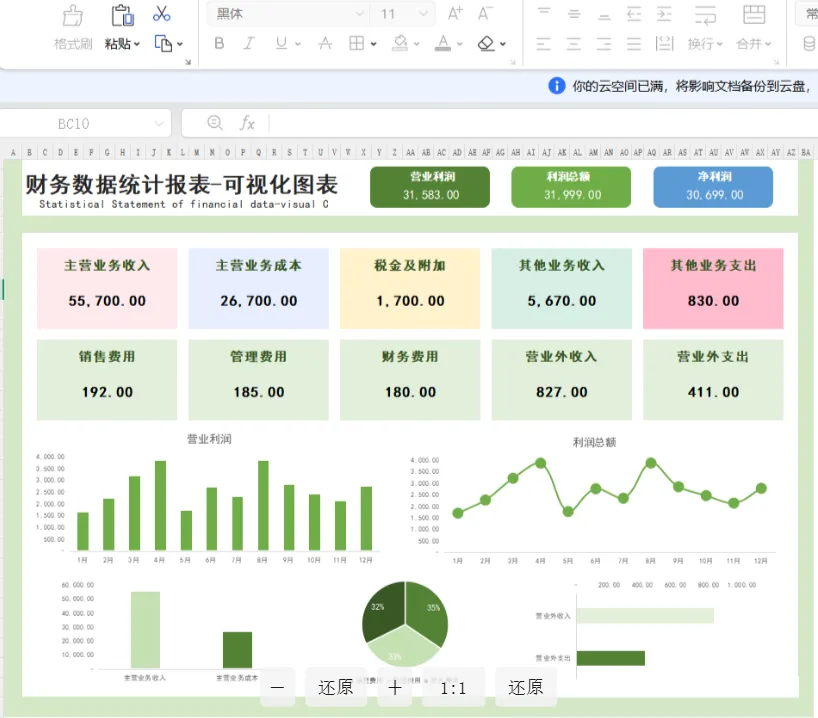
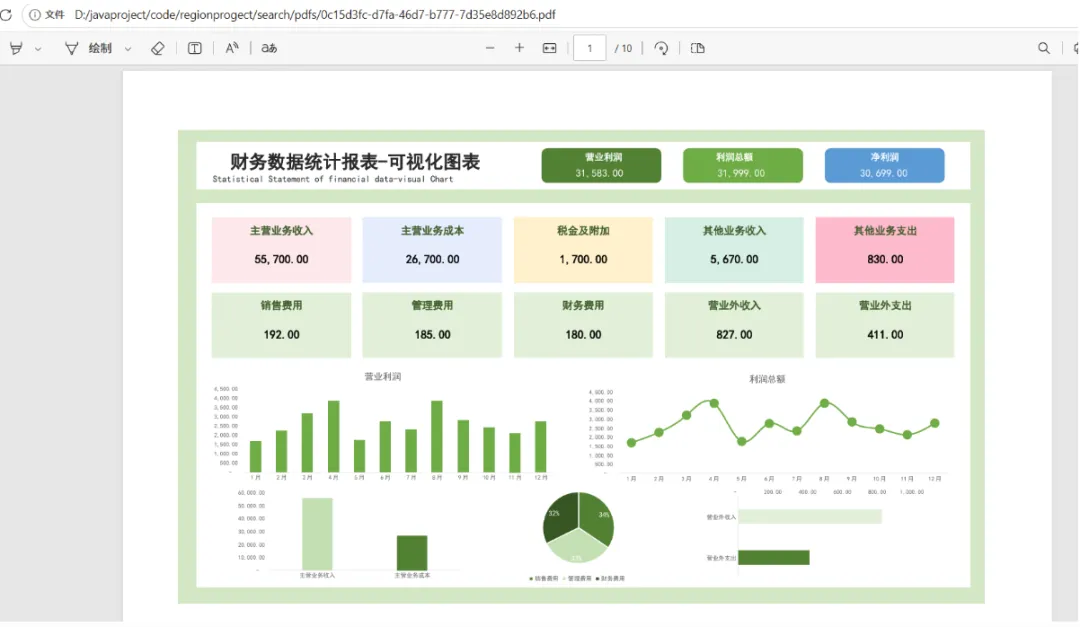
在实际企业应用开发中,经常需要将 Excel 报表、采购订单、入库单等文档转换为 PDF 格式,以便于存档、打印或分发。相比直接操作 Excel 文件,PDF 具有跨平台、防篡改、版面固定等优点。而 LibreOffice 作为一款开源的办公套件,提供了强大的命令行转换能力,能够高质量地保留 Excel 的复杂样式、图表、公式和排版,是 Java 后端实现文档转换的理想选择。本文将详细介绍如何使用 Java 调用 LibreOffice 将 Excel 文件转换为 PDF,并提供完整的代码示例、参数说明及常见问题解决方案。比如下面这种复杂excel表格,转换pdf就恒麻烦,尤其是样式回错乱。下面介绍一种方式,来实现windows环境下的无损转换pdf,linux只需要安装luinx下的包即可,这里不做演示。一、为什么选择 LibreOffice?
目前主流的 Excel 转 PDF 方案有以下几种: | | |
|---|
| | |
| 封装了 LibreOffice 的调用,API 友好 | |
| | |
在企业级应用中,样式保真度往往是最重要的指标。LibreOffice 能够完美呈现 Excel 中的字体、颜色、边框、合并单元格、公式计算结果、甚至嵌入式图表,这是其他纯 Java 方案难以比拟的。因此,推荐使用 Java 调用 LibreOffice 命令行的方式。二、环境准备
2.1 安装 LibreOffice
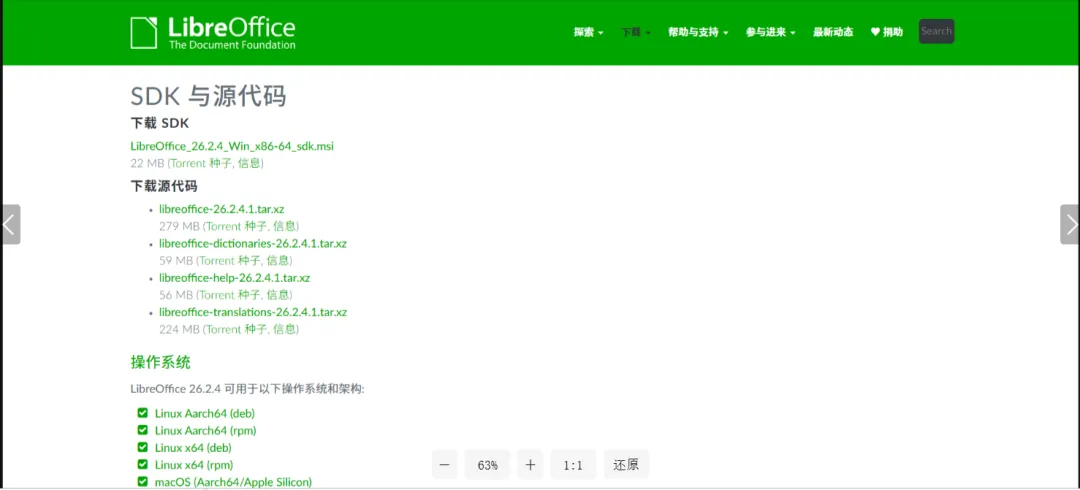
下载 LibreOffice | LibreOffice 简体中文官方网站 - 自由免费的办公套件下载安装包,默认安装路径为 C:\Program Files\LibreOffice\program\soffice.exeLinux (Ubuntu/Debian):sudo apt install libreoffice -yLinux (CentOS/RHEL):sudo yum install libreoffice -ymacOS:通过 Homebrew 安装:brew install --cask libreoffice安装后,在终端执行 soffice --version 验证是否成功。2.2 Java 环境
任何 Java 框架均可(Spring Boot、普通 Maven 项目等)三、核心原理
LibreOffice 提供无界面(headless)模式,可以通过命令行参数完成文档格式转换,而不启动图形界面。Java 通过 ProcessBuilder 或 Runtime.exec() 调用系统命令,执行 LibreOffice 的转换指令,然后读取生成的 PDF 文件即可。soffice --headless --convert-to pdf --outdir /output/dir /path/to/input.xlsx四、Java 实现步骤
4.1 创建转换器类
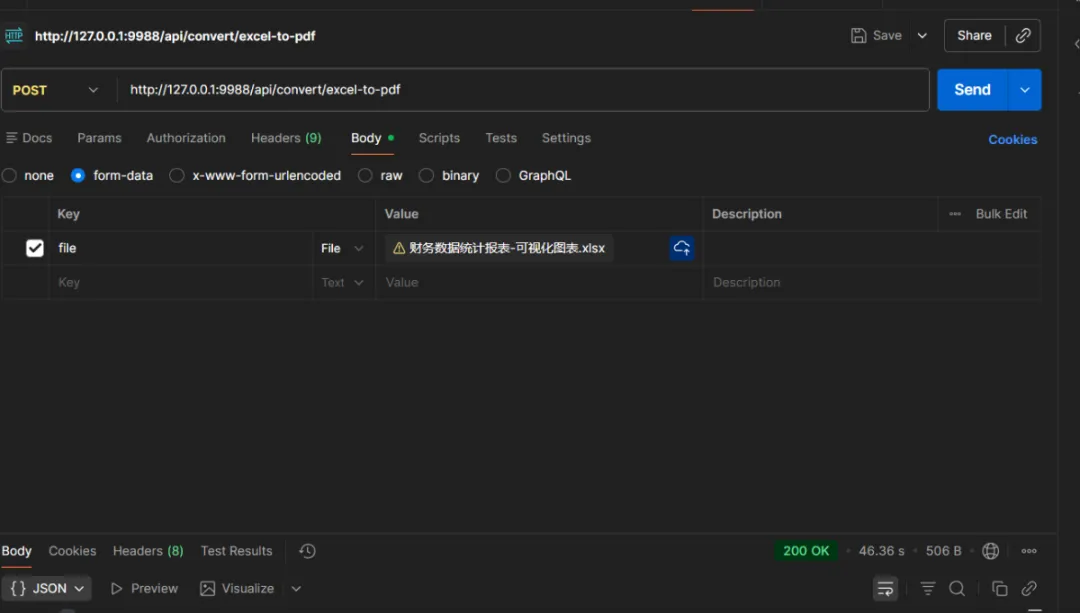
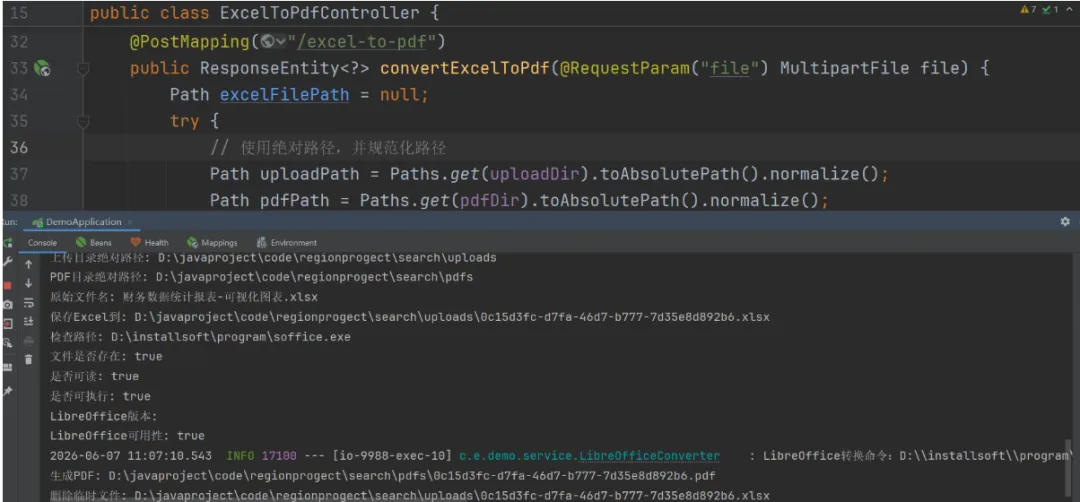
public class LibreOfficeConverter {private static final Logger log = LoggerFactory.getLogger(LibreOfficeConverter.class);private String sofficePath;private int timeoutSeconds;public LibreOfficeConverter(String sofficePath, int timeoutSeconds) {this.sofficePath = sofficePath;this.timeoutSeconds = timeoutSeconds;public String excelToPdf(String excelPath, String outputDir) throws Exception {File excelFile = new File(excelPath);if (!excelFile.exists()) {throw new Exception("Excel文件不存在:" + excelPath);File outputDirFile = new File(outputDir);if (!outputDirFile.exists()) {String absoluteExcelPath = excelFile.getAbsolutePath();String absoluteOutputDir = outputDirFile.getAbsolutePath();String command = String.format("%s --headless --convert-to pdf:writer_pdf_Export --outdir %s %s",log.info("LibreOffice转换命令:{}", command);ProcessBuilder processBuilder = new ProcessBuilder();if (System.getProperty("os.name").toLowerCase().contains("windows")) {processBuilder.command("cmd.exe", "/c", command);processBuilder.command("bash", "-c", command);processBuilder.environment().put("LANG", "zh_CN.UTF-8");processBuilder.environment().put("LANGUAGE", "zh_CN.UTF-8");processBuilder.redirectErrorStream(true);process = processBuilder.start();StringBuilder output = new StringBuilder();try (BufferedReader reader = new BufferedReader(new InputStreamReader(process.getInputStream(), "UTF-8"))) {while ((line = reader.readLine()) != null) {output.append(line).append("\n");boolean finished = process.waitFor(timeoutSeconds, TimeUnit.SECONDS);process.destroyForcibly();throw new Exception("LibreOffice转换超时(" + timeoutSeconds + "秒)");int exitCode = process.exitValue();throw new Exception("PDF转换失败,退出码:" + exitCode);String excelBaseName = excelFile.getName();int dotIndex = excelBaseName.lastIndexOf(".");String pdfName = (dotIndex > 0 ? excelBaseName.substring(0, dotIndex) : excelBaseName) + ".pdf";String pdfPath = absoluteOutputDir + File.separator + pdfName;if (process != null && process.isAlive()) {process.destroyForcibly();public boolean isAvailable() {File sofficeFile = new File(sofficePath);System.out.println("检查路径: " + sofficeFile.getAbsolutePath());System.out.println("文件是否存在: " + sofficeFile.exists());System.out.println("是否可读: " + sofficeFile.canRead());System.out.println("是否可执行: " + sofficeFile.canExecute());if (!sofficeFile.exists()) {"D:/installsoftware/program/soffice.exe","D:\\installsoftware\\program\\soffice.exe",for (String path : commonPaths) {File testFile = new File(path);System.out.println("找到LibreOffice: " + path);if (!sofficeFile.exists()) {System.err.println("未找到LibreOffice可执行文件");// 方法2:直接执行命令(使用 ProcessBuilder)ProcessBuilder pb = new ProcessBuilder(sofficeFile.getAbsolutePath(), "--version"pb.redirectErrorStream(true);Process process = pb.start();StringBuilder output = new StringBuilder();try (BufferedReader reader = new BufferedReader(new InputStreamReader(process.getInputStream(), "UTF-8"))) {while ((line = reader.readLine()) != null) {boolean finished = process.waitFor(5, TimeUnit.SECONDS);if (finished && process.exitValue() == 0) {System.out.println("LibreOffice版本: " + output.toString());System.err.println("退出码: " + process.exitValue());System.err.println("检查失败: " + e.getMessage());@RequestMapping("/api/convert")public class ExcelToPdfController {@Value("${libreoffice.path}")private String sofficePath;@Value("${libreoffice.timeout:300}")@Value("${file.upload-dir:./uploads}")private String uploadDir;@Value("${file.pdf-dir:./pdfs}")@PostMapping("/excel-to-pdf")public ResponseEntity convertExcelToPdf(@RequestParam("file") MultipartFile file) {Path excelFilePath = null;Path uploadPath = Paths.get(uploadDir).toAbsolutePath().normalize();Path pdfPath = Paths.get(pdfDir).toAbsolutePath().normalize();System.out.println("上传目录绝对路径: " + uploadPath);System.out.println("PDF目录绝对路径: " + pdfPath);if (!Files.exists(uploadPath)) {Files.createDirectories(uploadPath);System.out.println("创建上传目录: " + uploadPath);if (!Files.exists(pdfPath)) {Files.createDirectories(pdfPath);System.out.println("创建PDF目录: " + pdfPath);String originalFilename = file.getOriginalFilename();System.out.println("原始文件名: " + originalFilename);if (originalFilename != null && originalFilename.contains(".")) {ext = originalFilename.substring(originalFilename.lastIndexOf("."));String fileName = UUID.randomUUID().toString() + ext;excelFilePath = uploadPath.resolve(fileName);Files.createDirectories(excelFilePath.getParent());file.transferTo(excelFilePath.toFile());System.out.println("保存Excel到: " + excelFilePath);if (!Files.exists(excelFilePath)) {throw new Exception("Excel文件保存失败");LibreOfficeConverter converter = new LibreOfficeConverter(sofficePath, timeout);boolean available = converter.isAvailable();System.out.println("LibreOffice可用性: " + available);throw new Exception("LibreOffice不可用,请检查路径: " + sofficePath);String pdfFilePath = converter.excelToPdf(excelFilePath.toString(), pdfPath.toString());System.out.println("生成PDF: " + pdfFilePath);Path pdfPathObj = Paths.get(pdfFilePath);String pdfFileName = pdfPathObj.getFileName().toString();Map result = new HashMap<>();result.put("success", true);result.put("pdfPath", pdfFilePath);result.put("pdfName", pdfFileName);result.put("downloadUrl", "/api/convert/download/" + pdfFileName);return ResponseEntity.ok(result);Map error = new HashMap<>();error.put("success", false);error.put("message", e.getMessage());error.put("type", e.getClass().getName());return ResponseEntity.internalServerError().body(error);if (excelFilePath != null && Files.exists(excelFilePath)) {Files.deleteIfExists(excelFilePath);System.out.println("删除临时文件: " + excelFilePath);} catch (IOException e) {System.err.println("删除临时文件失败: " + e.getMessage());4.3 配置文件 (application.yml)
path: D:\\installsoft\\program\\soffice.exeupload-dir: D:\\javaproject\\code\\regionprogect\\search\\uploads使用绝对路径
pdf-dir: D:\\javaproject\\code\\regionprogect\\search\\pdfs使用绝对路径
五、关键参数详解
| |
|---|
--headless | |
--nofirststartwizard | |
--norestore | |
--nologo | |
--invisible | |
--convert-to pdf[:writer_pdf_Export] | |
--outdir | |
-env:UserInstallation=file:///path | |
5.1 避免弹窗的额外技巧
如果依然弹出“Press Enter to continue...”或配置向导,可以添加 -env:UserInstallation 参数指定一个临时目录:String tempUserDir = System.getProperty("java.io.tmpdir") + "libreoffice_user_" + System.currentTimeMillis(); String[] command = { sofficePath, "--headless", "--nofirststartwizard", "-env:UserInstallation=file:///" + tempUserDir.replace("\\", "/"), "--convert-to", "pdf", "--outdir", outputDir, excelPath }; // 转换完成后删除临时目录如果是使用php的话,也是支持的,php实现的代码如下:$sofficePath = 'D:\installsoft\program\soffice.exe';// 使用 :writer_pdf_Export 导出器确保 Excel 转 PDF 最佳效果'%s --headless --convert-to pdf:writer_pdf_Export --outdir %s %s 2>&1',escapeshellcmd($sofficePath),escapeshellarg($saveDir),escapeshellarg($filePath)$pdfName = pathinfo($filePath, PATHINFO_FILENAME);Log::info('LibreOffice转换命令:' . $command);putenv('LANG=zh_CN.UTF-8');putenv('LANGUAGE=zh_CN.UTF-8');exec($command, $output, $returnCode);$errorMsg = implode("\n", $output);Log::error('LibreOffice转换失败:' . $errorMsg);throw new \Exception('PDF转换失败:' . $errorMsg);if (!file_exists(app()->getRootPath() . 'public/storage/' .$savePath.'/'.$filename.'.pdf')) {throw new \Exception('服务器繁忙,请稍后再试!');'fileName' => $filename.'.pdf',} catch (\Exception $e) {return ['code' => 500, 'msg' => $e->getMessage()];六、异常处理与优化建议
6.1 常见异常及解决方法
| | |
|---|
| | |
| | |
| | 使用 -env:UserInstallation 参数 |
| | |
6.2 性能优化
复用用户配置目录:指定固定的 UserInstallation 目录,避免每次创建临时目录,减少初始化开销。控制并发:LibreOffice 进程启动较慢(约 2-3 秒),高并发时建议使用队列 + 单进程或连接池(如 JodConverter 内置的进程池)。异步处理:对于大文件,可改为异步转换 + 轮询结果,避免 HTTP 请求阻塞。6.3 设置环境变量(解决中文乱码)
pb.environment().put("LANG", "zh_CN.UTF-8"); pb.environment().put("LANGUAGE", "zh_CN.UTF-8");七、完整项目示例(Maven 依赖)
不需要额外依赖,仅使用 JDK 标准库。 Spring Boot 项目,只需添加 Spring Web 起步依赖:org.springframework.boot spring-boot-starter-web八、总结
通过 Java 调用 LibreOffice 命令行,我们可以低成本地获得企业级 Excel 转 PDF 功能,样式保留度接近 100%。该方法不依赖昂贵的商业组件,部署简单,只需在服务器上安装 LibreOffice 即可。安装 LibreOffice,记录可执行文件路径。使用 ProcessBuilder 执行带 --headless 等参数的转换命令。利用 -env:UserInstallation 避免弹窗,设置环境变量解决中文乱码。该方案已在多个生产环境中稳定运行,支持 Excel、Word、PPT 转 PDF,是开源技术栈中非常实用的文档转换方案。
 10个月宝宝每天需要喝多少奶粉?