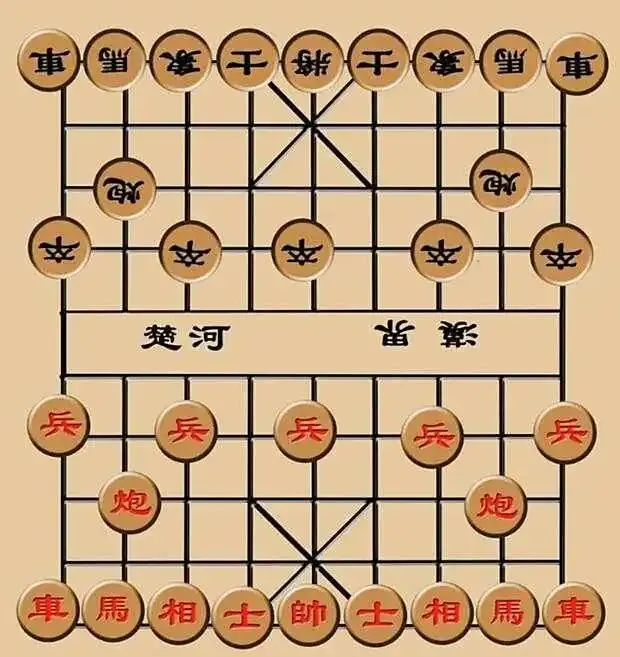
中国象棋是中华民族的优秀文化遗产之一,具有悠久的历史和深厚的文化底蕴。作为一项智力运动,它不仅能够锻炼思维、培养战略眼光,还能增进人与人之间的交流与友谊。中国象棋的规则简洁而富有哲理,体现了中华文化中“和而不同”的思想精髓。今天分享中国象棋人机对战游戏代码(Windows电脑端),供参考!
项目结构
ChineseChess/
├── main.py # 主游戏文件
├── chess_game.py # 游戏逻辑
├── ai_engine.py # AI引擎
├── requirements.txt # 依赖包
├── setup.py # 打包配置
└── assets/ # 资源文件
├── pieces/
└── sounds/
完整代码实现
1. 主游戏文件 (main.py)
import pygame
import sys
import os
from chess_game import ChessGame
from ai_engine import ChessAI
# 初始化
pygame.init()
pygame.font.init()
pygame.mixer.init()
# 游戏配置
CELL_SIZE = 60
BOARD_WIDTH = 9
BOARD_HEIGHT = 10
SCREEN_WIDTH = CELL_SIZE * BOARD_WIDTH + 300
SCREEN_HEIGHT = CELL_SIZE * BOARD_HEIGHT + 100
# 颜色定义
COLORS = {
'background': (220, 179, 92),
'line': (0, 0, 0),
'red_piece': (220, 20, 60),
'black_piece': (30, 30, 30),
'highlight': (255, 255, 0),
'text': (50, 50, 50),
'button': (100, 150, 255),
'button_hover': (150, 200, 255),
'panel_bg': (240, 230, 200),
'border': (150, 120, 80)
}
class ChessGUI:
def __init__(self):
self.screen = pygame.display.set_mode((SCREEN_WIDTH, SCREEN_HEIGHT))
pygame.display.set_caption("中国象棋 - 人机对战")
self.clock = pygame.time.Clock()
# 加载字体
try:
self.font_large = pygame.font.Font(None, 48)
self.font_medium = pygame.font.Font(None, 36)
self.font_small = pygame.font.Font(None, 24)
except:
self.font_large = pygame.font.SysFont('simhei', 48)
self.font_medium = pygame.font.SysFont('simhei', 36)
self.font_small = pygame.font.SysFont('simhei', 24)
# 游戏状态
self.game = ChessGame()
self.ai = ChessAI()
self.selected_piece = None
self.valid_moves = []
self.game_state = "MENU" # MENU, PLAYING, GAME_OVER
self.difficulty = "EASY" # EASY, MEDIUM, HARD
self.ai_thinking = False
self.message = ""
self.message_timer = 0
def run(self):
"""运行游戏主循环"""
running = True
while running:
for event in pygame.event.get():
if event.type == pygame.QUIT:
running = False
elif event.type == pygame.MOUSEBUTTONDOWN:
self.handle_click(event.pos)
elif event.type == pygame.KEYDOWN:
if event.key == pygame.K_r:
self.restart_game()
elif event.key == pygame.K_ESCAPE:
if self.game_state == "PLAYING":
self.game_state = "MENU"
elif self.game_state == "MENU":
running = False
# 更新游戏状态
if self.game_state == "PLAYING" and not self.ai_thinking:
if self.game.current_player == 'black' and not self.game.game_over:
self.ai_move()
# 绘制界面
self.draw()
pygame.display.flip()
self.clock.tick(60)
# 更新消息计时器
if self.message_timer > 0:
self.message_timer -= 1
if self.message_timer == 0:
self.message = ""
pygame.quit()
sys.exit()
def handle_click(self, pos):
"""处理鼠标点击事件"""
x, y = pos
if self.game_state == "MENU":
# 主菜单按钮处理
button_y_start = SCREEN_HEIGHT // 2 - 50
# 难度选择按钮
easy_rect = pygame.Rect(SCREEN_WIDTH // 2 - 100, button_y_start, 200, 50)
medium_rect = pygame.Rect(SCREEN_WIDTH // 2 - 100, button_y_start + 70, 200, 50)
hard_rect = pygame.Rect(SCREEN_WIDTH // 2 - 100, button_y_start + 140, 200, 50)
exit_rect = pygame.Rect(SCREEN_WIDTH // 2 - 100, button_y_start + 210, 200, 50)
if easy_rect.collidepoint(x, y):
self.difficulty = "EASY"
self.start_game()
elif medium_rect.collidepoint(x, y):
self.difficulty = "MEDIUM"
self.start_game()
elif hard_rect.collidepoint(x, y):
self.difficulty = "HARD"
self.start_game()
elif exit_rect.collidepoint(x, y):
pygame.quit()
sys.exit()
elif self.game_state == "PLAYING":
# 游戏控制面板按钮
panel_x = CELL_SIZE * BOARD_WIDTH + 20
# 重新开始按钮
restart_rect = pygame.Rect(panel_x, 300, 150, 50)
# 返回菜单按钮
menu_rect = pygame.Rect(panel_x, 370, 150, 50)
# 悔棋按钮
undo_rect = pygame.Rect(panel_x, 440, 150, 50)
if restart_rect.collidepoint(x, y):
self.restart_game()
return
elif menu_rect.collidepoint(x, y):
self.game_state = "MENU"
return
elif undo_rect.collidepoint(x, y):
if len(self.game.move_history) > 0:
self.game.undo_move()
if self.game.current_player == 'black':
# 如果当前是黑方,再悔一次(玩家连续悔棋)
if len(self.game.move_history) > 0:
self.game.undo_move()
self.selected_piece = None
self.valid_moves = []
self.show_message("悔棋成功")
else:
self.show_message("没有棋可悔")
return
# 棋盘点击处理
if x < CELL_SIZE * BOARD_WIDTH and y < CELL_SIZE * BOARD_HEIGHT:
col = x // CELL_SIZE
row = y // CELL_SIZE
if 0 <= col < BOARD_WIDTH and 0 <= row < BOARD_HEIGHT:
if not self.selected_piece:
# 选择棋子
piece = self.game.get_piece_at(row, col)
if piece and piece.color == self.game.current_player:
self.selected_piece = piece
self.valid_moves = self.game.get_valid_moves(piece)
if not self.valid_moves:
self.selected_piece = None
self.show_message("该棋子无法移动")
else:
# 移动棋子
if self.game.move_piece(self.selected_piece.row,
self.selected_piece.col,
row, col):
self.selected_piece = None
self.valid_moves = []
if self.game.game_over:
self.game_state = "GAME_OVER"
self.show_message(f"{'红方' if self.game.winner == 'red' else '黑方'}获胜!")
else:
# 点击其他棋子或取消选择
piece = self.game.get_piece_at(row, col)
if piece and piece.color == self.game.current_player:
self.selected_piece = piece
self.valid_moves = self.game.get_valid_moves(piece)
else:
self.selected_piece = None
self.valid_moves = []
elif self.game_state == "GAME_OVER":
# 游戏结束界面
button_rect = pygame.Rect(SCREEN_WIDTH // 2 - 100, SCREEN_HEIGHT // 2 + 50, 200, 50)
if button_rect.collidepoint(x, y):
self.restart_game()
def ai_move(self):
"""AI移动"""
self.ai_thinking = True
self.show_message("电脑思考中...")
# 根据难度设置搜索深度
if self.difficulty == "EASY":
depth = 1
elif self.difficulty == "MEDIUM":
depth = 2
else: # HARD
depth = 3
# 获取AI最佳移动
best_move = self.ai.get_best_move(self.game, depth)
if best_move:
from_pos, to_pos = best_move
self.game.move_piece(from_pos[0], from_pos[1], to_pos[0], to_pos[1])
if self.game.game_over:
self.game_state = "GAME_OVER"
self.show_message(f"{'红方' if self.game.winner == 'red' else '黑方'}获胜!")
self.ai_thinking = False
def start_game(self):
"""开始新游戏"""
self.game = ChessGame()
self.selected_piece = None
self.valid_moves = []
self.game_state = "PLAYING"
self.message = ""
def restart_game(self):
"""重新开始游戏"""
self.start_game()
self.show_message("新游戏开始")
def show_message(self, message):
"""显示消息"""
self.message = message
self.message_timer = 120 # 显示2秒(60帧/秒)
def draw(self):
"""绘制整个界面"""
if self.game_state == "MENU":
self.draw_menu()
elif self.game_state == "PLAYING":
self.draw_game()
elif self.game_state == "GAME_OVER":
self.draw_game_over()
def draw_menu(self):
"""绘制主菜单"""
# 背景
self.screen.fill(COLORS['background'])
# 标题
title = self.font_large.render("中国象棋 - 人机对战", True, COLORS['text'])
title_rect = title.get_rect(center=(SCREEN_WIDTH // 2, 100))
self.screen.blit(title, title_rect)
# 版本信息
version = self.font_small.render("版本 1.0", True, COLORS['text'])
version_rect = version.get_rect(center=(SCREEN_WIDTH // 2, 160))
self.screen.blit(version, version_rect)
# 难度选择标题
diff_title = self.font_medium.render("选择难度", True, COLORS['text'])
diff_rect = diff_title.get_rect(center=(SCREEN_WIDTH // 2, 220))
self.screen.blit(diff_title, diff_rect)
# 按钮区域
button_y_start = SCREEN_HEIGHT // 2 - 50
# 按钮
buttons = [
("初级难度", self.difficulty == "EASY"),
("中级难度", self.difficulty == "MEDIUM"),
("高级难度", self.difficulty == "HARD"),
("退出游戏", False)
]
for i, (text, selected) in enumerate(buttons):
y_pos = button_y_start + i * 70
button_rect = pygame.Rect(SCREEN_WIDTH // 2 - 100, y_pos, 200, 50)
# 鼠标悬停效果
mouse_pos = pygame.mouse.get_pos()
hover = button_rect.collidepoint(mouse_pos)
# 按钮颜色
if selected:
color = (50, 150, 50) # 已选择的颜色
elif hover:
color = COLORS['button_hover']
else:
color = COLORS['button']
# 绘制按钮
pygame.draw.rect(self.screen, color, button_rect, border_radius=10)
pygame.draw.rect(self.screen, COLORS['border'], button_rect, 3, border_radius=10)
# 按钮文字
btn_text = self.font_medium.render(text, True, (255, 255, 255))
text_rect = btn_text.get_rect(center=button_rect.center)
self.screen.blit(btn_text, text_rect)
# 操作说明
instructions = [
"操作说明:",
"1. 点击棋子选择",
"2. 点击目标位置移动",
"3. R键: 重新开始",
"4. ESC键: 返回菜单"
]
for i, line in enumerate(instructions):
text = self.font_small.render(line, True, COLORS['text'])
self.screen.blit(text, (50, SCREEN_HEIGHT - 150 + i * 25))
def draw_game(self):
"""绘制游戏界面"""
# 绘制棋盘
self.draw_board()
# 绘制棋子
self.draw_pieces()
# 绘制控制面板
self.draw_control_panel()
# 绘制消息
if self.message:
self.draw_message()
# 绘制AI思考状态
if self.ai_thinking:
self.draw_thinking()
def draw_board(self):
"""绘制棋盘"""
# 背景
self.screen.fill(COLORS['background'])
# 棋盘网格
for i in range(BOARD_WIDTH + 1):
x = CELL_SIZE * i
pygame.draw.line(self.screen, COLORS['line'],
(x, 0), (x, CELL_SIZE * BOARD_HEIGHT), 2)
for i in range(BOARD_HEIGHT + 1):
y = CELL_SIZE * i
pygame.draw.line(self.screen, COLORS['line'],
(0, y), (CELL_SIZE * BOARD_WIDTH, y), 2)
# 绘制九宫格
# 上方九宫
pygame.draw.line(self.screen, COLORS['line'],
(CELL_SIZE * 3, 0),
(CELL_SIZE * 5, CELL_SIZE * 2), 2)
pygame.draw.line(self.screen, COLORS['line'],
(CELL_SIZE * 5, 0),
(CELL_SIZE * 3, CELL_SIZE * 2), 2)
# 下方九宫
pygame.draw.line(self.screen, COLORS['line'],
(CELL_SIZE * 3, CELL_SIZE * 7),
(CELL_SIZE * 5, CELL_SIZE * 9), 2)
pygame.draw.line(self.screen, COLORS['line'],
(CELL_SIZE * 5, CELL_SIZE * 7),
(CELL_SIZE * 3, CELL_SIZE * 9), 2)
# 楚河汉界标记
river_text = self.font_medium.render("楚河 汉界", True, COLORS['text'])
text_rect = river_text.get_rect(center=(CELL_SIZE * 4.5, CELL_SIZE * 5))
self.screen.blit(river_text, text_rect)
def draw_pieces(self):
"""绘制棋子"""
for row in range(BOARD_HEIGHT):
for col in range(BOARD_WIDTH):
piece = self.game.board[row][col]
if piece:
x = col * CELL_SIZE + CELL_SIZE // 2
y = row * CELL_SIZE + CELL_SIZE // 2
# 棋子颜色
if piece.color == 'red':
color = COLORS['red_piece']
text_color = (255, 255, 255)
else:
color = (30, 30, 30)
text_color = (200, 200, 200)
# 绘制棋子
pygame.draw.circle(self.screen, color, (x, y), CELL_SIZE // 2 - 5)
pygame.draw.circle(self.screen, (255, 255, 255), (x, y), CELL_SIZE // 2 - 7)
# 绘制棋子边框
pygame.draw.circle(self.screen, (0, 0, 0), (x, y), CELL_SIZE // 2 - 5, 2)
# 选中状态高亮
if piece == self.selected_piece:
pygame.draw.circle(self.screen, COLORS['highlight'],
(x, y), CELL_SIZE // 2 - 3, 3)
# 棋子文字
piece_text = self.font_medium.render(piece.name, True, text_color)
text_rect = piece_text.get_rect(center=(x, y))
self.screen.blit(piece_text, text_rect)
# 绘制有效移动位置
for move in self.valid_moves:
row, col = move
x = col * CELL_SIZE + CELL_SIZE // 2
y = row * CELL_SIZE + CELL_SIZE // 2
pygame.draw.circle(self.screen, COLORS['highlight'], (x, y), 8, 3)
def draw_control_panel(self):
"""绘制控制面板"""
panel_x = CELL_SIZE * BOARD_WIDTH + 20
# 面板背景
pygame.draw.rect(self.screen, COLORS['panel_bg'],
(panel_x - 10, 10, 260, SCREEN_HEIGHT - 20), border_radius=10)
pygame.draw.rect(self.screen, COLORS['border'],
(panel_x - 10, 10, 260, SCREEN_HEIGHT - 20), 3, border_radius=10)
# 游戏信息
info_y = 50
# 当前回合
current_player = "红方" if self.game.current_player == 'red' else "黑方"
if self.game.current_player == 'red':
turn_text = f"当前回合: {current_player} (玩家)"
else:
turn_text = f"当前回合: {current_player} (电脑)"
if self.difficulty == "EASY":
turn_text += " [初级]"
elif self.difficulty == "MEDIUM":
turn_text += " [中级]"
else:
turn_text += " [高级]"
turn_surface = self.font_small.render(turn_text, True, COLORS['text'])
self.screen.blit(turn_surface, (panel_x, info_y))
# 难度显示
diff_text = f"难度: {self.difficulty}"
diff_surface = self.font_small.render(diff_text, True, COLORS['text'])
self.screen.blit(diff_surface, (panel_x, info_y + 30))
# 按钮
buttons = [
("重新开始", 300, self.restart_game),
("返回菜单", 370, lambda: setattr(self, 'game_state', 'MENU')),
("悔棋", 440, self.undo_move),
("操作说明", 510, None)
]
for text, y, _ in buttons:
button_rect = pygame.Rect(panel_x, y, 150, 50)
mouse_pos = pygame.mouse.get_pos()
hover = button_rect.collidepoint(mouse_pos)
# 按钮颜色
color = COLORS['button_hover'] if hover else COLORS['button']
pygame.draw.rect(self.screen, color, button_rect, border_radius=5)
pygame.draw.rect(self.screen, COLORS['border'], button_rect, 2, border_radius=5)
# 按钮文字
btn_text = self.font_small.render(text, True, (255, 255, 255))
text_rect = btn_text.get_rect(center=button_rect.center)
self.screen.blit(btn_text, text_rect)
# 操作说明
instructions = [
"操作说明:",
"1. 点击棋子选择",
"2. 点击目标位置移动",
"3. R键: 重新开始",
"4. ESC键: 返回菜单",
"5. 红方为玩家",
"6. 黑方为电脑AI",
"",
"棋子价值:",
"将/帅: 1000",
"车: 500",
"马: 300",
"炮: 300",
"士/仕: 200",
"象/相: 200",
"兵/卒: 100"
]
for i, line in enumerate(instructions):
text = self.font_small.render(line, True, COLORS['text'])
self.screen.blit(text, (panel_x, 600 + i * 25))
def draw_message(self):
"""绘制消息"""
if not self.message:
return
# 半透明背景
overlay = pygame.Surface((SCREEN_WIDTH, 60), pygame.SRCALPHA)
overlay.fill((0, 0, 0, 180))
self.screen.blit(overlay, (0, SCREEN_HEIGHT - 60))
# 消息文字
msg_surface = self.font_medium.render(self.message, True, (255, 255, 0))
msg_rect = msg_surface.get_rect(center=(SCREEN_WIDTH // 2, SCREEN_HEIGHT - 30))
self.screen.blit(msg_surface, msg_rect)
def draw_thinking(self):
"""绘制AI思考状态"""
overlay = pygame.Surface((SCREEN_WIDTH, SCREEN_HEIGHT), pygame.SRCALPHA)
overlay.fill((0, 0, 0, 100))
self.screen.blit(overlay, (0, 0))
# 思考文字
think_text = self.font_large.render("电脑思考中...", True, (255, 255, 0))
text_rect = think_text.get_rect(center=(SCREEN_WIDTH // 2, SCREEN_HEIGHT // 2))
self.screen.blit(think_text, text_rect)
def draw_game_over(self):
"""绘制游戏结束界面"""
# 绘制游戏棋盘
self.draw_board()
self.draw_pieces()
self.draw_control_panel()
# 半透明覆盖层
overlay = pygame.Surface((SCREEN_WIDTH, SCREEN_HEIGHT), pygame.SRCALPHA)
overlay.fill((0, 0, 0, 150))
self.screen.blit(overlay, (0, 0))
# 游戏结束文字
winner_text = "红方获胜!" if self.game.winner == 'red' else "黑方获胜!"
game_over_text = self.font_large.render("游戏结束", True, (255, 255, 0))
winner_surface = self.font_large.render(winner_text, True, (255, 255, 0))
game_over_rect = game_over_text.get_rect(center=(SCREEN_WIDTH // 2, SCREEN_HEIGHT // 2 - 50))
winner_rect = winner_surface.get_rect(center=(SCREEN_WIDTH // 2, SCREEN_HEIGHT // 2 + 10))
self.screen.blit(game_over_text, game_over_rect)
self.screen.blit(winner_surface, winner_rect)
# 重新开始按钮
button_rect = pygame.Rect(SCREEN_WIDTH // 2 - 100, SCREEN_HEIGHT // 2 + 80, 200, 50)
mouse_pos = pygame.mouse.get_pos()
hover = button_rect.collidepoint(mouse_pos)
color = COLORS['button_hover'] if hover else COLORS['button']
pygame.draw.rect(self.screen, color, button_rect, border_radius=10)
pygame.draw.rect(self.screen, COLORS['border'], button_rect, 3, border_radius=10)
restart_text = self.font_medium.render("重新开始", True, (255, 255, 255))
restart_rect = restart_text.get_rect(center=button_rect.center)
self.screen.blit(restart_text, restart_rect)
def undo_move(self):
"""悔棋功能"""
if len(self.game.move_history) > 0:
self.game.undo_move()
if self.game.current_player == 'black':
# 如果当前是黑方,再悔一次(玩家连续悔棋)
if len(self.game.move_history) > 0:
self.game.undo_move()
self.selected_piece = None
self.valid_moves = []
self.show_message("悔棋成功")
else:
self.show_message("没有棋可悔")
def main():
"""主函数"""
try:
game = ChessGUI()
game.run()
except Exception as e:
print(f"游戏启动错误: {e}")
input("按任意键退出...")
if __name__ == "__main__":
main()
2. 游戏逻辑文件 (chess_game.py)
import copy
class ChessPiece:
def __init__(self, name, color, row, col):
self.name = name
self.color = color # 'red' 或 'black'
self.row = row
self.col = col
self.is_visible = True
# 棋子价值
self.value = self.get_piece_value()
def get_piece_value(self):
"""获取棋子价值"""
values = {
'将': 1000, '帥': 1000,
'车': 500, '車': 500,
'马': 300, '馬': 300,
'炮': 300,
'士': 200, '仕': 200,
'象': 200, '相': 200,
'兵': 100, '卒': 100
}
return values.get(self.name, 100)
def copy(self):
"""复制棋子"""
return ChessPiece(self.name, self.color, self.row, self.col)
class ChessGame:
def __init__(self):
# 初始化棋盘
self.board = [[None for _ in range(9)] for _ in range(10)]
self.current_player = 'red' # 红方先走
self.game_over = False
self.winner = None
self.move_history = [] # 记录移动历史用于悔棋
# 初始化棋子
self.init_board()
def init_board(self):
"""初始化棋盘"""
piece_layout = [
["车", "马", "象", "士", "将", "士", "象", "马", "车"],
["", "", "", "", "", "", "", "", ""],
["", "炮", "", "", "", "", "", "炮", ""],
["兵", "", "兵", "", "兵", "", "兵", "", "兵"],
["", "", "", "", "", "", "", "", ""],
["", "", "", "", "", "", "", "", ""],
["卒", "", "卒", "", "卒", "", "卒", "", "卒"],
["", "炮", "", "", "", "", "", "炮", ""],
["", "", "", "", "", "", "", "", ""],
["車", "馬", "相", "仕", "帥", "仕", "相", "馬", "車"]
]
for row in range(10):
for col in range(9):
name = piece_layout[row][col]
if name:
color = 'red' if row >= 5 else 'black'
self.board[row][col] = ChessPiece(name, color, row, col)
def get_piece_at(self, row, col):
"""获取指定位置的棋子"""
if 0 <= row < 10 and 0 <= col < 9:
return self.board[row][col]
return None
def get_valid_moves(self, piece):
"""获取棋子的所有合法移动"""
moves = []
if piece.name in ["将", "帥"]:
# 将/帅的移动
moves = self.get_king_moves(piece)
elif piece.name in ["士", "仕"]:
# 士/仕的移动
moves = self.get_advisor_moves(piece)
elif piece.name in ["象", "相"]:
# 象/相的移动
moves = self.get_bishop_moves(piece)
elif piece.name in ["马", "馬"]:
# 马的移动
moves = self.get_knight_moves(piece)
elif piece.name in ["车", "車"]:
# 车的移动
moves = self.get_rook_moves(piece)
elif piece.name == "炮":
# 炮的移动
moves = self.get_cannon_moves(piece)
elif piece.name in ["兵", "卒"]:
# 兵/卒的移动
moves = self.get_pawn_moves(piece)
# 过滤掉会使自己将军的移动
safe_moves = []
for move in moves:
if self.is_safe_move(piece, move[0], move[1]):
safe_moves.append(move)
return safe_moves
def get_king_moves(self, piece):
"""获取将/帅的移动"""
moves = []
directions = [(-1, 0), (1, 0), (0, -1), (0, 1)]
for dr, dc in directions:
new_row, new_col = piece.row + dr, piece.col + dc
# 检查是否在九宫内
if piece.color == 'red':
if not (7 <= new_row <= 9 and 3 <= new_col <= 5):
continue
else:
if not (0 <= new_row <= 2 and 3 <= new_col <= 5):
continue
target = self.get_piece_at(new_row, new_col)
if not target or target.color != piece.color:
moves.append((new_row, new_col))
return moves
def get_advisor_moves(self, piece):
"""获取士/仕的移动"""
moves = []
directions = [(-1, -1), (-1, 1), (1, -1), (1, 1)]
for dr, dc in directions:
new_row, new_col = piece.row + dr, piece.col + dc
# 检查是否在九宫内
if piece.color == 'red':
if not (7 <= new_row <= 9 and 3 <= new_col <= 5):
continue
else:
if not (0 <= new_row <= 2 and 3 <= new_col <= 5):
continue
target = self.get_piece_at(new_row, new_col)
if not target or target.color != piece.color:
moves.append((new_row, new_col))
return moves
def get_bishop_moves(self, piece):
"""获取象/相的移动"""
moves = []
directions = [(-2, -2), (-2, 2), (2, -2), (2, 2)]
for dr, dc in directions:
new_row, new_col = piece.row + dr, piece.col + dc
# 检查是否过河
if piece.color == 'red' and new_row < 5:
continue
elif piece.color == 'black' and new_row > 4:
continue
# 检查象眼
mid_row = (piece.row + new_row) // 2
mid_col = (piece.col + new_col) // 2
if self.get_piece_at(mid_row, mid_col):
continue
target = self.get_piece_at(new_row, new_col)
if not target or target.color != piece.color:
moves.append((new_row, new_col))
return moves
def get_knight_moves(self, piece):
"""获取马的移动"""
moves = []
knight_moves = [
(-2, -1), (-2, 1), (-1, -2), (-1, 2),
(1, -2), (1, 2), (2, -1), (2, 1)
]
for dr, dc in knight_moves:
new_row, new_col = piece.row + dr, piece.col + dc
# 检查马腿
if abs(dr) == 2:
# 上下移动,检查中间的行
mid_row = piece.row + (dr // 2)
if self.get_piece_at(mid_row, piece.col):
continue
else:
# 左右移动,检查中间的列
mid_col = piece.col + (dc // 2)
if self.get_piece_at(piece.row, mid_col):
continue
target = self.get_piece_at(new_row, new_col)
if not target or target.color != piece.color:
moves.append((new_row, new_col))
return moves
def get_rook_moves(self, piece):
"""获取车的移动"""
moves = []
directions = [(-1, 0), (1, 0), (0, -1), (0, 1)]
for dr, dc in directions:
for distance in range(1, 10):
new_row = piece.row + dr * distance
new_col = piece.col + dc * distance
if not (0 <= new_row < 10 and 0 <= new_col < 9):
break
target = self.get_piece_at(new_row, new_col)
if target:
if target.color != piece.color:
moves.append((new_row, new_col))
break
else:
moves.append((new_row, new_col))
return moves
def get_cannon_moves(self, piece):
"""获取炮的移动"""
moves = []
directions = [(-1, 0), (1, 0), (0, -1), (0, 1)]
for dr, dc in directions:
jumped = False
for distance in range(1, 10):
new_row = piece.row + dr * distance
new_col = piece.col + dc * distance
if not (0 <= new_row < 10 and 0 <= new_col < 9):
break
target = self.get_piece_at(new_row, new_col)
if not jumped:
if not target:
moves.append((new_row, new_col))
else:
jumped = True
else:
if target:
if target.color != piece.color:
moves.append((new_row, new_col))
break
return moves
def get_pawn_moves(self, piece):
"""获取兵/卒的移动"""
moves = []
if piece.color == 'red':
# 红兵向前(向上)
if piece.row > 0:
moves.append((piece.row - 1, piece.col))
# 过河后可以左右移动
if piece.row <= 4:
if piece.col > 0:
moves.append((piece.row, piece.col - 1))
if piece.col < 8:
moves.append((piece.row, piece.col + 1))
else:
# 黑卒向前(向下)
if piece.row < 9:
moves.append((piece.row + 1, piece.col))
# 过河后可以左右移动
if piece.row >= 5:
if piece.col > 0:
moves.append((piece.row, piece.col - 1))
if piece.col < 8:
moves.append((piece.row, piece.col + 1))
# 过滤无效移动
valid_moves = []
for row, col in moves:
target = self.get_piece_at(row, col)
if not target or target.color != piece.color:
valid_moves.append((row, col))
return valid_moves
def is_safe_move(self, piece, to_row, to_col):
"""检查移动后是否会将军自己"""
# 保存当前状态
original_piece = self.get_piece_at(to_row, to_col)
# 临时执行移动
self.board[piece.row][piece.col] = None
self.board[to_row][to_col] = piece
old_row, old_col = piece.row, piece.col
piece.row, piece.col = to_row, to_col
# 检查是否将军
is_check = self.is_in_check(piece.color)
# 恢复状态
self.board[old_row][old_col] = piece
self.board[to_row][to_col] = original_piece
piece.row, piece.col = old_row, old_col
return not is_check
def is_in_check(self, color):
"""检查指定颜色是否被将军"""
# 找到将/帅的位置
king_pos = None
king_name = '帥' if color == 'red' else '将'
for row in range(10):
for col in range(9):
piece = self.board[row][col]
if piece and piece.color == color and piece.name == king_name:
king_pos = (row, col)
break
if king_pos:
break
if not king_pos:
return False
# 检查是否有敌方棋子可以攻击将/帅
for row in range(10):
for col in range(9):
piece = self.board[row][col]
if piece and piece.color != color:
moves = self.get_valid_moves(piece)
if king_pos in moves:
return True
return False
def move_piece(self, from_row, from_col, to_row, to_col):
"""移动棋子"""
piece = self.get_piece_at(from_row, from_col)
if not piece or piece.color != self.current_player:
return False
# 检查是否为合法移动
valid_moves = self.get_valid_moves(piece)
if (to_row, to_col) not in valid_moves:
return False
# 记录移动历史(用于悔棋)
target_piece = self.get_piece_at(to_row, to_col)
self.move_history.append({
'from': (from_row, from_col),
'to': (to_row, to_col),
'piece': piece,
'captured': target_piece
})
# 执行移动
self.board[from_row][from_col] = None
self.board[to_row][to_col] = piece
piece.row, piece.col = to_row, to_col
# 检查是否将军对方
opponent_color = 'black' if self.current_player == 'red' else 'red'
if self.is_in_check(opponent_color):
# 检查是否将死
if self.is_checkmate(opponent_color):
self.game_over = True
self.winner = self.current_player
# 切换玩家
self.current_player = opponent_color
return True
def is_checkmate(self, color):
"""检查是否将死"""
# 获取所有己方棋子的所有可能移动
for row in range(10):
for col in range(9):
piece = self.board[row][col]
if piece and piece.color == color:
moves = self.get_valid_moves(piece)
for move in moves:
# 尝试移动
original_target = self.get_piece_at(move[0], move[1])
self.board[row][col] = None
self.board[move[0]][move[1]] = piece
old_row, old_col = piece.row, piece.col
piece.row, piece.col = move[0], move[1]
# 检查是否解除将军
still_in_check = self.is_in_check(color)
# 恢复状态
self.board[old_row][old_col] = piece
self.board[move[0]][move[1]] = original_target
piece.row, piece.col = old_row, old_col
if not still_in_check:
return False
return True
def undo_move(self):
"""悔棋"""
if not self.move_history:
return False
last_move = self.move_history.pop()
# 恢复棋子
piece = last_move['piece']
from_row, from_col = last_move['from']
to_row, to_col = last_move['to']
captured = last_move['captured']
# 移动回原位
self.board[to_row][to_col] = captured
self.board[from_row][from_col] = piece
piece.row, piece.col = from_row, from_col
# 切换回上一个玩家
self.current_player = 'red' if self.current_player == 'black' else 'black'
self.game_over = False
self.winner = None
return True
def get_board_copy(self):
"""获取棋盘副本"""
new_game = ChessGame()
new_game.board = [[None for _ in range(9)] for _ in range(10)]
for row in range(10):
for col in range(9):
piece = self.board[row][col]
if piece:
new_game.board[row][col] = ChessPiece(piece.name, piece.color, row, col)
new_game.current_player = self.current_player
new_game.game_over = self.game_over
new_game.winner = self.winner
return new_game
def evaluate_board(self):
"""评估棋盘状态"""
if self.game_over:
if self.winner == 'red':
return -10000 # 红方获胜
else:
return 10000 # 黑方获胜
score = 0
# 计算棋子价值
for row in range(10):
for col in range(9):
piece = self.board[row][col]
if piece:
value = piece.value
# 根据位置调整价值
position_bonus = self.get_position_bonus(piece)
value += position_bonus
if piece.color == 'red':
score -= value # 红方棋子对AI来说是负分
else:
score += value # 黑方棋子对AI来说是正分
return score
def get_position_bonus(self, piece):
"""获取位置加成"""
# 简单的棋盘位置价值表
position_values = {
'将': [
[0, 0, 0, 1, 1, 1, 0, 0, 0],
[0, 0, 0, 2, 2, 2, 0, 0, 0],
[0, 0, 0, 3, 3, 3, 0, 0, 0],
[0, 0, 0, 0, 0, 0, 0, 0, 0],
[0, 0, 0, 0, 0, 0, 0, 0, 0],
[0, 0, 0, 0, 0, 0, 0, 0, 0],
[0, 0, 0, 0, 0, 0, 0, 0, 0],
[0, 0, 0, 0, 0, 0, 0, 0, 0],
[0, 0, 0, 0, 0, 0, 0, 0, 0],
[0, 0, 0, 0, 0, 0, 0, 0, 0]
],
'车': [
[6, 5, 4, 3, 2, 3, 4, 5, 6],
[6, 5, 4, 3, 2, 3, 4, 5, 6],
[7, 6, 5, 4, 3, 4, 5, 6, 7],
[7, 7, 6, 5, 4, 5, 6, 7, 7],
[8, 8, 7, 6, 5, 6, 7, 8, 8],
[8, 8, 7, 6, 5, 6, 7, 8, 8],
[7, 7, 6, 5, 4, 5, 6, 7, 7],
[7, 6, 5, 4, 3, 4, 5, 6, 7],
[6, 5, 4, 3, 2, 3, 4, 5, 6],
[6, 5, 4, 3, 2, 3, 4, 5, 6]
]
}
# 简化版本:给中心位置加成
row, col = piece.row, piece.col
center_distance = abs(row - 4.5) + abs(col - 4)
if piece.name in ["车", "車", "马", "馬", "炮"]:
return 10 - center_distance
elif piece.name in ["兵", "卒"]:
# 兵过河有加成
if piece.color == 'red' and row < 5:
return 20
elif piece.color == 'black' and row > 4:
return 20
return 0
3. AI引擎文件 (ai_engine.py)
import random
import copy
class ChessAI:
def __init__(self):
self.nodes_evaluated = 0
def get_best_move(self, game, depth):
"""获取最佳移动"""
self.nodes_evaluated = 0
# 获取所有可能移动
moves = self.get_all_moves(game)
if not moves:
return None
# 根据难度选择算法
if depth == 1:
# 初级:随机移动,但有基本策略
return self.get_easy_move(game, moves)
elif depth == 2:
# 中级:简单的Minimax搜索
best_move = None
best_value = -float('inf')
for move in moves:
# 创建游戏副本
game_copy = game.get_board_copy()
from_pos, to_pos = move
# 执行移动
game_copy.move_piece(from_pos[0], from_pos[1], to_pos[0], to_pos[1])
# 评估局面
value = self.evaluate_position(game_copy)
if value > best_value:
best_value = value
best_move = move
return best_move
else:
# 高级:带Alpha-Beta剪枝的Minimax
best_move = None
best_value = -float('inf')
alpha = -float('inf')
beta = float('inf')
for move in moves:
game_copy = game.get_board_copy()
from_pos, to_pos = move
game_copy.move_piece(from_pos[0], from_pos[1], to_pos[0], to_pos[1])
value = self.minimax(game_copy, depth-1, False, alpha, beta)
if value > best_value:
best_value = value
best_move = move
alpha = max(alpha, best_value)
if beta <= alpha:
break
print(f"AI评估了 {self.nodes_evaluated} 个节点")
return best_move
def get_easy_move(self, game, moves):
"""初级难度:随机移动但有基本策略"""
# 优先吃子
capture_moves = []
for move in moves:
from_pos, to_pos = move
target = game.get_piece_at(to_pos[0], to_pos[1])
if target:
# 计算价值差
source_piece = game.get_piece_at(from_pos[0], from_pos[1])
if source_piece and target:
if target.value >= source_piece.value:
capture_moves.append(move)
if capture_moves:
return random.choice(capture_moves)
# 如果没有好的吃子,随机移动
return random.choice(moves)
def minimax(self, game, depth, maximizing_player, alpha, beta):
"""Minimax算法"""
self.nodes_evaluated += 1
# 达到深度限制或游戏结束
if depth == 0 or game.game_over:
return game.evaluate_board()
moves = self.get_all_moves(game)
if maximizing_player:
max_eval = -float('inf')
for move in moves:
game_copy = game.get_board_copy()
from_pos, to_pos = move
game_copy.move_piece(from_pos[0], from_pos[1], to_pos[0], to_pos[1])
eval = self.minimax(game_copy, depth-1, False, alpha, beta)
max_eval = max(max_eval, eval)
alpha = max(alpha, eval)
if beta <= alpha:
break
return max_eval
else:
min_eval = float('inf')
for move in moves:
game_copy = game.get_board_copy()
from_pos, to_pos = move
game_copy.move_piece(from_pos[0], from_pos[1], to_pos[0], to_pos[1])
eval = self.minimax(game_copy, depth-1, True, alpha, beta)
min_eval = min(min_eval, eval)
beta = min(beta, eval)
if beta <= alpha:
break
return min_eval
def get_all_moves(self, game):
"""获取所有可能的移动"""
moves = []
for row in range(10):
for col in range(9):
piece = game.get_piece_at(row, col)
if piece and piece.color == game.current_player:
piece_moves = game.get_valid_moves(piece)
for move in piece_moves:
moves.append(((row, col), move))
# 随机排序以减少搜索路径依赖性
random.shuffle(moves)
return moves
def evaluate_position(self, game):
"""评估局面(中级AI使用)"""
score = game.evaluate_board()
# 添加额外的评估因素
if game.current_player == 'black': # AI是黑方
# 控制中心
center_control = self.calculate_center_control(game, 'black')
score += center_control * 5
# 棋子活跃度
mobility = self.calculate_mobility(game, 'black')
score += mobility * 2
# 将的安全度
king_safety = self.calculate_king_safety(game, 'black')
score += king_safety * 10
return score
def calculate_center_control(self, game, color):
"""计算中心控制"""
center_positions = [(4, 4), (4, 5), (5, 4), (5, 5)]
control = 0
for row, col in center_positions:
piece = game.get_piece_at(row, col)
if piece:
if piece.color == color:
control += 1
else:
control -= 1
return control
def calculate_mobility(self, game, color):
"""计算棋子活跃度"""
mobility = 0
for row in range(10):
for col in range(9):
piece = game.get_piece_at(row, col)
if piece and piece.color == color:
moves = game.get_valid_moves(piece)
mobility += len(moves)
return mobility
def calculate_king_safety(self, game, color):
"""计算将的安全度"""
# 找到将的位置
king_name = '将' if color == 'black' else '帥'
king_pos = None
for row in range(10):
for col in range(9):
piece = game.get_piece_at(row, col)
if piece and piece.color == color and piece.name == king_name:
king_pos = (row, col)
break
if king_pos:
break
if not king_pos:
return -100
# 检查将周围有多少保护棋子
safety = 0
king_row, king_col = king_pos
# 检查周围的保护
for dr in [-1, 0, 1]:
for dc in [-1, 0, 1]:
if dr == 0 and dc == 0:
continue
new_row, new_col = king_row + dr, king_col + dc
if 0 <= new_row < 10 and 0 <= new_col < 9:
piece = game.get_piece_at(new_row, new_col)
if piece and piece.color == color:
safety += 1
return safety
4. 依赖文件 (requirements.txt)
pygame==2.5.2
pyinstaller==6.2.0
5. 打包配置文件 (setup.py)
from setuptools import setup
setup(
name="ChineseChess",
version="1.0.0",
description="中国象棋人机对战游戏",
author="Your Name",
packages=["."],
install_requires=[
"pygame>=2.5.0",
],
classifiers=[
"Development Status :: 4 - Beta",
"Intended Audience :: End Users/Desktop",
"License :: OSI Approved :: MIT License",
"Programming Language :: Python :: 3",
"Programming Language :: Python :: 3.7",
"Programming Language :: Python :: 3.8",
"Programming Language :: Python :: 3.9",
"Programming Language :: Python :: 3.10",
],
)
打包成EXE文件
方法1:使用PyInstaller(推荐)
1. 安装PyInstaller:
pip install pyinstaller
2. 创建打包配置文件(保存为 build_exe.py ):
import PyInstaller.__main__
import os
# 清理之前的构建
def clean_build():
build_dirs = ['build', 'dist']
for dir_name in build_dirs:
if os.path.exists(dir_name):
import shutil
shutil.rmtree(dir_name)
print(f"已删除 {dir_name} 目录")
clean_build()
# PyInstaller配置
args = [
'main.py', # 主文件
'--name=ChineseChess', # 程序名称
'--onefile', # 打包成单个exe文件
'--windowed', # 不显示控制台窗口
'--icon=icon.ico', # 图标文件(可选)
'--add-data=assets;assets', # 包含资源文件夹
'--clean', # 清理临时文件
'--noconfirm', # 覆盖输出目录不提示
]
# 运行PyInstaller
PyInstaller.__main__.run(args)
3. 运行打包命令:
# 方法1:直接使用pyinstaller命令
pyinstaller --onefile --windowed --name="中国象棋" main.py
# 方法2:使用配置文件
python build_exe.py
4. 自定义图标(可选):
1. 准备一个 icon.ico 图标文件
2. 在打包命令中添加: --icon=icon.ico
方法2:使用cx_Freeze
1. 安装cx_Freeze:
pip install cx-freeze
2. 创建setup_cx.py:
from cx_Freeze import setup, Executable
import sys
# Dependencies are automatically detected, but it might need fine tuning.
build_exe_options = {
"packages": ["pygame"],
"excludes": ["tkinter"],
"include_files": ["assets/"], # 包含资源文件夹
}
# GUI applications require a different base on Windows
base = None
if sys.platform == "win32":
base = "Win32GUI"
setup(
name="中国象棋",
version="1.0",
description="中国象棋人机对战游戏",
options={"build_exe": build_exe_options},
executables=[Executable("main.py", base=base, target_name="ChineseChess.exe")]
)
3. 运行打包:
python setup_cx.py build
方法3:使用Nuitka(生成更高效的exe)
1. 安装Nuitka:
pip install nuitka
2. 打包命令:
nuitka --standalone --onefile --windows-disable-console --enable-plugin=pygame --output-dir=dist main.py
游戏使用说明
功能特点:
1. 三种难度级别:
初级:AI随机移动,偶尔有基本策略
中级:使用简单评估函数选择最佳移动
高级:使用Minimax算法进行深度搜索
2. 游戏功能:
完整的中国象棋规则实现
人机对战模式
悔棋功能
游戏状态显示
音效(需添加音效文件)
3. 操作方式:
鼠标点击选择棋子
再次点击目标位置移动
R键:重新开始游戏
ESC键:返回主菜单
运行要求:
Windows 7/8/10/11
Python 3.7+(如果运行源码)
显卡支持OpenGL 2.0+
这个完整的中国象棋游戏包含了所有必要功能,并提供了三种不同难度的AI。您可以直接运行源码或打包成独立的.exe文件分发。
 10个月宝宝每天需要喝多少奶粉?

