QMT(Python)使用数据库sql的代码样例
- 2026-10-21 13:27:24
QMT(Python)使用数据库sql的代码样例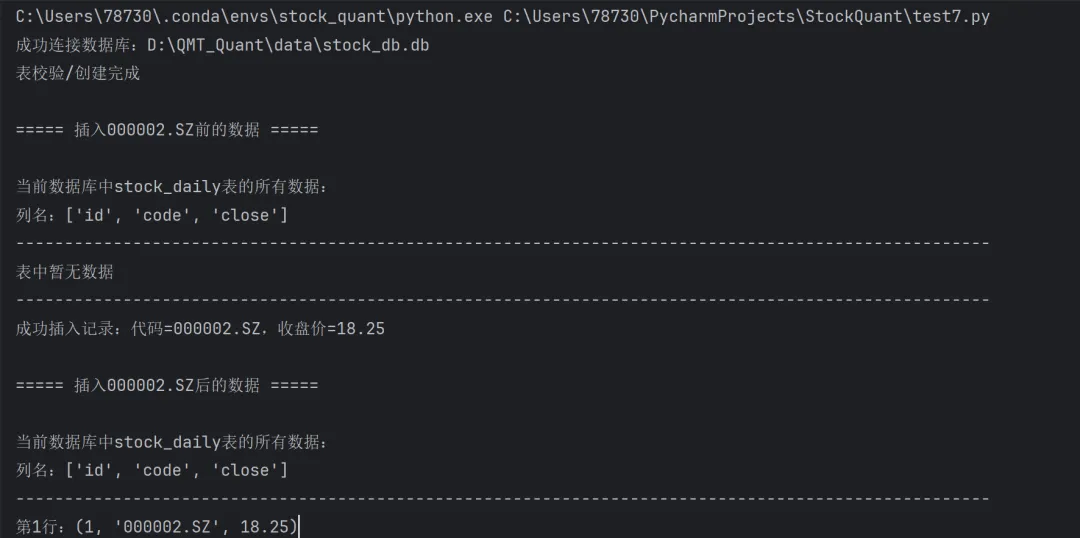
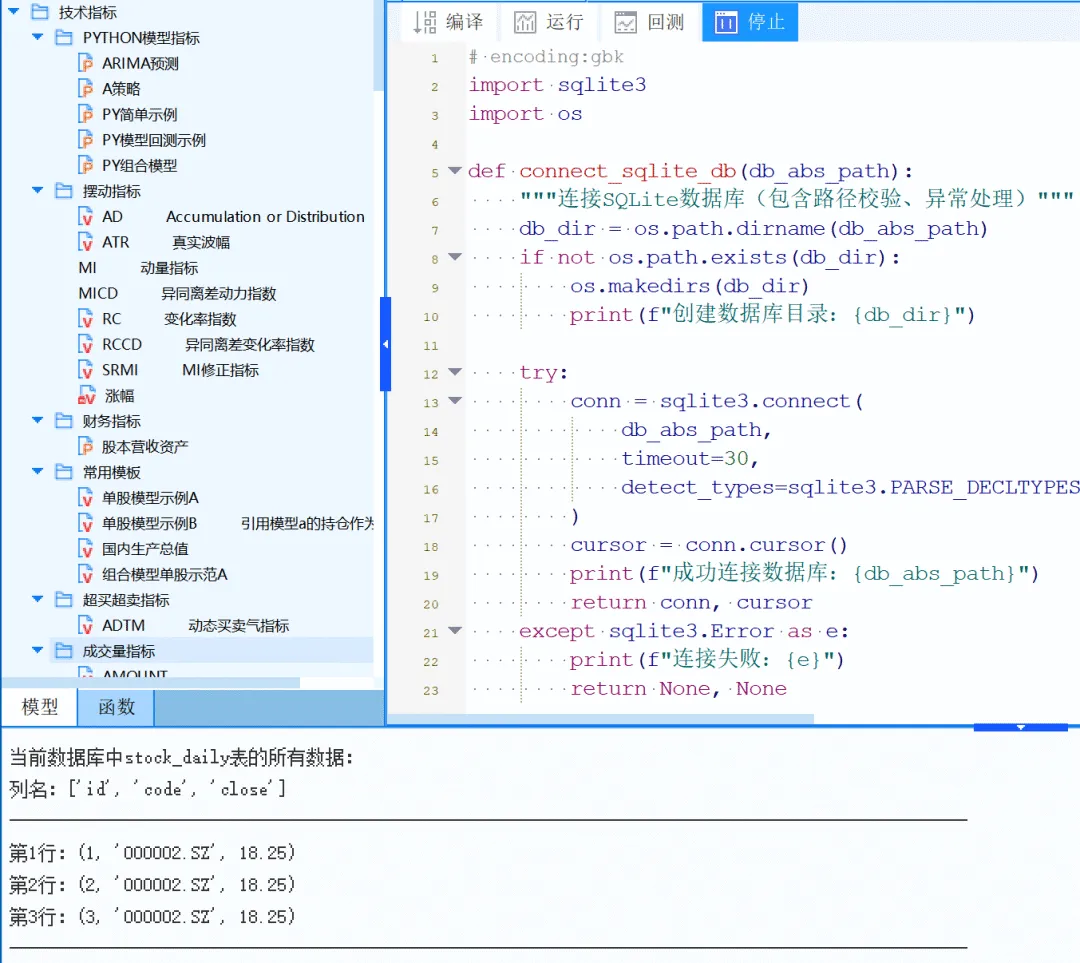

量化学习交流群和相关教程联系平台管理员quantkt获取 
本文对应平台原文 https://quantkt.com/forumDetail?id=201173
部分券商会禁用文件单格式,除了 关于部分券商禁用QMT IO功能的一些解决方案 这里介绍的方法。
再介绍一下基于数据库的方法,数据库一般有sqlite3和mysql,其中qmt自带SQLite3(因为Python自带SQLite3),而pymysql这个库是没有的。所以我们这里着重介绍下SQLite3的库。
SQLite3 是一款嵌入式、文件型、零配置的关系型数据库(RDBMS),也是目前全球使用最广泛的数据库引擎之一 .
核心特点:
- 无服务器
:没有独立的数据库服务进程(区别于 MySQL/Oracle),程序(如你的 Python 代码)直接读写本地 .db文件; - 单文件存储
:整个数据库(表、数据、索引、约束)都保存在一个后缀为 .db的文件中,备份只需复制这个文件; - 零配置
:无需安装、无需启动服务、无需配置账号密码,只要有文件读写权限就能用; - 跨平台
: .db文件可在 Windows/macOS/Linux 之间无缝迁移,无需修改。
以下给个demo,如果本地有navicat的话查看各类数据库状态会比较方便
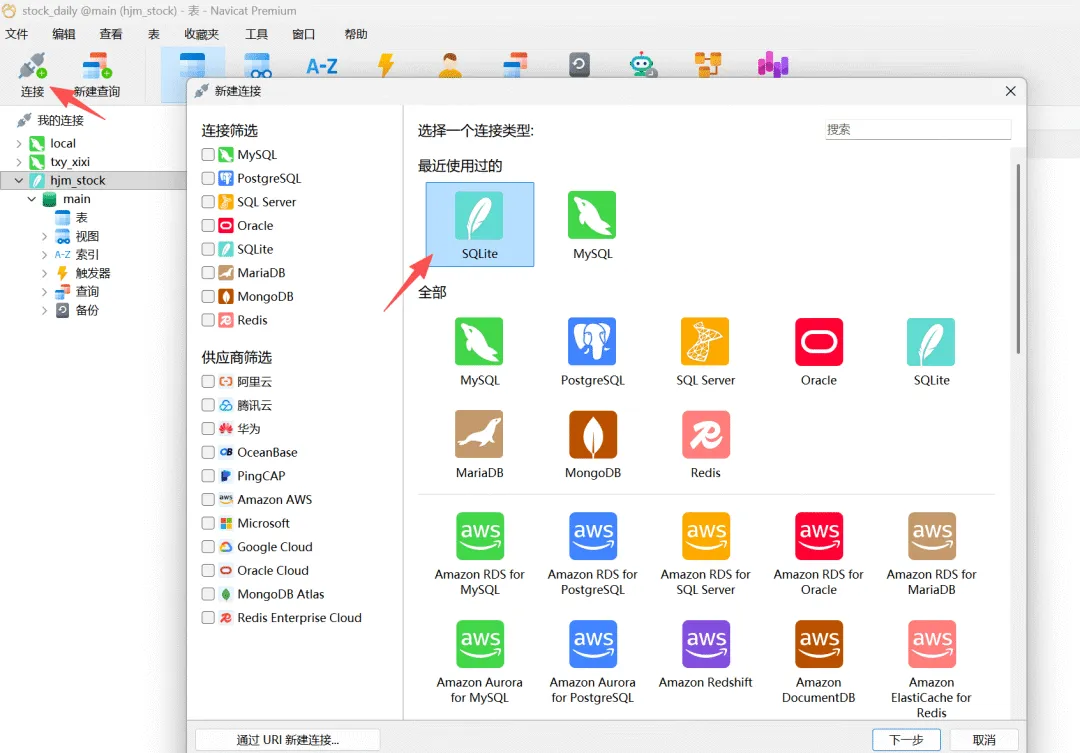 如果有navicat可以查看信息
由于无服务端,无需用户名和密码,直接可以导入生成的db数据库文件来查看。
代码较长,放文末
可在本地Python或者大QMT环境中直接运行
输出中会显示当前表格信息,且数据库中也可自动添加各类信息
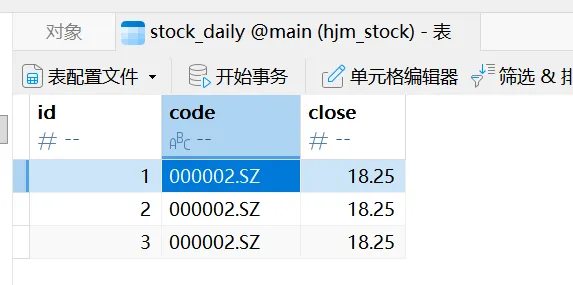 实现了这个,即可完成本地环境与大QMT内部之前的数据通信,即本地生成下单信号,大QMT直接轮循数据库表,处理最新的下单信息
对应数据库操作代码demo
# encoding:gbkimport sqlite3import osdef connect_sqlite_db(db_abs_path):"""连接SQLite数据库(包含路径校验、异常处理)"""db_dir = os.path.dirname(db_abs_path)if not os.path.exists(db_dir):os.makedirs(db_dir)print(f"创建数据库目录:{db_dir}")try:conn = sqlite3.connect(db_abs_path,timeout=30,detect_types=sqlite3.PARSE_DECLTYPES | sqlite3.PARSE_COLNAMES)cursor = conn.cursor()print(f"成功连接数据库:{db_abs_path}")return conn, cursorexcept sqlite3.Error as e:print(f"连接失败:{e}")return None, Nonedef print_all_data(conn, cursor):"""输出数据库中stock_daily表的所有数据"""try:cursor.execute("SELECT * FROM stock_daily;")results = cursor.fetchall()# 获取列名cursor.execute("PRAGMA table_info(stock_daily);")columns = [col[1] for col in cursor.fetchall()]print("\n当前数据库中stock_daily表的所有数据:")print(f"列名:{columns}")print("-" * 100)if results:for idx, row in enumerate(results, 1):print(f"第{idx}行:{row}")else:print("表中暂无数据")print("-" * 100)except sqlite3.Error as e:print(f"查询数据失败:{e}")def insert_stock_record(conn, cursor, code, close_price):"""插入单条股票记录(兼容低版本Python)"""try:insert_sql = """INSERT INTO stock_daily (code, close)VALUES (?, ?);"""cursor.execute(insert_sql, (code, close_price))conn.commit()print(f"成功插入记录:代码={code},收盘价={close_price}")except sqlite3.Error as e:conn.rollback()print(f"插入记录失败:{e}")def main():db_path = r"D:\QMT_Quant\data\stock_db.db"conn, cursor = connect_sqlite_db(db_path)if not conn or not cursor:returntry:# 创建表(兼容所有Python版本)create_table_sql = """CREATE TABLE IF NOT EXISTS stock_daily (id INTEGER PRIMARY KEY AUTOINCREMENT,code TEXT NOT NULL,close REAL NOT NULL);"""cursor.execute(create_table_sql)conn.commit()print("表校验/创建完成")# 输出插入前数据print("\n===== 插入000002.SZ前的数据 =====")print_all_data(conn, cursor)# 插入000002.SZ记录insert_stock_record(conn, cursor, code="000002.SZ", close_price=18.25)# 输出插入后数据print("\n===== 插入000002.SZ后的数据 =====")print_all_data(conn, cursor)finally:# 关闭连接if cursor:cursor.close()if conn:conn.close()print("\n 数据库连接已关闭")# QMT环境执行入口def init(ContextInfo):main()# 本地测试入口if __name__ == "__main__":main()
各类代码教程与视频演示放于本人长期维护的量化平台 https://quantkt.com
现阶段粉丝开户福利(万0.8,etf万0.5)解锁平台会员,获取所有量化教程与框架(25年末活动,26年1月后下架此活动)
本文来自网友投稿或网络内容,如有侵犯您的权益请联系我们删除,联系邮箱:596563534@qq.com 。
