顶刊中的全球地图投影(三)-Python简单实现
- 2026-09-09 03:16:45
点击上方“浩瀚地学”关注并设为星标,可及时获取最新推送。多多点赞转发,一起学习进步。若有问题也欢迎在留言区中交流与指正。
前言
之前的文章介绍了一些地图投影以及如何基本的用途。这篇文章介绍怎么在代码中实现,并添加一些矢量与栅格数据进行绘图。
完整代码及数据均开源,获取方式见文末。
数据来源
接下来介绍一下待会会用到的数据,仅是用作演示,所以随便找了一些。数据的详细来源与处理方法见文末。点数据有两份,一份为陆地样点分布,一份为海洋样点分布;面数据为大洲边界数据;栅格数据为陆地DEM数据和全球DEM数据。
投影实现
投影对比
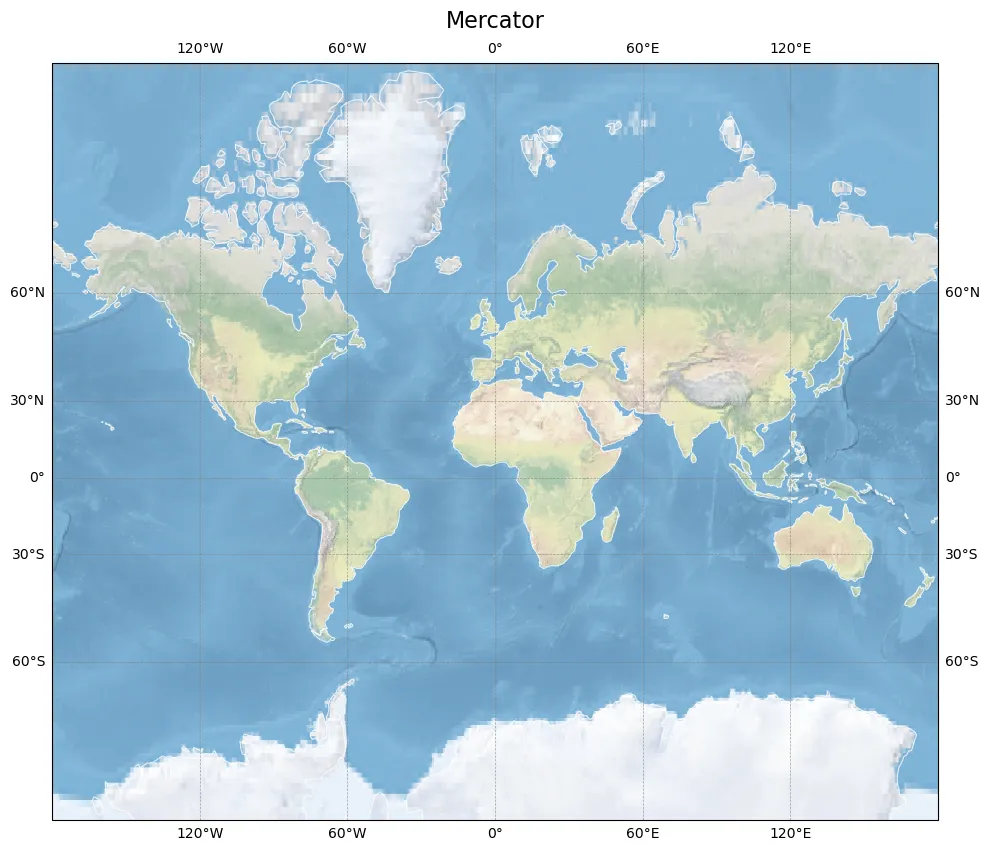
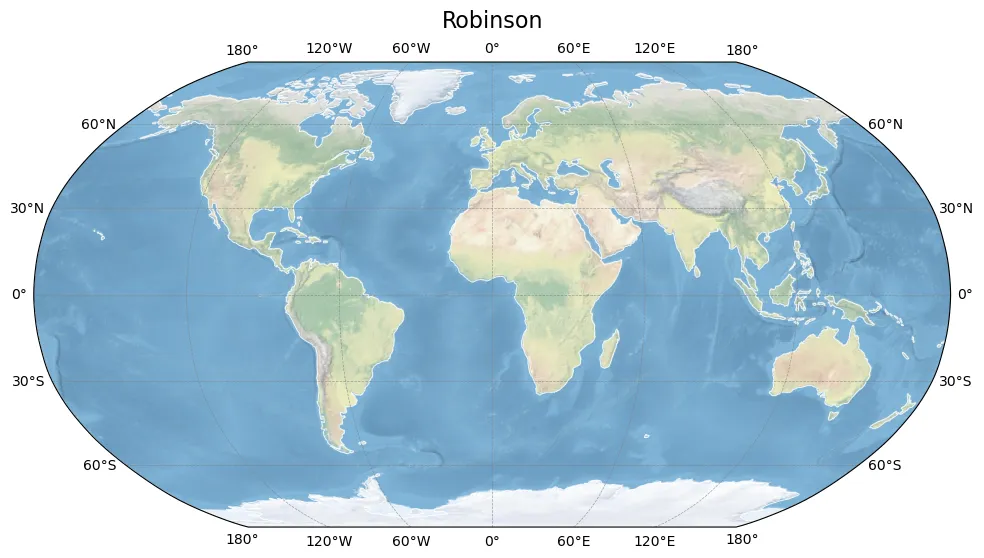
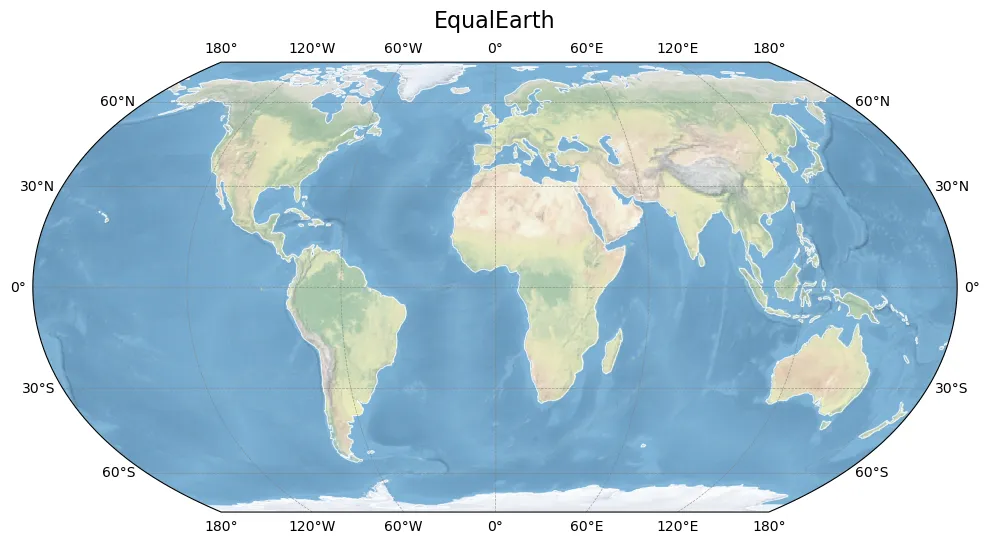
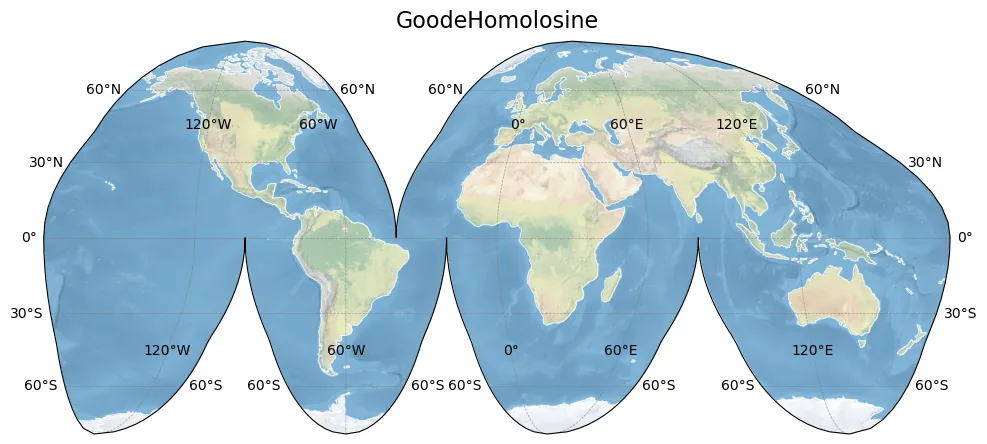
先用cartopy的默认底图,生成一些简单的地图,对比一下看看效果。
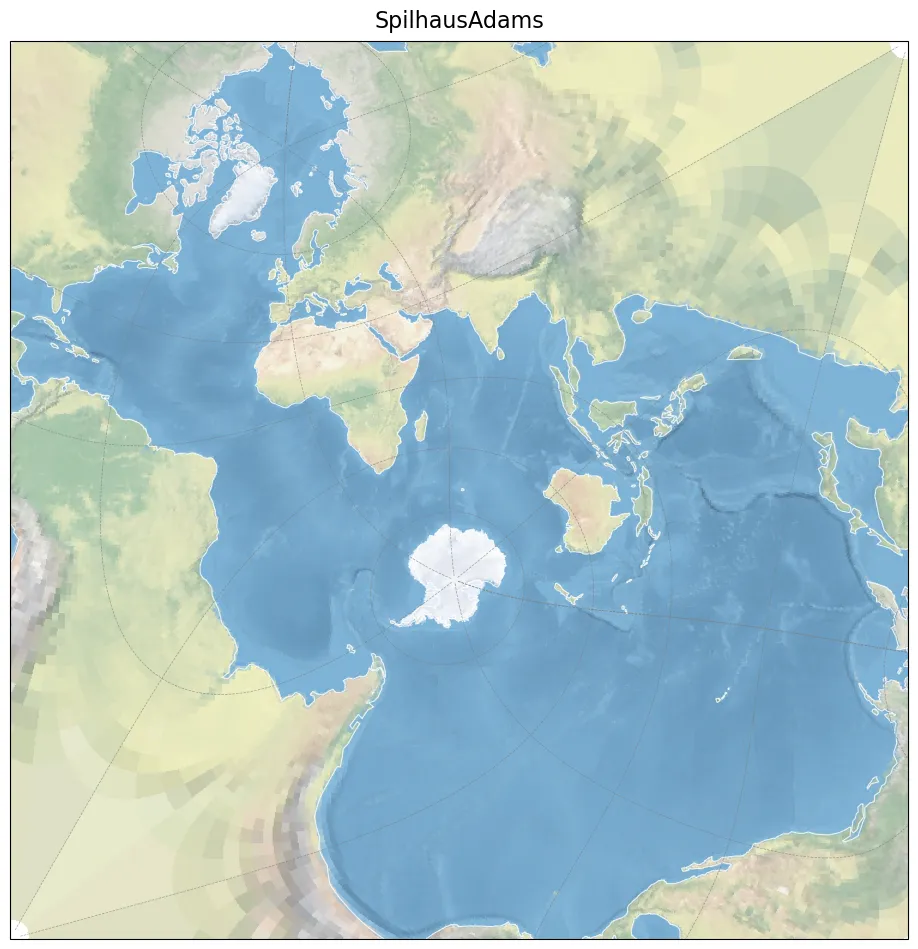
其中Spilhaus投影绘制的时间较长,大致为2分钟。
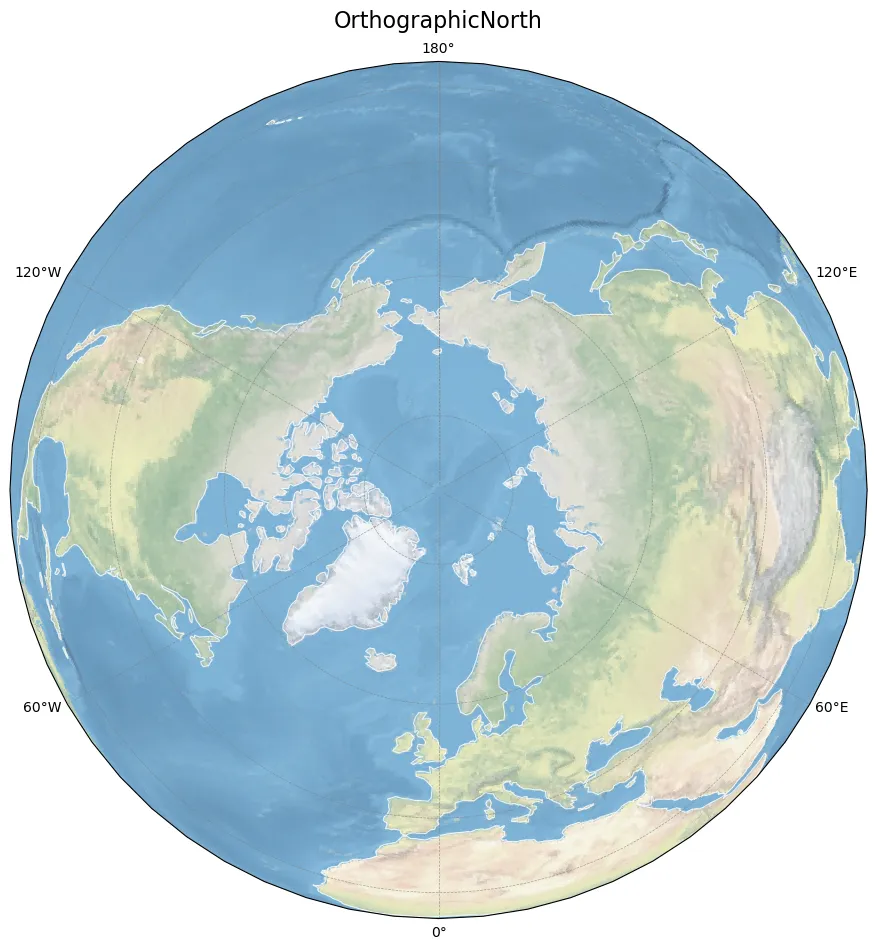
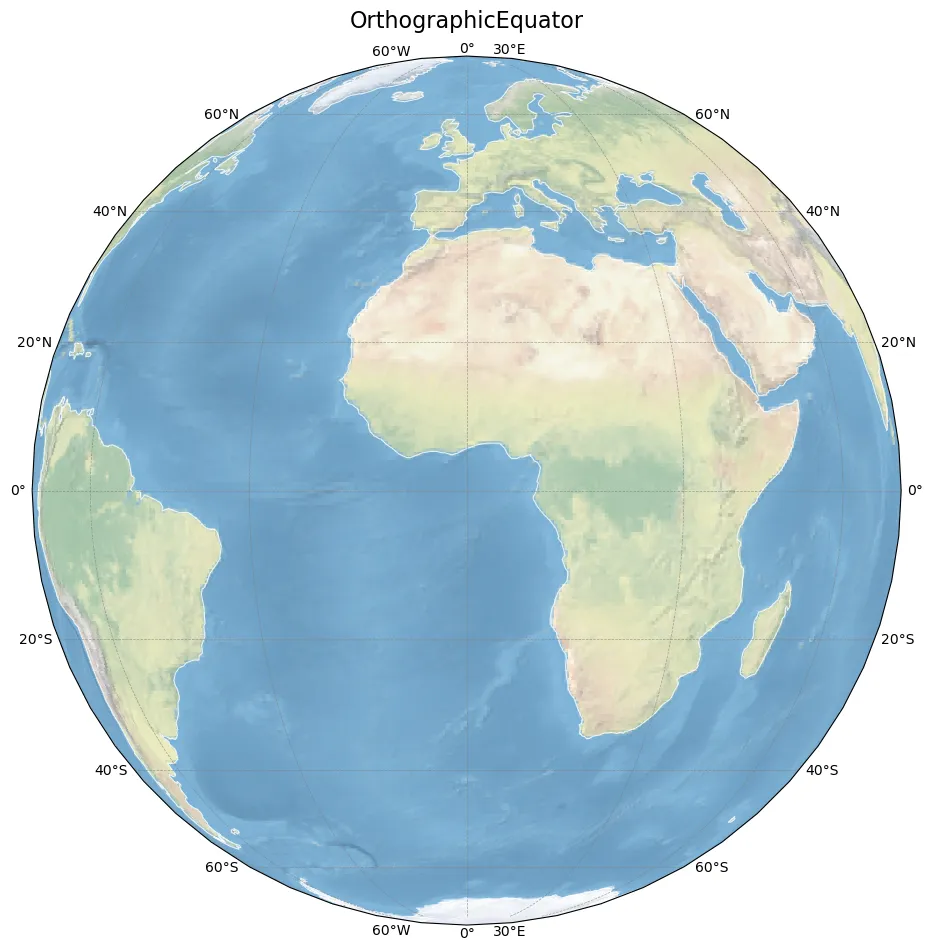
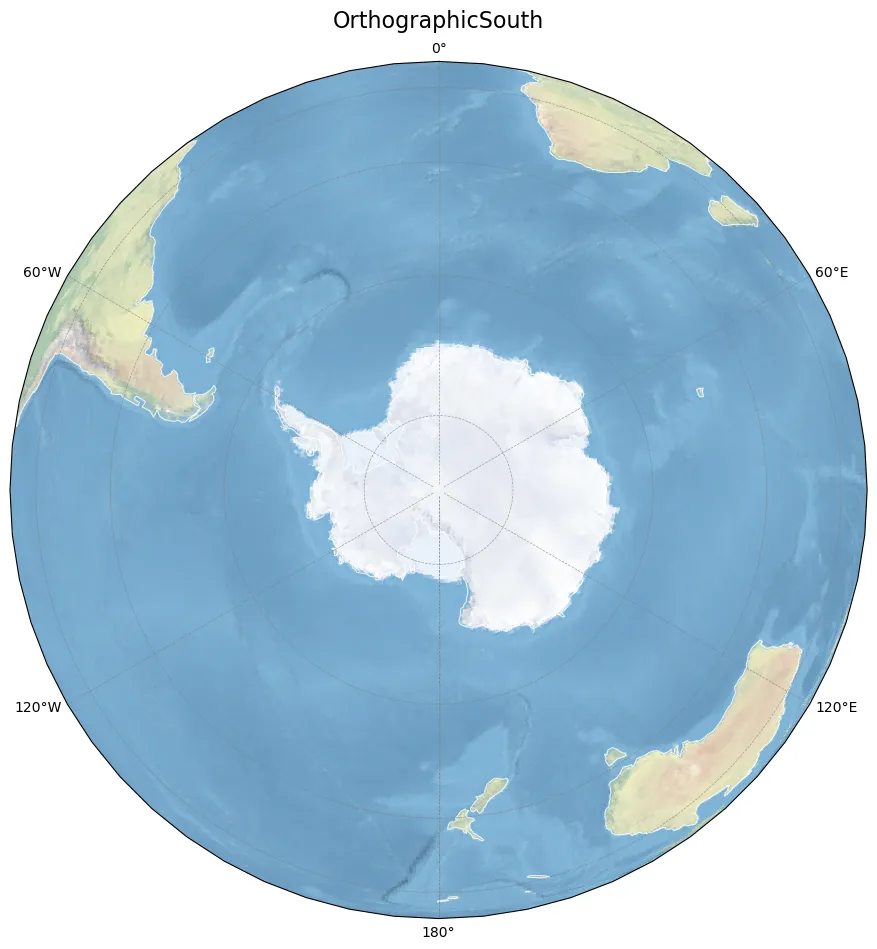
Spilhaus和Orthographic投影以下仅是最简单版本,实际使用会再调整,之后会再单独写一篇。
projections.py
"""-------------------------------------------------------------------------------@Author : zbhgis@Github : https://github.com/zbhgis@Description : generate some map-projection plots-------------------------------------------------------------------------------"""import matplotlib.pyplot as pltimport cartopy.crs as ccrsimport cartopy.feature as cfeatureimport time# 计时start_time = time.perf_counter()# 设置投影名称与对应的投影projections = [ ("Mercator", ccrs.Mercator()), ("Robinson", ccrs.Robinson()), ("EqualEarth", ccrs.EqualEarth()), ("GoodeHomolosine", ccrs.InterruptedGoodeHomolosine()), ("SpilhausAdams", ccrs.Spilhaus()), ("OrthographicNorth", ccrs.Orthographic(central_longitude=0, central_latitude=90)), ("OrthographicEquator", ccrs.Orthographic(central_longitude=0, central_latitude=0)), ("OrthographicSouth", ccrs.Orthographic(central_longitude=0, central_latitude=-90)),]# 每个投影一张图片for proj_name, proj in projections: fig = plt.figure(figsize=(10, 10)) ax = fig.add_subplot(1, 1, 1, projection=proj) ax.set_global() ax.stock_img() ax.add_feature( cfeature.COASTLINE, linewidth=0.8, edgecolor="white", alpha=0.8, ) ax.gridlines( draw_labels=True, linewidth=0.5, color="gray", linestyle="--", alpha=0.7, ) ax.set_title(proj_name, fontsize=16, pad=10) print(proj_name) plt.tight_layout(rect=[0, 0, 1, 0.96]) plt.savefig(f"./fig_res/world_maps_{proj_name}.png", dpi=100, bbox_inches="tight") plt.close(fig)end_time = time.perf_counter()print(end_time - start_time)打印结果
MercatorRobinsonEqualEarthGoodeHomolosineSpilhausAdamsOrthographicNorthOrthographicEquatorOrthographicSouth159.37829679995775绘制结果
Mercator
Robinson
EqualEarth
Goode
Spilhaus
OrthographicNorth
OrthographicEquator
OrthographicSouth
添加数据
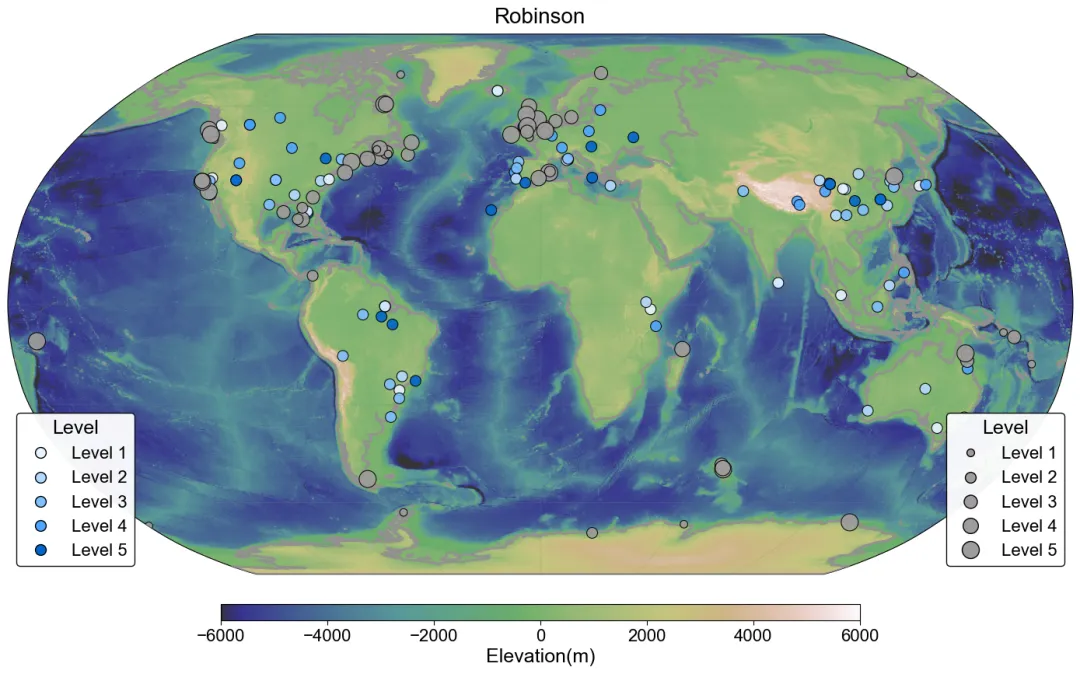
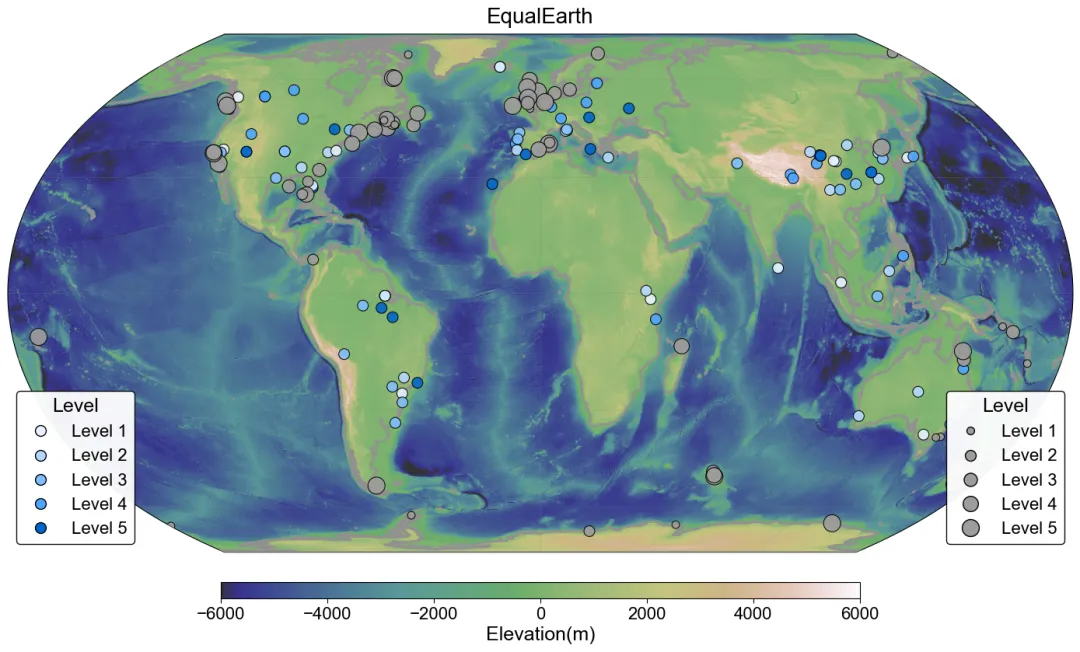
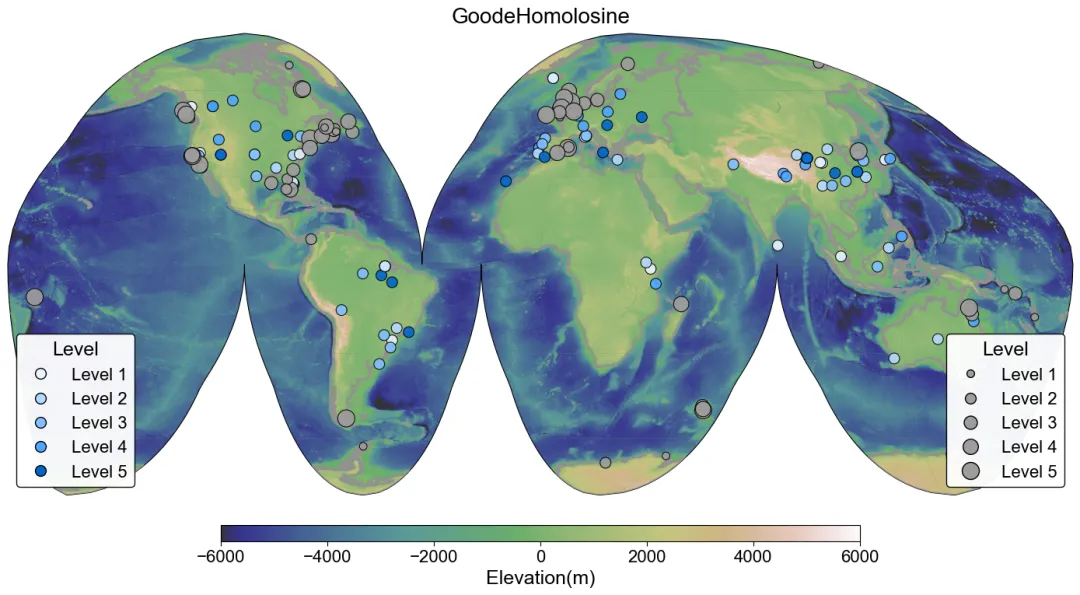
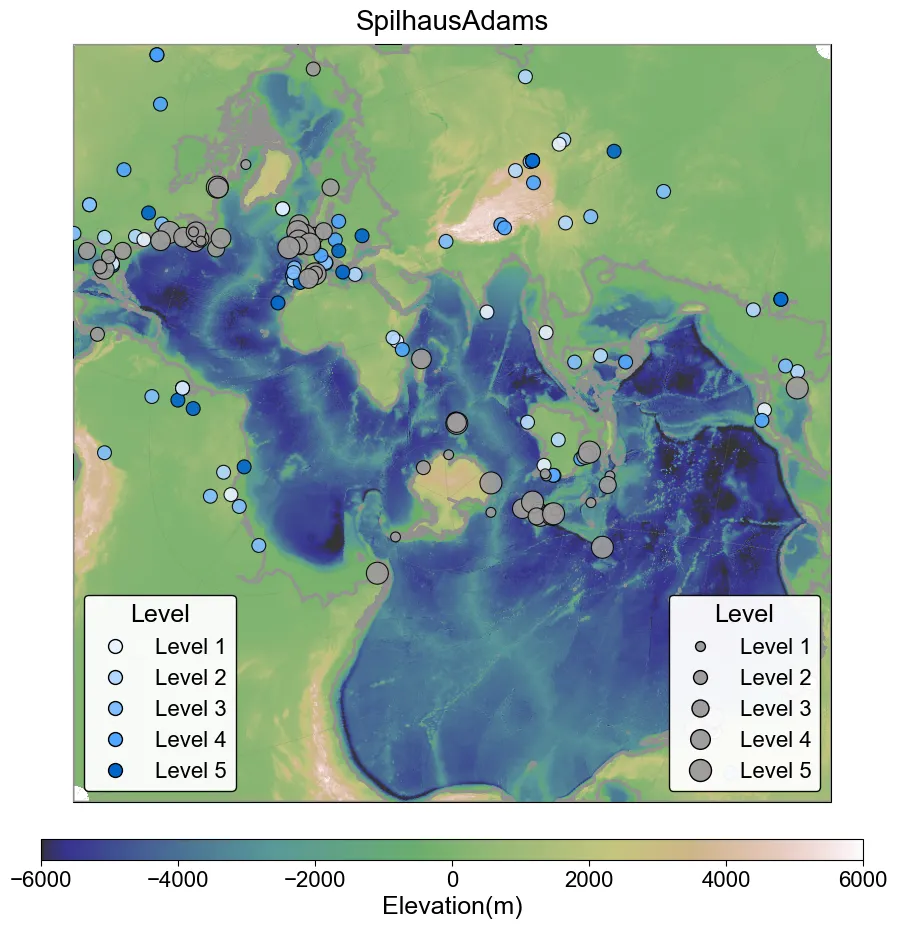
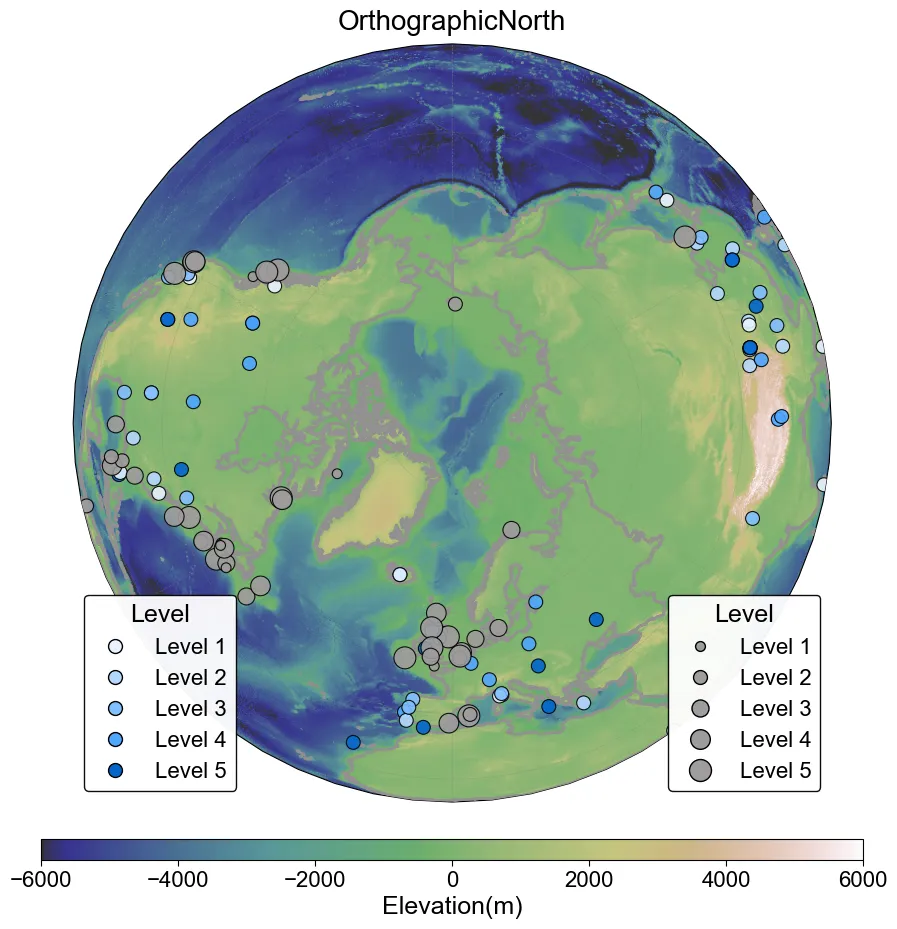
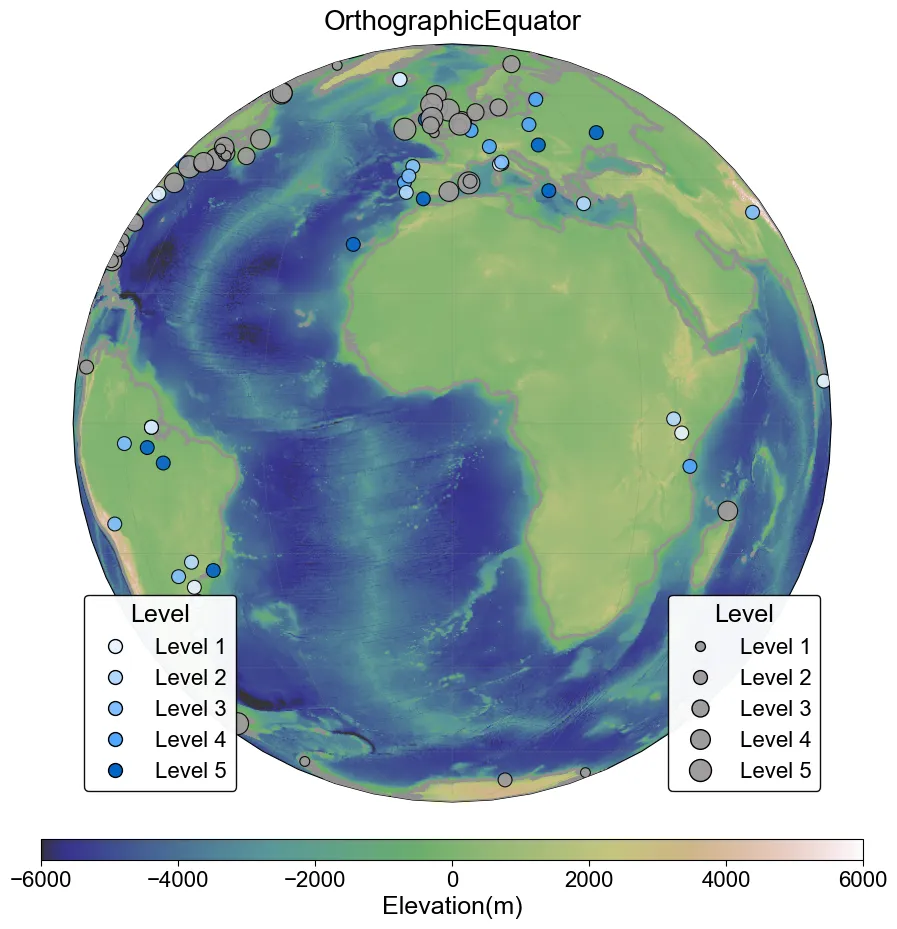
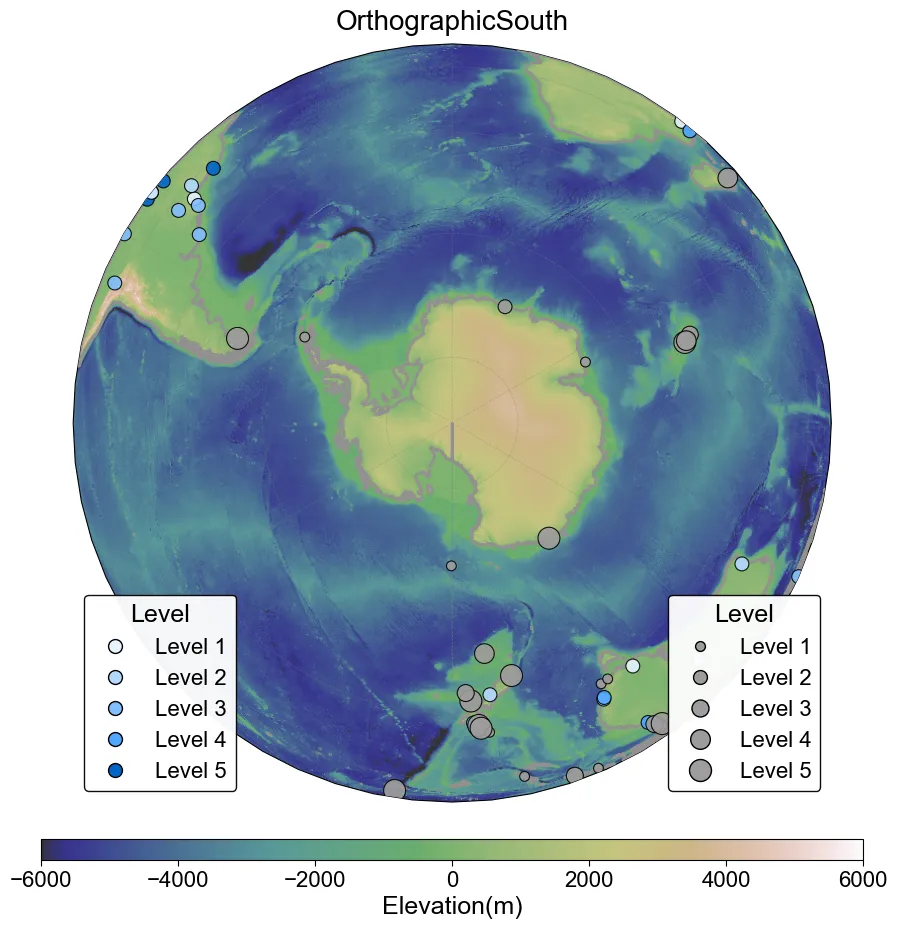
在上述代码的基础上,进一步添加数据进行制图。先通过rasterio包添加全球DEM数据与色带,然后再添加边界数据,最后分别添加样点数据(样点数据分布与对应值无实际含义,仅供演示)。
代码没啥难度,主要调整细节麻烦了一点,以下代码没有考虑科研风格,只是简单绘制了一下,之后会单独出一个系列来复现科研地图的。
以下是整理好的Python脚本,文末也提供了Jupyter Notebook格式的脚本,方便理解绘图过程与思路。
这行代码调整id即可绘制出对应的投影,大家根据需要调整即可,默认为Robinson投影。
proj_name, proj_obj = projections[1]plot.py
"""-------------------------------------------------------------------------------@Author : zbhgis@Github : https://github.com/zbhgis@Description : add some vector and raster data on map-projection plots-------------------------------------------------------------------------------"""import matplotlib.pyplot as pltimport cartopy.crs as ccrsimport cartopy.feature as cfeatureimport cartopy.io.shapereader as shpreaderimport rasterioimport geopandas as gpdfrom matplotlib.lines import Line2Dimport numpy as npplt.rcParams["font.family"] = "Arial"boundary_shp = "./data_res/boundary.shp"points_land_shp = "./data_res/points_land.shp"points_ocean_shp = "./data_res/points_ocean.shp"dem_tif = "./data_res/gebco_dem.tif"fig = plt.figure(figsize=(14, 10), dpi=100)projections = [ ("Mercator", ccrs.Mercator()), ("Robinson", ccrs.Robinson()), ("EqualEarth", ccrs.EqualEarth()), ("GoodeHomolosine", ccrs.InterruptedGoodeHomolosine()), ("SpilhausAdams", ccrs.Spilhaus()), ("OrthographicNorth", ccrs.Orthographic(central_longitude=0, central_latitude=90)), ("OrthographicEquator", ccrs.Orthographic(central_longitude=0, central_latitude=0)), ("OrthographicSouth", ccrs.Orthographic(central_longitude=0, central_latitude=-90)),]proj_name, proj_obj = projections[1]ax = fig.add_subplot(1, 1, 1, projection=proj_obj)ax.set_global()# 添加DEM数据with rasterio.open(dem_tif) as src: dem_data = src.read(1, masked=True) left, bottom, right, top = src.bounds extent = [left, right, bottom, top] im = ax.imshow( dem_data, extent=extent, transform=ccrs.PlateCarree(), origin="upper", cmap="gist_earth", vmin=-6000, vmax=6000, alpha=0.8, interpolation="bilinear", )# 添加DEM色带cbar = fig.colorbar( im, ax=ax, orientation="horizontal", pad=0.04, aspect=40, shrink=0.6,)cbar.ax.tick_params( labelsize=16, labelcolor="black", length=4,)cbar.set_label("Elevation(m)", fontsize=18)# 添加矢量边界数据reader = shpreader.Reader(boundary_shp)boundary_feature = cfeature.ShapelyFeature( reader.geometries(), ccrs.PlateCarree(), facecolor="none", edgecolor="#928F8F", linewidth=2.0, linestyle="-",)ax.add_feature(boundary_feature, zorder=10)# 添加陆地点数据gdf = gpd.read_file(points_land_shp)lons = gdf.geometry.xlats = gdf.geometry.y# 生成陆地点数据颜色color_map_land = {1: "#E6F3FF",2: "#B3D9FF",3: "#80BFFF",4: "#4DA6FF",5: "#0066CC",}colors = [color_map_land.get(level, "gray") for level in gdf["level"]]# 绘制陆地点数据ax.scatter( lons, lats, s=100, c=colors, edgecolor="black", linewidth=0.8, alpha=0.9, transform=ccrs.PlateCarree(), zorder=10,)# 添加陆地点图例legend_elements_land = [ Line2D( [0], [0], marker="o", linestyle="none", label=f"Level {l}", markerfacecolor=color, markersize=10, markeredgecolor="black", )for l, color in color_map_land.items()]legend_land = ax.legend( handles=legend_elements_land, loc="lower left", title="Level", title_fontsize=18, fontsize=16, frameon=True, edgecolor="black", facecolor="white", framealpha=0.95,)legend_land.set_zorder(15)ax.add_artist(legend_land)# 相同方法再添加一次海洋点数据gdf = gpd.read_file(points_ocean_shp)lons = gdf.geometry.xlats = gdf.geometry.y# 生成海洋点数据尺寸size_map_ocean = {1: 50,2: 100,3: 150,4: 200,5: 250,}sizes = [size_map_ocean.get(level, 0) for level in gdf["level"]]# 绘制海洋点数据ax.scatter( lons, lats, s=sizes, c="#9F9C9C", edgecolor="black", linewidth=0.8, alpha=0.9, transform=ccrs.PlateCarree(), zorder=10,)# 添加海洋点图例legend_elements_ocean = [ Line2D( [0], [0], marker="o", linestyle="none", label=f"Level {s}", markerfacecolor="#9F9C9C", markersize=np.sqrt(size), markeredgecolor="black", )for s, size in size_map_ocean.items()]legend_ocean = ax.legend( handles=legend_elements_ocean, loc="lower right", title="Level", title_fontsize=18, fontsize=16, frameon=True, edgecolor="black", facecolor="white", framealpha=0.95,)legend_ocean.set_zorder(15)# 添加经纬度标签gl = ax.gridlines( draw_labels=False, linewidth=0.5, color="gray", alpha=0.4, linestyle="--",)# 添加图名ax.set_title(proj_name, fontsize=20, pad=10)plt.tight_layout()plt.savefig(f"./fig_res/gebco_dem_{proj_name}.png", dpi=100, bbox_inches="tight", facecolor="white",)print("ok")打印结果
ok绘制结果
Mercator
Robinson
EqualEarth
GoodeHomolosine
Spilhaus
OrthographicNorth
OrthographicEquator
OrthographicSouth
数据处理方法
接下来是数据的来源以及详细的处理方法,感兴趣的了解一下即可。
点数据
点数据来自于以下的2篇生物多样性文献:
Keck, F., Peller, T., Alther, R. et al. The global human impact on biodiversity. Nature 641, 395–400 (2025). https://doi.org/10.1038/s41586-025-08752-2Carter, H.F., Bribiesca-Contreras, G. & Williams, S.T. Deep-sea-floor diversity in Asteroidea is shaped by competing processes across different latitudes and oceans. Nat Ecol Evol 9, 1910–1923 (2025). https://doi.org/10.1038/s41559-025-02808-2在以下网址中中提供了所有数据:
https://github.com/fkeck/metabeta/tree/main
https://data.nhm.ac.uk/dataset/global-asteroidea-occurrence-data
下载文献的data.json和Global Asteroidea Occurrence Dataset.json后,通过以下Python代码将分别将数据简化为100条,并转为shp格式,保留坐标字段,并新建一个随机等级字段(用于配色)。
json2shp.py
"""-------------------------------------------------------------------------------@Author : zbhgis@Github : https://github.com/zbhgis@Description : convert json to shapefile-------------------------------------------------------------------------------"""import jsonimport randomimport pandas as pdimport geopandas as gpdfrom shapely.geometry import Pointdefjson2shp( json_path, output_shp_path, keep_count=100, lon_field="Longitude", lat_field="Latitude", crs="EPSG:4326",):# 打开数据with open(json_path, "r", encoding="utf-8") as f: data = json.load(f)# 数据抽样 sampled_data = random.sample(data, keep_count) df = pd.DataFrame(sampled_data) df = df[[lon_field, lat_field]]# 字段重命名 df = df.rename(columns={lon_field: "lon", lat_field: "lat"}) df["lon"] = pd.to_numeric(df["lon"], errors="coerce") df["lat"] = pd.to_numeric(df["lat"], errors="coerce")# 颜色字段 df["level"] = [random.randint(1, 5) for _ in range(len(df))]# 生成gdf geometry = [Point(xy) for xy in zip(df["lon"], df["lat"])] gdf = gpd.GeoDataFrame( df.drop(columns=["lon", "lat"]), geometry=geometry, crs=crs, ) gdf.to_file(output_shp_path, encoding="utf-8")if __name__ == "__main__": json_file = "./data_origin/data.json" shp_file = "./data_res/points_land.shp" json2shp( json_path=json_file, output_shp_path=shp_file, keep_count=100, lon_field="Longitude", lat_field="Latitude", crs="EPSG:4326", ) json_file = "./data_origin/resource.json" shp_file = "./data_res/points_ocean.shp" json2shp( json_path=json_file, output_shp_path=shp_file, keep_count=100, lon_field="Long", lat_field="Lat", crs="EPSG:4326", ) print("OK")打印结果
OK面数据
面数据是一份很早之前在网上下载的大洲边界矢量数据,通过以下Python代码检查一下数据。
check_shp.py
"""-------------------------------------------------------------------------------@Author : zbhgis@Github : https://github.com/zbhgis@Description : check and copy shapefile-------------------------------------------------------------------------------"""import geopandas as gpdimport osimport shutildefcheck_file(shp_path): gdf = gpd.read_file(shp_path)if gdf.crs isNone: print("未定义坐标系")elif gdf.crs.to_epsg() == 4326: print("EPSG:4326")elif gdf.crs.to_epsg() isnotNone: print(f"EPSG:{gdf.crs.to_epsg()}")defcopy_shapefile(shp_path, output_folder, new_base_name): base_dir = os.path.dirname(shp_path) base_name = os.path.splitext(os.path.basename(shp_path))[0] extensions = [".shp", ".shx", ".dbf", ".prj", ".cpg", ".sbn", ".sbx", ".shp.xml"] copied = 0for ext in extensions: src_file = os.path.join(base_dir, base_name + ext)if os.path.exists(src_file): dst_file = os.path.join(output_folder, new_base_name + ext) shutil.copy2(src_file, dst_file) copied += 1if copied > 0: print(f"成功复制")else: print("复制失败")if __name__ == "__main__": shp = "./data_origin/continent.shp" target_folder = "./data_res" check_file(shp) copy_shapefile(shp, target_folder, "boundary")打印结果
EPSG:4326成功复制栅格数据
栅格数据是通过GEE下载的DEM数据,通过以下js代码重采样为10km分辨率并下载至本地。
陆地DEM下载
数据介绍:https://developers.google.com/earth-engine/datasets/catalog/COPERNICUS_DEM_GLO30
cop_download.js
var dataset = ee.ImageCollection("COPERNICUS/DEM/GLO30");var elevation = dataset.select("DEM").mosaic();var elevationVis = {min: 0.0,max: 1000.0,palette: ["0000ff", "00ffff", "ffff00", "ff0000", "ffffff"],};Map.setCenter(-6.746, 46.529, 4);Map.addLayer(elevation, elevationVis, "DEM");Export.image.toDrive({crs: "EPSG:4326",image: elevation,description: "WORLD_Elevation",scale: 10000,maxPixels: 1e13,});全球DEM下载
数据介绍:https://gee-community-catalog.org/projects/gebco/
gebco_download.js
var dataset = ee.ImageCollection("projects/sat-io/open-datasets/gebco/gebco_grid",);var elevation = dataset.select("b1").mosaic();var elevationVis = {min: -7000.0,max: 5000.0,palette: ["0000ff", "00ffff", "ffff00", "ff0000", "ffffff"],};Map.setCenter(-37.62, 25.8, 2);Map.addLayer(elevation, elevationVis, "b1");Export.image.toDrive({crs: "EPSG:4326",image: elevation,description: "GEBCO_Elevation",scale: 10000,maxPixels: 1e13,});写在最后
完整代码及相关数据文件会在以下github仓库中开源,若有帮助欢迎点个star,不胜感激。
https://github.com/zbhgis/Projects
或者在微信公众号后台回复关键词“代码获取”即可获取百度网盘链接,找到对应名称的文件夹即可(百度网盘链接可能隔几天才会同步)。

代码中使用了很多相对路径,建议获取的时候下载完整文件夹。
该系列下一篇会再对Spilhaus和Orthographic投影绘制进行补充。
如有问题,欢迎添加个人微信交流。

随机文章
-
 10个月宝宝每天需要喝多少奶粉?
- 35 款Linux实用工具,建议收藏
- 两个月干翻Linux,OpenClaw凭什么登顶GitHub?
- 一份就够!Linux 常用命令全场景指南
- Linux驱动编程字符驱动-0x00
- 车轮上的Linux:揭秘车载Camera驱动开发的核心技术与框架终结篇-V4L2 async机制
- ARM Linux 再升级:Armbian 26.2 带来内核与桌面新变化
- 告别 Beta:Origami Linux 2026.03 首个稳定版发布,打造现代化 桌面体验
- 位掩码详细介绍及python代码实现
- 不要盲目开始自学Python,那样只会毁了你
- Python 中常见的一些数据分析算法