conda太慢了,Python生态管理神器uv真快!
- 2026-09-10 08:51:12
conda太慢了,Python生态管理神器uv真快!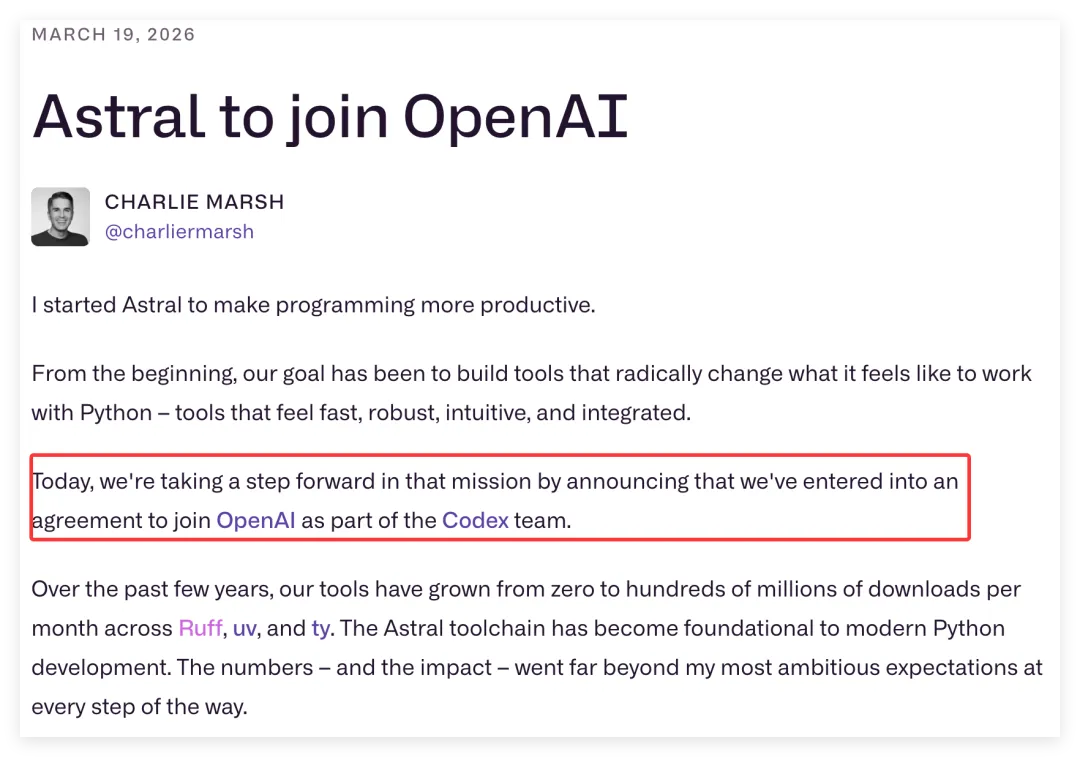
本文重点介绍一下uv,有人甚至说它是近10年来Python生态最好管理神器! 
但是,uv貌似不支持3.8版本前的Python。 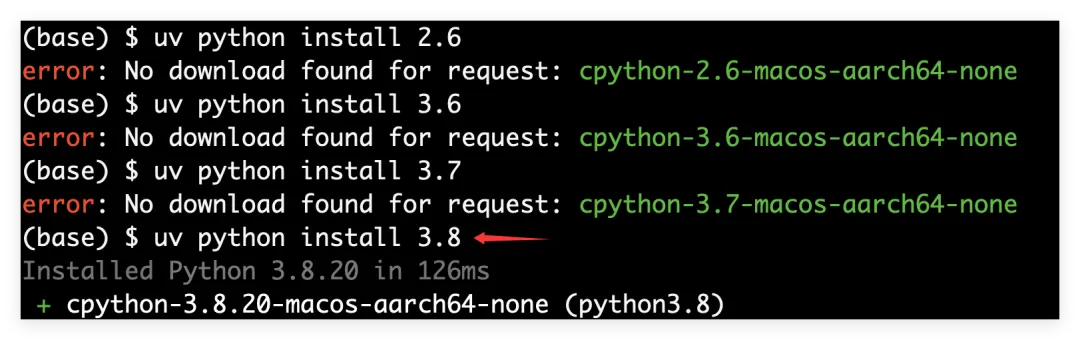



2026年3月19日,OpenAI把Astral收购了,并入Codex团队,继续支持Astral旗下Python工具开源!
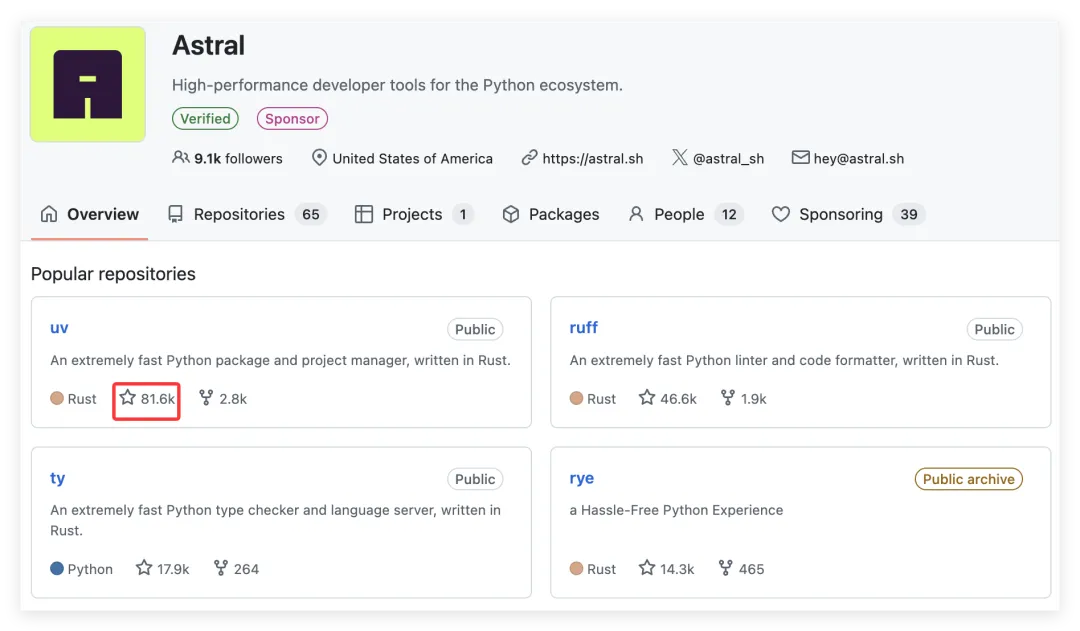
说起Astral,很多人可能不熟悉,但是,该团队开发的开源Python工具uv等,每月下载量上亿次。
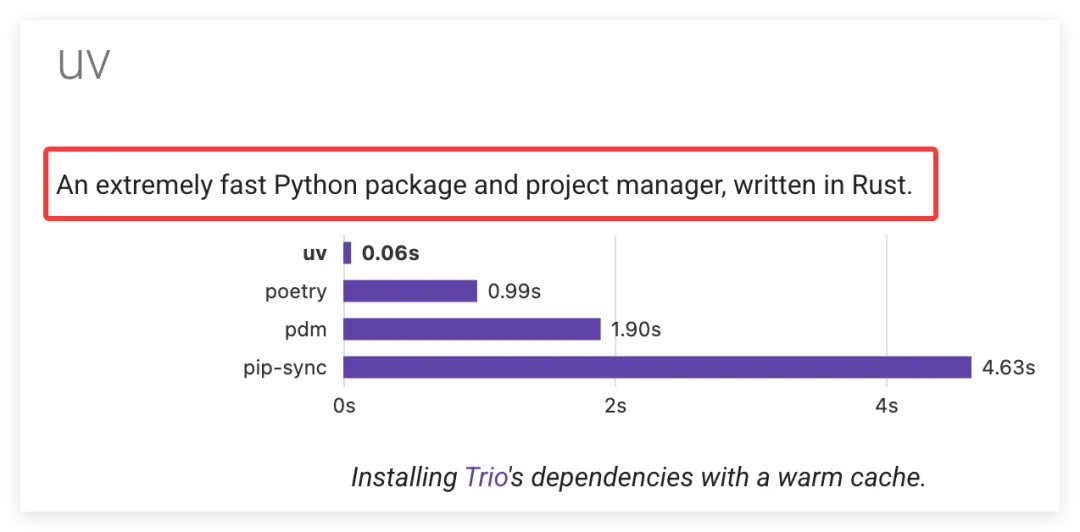
uv是新一代Python package/环境/项目等管理神器,可解决pip、conda、virtualenv等的龟速、低效,速度是extremely fast。
以mac/linux系统为例,介绍uv的功能。
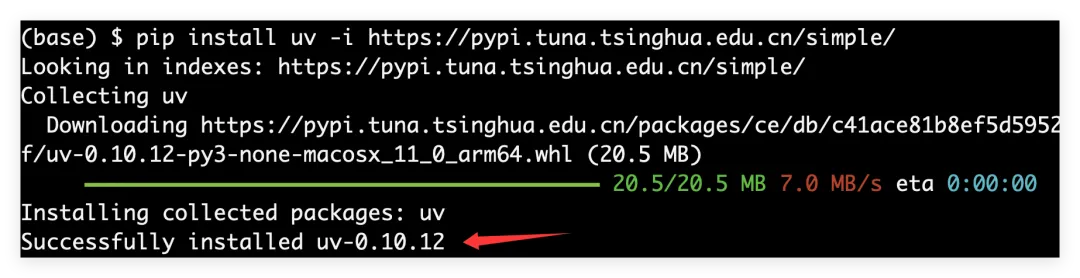
uv安装
pip install uv -i https://pypi.tuna.tsinghua.edu.cn/simple/uv作用速览
auth Manage authentication run Run a command or script init Create a new project add Add dependencies to the project remove Remove dependencies from the project version Read or update the project's version sync Update the project's environment lock Update the project's lockfile export Export the project's lockfile to an alternate format tree Display the project's dependency tree format Format Python code in the project audit Audit the project's dependencies tool Run and install commands provided by Python packages python Manage Python versions and installations pip Manage Python packages with a pip-compatible interface venv Create a virtual environment build Build Python packages into source distributions and wheels publish Upload distributions to an index cache Manage uv's cache self Manage the uv executable help Display documentation for a commanduv查看可用版本python(包含未安装的版本)
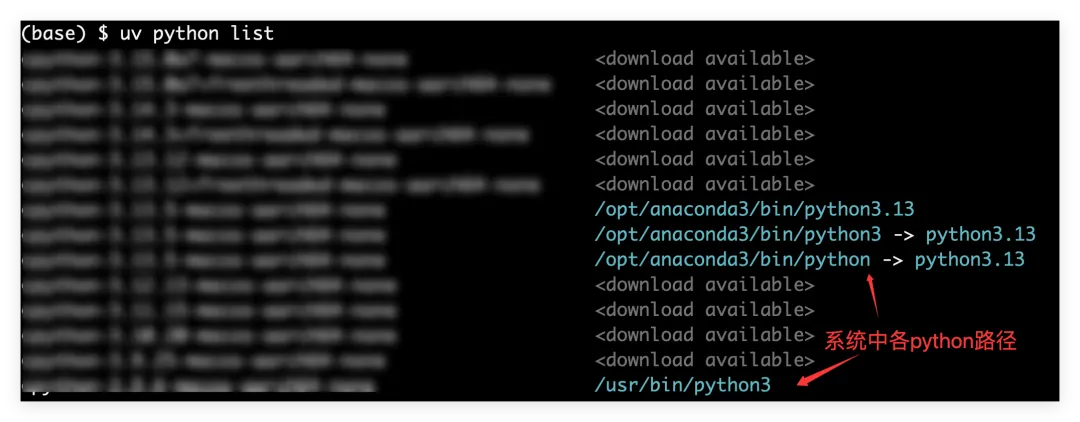
uv python listuv安装指定版本python
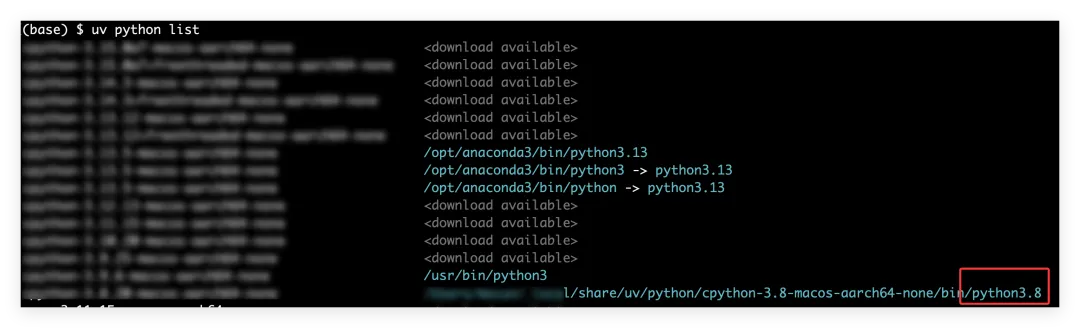
# uv安装python 3.8uv python install 3.8uv python list查看一下安装的路径,
uv删除指定版本python
uv python uninstall 3.8 速度很快。
uv查看已安装版本python
uv python list --only-installeduv同时安装多个版本python
uv python install 3.12 3.13 3.14uv使用指定版本python
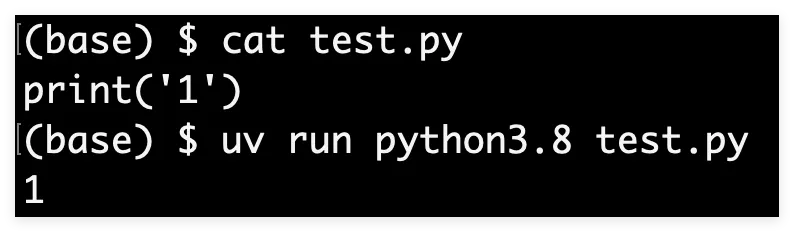
用python3.8运行test.py脚本
uv run python3.8 test.py很方便,不需要调用激活环境,也不需要python3.8的绝对路径。
uv打开指定版本python终端
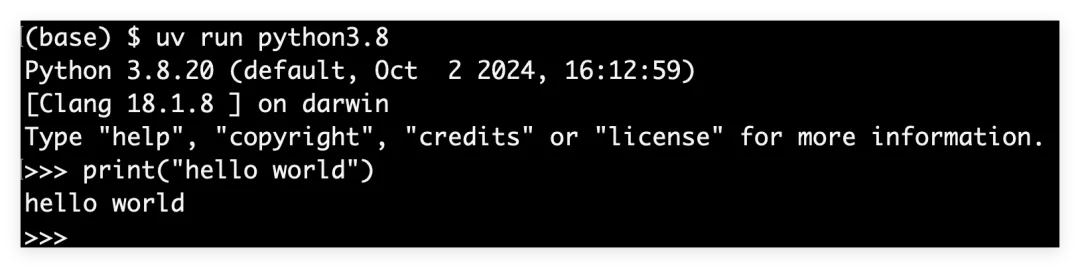
# 打开python3.8uv run python3.8uv构建环境
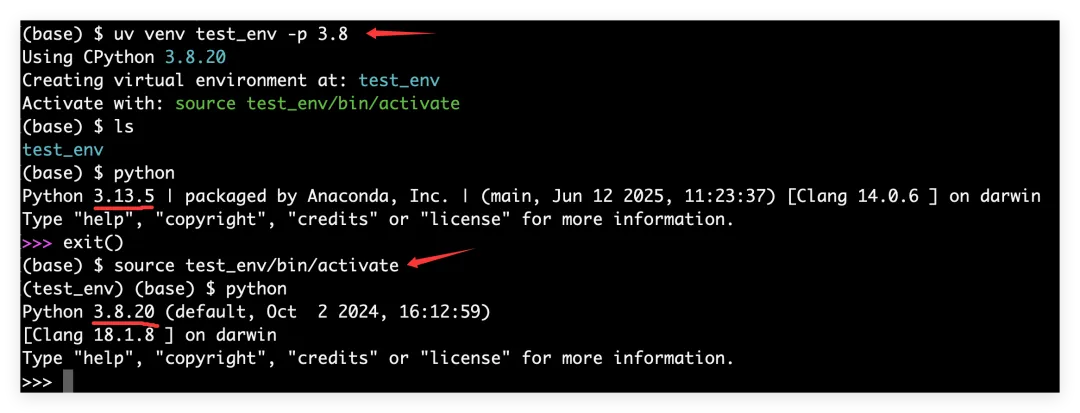
# 构建名称为test_env的环境,python版本为3.8uv venv test_env -p 3.8# 激活test_env环境source test_env/bin/activate# 退出环境deactivate如果指定的python3.8之前已经安装过,不会再次安装,否则,会直接安装python3.8。
构建成功后当前文件下有一个test_env环境文件夹。
uv安装python包
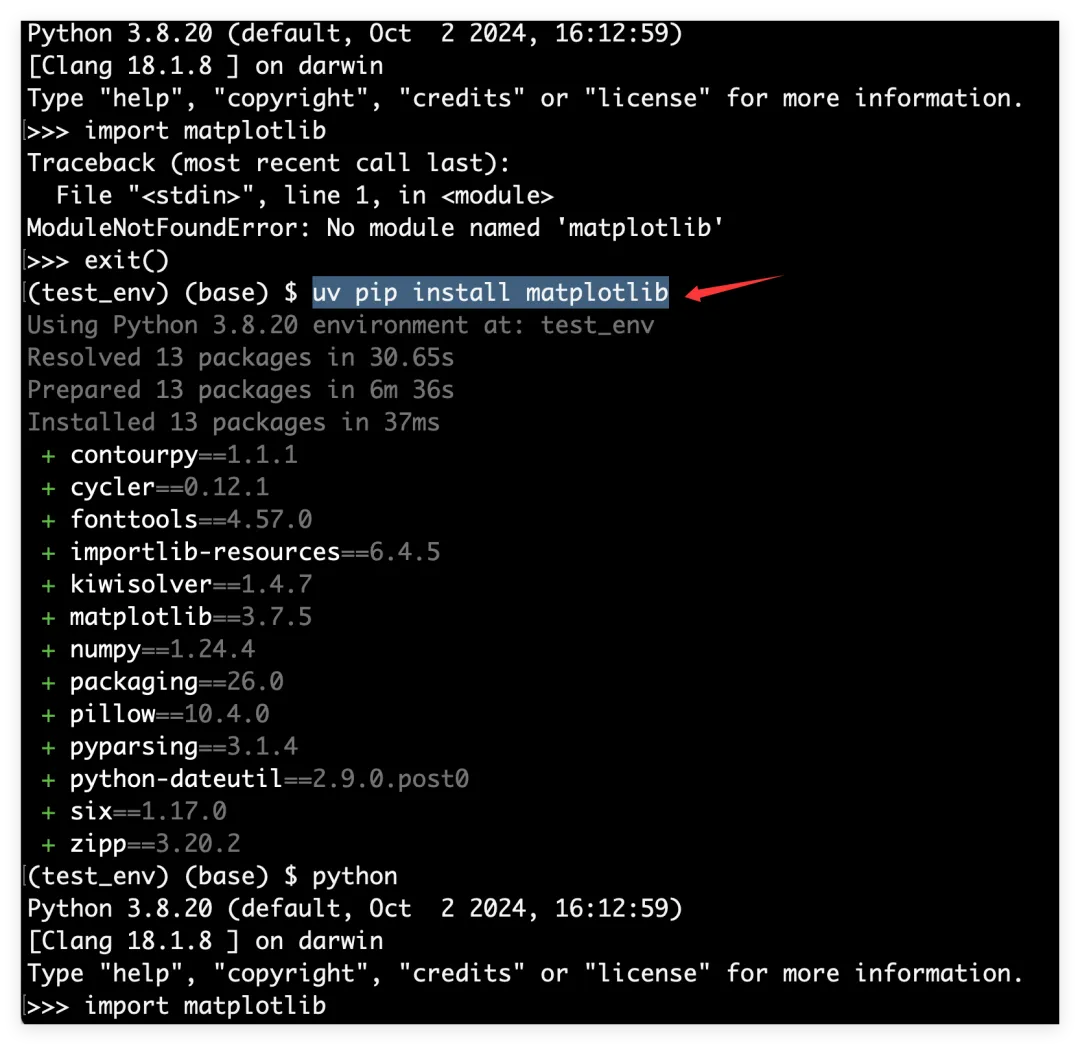
# 安装matplotlibuv pip install matplotlibuv卸载python包
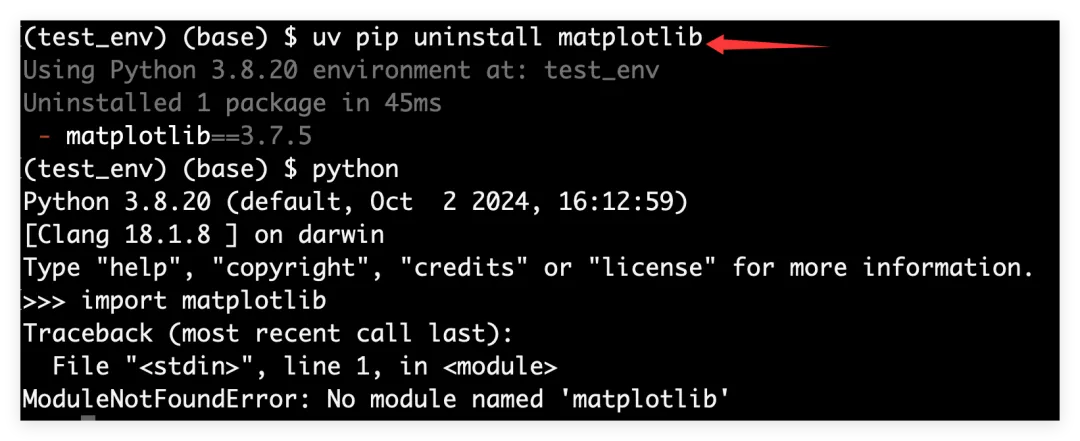
uv pip uninstall matplotlibuv批量安装python包
# requirements.txt为各种包文件uv pip install -r requirements.txt#requirements.txt格式pymupdf==1.18.14xlsxwriter==1.3.7openpyxl==3.0.5pandas==1.1.3numpy==1.19.2matplotlib==3.3.2用法和pip类似,只是前面加了uv。
uv管理项目依赖、环境
和rye、poetry等类似。
$ uv init exampleInitialized project `example` at `/home/user/example`$ cd example$ uv add ruffCreating virtual environment at: .venvResolved 2 packages in 170ms Built example @ file:///home/user/examplePrepared 2 packages in 627msInstalled 2 packages in 1ms + example==0.1.0 (from file:///home/user/example) + ruff==0.5.0$ uv run ruff checkAll checks passed!$ uv lockResolved 2 packages in 0.33ms$ uv syncResolved 2 packages in 0.70msChecked 1 package in 0.02msuv安装command-line tools
# 安装ruffuv tool install ruffuv使用command-line tools
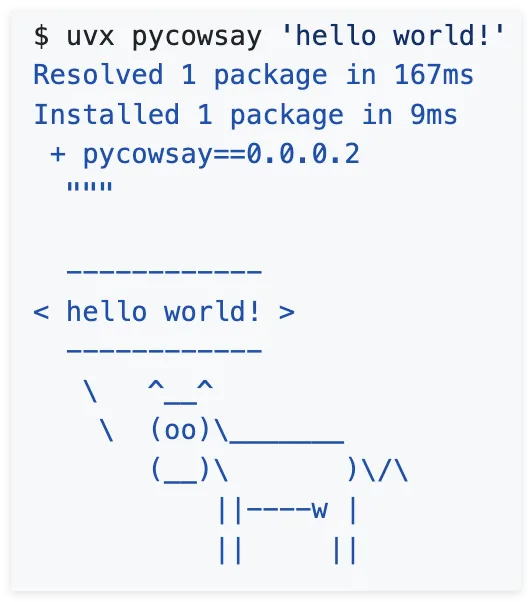
uvx pycowsay 'hello world!'#或uv tool run pycowsay 'hello world!'来源:https://github.com/astral-sh/uv
一些有用的:
(学习了,备注:299)
本文来自网友投稿或网络内容,如有侵犯您的权益请联系我们删除,联系邮箱:596563534@qq.com 。
