Linux工控机屏幕亮度控制方法 — 从踩坑到DDC协议
背景
由于项目需要,业主要求我们把工控设备的屏幕亮度做到可控:在非运营时段把屏幕亮度调到最低,达到节能效果。
我们的环境:
- 操作系统: Fedora 23, MATE 桌面, 32位(比较老的系统)
- 显示器接口
- 目标
最终实测效果:屏幕最低亮度比最高亮度功率降低了约60%,节能效果非常可观。
看起来简单的一个需求,实际做起来踩了不少坑。
方案踩坑记录
方案1:写 sysfs 节点(无效)
sudo tee /sys/class/backlight/acpi_video0/brightness <<< 100
这是网上最常见的方案,但测试下来完全没有任何作用。原因是这个节点依赖于内核的背光驱动(acpi_video 或 intel_backlight),而我们的 VGA 外接显示器不在内核背光驱动的管理范围内,所以这个路径根本不存在或者写入无效。
方案2:xbacklight(无效)
xbacklight 底层走的也是内核的 backlight 子系统,和方案1本质一样,对 VGA 外接显示器同样无效。
方案3:xrandr 软件调光(看似有效,但节能效果微乎其微)
xrandr --output DP1 --brightness 0.7
这个方案确实可以让屏幕看起来变暗,但实际测试中发现把亮度降到最低,屏幕的功率变化微乎其微。
仔细了解原理后恍然大悟:xrandr 的 brightness 参数本质是软件修改显卡输出的色彩矩阵,白话说就是相当于给画面盖了一层暗色滤镜,但不影响屏幕的物理背光灯亮度,而背光灯才是耗电的根源。
总结:前三个方案全部失败。 方案1和方案2对VGA外接显示器无效;方案3看似有效但只是软件层面的"假暗",无法降低实际功耗。
方案4:DDC/CI 协议控制(最终方案)
最终找到的可行方案是通过 DDC/CI 协议 直接控制显示器。DDC 调节亮度可以直接影响屏幕的物理背光灯亮度,真正实现降低功耗。
DDC/CI 协议介绍
什么是 DDC/CI
在讲具体操作前,先搞清楚三个相关概念:
| | |
|---|
| DDC | | 主机和显示器之间的通信通道,物理上复用在 VGA/HDMI 线缆的特定针脚里,本质是一条 I2C 总线 |
| EDID | Extended Display Identification Data | 显示器存在自身 EEPROM 里的只读数据,128字节,记录了显示器的型号、分辨率、色彩能力等信息,系统开机时自动读取 |
| VCP | | 把显示器 OSD 菜单里的每个参数都编了号,通过 DDC/CI 协议读写。比如 0x10 就是亮度,0x12 是对比度 |
通俗地理解:
使用 ddcutil 工具控制
安装 ddcutil
Fedora 23 的仓库里可能没有 ddcutil,需要手动编译安装:
# 安装依赖sudo dnf install gcc make i2c-tools i2c-tools-devel libdrm-devel# 下载源码(选择较老的兼容版本)wget https://www.ddcutil.com/tarballs/ddcutil-0.9.9.tar.gztar -xzf ddcutil-0.9.9.tar.gzcd ddcutil-0.9.9./configuremakesudo make install
加载 i2c 内核模块
DDC 协议依赖 i2c-dev 模块,这一步是关键,操作系统默认没有加载:
# 加载模块sudo modprobe i2c-dev# 设置开机自动加载echo "i2c-dev" | sudo tee /etc/modules-load.d/i2c.conf
检测显示器
# 检查 i2c 设备ls /dev/i2c-*# 正常情况下会看到以下输出/dev/i2c-0 /dev/i2c-1 /dev/i2c-2 /dev/i2c-3 /dev/i2c-4 /dev/i2c-5 /dev/i2c-6# 检测 ddcutil 能否识别显示器sudo ddcutil detect
正常情况下检测到支持 DDC 的显示器:
Display 1 I2C bus: /dev/i2c-3 EDID synopsis: Mfg id: ELO Model: ELO ET2002L Serial number: Manufacture year: 2019 EDID version: 1.3 VCP version: 2.2
如果没有检测到显示器或 i2c-dev 未启用:
如果找到显示器但不支持 DDC 协议:
Invalid display I2C bus: /dev/i2c-4 EDID synopsis: Mfg id: TCH Model: VGA Serial number: Manufacture year: 2021 EDID version: 1.3 DDC communication failed
读取和设置亮度
DDC/CI 中亮度对应的 VCP 特性码是 0x10:
# 读取当前亮度sudo ddcutil getvcp 0x10# 设置亮度(0~100)sudo ddcutil setvcp 0x10 50 # 设为 50%sudo ddcutil setvcp 0x10 0 # 设为最低(关闭背光)
指定特定显示器
如果有多台 DDC 设备,可以通过以下方式指定:
# 方式一:通过 display 编号(最简单,--display后面跟的数字对应ddcutil detect 结果的Display后面的数字)sudo ddcutil --display 1 getvcp 0x10sudo ddcutil --display 2 setvcp 0x10 70# 方式二:通过 i2c 总线编号(注意总线地址可能会变化,--bus后面跟的数字对应ddcutil detect 结果的I2C bus字段后的/dev/i2c-x中的x)sudo ddcutil --bus 3 getvcp 0x10# 方式三:通过序列号(最稳定,不受插拔顺序影响,--sn后面的内容对应ddcutil detect 结果的Serial number字段)sudo ddcutil --sn "ABC123456" setvcp 0x10 70
推荐: 生产环境脚本中用 --sn 序列号方式,因为 i2c 总线编号和 display 编号可能在重启或重新插拔后发生变化。
同时控制所有显示器
ddcutil 本身不支持广播,可以用脚本实现:
for i in 2}'); do sudo ddcutil --display $i setvcp 0x10 70done
通过编程实现 DDC/CI 控制
如果不希望依赖 ddcutil 工具,可以直接通过 C 语言操作 /dev/i2c-* 设备文件实现。DDC/CI 本质上就是通过 i2c 总线发送特定格式的数据包。
协议基础
| | |
|---|
| 0x37 | |
| 0x6E | 0x37 << 1 |
| 0x6F | 0x37 << 1 | 1 |
| 0x10 | |
C 语言实现
#include <stdio.h>#include <stdlib.h>#include <string.h>#include <fcntl.h>#include <unistd.h>#include <sys/ioctl.h>#include <linux/i2c-dev.h>#define DDC_ADDR 0x37#define VCP_BRIGHTNESS 0x10static unsigned char calc_checksum(unsigned char dest, unsigned char *buf, int len) { unsigned char cs = dest; for (int i = 0; i < len; i++) cs ^= buf[i]; return cs;}int open_i2c(const char *bus) { int fd = open(bus, O_RDWR); if (fd < 0) { perror("open"); return -1; } if (ioctl(fd, I2C_SLAVE, DDC_ADDR) < 0) { perror("ioctl"); close(fd); return -1; } return fd;}int ddc_get_vcp(int fd, unsigned char vcp_code, unsigned short *cur_val, unsigned short *max_val) { unsigned char req[5]; req[0] = 0x51; req[1] = 0x80 | 0x02; req[2] = 0x01; req[3] = vcp_code; req[4] = calc_checksum(0x6E, req, 4); for (int retry = 0; retry < 5; retry++) { if (write(fd, req, 5) != 5) { perror("write"); return -1; } usleep(200000); unsigned char resp[20]; memset(resp, 0, sizeof(resp)); int n = read(fd, resp, 20); if (n <= 0) { usleep(200000); continue; } // 响应格式: [0]=0x6e [1]=0x88 [2]=0x02 [3]=0x00 [4]=vcp // [5]=type [6]=maxH [7]=maxL [8]=curH [9]=curL [10]=cs if (resp[0] == 0x6e && resp[1] == 0x80) { printf("Null response, retry...\n"); usleep(300000); continue; } if (n >= 10 && resp[0] == 0x6e && resp[2] == 0x02 && resp[4] == vcp_code) { if (max_val) *max_val = (resp[6] << 8) | resp[7]; if (cur_val) *cur_val = (resp[8] << 8) | resp[9]; return 0; } usleep(200000); } return -1;}int ddc_set_vcp(int fd, unsigned char vcp_code, unsigned short value) { unsigned char req[7]; req[0] = 0x51; req[1] = 0x80 | 0x04; req[2] = 0x03; req[3] = vcp_code; req[4] = (value >> 8) & 0xFF; req[5] = value & 0xFF; req[6] = calc_checksum(0x6E, req, 6); if (write(fd, req, 7) != 7) { perror("write"); return -1; } usleep(200000); return 0;}int main(int argc, char *argv[]) { if (argc < 3) { fprintf(stderr, "Usage: %s <i2c-bus> <brightness 0-100>\n", argv[0]); return 1; } int brightness = atoi(argv[2]); if (brightness < 0 || brightness > 100) { fprintf(stderr, "Brightness must be 0-100\n"); return 1; } int fd = open_i2c(argv[1]); if (fd < 0) return 1; unsigned short cur = 0, max = 0; if (ddc_get_vcp(fd, VCP_BRIGHTNESS, &cur, &max) != 0) { fprintf(stderr, "Failed to read brightness\n"); close(fd); return 1; } printf("Current: %d, Max: %d\n", cur, max); unsigned short target = (unsigned short)(brightness * max / 100); printf("Setting brightness to %d (%d%%)\n", target, brightness); if (ddc_set_vcp(fd, VCP_BRIGHTNESS, target) != 0) { fprintf(stderr, "Failed to set brightness\n"); close(fd); return 1; } usleep(300000); if (ddc_get_vcp(fd, VCP_BRIGHTNESS, &cur, &max) == 0) { printf("Verified: brightness = %d\n", cur); } close(fd); return 0;}
编译运行:
gcc -o ddc_brightness ddc_brightness.csudo ./ddc_brightness /dev/i2c-3 80
期望输出:
Current: 1, Max: 100Setting brightness to 80 (80%)Verified: brightness = 80
VCP 功能码速查表
除了亮度,DDC/CI 还支持很多显示器参数控制。以下是常用的 VCP 功能码:
图像质量
色温预设(0x14)可选值:1=sRGB, 2=Native, 5=6500K, 8=9300K 等
颜色调节
输入与电源
| | | |
|---|
| 0x60 | 1=VGA, 3=DVI, 15=DP, 17=HDMI | |
| 0xD6 | | |
音频
查看你的显示器实际支持项
不同显示器支持的 VCP 码不同,建议先查看实际支持列表:
# 查看显示器声明支持的功能列表sudo ddcutil capabilities# 扫描所有已知功能码的当前值sudo ddcutil getvcp scan
注意事项
- VGA 接口的 DDC 支持:VGA 线通过第 9/12/15 针脚传输 I2C 信号,大多数现代显示器支持,但部分老显示器可能不响应 DDC/CI 命令
- i2c-dev 模块:必须先加载
i2c-dev 内核模块,否则无法操作 - 权限:操作
/dev/i2c-* 设备需要 root 权限 - 兼容性:Fedora 23 已停止维护,内核版本较老,建议安装
ddcutil 的较低版本(如 0.9.9)以保证兼容性 - 验证实际支持:操作前先运行
ddcutil capabilities 确认显示器支持哪些 VCP 功能码,避免操作不支持的码导致无响应
眼见为实
DDC亮度最高
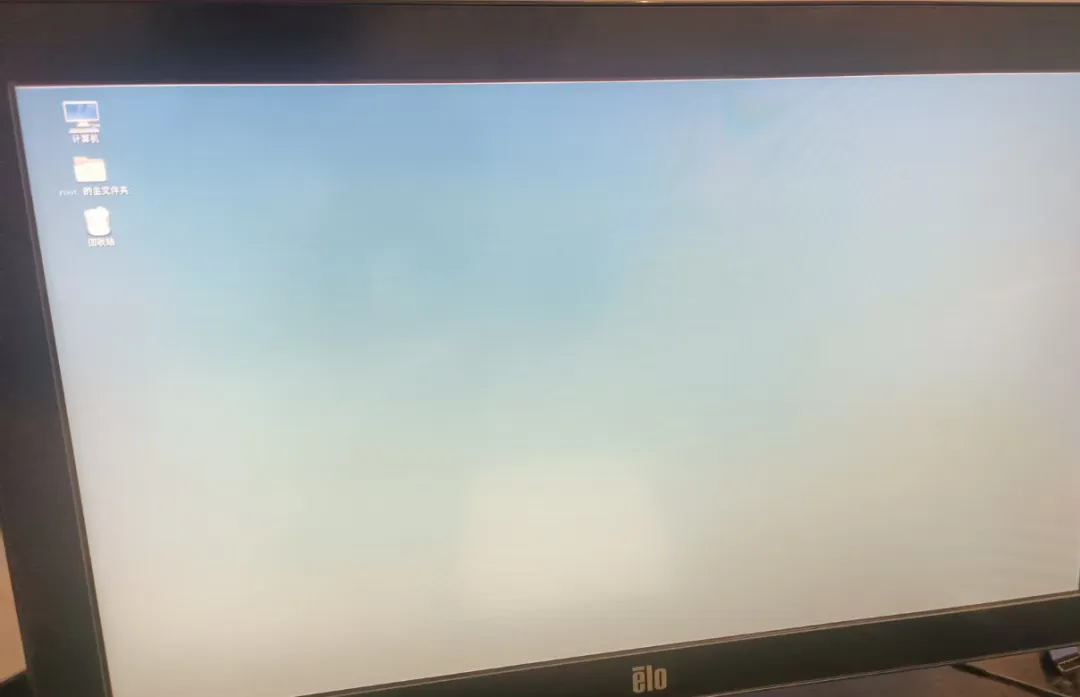 实测功率 13.5W
DDC亮度最低
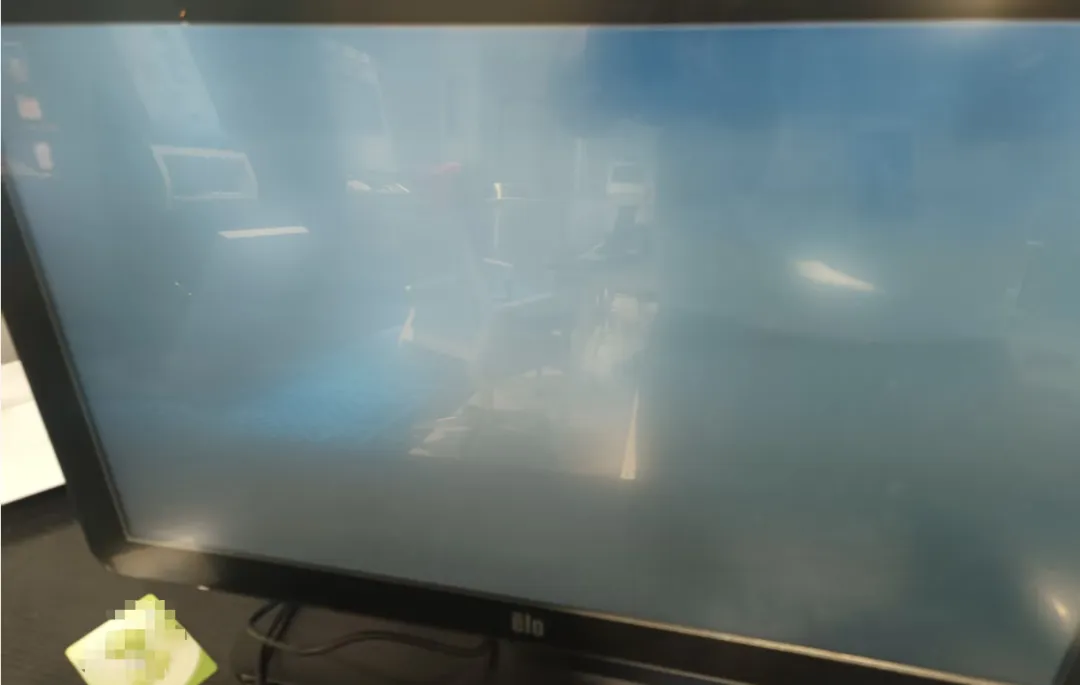 实测功率5.58W
