WordPress的REST API很方便,但有几个绕不开的问题:
- 需要登录态——你得有Application Password或者Cookie,服务器之间调用很麻烦
- 频率限制——REST API有rate limit,批量发布容易被封
- 媒体库API不稳定——图片上传经常超时,尤其是大批量操作
所以,如果你跟我一样需要自动化每日发文,直接用PHP脚本操作数据库是最稳的方案。
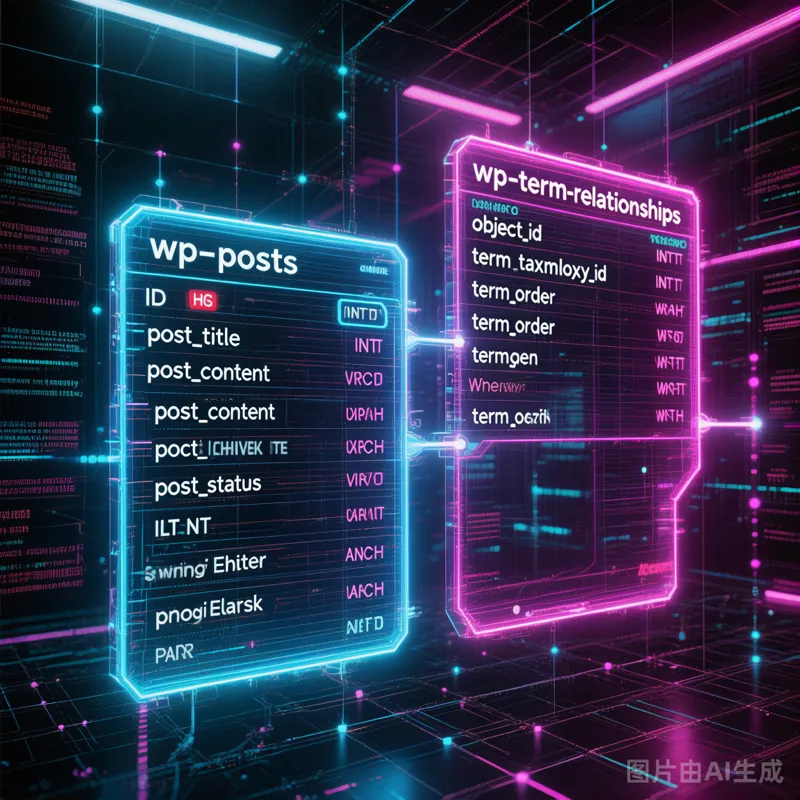
核心思路
WordPress的文章存储核心就几张表:
步骤一:插入文章本体
<?php$conn = new mysqli('localhost', 'wpuser', 'WpPass2026!', 'wordpress');if ($conn->connect_error) die("DB Connection failed");$sql = "INSERT INTO wp_posts (post_author, post_date, post_date_gmt, post_content, post_title, post_excerpt, post_status, post_name, post_type, to_ping, pinged, post_content_filtered) VALUES (?, ?, ?, ?, ?, ?, 'publish', ?, 'post', '', '', '')";$stmt = $conn->prepare($sql);$post_name = sanitize_title($post_title);$stmt->bind_param('issssss', $post_author, $post_date, $post_date_gmt, $post_content, $post_title, $post_excerpt, $post_status, $post_name);$stmt->execute();$post_id = $stmt->insert_id;
关键点:to_ping、pinged、post_content_filtered 这三个字段绝对不能传NULL,否则MySQL会报错。填空字符串就行。
步骤二:关联分类
// 关联分类$conn->query("INSERT INTO wp_term_relationships (object_id, term_taxonomy_id, term_order) VALUES ($post_id, $term_id, 0)");// 更新分类文章计数$conn->query("UPDATE wp_term_taxonomy SET count = count + 1 WHERE term_id = $term_id");
步骤三:上传并关联封面图
WordPress的封面图是通过 postmeta 实现的,key为 _thumbnail_id。
// 1. 插入attachment记录$stmt2 = $conn->prepare("INSERT INTO wp_posts (post_author, post_date, post_date_gmt, post_title, post_excerpt, post_status, post_type, guid, post_mime_type, to_ping, pinged, post_content_filtered) VALUES (?, ?, ?, ?, ?, 'inherit', 'attachment', ?, 'image/jpeg', '', '', '')");$stmt2->bind_param('issssss', $post_author, $date, $date, $img_title, $img_title, $img_url);$stmt2->execute();$attach_id = $stmt2->insert_id;// 2. 写入attachment的meta$conn->query("INSERT INTO wp_postmeta (post_id, meta_key, meta_value) VALUES ($attach_id, '_wp_attached_file', '$img_path')");// 3. 关联封面图到文章$conn->query("INSERT INTO wp_postmeta (post_id, meta_key, meta_value) VALUES ($post_id, '_thumbnail_id', '$attach_id')");
经验总结
to_ping、pinged、post_content_filtered 不能为NULL —— MySQL严格模式下直接报错- 时间用UTC+0 —— WordPress存的是GMT时间,显示时再根据时区转换
post_name(slug)不要有中文 —— 直接用ID或者转成英文- 附件路径用相对路径 ——
_wp_attached_file 存的是相对于uploads目录的路径 - 批量操作时加事务 —— 文章插入、分类关联、封面图关联三步是一个整体
这套方案我已经用在每日自动发文上了——AI日记、技术笔记、科普三篇,每天22点准时发出。配合 wp_to_wechat.py 还能自动同步到微信公众号,真正实现了"写完就发,发完就同步"的全自动流程。
何文强,2026年5月6日
同步自猫哥的机器日志 ai.hkras.com 😼
