HyperView Python 二次开发之自动生成安全带固定点强度加载曲线
- 2026-10-11 10:53:57
HyperView Python 二次开发之自动生成安全带固定点强度加载曲线
「CAE仿真记」
愿与您一同,用代码提升效率!
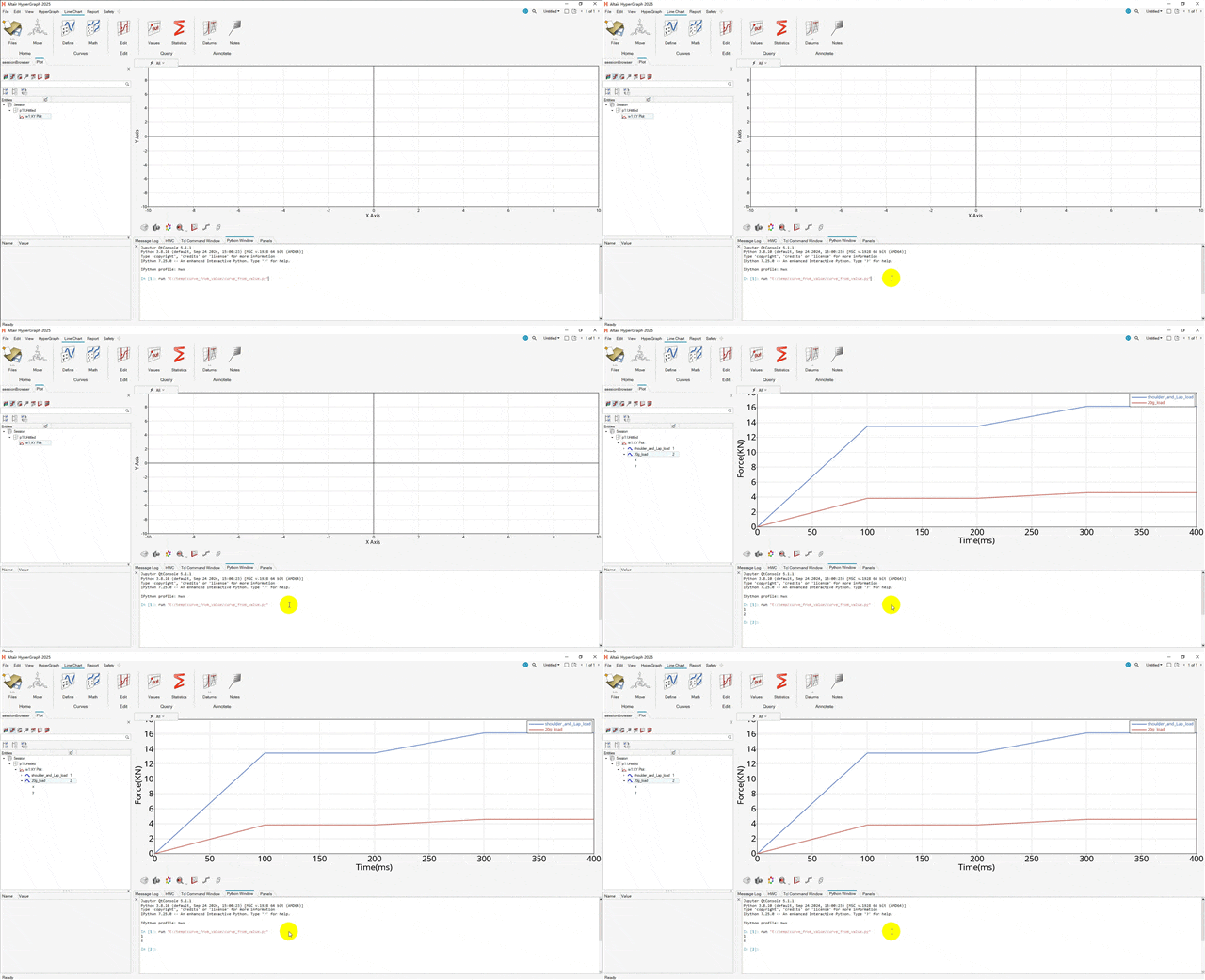
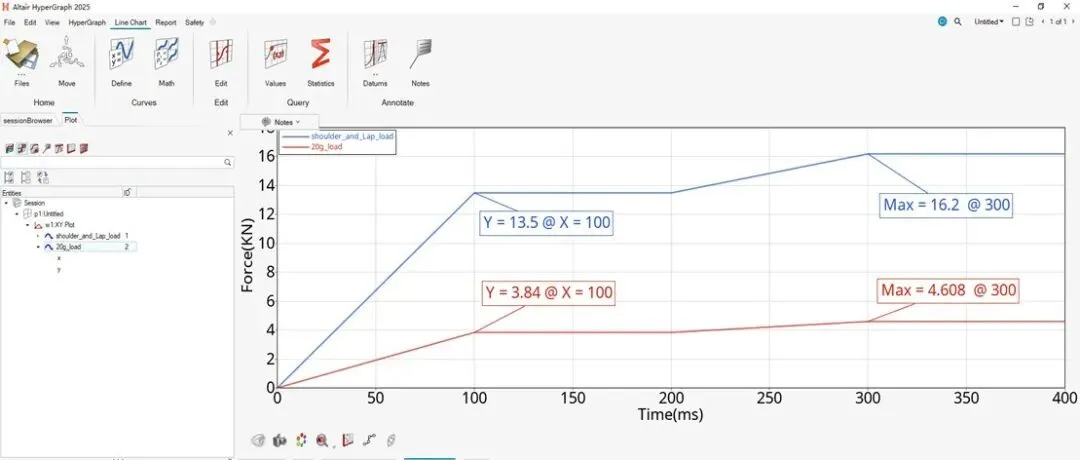
安全带固定点强度分析,因每个座椅质量不同,20倍座椅重力加载曲线每次都需要重做。
此篇是学会怎样在HyperView中只需修改座椅质量一键生成安全带固定点强度分析加载曲线。
HyperView基于Tcl语言实现方法:
Hyperview二次开发之自动曲线绘制(安全带固定点强度加载曲线)
HyperView基于Python语言实现方法:
shoulder_and_Lap_listx = [0,100,200,300,400]shoulder_and_Lap_listy = [0,13.5,13.5,16.2,16.2]seat_20_multiply_g = [0,0.192,0.192,0.2304,0.2304]seat_mass = 20seat_20g_listy = [i * 20 for i in seat_20_multiply_g] def create_curve_by_value_list (curvename,xValuesList,yValuesList): import hw import hw.hg as hg# 设置激活的窗口为 plot ses = hw.Session() page = ses.get(hw.Page) page.setAttributes(layout = 0)#win = ses.get(hw.Window) win = ses.get(hw.Window,window = 1) win.type = "xy" curve = hg.CurveXY( xSource="values", xValues=xValuesList, ySource="values", yValues=yValuesList, label=curvename ) win.update() new_curve_id = curve.idprint(new_curve_id)return new_curve_id#def set_X_axis (label,fontsize): import hw import hw.hg as hg# 设置激活的窗口为 plot ses = hw.Session() h = ses.get(hg.AxisHorizontal) h.text = label h.fontSize = fontsize h.ticFontSize = fontsizedef set_Y_axis (label,fontsize): import hw import hw.hg as hg# 设置激活的窗口为 plot ses = hw.Session() v = ses.get(hg.AxisVertical) v.text = label v.fontSize = fontsize v.ticFontSize = fontsizecreate_curve_by_value_list("shoulder_and_Lap_load",shoulder_and_Lap_listx,shoulder_and_Lap_listy)create_curve_by_value_list("20g_load",shoulder_and_Lap_listx,seat_20g_listy)set_X_axis("Time(ms)",20)set_Y_axis("Force(KN)",20)往期文章
CAE仿真 网格评价中的雅可比为什么是0-1?及参数单元是什么
Hyperview云图显示各个零件屈服,断后延伸率,应力与屈服比值(应力归一化),失效应变归一化
HyperMesh Python二次开发-自动修改Component名字
HyperMesh Python二次开发 自动替换Component名中的特定字符。
💡提示
如有问题,欢迎留言指正与交流。 本文已收录进合集,进入文末合集可查看更多笔记。
本文来自网友投稿或网络内容,如有侵犯您的权益请联系我们删除,联系邮箱:596563534@qq.com 。
