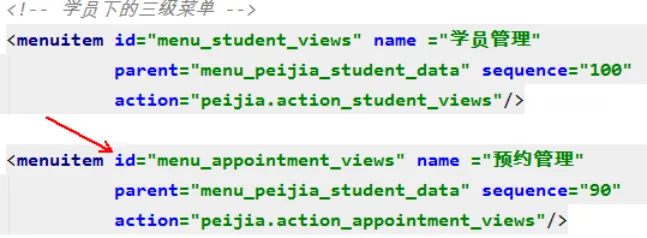
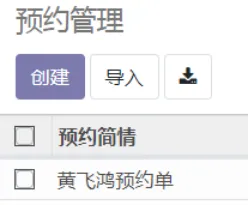
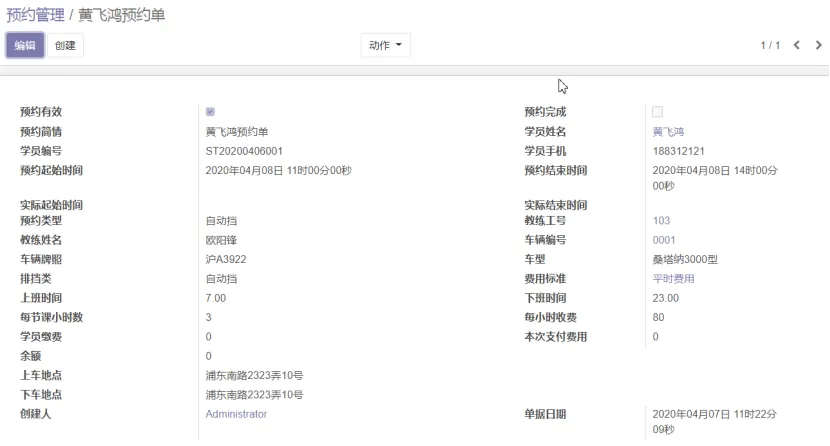
from odoo import fields, models, apiclass NebulaAppointment(models.Model): _name = "nebula.appointment" _description = "预约管理" _order = 'name' active = fields.Boolean('预约有效', default=True) complete = fields.Boolean('预约完成', default=False) name = fields.Char('预约简情', size=30) student_name = fields.Many2one('nebula.student', string='学员姓名', index=True, size=8, copy=False) student_seq = fields.Char('学员编号', related='student_name.seq', store=True) student_mobile = fields.Char('学员手机', related='student_name.mobile') appointment_begin_date = fields.Datetime('预约起始时间', required=True, index=True, default=fields.Datetime.now) appointment_end_date = fields.Datetime('预约结束时间', required=True, index=True, default=fields.Datetime.now) complete_begin_date = fields.Datetime('实际起始时间') complete_end_date = fields.Datetime('实际结束时间') auto_type_name = fields.Selection(selection='_select_auto_type', string='预约类型') teacher_name = fields.Many2one('nebula.teacher', string='教练工号', index=True, size=8, copy=False, domain=[('active', '=', True)]) teacher_full_name = fields.Char('教练姓名', related='teacher_name.full_name', store=True) car_name = fields.Many2one('nebula.car', string='车辆编号', index=True, size=8, copy=False, domain=[('active', '=', True)]) license_plate = fields.Char('车辆牌照', related='car_name.license_plate', store=True) car_type_name = fields.Selection(selection='_select_car_type', string='车型', related='car_name.car_type_name') car_auto_type_name = fields.Selection(selection='_select_auto_type', string='排挡类', related='car_name.auto_type_name') deposit = fields.Integer('学员缴费') pay = fields.Integer('本次支付费用') balance = fields.Integer('余额') begin_address = fields.Text('上车地点') end_address = fields.Text('下车地点') user_id = fields.Many2one('res.users', string='创建人', index=True, readonly=True, default=lambda self: self.env.user) date_docket = fields.Datetime('单据日期', required=True, readonly=True, index=True, default=fields.Datetime.now) @api.model def _select_car_type(self): records = self.env['nebula.car.type'].search([('active', '=', True)]) return [(r.name, r.name_type) for r in records] def _select_auto_type(self): records = self.env['nebula.auto.type'].search([]) return [(r.name, r.name_type) for r in records] # TODO: 1.预约结束时间在预约开始时间修改后自动后推每节课时间 # 2.balance # 计算字段,学员缴费之和-本次支付费用之和 # 3.每次修改都要记录 # 4.学员筛选条件需要修改 # 5.如果是旧学员,显示旧预约列表,显示一条后复制原来信息
access_nebula_appointment,nebula.appointment,model_nebula_appointment,group_peijia_manager,1,1,1,1access_nebula_appointment_user,nebula.appointment,model_nebula_appointment,group_peijia_user,1,1,1,0
 10个月宝宝每天需要喝多少奶粉?