Python --->numpy+pandas+matplotlib
一、NumPy 数值计算库
导入:import numpy as np
| | |
|---|
| np.array() | arr = np.array([20,40,60,80]) |
| np.sum() | np.sum(arr) |
| np.mean() | np.mean(arr) |
| np.max() | np.max(arr) |
| np.std() | np.std(arr) |
| | arr[arr > 50] |
| np.isnan() | np.isnan(arr) |
二、Pandas 数据分析库(核心)
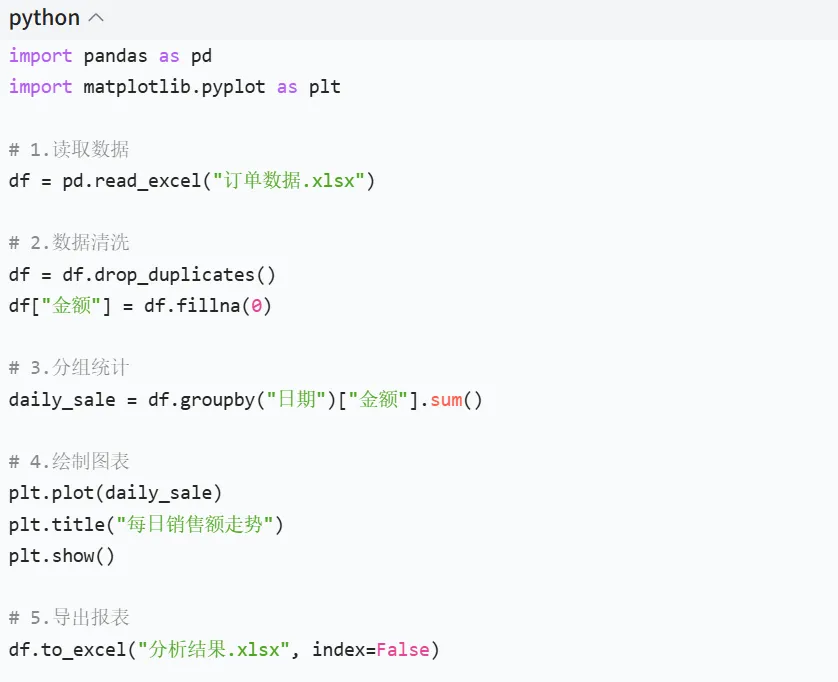
导入:import pandas as pd
1. 文件读写
- 读取 Excel:
df = pd.read_excel("文件.xlsx") - 读取 CSV:
df = pd.read_csv("文件.csv") - 导出文件:
df.to_excel("结果.xlsx", index=False)
2. 数据查看
3. 数据清洗
4. 数据筛选
5. 分组聚合
- 求和:
df.groupby("品类")["金额"].sum() - 去重计数:
df.groupby("日期")["用户ID"].nunique()
6. 新增字段
- 衍生指标:
df["转化率"] = df["付款数"] / df["浏览数"]
7. 时间处理
- 转为时间格式:
df["时间"] = pd.to_datetime(df["下单时间"]) - 提取小时:
df["小时"] = df["时间"].dt.hour
三、Matplotlib 可视化库
导入:import matplotlib.pyplot as plt
| | |
|---|
| plt.plot() | plt.plot([1,2,3],[10,20,15]) |
| plt.bar() | plt.bar(["午市","晚市"],[120,90]) |
| plt.title() | plt.title("每日销量") |
| plt.xlabel() | plt.xlabel("日期") |
| plt.show() | plt.show() |
| plt.savefig("图表.png") | plt.savefig("销量图.png") |
 10个月宝宝每天需要喝多少奶粉?