1. 变量与数据类型
- 变量:变量是存储数据的容器,其命名需遵循特定规则。必须以字母或下划线开头,后续可接字母、数字或下划线,且不能与Python关键字冲突。例如:
- 数据类型
- 数字类型:包含整数(
int)、浮点数(float)和复数(complex)。整数无小数部分,如10;浮点数有小数部分,如3.14;复数由实数与虚数构成,如2 + 3j。 - 字符串(
str):用于表示文本数据,可由单引号、双引号或三引号括起来。三引号常用于多行字符串。例如:
single_quote = 'Hello'double_quote = ”World”multi_line = '''This is amulti - line string.'''
- 布尔类型(
bool):仅有两个取值,True和False,常用于逻辑判断。 - 列表(
list):一种有序的可变序列,可容纳不同类型的数据,用方括号表示。例如:
my_list = [1, 'apple', True]
- 集合(
set):无序且元素唯一的集合,用花括号或set()函数创建。例如:
my_set = {1, 2, 2, 3}# 实际存储为 {1, 2, 3}
- 字典(
dict):无序的键值对集合,用于存储和检索数据,用花括号表示。例如:
my_dict = {'name': 'Bob', 'age': 30}
2. 控制结构
- 顺序结构:程序按语句先后顺序依次执行,这是Python程序的默认执行方式。
- 选择结构
if - elif - else语句
num = 10if num > 0: print(”正数”)elif num == 0: print(”零”)else: print(”负数”)
- Python中没有传统的
switch - case语句,但可通过dict模拟类似功能。 - 循环结构
for循环
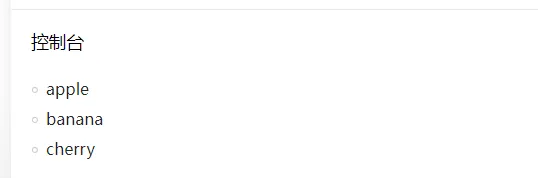
fruits = ['apple', 'banana', 'cherry']for fruit in fruits: print(fruit)
count = 0while count < 5: print(count) count += 1
3. 函数
- 定义与调用:函数是封装特定功能的代码块,可提高代码复用性。定义函数使用
def关键字,后接函数名、参数列表和冒号,函数体需缩进。例如:
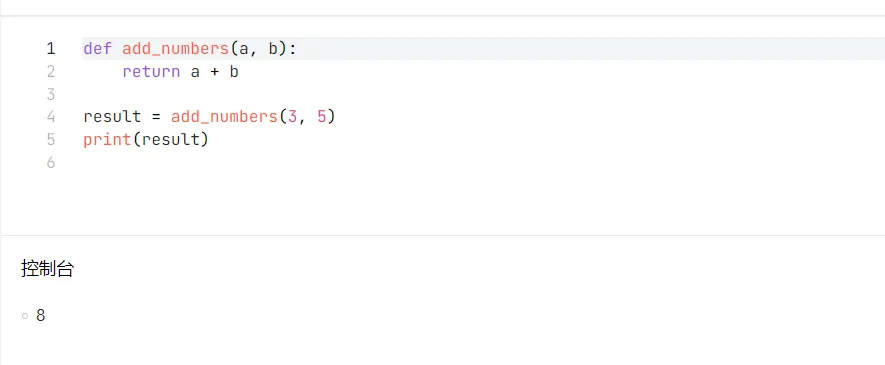
def add_numbers(a, b): return a + bresult = add_numbers(3, 5)print(result)
- 参数传递:包括位置参数、关键字参数、默认参数和可变参数。例如:
# 位置参数def subtract(a, b): return a - b# 关键字参数subtract(b = 2, a = 5)# 默认参数def greet(name, message = ”Hello”): print(message, name)greet(”Alice”)# 可变参数def sum_all(*args): total = 0 for num in args: total += num return totalsum_all(1, 2, 3)
4. 类与对象
- 类的定义:类是创建对象的模板,定义使用
class关键字。例如:
class Dog: def __init__(self, name, age): self.name = name self.age = age def bark(self): print(self.name, ”is barking.”)
my_dog = Dog(”Buddy”, 3)my_dog.bark()
5. 模块
- 模块定义:一个Python文件就是一个模块,可包含函数、类和变量等。例如,创建一个
my_module.py文件,内容如下:
def square(x): return x * x
- 模块导入:在其他文件中使用
import语句导入模块。例如:
import my_moduleresult = my_module.square(5)
也可使用from...import语句导入模块中的特定内容:
from my_module import squareresult = square(5)
6. 异常处理
try: num = 10 / 0except ZeroDivisionError: print(”不能除以零”)
finally块:无论是否发生异常,finally块中的代码都会执行。例如:
try: num = 10 / 2except ZeroDivisionError: print(”不能除以零”)finally: print(”程序结束”)
7. 文件操作
- 文件读取:使用
open()函数打开文件,指定模式为'r'(只读)。例如:
try: with open('example.txt', 'r') as file: content = file.read() print(content)except FileNotFoundError: print(”文件未找到”)
- 文件写入:以
'w'(写入,会覆盖原有内容)或'a'(追加)模式打开文件。例如:
with open('example.txt', 'w') as file: file.write(”这是新写入的内容”)