python playwright--pytest-playwright、pytest-base-url插件编写用例
- 2026-10-11 05:42:50
这篇文章主要介绍了python playwright--pytest-playwright、pytest-base-url插件编写用例,它提供上下文隔离,开箱即用地在多个浏览器配置上运行,它继承了pytest框架,以及支持playwright的一些基础使用,需要的朋友可以参考下
前言
官方的 pytest-playwright 插件可以编写端到端测试。它提供上下文隔离,开箱即用地在多个浏览器配置上运行。它继承了pytest框架,以及支持playwright的一些基础使用。
一、安装插件
pip install pytest-playwright二、编写用例
安装这个插件后,无需再自定义fixture,直接使用内置的前置Page即可
from playwright.sync_api import Page, expectdef test_login_01(page: Page):page.goto("http://192.168.64.209:8008/#/login")
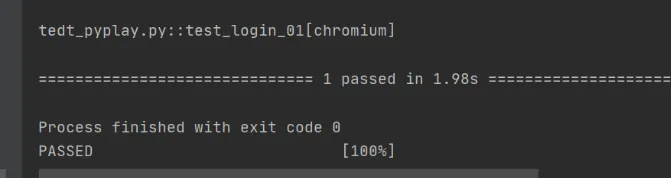
说明:直接在用例函数里声明一个Page,格式:def test_login_01(page: Page),即可跳转访问页面
三、运行用例
1、右键运行
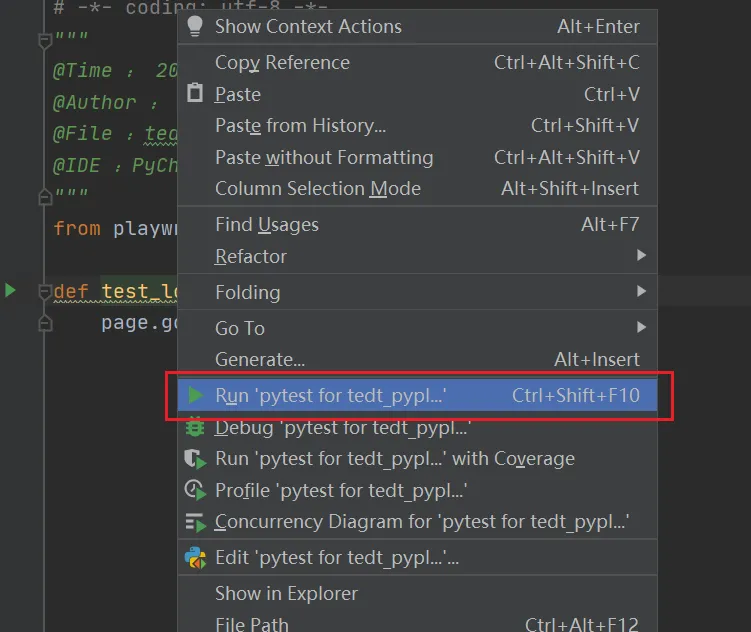
2、命令行运行
指定运行某个py用例
pytest testcases\tedt_pyplay.py运行全部用例
pytest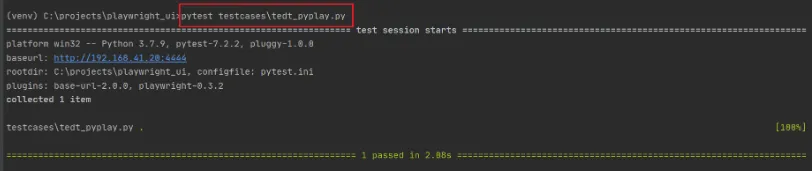
四、内置fixture
这些固定装置在测试功能中请求时创建,并在测试结束时销毁
Function scope:
context:用于测试的新浏览器上下文
page:用于测试的新浏览器页面
Session scope:
playwright:playwright实例
browser_type:当前浏览器的BrowserType实例
browser:Playwright 启动的浏览器实例
browser_name: 浏览器名称作为字符串
browser_channel: 浏览器通道作为字符串
is_chromium, is_webkit, is_firefox: 相应浏览器类型的布尔值
自定义fixture:
对于browser和context ,使用以下fixture来自定义启动选项
browser_type_launch_args:覆盖browser_type.launch()的启动参数,返回一个字典
browser_context_args:覆盖browser.new_context()的选项,返回一个字典
五、全局配置base_url
1、安装 pytest-base-url
pip install pytest-base-url2、项目根目录新建pytest.ini文件
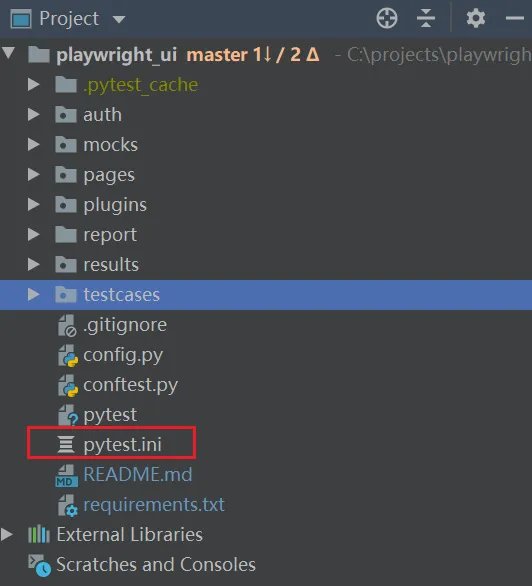
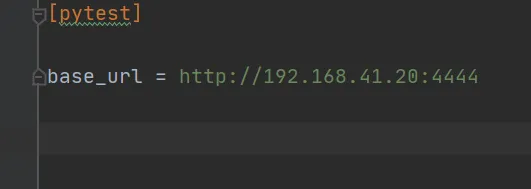
3、pytest.ini文件里配置base_url
[pytest]base_url = http://192.168.41.20:4444
4、使用base_url的全局url
from playwright.sync_api import Page, expectdef test_login_01(page: Page,base_url):page.goto(base_url+"/#/login")
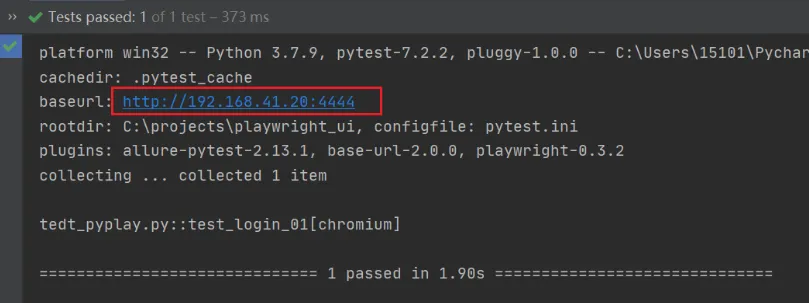
说明:配置后,可直接获取到base_url的,前提是先安装插件,然后在pytest.ini文件里配置,最后在用例里应用即可
到此这篇关于python playwright--pytest-playwright、pytest-base-url插件编写用例的文章就介绍到这了
您可能感兴趣的文章:
使用pytest结合Playwright实现页面元素在两个区域间拖拽功能
使用Playwright+Pytest构建Web UI自动化测试框架完整示例
fiddler抓包小技巧之自动保存抓包数据的实现方法分析【可根据需求过滤】
python软件测试Jmeter性能测试JDBC Request(结合数据库)的使用详解
Python+request+unittest实现接口测试框架集成实例
使用postman传递list集合后台springmvc接收
pytest fixtures装饰器的使用和如何控制用例的执行顺序
今天也要点一键哦❤️❤️
"赞"、"在看"、


随机文章
-
 10个月宝宝每天需要喝多少奶粉?
- 终于有人把Linux安全日志讲明白了!运维入门必看
- 科研绘图 | 基于 Python 绘制带分组折线的柱状图
- 组里新来的测试实习生连基础的Linux操作都搞不明白,真的让人头大
- 【漏洞通告】Linux Kernel rtmutex 本地权限提升漏洞(CVE-2026-43499)
- 【漏洞通告】Linux Kernel GhostLock 权限提升漏洞(CVE-2026-43499)
- IP反查域名工具:支持Windows、Linux、MacOS
- 【Linux社区短距简报】linux-wireless周动态(20260702~0708)
- Linux松绑RISC-V 256核 鸿蒙央采缺席
- 01-入门篇-Linux线上排障三板斧
- 600个Linux命令,学会你就很牛了!