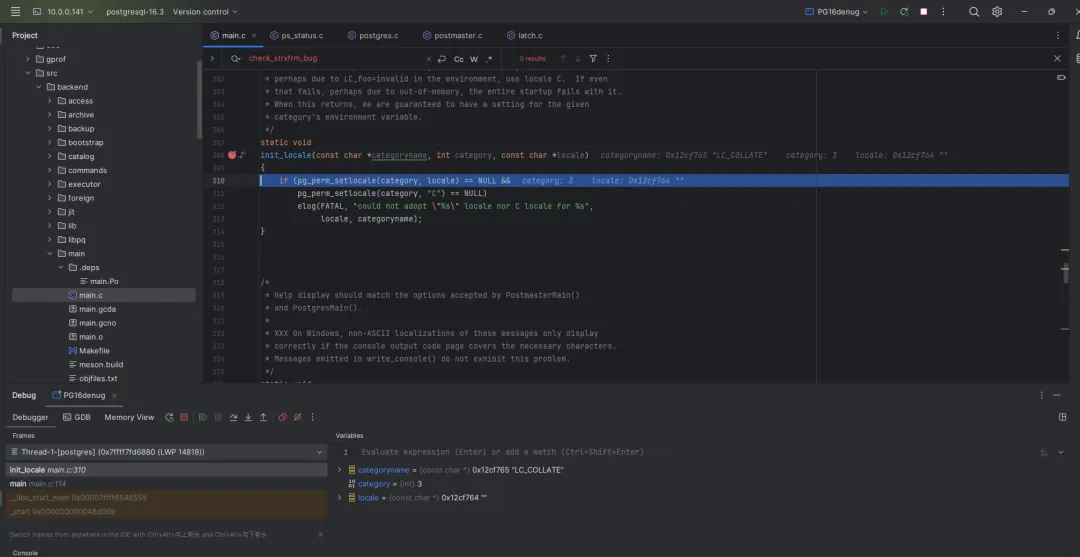
简介
因为大多数环境都是linux ,操作平台不同,部分编译的源码也会有些差异,但是直接在linux中使用vi、view等工具查看代码,太过于古老,Clion有一个远程开发模式,可以进行远程view、debug、 pid attach 等工具。对于源码观察比较方便。
PG安装
在虚拟机中源码安装PG
./configure --enable-debug --prefix=/home/postgres/pg16/prebuild CFLAGS=-O0 --with-python --with-systemd --enable-coverage --enable-profiling --enable-depend -enable-cassertmake -j4 world && make install-worldsu - postgresmkdir -p /home/postgres/pg16/prebuild/datainitdb -k -D /home/postgres/pg16/prebuild/data
上述关键的参数--enable-debug CFLAGS=-O0 其他的随意
Clion配置
打开Clion的远程开发模式
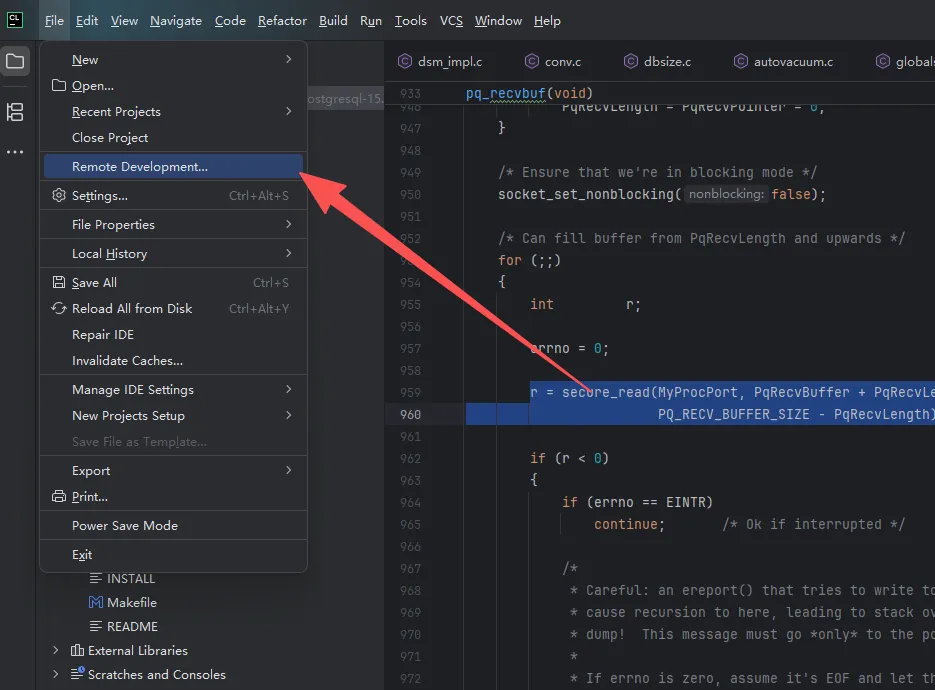
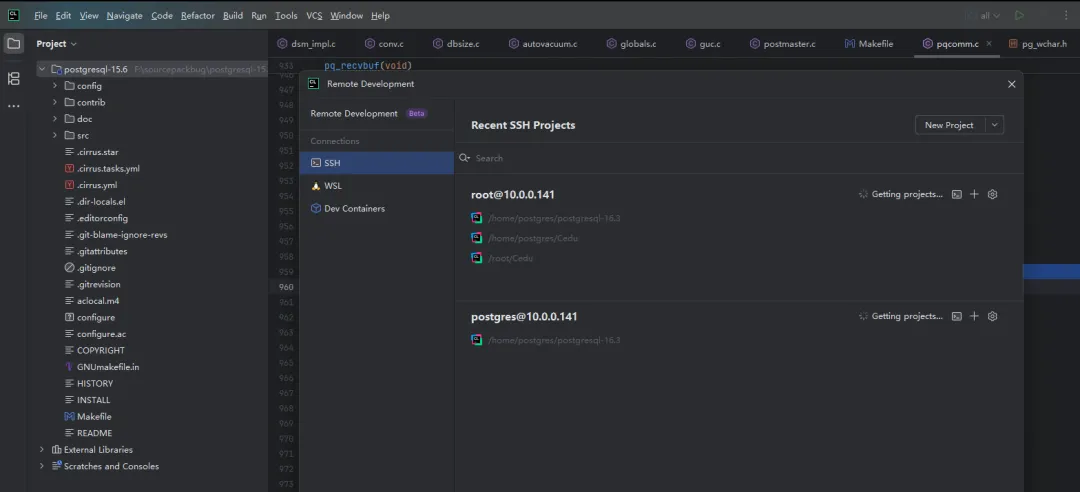
然后选ssh 配置对应的ssh通道,并选择对应的PG源码目录
再开打开配置对应的工具链
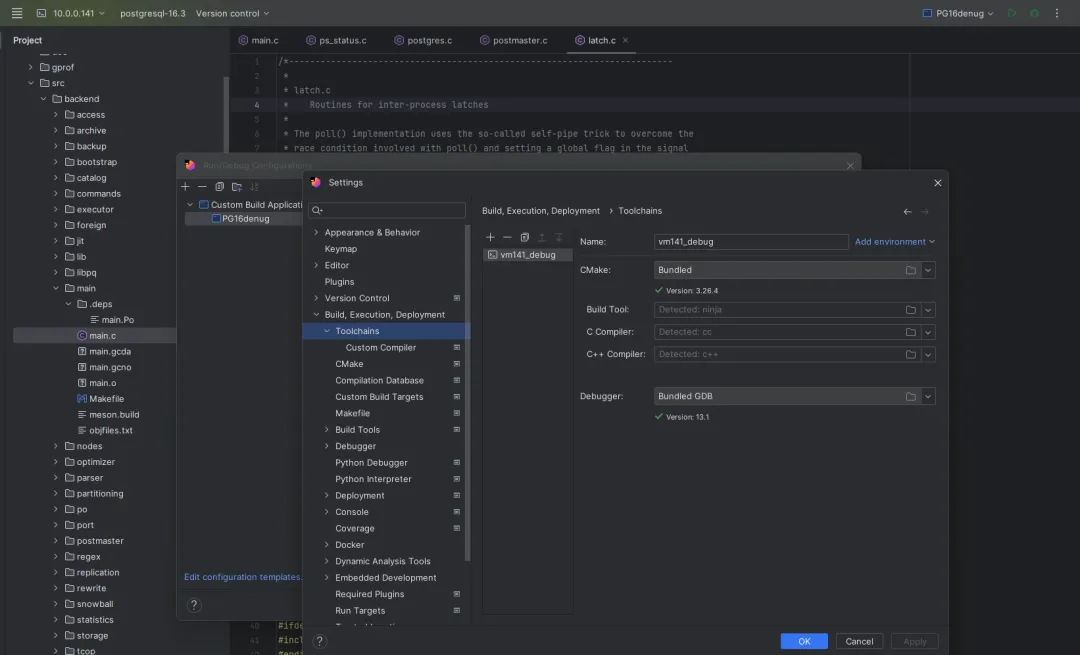
定义Build Target ,我们安装完PG之后这里实际是不需要配置build工具,但是clion打开工程需要有个target
使用Clion 的远程模式打开PG的源码目录,然后点Edit Configurations
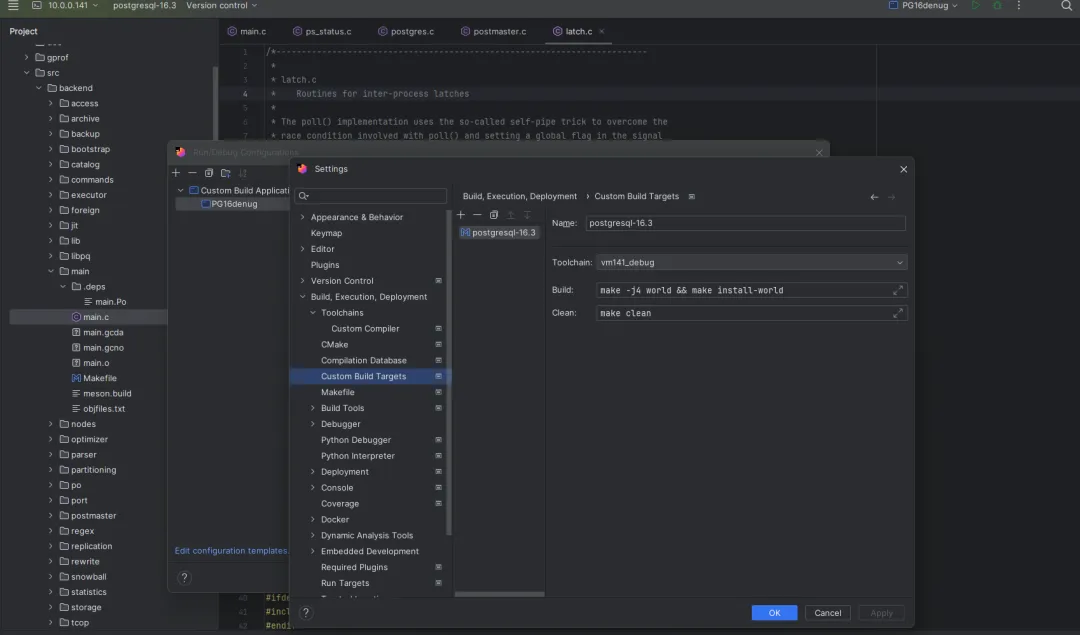
选择Custom Build Application
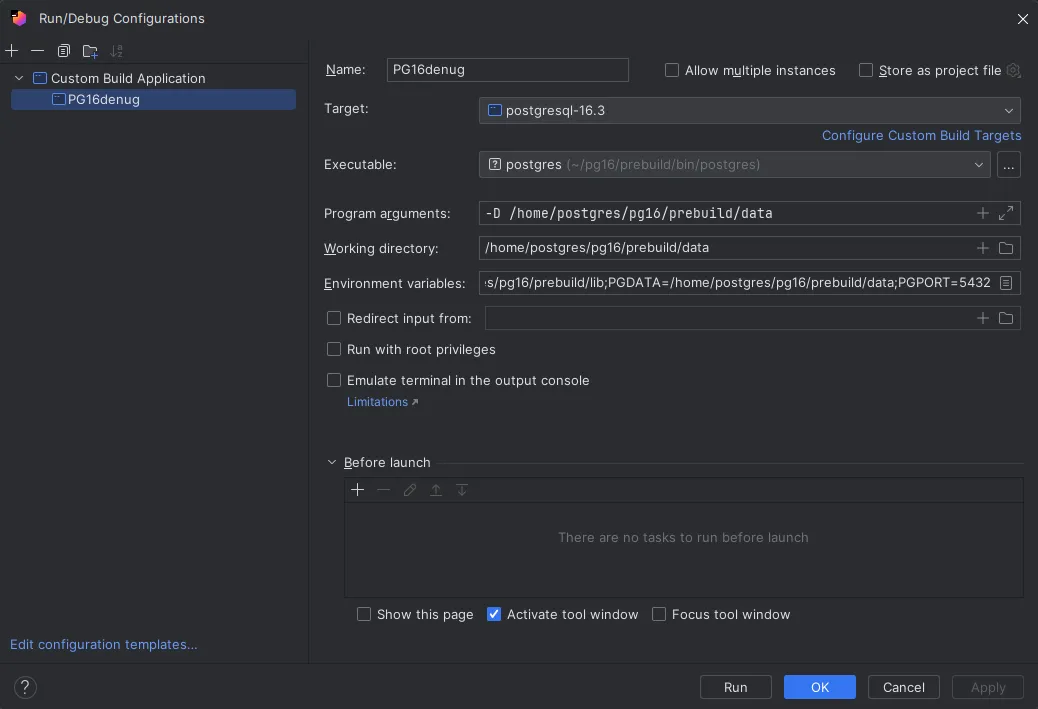
Target 选择你我们上面配置的Build TargetExceutable 选择bin下的postgres环境变量 : 选择PG对应的环境便是 如: LD_LIBRARY_PATH=/home/postgres/pg16/prebuild/lib;PGDATA=/home/postgres/pg16/prebuild/data;PGPORT=5432
此时虚拟机的PG需要停掉,直接在Clion 中点击运行即可,便可继续PG启动的整个调用链路观察。也可以打断点。