回复“书籍”即可获赠Python从入门到进阶共10本电子书
苟利国家生死以,岂因祸福避趋之。——林则徐《赴戍登程口占示家人》
作者:Python进阶者
关键词:机器学习, 数据预处理, 特征工程, 模型训练, 超参数优化, 模型部署, Scikit-learn, TensorFlow
机器学习已成为数据驱动决策的核心技术。本文通过一个完整的案例,展示如何使用Python完成从数据准备到模型部署的全流程,帮助你快速掌握机器学习实战技能。一、数据准备与探索
1.1 数据加载与质量检查
import pandas as pdimport numpy as npimport matplotlib.pyplot as pltimport seaborn as snsfrom sklearn.datasets import load_iris# 加载示例数据defload_and_explore_data():"""数据加载与探索"""# 使用鸢尾花数据集示例 iris = load_iris() df = pd.DataFrame(iris.data, columns=iris.feature_names) df['target'] = iris.target df['species'] = df['target'].map({0: 'setosa', 1: 'versicolor', 2: 'virginica'})print("=== 数据概览 ===")print(f"数据形状: {df.shape}")print("\n前5行数据:")print(df.head())print("\n基本统计信息:")print(df.describe())print("\n缺失值检查:")print(df.isnull().sum())return df# 数据可视化defvisualize_data(df):"""数据可视化分析""" fig, axes = plt.subplots(2, 2, figsize=(12, 10))# 特征分布 df[iris.feature_names].hist(ax=axes[0, 0]) axes[0, 0].set_title('特征分布')# 类别分布 df['species'].value_counts().plot(kind='bar', ax=axes[0, 1]) axes[0, 1].set_title('类别分布')# 散点图 sns.scatterplot(data=df, x='sepal length (cm)', y='sepal width (cm)', hue='species', ax=axes[1, 0]) axes[1, 0].set_title('花萼长度 vs 花萼宽度')# 相关性热图 numeric_df = df.select_dtypes(include=[np.number]) sns.heatmap(numeric_df.corr(), annot=True, ax=axes[1, 1]) axes[1, 1].set_title('相关性热图') plt.tight_layout() plt.show()# 执行数据探索df = load_and_explore_data()visualize_data(df)
1.2 数据预处理
from sklearn.preprocessing import StandardScaler, LabelEncoderfrom sklearn.model_selection import train_test_splitdefpreprocess_data(df):"""数据预处理流程"""print("=== 数据预处理 ===")# 复制数据避免修改原数据 data = df.copy()# 处理缺失值(示例数据无缺失,展示流程)if data.isnull().sum().sum() > 0:# 数值型用中位数填充 numeric_cols = data.select_dtypes(include=[np.number]).columns data[numeric_cols] = data[numeric_cols].fillna(data[numeric_cols].median())# 类别型用众数填充 categorical_cols = data.select_dtypes(include=['object']).columnsfor col in categorical_cols: data[col] = data[col].fillna(data[col].mode()[0] ifnot data[col].mode().empty else'Unknown')# 特征工程:创建新特征 data['sepal_ratio'] = data['sepal length (cm)'] / data['sepal width (cm)'] data['petal_ratio'] = data['petal length (cm)'] / data['petal width (cm)']print("创建的新特征:")print(data[['sepal_ratio', 'petal_ratio']].describe())return datadefprepare_features_target(data, target_col='species'):"""准备特征和目标变量"""# 选择特征 feature_cols = [col for col in data.columns if col notin [target_col, 'target']] X = data[feature_cols] y = data[target_col]# 编码目标变量(如果是字符串标签)if y.dtype == 'object': le = LabelEncoder() y_encoded = le.fit_transform(y)else: y_encoded = y# 数据标准化 scaler = StandardScaler() X_scaled = scaler.fit_transform(X)# 划分训练测试集 X_train, X_test, y_train, y_test = train_test_split( X_scaled, y_encoded, test_size=0.2, random_state=42, stratify=y_encoded )print(f"训练集: {X_train.shape}, 测试集: {X_test.shape}")return X_train, X_test, y_train, y_test, scaler, feature_cols# 执行预处理processed_data = preprocess_data(df)X_train, X_test, y_train, y_test, scaler, feature_names = prepare_features_target(processed_data)
二、模型训练与评估
2.1 多种算法比较
from sklearn.linear_model import LogisticRegressionfrom sklearn.ensemble import RandomForestClassifierfrom sklearn.svm import SVCfrom sklearn.neighbors import KNeighborsClassifierfrom sklearn.metrics import classification_report, confusion_matrix, accuracy_scoredeftrain_and_evaluate_models(X_train, X_test, y_train, y_test):"""训练并评估多个模型"""print("=== 模型训练与评估 ===")# 定义模型 models = {'逻辑回归': LogisticRegression(random_state=42, max_iter=1000),'随机森林': RandomForestClassifier(random_state=42, n_estimators=100),'支持向量机': SVC(random_state=42, probability=True),'K近邻': KNeighborsClassifier(n_neighbors=3) } results = {}for name, model in models.items():print(f"\n训练 {name}...")# 训练模型 model.fit(X_train, y_train)# 预测 y_pred = model.predict(X_test) y_pred_proba = model.predict_proba(X_test)# 评估 accuracy = accuracy_score(y_test, y_pred) report = classification_report(y_test, y_pred) results[name] = {'model': model,'accuracy': accuracy,'predictions': y_pred,'probabilities': y_pred_proba,'report': report }print(f"{name} 准确率: {accuracy:.4f}")return resultsdefcompare_models(results):"""比较模型性能"""print("\n=== 模型比较 ===")# 准确率比较 accuracies = {name: result['accuracy'] for name, result in results.items()} best_model = max(accuracies, key=accuracies.get)print("各模型准确率:")for name, accuracy insorted(accuracies.items(), key=lambda x: x[1], reverse=True):print(f" {name}: {accuracy:.4f}")print(f"\n最佳模型: {best_model} (准确率: {accuracies[best_model]:.4f})")# 可视化比较 plt.figure(figsize=(10, 6)) models = list(accuracies.keys()) scores = list(accuracies.values()) bars = plt.bar(models, scores, color=['skyblue', 'lightcoral', 'lightgreen', 'gold']) plt.title('模型准确率比较') plt.ylabel('准确率') plt.ylim(0, 1.0)# 在柱子上添加数值for bar, score inzip(bars, scores): plt.text(bar.get_x() + bar.get_width()/2, bar.get_height() + 0.01,f'{score:.4f}', ha='center', va='bottom') plt.xticks(rotation=45) plt.tight_layout() plt.show()return best_model# 训练和评估模型model_results = train_and_evaluate_models(X_train, X_test, y_train, y_test)best_model_name = compare_models(model_results)best_model = model_results[best_model_name]['model']
2.2 模型优化
from sklearn.model_selection import GridSearchCVdefoptimize_model(X_train, y_train):"""超参数优化"""print("=== 超参数优化 ===")# 使用随机森林进行优化示例 param_grid = {'n_estimators': [50, 100, 200],'max_depth': [3, 5, 7, None],'min_samples_split': [2, 5, 10],'min_samples_leaf': [1, 2, 4] } rf = RandomForestClassifier(random_state=42) grid_search = GridSearchCV( rf, param_grid, cv=5, scoring='accuracy', n_jobs=-1, verbose=1 ) grid_search.fit(X_train, y_train)print(f"最佳参数: {grid_search.best_params_}")print(f"最佳交叉验证分数: {grid_search.best_score_:.4f}")return grid_search.best_estimator_# 模型优化optimized_model = optimize_model(X_train, y_train)# 评估优化后的模型optimized_accuracy = accuracy_score(y_test, optimized_model.predict(X_test))print(f"优化后模型测试准确率: {optimized_accuracy:.4f}")# 特征重要性分析ifhasattr(optimized_model, 'feature_importances_'): feature_importance = pd.DataFrame({'feature': feature_names,'importance': optimized_model.feature_importances_ }).sort_values('importance', ascending=False)print("\n特征重要性:")print(feature_importance)# 可视化特征重要性 plt.figure(figsize=(10, 6)) plt.barh(feature_importance['feature'], feature_importance['importance']) plt.title('特征重要性') plt.xlabel('重要性') plt.tight_layout() plt.show()
三、模型部署与应用
3.1 模型保存与加载
import joblibimport jsonfrom datetime import datetimedefsave_model(model, scaler, feature_names, model_name='iris_classifier'):"""保存模型和相关组件"""print("=== 保存模型 ===")# 创建时间戳 timestamp = datetime.now().strftime("%Y%m%d_%H%M%S")# 保存模型 model_filename = f'{model_name}_{timestamp}.joblib' joblib.dump(model, model_filename)# 保存预处理对象 preprocessing_filename = f'{model_name}_preprocessing_{timestamp}.joblib' preprocessing_artifacts = {'scaler': scaler,'feature_names': feature_names,'timestamp': timestamp } joblib.dump(preprocessing_artifacts, preprocessing_filename)# 保存模型信息 model_info = {'model_name': model_name,'model_type': type(model).__name__,'features': feature_names,'timestamp': timestamp,'version': '1.0.0' } info_filename = f'{model_name}_info_{timestamp}.json'withopen(info_filename, 'w') as f: json.dump(model_info, f, indent=2)print(f"模型保存为: {model_filename}")print(f"预处理对象保存为: {preprocessing_filename}")print(f"模型信息保存为: {info_filename}")return {'model_file': model_filename,'preprocessing_file': preprocessing_filename,'info_file': info_filename }defload_model(model_files):"""加载模型和相关组件"""print("=== 加载模型 ===")# 加载模型 model = joblib.load(model_files['model_file'])# 加载预处理对象 preprocessing = joblib.load(model_files['preprocessing_file'])# 加载模型信息withopen(model_files['info_file'], 'r') as f: model_info = json.load(f)print(f"加载模型: {model_info['model_name']}")print(f"模型类型: {model_info['model_type']}")print(f"特征数量: {len(model_info['features'])}")return model, preprocessing, model_info# 保存模型saved_files = save_model(optimized_model, scaler, feature_names)# 加载模型(演示用途)loaded_model, loaded_preprocessing, model_info = load_model(saved_files)
3.2 创建预测API
from flask import Flask, request, jsonifyimport numpy as npdefcreate_prediction_api(model, preprocessing):"""创建预测API"""classPredictionAPI:def__init__(self, model, preprocessing):self.model = modelself.scaler = preprocessing['scaler']self.feature_names = preprocessing['feature_names']defpredict(self, features):"""单个预测"""# 转换为numpy数组并重塑 features_array = np.array(features).reshape(1, -1)# 标准化特征 features_scaled = self.scaler.transform(features_array)# 预测 prediction = self.model.predict(features_scaled)[0] probability = self.model.predict_proba(features_scaled)[0]return {'prediction': int(prediction),'probabilities': probability.tolist(),'class_mapping': {0: 'setosa', 1: 'versicolor', 2: 'virginica'} }defbatch_predict(self, features_list):"""批量预测""" predictions = []for features in features_list:try: result = self.predict(features) predictions.append(result)except Exception as e: predictions.append({'error': str(e)})return predictions# 创建API实例 api = PredictionAPI(model, preprocessing)# 测试预测print("=== API测试 ===") test_features = [5.1, 3.5, 1.4, 0.2, 13.5, 7.0] # 示例特征 result = api.predict(test_features)print("预测结果:")print(f"预测类别: {result['class_mapping'][result['prediction']]}")print(f"各类别概率: {result['probabilities']}")return api# 创建预测APIprediction_api = create_prediction_api(loaded_model, loaded_preprocessing)
3.3 简单的Web应用
defcreate_simple_web_app(api):"""创建简单的Web应用""" app = Flask(__name__) @app.route('/')defhome():return''' <h1>鸢尾花分类器</h1> <p>使用机器学习模型预测鸢尾花种类</p> <p>访问 /predict 进行预测</p> ''' @app.route('/predict', methods=['POST'])defpredict():try: data = request.get_json()if'features'notin data:return jsonify({'error': '缺少features参数'}), 400 features = data['features']iflen(features) != len(api.feature_names):return jsonify({'error': f'特征数量错误,期望{len(api.feature_names)}个特征','expected_features': api.feature_names }), 400 result = api.predict(features)return jsonify(result)except Exception as e:return jsonify({'error': str(e)}), 500 @app.route('/health', methods=['GET'])defhealth_check():return jsonify({'status': 'healthy', 'timestamp': datetime.now().isoformat()})# 生成使用示例代码(不实际运行服务器) usage_example = ''' # 使用示例: # import requests # # data = { # "features": [5.1, 3.5, 1.4, 0.2, 13.5, 7.0] # } # # response = requests.post('http://localhost:5000/predict', json=data) # print(response.json()) '''print("Web应用代码已生成")print(usage_example)return app# 创建Web应用(演示用途)web_app = create_simple_web_app(prediction_api)# 注意:实际运行需要取消注释下面的代码# if __name__ == '__main__':# web_app.run(debug=True, host='0.0.0.0', port=5000)
四、模型监控与维护
4.1 性能监控
defsetup_model_monitoring(model, X_test, y_test):"""设置模型监控"""print("=== 模型监控设置 ===")classModelMonitor:def__init__(self, model, baseline_accuracy=0.9):self.model = modelself.baseline_accuracy = baseline_accuracyself.performance_history = []self.prediction_count = 0deflog_prediction(self, features, actual, predicted):"""记录预测结果"""self.prediction_count += 1 is_correct = actual == predicted# 简单的性能跟踪(实际应用中应更复杂)ifself.prediction_count % 100 == 0: # 每100次预测计算一次准确率 recent_predictions = self.performance_history[-100:] iflen(self.performance_history) >= 100elseself.performance_historyif recent_predictions: current_accuracy = sum(p['correct'] for p in recent_predictions) / len(recent_predictions)if current_accuracy < self.baseline_accuracy * 0.9: # 性能下降10%print(f"警告: 模型性能下降! 当前准确率: {current_accuracy:.4f}") prediction_record = {'timestamp': datetime.now().isoformat(),'features': features,'actual': actual,'predicted': predicted,'correct': is_correct }self.performance_history.append(prediction_record)return is_correctdefget_performance_metrics(self, window_size=100):"""获取性能指标"""iflen(self.performance_history) == 0:return {'accuracy': 0, 'total_predictions': 0} recent_predictions = self.performance_history[-window_size:] accuracy = sum(p['correct'] for p in recent_predictions) / len(recent_predictions)return {'accuracy': accuracy,'total_predictions': len(self.performance_history),'window_size': len(recent_predictions) }# 创建监控器 monitor = ModelMonitor(model)# 模拟一些预测记录 y_pred = model.predict(X_test)for i, (actual, predicted) inenumerate(zip(y_test, y_pred)): features = X_test[i].tolist() monitor.log_prediction(features, actual, predicted)if i >= 50: # 只模拟50次break# 检查性能 metrics = monitor.get_performance_metrics()print(f"当前准确率: {metrics['accuracy']:.4f}")print(f"总预测次数: {metrics['total_predictions']}")return monitor# 设置监控model_monitor = setup_model_monitoring(optimized_model, X_test, y_test)
总结
本文通过一个完整的机器学习项目,展示了从数据准备到模型部署的全流程:关键步骤回顾:
实践建议:
扩展学习:
- 云平台部署(AWS SageMaker, Azure ML)
互动话题:你在机器学习项目中遇到过哪些挑战?最想了解哪个环节的深入内容?欢迎在评论区分享你的经验!下一篇预告:《Python数据分析实战:Pandas与NumPy高效数据处理》将深入探索数据清洗、转换、聚合等高级技巧,帮助你成为数据处理专家。【创作声明】
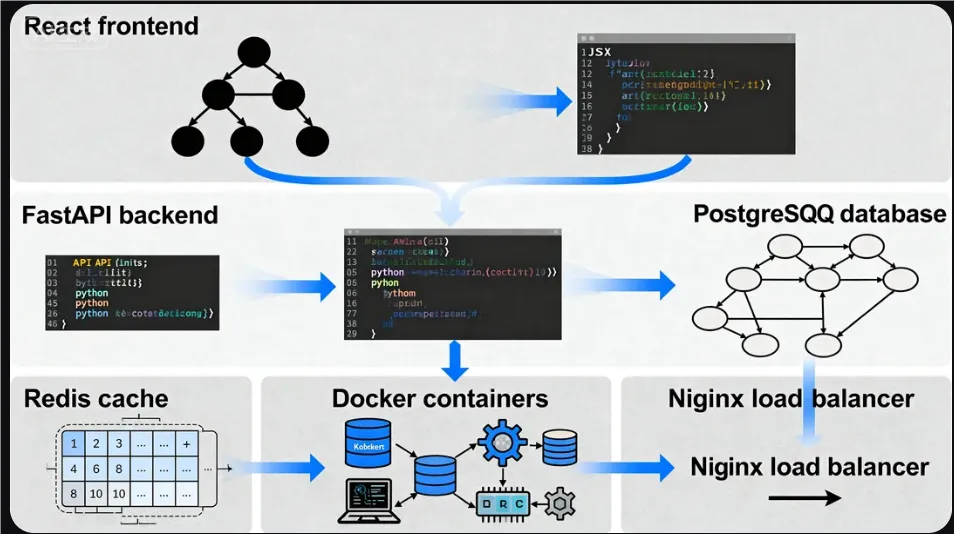
本文的核心大纲和部分基础内容由AI辅助生成,但包含了大量笔者的个人实践经验、独家案例和深度解读。所有配图均为笔者定制化AI生成/制作。旨在为大家提供最直观易懂的教程。感谢AI工具提升了我的创作效率。转载请注明出处。欢迎分享和关注,获取更多Python技术干货!
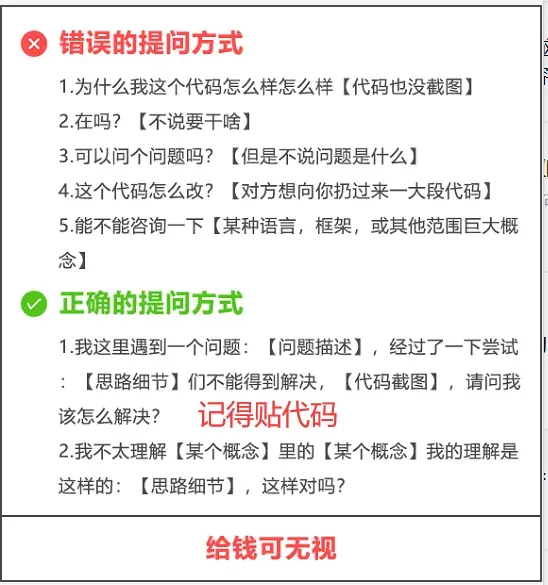
【提问补充】温馨提示,大家在群里提问的时候。可以注意下面几点:如果涉及到大文件数据,可以数据脱敏后,发点demo数据来(小文件的意思),然后贴点代码(可以复制的那种),记得发报错截图(截全)。代码不多的话,直接发代码文字即可,代码超过50行这样的话,发个.py文件就行。
大家在学习过程中如果有遇到问题,欢迎随时联系我解决(我的微信:2584914241),应粉丝要求,我创建了一些高质量的Python付费学习交流群和付费接单群,欢迎大家加入我的Python学习交流群和接单群!
小伙伴们,快快用实践一下吧!如果在学习过程中,有遇到任何问题,欢迎加我好友,我拉你进Python学习交流群共同探讨学习。
------------------- End -------------------
往期精彩文章推荐:
欢迎大家点赞,留言,转发,转载,感谢大家的相伴与支持
想加入Python学习群请在后台回复【入群】
万水千山总是情,点个【在看】行不行