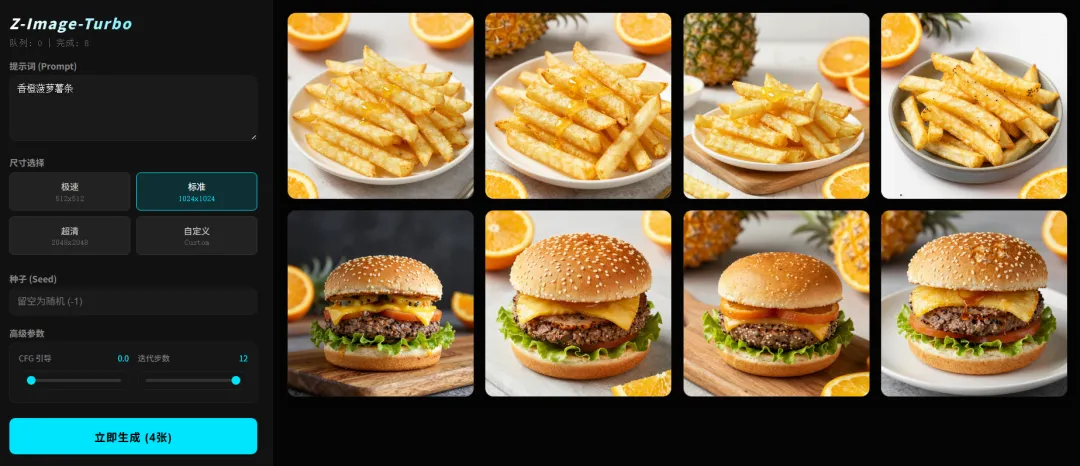
# web_app.pyimport torchimport osimport torch.multiprocessing as mpfrom modelscope import ZImagePipelinefrom datetime import datetimefrom flask import Flask, render_template_string, send_from_directory, request, jsonifyimport loggingimport signalimport sysimport randomimport timeimport json# ================= 配置区 =================MODEL_PATH = "./Z-Image-Turbo"OUTPUT_DIR = "./img"HTTP_PORT = 5000DEFAULT_NEG = "ugly, deformed, noisy, blurry, low contrast, text, watermark, bad anatomy, bad hands, low quality"app = Flask(__name__)log = logging.getLogger('werkzeug')log.setLevel(logging.ERROR)processes = []shared_queue = None# ================= 前端界面 (布局优化版) =================HTML_TEMPLATE = """<!DOCTYPE html><htmllang="zh-CN"><head> <metacharset="UTF-8"> <metaname="viewport"content="width=device-width, initial-scale=1.0, maximum-scale=1.0, user-scalable=no, viewport-fit=cover"> <title>Z-Image-Turbo</title> <style> :root { --primary: #00E5FF; --bg: #050505; --panel: #111; --border: #222; --text: #ddd; } * { box-sizing: border-box; outline: none; -webkit-tap-highlight-color: transparent; } body { font-family: "PingFang SC", sans-serif; background: var(--bg); color: var(--text); margin: 0; display: flex; height: 100vh; overflow: hidden; } /* === 侧边栏优化 === */ .sidebar { width: 380px; background: var(--panel); padding: 20px; border-right: 1px solid var(--border); display: flex; flex-direction: column; gap: 16px; flex-shrink: 0; overflow-y: auto; z-index: 20; } /* 强制显示滚动条 (解决电脑端看不到底部的问题) */ .sidebar::-webkit-scrollbar { width: 6px; } .sidebar::-webkit-scrollbar-track { background: #000; } .sidebar::-webkit-scrollbar-thumb { background: #333; border-radius: 3px; } .sidebar::-webkit-scrollbar-thumb:hover { background: var(--primary); } .header h2 { margin: 0; font-size: 20px; color: #fff; letter-spacing: 1.5px; font-weight: 800; font-style: italic; background: linear-gradient(90deg, #fff, var(--primary)); -webkit-background-clip: text; -webkit-text-fill-color: transparent; } .header .status { font-size: 12px; color: #666; margin-top: 6px; font-family: monospace; } .control-label { font-size: 12px; color: #888; font-weight: 600; margin-bottom: 5px; display: block; } /* 输入框 */ textarea, input { width: 100%; background: #1a1a1a; color: #fff; border: 1px solid var(--border); border-radius: 8px; padding: 10px; font-size: 13px; transition: all 0.2s; } textarea:focus, input:focus { border-color: var(--primary); background: #222; } textarea { min-height: 90px; resize: vertical; } /* 分辨率按钮 (紧凑) */ .res-presets { display: grid; grid-template-columns: repeat(2, 1fr); gap: 8px; margin-bottom: 8px; } .res-btn { background: #222; border: 1px solid #333; color: #ccc; padding: 10px; border-radius: 6px; font-size: 12px; cursor: pointer; display: flex; flex-direction: column; align-items: center; gap: 2px; transition: 0.2s; } .res-btn span { font-size: 10px; color: #666; font-family: monospace; } .res-btn.active { background: rgba(0, 229, 255, 0.15); border-color: var(--primary); color: #fff; } .res-btn.active span { color: var(--primary); } /* 自定义分辨率 */ .custom-res { display: none; gap: 8px; align-items: center; animation: slideDown 0.3s; } .custom-res.show { display: flex; } .res-input-wrap { position: relative; flex: 1; } .res-input-wrap span { position: absolute; right: 10px; top: 50%; transform: translateY(-50%); font-size: 11px; color: #555; } @keyframes slideDown { from { opacity: 0; transform: translateY(-10px); } to { opacity: 1; transform: translateY(0); } } /* === 参数并排显示 (节省空间且直观) === */ .params-row { display: grid; grid-template-columns: 1fr 1fr; gap: 12px; background: #161616; padding: 12px; border-radius: 8px; border: 1px solid var(--border); } .param-item { display: flex; flex-direction: column; gap: 5px; } .param-header { display: flex; justify-content: space-between; font-size: 11px; color: #888; } input[type=range] { -webkit-appearance: none; width: 100%; background: transparent; margin: 5px 0; } input[type=range]::-webkit-slider-thumb { -webkit-appearance: none; height: 12px; width: 12px; border-radius: 50%; background: var(--primary); margin-top: -4px; } input[type=range]::-webkit-slider-runnable-track { width: 100%; height: 4px; background: #333; border-radius: 2px; } /* 按钮 */ button#gen-btn { width: 100%; padding: 14px; border-radius: 8px; border: none; font-weight: 700; background: var(--primary); color: #000; cursor: pointer; margin-top: 5px; letter-spacing: 1px; font-size: 15px; } button:disabled { background: #333; color: #777; } /* 画廊 */ .main { flex: 1; padding: 20px; overflow-y: auto; background: var(--bg); } .gallery { display: grid; grid-template-columns: repeat(auto-fill, minmax(220px, 1fr)); gap: 15px; } .img-card { background: #111; border-radius: 12px; overflow: hidden; position: relative; cursor: zoom-in; aspect-ratio: 1; box-shadow: 0 4px 10px rgba(0,0,0,0.3); border: 1px solid transparent; transition: 0.2s; } .img-card:hover { border-color: #333; } .img-card img { width: 100%; height: 100%; object-fit: cover; display: block; opacity: 0; animation: fadeIn 0.5s forwards; } @keyframes fadeIn { to { opacity: 1; } } /* 灯箱 */ .lightbox { display: none; position: fixed; top: 0; left: 0; width: 100%; height: 100%; background: rgba(0,0,0,0.95); backdrop-filter: blur(8px); z-index: 1000; flex-direction: column; } .lightbox.active { display: flex; } .lb-img-area { flex: 1; display: flex; align-items: center; justify-content: center; padding: 20px; overflow: hidden; } .lb-img-area img { max-width: 100%; max-height: 100%; box-shadow: 0 0 30px rgba(0,0,0,0.5); border-radius: 4px; cursor: zoom-out; } .lb-panel { background: #161616; border-top: 1px solid #333; padding: 20px; width: 100%; flex-shrink: 0; max-height: 40vh; overflow-y: auto; } .lb-meta-row { display: flex; gap: 15px; margin-bottom: 12px; font-size: 12px; color: var(--primary); font-family: monospace; } .lb-prompt-box { background: #222; padding: 12px; border-radius: 8px; font-size: 13px; line-height: 1.5; color: #ccc; white-space: pre-wrap; word-break: break-word; border: 1px solid #333; } .lb-label { font-size: 11px; color: #666; margin-bottom: 4px; display: block; font-weight: bold; } @media (max-width: 768px) { body { flex-direction: column; height: auto; overflow-y: auto; } .sidebar { width: 100%; border-right: none; padding: 16px; gap: 12px; background: #000; } .main { padding: 10px; } .gallery { grid-template-columns: repeat(2, 1fr); gap: 8px; } .lb-panel { padding: 15px; } } </style></head><body> <divclass="sidebar"> <divclass="header"><h2>Z-Image-Turbo</h2><divclass="status">队列: <spanid="q-size">0</span> | 完成: <spanid="f-count">0</span></div></div> <div><labelclass="control-label">提示词 (Prompt)</label><textareaid="prompt"placeholder="在此输入英文提示词...">Cyberpunk city, neon lights, 8k best quality</textarea></div> <div> <labelclass="control-label">尺寸选择</label> <divclass="res-presets"> <divclass="res-btn"onclick="selectRes(512, 512, this)">极速<span>512x512</span></div> <divclass="res-btn active"onclick="selectRes(1024, 1024, this)">标准<span>1024x1024</span></div> <divclass="res-btn"onclick="selectRes(2048, 2048, this)">超清<span>2048x2048</span></div> <divclass="res-btn"onclick="toggleCustom(this)">自定义<span>Custom</span></div> </div> <divclass="custom-res"id="custom-inputs"> <divclass="res-input-wrap"><inputtype="number"id="custom-w"value="1024"step="8"><span>宽</span></div> <divstyle="color:#666">×</div> <divclass="res-input-wrap"><inputtype="number"id="custom-h"value="1024"step="8"><span>高</span></div> </div> </div> <div><labelclass="control-label">种子 (Seed)</label><inputtype="number"id="seed"placeholder="留空为随机 (-1)"value=""></div> <div> <labelclass="control-label">高级参数</label> <divclass="params-row"> <divclass="param-item"> <divclass="param-header"><span>CFG 引导</span><spanid="val-cfg"style="color:var(--primary)">0.0</span></div> <inputtype="range"id="cfg"min="0"max="5"step="0.5"value="0"oninput="document.getElementById('val-cfg').innerText=this.value"> </div> <divclass="param-item"> <divclass="param-header"><span>迭代步数</span><spanid="val-steps"style="color:var(--primary)">4</span></div> <inputtype="range"id="steps"min="1"max="12"value="4"oninput="document.getElementById('val-steps').innerText=this.value"> </div> </div> </div> <buttonid="gen-btn"onclick="generate()">立即生成 (4张)</button> </div> <divclass="main"><divclass="gallery"id="gallery"></div></div> <divid="lightbox"class="lightbox"onclick="closeLightbox(event)"> <divclass="lb-img-area"><imgid="lb-img"src=""></div> <divclass="lb-panel"onclick="event.stopPropagation()"> <divclass="lb-meta-row"><spanid="lb-res">尺寸: --</span><spanid="lb-seed">种子: --</span><spanid="lb-steps">步数: --</span></div> <labelclass="lb-label">提示词 (PROMPT)</label> <divclass="lb-prompt-box"id="lb-prompt">加载中...</div> <divstyle="margin-top:10px; text-align:right;"><aid="lb-dl"href="#"target="_blank"style="color:#666; text-decoration:underline; font-size:12px;">查看原图</a></div> </div> </div> <script> let lastJson="", isGenerating=false, currentW=1024, currentH=1024, isCustom=false; function selectRes(w,h,btn){isCustom=false;currentW=w;currentH=h;document.querySelectorAll('.res-btn').forEach(b=>b.classList.remove('active'));btn.classList.add('active');document.getElementById('custom-inputs').classList.remove('show');} function toggleCustom(btn){isCustom=true;document.querySelectorAll('.res-btn').forEach(b=>b.classList.remove('active'));btn.classList.add('active');document.getElementById('custom-inputs').classList.add('show');} async function generate(){ if(isGenerating)return; const btn=document.getElementById('gen-btn'); let finalW=isCustom?parseInt(document.getElementById('custom-w').value):currentW; let finalH=isCustom?parseInt(document.getElementById('custom-h').value):currentH; finalW-=(finalW%8);finalH-=(finalH%8); let seedInput = document.getElementById('seed').value; let finalSeed = (seedInput === "" || seedInput === null) ? -1 : parseInt(seedInput); const data={ prompt:document.getElementById('prompt').value, width:finalW, height:finalH, seed:finalSeed, steps:parseInt(document.getElementById('steps').value), cfg:parseFloat(document.getElementById('cfg').value) }; if(!data.prompt)return alert("请输入提示词"); isGenerating=true;btn.disabled=true;btn.innerText="生成中..."; try{await fetch('/api/generate',{method:'POST',headers:{'Content-Type':'application/json'},body:JSON.stringify(data)});btn.innerText="已加入队列";setTimeout(()=>{btn.disabled=false;btn.innerText="立即生成 (4张)";isGenerating=false;},2000);}catch(e){alert("请求失败: "+e);btn.disabled=false;isGenerating=false;} } async function openLightbox(f){ const lb=document.getElementById('lightbox');lb.classList.add('active'); document.getElementById('lb-img').src=`/img/${f}`;document.getElementById('lb-dl').href=`/img/${f}`; document.getElementById('lb-prompt').innerText="正在读取信息..."; try{ const res=await fetch(`/api/meta/${f}`); const data=await res.json(); document.getElementById('lb-prompt').innerText=data.prompt||"无数据"; document.getElementById('lb-res').innerText=`尺寸: ${data.width}x${data.height}`; document.getElementById('lb-seed').innerText=`种子: ${data.seed}`; document.getElementById('lb-steps').innerText=`步数: ${data.steps}`; }catch(e){document.getElementById('lb-prompt').innerText="读取失败";} } function closeLightbox(e){document.getElementById('lightbox').classList.remove('active');} async function refresh(){try{const s=await(await fetch('/api/stats')).json();document.getElementById('q-size').innerText=s.queue;document.getElementById('f-count').innerText=s.total;const imgs=await(await fetch('/api/images')).json();const jsonStr=JSON.stringify(imgs);if(jsonStr!==lastJson){document.getElementById('gallery').innerHTML=imgs.map(f=>`<div class="img-card" onclick="openLightbox('${f}')"><img src="/img/${f}" loading="lazy"></div>`).join('');lastJson=jsonStr;}}catch(e){}}setInterval(refresh,2000);refresh(); </script></body></html>"""# ================= 后端逻辑 =================@app.route('/')def index(): return render_template_string(HTML_TEMPLATE)@app.route('/api/stats')def stats(): if not os.path.exists(OUTPUT_DIR): return jsonify({"queue": 0, "total": 0}) count = len([n for n in os.listdir(OUTPUT_DIR) if n.endswith('.png')]) q_size = shared_queue.qsize() if shared_queue else 0 return jsonify({"queue": q_size, "total": count})@app.route('/api/images')def get_images(): if not os.path.exists(OUTPUT_DIR): return jsonify([]) files = [f for f in os.listdir(OUTPUT_DIR) if f.endswith('.png') and not f.startswith('tmp_')] files.sort(key=lambda x: os.path.getmtime(os.path.join(OUTPUT_DIR, x)), reverse=True) return jsonify(files[:60])@app.route('/api/meta/<path:filename>')def get_meta(filename): json_path = os.path.join(OUTPUT_DIR, filename + ".json") if os.path.exists(json_path): try: with open(json_path, 'r') as f: return jsonify(json.load(f)) except: pass parts = filename.split('_') return jsonify({ "prompt": "元数据丢失", "width": parts[0].split('x')[0] if 'x' in parts[0] else "?", "height": parts[0].split('x')[1] if 'x' in parts[0] else "?", "seed": parts[1] if len(parts)>1 else "?", "steps": "?" })@app.route('/img/<path:f>')def img(f): return send_from_directory(OUTPUT_DIR, f)@app.route('/api/generate', methods=['POST'])def generate_api(): d = request.json w = int(d.get('width', 1024)) h = int(d.get('height', 1024)) frontend_seed = int(d.get('seed', -1)) final_seed = frontend_seed if frontend_seed != -1 else random.randint(0, 2**32 - 1) task = { 'p': d['prompt'], 'w': w, 'h': h, 's': final_seed, 'steps': int(d.get('steps', 4)), 'cfg': float(d.get('cfg', 0.0)) } shared_queue.put(task) return jsonify({"status": "ok"})def signal_handler(sig, frame): print("\n[系统] 正在关闭服务...") for p in processes: if p.is_alive(): p.terminate() p.join(timeout=1) sys.exit(0)# ================= GPU Worker =================def gpu_worker(rank, model_path, output_dir, queue): signal.signal(signal.SIGINT, signal.SIG_IGN) device = f"cuda:{rank}" try: torch.cuda.set_device(device) print(f"[GPU {rank}] 正在加载模型...") torch.cuda.empty_cache() pipe = ZImagePipeline.from_pretrained(model_path, torch_dtype=torch.bfloat16, local_files_only=True).to(device) print(f"[GPU {rank}] 就绪") except Exception as e: print(f"[GPU {rank}] ❌ 初始化失败: {e}") return while True: try: task = queue.get() p, w, h, s = task['p'], task['w'], task['h'], task['s'] steps, cfg = task['steps'], task['cfg'] print(f"[GPU {rank}] 绘图: {w}x{h} | S:{s} | CFG:{cfg}") g = torch.Generator(device).manual_seed(s) with torch.inference_mode(): imgs = pipe( prompt=p, negative_prompt=DEFAULT_NEG, height=h, width=w, num_inference_steps=steps, guidance_scale=cfg, num_images_per_prompt=4, generator=g ).images for i, img in enumerate(imgs): ts = datetime.now().strftime("%H%M%S") fn = f"{w}x{h}_{s}_{ts}_g{rank}_{i}.png" img.save(os.path.join(output_dir, f"tmp_{fn}")) meta = { "prompt": p, "width": w, "height": h, "seed": s, "steps": steps, "cfg": cfg, "timestamp": ts, "gpu": rank } with open(os.path.join(output_dir, f"tmp_{fn}.json"), 'w') as f: json.dump(meta, f) os.rename(os.path.join(output_dir, f"tmp_{fn}"), os.path.join(output_dir, fn)) os.rename(os.path.join(output_dir, f"tmp_{fn}.json"), os.path.join(output_dir, fn + ".json")) torch.cuda.empty_cache() except KeyboardInterrupt: break except Exception as e: print(f"[GPU {rank}] 错误: {e}") time.sleep(1)if __name__ == "__main__": signal.signal(signal.SIGINT, signal_handler) mp.set_start_method('spawn', force=True) if not os.path.exists(OUTPUT_DIR): os.makedirs(OUTPUT_DIR) manager = mp.Manager() shared_queue = manager.Queue() print(f"[系统] 启动中... (检测到 {torch.cuda.device_count()} GPU)") for r in range(torch.cuda.device_count()): p = mp.Process(target=gpu_worker, args=(r, MODEL_PATH, OUTPUT_DIR, shared_queue)) p.daemon = True p.start() processes.append(p) app.run(host='0.0.0.0', port=HTTP_PORT, threaded=True, use_reloader=False)
 10个月宝宝每天需要喝多少奶粉?