如何用 Python 发送通知到微信?
- 2026-09-03 21:59:36
如何用 Python 发送通知到微信?

关注+星标,每天学习Python新技能
来源:网络
一、通知方式有哪些?
常见的通知方式有:邮件,电话,短信,微信。短信和电话:通常是收费的,较少使用;邮件:适合带文件类型的通知,较正式,存档使用;微信:适合告警类型通知,较方便。这里说的微信,是企业微信。
本文目的:通过企业微信应用给企业成员发消息。
二、如何实现企业微信通知?
1、新建应用
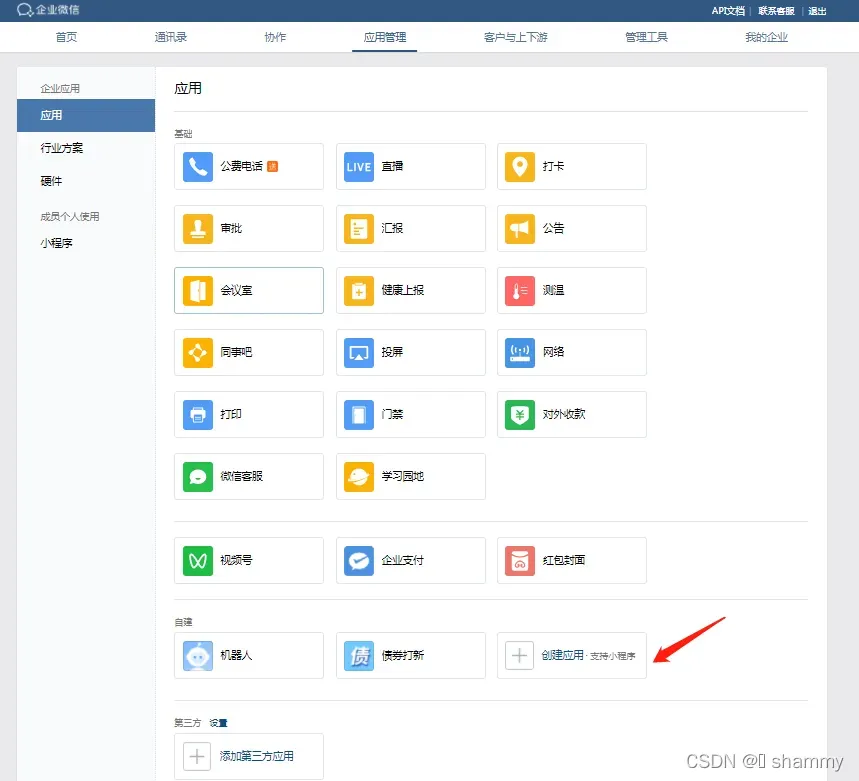
登录网页版企业微信 (https://work.weixin.qq.com),点击 应用管理 → 应用 → 创建应用
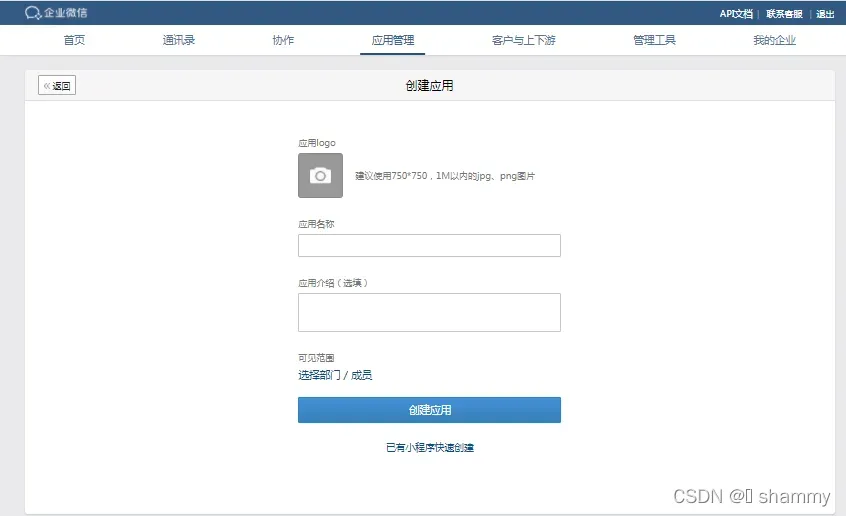
上传应用的 logo,输入应用名称(债券打新),再选择可见范围,成功创建一个告警应用
2、获取Secret
使用 Python 发送告警请求,其实就只使用到两个接口:
获取 Token :https://qyapi.weixin.qq.com/cgi-bin/gettoken?corpid={corpid}&corpsecret={secret}
发送请求:https://qyapi.weixin.qq.com/cgi-bin/message/send?access_token={token}
可以看到,最重要的是 corpid 和 secret:
corpid:唯一标识你的企业
secret:应用级的密钥,有了它程序才知道你要发送该企业的哪个应用
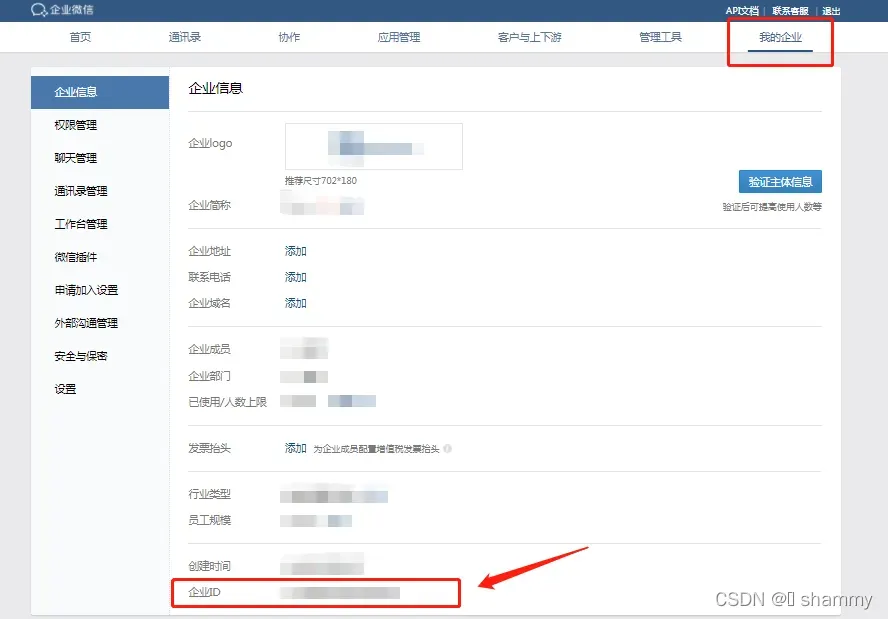
corpid 可以通过 我的企业 → 企业信息 → 企业id 获取
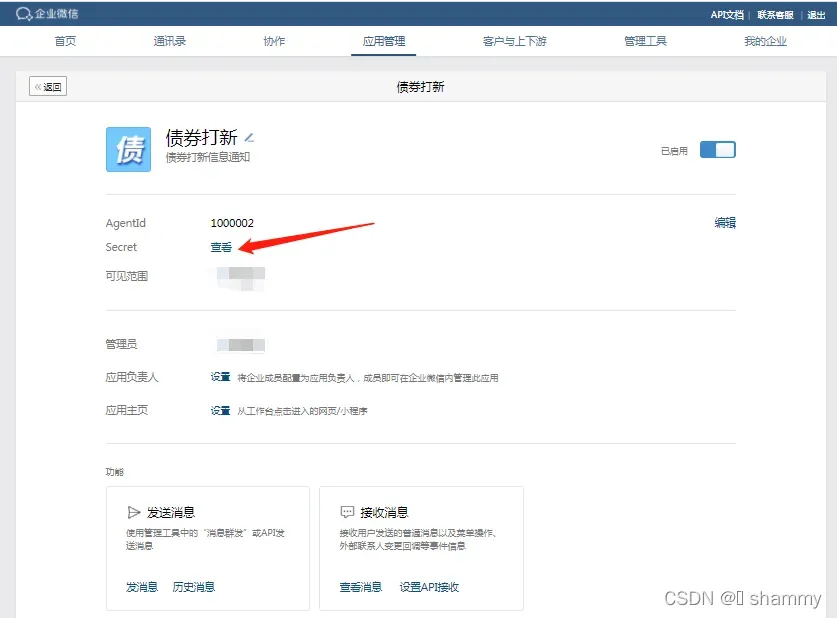
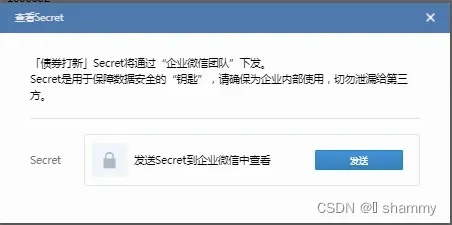
secret 可以通过 点击 新创建的应用(债券打新) → 查看 secret → 发送 来获取
最后将 corpid 和 secret 填入下面的常量中。
3、代码实现
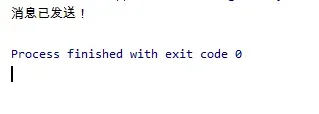
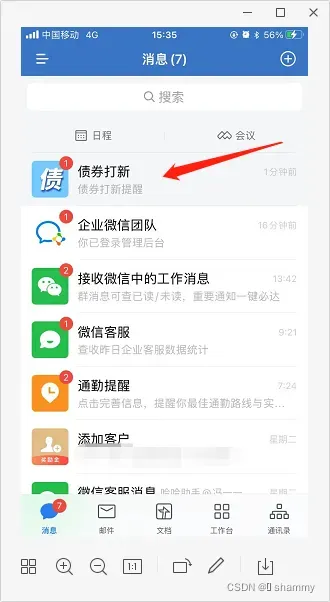
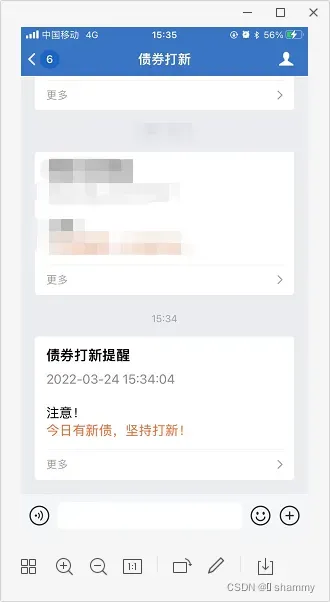
import jsonimport timeimport requests'''本文件主要实现通过企业微信应用给企业成员发消息'''CORP_ID = "xxxx"SECRET = "xxxx"class WeChatPub: s = requests.session() def __init__(self): self.token = self.get_token() def get_token(self): url = f"https://qyapi.weixin.qq.com/cgi-bin/gettoken?corpid={CORP_ID}&corpsecret={SECRET}" rep = self.s.get(url)if rep.status_code != 200:print("request failed.")returnreturn json.loads(rep.content)['access_token'] def send_msg(self, content): url = "https://qyapi.weixin.qq.com/cgi-bin/message/send?access_token=" + self.token header = {"Content-Type": "application/json" } form_data = {"touser": "FengXianMei",#接收人"toparty": "1",#接收部门"totag": " TagID1 | TagID2 ",#通讯录标签id"msgtype": "textcard","agentid": 1000002,#应用ID"textcard": {"title": "债券打新提醒","description": content,"url": "URL","btntxt": "更多" },"safe": 0 } rep = self.s.post(url, data=json.dumps(form_data).encode('utf-8'), headers=header)if rep.status_code != 200:print("request failed.")returnreturn json.loads(rep.content)if __name__ == "__main__": wechat = WeChatPub() timenow = time.strftime("%Y-%m-%d %H:%M:%S",time.localtime()) wechat.send_msg(f"<div class=\"gray\">{timenow}</div> <div class=\"normal\">注意!</div><div class=\"highlight\">今日有新债,坚持打新!</div>")print('消息已发送!')4、实现效果:
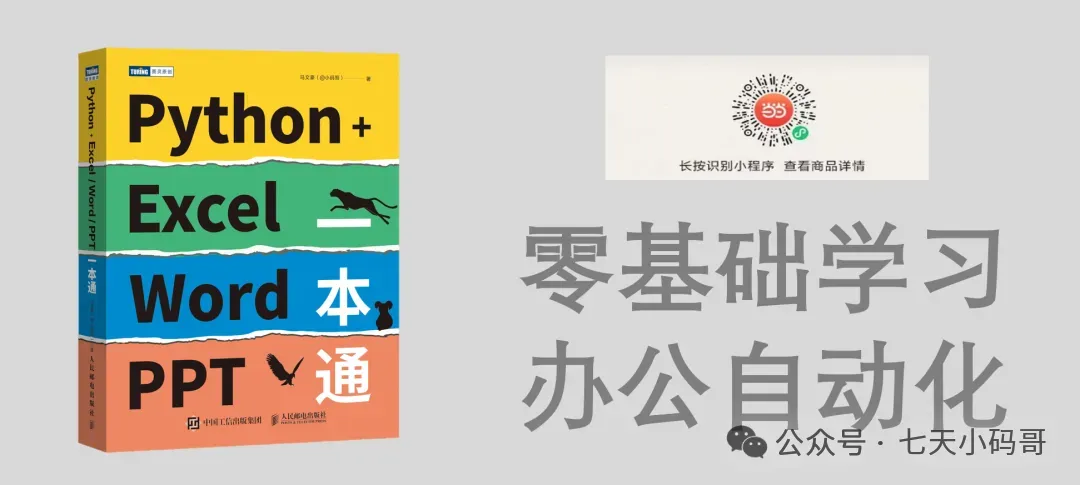
推荐小码哥新书!
小码哥新手《Python + Excel/Word/PPT一本通》正式上市了!书中详细介绍了零基础用Python实现办公自动化的各方面知识,提高职场办公效率,附赠PPT/源代码/重点教学视频讲解和作者VIP一对一指导。
内容介绍:《Python + Excel/Word/PPT 一本通》内容介绍

本文来自网友投稿或网络内容,如有侵犯您的权益请联系我们删除,联系邮箱:596563534@qq.com 。
随机文章
-
 10个月宝宝每天需要喝多少奶粉?
- 嵌入式Linux“用户态与内核态通信”的“数据拷贝”陷阱——飞思卡尔嵌入式面试题
- Linux 6.6内核字符设备驱动全解析
- PHP 应用遭遇 DDoS 攻击时会发生什么 从入门到进阶的防护指南
- Linux网络子系统深度解析
- 不做 Linux,整个 AI 体系就跑不下去
- 现在的你,在Linux上在线听音乐吗?
- NO.5 Python自动采集题库
- 新书推荐 | 《Python机器学习——原理、算法及案例实战(第2版·微课视频·题库·AI赋能版 )》
- 别再怕 Vim 了!Linux 必备神器:5分钟掌握核心操作
- Linux 6.19 正式发布:AMD 老卡性能暴涨!龙芯 LoongArch32 架构支持!7.0 版本即将登场