“ 两分钟 让你入门python爬虫”
Python 爬虫(Web Scraping)是指通过编写 Python 程序从互联网上自动提取信息的过程。
爬虫的基本流程通常包括发送 HTTP 请求获取网页内容、解析网页并提取数据,然后存储数据。
01
—
步骤
1.发送http请求(爬虫通过 HTTP 请求从目标网站获取 HTML 页面,常用的库包括 requests)
requests
2.解析html内容(获取 HTML 页面后,爬虫需要解析内容并提取数据,常用的库有 BeautifulSoup、lxml、Scrapy等。)
BeautifulSoup
lxml
Scrapy
3.提取数据(通过定位 HTML 元素(如标签、属性、类名等)来提取所需的数据。)
4.存储数据 (将提取的数据存储到数据库、CSV 文件、JSON 文件等格式中,以便后续使用或分析。)
02
具体代码
#爬虫是指通过编写程序从互联网上自动提取信息的过程#爬虫的基本流程通常包括发送http请求获取网页内容,解析网页并提取数据,然后存储数据#发送http请求#解析html内容#提取数据#存储数据#brautifulSoup库 #需要先安装一下库
#爬虫是指通过编写程序从互联网上自动提取信息的过程
#爬虫的基本流程通常包括发送http请求获取网页内容,解析网页并提取数据,然后存储数据
#发送http请求
#解析html内容
#提取数据
#存储数据
#brautifulSoup库
#需要先安装一下库
pip3 install beautifulsoup4pip3 install lxml # 推荐使用 lxml 作为解析器(速度更快)
pip3 install beautifulsoup4
pip3 install lxml # 推荐使用 lxml 作为解析器(速度更快)
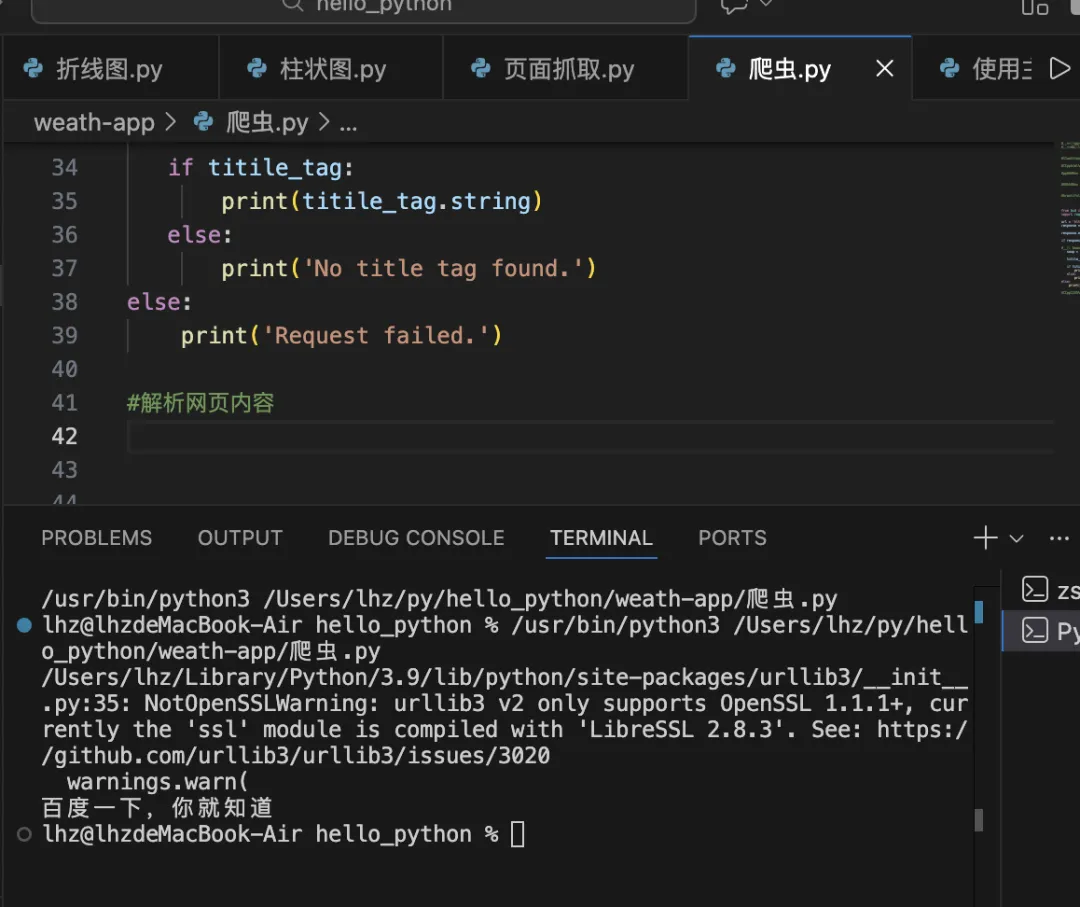
# 代码from bs4 import BeautifulSoupimport requestsurl = 'https://www.baidu.com/'response = requests.get(url)#防止乱码response.encoding = 'utf-8'if response.status_code == 200:#使用 beautiful Soup 解析网页内容 soup = BeautifulSoup(response.text, 'lxml') titile_tag = soup.title if titile_tag: print(titile_tag.string) else: print('No title tag found.')else: print('Request failed.')#解析网页内容
# 代码
from bs4 import BeautifulSoup
import requests
url = 'https://www.baidu.com/'
response = requests.get(url)
#防止乱码
response.encoding = 'utf-8'
if response.status_code == 200:
#使用 beautiful Soup 解析网页内容
soup = BeautifulSoup(response.text, 'lxml')
titile_tag = soup.title
if titile_tag:
print(titile_tag.string)
else:
print('No title tag found.')
print('Request failed.')
#解析网页内容
两分钟不到你就入门啦 真不错呀!!!