【小沐学AI】从入门到落地:Python做AI语音播报TTS,代码直接复制
- 2026-09-04 22:19:26
1、简介
TTS(Text To Speech) 译为从文本到语音,TTS是人工智能AI的一个模组,是人机对话的一部分,即让机器能够说话。
TTS是语音合成技术应用的一种,首先采集语音波形,然后进行优化处理,最后存储在数据库中,合成语音是提取波形转换成自然语音输出。
2、Windows语音
2.1 简介
https://support.microsoft.com/zh-cn/windows/%E5%9C%A8%E8%AF%AD%E9%9F%B3%E6%8F%90%E7%A4%BA%E4%B8%ADwindows-83ff75bd-63eb-0b6c-18d4-6fae94050571
Windows 语音识别允许你单独通过语音控制电脑,而无需键盘或鼠标。 本文列出了可用于语音识别的命令。
2.2 安装
speech模块是一个封装层模块,用于调取Windows本地的语音合成服务。因此请确保你使用的OS是Windows并且有python调取Windows的API,pywin32。
pip install speech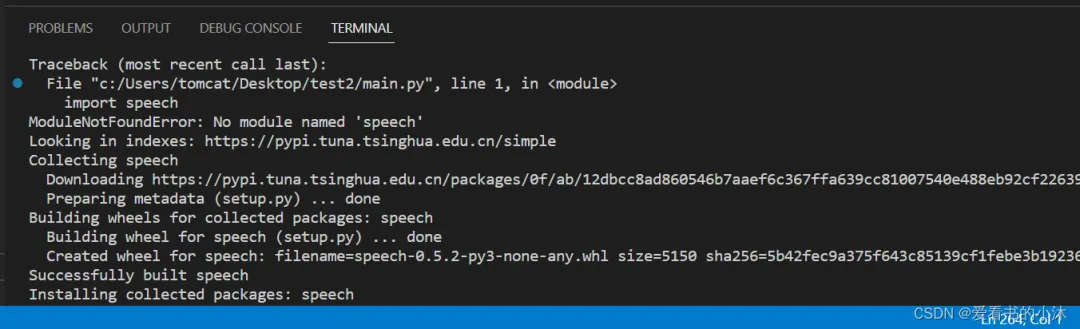 speech.py文件进行修改:print(prompt)、import _thread
pip install pypiwin32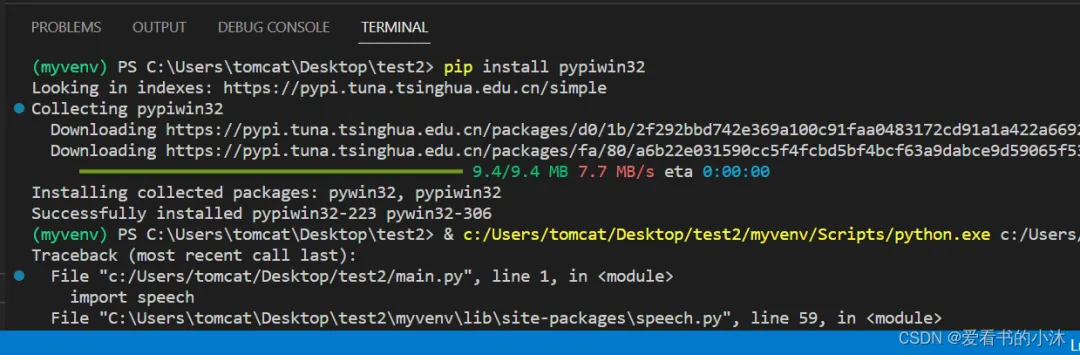
2.3 代码
import speech#自动体系speech.say("要开始啦")#输入语音while True:print(u"开始说话")say = speech.input() # 接收语音# speech.say("你说了" + say) # 说话speech.say(say) # 说话
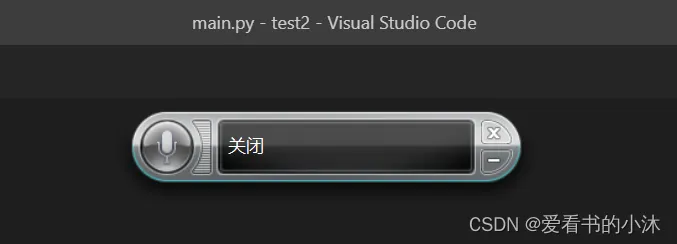
import speechwhile True:say = speech.input() # 接收语音speech.say("you said:"+say) #说话if say == "你好":speech.say("How are you?")elif say == "天气":speech.say("今天天气晴!")
3、pyttsx3
3.1 简介
https://pypi.org/project/pyttsx3/
适用于 Python 2 和 3 的文本转语音 (TTS) 库。无需互联网连接或延迟即可工作。支持多种TTS引擎,包括Sapi5、nsss、espeak等。
pyttsx3 是 Python 中的文本到语音转换库。与其他库不同,它可以离线工作,并且与 Python 2 和 3 兼容。
pyttsx3库 : 是Python中的文本到语音转换库, 它可以脱机工作 优点 : 可以脱机工作, 支持将语音直接朗读, 可调节音量和速度 缺点 : 初始只有英语(女)和中文(女)的语音包, 其他语言的语音包需要另外下载
3.2 安装
pip install pyttsx3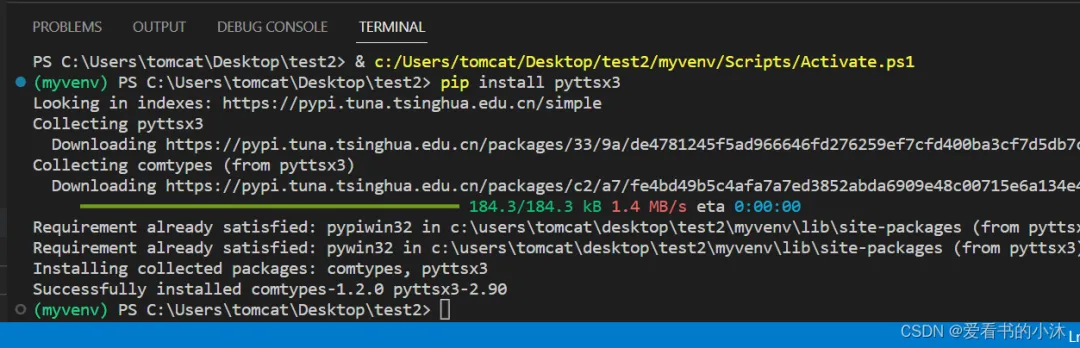
3.3 代码
#coding=utf-8import pyttsx3pyttsx3.speak("Hello World!")pyttsx3.speak("持续推动我国经济实现质的有效提升和量的合理增长")
import pyttsx3engine = pyttsx3.init()engine.say("I will speak this text")engine.runAndWait()
import pyttsx3engine = pyttsx3.init() # object creation""" RATE"""rate = engine.getProperty('rate') # getting details of current speaking rateprint (rate) #printing current voice rateengine.setProperty('rate', 125) # setting up new voice rate"""VOLUME"""volume = engine.getProperty('volume') #getting to know current volume level (min=0 and max=1)print (volume) #printing current volume levelengine.setProperty('volume',1.0) # setting up volume level between 0 and 1"""VOICE"""voices = engine.getProperty('voices') #getting details of current voice#engine.setProperty('voice', voices[0].id) #changing index, changes voices. o for maleengine.setProperty('voice', voices[1].id) #changing index, changes voices. 1 for femaleengine.say("Hello World!")engine.say('My current speaking rate is ' + str(rate))engine.runAndWait()engine.stop()"""Saving Voice to a file"""# On linux make sure that 'espeak' and 'ffmpeg' are installedengine.save_to_file('Hello World', 'test.mp3')engine.runAndWait()
4、ggts
4.1 简介
https://pypi.org/project/gTTS/ gTTS(Google Text-to-Speech),一个 Python 库和 CLI 工具,用于与 Google 翻译文本转语音 API 交互。
gTTS(Google Text-to-Speech),一个 Python 库和 CLI 工具,用于与 Google Translate 的文本转语音 API 交互。 将语音数据写入文件、类似文件的对象 (bytestring) 以进行进一步的音频操作。
4.2 安装
pip install gTTS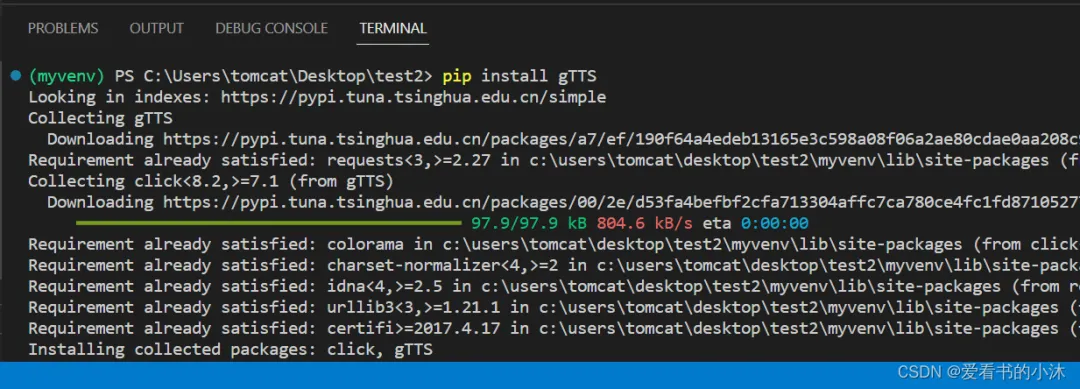
4.3 代码
gtts-cli 'hello' --output hello.mp3或
from gtts import gTTStts = gTTS('hello')tts.save('hello.mp3')
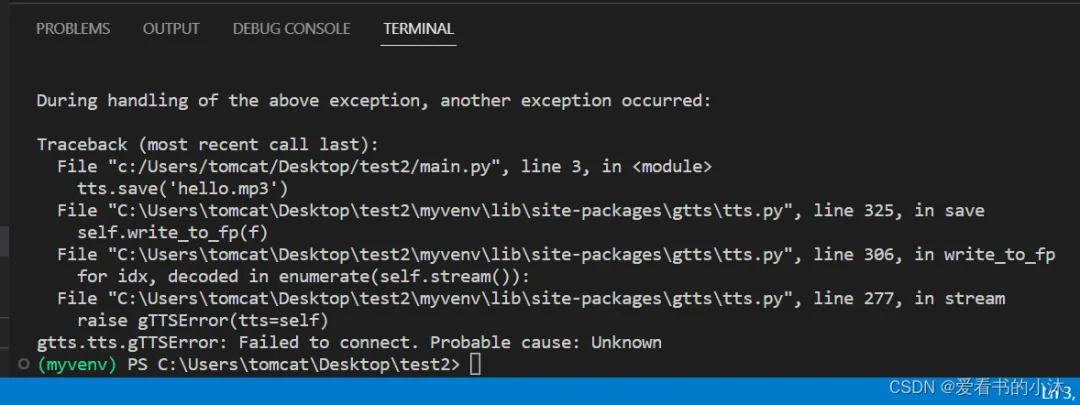 执行失败了。
5、SAPI
SAPI是微软Speech API , 是微软公司推出的语音接口,而从WINXP开始,系统上就已经有语音识别的功能了,可是用武之地相当之少,他并没有给出一些人性化的自定义方案,仅有的语音操控命令显得相当鸡胁。 操作window dll的库,它可以实现很多功能,十分强大。
import win32com.clientspeaker = win32com.client.Dispatch("SAPI.SpVoice")speaker.Speak("hello")
6、SpeechLib
comtypes依赖pyttsx3包。( comtypes Required-by: pyttsx3 ) 安装:
pip install comtypes代码:
from comtypes.client import CreateObjectengine = CreateObject('SAPI.SpVoice')stream = CreateObject('SAPI.SpFileStream')from comtypes.gen import SpeechLib # 导这个包必须放在 上面3行代码 后面,否则运行时会报错。infile = 'demo.txt'outfile = 'demo_audio.wav'stream.Open(outfile, SpeechLib.SSFMCreateForWrite)engine.AudioOutputStream = stream# 读取文本内容f = open(infile, 'r', encoding='utf-8')theText = f.read()f.close()engine.speak(theText)stream.close()
结语
如果您觉得这些文字有一点点用处,请给作者点个赞或关个注;╮( ̄▽ ̄)╭
如果您有技术问题探讨,评论处留言。//(ㄒoㄒ)//
谢谢各位童鞋们啦( ´ ▽ ` )ノ ( ´ ▽ `` )っ!
更多精彩文章详见:
CSDN博客:爱看书的小沐
微信公众号:杨小羊爱阅读
