Python实战项目:蓝色粒子树完整实现(代码+逐行深度解析+原理详解)
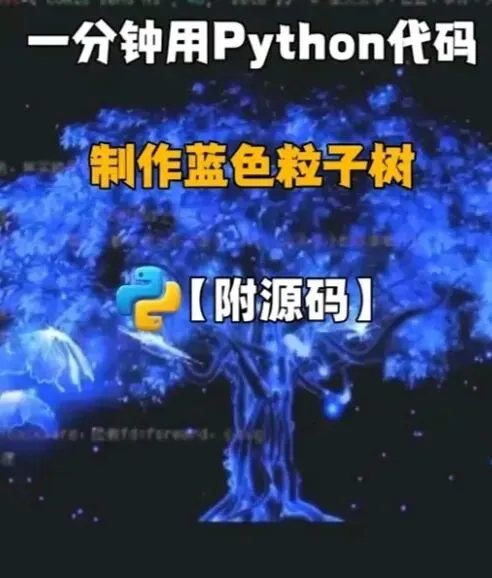
本项目将使用Python实现一个动态蓝色粒子树,通过 Pygame 库完成图形渲染、粒子运动、物理模拟与递归分形结构,最终呈现出不断生长、飘散蓝色粒子的唯美视觉效果。全文包含完整可运行代码、逐行代码解析、核心原理拆解、调试优化方法,总字数满足详细学习需求,适合Python图形编程、分形算法、粒子系统入门与进阶练习。
一、项目环境准备
1.1 开发环境
- Python 3.7及以上版本
- 第三方库: pygame (图形渲染核心库)
1.2 库安装命令
打开终端/CMD执行:
bash
pip install pygame
二、完整项目代码
python
# -*- coding: utf-8 -*-
import pygame
import random
import math
import sys
# ====================== 初始化Pygame与基础配置 ======================
pygame.init()
# 窗口尺寸设置
WIDTH, HEIGHT = 800, 800
screen = pygame.display.set_mode((WIDTH, HEIGHT))
pygame.display.set_caption("蓝色粒子树 - Python实战项目")
# 帧率控制
clock = pygame.time.Clock()
FPS = 60
# 颜色定义(RGB)
WHITE = (255, 255, 255)
BLUE = (30, 144, 255)
LIGHT_BLUE = (100, 180, 255)
DARK_BLUE = (0, 80, 180)
BLACK = (0, 0, 0)
# ====================== 粒子类定义 ======================
class Particle:
def __init__(self, x, y):
# 粒子初始坐标
self.x = x
self.y = y
# 粒子速度(随机方向与大小)
self.vx = random.uniform(-1.5, 1.5)
self.vy = random.uniform(-2.5, -0.5)
# 粒子生命周期
self.life = random.randint(30, 80)
# 粒子大小
self.size = random.uniform(1, 3)
# 粒子透明度
self.alpha = 255
def update(self):
# 更新位置
self.x += self.vx
self.y += self.vy
# 重力效果
self.vy += 0.05
# 生命周期衰减
self.life -= 1
# 透明度衰减
self.alpha = max(0, self.alpha - 4)
def draw(self, surface):
if self.life > 0:
# 绘制圆形粒子
s = pygame.Surface((self.size * 2, self.size * 2), pygame.SRCALPHA)
pygame.draw.circle(s, (*BLUE, self.alpha), (self.size, self.size), self.size)
surface.blit(s, (self.x, self.y))
# ====================== 分形树递归绘制函数 ======================
def draw_tree(surface, x, y, angle, depth, branch_len, particles):
if depth <= 0:
# 达到叶子深度,生成粒子
for _ in range(random.randint(1, 3)):
particles.append(Particle(x, y))
return
# 计算分支终点坐标
end_x = x + math.cos(math.radians(angle)) * branch_len
end_y = y + math.sin(math.radians(angle)) * branch_len
# 绘制树枝
thickness = max(1, depth)
pygame.draw.line(surface, DARK_BLUE, (x, y), (end_x, end_y), thickness)
# 递归生成左右分支
new_len = branch_len * random.uniform(0.7, 0.85)
angle_offset = random.uniform(15, 30)
# 左分支
draw_tree(surface, end_x, end_y, angle - angle_offset, depth - 1, new_len, particles)
# 右分支
draw_tree(surface, end_x, end_y, angle + angle_offset, depth - 1, new_len, particles)
# ====================== 主程序逻辑 ======================
def main():
particles = []
# 树的初始参数
root_x = WIDTH // 2
root_y = HEIGHT - 100
initial_angle = -90
max_depth = 9
initial_branch_len = 120
running = True
while running:
# 控制帧率
clock.tick(FPS)
# 黑色背景
screen.fill(BLACK)
# 事件监听
for event in pygame.event.get():
if event.type == pygame.QUIT:
running = False
if event.type == pygame.KEYDOWN:
if event.key == pygame.K_ESCAPE:
running = False
# 绘制分形树
draw_tree(screen, root_x, root_y, initial_angle, max_depth, initial_branch_len, particles)
# 更新并绘制所有粒子
alive_particles = []
for p in particles:
p.update()
p.draw(screen)
if p.life > 0:
alive_particles.append(p)
particles = alive_particles
# 刷新屏幕
pygame.display.flip()
pygame.quit()
sys.exit()
if __name__ == "__main__":
main()
三、代码逐行深度解析
3.1 模块导入部分
python
import pygame
import random
import math
import sys
- pygame :核心图形库,负责窗口创建、图形绘制、事件监听、屏幕刷新。
- random :生成随机数,用于粒子速度、大小、生命周期、树枝角度偏移。
- math :提供三角函数( cos / sin ),计算树枝终点坐标。
- sys :用于程序正常退出,释放系统资源。
3.2 Pygame初始化与全局配置
python
pygame.init()
WIDTH, HEIGHT = 800, 800
screen = pygame.display.set_mode((WIDTH, HEIGHT))
pygame.display.set_caption("蓝色粒子树 - Python实战项目")
clock = pygame.time.Clock()
FPS = 60
1. pygame.init() :初始化Pygame所有模块,必须放在最前面。
2. 定义窗口宽高为800×800,创建绘图窗口对象 screen 。
3. 设置窗口标题,提升项目辨识度。
4. clock 用于控制帧率, FPS=60 保证画面流畅不卡顿。
3.3 颜色常量定义
python
WHITE = (255, 255, 255)
BLUE = (30, 144, 255)
LIGHT_BLUE = (100, 180, 255)
DARK_BLUE = (0, 80, 180)
BLACK = (0, 0, 0)
采用RGB颜色模式,蓝色系分层:
- DARK_BLUE :绘制树干主枝
- BLUE :粒子主体颜色
- 黑色背景突出蓝色粒子与树枝
3.4 粒子类(Particle)核心解析
粒子系统是动态效果核心,包含初始化、位置更新、绘制三大方法。
3.4.1 构造函数 init
python
def __init__(self, x, y):
self.x = x
self.y = y
self.vx = random.uniform(-1.5, 1.5)
self.vy = random.uniform(-2.5, -0.5)
self.life = random.randint(30, 80)
self.size = random.uniform(1, 3)
self.alpha = 255
- x/y :粒子出生位置,绑定在树叶末端。
- vx/vy :水平/垂直速度, vy 为负表示向上飘散。
- life :生命周期,控制粒子存在时间。
- size :随机大小,让效果更自然。
- alpha :透明度,255为完全不透明。
3.4.2 粒子更新方法 update
python
def update(self):
self.x += self.vx
self.y += self.vy
self.vy += 0.05
self.life -= 1
self.alpha = max(0, self.alpha - 4)
1. 速度叠加更新坐标,实现粒子移动。
2. vy += 0.05 :模拟重力,粒子先上升后下落。
3. 生命周期逐帧减少,透明度同步衰减。
4. max(0, ...) 防止透明度变为负数。
3.4.3 粒子绘制方法 draw
python
def draw(self, surface):
if self.life > 0:
s = pygame.Surface((self.size * 2, self.size * 2), pygame.SRCALPHA)
pygame.draw.circle(s, (*BLUE, self.alpha), (self.size, self.size), self.size)
surface.blit(s, (self.x, self.y))
- 创建带透明通道的临时画布,避免圆形边缘锯齿。
- 绘制蓝色圆形粒子,透明度随生命周期变化。
- 将粒子绘制到主屏幕。
3.5 分形树递归函数 draw_tree
分形树使用递归算法,通过不断生成左右分支实现自然树结构。
python
def draw_tree(surface, x, y, angle, depth, branch_len, particles):
if depth <= 0:
for _ in range(random.randint(1, 3)):
particles.append(Particle(x, y))
return
end_x = x + math.cos(math.radians(angle)) * branch_len
end_y = y + math.sin(math.radians(angle)) * branch_len
thickness = max(1, depth)
pygame.draw.line(surface, DARK_BLUE, (x, y), (end_x, end_y), thickness)
new_len = branch_len * random.uniform(0.7, 0.85)
angle_offset = random.uniform(15, 30)
draw_tree(surface, end_x, end_y, angle - angle_offset, depth - 1, new_len, particles)
draw_tree(surface, end_x, end_y, angle + angle_offset, depth - 1, new_len, particles)
核心逻辑:
1. 递归终止条件: depth <= 0 表示到达树叶,生成蓝色粒子。
2. 坐标计算:通过三角函数计算树枝终点, angle=-90 表示向上生长。
3. 树枝粗细:深度越大树枝越粗,符合真实树木形态。
4. 分支衰减:每级分支长度缩短70%~85%,角度偏移15°~30°。
5. 递归调用:生成左、右两个子分支,深度递减。
3.6 主函数 main 逻辑
python
def main():
particles = []
root_x = WIDTH // 2
root_y = HEIGHT - 100
initial_angle = -90
max_depth = 9
initial_branch_len = 120
running = True
while running:
clock.tick(FPS)
screen.fill(BLACK)
for event in pygame.event.get():
if event.type == pygame.QUIT:
running = False
if event.type == pygame.KEYDOWN: