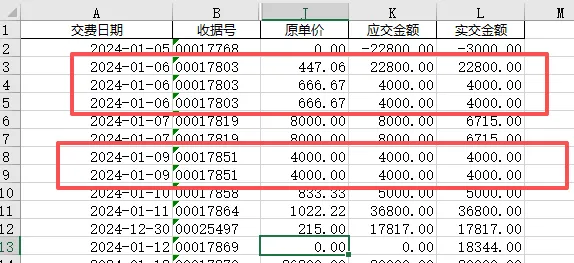
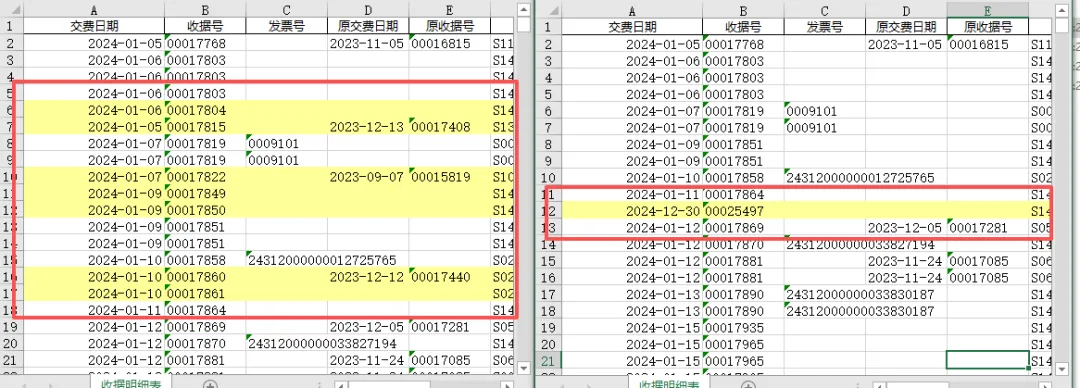
import pandas as pdfrom openpyxl import load_workbookfrom openpyxl.styles import PatternFillfrom collections import Counterf1 = r"D:\示例\票据发票找差异\24年收据明细表.xlsx"f2 = r"D:\示例\票据发票找差异\24年自然月课题收入.xlsx"shouju_col = "收据号"shijiao_col = "实交金额"yellow_fill = PatternFill(start_color="FFFF99", end_color="FFFF99", fill_type="solid")df1 = pd.read_excel(f1, dtype=str).dropna(subset=shouju_col)df2 = pd.read_excel(f2, dtype=str).dropna(subset=shouju_col)key1 = df1[shouju_col].str.strip() + "|" + df1[shijiao_col].str.strip() + "|" + df1[yingjiao_col].str.strip()key2 = df2[shouju_col].str.strip() + "|" + df2[shijiao_col].str.strip() + "|" + df2[yingjiao_col].str.strip()count1 = Counter(key1)count2 = Counter(key2)# 找出差异行标号def get_marked_rows(keys, other_count): marked = [] current = Counter() for idx, key in enumerate(keys): current[key] += 1 # 只要当前行的出现次数 > 对方表格的次数,就标黄 if current[key] > other_count.get(key, 0): marked.append(idx + 2) # Excel行从第2行开始 return markedmarked1 = get_marked_rows(key1, count2) # 表1对比表2的次数marked2 = get_marked_rows(key2, count1) # 表2对比表1的次数# 标黄并保存文件def mark_excel(file_path, rows): if not rows: print(f"\n{file_path} 无多余行") return wb = load_workbook(file_path) ws = wb.active for r in rows: for col in range(1, ws.max_column + 1): ws.cell(row=r, column=col).fill = yellow_fill save_path = file_path.replace(".xlsx", "_对比结果.xlsx") wb.save(save_path)mark_excel(f1, marked1)mark_excel(f2, marked2)print("对比完成:")print(f"{f1.split('\\')[-1]} 标黄:{len(marked1)} 行")print(f"{f2.split('\\')[-1]} 标黄:{len(marked2)} 行")