Linux 下使用 Docker 部署 ComfyUI
- 2026-10-11 07:03:06
Linux 下使用 Docker 部署 ComfyUI
Linux 下使用 Docker 部署 ComfyUI 准备工作 硬件与系统要求 安装 Docker 安装 NVIDIA Container Toolkit 部署 ComfyUI 选择镜像版本 创建数据目录 启动容器 验证部署 下载模型 使用 Hugging Face 镜像站下载 模型存放位置 使用 ComfyUI 进行图像生成 常见问题与排查 `hf download` 报错 "No such option" ComfyUI-Manager 网络超时 容器内模型目录已存在导致启动失败 PyTorch CUDA 版本警告 进入容器调试 总结 参考
• 由于本人水平有限,难免出现错漏,敬请批评改正。
Linux 下使用 Docker 部署 ComfyUI
准备工作
硬件与系统要求
• 操作系统:Linux(推荐 Ubuntu 20.04+) • NVIDIA GPU:支持 CUDA 的显卡(本文以 RTX 3080 Ti 为例) • NVIDIA 驱动:已正确安装,可用 nvidia-smi验证• 磁盘空间:至少 20GB(模型文件较大)
安装 Docker
sudo apt-get updatesudo apt-get install docker.io -ysudo systemctl start dockersudo systemctl enable docker验证安装:
docker --version安装 NVIDIA Container Toolkit
这是让 Docker 容器访问 GPU 的关键组件。
# 添加 NVIDIA Docker 软件源curl -fsSL https://nvidia.github.io/libnvidia-container/gpgkey \ | sudo gpg --dearmor -o /usr/share/keyrings/nvidia-container-toolkit-keyring.gpgcurl -s -L https://nvidia.github.io/libnvidia-container/stable/deb/nvidia-container-toolkit.list \ | sed 's#deb https://#deb [signed-by=/usr/share/keyrings/nvidia-container-toolkit-keyring.gpg] https://#g' \ | sudo tee /etc/apt/sources.list.d/nvidia-container-toolkit.list# 安装 nvidia-container-toolkitsudo apt-get updatesudo apt-get install -y nvidia-container-toolkit# 配置 Docker 运行时sudo nvidia-ctk runtime configure --runtime=dockersudo systemctl restart docker验证 GPU 是否可被 Docker 访问:
docker run --rm --gpus all nvidia/cuda:12.4.0-base-ubuntu22.04 nvidia-smi部署 ComfyUI
选择镜像版本
yanwk/comfyui-boot 是国内社区流行的 ComfyUI Docker 镜像,提供多个 CUDA 版本。
cu130-slim-v2 | 推荐 | ||
cu126-slim | |||
cu118-megapak |
提示:
slim版本仅包含 ComfyUI 和 ComfyUI-Manager,依赖齐全,适合初学者。如果不确定显卡架构,可参考 NVIDIA 架构对照表。
创建数据目录
数据持久化是 Docker 部署的关键。建议先创建以下目录结构:
mkdir -p \ storage-cache/dot-cache \ storage-cache/dot-config \ storage-nodes/dot-local \ storage-nodes/custom_nodes \ storage-models/models \ storage-models/hf-hub \ storage-models/torch-hub \ storage-user/input \ storage-user/output \ storage-user/user-profile \ storage-user/user-scripts各目录用途说明:
storage-models/models | /root/ComfyUI/models | 模型文件 |
storage-models/hf-hub | /root/.cache/huggingface/hub | |
storage-user/output | /root/ComfyUI/output | |
storage-user/input | /root/ComfyUI/input | |
storage-nodes/custom_nodes | /root/ComfyUI/custom_nodes |
启动容器
以 cu126-slim 为例(与你的环境一致):
docker run -it --rm \ --name comfyui \ --runtime nvidia \ --gpus all \ -p 8188:8188 \ -v "$(pwd)"/storage-cache/dot-cache:/root/.cache \ -v "$(pwd)"/storage-cache/dot-config:/root/.config \ -v "$(pwd)"/storage-nodes/dot-local:/root/.local \ -v "$(pwd)"/storage-nodes/custom_nodes:/root/ComfyUI/custom_nodes \ -v "$(pwd)"/storage-models/models:/root/ComfyUI/models \ -v "$(pwd)"/storage-models/hf-hub:/root/.cache/huggingface/hub \ -v "$(pwd)"/storage-models/torch-hub:/root/.cache/torch/hub \ -v "$(pwd)"/storage-user/input:/root/ComfyUI/input \ -v "$(pwd)"/storage-user/output:/root/ComfyUI/output \ -v "$(pwd)"/storage-user/user-profile:/root/ComfyUI/user \ -v "$(pwd)"/storage-user/user-scripts:/root/user-scripts \ -e CLI_ARGS="" \ yanwk/comfyui-boot:cu126-slim参数说明:
• -it --rm:交互模式,容器停止后自动删除• --runtime nvidia:使用 NVIDIA 运行时• --gpus all:将所有 GPU 分配给容器• -p 8188:8188:端口映射,主机端口:容器端口• -v:挂载数据卷,实现数据持久化• -e CLI_ARGS="":可传入额外启动参数(如--lowvram)
验证部署
启动成功后,在浏览器访问:
http://你的服务器IP:8188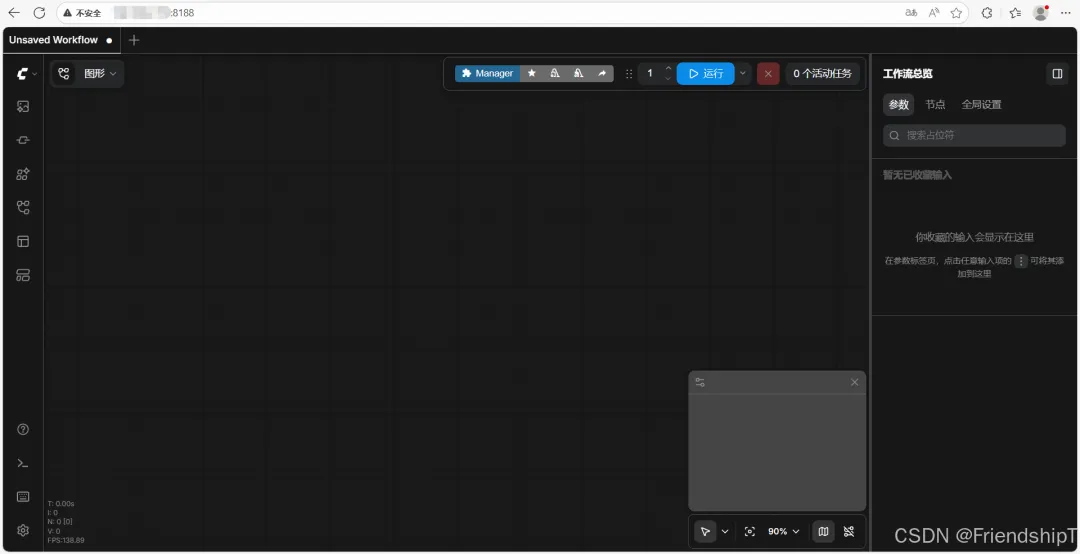
查看容器日志:
docker logs comfyui下载模型
使用 Hugging Face 镜像站下载
由于国内访问 Hugging Face 较慢,推荐使用镜像站 hf-mirror.com。
Step 1:进入容器 Bash
docker exec -it comfyui bashStep 2:设置镜像源
export HF_ENDPOINT=https://hf-mirror.comStep 3:使用 hf 命令下载模型
注意:旧版
huggingface-cli已弃用,请使用hf命令。
以下载 z_image_turbo 模型为例:
# 下载 VAE 模型到 vae 目录hf download Comfy-Org/z_image_turbo \ split_files/vae/ae.safetensors \ --local-dir /root/ComfyUI/models/vae# 下载文本编码器hf download Comfy-Org/z_image_turbo \ split_files/text_encoders/qwen_3_4b_fp8_mixed.safetensors \ --local-dir /root/ComfyUI/models/text_encoders# 下载扩散模型hf download Comfy-Org/z_image_turbo \ split_files/diffusion_models/z_image_turbo_int8_convrot.safetensors \ --local-dir /root/ComfyUI/models/diffusion_modelshf download 常用选项:
--local-dir | |
--revision | |
--token | |
--include--exclude |
模型存放位置
下载后的模型文件会保存在挂载目录 storage-models/models/ 下,对应容器内的 /root/ComfyUI/models/。ComfyUI 按模型类型读取不同子目录:
models/checkpoints/ | |
models/loras/ | |
models/vae/ | |
models/controlnet/ | |
models/text_encoders/ | |
models/diffusion_models/ |
使用 ComfyUI 进行图像生成
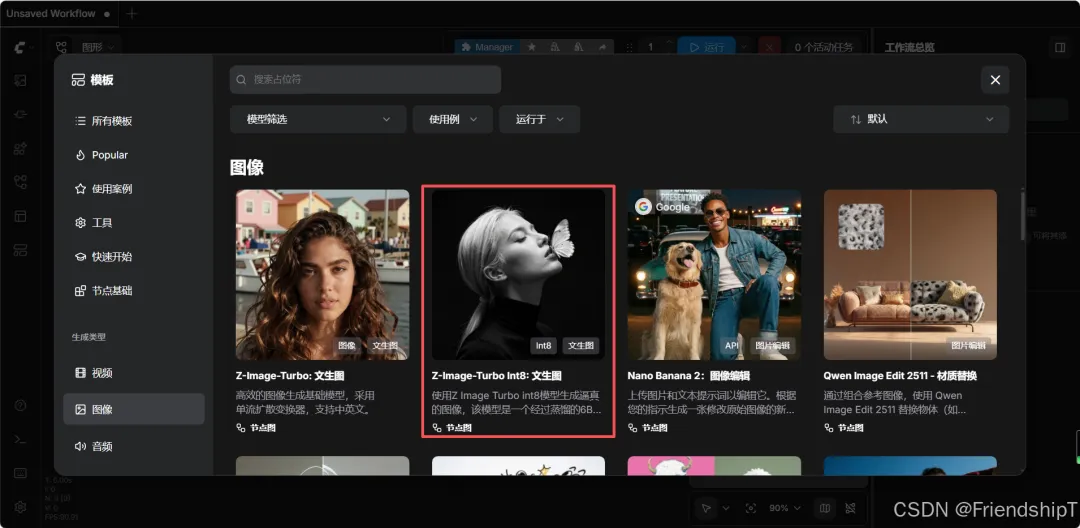
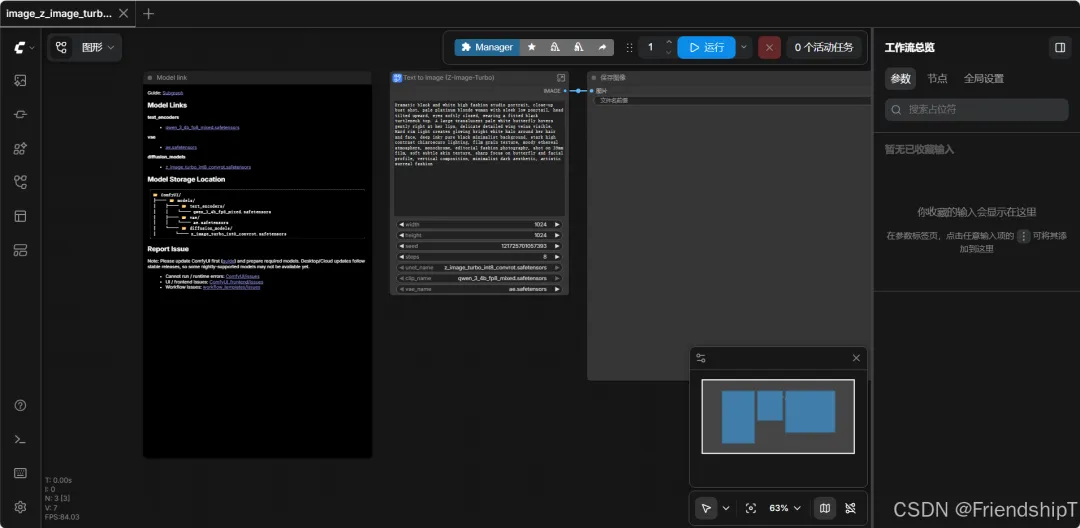
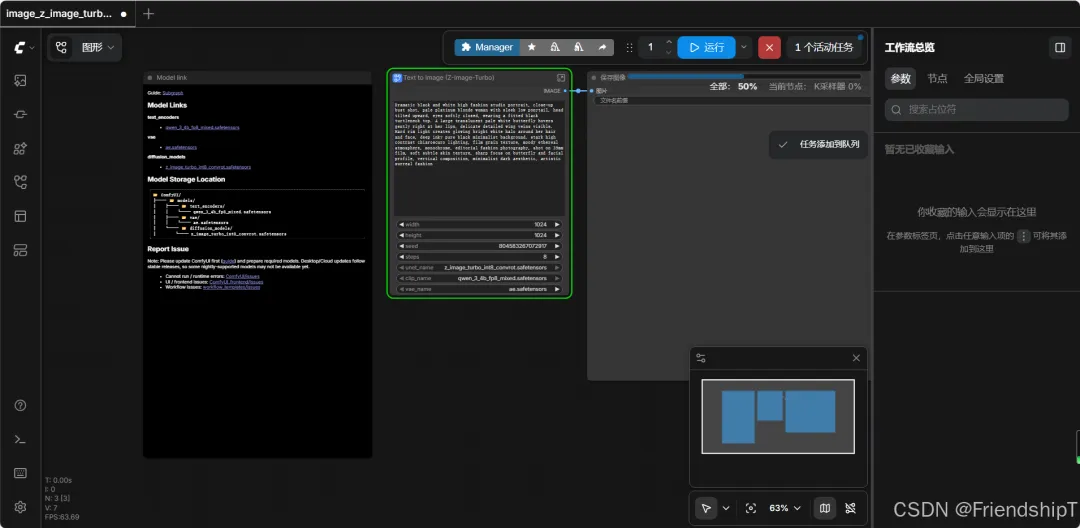
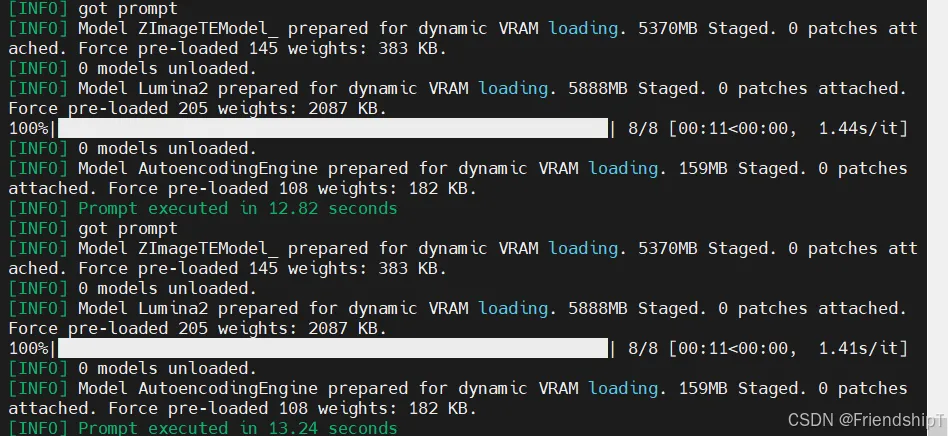
Dramatic black and white high fashion studio portrait, close-up bust shot, pale platinum blonde woman with sleek low ponytail, head tilted upward, eyes softly closed, wearing a fitted black turtleneck top. A large translucent pale white butterfly hovers gently right at her lips, delicate detailed wing veins visible. Hard rim light creates glowing bright white halo around her hair and face, deep inky pure black minimalist background, stark high contrast chiaroscuro lighting, film grain texture, moody ethereal atmosphere, monochrome, editorial fashion photography, shot on 35mm film, soft subtle skin texture, sharp focus on butterfly and facial profile, vertical composition, minimalist dark aesthetic, artistic surreal fashion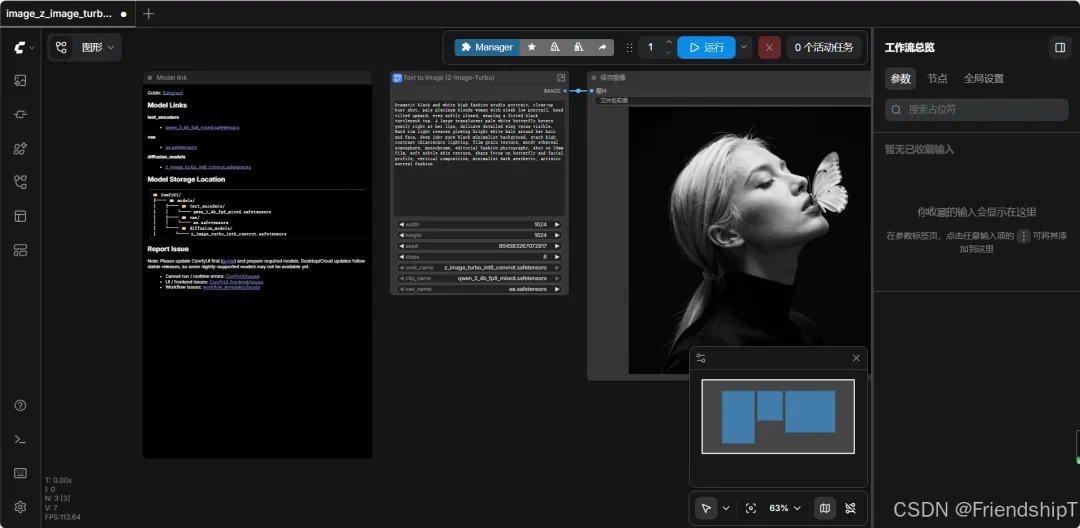
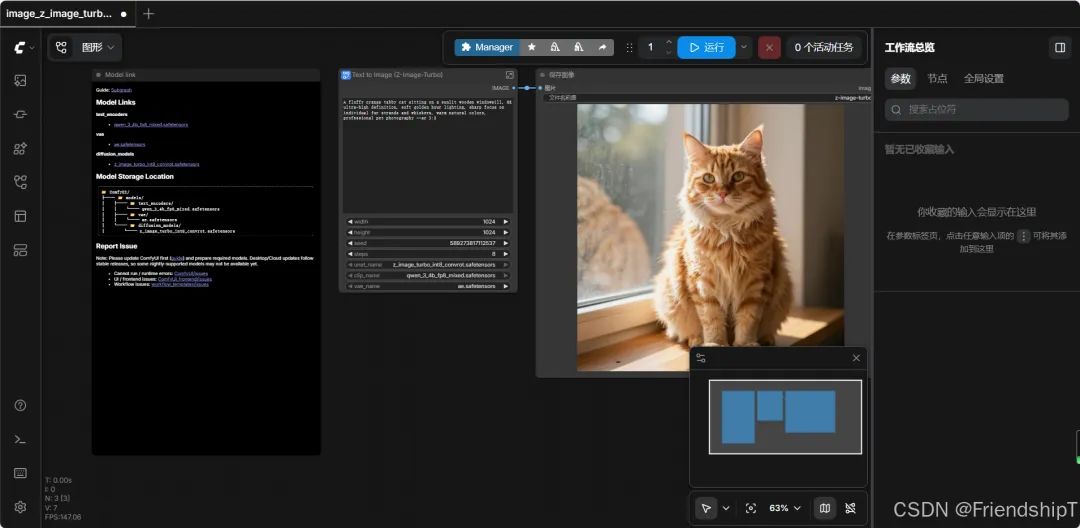
A fluffy orange tabby cat sitting on a sunlit wooden windowsill, 8K ultra-high definition, soft golden hour lighting, sharp focus on individual fur strands and whiskers, warm natural colors, professional pet photography --ar 3:2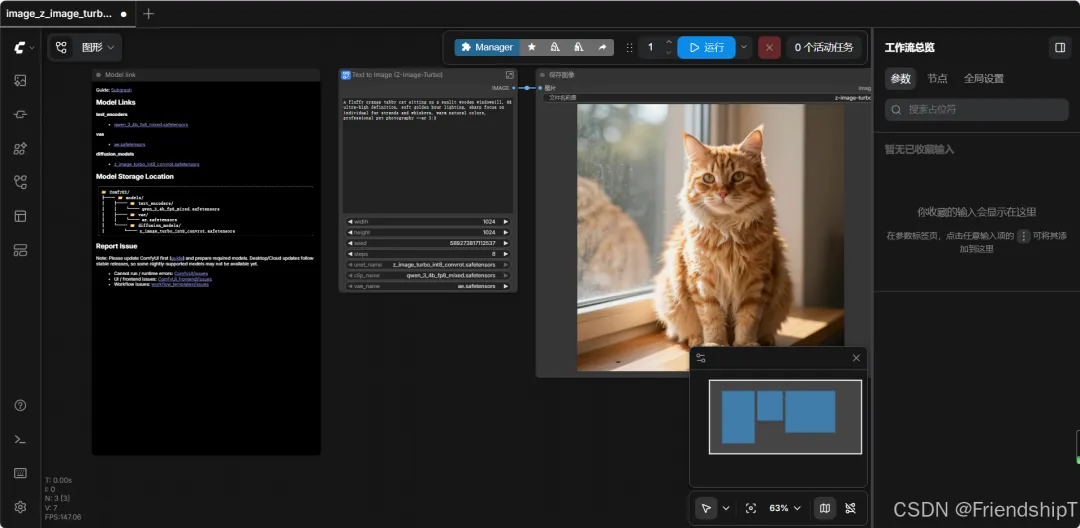
常见问题与排查
hf download 报错 "No such option"
新版 hf 命令不支持 --local-dir-use-symlinks 和 --resume-download,直接使用 --local-dir 即可,默认支持断点续传。
ComfyUI-Manager 网络超时
启动日志中可能出现 Failed to perform initial fetching 错误,这是因为容器无法访问 GitHub。解决方法:
• 方案一:配置代理(在 docker run中添加环境变量)-e HTTP_PROXY=http://代理IP:端口 \-e HTTPS_PROXY=http://代理IP:端口• 方案二:忽略此错误,手动下载模型使用,不影响核心功能
容器内模型目录已存在导致启动失败
如果挂载了 /root/ComfyUI 整个目录,可能与镜像预置内容冲突。建议按本文方式分别挂载子目录,而非挂载整个 /root。
PyTorch CUDA 版本警告
日志中出现 You need pytorch with cu130 or higher 是性能提示而非错误,使用 CUDA 12.6 镜像时部分优化不可用,但不影响正常使用。
进入容器调试
# 进入正在运行容器的 Bashdocker exec -it comfyui bash# 查看 ComfyUI 日志docker logs comfyui# 实时跟踪日志docker logs -f comfyui总结
通过 Docker 部署 ComfyUI 的核心流程如下:
1. 安装 Docker 和 NVIDIA Container Toolkit 2. 拉取镜像(推荐 yanwk/comfyui-boot:cu130-slim-v2)3. 创建数据目录 并 启动容器(挂载数据卷实现持久化) 4. 下载模型(使用 hf命令 + 镜像站)5. 浏览器访问 http://服务器IP:8188
Docker 部署的优势在于环境隔离、一键迁移、数据持久化,非常适合在服务器上长期运行 ComfyUI。
参考
[1] https://github.com/Comfy-Org/ComfyUI.git[2] https://github.com/YanWenKun/ComfyUI-Docker.git[3] https://github.com/dam-pav/comfyui.git
随机文章
-
 10个月宝宝每天需要喝多少奶粉?
- Python | 非线性配准基本原理
- Python异步编程从入门到放弃,这次我真的学会了
- Python、Java、C++到底学哪个?一篇讲透,不再纠结
- Python选择结构
- 【8月10日开班]】零基础学编程,Python可能是你最好的第一门语言
- 第2.5章:快速学习Python的列表与元组
- Python 将 PDF 转成 PDF/A、PDF/X,再把 PDF/A 转回普通 PDF
- Python 零基础入门教程(超详细)从入门到精通,超多资料!看完这篇足够自学!
- Python/PyCharm永久激活秘籍:一键激活至2099年,轻松畅享编程之旅!
- Python从入门到精通:你的第一堂编程课