当前位置:首页>python>万字阐述-Python构建XGBoost模型

万字阐述-Python构建XGBoost模型

  • 2026-01-27 10:57:16
万字阐述-Python构建XGBoost模型

在公众号「python风控模型」里回复关键字:学习资料,免费领取。


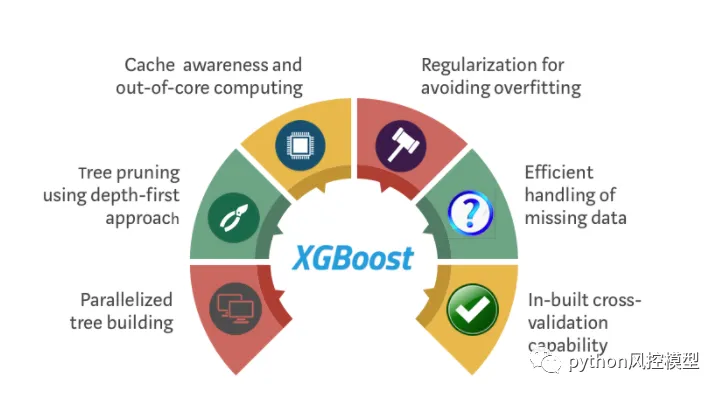
XGBoost 是一种流行的梯度提升实现,因为它的速度和性能。

在内部,XGBoost 模型将所有问题表示为仅将数值作为输入的回归预测建模问题。如果您的数据采用不同的形式,则必须将其准备为预期的格式。

今天讲解如何使用 Python 中的 XGBoost 库准备用于梯度提升的数据。

看完这篇文章你们会学习:

  • 如何编码字符串输出变量以进行分类。

  • 如何使用一种热编码准备分类输入变量。

  • 如何使用 XGBoost 自动处理缺失数据。

标签编码字符串类值

鸢尾花分类问题是具有字符串类值的问题的一个示例。

这是一个预测问题,其中给定鸢尾花的厘米测量值,任务是预测给定的花属于哪个物种。

下载数据集并将其放置在您当前的工作目录中,文件名为“ iris.csv ”。

  • 鸢尾花数据集

5.1,3.5,1.4,0.2,Iris-setosa4.9,3.0,1.4,0.2,Iris-setosa4.7,3.2,1.3,0.2,Iris-setosa4.6,3.1,1.5,0.2,Iris-setosa5.0,3.6,1.4,0.2,Iris-setosa5.4,3.9,1.7,0.4,Iris-setosa4.6,3.4,1.4,0.3,Iris-setosa5.0,3.4,1.5,0.2,Iris-setosa4.4,2.9,1.4,0.2,Iris-setosa4.9,3.1,1.5,0.1,Iris-setosa5.4,3.7,1.5,0.2,Iris-setosa4.8,3.4,1.6,0.2,Iris-setosa4.8,3.0,1.4,0.1,Iris-setosa4.3,3.0,1.1,0.1,Iris-setosa5.8,4.0,1.2,0.2,Iris-setosa5.7,4.4,1.5,0.4,Iris-setosa5.4,3.9,1.3,0.4,Iris-setosa5.1,3.5,1.4,0.3,Iris-setosa5.7,3.8,1.7,0.3,Iris-setosa5.1,3.8,1.5,0.3,Iris-setosa5.4,3.4,1.7,0.2,Iris-setosa5.1,3.7,1.5,0.4,Iris-setosa4.6,3.6,1.0,0.2,Iris-setosa5.1,3.3,1.7,0.5,Iris-setosa4.8,3.4,1.9,0.2,Iris-setosa5.0,3.0,1.6,0.2,Iris-setosa5.0,3.4,1.6,0.4,Iris-setosa5.2,3.5,1.5,0.2,Iris-setosa5.2,3.4,1.4,0.2,Iris-setosa4.7,3.2,1.6,0.2,Iris-setosa4.8,3.1,1.6,0.2,Iris-setosa5.4,3.4,1.5,0.4,Iris-setosa5.2,4.1,1.5,0.1,Iris-setosa5.5,4.2,1.4,0.2,Iris-setosa4.9,3.1,1.5,0.1,Iris-setosa5.0,3.2,1.2,0.2,Iris-setosa5.5,3.5,1.3,0.2,Iris-setosa4.9,3.1,1.5,0.1,Iris-setosa4.4,3.0,1.3,0.2,Iris-setosa5.1,3.4,1.5,0.2,Iris-setosa5.0,3.5,1.3,0.3,Iris-setosa4.5,2.3,1.3,0.3,Iris-setosa4.4,3.2,1.3,0.2,Iris-setosa5.0,3.5,1.6,0.6,Iris-setosa5.1,3.8,1.9,0.4,Iris-setosa4.8,3.0,1.4,0.3,Iris-setosa5.1,3.8,1.6,0.2,Iris-setosa4.6,3.2,1.4,0.2,Iris-setosa5.3,3.7,1.5,0.2,Iris-setosa5.0,3.3,1.4,0.2,Iris-setosa7.0,3.2,4.7,1.4,Iris-versicolor6.4,3.2,4.5,1.5,Iris-versicolor6.9,3.1,4.9,1.5,Iris-versicolor5.5,2.3,4.0,1.3,Iris-versicolor6.5,2.8,4.6,1.5,Iris-versicolor5.7,2.8,4.5,1.3,Iris-versicolor6.3,3.3,4.7,1.6,Iris-versicolor4.9,2.4,3.3,1.0,Iris-versicolor6.6,2.9,4.6,1.3,Iris-versicolor5.2,2.7,3.9,1.4,Iris-versicolor5.0,2.0,3.5,1.0,Iris-versicolor5.9,3.0,4.2,1.5,Iris-versicolor6.0,2.2,4.0,1.0,Iris-versicolor6.1,2.9,4.7,1.4,Iris-versicolor5.6,2.9,3.6,1.3,Iris-versicolor6.7,3.1,4.4,1.4,Iris-versicolor5.6,3.0,4.5,1.5,Iris-versicolor5.8,2.7,4.1,1.0,Iris-versicolor6.2,2.2,4.5,1.5,Iris-versicolor5.6,2.5,3.9,1.1,Iris-versicolor5.9,3.2,4.8,1.8,Iris-versicolor6.1,2.8,4.0,1.3,Iris-versicolor6.3,2.5,4.9,1.5,Iris-versicolor6.1,2.8,4.7,1.2,Iris-versicolor6.4,2.9,4.3,1.3,Iris-versicolor6.6,3.0,4.4,1.4,Iris-versicolor6.8,2.8,4.8,1.4,Iris-versicolor6.7,3.0,5.0,1.7,Iris-versicolor6.0,2.9,4.5,1.5,Iris-versicolor5.7,2.6,3.5,1.0,Iris-versicolor5.5,2.4,3.8,1.1,Iris-versicolor5.5,2.4,3.7,1.0,Iris-versicolor5.8,2.7,3.9,1.2,Iris-versicolor6.0,2.7,5.1,1.6,Iris-versicolor5.4,3.0,4.5,1.5,Iris-versicolor6.0,3.4,4.5,1.6,Iris-versicolor6.7,3.1,4.7,1.5,Iris-versicolor6.3,2.3,4.4,1.3,Iris-versicolor5.6,3.0,4.1,1.3,Iris-versicolor5.5,2.5,4.0,1.3,Iris-versicolor5.5,2.6,4.4,1.2,Iris-versicolor6.1,3.0,4.6,1.4,Iris-versicolor5.8,2.6,4.0,1.2,Iris-versicolor5.0,2.3,3.3,1.0,Iris-versicolor5.6,2.7,4.2,1.3,Iris-versicolor5.7,3.0,4.2,1.2,Iris-versicolor5.7,2.9,4.2,1.3,Iris-versicolor6.2,2.9,4.3,1.3,Iris-versicolor5.1,2.5,3.0,1.1,Iris-versicolor5.7,2.8,4.1,1.3,Iris-versicolor6.3,3.3,6.0,2.5,Iris-virginica5.8,2.7,5.1,1.9,Iris-virginica7.1,3.0,5.9,2.1,Iris-virginica6.3,2.9,5.6,1.8,Iris-virginica6.5,3.0,5.8,2.2,Iris-virginica7.6,3.0,6.6,2.1,Iris-virginica4.9,2.5,4.5,1.7,Iris-virginica7.3,2.9,6.3,1.8,Iris-virginica6.7,2.5,5.8,1.8,Iris-virginica7.2,3.6,6.1,2.5,Iris-virginica6.5,3.2,5.1,2.0,Iris-virginica6.4,2.7,5.3,1.9,Iris-virginica6.8,3.0,5.5,2.1,Iris-virginica5.7,2.5,5.0,2.0,Iris-virginica5.8,2.8,5.1,2.4,Iris-virginica6.4,3.2,5.3,2.3,Iris-virginica6.5,3.0,5.5,1.8,Iris-virginica7.7,3.8,6.7,2.2,Iris-virginica7.7,2.6,6.9,2.3,Iris-virginica6.0,2.2,5.0,1.5,Iris-virginica6.9,3.2,5.7,2.3,Iris-virginica5.6,2.8,4.9,2.0,Iris-virginica7.7,2.8,6.7,2.0,Iris-virginica6.3,2.7,4.9,1.8,Iris-virginica6.7,3.3,5.7,2.1,Iris-virginica7.2,3.2,6.0,1.8,Iris-virginica6.2,2.8,4.8,1.8,Iris-virginica6.1,3.0,4.9,1.8,Iris-virginica6.4,2.8,5.6,2.1,Iris-virginica7.2,3.0,5.8,1.6,Iris-virginica7.4,2.8,6.1,1.9,Iris-virginica7.9,3.8,6.4,2.0,Iris-virginica6.4,2.8,5.6,2.2,Iris-virginica6.3,2.8,5.1,1.5,Iris-virginica6.1,2.6,5.6,1.4,Iris-virginica7.7,3.0,6.1,2.3,Iris-virginica6.3,3.4,5.6,2.4,Iris-virginica6.4,3.1,5.5,1.8,Iris-virginica6.0,3.0,4.8,1.8,Iris-virginica6.9,3.1,5.4,2.1,Iris-virginica6.7,3.1,5.6,2.4,Iris-virginica6.9,3.1,5.1,2.3,Iris-virginica5.8,2.7,5.1,1.9,Iris-virginica6.8,3.2,5.9,2.3,Iris-virginica6.7,3.3,5.7,2.5,Iris-virginica6.7,3.0,5.2,2.3,Iris-virginica6.3,2.5,5.0,1.9,Iris-virginica6.5,3.0,5.2,2.0,Iris-virginica6.2,3.4,5.4,2.3,Iris-virginica5.9,3.0,5.1,1.8,Iris-virginica
  • 鸢尾花数据集描述

1. Title: Iris Plants Database  Updated Sept 21 by C.Blake - Added discrepency information2. Sources:     (a) Creator: R.A. Fisher     (b) Donor: Michael Marshall (MARSHALL%PLU@io.arc.nasa.gov)     (c) Date: July, 19883. Past Usage:   - Publications: too many to mention!!!  Here are a few.1. Fisher,R.A. "The use of multiple measurements in taxonomic problems"      Annual Eugenics, 7, Part II, 179-188 (1936); also in"Contributions      to Mathematical Statistics" (John Wiley, NY, 1950).2. Duda,R.O., & Hart,P.E. (1973Pattern Classification and Scene Analysis.      (Q327.D83) John Wiley & Sons.  ISBN 0-471-22361-1.  See page 218.3. Dasarathy, B.V. (1980) "Nosing Around the Neighborhood: A New System      Structure and Classification Rule for Recognition in Partially Exposed      Environments".  IEEE Transactions on Pattern Analysis and Machine      Intelligence, Vol. PAMI-2, No. 167-71.      -- Results:         -- very low misclassification rates (0% for the setosa class)4. Gates, G.W. (1972) "The Reduced Nearest Neighbor Rule".  IEEE       Transactions on Information Theory, May 1972431-433.      -- Results:         -- very low misclassification rates again5. See also:1988 MLC Proceedings, 54-64.  Cheeseman et al's AUTOCLASS II      conceptual clustering system finds 3 classes in the data.4. Relevant Information:   --- This is perhaps the best known database to be found in the pattern       recognition literature.  Fisher's paper is a classic in the fieldand is referenced frequently to this day.  (See Duda & Hart, for       example.)  The data set contains 3 classes of 50 instances each,       where each classreferstoatypeofirisplant.  Oneclassis       linearly separable from the other 2; the latter are NOT linearly       separable from each other.   --- Predicted attribute:classofirisplant.   --- This is an exceedingly simple domain.   --- This data differs from the data presented in Fishers article  (identified by Steve Chadwick,  spchadwick@espeedaz.net )  The 35th sample should be:4.9,3.1,1.5,0.2,"Iris-setosa"  where the error is in the fourth feature.  The 38th sample:4.9,3.6,1.4,0.1,"Iris-setosa"  where the errors are in the second and third features.  5. Number of Instances:150 (50in each of three classes)6. Number of Attributes:4 numeric, predictive attributes and the class7. Attribute Information:1. sepal length in cm2. sepal width in cm3. petal length in cm4. petal width in cm5. class:       -- Iris Setosa      -- Iris Versicolour      -- Iris Virginica8. Missing Attribute ValuesNoneSummary Statistics:           Min  Max   Mean    SD   Class Correlation   sepal length:4.37.95.840.830.7826    sepal width:2.04.43.050.43   -0.4194   petal length:1.06.93.761.760.9490  (high!)    petal width:0.12.51.200.760.9565  (high!)9. Class Distribution:33.3% for each of 3 classes.

XGBoost 不能按原样本对这个问题进行建模,因为它要求输出变量是数字变量。

我们可以使用LabelEncoder轻松地将字符串值转换为整数值。三个类值(Iris-setosa、Iris-versicolor、Iris-virginica)被映射到整数值(0、1、2)。

# encode string class values as integerslabel_encoder = LabelEncoder()label_encoder = label_encoder.fit(Y)label_encoded_y = label_encoder.transform(Y)

我们将标签编码器保存为一个单独的对象,以便我们可以使用相同的编码方案转换训练数据集以及随后的测试和验证数据集。

下面是一个完整的示例,演示如何加载 iris 数据集。请注意,Pandas 用于加载数据以处理字符串类值。

# multiclass classificationimport pandasimport xgboostfrom sklearn import model_selectionfrom sklearn.metrics import accuracy_scorefrom sklearn.preprocessing import LabelEncoder# load datadata = pandas.read_csv('iris.csv', header=None)dataset = data.values# split data into X and yX = dataset[:,0:4]Y = dataset[:,4]# encode string class values as integerslabel_encoder = LabelEncoder()label_encoder = label_encoder.fit(Y)label_encoded_y = label_encoder.transform(Y)seed = 7test_size = 0.33X_train, X_test, y_train, y_test = model_selection.train_test_split(X, label_encoded_y, test_size=test_size, random_state=seed)# fit model no training datamodel = xgboost.XGBClassifier()model.fit(X_train, y_train)print(model)# make predictions for test datay_pred = model.predict(X_test)predictions = [round(value) for value in y_pred]# evaluate predictionsaccuracy = accuracy_score(y_test, predictions)print("Accuracy: %.2f%%" % (accuracy * 100.0))

注意:计算机运行结果可能会因算法或评估程序的随机性或数值精度的差异而有所不同。考虑多次运行该示例并比较平均结果。

运行该示例会产生以下输出。

XGBClassifier(base_score=0.5, colsample_bylevel=1, colsample_bytree=1,gamma=0, learning_rate=0.1, max_delta_step=0, max_depth=3,min_child_weight=1, missing=None, n_estimators=100, nthread=-1,objective='multi:softprob', reg_alpha=0, reg_lambda=1,scale_pos_weight=1, seed=0, silent=True, subsample=1)Accuracy92.00%

请注意 XGBoost 模型如何配置为使用multi:softprob目标自动对多类分类问题进行建模,该目标是对类概率建模的 softmax 损失函数的变体。这表明在内部,输出类会自动转换为单热类型编码。

一种热编码分类数据

某些数据集仅包含分类数据,例如乳腺癌数据集。

该数据集描述了乳腺癌活检的技术细节,预测任务是预测患者是否有癌症复发。

下载数据集并将其放置在您当前的工作目录中,文件名为“ breast-cancer.csv ”。

  • 乳腺癌数据集

  • 乳腺癌数据集描述

以下是原始数据集的示例。

'40-49','premeno','15-19','0-2','yes','3','right','left_up','no','recurrence-events''50-59','ge40','15-19','0-2','no','1','right','central','no','no-recurrence-events''50-59','ge40','35-39','0-2','no','2','left','left_low','no','recurrence-events''40-49','premeno','35-39','0-2','yes','3','right','left_low','yes','no-recurrence-events''40-49','premeno','30-34','3-5','yes','2','left','right_up','no','recurrence-events'...   

我们可以看到所有 9 个输入变量都是分类的并以字符串格式描述。该问题是一个二元分类预测问题,输出类值也以字符串格式描述。

我们可以重用上一节中的相同方法,并将字符串类值转换为整数值,以使用 LabelEncoder 对预测进行建模。例如:

# encode string class values as integerslabel_encoder = LabelEncoder()label_encoder = label_encoder.fit(Y)label_encoded_y = label_encoder.transform(Y)

我们可以对 X 中的每个输入特征使用相同的方法,但这只是一个起点。

# encode string input values as integersfeatures = []for i in range(0, X.shape[1]):label_encoder = LabelEncoder()feature = label_encoder.fit_transform(X[:,i])features.append(feature)encoded_x = numpy.array(features)encoded_x = encoded_x.reshape(X.shape[0], X.shape[1])

XGBoost 可以假设每个输入变量的编码整数值具有序数关系。例如,对于乳房四边形变量,编码为 0 的 'left-up' 和编码为 1 的 'left-low' 具有作为整数的有意义的关系。在这种情况下,这个假设是不正确的。

相反,我们必须将这些整数值映射到新的二进制变量上,每个分类值对应一个新变量。

例如,乳房四边形变量具有以下值:

left-upleft-lowright-upright-lowcentral

我们可以将其建模为 5 个二元变量,如下所示:

left-up, left-low, right-up, right-low, central1,0,0,0,00,1,0,0,00,0,1,0,00,0,0,1,00,0,0,0,1

这称为一种热编码。我们可以使用scikit-learn 中的OneHotEncoder类对所有分类输入变量进行热编码。

我们可以在对每个特征进行标签编码后对其进行热编码。首先,我们必须将特征数组转换为二维 NumPy 数组,其中每个整数值都是一个长度为 1 的特征向量。

feature = feature.reshape(X.shape[0], 1)

然后我们可以创建 OneHotEncoder 并对特征数组进行编码。

onehot_encoder = OneHotEncoder(sparse=False, categories='auto')feature = onehot_encoder.fit_transform(feature)

最后,我们可以通过将一个热编码特征一个一个地连接起来,将它们添加为新列(轴 = 2)来构建输入数据集。我们最终得到一个由 43 个二进制输入变量组成的输入向量。

# encode string input values as integersencoded_x = Nonefor i in range(0, X.shape[1]):label_encoder = LabelEncoder()feature = label_encoder.fit_transform(X[:,i])feature = feature.reshape(X.shape[0], 1)onehot_encoder = OneHotEncoder(sparse=False, categories='auto')feature = onehot_encoder.fit_transform(feature)if encoded_x is None:encoded_x = featureelse:encoded_x = numpy.concatenate((encoded_x, feature), axis=1)print("X shape: : ", encoded_x.shape)

理想情况下,我们可以尝试不对某些输入属性进行热编码,因为我们可以使用明确的序数关系对它们进行编码,例如,第一列年龄的值类似于 '40-49' 和 '50-59'。如果您有兴趣扩展此示例,则将其留作练习。

下面是带有标签和一个热编码输入变量和标签编码输出变量的完整示例。

# binary classification, breast cancer dataset, label and one hot encodedimport numpyfrom pandas import read_csvfrom xgboost import XGBClassifierfrom sklearn.model_selection import train_test_splitfrom sklearn.metrics import accuracy_scorefrom sklearn.preprocessing import LabelEncoderfrom sklearn.preprocessing import OneHotEncoder# load datadata = read_csv('breast-cancer.csv', header=None)dataset = data.values# split data into X and yX = dataset[:,0:9]X = X.astype(str)Y = dataset[:,9]# encode string input values as integersencoded_x = Nonefor i in range(0, X.shape[1]):label_encoder = LabelEncoder()feature = label_encoder.fit_transform(X[:,i])feature = feature.reshape(X.shape[0], 1)onehot_encoder = OneHotEncoder(sparse=False, categories='auto')feature = onehot_encoder.fit_transform(feature)if encoded_x is None:encoded_x = featureelse:encoded_x = numpy.concatenate((encoded_x, feature), axis=1)print("X shape: : ", encoded_x.shape)# encode string class values as integerslabel_encoder = LabelEncoder()label_encoder = label_encoder.fit(Y)label_encoded_y = label_encoder.transform(Y)# split data into train and test setsseed = 7test_size = 0.33X_train, X_test, y_train, y_test = train_test_split(encoded_x, label_encoded_y, test_size=test_size, random_state=seed)# fit model no training datamodel = XGBClassifier()model.fit(X_train, y_train)print(model)# make predictions for test datay_pred = model.predict(X_test)predictions = [round(value) for value in y_pred]# evaluate predictionsaccuracy = accuracy_score(y_test, predictions)print("Accuracy: %.2f%%" % (accuracy * 100.0))

注意:您的结果可能会因算法或评估程序的随机性或数值精度的差异而有所不同。考虑多次运行该示例并比较平均结果。

运行这个例子,我们得到以下输出。

('Xshape: : ', (285, 43))XGBClassifier(base_score=0.5, colsample_bylevel=1, colsample_bytree=1,gamma=0, learning_rate=0.1, max_delta_step=0, max_depth=3,min_child_weight=1, missing=None, n_estimators=100, nthread=-1,objective='binary:logistic', reg_alpha=0, reg_lambda=1,scale_pos_weight=1, seed=0, silent=True, subsample=1)Accuracy: 71.58%

我们再次可以看到 XGBoost 框架自动选择了 ' binary:logistic ' 目标,这是这个二元分类问题的正确目标。

支持缺失数据

XGBoost 可以自动学习如何最好地处理丢失的数据。

事实上,XGBoost 旨在处理稀疏数据,就像上一节中的一个热编码数据一样,通过最小化损失函数,处理缺失数据的方式与处理稀疏或零值的方式相同。

有关如何在 XGBoost 中处理缺失值的技术细节的更多信息,请参阅论文XGBoost:A Scalable Tree Boosting System 中的第 3.4 节“稀疏感知拆分查找” 。

Horse Colic 数据集是展示这种能力的一个很好的例子,因为它包含很大比例的缺失数据,大约 30%。

下载数据集并将其放置在您当前的工作目录中,文件名为“ horse-colic.csv ”。

  • 马绞痛数据集

  • 马绞痛数据集描述

1.TItle: Horse Colic database2.Source Information--Creators: Mary McLeish & Matt CecileDepartmentof Computer ScienceUniversityof GuelphGuelph,Ontario, Canada N1G 2W1mdmcleish@water.waterloo.edu--Donor:    Will Taylor (taylor@pluto.arc.nasa.gov)--Date:     8/6/893.Past Usage:--Unknown4.Relevant Information:--2 data files--horse-colic.data: 300 training instances--horse-colic.test: 68 test instances--Possible class attributes: 24 (whether lesion is surgical)--others include: 23, 25, 26, and 27--Many Data types: (continuous, discrete, and nominal)5.Number of Instances: 368 (300 for training, 68 for testing)6.Number of attributes: 287.Attribute Information:1:  surgery?1 = Yes, it had surgery2 = It was treated without surgery2:  Age1 = Adult horse2 = Young (< 6 months)3:  Hospital Number-numeric id-the case number assigned to the horse(maynot be unique if the horse is treated > 1 time)4:  rectal temperature-linear-in degrees celsius.-An elevated temp may occur due to infection.-temperature may be reduced when the animal is in late shock-normal temp is 37.8-this parameter will usually change as the problem progresseseg.may start out normal, then become elevated because ofthelesion, passing back through the normal range as thehorsegoes into shock5:  pulse-linear-the heart rate in beats per minute-is a reflection of the heart condition: 30 -40 is normal for adults-rare to have a lower than normal rate although athletic horsesmayhave a rate of 20-25-animals with painful lesions or suffering from circulatory shockmayhave an elevated heart rate6:  respiratory rate-linear-normal rate is 8 to 10-usefulness is doubtful due to the great fluctuations7:  temperature of extremities-a subjective indication of peripheral circulation-possible values:1 = Normal2 = Warm3 = Cool4 = Cold-cool to cold extremities indicate possible shock-hot extremities should correlate with an elevated rectal temp.8:  peripheral pulse-subjective-possible values are:1 = normal2 = increased3 = reduced4 = absent-normal or increased p.p. are indicative of adequate circulationwhilereduced or absent indicate poor perfusion9:  mucous membranes-a subjective measurement of colour-possible values are:1 = normal pink2 = bright pink3 = pale pink4 = pale cyanotic5 = bright red / injected6 = dark cyanotic-1 and 2 probably indicate a normal or slightly increasedcirculation-3 may occur in early shock-4 and 6 are indicative of serious circulatory compromise-5 is more indicative of a septicemia10: capillary refill time-a clinical judgement. The longer the refill, the poorer thecirculation-possible values1 = < 3 seconds2 = >= 3 seconds11: pain - a subjective judgement of the horse's pain level-possible values:1 = alert, no pain2 = depressed3 = intermittent mild pain4 = intermittent severe pain5 = continuous severe pain-should NOT be treated as a ordered or discrete variable!-In general, the more painful, the more likely it is to requiresurgery-prior treatment of pain may mask the pain level to some extent12: peristalsis-an indication of the activity in the horse's gut. As the gutbecomesmore distended or the horse becomes more toxic, theactivitydecreases-possible values:1 = hypermotile2 = normal3 = hypomotile4 = absent13: abdominal distension-An IMPORTANT parameter.-possible values1 = none2 = slight3 = moderate4 = severe-an animal with abdominal distension is likely to be painful andhavereduced gut motility.-a horse with severe abdominal distension is likely to requiresurgeryjust tio relieve the pressure14: nasogastric tube-this refers to any gas coming out of the tube-possible values:1 = none2 = slight3 = significant-a large gas cap in the stomach is likely to give the horsediscomfort15: nasogastric reflux-possible values1 = none2 = > 1 liter3 = < 1 liter-the greater amount of reflux, the more likelihood that there issomeserious obstruction to the fluid passage from the rest oftheintestine16: nasogastric reflux PH-linear-scale is from 0 to 14 with 7 being neutral-normal values are in the 3 to 4 range17: rectal examination - feces-possible values1 = normal2 = increased3 = decreased4 = absent-absent feces probably indicates an obstruction18: abdomen-possible values1 = normal2 = other3 = firm feces in the large intestine4 = distended small intestine5 = distended large intestine-3 is probably an obstruction caused by a mechanical impactionandis normally treated medically-4 and 5 indicate a surgical lesion19: packed cell volume-linear-the # of red cells by volume in the blood-normal range is 30 to 50. The level rises as the circulationbecomescompromised or as the animal becomes dehydrated.20: total protein-linear-normal values lie in the 6-7.5 (gms/dL) range-the higher the value the greater the dehydration21: abdominocentesis appearance-a needle is put in the horse's abdomen and fluid is obtained fromtheabdominal cavity-possible values:1 = clear2 = cloudy3 = serosanguinous-normal fluid is clear while cloudy or serosanguinous indicatesacompromised gut22: abdomcentesis total protein-linear-the higher the level of protein the more likely it is to have acompromisedgut. Values are in gms/dL23: outcome-what eventually happened to the horse?-possible values:1 = lived2 = died3 = was euthanized24: surgical lesion?-retrospectively, was the problem (lesion) surgical?-all cases are either operated upon or autopsied so thatthisvalue and the lesion type are always known-possible values:1 = Yes2 = No25,26, 27: type of lesion-first number is site of lesion1 = gastric2 = sm intestine3 = lg colon4 = lg colon and cecum5 = cecum6 = transverse colon7 = retum/descending colon8 = uterus9 = bladder11 = all intestinal sites00 = none-second number is type1 = simple2 = strangulation3 = inflammation4 = other-third number is subtype1 = mechanical2 = paralytic0 = n/a-fourth number is specific code1 = obturation2 = intrinsic3 = extrinsic4 = adynamic5 = volvulus/torsion6 = intussuption7 = thromboembolic8 = hernia9 = lipoma/slenic incarceration10 = displacement0 = n/a28: cp_data-is pathology data present for this case?1 = Yes2 = No-this variable is of no significance since pathology dataisnot included or collected for these cases8.Missing values: 30% of the values are missing

以下是原始数据集的示例。

2 1 530101 38.50 66 28 3 3 ? 2 5 4 4 ? ? ? 3 5 45.00 8.40 ? ? 2 2 11300 00000 00000 21 1 534817 39.2 88 20 ? ? 4 1 3 4 2 ? ? ? 4 2 50 85 2 2 3 2 02208 00000 00000 22 1 530334 38.30 40 24 1 1 3 1 3 3 1 ? ? ? 1 1 33.00 6.70 ? ? 1 2 00000 00000 00000 11 9 5290409 39.10 164 84 4 1 6 2 2 4 4 1 2 5.00 3 ? 48.00 7.20 3 5.30 2 1 02208 00000 00000 12 1 530255 37.30 104 35 ? ? 6 2 ? ? ? ? ? ? ? ? 74.00 7.40 ? ? 2 2 04300 00000 00000 2...

这些值由空格分隔,我们可以使用 Pandas 函数read_csv轻松加载它。

dataframe = read_csv("horse-colic.csv", delim_whitespace=True, header=None)

加载后,我们可以看到缺失的数据用问号字符 ('?') 标记。我们可以将这些缺失值更改为 XGBoost 期望的稀疏值,即值零 (0)。

# set missing values to 0X[X == '?'] = 0

因为缺失数据被标记为字符串,所以那些缺失数据的列都被加载为字符串数据类型。我们现在可以将整个输入数据集转换为数值。

# convert to numericX = X.astype('float32')

最后,尽管类值用整数 1 和 2 标记,但这是一个二元分类问题。我们在 XGBoost 中将二元分类问题建模为逻辑 0 和 1 值。我们可以使用 LabelEncoder 轻松地将 Y 数据集转换为 0 和 1 整数,就像我们在鸢尾花示例中所做的那样。

# encode Y class values as integerslabel_encoder = LabelEncoder()label_encoder = label_encoder.fit(Y)label_encoded_y = label_encoder.transform(Y)

为了完整起见,下面提供了完整的代码清单。

# binary classification, missing datafrom pandas import read_csvfrom xgboost import XGBClassifierfrom sklearn.model_selection import train_test_splitfrom sklearn.metrics import accuracy_scorefrom sklearn.preprocessing import LabelEncoder# load datadataframe = read_csv("horse-colic.csv", delim_whitespace=True, header=None)dataset = dataframe.values# split data into X and yX = dataset[:,0:27]Y = dataset[:,27]# set missing values to 0X[X == '?'] = 0# convert to numericX = X.astype('float32')# encode Y class values as integerslabel_encoder = LabelEncoder()label_encoder = label_encoder.fit(Y)label_encoded_y = label_encoder.transform(Y)# split data into train and test setsseed = 7test_size = 0.33X_train, X_test, y_train, y_test = train_test_split(X, label_encoded_y, test_size=test_size, random_state=seed)# fit model no training datamodel = XGBClassifier()model.fit(X_train, y_train)print(model)# make predictions for test datay_pred = model.predict(X_test)predictions = [round(value) for value in y_pred]# evaluate predictionsaccuracy = accuracy_score(y_test, predictions)print("Accuracy: %.2f%%" % (accuracy * 100.0))

注意:您的结果可能会因算法或评估程序的随机性或数值精度的差异而有所不同。考虑多次运行该示例并比较平均结果。

运行此示例会产生以下输出。

XGBClassifier(base_score=0.5, colsample_bylevel=1, colsample_bytree=1,gamma=0, learning_rate=0.1, max_delta_step=0, max_depth=3,min_child_weight=1, missing=None, n_estimators=100, nthread=-1,objective='binary:logistic', reg_alpha=0, reg_lambda=1,scale_pos_weight=1, seed=0, silent=True, subsample=1)Accuracy83.84%

我们可以通过将缺失值标记为非零值(例如 1)来梳理 XGBoost 自动处理缺失值的效果。

注意:您的结果可能会因算法或评估程序的随机性或数值精度的差异而有所不同。考虑多次运行该示例并比较平均结果。

重新运行示例表明模型的准确度下降。

我们也可以用一个特定的值来估算缺失的数据。

通常对列使用平均值或中位数。我们可以使用 scikit-learn SimpleImputer 类轻松估算缺失的数据。

# impute missing values as the meanimputer = SimpleImputer()imputed_x = imputer.fit_transform(X)

下面是完整示例,其中缺失数据使用每列的平均值进行插补。

# binary classification, missing data, impute with meanimport numpyfrom pandas import read_csvfrom xgboost import XGBClassifierfrom sklearn.model_selection import train_test_splitfrom sklearn.metrics import accuracy_scorefrom sklearn.preprocessing import LabelEncoderfrom sklearn.impute import SimpleImputer# load datadataframe = read_csv("horse-colic.csv", delim_whitespace=True, header=None)dataset = dataframe.values# split data into X and yX = dataset[:,0:27]Y = dataset[:,27]# set missing values to 0X[X == '?'] = numpy.nan# convert to numericX = X.astype('float32')# impute missing values as the meanimputer = SimpleImputer()imputed_x = imputer.fit_transform(X)# encode Y class values as integerslabel_encoder = LabelEncoder()label_encoder = label_encoder.fit(Y)label_encoded_y = label_encoder.transform(Y)# split data into train and test setsseed = 7test_size = 0.33X_train, X_test, y_train, y_test = train_test_split(imputed_x, label_encoded_y, test_size=test_size, random_state=seed)# fit model no training datamodel = XGBClassifier()model.fit(X_train, y_train)print(model)# make predictions for test datay_pred = model.predict(X_test)predictions = [round(value) for value in y_pred]# evaluate predictionsaccuracy = accuracy_score(y_test, predictions)print("Accuracy: %.2f%%" % (accuracy * 100.0))

注意:计算机运行结果可能会因算法或评估程序的随机性或数值精度的差异而有所不同。考虑多次运行该示例并比较平均结果。

运行此示例,我们看到的结果相当于将值固定为一 (1)。这表明,至少在这种情况下,我们最好用零 (0) 的不同值而不是有效值 (1) 或估算值标记缺失值。

当您有缺失值时,对您的数据尝试这两种方法(自动处理和插补)是一个很好的教训。

概括

在这篇博文中,您了解了如何使用 Python 中的 XGBoost 准备用于梯度提升的机器学习数据。

具体来说,你学到了:

  • 如何使用标签编码为二进制分类准备字符串类值。

  • 如何使用单热编码准备分类输入变量以将它们建模为二进制变量。

  • XGBoost 如何自动处理缺失数据以及如何标记和估算缺失值。

06

风控模型课程和定制服务

-企业建模_期刊论文专利

Python 用 XGBoost 进行梯度提升的数据准备就为大家介绍到这里了

如果你有企业建模请商务联系QQ:231469242,微信:drug666123,或扫描下面二维码加微信咨询。

公司自营课程如下

如果你对《python风控建模实战案例数据库》数据库感兴趣,微信二维码扫一扫即可访问和收藏,了解更多相关介绍。

最新文章

随机文章

基本 文件 流程 错误 SQL 调试
  1. 请求信息 : 2026-02-09 10:25:09 HTTP/2.0 GET : https://f.mffb.com.cn/a/461356.html
  2. 运行时间 : 0.155817s [ 吞吐率:6.42req/s ] 内存消耗:4,586.45kb 文件加载:140
  3. 缓存信息 : 0 reads,0 writes
  4. 会话信息 : SESSION_ID=b2ee974b9eb65abc1c4d0fd5a2a7fd90
  1. /yingpanguazai/ssd/ssd1/www/f.mffb.com.cn/public/index.php ( 0.79 KB )
  2. /yingpanguazai/ssd/ssd1/www/f.mffb.com.cn/vendor/autoload.php ( 0.17 KB )
  3. /yingpanguazai/ssd/ssd1/www/f.mffb.com.cn/vendor/composer/autoload_real.php ( 2.49 KB )
  4. /yingpanguazai/ssd/ssd1/www/f.mffb.com.cn/vendor/composer/platform_check.php ( 0.90 KB )
  5. /yingpanguazai/ssd/ssd1/www/f.mffb.com.cn/vendor/composer/ClassLoader.php ( 14.03 KB )
  6. /yingpanguazai/ssd/ssd1/www/f.mffb.com.cn/vendor/composer/autoload_static.php ( 4.90 KB )
  7. /yingpanguazai/ssd/ssd1/www/f.mffb.com.cn/vendor/topthink/think-helper/src/helper.php ( 8.34 KB )
  8. /yingpanguazai/ssd/ssd1/www/f.mffb.com.cn/vendor/topthink/think-validate/src/helper.php ( 2.19 KB )
  9. /yingpanguazai/ssd/ssd1/www/f.mffb.com.cn/vendor/topthink/think-orm/src/helper.php ( 1.47 KB )
  10. /yingpanguazai/ssd/ssd1/www/f.mffb.com.cn/vendor/topthink/think-orm/stubs/load_stubs.php ( 0.16 KB )
  11. /yingpanguazai/ssd/ssd1/www/f.mffb.com.cn/vendor/topthink/framework/src/think/Exception.php ( 1.69 KB )
  12. /yingpanguazai/ssd/ssd1/www/f.mffb.com.cn/vendor/topthink/think-container/src/Facade.php ( 2.71 KB )
  13. /yingpanguazai/ssd/ssd1/www/f.mffb.com.cn/vendor/symfony/deprecation-contracts/function.php ( 0.99 KB )
  14. /yingpanguazai/ssd/ssd1/www/f.mffb.com.cn/vendor/symfony/polyfill-mbstring/bootstrap.php ( 8.26 KB )
  15. /yingpanguazai/ssd/ssd1/www/f.mffb.com.cn/vendor/symfony/polyfill-mbstring/bootstrap80.php ( 9.78 KB )
  16. /yingpanguazai/ssd/ssd1/www/f.mffb.com.cn/vendor/symfony/var-dumper/Resources/functions/dump.php ( 1.49 KB )
  17. /yingpanguazai/ssd/ssd1/www/f.mffb.com.cn/vendor/topthink/think-dumper/src/helper.php ( 0.18 KB )
  18. /yingpanguazai/ssd/ssd1/www/f.mffb.com.cn/vendor/symfony/var-dumper/VarDumper.php ( 4.30 KB )
  19. /yingpanguazai/ssd/ssd1/www/f.mffb.com.cn/vendor/topthink/framework/src/think/App.php ( 15.30 KB )
  20. /yingpanguazai/ssd/ssd1/www/f.mffb.com.cn/vendor/topthink/think-container/src/Container.php ( 15.76 KB )
  21. /yingpanguazai/ssd/ssd1/www/f.mffb.com.cn/vendor/psr/container/src/ContainerInterface.php ( 1.02 KB )
  22. /yingpanguazai/ssd/ssd1/www/f.mffb.com.cn/app/provider.php ( 0.19 KB )
  23. /yingpanguazai/ssd/ssd1/www/f.mffb.com.cn/vendor/topthink/framework/src/think/Http.php ( 6.04 KB )
  24. /yingpanguazai/ssd/ssd1/www/f.mffb.com.cn/vendor/topthink/think-helper/src/helper/Str.php ( 7.29 KB )
  25. /yingpanguazai/ssd/ssd1/www/f.mffb.com.cn/vendor/topthink/framework/src/think/Env.php ( 4.68 KB )
  26. /yingpanguazai/ssd/ssd1/www/f.mffb.com.cn/app/common.php ( 0.03 KB )
  27. /yingpanguazai/ssd/ssd1/www/f.mffb.com.cn/vendor/topthink/framework/src/helper.php ( 18.78 KB )
  28. /yingpanguazai/ssd/ssd1/www/f.mffb.com.cn/vendor/topthink/framework/src/think/Config.php ( 5.54 KB )
  29. /yingpanguazai/ssd/ssd1/www/f.mffb.com.cn/config/app.php ( 0.95 KB )
  30. /yingpanguazai/ssd/ssd1/www/f.mffb.com.cn/config/cache.php ( 0.78 KB )
  31. /yingpanguazai/ssd/ssd1/www/f.mffb.com.cn/config/console.php ( 0.23 KB )
  32. /yingpanguazai/ssd/ssd1/www/f.mffb.com.cn/config/cookie.php ( 0.56 KB )
  33. /yingpanguazai/ssd/ssd1/www/f.mffb.com.cn/config/database.php ( 2.48 KB )
  34. /yingpanguazai/ssd/ssd1/www/f.mffb.com.cn/vendor/topthink/framework/src/think/facade/Env.php ( 1.67 KB )
  35. /yingpanguazai/ssd/ssd1/www/f.mffb.com.cn/config/filesystem.php ( 0.61 KB )
  36. /yingpanguazai/ssd/ssd1/www/f.mffb.com.cn/config/lang.php ( 0.91 KB )
  37. /yingpanguazai/ssd/ssd1/www/f.mffb.com.cn/config/log.php ( 1.35 KB )
  38. /yingpanguazai/ssd/ssd1/www/f.mffb.com.cn/config/middleware.php ( 0.19 KB )
  39. /yingpanguazai/ssd/ssd1/www/f.mffb.com.cn/config/route.php ( 1.89 KB )
  40. /yingpanguazai/ssd/ssd1/www/f.mffb.com.cn/config/session.php ( 0.57 KB )
  41. /yingpanguazai/ssd/ssd1/www/f.mffb.com.cn/config/trace.php ( 0.34 KB )
  42. /yingpanguazai/ssd/ssd1/www/f.mffb.com.cn/config/view.php ( 0.82 KB )
  43. /yingpanguazai/ssd/ssd1/www/f.mffb.com.cn/app/event.php ( 0.25 KB )
  44. /yingpanguazai/ssd/ssd1/www/f.mffb.com.cn/vendor/topthink/framework/src/think/Event.php ( 7.67 KB )
  45. /yingpanguazai/ssd/ssd1/www/f.mffb.com.cn/app/service.php ( 0.13 KB )
  46. /yingpanguazai/ssd/ssd1/www/f.mffb.com.cn/app/AppService.php ( 0.26 KB )
  47. /yingpanguazai/ssd/ssd1/www/f.mffb.com.cn/vendor/topthink/framework/src/think/Service.php ( 1.64 KB )
  48. /yingpanguazai/ssd/ssd1/www/f.mffb.com.cn/vendor/topthink/framework/src/think/Lang.php ( 7.35 KB )
  49. /yingpanguazai/ssd/ssd1/www/f.mffb.com.cn/vendor/topthink/framework/src/lang/zh-cn.php ( 13.70 KB )
  50. /yingpanguazai/ssd/ssd1/www/f.mffb.com.cn/vendor/topthink/framework/src/think/initializer/Error.php ( 3.31 KB )
  51. /yingpanguazai/ssd/ssd1/www/f.mffb.com.cn/vendor/topthink/framework/src/think/initializer/RegisterService.php ( 1.33 KB )
  52. /yingpanguazai/ssd/ssd1/www/f.mffb.com.cn/vendor/services.php ( 0.14 KB )
  53. /yingpanguazai/ssd/ssd1/www/f.mffb.com.cn/vendor/topthink/framework/src/think/service/PaginatorService.php ( 1.52 KB )
  54. /yingpanguazai/ssd/ssd1/www/f.mffb.com.cn/vendor/topthink/framework/src/think/service/ValidateService.php ( 0.99 KB )
  55. /yingpanguazai/ssd/ssd1/www/f.mffb.com.cn/vendor/topthink/framework/src/think/service/ModelService.php ( 2.04 KB )
  56. /yingpanguazai/ssd/ssd1/www/f.mffb.com.cn/vendor/topthink/think-trace/src/Service.php ( 0.77 KB )
  57. /yingpanguazai/ssd/ssd1/www/f.mffb.com.cn/vendor/topthink/framework/src/think/Middleware.php ( 6.72 KB )
  58. /yingpanguazai/ssd/ssd1/www/f.mffb.com.cn/vendor/topthink/framework/src/think/initializer/BootService.php ( 0.77 KB )
  59. /yingpanguazai/ssd/ssd1/www/f.mffb.com.cn/vendor/topthink/think-orm/src/Paginator.php ( 11.86 KB )
  60. /yingpanguazai/ssd/ssd1/www/f.mffb.com.cn/vendor/topthink/think-validate/src/Validate.php ( 63.20 KB )
  61. /yingpanguazai/ssd/ssd1/www/f.mffb.com.cn/vendor/topthink/think-orm/src/Model.php ( 23.55 KB )
  62. /yingpanguazai/ssd/ssd1/www/f.mffb.com.cn/vendor/topthink/think-orm/src/model/concern/Attribute.php ( 21.05 KB )
  63. /yingpanguazai/ssd/ssd1/www/f.mffb.com.cn/vendor/topthink/think-orm/src/model/concern/AutoWriteData.php ( 4.21 KB )
  64. /yingpanguazai/ssd/ssd1/www/f.mffb.com.cn/vendor/topthink/think-orm/src/model/concern/Conversion.php ( 6.44 KB )
  65. /yingpanguazai/ssd/ssd1/www/f.mffb.com.cn/vendor/topthink/think-orm/src/model/concern/DbConnect.php ( 5.16 KB )
  66. /yingpanguazai/ssd/ssd1/www/f.mffb.com.cn/vendor/topthink/think-orm/src/model/concern/ModelEvent.php ( 2.33 KB )
  67. /yingpanguazai/ssd/ssd1/www/f.mffb.com.cn/vendor/topthink/think-orm/src/model/concern/RelationShip.php ( 28.29 KB )
  68. /yingpanguazai/ssd/ssd1/www/f.mffb.com.cn/vendor/topthink/think-helper/src/contract/Arrayable.php ( 0.09 KB )
  69. /yingpanguazai/ssd/ssd1/www/f.mffb.com.cn/vendor/topthink/think-helper/src/contract/Jsonable.php ( 0.13 KB )
  70. /yingpanguazai/ssd/ssd1/www/f.mffb.com.cn/vendor/topthink/think-orm/src/model/contract/Modelable.php ( 0.09 KB )
  71. /yingpanguazai/ssd/ssd1/www/f.mffb.com.cn/vendor/topthink/framework/src/think/Db.php ( 2.88 KB )
  72. /yingpanguazai/ssd/ssd1/www/f.mffb.com.cn/vendor/topthink/think-orm/src/DbManager.php ( 8.52 KB )
  73. /yingpanguazai/ssd/ssd1/www/f.mffb.com.cn/vendor/topthink/framework/src/think/Log.php ( 6.28 KB )
  74. /yingpanguazai/ssd/ssd1/www/f.mffb.com.cn/vendor/topthink/framework/src/think/Manager.php ( 3.92 KB )
  75. /yingpanguazai/ssd/ssd1/www/f.mffb.com.cn/vendor/psr/log/src/LoggerTrait.php ( 2.69 KB )
  76. /yingpanguazai/ssd/ssd1/www/f.mffb.com.cn/vendor/psr/log/src/LoggerInterface.php ( 2.71 KB )
  77. /yingpanguazai/ssd/ssd1/www/f.mffb.com.cn/vendor/topthink/framework/src/think/Cache.php ( 4.92 KB )
  78. /yingpanguazai/ssd/ssd1/www/f.mffb.com.cn/vendor/psr/simple-cache/src/CacheInterface.php ( 4.71 KB )
  79. /yingpanguazai/ssd/ssd1/www/f.mffb.com.cn/vendor/topthink/think-helper/src/helper/Arr.php ( 16.63 KB )
  80. /yingpanguazai/ssd/ssd1/www/f.mffb.com.cn/vendor/topthink/framework/src/think/cache/driver/File.php ( 7.84 KB )
  81. /yingpanguazai/ssd/ssd1/www/f.mffb.com.cn/vendor/topthink/framework/src/think/cache/Driver.php ( 9.03 KB )
  82. /yingpanguazai/ssd/ssd1/www/f.mffb.com.cn/vendor/topthink/framework/src/think/contract/CacheHandlerInterface.php ( 1.99 KB )
  83. /yingpanguazai/ssd/ssd1/www/f.mffb.com.cn/app/Request.php ( 0.09 KB )
  84. /yingpanguazai/ssd/ssd1/www/f.mffb.com.cn/vendor/topthink/framework/src/think/Request.php ( 55.78 KB )
  85. /yingpanguazai/ssd/ssd1/www/f.mffb.com.cn/app/middleware.php ( 0.25 KB )
  86. /yingpanguazai/ssd/ssd1/www/f.mffb.com.cn/vendor/topthink/framework/src/think/Pipeline.php ( 2.61 KB )
  87. /yingpanguazai/ssd/ssd1/www/f.mffb.com.cn/vendor/topthink/think-trace/src/TraceDebug.php ( 3.40 KB )
  88. /yingpanguazai/ssd/ssd1/www/f.mffb.com.cn/vendor/topthink/framework/src/think/middleware/SessionInit.php ( 1.94 KB )
  89. /yingpanguazai/ssd/ssd1/www/f.mffb.com.cn/vendor/topthink/framework/src/think/Session.php ( 1.80 KB )
  90. /yingpanguazai/ssd/ssd1/www/f.mffb.com.cn/vendor/topthink/framework/src/think/session/driver/File.php ( 6.27 KB )
  91. /yingpanguazai/ssd/ssd1/www/f.mffb.com.cn/vendor/topthink/framework/src/think/contract/SessionHandlerInterface.php ( 0.87 KB )
  92. /yingpanguazai/ssd/ssd1/www/f.mffb.com.cn/vendor/topthink/framework/src/think/session/Store.php ( 7.12 KB )
  93. /yingpanguazai/ssd/ssd1/www/f.mffb.com.cn/vendor/topthink/framework/src/think/Route.php ( 23.73 KB )
  94. /yingpanguazai/ssd/ssd1/www/f.mffb.com.cn/vendor/topthink/framework/src/think/route/RuleName.php ( 5.75 KB )
  95. /yingpanguazai/ssd/ssd1/www/f.mffb.com.cn/vendor/topthink/framework/src/think/route/Domain.php ( 2.53 KB )
  96. /yingpanguazai/ssd/ssd1/www/f.mffb.com.cn/vendor/topthink/framework/src/think/route/RuleGroup.php ( 22.43 KB )
  97. /yingpanguazai/ssd/ssd1/www/f.mffb.com.cn/vendor/topthink/framework/src/think/route/Rule.php ( 26.95 KB )
  98. /yingpanguazai/ssd/ssd1/www/f.mffb.com.cn/vendor/topthink/framework/src/think/route/RuleItem.php ( 9.78 KB )
  99. /yingpanguazai/ssd/ssd1/www/f.mffb.com.cn/route/app.php ( 1.72 KB )
  100. /yingpanguazai/ssd/ssd1/www/f.mffb.com.cn/vendor/topthink/framework/src/think/facade/Route.php ( 4.70 KB )
  101. /yingpanguazai/ssd/ssd1/www/f.mffb.com.cn/vendor/topthink/framework/src/think/route/dispatch/Controller.php ( 4.74 KB )
  102. /yingpanguazai/ssd/ssd1/www/f.mffb.com.cn/vendor/topthink/framework/src/think/route/Dispatch.php ( 10.44 KB )
  103. /yingpanguazai/ssd/ssd1/www/f.mffb.com.cn/app/controller/Index.php ( 4.81 KB )
  104. /yingpanguazai/ssd/ssd1/www/f.mffb.com.cn/app/BaseController.php ( 2.05 KB )
  105. /yingpanguazai/ssd/ssd1/www/f.mffb.com.cn/vendor/topthink/think-orm/src/facade/Db.php ( 0.93 KB )
  106. /yingpanguazai/ssd/ssd1/www/f.mffb.com.cn/vendor/topthink/think-orm/src/db/connector/Mysql.php ( 5.44 KB )
  107. /yingpanguazai/ssd/ssd1/www/f.mffb.com.cn/vendor/topthink/think-orm/src/db/PDOConnection.php ( 52.47 KB )
  108. /yingpanguazai/ssd/ssd1/www/f.mffb.com.cn/vendor/topthink/think-orm/src/db/Connection.php ( 8.39 KB )
  109. /yingpanguazai/ssd/ssd1/www/f.mffb.com.cn/vendor/topthink/think-orm/src/db/ConnectionInterface.php ( 4.57 KB )
  110. /yingpanguazai/ssd/ssd1/www/f.mffb.com.cn/vendor/topthink/think-orm/src/db/builder/Mysql.php ( 16.58 KB )
  111. /yingpanguazai/ssd/ssd1/www/f.mffb.com.cn/vendor/topthink/think-orm/src/db/Builder.php ( 24.06 KB )
  112. /yingpanguazai/ssd/ssd1/www/f.mffb.com.cn/vendor/topthink/think-orm/src/db/BaseBuilder.php ( 27.50 KB )
  113. /yingpanguazai/ssd/ssd1/www/f.mffb.com.cn/vendor/topthink/think-orm/src/db/Query.php ( 15.71 KB )
  114. /yingpanguazai/ssd/ssd1/www/f.mffb.com.cn/vendor/topthink/think-orm/src/db/BaseQuery.php ( 45.13 KB )
  115. /yingpanguazai/ssd/ssd1/www/f.mffb.com.cn/vendor/topthink/think-orm/src/db/concern/TimeFieldQuery.php ( 7.43 KB )
  116. /yingpanguazai/ssd/ssd1/www/f.mffb.com.cn/vendor/topthink/think-orm/src/db/concern/AggregateQuery.php ( 3.26 KB )
  117. /yingpanguazai/ssd/ssd1/www/f.mffb.com.cn/vendor/topthink/think-orm/src/db/concern/ModelRelationQuery.php ( 20.07 KB )
  118. /yingpanguazai/ssd/ssd1/www/f.mffb.com.cn/vendor/topthink/think-orm/src/db/concern/ParamsBind.php ( 3.66 KB )
  119. /yingpanguazai/ssd/ssd1/www/f.mffb.com.cn/vendor/topthink/think-orm/src/db/concern/ResultOperation.php ( 7.01 KB )
  120. /yingpanguazai/ssd/ssd1/www/f.mffb.com.cn/vendor/topthink/think-orm/src/db/concern/WhereQuery.php ( 19.37 KB )
  121. /yingpanguazai/ssd/ssd1/www/f.mffb.com.cn/vendor/topthink/think-orm/src/db/concern/JoinAndViewQuery.php ( 7.11 KB )
  122. /yingpanguazai/ssd/ssd1/www/f.mffb.com.cn/vendor/topthink/think-orm/src/db/concern/TableFieldInfo.php ( 2.63 KB )
  123. /yingpanguazai/ssd/ssd1/www/f.mffb.com.cn/vendor/topthink/think-orm/src/db/concern/Transaction.php ( 2.77 KB )
  124. /yingpanguazai/ssd/ssd1/www/f.mffb.com.cn/vendor/topthink/framework/src/think/log/driver/File.php ( 5.96 KB )
  125. /yingpanguazai/ssd/ssd1/www/f.mffb.com.cn/vendor/topthink/framework/src/think/contract/LogHandlerInterface.php ( 0.86 KB )
  126. /yingpanguazai/ssd/ssd1/www/f.mffb.com.cn/vendor/topthink/framework/src/think/log/Channel.php ( 3.89 KB )
  127. /yingpanguazai/ssd/ssd1/www/f.mffb.com.cn/vendor/topthink/framework/src/think/event/LogRecord.php ( 1.02 KB )
  128. /yingpanguazai/ssd/ssd1/www/f.mffb.com.cn/vendor/topthink/think-helper/src/Collection.php ( 16.47 KB )
  129. /yingpanguazai/ssd/ssd1/www/f.mffb.com.cn/vendor/topthink/framework/src/think/facade/View.php ( 1.70 KB )
  130. /yingpanguazai/ssd/ssd1/www/f.mffb.com.cn/vendor/topthink/framework/src/think/View.php ( 4.39 KB )
  131. /yingpanguazai/ssd/ssd1/www/f.mffb.com.cn/vendor/topthink/framework/src/think/Response.php ( 8.81 KB )
  132. /yingpanguazai/ssd/ssd1/www/f.mffb.com.cn/vendor/topthink/framework/src/think/response/View.php ( 3.29 KB )
  133. /yingpanguazai/ssd/ssd1/www/f.mffb.com.cn/vendor/topthink/framework/src/think/Cookie.php ( 6.06 KB )
  134. /yingpanguazai/ssd/ssd1/www/f.mffb.com.cn/vendor/topthink/think-view/src/Think.php ( 8.38 KB )
  135. /yingpanguazai/ssd/ssd1/www/f.mffb.com.cn/vendor/topthink/framework/src/think/contract/TemplateHandlerInterface.php ( 1.60 KB )
  136. /yingpanguazai/ssd/ssd1/www/f.mffb.com.cn/vendor/topthink/think-template/src/Template.php ( 46.61 KB )
  137. /yingpanguazai/ssd/ssd1/www/f.mffb.com.cn/vendor/topthink/think-template/src/template/driver/File.php ( 2.41 KB )
  138. /yingpanguazai/ssd/ssd1/www/f.mffb.com.cn/vendor/topthink/think-template/src/template/contract/DriverInterface.php ( 0.86 KB )
  139. /yingpanguazai/ssd/ssd1/www/f.mffb.com.cn/runtime/temp/067d451b9a0c665040f3f1bdd3293d68.php ( 11.98 KB )
  140. /yingpanguazai/ssd/ssd1/www/f.mffb.com.cn/vendor/topthink/think-trace/src/Html.php ( 4.42 KB )
  1. CONNECT:[ UseTime:0.001110s ] mysql:host=127.0.0.1;port=3306;dbname=f_mffb;charset=utf8mb4
  2. SHOW FULL COLUMNS FROM `fenlei` [ RunTime:0.001480s ]
  3. SELECT * FROM `fenlei` WHERE `fid` = 0 [ RunTime:0.001311s ]
  4. SELECT * FROM `fenlei` WHERE `fid` = 63 [ RunTime:0.004781s ]
  5. SHOW FULL COLUMNS FROM `set` [ RunTime:0.001309s ]
  6. SELECT * FROM `set` [ RunTime:0.000603s ]
  7. SHOW FULL COLUMNS FROM `article` [ RunTime:0.001636s ]
  8. SELECT * FROM `article` WHERE `id` = 461356 LIMIT 1 [ RunTime:0.003692s ]
  9. UPDATE `article` SET `lasttime` = 1770603909 WHERE `id` = 461356 [ RunTime:0.009328s ]
  10. SELECT * FROM `fenlei` WHERE `id` = 66 LIMIT 1 [ RunTime:0.002589s ]
  11. SELECT * FROM `article` WHERE `id` < 461356 ORDER BY `id` DESC LIMIT 1 [ RunTime:0.009756s ]
  12. SELECT * FROM `article` WHERE `id` > 461356 ORDER BY `id` ASC LIMIT 1 [ RunTime:0.003587s ]
  13. SELECT * FROM `article` WHERE `id` < 461356 ORDER BY `id` DESC LIMIT 10 [ RunTime:0.011429s ]
  14. SELECT * FROM `article` WHERE `id` < 461356 ORDER BY `id` DESC LIMIT 10,10 [ RunTime:0.006277s ]
  15. SELECT * FROM `article` WHERE `id` < 461356 ORDER BY `id` DESC LIMIT 20,10 [ RunTime:0.007194s ]
0.159590s