电子发票 PDF 自动解析:新版代码 vs 旧文实现的深度对比
- 2026-09-04 21:08:13
之前文章中,曾分享了一套简洁的 Python 代码,用于自动解析电子发票 PDF 文件,提取发票号码、税号、金额、名称等关键字段,并一键导出 Excel 表格。这套方案在实际业务中相信能帮助提升发票处理的效率。
但在获得热心读者给的发票样本后,发现原有代码在系统稳健性、字段清洗、项目名称识别等方面显得力不从心。因此,我重新设计了一套更智能、更稳定的发票解析逻辑,并在本文中进行详细讲解。(如需直接运行版本,请看:电子普票智能汇总工具 exe 版)
下文将逐步拆解新版代码的每一个字段提取逻辑,并与旧版进行对比,帮助你理解背后的设计思路和实际效果。文章最后附上完整代码,方便你直接使用或二次开发。
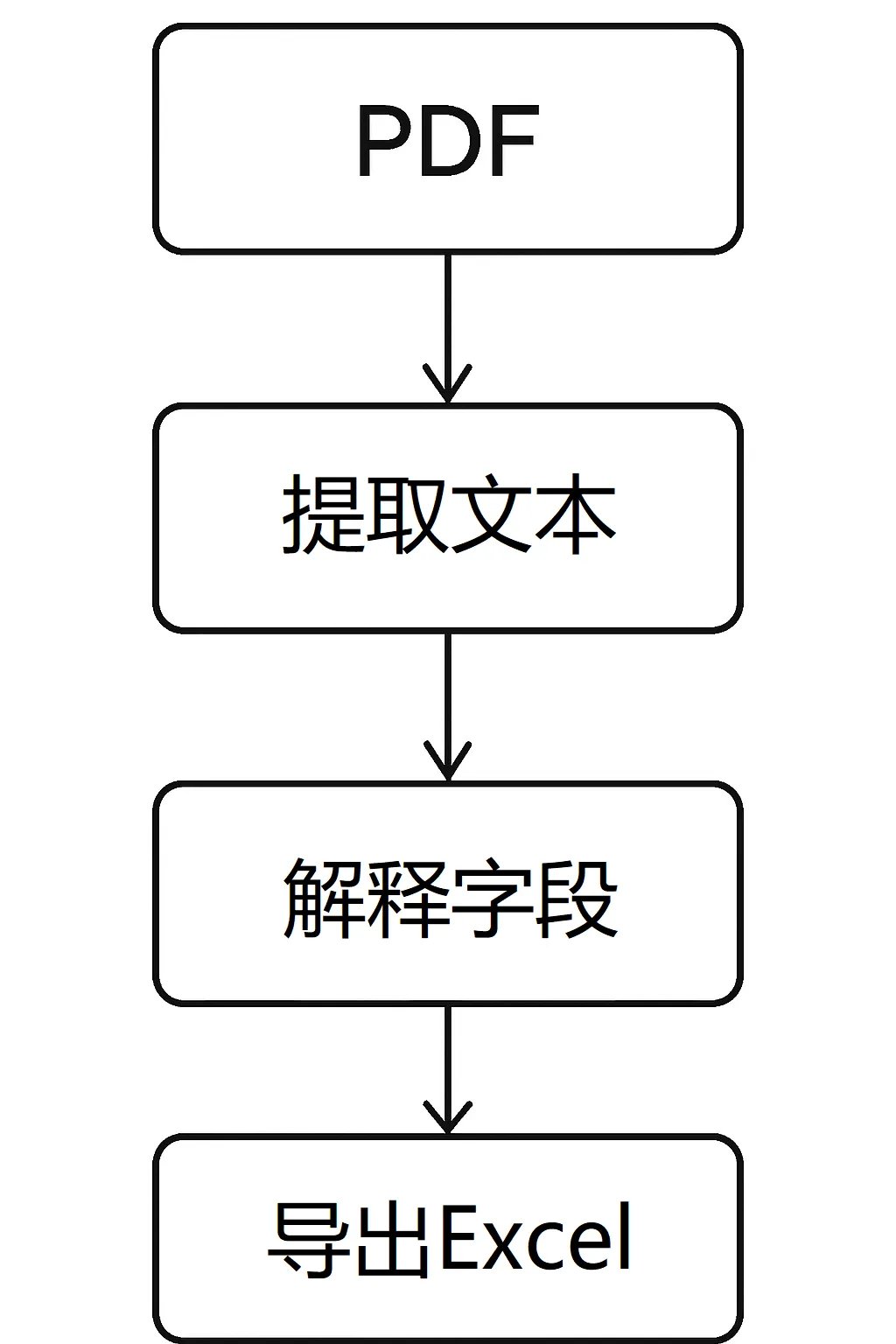
新代码的核心改进
名称解析更稳:不再只靠一条正则,增加公司/机构类关键词扫描和兜底匹配,显著提升购买方/销售方识别成功率。
税号提取更干净:过滤掉“纯数字且与发票号有包含关系”的串,避免把20位发票号也当税号。
价税合计更兼容:在票面下半部分重点搜索,兼容“(小写)”“¥”,“,”,“,”等不同写法。
项目名称新增且去噪:支持星号(“*”)结构、跨行拼接、尾部型号括号按需保留,并清理数字/小写英文噪音。
UI 体验升级:进度条 + 百分比,跑批过程更透明;完成后自动打开 Excel。
解析逻辑拆解与示例代码
发票号码与开票日期
发票号码:
通过
re.findall(r"\d{20}", text)抓取 20 位数字,取第一个即可。旧文将正则放在 REGEX_PATTERNS,逻辑等价- 开票日期:
有改良的是包容了空格,从而匹配好“YYYY年MM月DD日”,再标准化为 “YYYY-MM-DD”。旧文同样在导出前统一格式
invoice_numbers = re.findall(r"\d{20}", text)data["发票号码"] = invoice_numbers[0] if invoice_numbers else "未识别"date_match = re.search(r"(\d{4}\s*年\s*\d{1,2}\s*月\s*\d{1,2}\s*日)", text)data["开票日期"] = date_match.group(1) if date_match else "未识别"
要点
容错:
一些地区会有“-”或“/”日期写法,或者当中有空格,标准化函数里已兼容。
顺序:
先解析原始文本,再用归一化函数统一到 Excel。
税号提取与去重
旧文做法:
统一社会信用代码/纳税人识别号,一次 findall,然后按出现顺序填充买方/卖方
新版改进: 过滤掉纯数字且被发票号码包含的字符串,避免误判。
def extract_tax_ids(text: str, invoice_numbers: list[str]) -> tuple[str, str]:tax_ids = re.findall(r"[0-9A-Z]{18}", text)clean_tax_ids = [tid for tid in tax_idsif not (tid.isdigit() and any(tid in inv for inv in invoice_numbers))]buyer = clean_tax_ids[0] if len(clean_tax_ids) > 0 else "未识别"seller = clean_tax_ids[1] if len(clean_tax_ids) > 1 else "未识别"return buyer, seller
要点
长度与字符集:
大多数税号是 18 位的字母数字组合。
干扰排除:
发票号也是长串数字,必须明确区分
购买方/销售方名称解析(重点)
旧文:
靠两条正则做分界,简洁但容易吃到噪音
新版: 三层策略,先精确匹配,再按公司/机构关键词收集候选,最后兜底。
def extract_names(text: str) -> tuple[str, str]:buyer, seller = "未识别", "未识别"# 1. 精确匹配买方/卖方m_buyer = re.search(r"名称[::]?\s*([^\n]+?)(?=销\s*名称[::])", text, re.S)m_seller = re.search(r"销\s*名称[::]?\s*([^\n]+)", text)if m_buyer: buyer = m_buyer.group(1).strip()if m_seller: seller = m_seller.group(1).strip()# 2. 如果未识别,逐行扫描公司/机构关键词if "未识别" in (buyer, seller):candidates = []for line in text.splitlines():matches = re.findall(r"(?:名称[::]?\s*)?([\u4e00-\u9fffA-Za-z0-9()()]+"r"(?:公司|院|厂|店|中心|协会|研究所|学校|大学|医院|银行|合作社|集团))",line)candidates.extend(matches)if buyer == "未识别" and len(candidates) >= 1:buyer = candidates[0].strip()if seller == "未识别" and len(candidates) >= 2:seller = candidates[1].strip()# 3. 最后兜底:全局找“名称”字段if "未识别" in (buyer, seller):names = re.findall(r"名称[::]?\s*([^\n]+)", text)if buyer == "未识别" and len(names) >= 1:buyer = names[0].strip()if seller == "未识别" and len(names) >= 2:seller = names[1].strip()return buyer, seller
要点
分层策略:
先精准,后泛化,最后兜底,避免“一把梭”导致误判。
关键词库:
“公司、集团、中心、研究所”等能显著提高召回率。
金额与税额(表格优先,文本兜底)
旧文思路:先找表格“合计”行,用“¥数字”抓取;不行再走文本“合计 … ¥金额 ¥税额”。新代码延续同样策略。
def extract_amount_and_tax(text: str, tables: list) -> tuple[str, str]:for table in tables:for row in table:if any("合" in str(c) and "计" in str(c) for c in row if c):nums = re.findall(r"[¥\u00A5]\s*([0-9.]+)", " ".join(str(c) for c in row if c))if nums:return nums[0], nums[1] if len(nums) > 1 else "未识别"match = re.search(r"合\s*计.*?[¥\u00A5]\s*([0-9.]+).*?[¥\u00A5]\s*([0-9.]+)", text.replace("\n", ""))if match: return match.group(1), match.group(2)return "未识别", "未识别"
要点
先结构化后文本:
表格更稳定,文本更宽容,组合使用成功率高。
兼容符号:
支持全角/半角的人民币符号。
金额与税额提取:表格优先 + 文本兜底
旧文:
单条 regex 捕获,兼容逗号
新版: 采用了“两步走”的策略:先尝试从表格中获取,如果失败再退而求其次用全文正则匹配。这样设计的好处是既能保证准确性,又能提升鲁棒性(健壮性),适配不同版式的发票。
# 价税合计def extract_total_amount(text: str) -> str:lines = text.splitlines()total_lines = len(lines)if total_lines <= 8:return "未识别"# 只搜索文本后 40% 区域(即 60% 之后)start = int(total_lines * 0.6)search_text = "\n".join(lines[start:])# 主正则:锁定「(小写)」行,必须有小数点pattern = r"[((]\s*小写\s*[))]\s*[¥\u00A5]?\s*([\d\s,]+\.\d+)"total_match = re.search(pattern, search_text)if total_match:cleaned = total_match.group(1).replace(",", "").replace(" ", "")return cleaned.rstrip(".")else:# 兜底:取 60% 之后所有带小数点嘅数字,选最大值candidates = []for m in re.finditer(r"([\d\s,]+\.\d+)", search_text):num_str = m.group(1).replace(",", "").replace(" ", "")if num_str.replace(".", "").isdigit():candidates.append(float(num_str))return str(max(candidates)) if candidates else "未识别"
逻辑解析
表格优先
遍历 PDF 中的表格,寻找包含“合计”的行。
如果找到,就用正则匹配人民币符号后的数字,依次作为金额和税额。
这种方式在票据表格结构清晰时最准确。
文本兜底
如果表格中没有识别到金额或税额,代码会退而求其次,在全文中搜索“合计 ¥金额 ¥税额”的模式。
即使表格解析失败,也能通过文本匹配得到结果。
最终兜底
如果两种方式都失败,就返回“未识别”,避免程序报错。
这样保证了程序在任何情况下都能稳定运行。
设计亮点
鲁棒性提升:兼容不同票据版式,避免单一正则导致识别失败。
逻辑清晰:分层处理,先表格、后文本、最后兜底。
可维护性强:未来如果需要支持更多票据格式,只需在对应层增加新的匹配规则。
☆ 项目名称(新增字段,智能清洗)
新增意义:发票条目的星号结构经常表达具体服务或货物名称,根据读者提示,有助会计科目的分类。
策略:识别带两个及以上星号的行,拼接下一行,兼容括号型号;清理中间和尾部数字、小写英文、空格。
def extract_project_name(text: str) -> str:project_name = "未识别"lines = text.splitlines()# 全局找含有 ≥2 个 * 的行star_line_idx = -1raw_star_line = ""for idx, line in enumerate(lines):stripped = line.strip()if stripped.count("*") >= 2 and re.search(r"[\u4e00-\u9fff]", stripped):star_line_idx = idxraw_star_line = strippedbreakif star_line_idx != -1:candidate_parts = [raw_star_line]if star_line_idx + 1 < len(lines):next_line = lines[star_line_idx + 1].strip()if next_line:candidate_parts.append(next_line)candidate_raw = " ".join(candidate_parts)m = re.search(r"(\*[^*]+\*[^ ()]+)\s*(\([^)]*\)[\u4e00-\u9fff]+)$", candidate_raw)if m:project_name = m.group(1) + " " + m.group(2)else:project_name = candidate_rawspaces = [i for i, ch in enumerate(project_name) if ch == " "]if len(spaces) >= 2:first_space = spaces[0]second_last_space = spaces[-2]project_name = project_name[:first_space] + " " + project_name[second_last_space+1:]# 清洗噪音project_name = re.sub(r"\s¥?\d+(?:\.\d+)?%?\s", " ", project_name)project_name = re.sub(r"\s¥?\d+(?:\.\d+)?%?$", "", project_name)project_name = re.sub(r"\s*[a-z]+$", "", project_name)project_name = re.sub(r"\s+", "", project_name)return project_name
要点
星号结构:
发票条目通常为“类别细项”,用它锚定更可靠。
清洗顺序:
先拼接,后截断,再去噪,保证最终可读。
流程与集成:批量、进度、导出
批量处理:递归扫描文件夹,逐张解析,收集成列表。旧文采用同样思路
进度反馈:新增进度条与百分比,跑批心理预期更明确。
导出 Excel:清理名称空白、日期标准化、固定列顺序、保存到桌面并自动打开。
个性化建议
列名锁定:如经常需要“开票人/收款人/备注”等,建议把列顺序和新增列抽到配置,便于扩展。
Excel 体验:可增加冻结首行、自动筛选、列宽自适应,提升业务使用体验。
从旧文迁移到新版的实用指引
规则位置变化:
旧文全部集中在 REGEX_PATTERNS;新版把规则拆到函数里,便于按功能演化(比如项目名称的多步策略)
字段一致性: 旧文输出列为 10 项;新版新增“项目名称”,可按实际需要决定是否保留
稳定性升级:新版在名称、税号、价税合计上都更“抗噪音”,适合多版式与不同地区票样。
维护方式:
新增版式适配:直接在相应提取函数添加一个新的 pattern,而不必修改全局配置。
回归测试:把历史 PDF 当回归集,逐步验证每次调整不破坏既有识别率。
完整最新代码(可直接运行)
import pdfplumberimport reimport pandas as pdimport osimport tkinter as tkfrom tkinter import filedialog, messagebox, ttkimport subprocessimport sys# =========================# 工具函数# =========================# 日期标准化函数def normalize_date(date_str):if date_str == "未识别":return date_strdate_str = re.sub(r"\s+", "", date_str)formats = [r"(\d{4})年(\d{1,2})月(\d{1,2})日",r"(\d{4})[-/](\d{1,2})[-/](\d{1,2})日?"]for fmt in formats:match = re.match(fmt, date_str)if match:return f"{match.group(1)}-{int(match.group(2)):02d}-{int(match.group(3)):02d}"return date_str# 税号提取def extract_tax_ids(text: str, invoice_numbers: list[str]) -> tuple[str, str]:tax_ids = re.findall(r"[0-9A-Z]{18}", text)clean_tax_ids = [tid for tid in tax_ids if not (tid.isdigit() and any(tid in inv for inv in invoice_numbers))]buyer = clean_tax_ids[0] if len(clean_tax_ids) > 0 else "未识别"seller = clean_tax_ids[1] if len(clean_tax_ids) > 1 else "未识别"return buyer, seller# 名称提取def extract_names(text: str) -> tuple[str, str]:buyer, seller = "未识别", "未识别"# 1. 精确匹配买方/卖方m_buyer = re.search(r"名称[::]?\s*([^\n]+?)(?=销\s*名称[::])", text, re.S)m_seller = re.search(r"销\s*名称[::]?\s*([^\n]+)", text)if m_buyer: buyer = m_buyer.group(1).strip()if m_seller: seller = m_seller.group(1).strip()# 2. 如果未识别,逐行扫描公司/机构关键词if "未识别" in (buyer, seller):candidates = []for line in text.splitlines():matches = re.findall(r"(?:名称[::]?\s*)?([\u4e00-\u9fffA-Za-z0-9()()]+"r"(?:公司|院|厂|店|中心|协会|研究所|学校|大学|医院|银行|合作社|集团))",line)candidates.extend(matches)if buyer == "未识别" and len(candidates) >= 1:buyer = candidates[0].strip()if seller == "未识别" and len(candidates) >= 2:seller = candidates[1].strip()# 3. 最后兜底:全局找“名称”字段if "未识别" in (buyer, seller):names = re.findall(r"名称[::]?\s*([^\n]+)", text)if buyer == "未识别" and len(names) >= 1:buyer = names[0].strip()if seller == "未识别" and len(names) >= 2:seller = names[1].strip()return buyer, seller# 价税合计def extract_total_amount(text: str) -> str:lines = text.splitlines()total_lines = len(lines)if total_lines <= 8:return "未识别"# 只搜索文本后 40% 区域(即 60% 之后)start = int(total_lines * 0.6)search_text = "\n".join(lines[start:])# 主正则:锁定「(小写)」行,必须有小数点pattern = r"[((]\s*小写\s*[))]\s*[¥\u00A5]?\s*([\d\s,]+\.\d+)"total_match = re.search(pattern, search_text)if total_match:cleaned = total_match.group(1).replace(",", "").replace(" ", "")return cleaned.rstrip(".")else:# 兜底:取 60% 之后所有带小数点嘅数字,选最大值candidates = []for m in re.finditer(r"([\d\s,]+\.\d+)", search_text):num_str = m.group(1).replace(",", "").replace(" ", "")if num_str.replace(".", "").isdigit():candidates.append(float(num_str))return str(max(candidates)) if candidates else "未识别"# 金额 / 税额def extract_amount_and_tax(text: str, tables: list) -> tuple[str, str]:for table in tables:for row in table:if any("合" in str(c) and "计" in str(c) for c in row if c):nums = re.findall(r"[¥\u00A5]\s*([0-9.]+)", " ".join(str(c) for c in row if c))if nums:return nums[0], nums[1] if len(nums) > 1 else "未识别"match = re.search(r"合\s*计.*?[¥\u00A5]\s*([0-9.]+).*?[¥\u00A5]\s*([0-9.]+)", text.replace("\n", ""))if match: return match.group(1), match.group(2)return "未识别", "未识别"# 项目名称(支持换行 + 全局搜索 + 智能清洗)def extract_project_name(text: str) -> str:"""从发票文本中提取项目名称(支持换行 + 全局搜索 + 智能清洗)。参数:text (str): 发票完整文本返回:str: 项目名称,未识别时返回 "未识别""""project_name = "未识别"lines = text.splitlines()# 步骤1:全局找含有 ≥2 个 * 的行star_line_idx = -1raw_star_line = ""for idx, line in enumerate(lines):stripped = line.strip()if stripped.count("*") >= 2 and re.search(r"[\u4e00-\u9fff]", stripped):star_line_idx = idxraw_star_line = strippedbreakif star_line_idx != -1:# 当前行 + 下一行(只要有内容就拼接,用空格连接)candidate_parts = [raw_star_line]if star_line_idx + 1 < len(lines):next_line = lines[star_line_idx + 1].strip()if next_line:candidate_parts.append(next_line)candidate_raw = " ".join(candidate_parts)# 提取星号结构 + 尾部(括号型号 + 中文)m = re.search(r"(\*[^*]+\*[^ ()]+)\s*(\([^)]*\)[\u4e00-\u9fff]+)$", candidate_raw)if m:project_name = m.group(1) + " " + m.group(2)else:project_name = candidate_raw# 倒数第二个空格截断spaces = [i for i, ch in enumerate(project_name) if ch == " "]if len(spaces) >= 2:first_space = spaces[0]second_last_space = spaces[-2] # 倒数第二个空格project_name = project_name[:first_space] + " " + project_name[second_last_space+1:]# 清洗噪音project_name = re.sub(r"\s¥?\d+(?:\.\d+)?%?\s", " ", project_name) # 中间数字project_name = re.sub(r"\s¥?\d+(?:\.\d+)?%?$", "", project_name) # 尾部数字project_name = re.sub(r"\s*[a-z]+$", "", project_name) # 尾部英文小写project_name = re.sub(r"\s+", "", project_name) # 去掉所有空格return project_name# =========================# 发票处理类# =========================class InvoiceProcessor:def __init__(self, folder, progress_callback=None, log_callback=None):self.folder = folderself.progress_callback = progress_callbackself.log_callback = log_callbackself.invoice_list = []def log(self, msg):if self.log_callback:self.log_callback(msg)else:print(msg)def collect_pdfs(self):return [os.path.join(root, f)for root, _, files in os.walk(self.folder)for f in filesif f.lower().endswith(".pdf")]def extract_text_and_tables(self, pdf_path):try:with pdfplumber.open(pdf_path) as pdf:full_text = "\n".join(page.extract_text() or "" for page in pdf.pages)tables = [page.extract_table() for page in pdf.pages if page.extract_table()]return full_text, tablesexcept Exception as e:self.log(f"无法读取文件 {pdf_path}: {e}")return None, Nonedef parse_invoice_info(self, text, tables):data = {}invoice_numbers = re.findall(r"\d{20}", text)data["发票号码"] = invoice_numbers[0] if invoice_numbers else "未识别"date_match = re.search(r"(\d{4}\s*年\s*\d{1,2}\s*月\s*\d{1,2}\s*日)", text)data["开票日期"] = date_match.group(1) if date_match else "未识别"data["购买方税号"], data["销售方税号"] = extract_tax_ids(text, invoice_numbers)data["购买方名称"], data["销售方名称"] = extract_names(text)data["金额"], data["税额"] = extract_amount_and_tax(text, tables)data["价税合计"] = extract_total_amount(text)data["项目名称"] = extract_project_name(text)return datadef process_all_invoices(self):pdf_files = self.collect_pdfs()total = len(pdf_files)for idx, pdf_path in enumerate(pdf_files, 1):self.log(f"解析文件: {pdf_path}")text, tables = self.extract_text_and_tables(pdf_path)if text:info = self.parse_invoice_info(text, tables)info["文件名"] = os.path.basename(pdf_path)self.invoice_list.append(info)if self.progress_callback:self.progress_callback(idx, total)def save_to_excel(self, output_filename="发票汇总.xlsx"):if not self.invoice_list:messagebox.showwarning("提示", "无有效数据可导出")returndf = pd.DataFrame(self.invoice_list)# 清理名称空白df["购买方名称"] = df["购买方名称"].str.replace(r"\s+", "", regex=True)df["销售方名称"] = df["销售方名称"].str.replace(r"\s+", "", regex=True)# 日期标准化df["开票日期"] = df["开票日期"].apply(normalize_date)# 排序df = df.sort_values("开票日期")# 列顺序(新增“项目名称”)ordered_cols = ["文件名", "发票号码", "开票日期","购买方名称", "项目名称", "购买方税号","销售方名称", "销售方税号","金额", "税额", "价税合计"]df = df[ordered_cols]# 输出路径desktop = os.path.join(os.path.expanduser("~"), "Desktop")output_path = os.path.join(desktop, output_filename)with pd.ExcelWriter(output_path, engine="openpyxl") as writer:# 总表df.to_excel(writer, sheet_name="总表", index=False)# 打开文件if sys.platform.startswith("win"):os.startfile(output_path)elif sys.platform == "darwin":subprocess.call(["open", output_path])else:subprocess.call(["xdg-open", output_path])# =========================# Tkinter UI# =========================class InvoiceUI:def __init__(self, root):self.root = rootself.root.title("发票处理工具")self.root.geometry("390x150+590+350")tk.Label(root, text="选择文件夹:").grid(row=0, column=0, padx=10, pady=10, sticky="w")self.entry_folder = tk.Entry(root, width=39)self.entry_folder.grid(row=0, column=1, padx=10, pady=10, sticky="we")tk.Button(root, text="浏览", command=self.browse_folder, width=12).grid(row=0, column=2, padx=10, pady=10)tk.Label(root, text="进度:").grid(row=1, column=0, padx=10, pady=10, sticky="w")self.progress_var = tk.DoubleVar()ttk.Progressbar(root, variable=self.progress_var, maximum=100).grid(row=1, column=1, padx=10, pady=10, sticky="we")self.lbl_percent = tk.Label(root, text="0%")self.lbl_percent.grid(row=1, column=2, padx=10, pady=10)tk.Button(root, text="导出发票汇总", command=self.export_invoices, width=12).grid(row=1, column=0, padx=10, pady=10, sticky="w")root.grid_columnconfigure(1, weight=1)def browse_folder(self):folder = filedialog.askdirectory()if folder:self.entry_folder.delete(0, tk.END)self.entry_folder.insert(0, folder)def export_invoices(self):folder = self.entry_folder.get().strip()if not folder or not os.path.exists(folder):messagebox.showerror("错误", "请选择有效的文件夹")returnprocessor = InvoiceProcessor(folder, progress_callback=self.update_progress)processor.process_all_invoices()processor.save_to_excel("发票汇总.xlsx")messagebox.showinfo("完成", "发票解析并导出完成!")def update_progress(self, idx, total):percent = int(idx / total * 100) if total else 0self.progress_var.set(percent)self.lbl_percent.config(text=f"{percent}%")self.root.update_idletasks()if __name__ == "__main__":root = tk.Tk()app = InvoiceUI(root)root.mainloop()
结语
不为了炫技巧,而是要让复杂的真实票样都能跑得稳、导得准。这版代码的每一处“啰嗦”,都是为了一线的落地可靠。如果希望把“项目名称”“Excel 交互体验”等再拉满,这里有个直接使用版可以看看


