Python与数学之美--玫瑰线(Rhodonea Curve)
- 2026-09-06 15:22:50
Python与数学之美--玫瑰线(Rhodonea Curve)玫瑰线是极坐标几何中最富诗意的曲线之一,其名源自希腊语 rhodon,意为“玫瑰”。它用最简洁的三角函数,在平面上“绽放”出对称而优雅的花瓣图案,成为连接纯数学、自然哲学与艺术设计的经典范例。 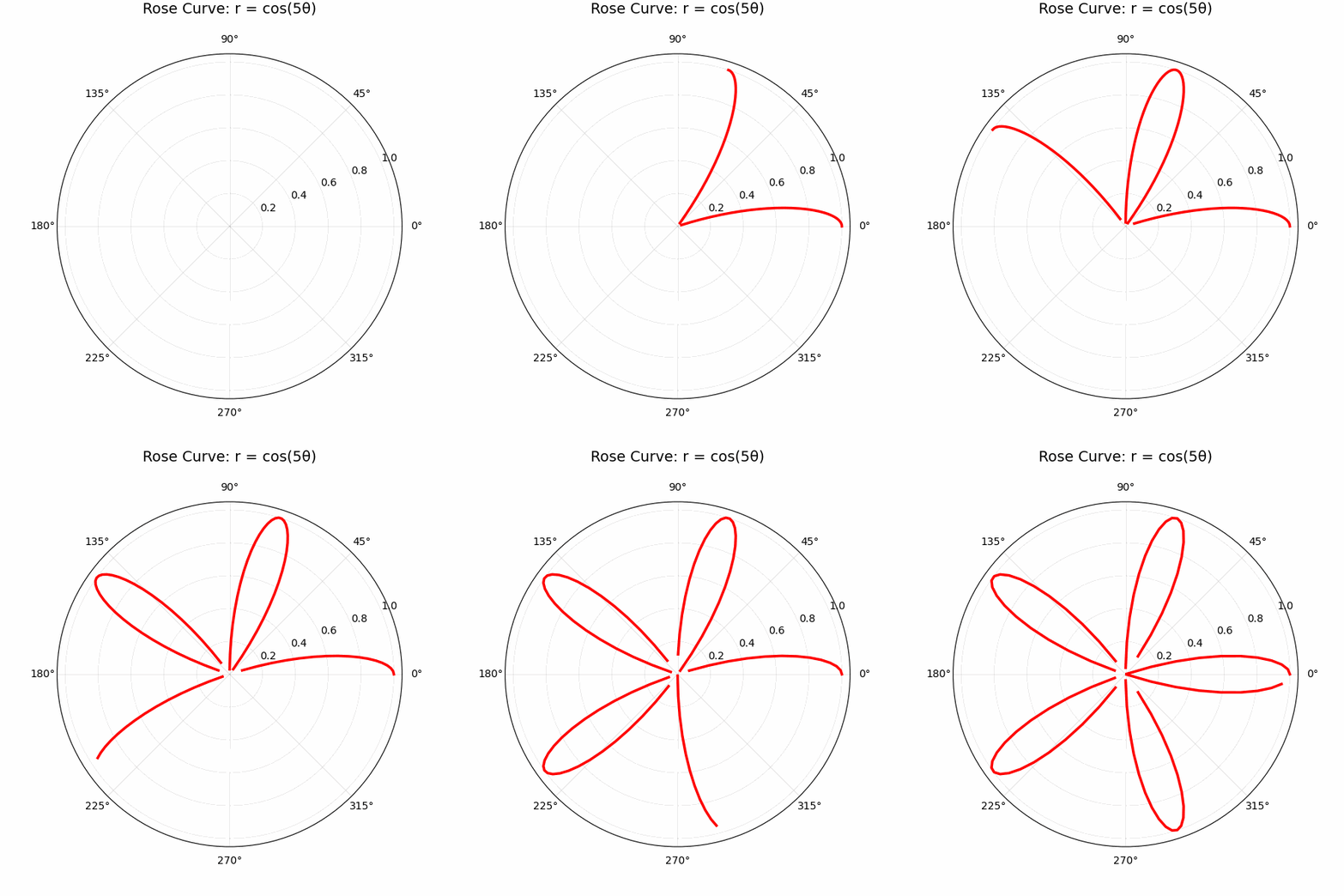
用python绘制玫瑰线的代码如下,采用动态展示方式(可直接运行) 玫瑰线之美,在于它用朴素的三角函数,在极坐标平面中演绎出了无限丰富的对称性。它提醒我们:宇宙的复杂性,往往源于简单规律的重复与叠加。 这也正是数学的核心魅力之一——以有限的公式,捕捉无限之美。下次当你看到一朵玫瑰、一个漩涡或夜空中的星系时,不妨想象:那是否是某个高维“玫瑰线”在我们三维世界的投影呢?
推荐合集
- 发现者:意大利数学家 圭多·格兰迪(Guido Grandi, 1671–1742) 于1723–1728年间系统研究此类曲线。
- 命名故事:格兰迪在著作《Flora geometrica》(几何之花)中,将曲线命名为 "rhodonea",并赋予其宗教象征——花瓣代表圣母玛利亚的玫瑰念珠,体现当时“数学即神学语言”的思想。
- 时代背景:正值微积分诞生初期(牛顿与莱布尼茨之争后),数学家热衷探索新坐标系下的曲线性质,玫瑰线成为极坐标应用的标志性成果。
- 标准方程:r = a cos(kθ) 或 r = a sin(kθ),其中r:极径(到原点距离),θ:极角(从正x轴逆时针旋转),a:缩放因子(花瓣大小),k:花瓣控制参数(决定形态的核心)
import numpy as npimport matplotlib.pyplot as pltfrom matplotlib.animation import FuncAnimation, PillowWriter# ===== 配置参数 =====k = 5 # 花瓣数量控制:整数→2k瓣,半整数→k瓣frames = 100 # 动画帧数theta_max = 2 * np.pi# ===== 创建图形 =====fig, ax = plt.subplots(subplot_kw={'projection': 'polar'}, figsize=(6, 6))ax.set_title(f'Rose Curve: r = cos({k}θ)', fontsize=14, pad=20)ax.grid(alpha=0.3)line, = ax.plot([], [], 'r-', linewidth=2.5) # 红色曲线# ===== 动画更新函数 =====def animate(frame):theta = np.linspace(0, theta_max * frame / frames, 200)r = np.cos(k * theta) # 核心公式line.set_data(theta, r)return line,# ===== 创建动画 =====anim = FuncAnimation(fig, animate, frames=frames, interval=50, blit=True)# ===== 保存为GIF =====writer = PillowWriter(fps=20) # 20帧/秒,流畅度最佳anim.save('rose_curve.gif', writer=writer, dpi=100)print("saved as 'rose_curve.gif'")plt.tight_layout()plt.show()
Python--数据/图像可视化(雷达图,甘特图,热力图)
细数那些经典教材(编程、数据结构与算法)
Python库巡礼(NumPy,Pandas,SciPy)
推荐文章
本文来自网友投稿或网络内容,如有侵犯您的权益请联系我们删除,联系邮箱:596563534@qq.com 。
