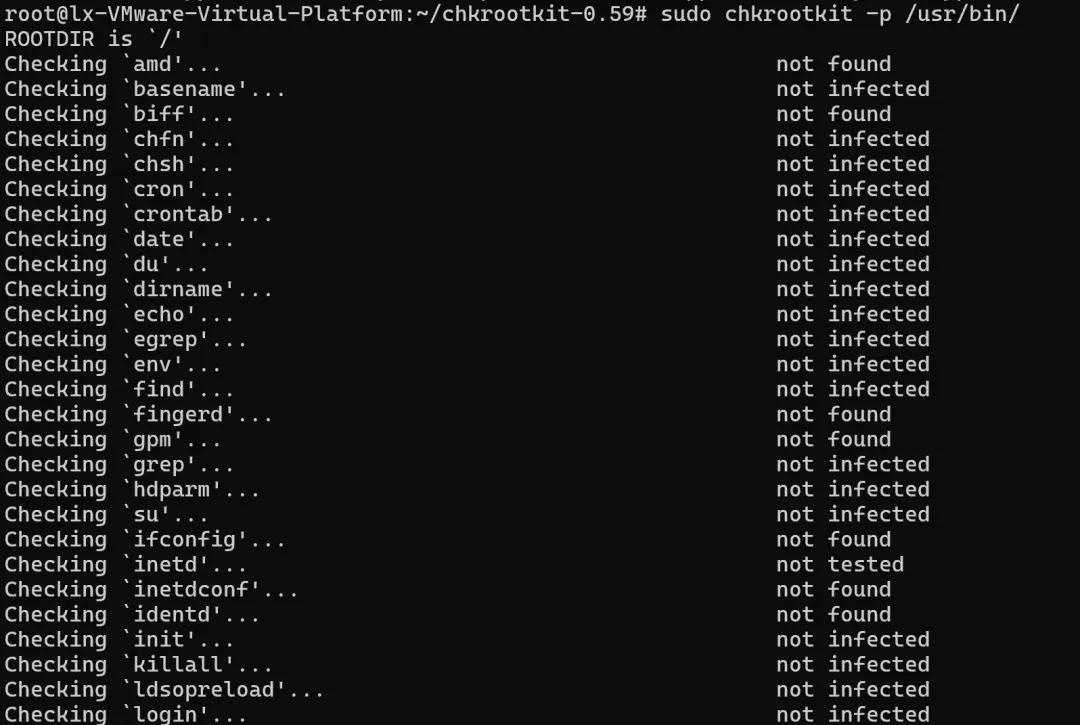
chkrootkit(Check Rootkit)是一个用于检测Linux系统中Rootkit的工具。Rootkit是黑客用来隐藏踪迹、维持后门访问权限的工具集。
Debian/Ubuntu 系统
# 从官方仓库安装sudo apt-get updatesudo apt-get install chkrootkit# 或者从源码安装最新版sudo apt-get install build-essential wgetwget ftp://ftp.chkrootkit.org/pub/seg/pac/chkrootkit.tar.gztar zxvf chkrootkit.tar.gzcd chkrootkit-*sudo make
RHEL/CentOS/Fedora
# CentOS/RHEL 7/8sudo yum install epel-releasesudo yum install chkrootkit# 或者从源码安装sudo yum install gcc make wgetwget ftp://ftp.pangeia.com.br/pub/seg/pac/chkrootkit.tar.gztar zxvf chkrootkit.tar.gzcd chkrootkit-*sudo make
基本使用方法
1. 完整扫描系统
# 最简单的扫描sudo chkrootkit# 详细扫描(显示所有信息)sudo chkrootkit -x# 指定扫描特定目录sudo chkrootkit -d /usr/bin,/usr/sbin# 跳过某些测试sudo chkrootkit -q -l /var/log/chkrootkit.log
2. 输出到日志文件
# 输出到指定日志文件sudo chkrootkit | tee /var/log/chkrootkit_$(date +%Y%m%d).log# 静默模式,只输出警告sudo chkrootkit -q > /var/log/chkrootkit.log
3. 查看帮助信息
chkrootkit --helpUsage: /usr/sbin/chkrootkit [options] [test ...]Options: -h show this help and exit -V show version information and exit -l show available tests and exit -d debug -q quiet mode -x expert mode -e 'FILE1 FILE2' exclude files/dirs from results. Must be followed by a space-separated list of files/dirs. Read /usr/share/doc/chkrootkit/README.FALSE-POSITIVES first. -s REGEXP filter results of sniffer test through 'grep -Ev REGEXP' to exclude expected PACKET_SNIFFERs. Read /usr/share/doc/chkrootkit/README.FALSE-POSITIVES first. -r DIR use DIR as the root directory -p DIR1:DIR2:DIRN path for the external commands used by chkrootkit -n skip NFS mount points -T FSTYPE skip mount points of the specified file system type
详细检测项目
chkrootkit 检查以下类型的Rootkit和可疑活动:
常见Rootkit检测
# 检测的Rootkit类型- `sniffers` # 网络嗅探器- `wted` # wtmp/utmp日志篡改- `z2` # z2移除器- `chkutmp` # 检查utmp/wtmp日志- `OSX_RSPLUG` # Mac OS X Rootkit
网络相关检查
# 网络配置检查- `ifconfig` # 检查混杂模式- `ports` # 检查隐藏端口- `lsof` # 检查隐藏进程