基于 Oracle Linux 10.1 图形化安装 Oracle AI Database 26ai
- 2026-09-07 22:18:43
基于 Oracle Linux 10.1 图形化安装 Oracle AI Database 26ai
文|IT小Chen 编辑|IT小Chen 

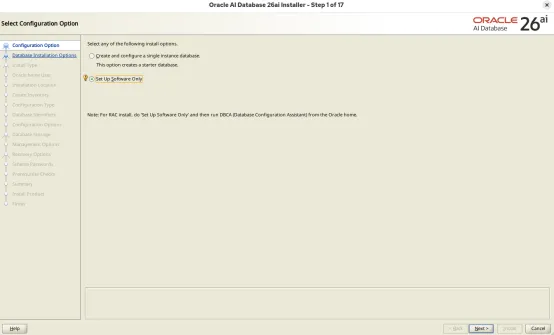
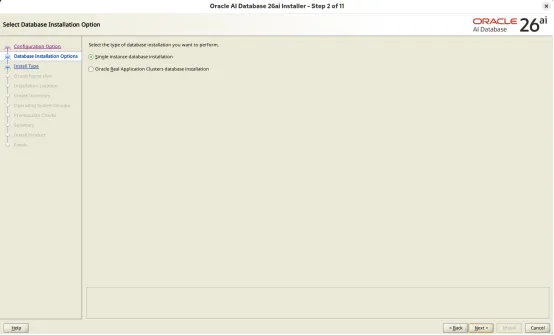
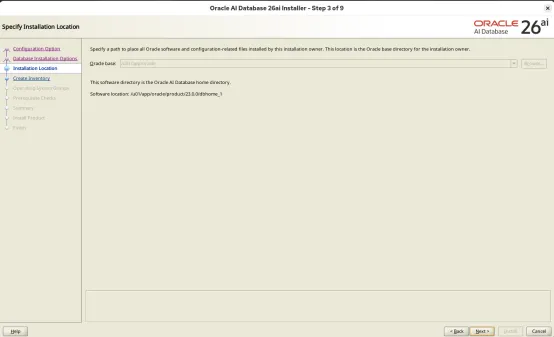
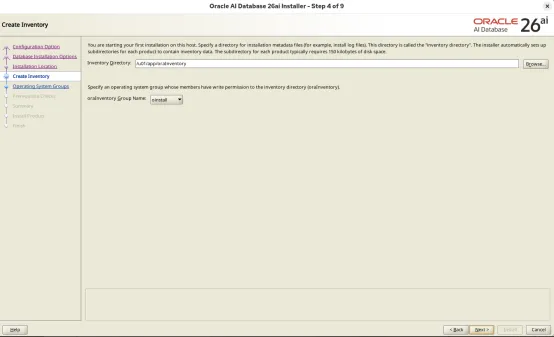
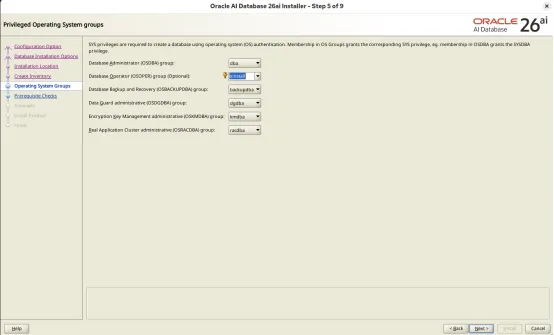
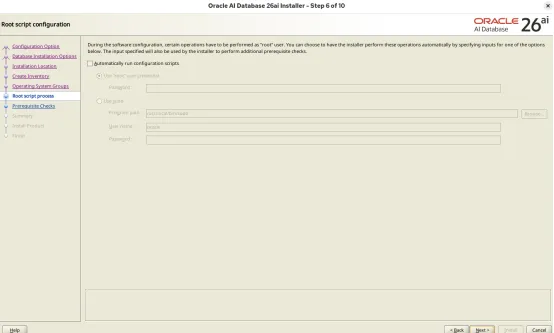
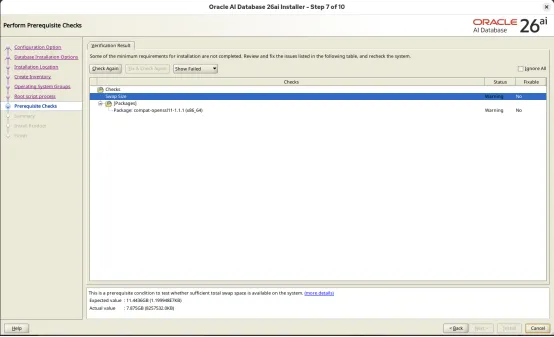
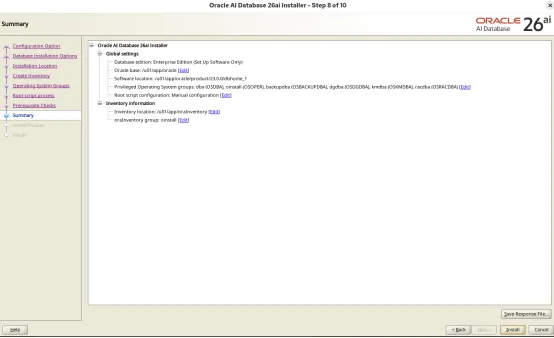
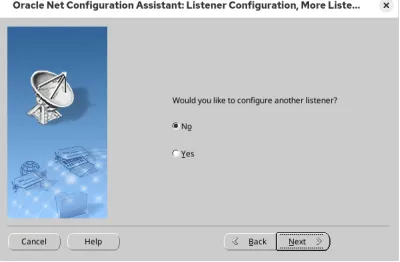
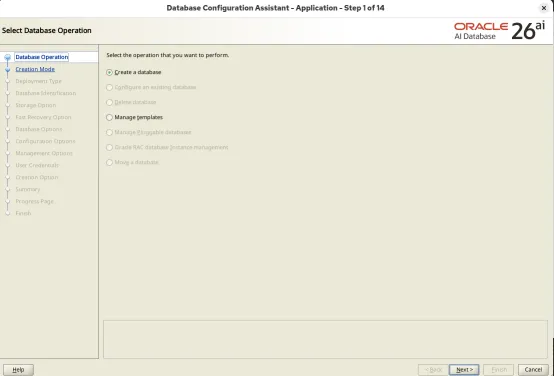
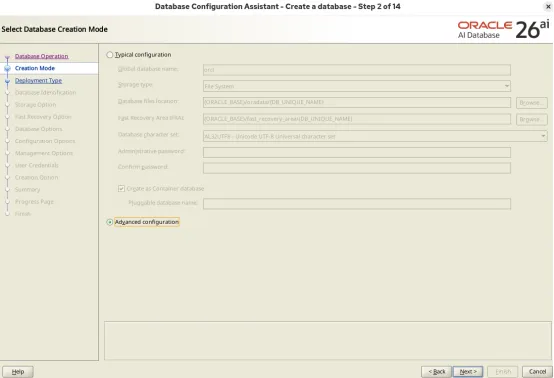
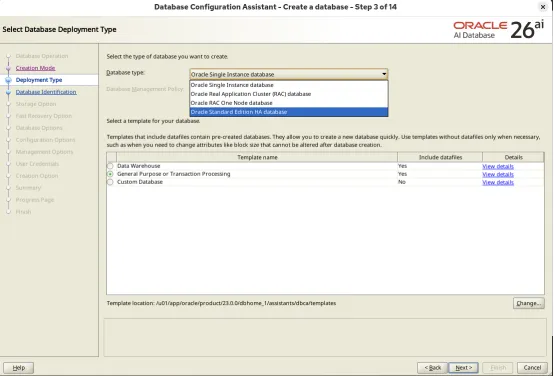
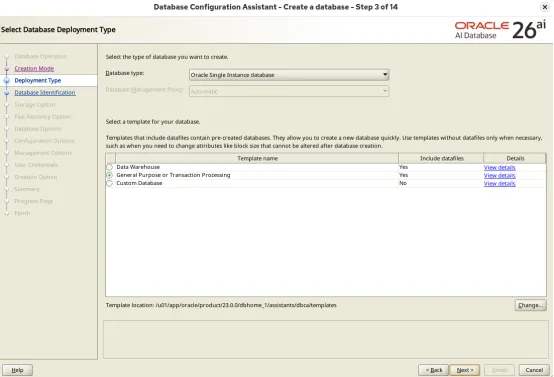
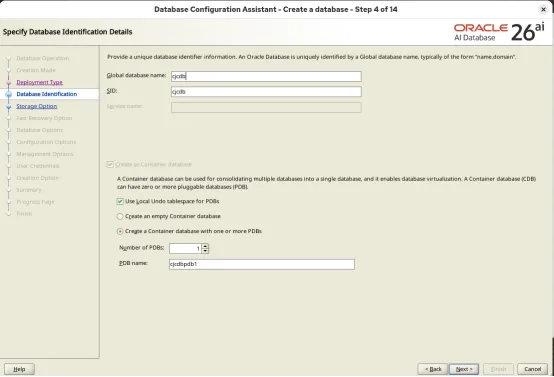
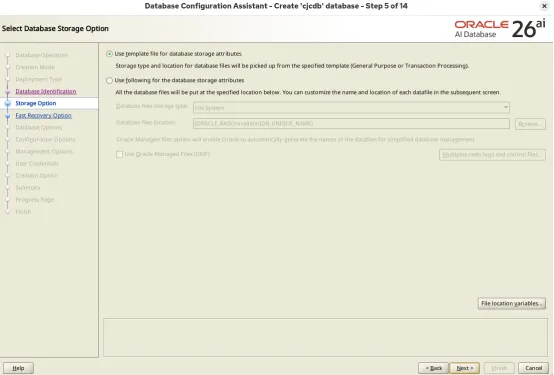
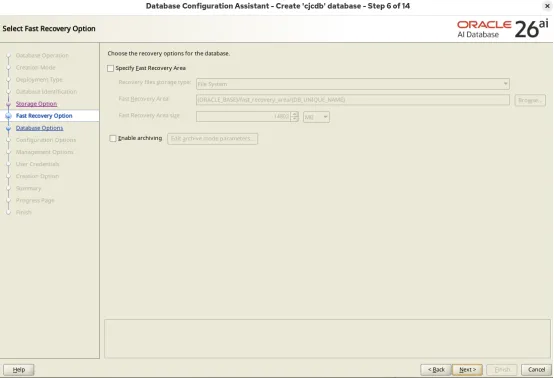
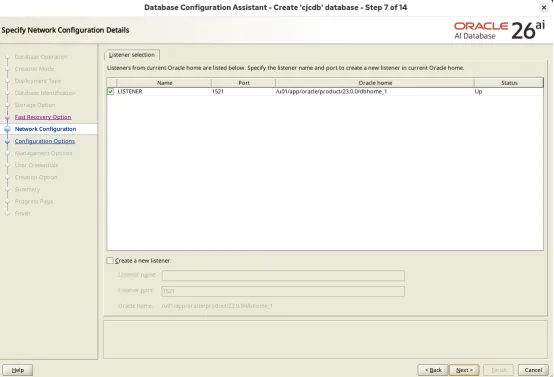
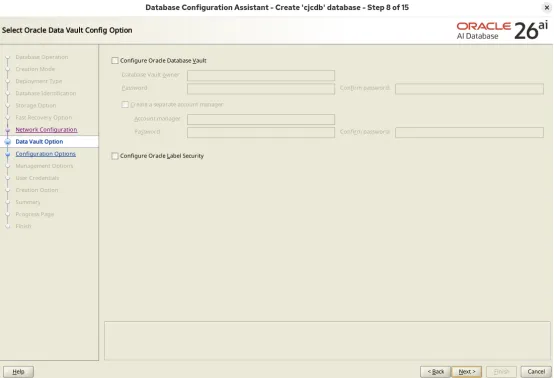
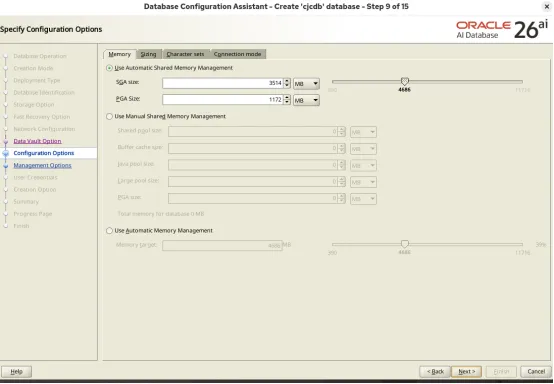
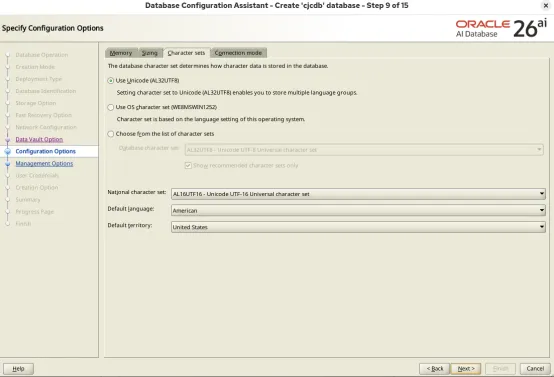
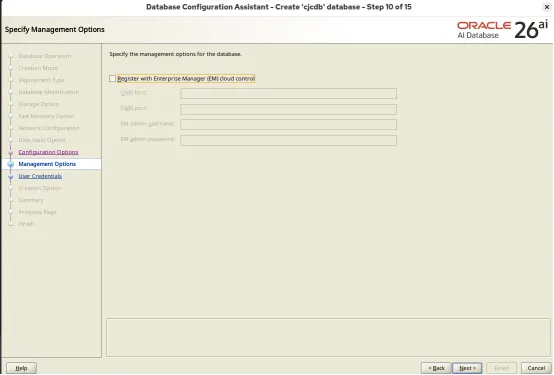
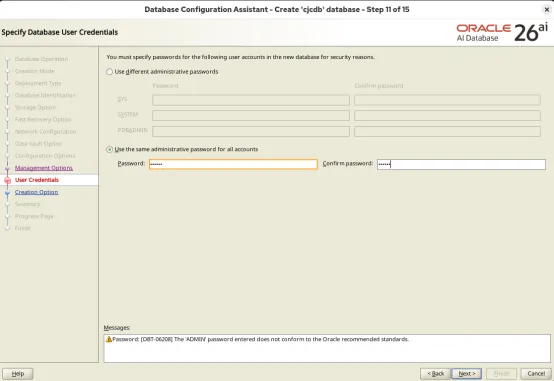
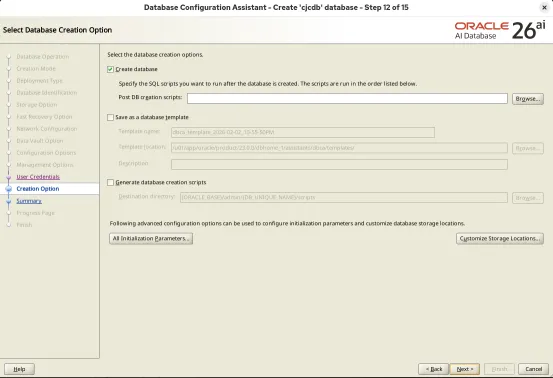



Oracle AI Database 26ai图形化安装(Oracle Linux 10.1) ......
环境说明
01
操作系统版本:
[root@cjc-db-07 ~]# cat /etc/os-releaseNAME="Oracle Linux Server"VERSION="10.1"ID="ol"ID_LIKE="fedora"VARIANT="Server"VARIANT_ID="server"VERSION_ID="10.1"PLATFORM_ID="platform:el10"PRETTY_NAME="Oracle Linux Server 10.1"ANSI_COLOR="0;31"CPE_NAME="cpe:/o:oracle:linux:10:1:server"HOME_URL="https://linux.oracle.com/"BUG_REPORT_URL="https://github.com/oracle/oracle-linux"ORACLE_BUGZILLA_PRODUCT="Oracle Linux 10"ORACLE_BUGZILLA_PRODUCT_VERSION=10.1ORACLE_SUPPORT_PRODUCT="Oracle Linux"ORACLE_SUPPORT_PRODUCT_VERSION=10.1
[root@cjc-db-07 ~]# cat /etc/redhat-releaseRed Hat Enterprise Linux release 10.1 (CentOS Stream)
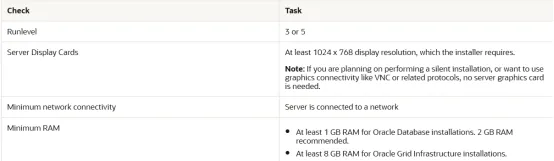
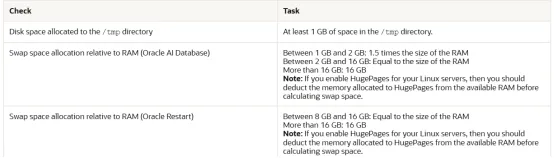
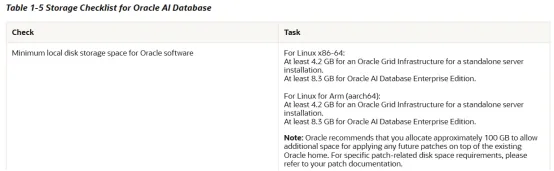
资源需求:
内存、磁盘等需求
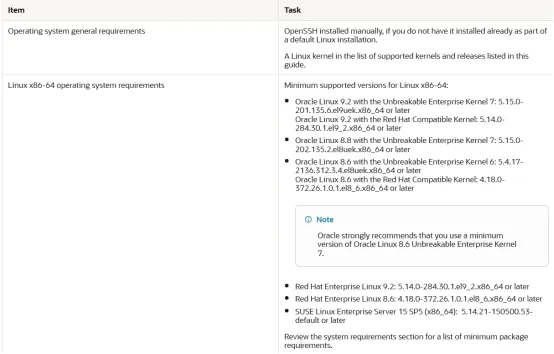
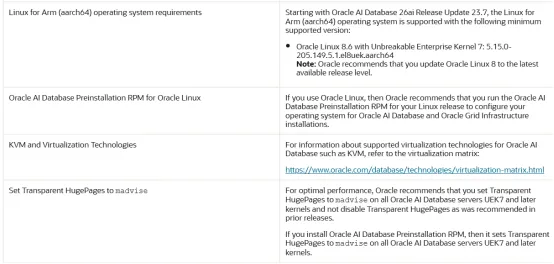
操作系统需求:
安装前配置
02
配置本地yum
挂载操作系统镜像文件
[oracle@cjc-db-07 ~]$ ls -lrth /soft/oracle/OracleLinux-R10-U1-x86_64-dvd.iso-rw-r--r-- 1 root root 9.6G Feb 2 22:25 /soft/oracle/OracleLinux-R10-U1-x86_64-dvd.iso[oracle@cjc-db-07 ~]$ sha256sum /soft/oracle/OracleLinux-R10-U1-x86_64-dvd.iso82fa2b70a18fb268c5ef013e298f85bba0d0e6c7ae882c49a3f67c02ee6d68de /soft/oracle/OracleLinux-R10-U1-x86_64-dvd.isomount -o loop /soft/oracle/OracleLinux-R10-U1-x86_64-dvd.iso /mnt
配置本地yum
[root@cjc-db-07 yum.repos.d]# cat oracle.repo[local]name=cjcbaseurl=file:///mnt/BaseOS/gpgcheck=0enabled=1
安装需要的包
yum -y install bc* binutils* elfutils-libelf* fontconfig* glibc* glibc-devel* glibc-headers* ksh* libaio* libasan* liblsan* libX11* libXau* libXi* libXrender* libXtst* libxcrypt-compat* libgcc* libibverbs* librdmacm* libstdc++* libxcb* libvirt-libs* make* policycoreutils* policycoreutils-python-utils* smartmontools* sysstat* 配置sysctl.conf
vi /etc/sysctl.confnet.ipv4.ip_forward = 0net.ipv4.conf.default.rp_filter = 1net.ipv4.conf.default.accept_source_route = 0kernel.sysrq = 0 kernel.core_uses_pid = 1net.ipv4.tcp_syncookies = 1kernel.msgmnb = 65536kernel.msgmax = 65536kernel.shmmni = 4096kernel.sem = 250 32000 100 128kernel.shmmax = 4398046511104kernel.shmall = 1073741824fs.file-max = 6815744net.ipv4.ip_local_port_range = 9000 65500net.core.rmem_default = 262144net.core.wmem_default = 262144net.core.rmem_max = 4194304net.core.wmem_max = 1048576fs.aio-max-nr = 1048576
刷新
sysctl -p配置limits.conf
vi /etc/security/limits.conforacle soft nproc 131072oracle hard nproc 131072oracle soft nofile 131072oracle hard nofile 65536oracle hard nofile 131072oracle soft nofile 131072
创建操作系统用户、组
/usr/sbin/groupadd -g 5000 dba/usr/sbin/groupadd -g 5001 oinstall/usr/sbin/groupadd -g 5002 oper/usr/sbin/groupadd -g 5003 asmadmin/usr/sbin/groupadd -g 5004 asmoper/usr/sbin/groupadd -g 5005 asmdba/usr/sbin/groupadd -g 5006 backupdba/usr/sbin/groupadd -g 5007 dgdba/usr/sbin/groupadd -g 5008 kmdba/usr/sbin/groupadd -g 5009 racdba/usr/sbin/useradd -g oinstall -G dba,asmdba,backupdba,dgdba,kmdba,racdba,oper oracle
新建目录
mkdir -p /u01/app/oraclemkdir -p /u01/app/oraInventorychown -R oracle:oinstall /u01/app/oraclechown -R oracle:oinstall /u01/app/oraInventorymkdir -p /u01/app/oracle/product/23.0.0/dbhome_1chmod -R 775 /u01/app
用户环境变量
[oracle@cjc-db-07 ~]$ cat .bash_profileexport ORACLE_BASE=/u01/app/oracleexport ORACLE_HOME=$ORACLE_BASE/product/23.0.0/dbhome_1export ORACLE_SID=cjcdbexport PATH=$ORACLE_HOME/bin:$PATHexport LD_LIBRARY_PATH=$ORACLE_HOME/lib:$LD_LIBRARY_PATH
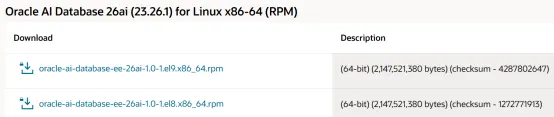
下载并解压安装介质
本次下载的是LINUX.X64_2326100_db_home.zip
解压:
mv LINUX.X64_2326100_db_home.zip /u01/app/oracle/product/23.0.0/dbhome_1/cd $ORACLE_HOMEunzip LINUX.X64_2326100_db_home.zip
安装Oracle软件
03
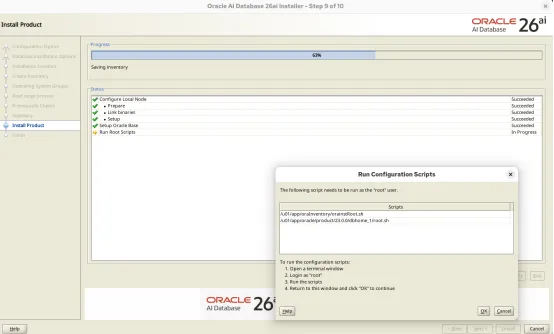
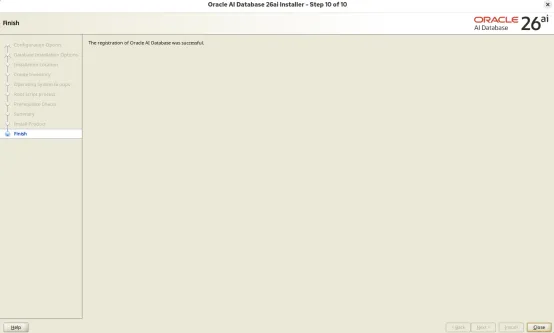
执行脚本:
[root@cjc-db-07 yum.repos.d]# /u01/app/oraInventory/orainstRoot.sh[root@cjc-db-07 yum.repos.d]# /u01/app/oracle/product/23.0.0/dbhome_1/root.sh
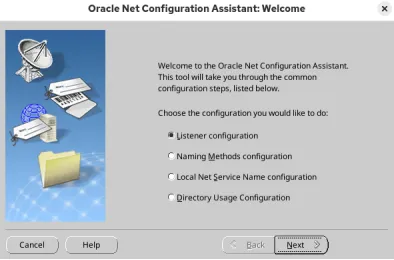
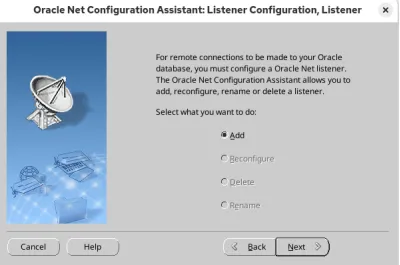
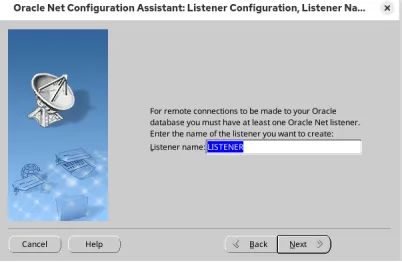
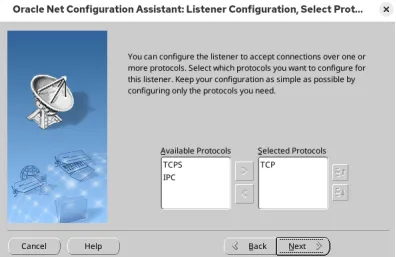
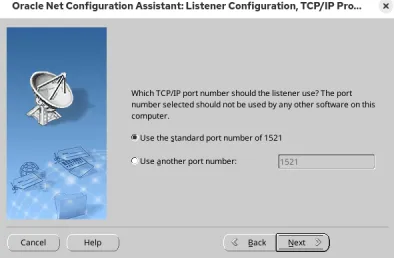
新建监听
04
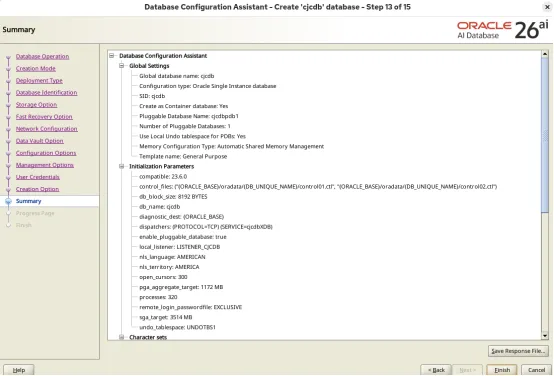
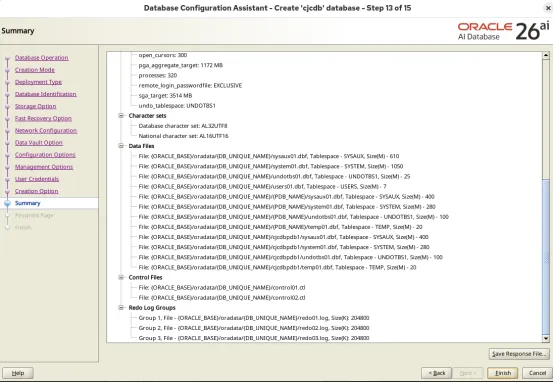
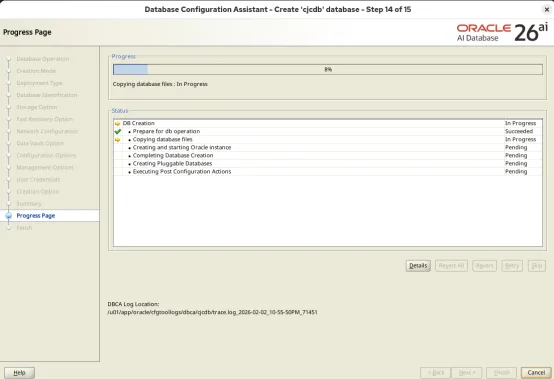
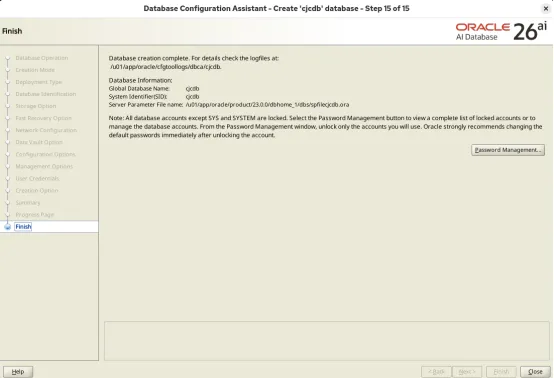
netca创建Oracle实例
06
dbca安装后检查
07
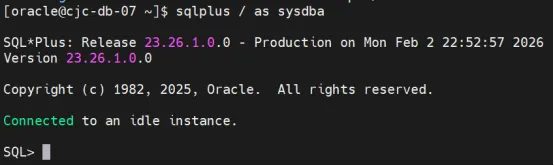
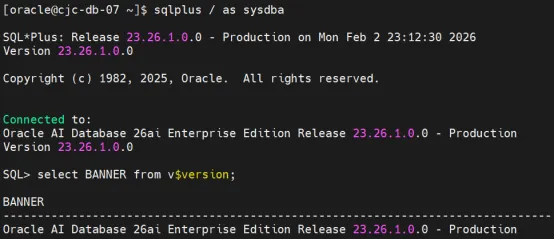
查询版本
[oracle@cjc-db-07 ~]$ sqlplus / as sysdbaSQL*Plus: Release 23.26.1.0.0 - Production on Mon Feb 2 23:12:30 2026Version 23.26.1.0.0Copyright (c) 1982, 2025, Oracle. All rights reserved.Connected to:Oracle AI Database 26ai Enterprise Edition Release 23.26.1.0.0 - ProductionVersion 23.26.1.0.0SQL> select BANNER from v$version;BANNER--------------------------------------------------------------------------------Oracle AI Database 26ai Enterprise Edition Release 23.26.1.0.0 - ProductionSQL>
参考
08
https://www.oracle.com/database/technologies/oracle26ai-linux-downloads.htmlhttps://docs.oracle.com/en/database/oracle/oracle-database/26/ladbi/server-hardware-checklist-for-oracle-database-installation.htmlhttps://docs.oracle.com/en/database/oracle/oracle-database/26/ladbi/operating-system-checklist-for-oracle-database-installation-on-linux.htmlhttps://docs.oracle.com/en/database/oracle/oracle-database/26/ladbi/server-configuration-checklist-for-oracle-database-installation.htmlhttps://docs.oracle.com/en/database/oracle/oracle-database/26/ladbi/storage-checklist-for-oracle-database-installation.html
欢迎关注我的公众号
《IT小Chen》
欢迎关注我的公众号【JiekeXu DBA之路】,一起学习新知识!
——————————————————————————
公众号:JiekeXu DBA之路
墨天轮:https://www.modb.pro/u/4347
CSDN :https://blog.csdn.net/JiekeXu
ITPUB:https://blog.itpub.net/69968215
IFCLUB:https://ifclub.com.cn/user?type=1
腾讯云:https://cloud.tencent.com/developer/user/5645107 ——————————————————————————
第三批国测公布:国产数据库新势力的破局与价值
2024 年公众号 JiekeXu DBA之路历史文章合集
2023 年公众号 JiekeXu DBA之路历史文章合集
2022 年公众号 JiekeXu DBA之路历史文章合集
2021 年公众号历史文章合集


本文来自网友投稿或网络内容,如有侵犯您的权益请联系我们删除,联系邮箱:596563534@qq.com 。
随机文章
-
 10个月宝宝每天需要喝多少奶粉?
- Python基础知识点-变量
- Python3.7 @dataclass
- Python pickle模块详细介绍
- Python开发者的9个"神器"库深度测评
- 2026年Python Web框架大比拼:FastAPI vs Reflex vs Django
- [程序员] Linux kernel行为改变,crashkernel相关
- PyOxidizer:Rust打造的Python 应用打包与分发的利器,可将 Python 解释器添加到Rust 项目中
- psutil:一个跨平台的 Python 库,从进程、CPU、内存、硬盘、网络,到风扇温度、电池续航,都能用统一的 API 拿到
- H2O Wave,给 Python 装上了“实时推送”外挂,让你几行代码就能做 Web App
- Python入门:13 异常处理