(如果直接用root登录的,以下命令就不用加sudo)
我实际上用的系统是WSL,发行版是Ubuntu 20.04.3 LTS。
当运行make setup时,出现以下信息:
Command 'make' not found, but can be installed with:sudo apt install make # version 4.2.1-1.2, orsudo apt install make-guile # version 4.2.1-1.2
如果网络正常就可以直接执行sudo apt install make命令;但显然我网络不行,报错信息如下:
Reading package lists... DoneBuilding dependency treeReading state information... DoneSuggested packages: make-docThe following NEW packages will be installed: make0 upgraded, 1 newly installed, 0 to remove and 0 not upgraded.Need to get 162 kB of archives.After this operation, 393 kB of additional disk space will be used.Err:1 http://archive.ubuntu.com/ubuntu focal/main amd64 make amd64 4.2.1-1.2 Cannot initiate the connection to archive.ubuntu.com:80 (2620:2d:4002:1::101). - connect (101: Network is unreachable) Cannot initiate the connection to archive.ubuntu.com:80 (2a06:bc80:0:1000::17). - connect (101: Network is unreachable) Cannot initiate the connection to archive.ubuntu.com:80 (2620:2d:4002:1::103). - connect (101: Network is unreachable) Cannot initiate the connection to archive.ubuntu.com:80 (2620:2d:4000:1::102). - connect (101: Network is unreachable) Cannot initiate the connection to archive.ubuntu.com:80 (2a06:bc80:0:1000::16). - connect (101: Network is unreachable) Cannot initiate the connection to archive.ubuntu.com:80 (2620:2d:4000:1::103). - connect (101: Network is unreachable) Cannot initiate the connection to archive.ubuntu.com:80 (2620:2d:4002:1::102). - connect (101: Network is unreachable) Cannot initiate the connection to archive.ubuntu.com:80 (2a06:bc80:0:1000::18). - connect (101: Network is unreachable) Cannot initiate the connection to archive.ubuntu.com:80 (2620:2d:4000:1::101). - connect (101: Network is unreachable) Could not connect to archive.ubuntu.com:80 (185.125.190.81), connection timed out Could not connect to archive.ubuntu.com:80 (185.125.190.82), connection timed out Could not connect to archive.ubuntu.com:80 (91.189.91.83), connection timed out Could not connect to archive.ubuntu.com:80 (91.189.91.82), connection timed out Could not connect to archive.ubuntu.com:80 (91.189.91.81), connection timed out Could not connect to archive.ubuntu.com:80 (91.189.92.22), connection timed out Could not connect to archive.ubuntu.com:80 (91.189.92.24), connection timed out Could not connect to archive.ubuntu.com:80 (185.125.190.83), connection timed outE: Failed to fetch http://archive.ubuntu.com/ubuntu/pool/main/m/make-dfsg/make_4.2.1-1.2_amd64.deb Cannot initiate the connection to archive.ubuntu.com:80 (2620:2d:4002:1::101). - connect (101: Network is unreachable) Cannot initiate the connection to archive.ubuntu.com:80 (2a06:bc80:0:1000::17). - connect (101: Network is unreachable) Cannot initiate the connection to archive.ubuntu.com:80 (2620:2d:4002:1::103). - connect (101: Network is unreachable) Cannot initiate the connection to archive.ubuntu.com:80 (2620:2d:4000:1::102). - connect (101: Network is unreachable) Cannot initiate the connection to archive.ubuntu.com:80 (2a06:bc80:0:1000::16). - connect (101: Network is unreachable) Cannot initiate the connection to archive.ubuntu.com:80 (2620:2d:4000:1::103). - connect (101: Network is unreachable) Cannot initiate the connection to archive.ubuntu.com:80 (2620:2d:4002:1::102). - connect (101: Network is unreachable) Cannot initiate the connection to archive.ubuntu.com:80 (2a06:bc80:0:1000::18). - connect (101: Network is unreachable) Cannot initiate the connection to archive.ubuntu.com:80 (2620:2d:4000:1::101). - connect (101: Network is unreachable) Could not connect to archive.ubuntu.com:80 (185.125.190.81), connection timed out Could not connect to archive.ubuntu.com:80 (185.125.190.82), connection timed out Could not connect to archive.ubuntu.com:80 (91.189.91.83), connection timed out Could not connect to archive.ubuntu.com:80 (91.189.91.82), connection timed out Could not connect to archive.ubuntu.com:80 (91.189.91.81), connection timed out Could not connect to archive.ubuntu.com:80 (91.189.92.22), connection timed out Could not connect to archive.ubuntu.com:80 (91.189.92.24), connection timed out Could not connect to archive.ubuntu.com:80 (185.125.190.83), connection timed outE: Unable to fetch some archives, maybe run apt-get update or try with --fix-missing?
有一种解决思路是在apt的配置环境里增加镜像源。但是我不知道为啥配了也没用,所以我就直接去离线下载安装了。
乌班图软件包网址:Ubuntu – Ubuntu Packages Search[1]
如果你的Ubuntu系统版本比较高,就在这些发布版中,可以直接用首页的搜索找你需要的包(其实我的版本不能,所以后面会有介绍如何找历史releases的内容):
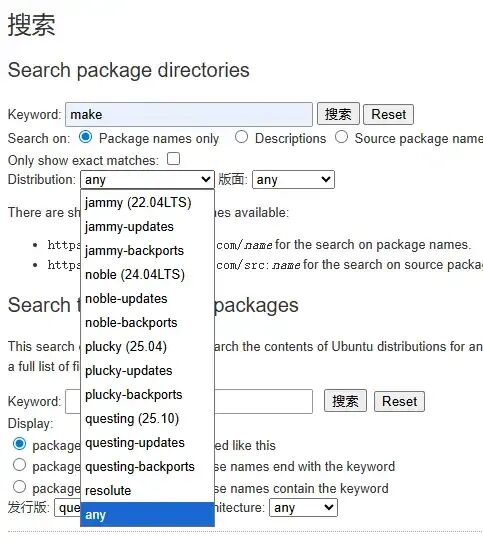 Ubuntu Packages首页搜索
这个发布版代号跟实际的Ubuntu版本号(可以通过lsb_release -a命令拿到)的对应关系可以见Ubuntu releases网址:Ubuntu Releases[2]
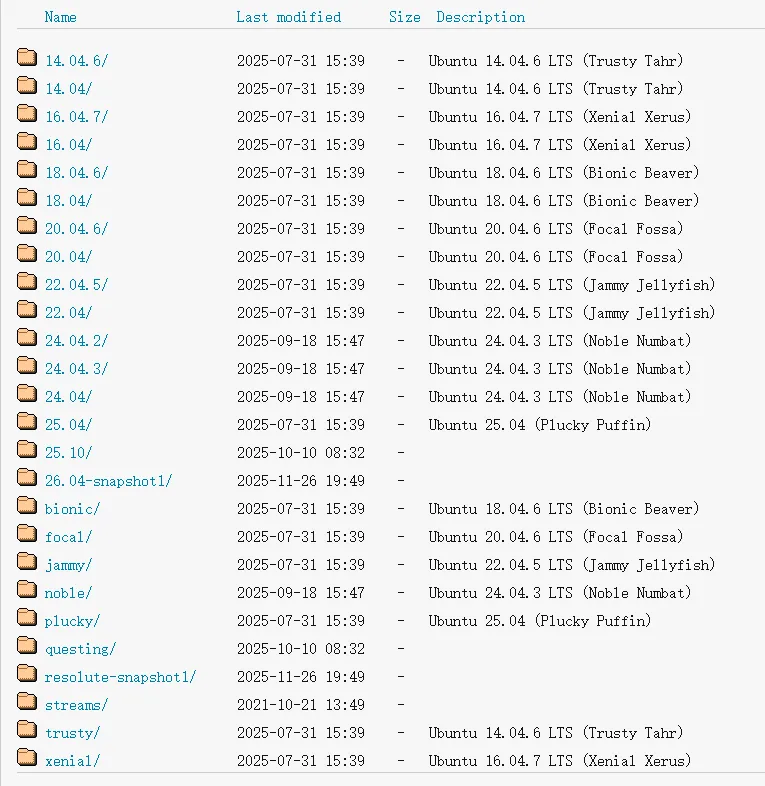 Ubuntu releases版本号
以 jammy (22.04LTS) 为例:
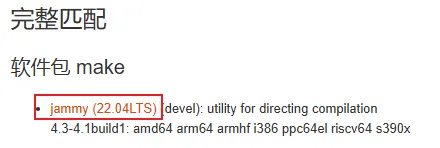 完整匹配make
在这里需要先安装依赖的libc6包(如果不知道有没有安装也可以先安装make,后文会介绍如何根据提醒安装所需的包的),然后根据硬件架构选择对应的软件包。
一般个人电脑不是amd64就是arm64,这个如何看呢,就运行hostnamectl命令,如果architecture是x86-64,就是amd64(WSL一般都是);如果是aarch64或arm64,就是arm64:
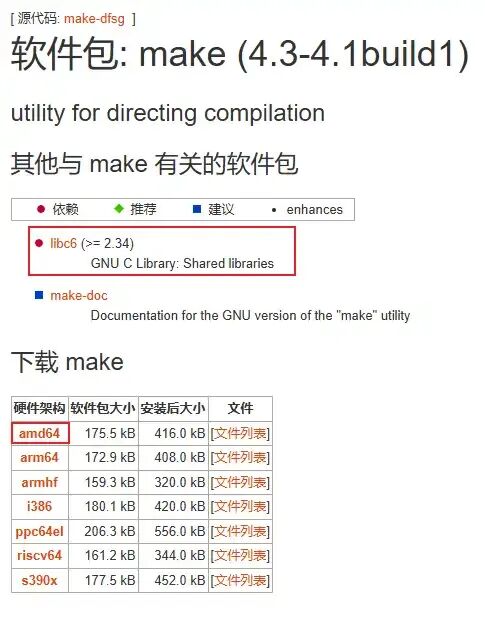 make
make然后从这一堆链接里下你能下的(我一般用亚洲第一个,就是kr那个):
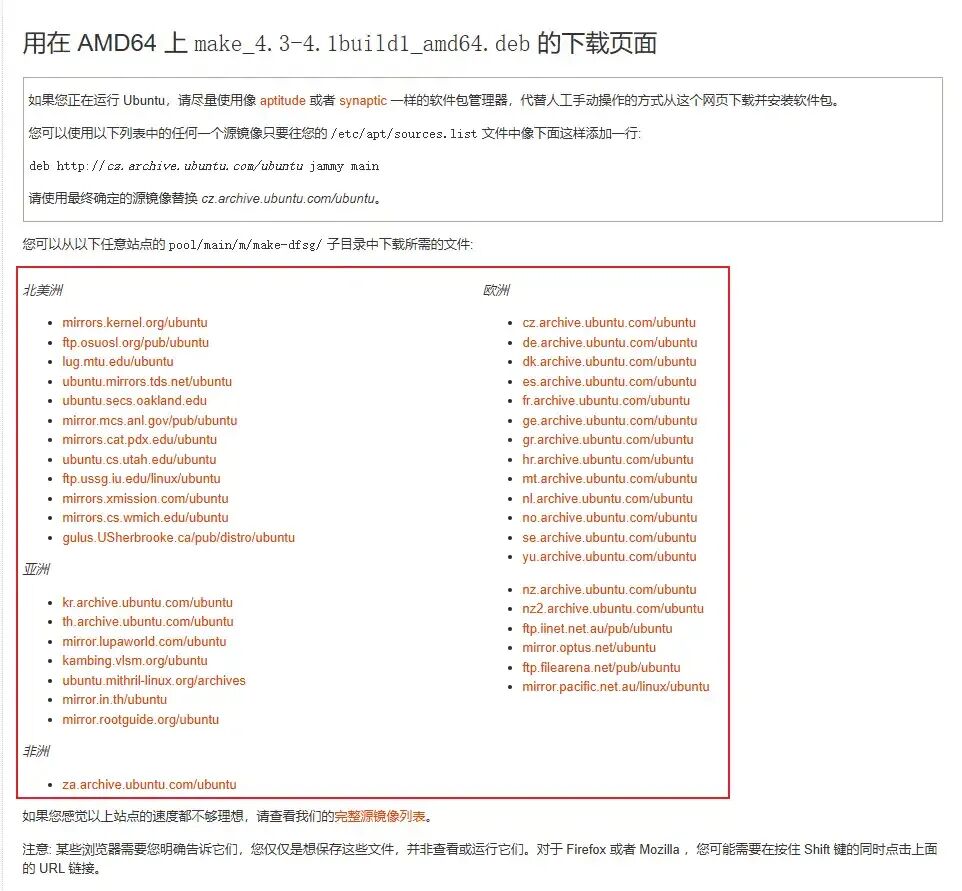 make amd64
(另外在这里页面还推荐修改apt镜像源,如果想那么干的话照着改就得了。需要注意这个文件需要用管理员权限编辑,所以记得加sudo。但是反正我实测无效,不知道为什么……)
把这个deb文件下载下来以后,在WSL中执行命令:
sudo dpkg -i /path/make_4.4.1-2_amd64.deb
最后那个换成你下载的deb文件的路径
如果版本依赖有问题,会报错:
Selecting previously unselected package make.(Reading database ... 32223 files and directories currently installed.)Preparing to unpack .../path/make_4.4.1-2_amd64.deb ...Unpacking make (4.4.1-2) ...dpkg: dependency problems prevent configuration of make: make depends on libc6 (>= 2.38); however: Version of libc6:amd64 on system is 2.31-0ubuntu9.2.dpkg: error processing package make (--install): dependency problems - leaving unconfiguredProcessing triggers for man-db (2.9.1-1) ...Errors were encountered while processing: make
我们再来查看需要下载老版本的情况。实际上我们查看一开始的报错信息就能看到其实已经给我们指定了应该下的版本(也就是4.2.1-1.2)。在前面的下载页面中我们也很容易找到这句话:您可以从以下任意站点的 pool/main/m/make-dfsg/ 子目录中下载所需的文件
在历史releases:https://old-releases.ubuntu.com/ 中,打开ubuntu子文件夹(根据下载页面直接猜类似的布局也能看出来):https://old-releases.ubuntu.com/ubuntu/
从这里就进入下载页面里的子目录https://old-releases.ubuntu.com/ubuntu/pool/main/m/make-dfsg/ 中,很快就能找到所需deb文件:
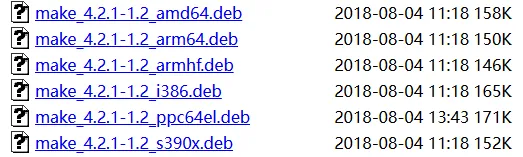 make 4.2.1-1.2 deb
判断硬件架构和离线安装deb文件的方式跟之前一样,不再赘述。
安装成功的打印内容:
[sudo] password for user_name:dpkg: warning: downgrading make from 4.4.1-2 to 4.2.1-1.2(Reading database ... 32241 files and directories currently installed.)Preparing to unpack .../path/make_4.2.1-1.2_amd64.deb ...Unpacking make (4.2.1-1.2) over (4.4.1-2) ...Setting up make (4.2.1-1.2) ...Processing triggers for man-db (2.9.1-1) ...
参考资料:Ubuntu 离线安装软件包 | 人人都懂物联网[3]
引用链接
[1] Ubuntu – Ubuntu Packages Search: https://packages.ubuntu.com/[2] Ubuntu Releases: https://releases.ubuntu.com/[3] Ubuntu 离线安装软件包 | 人人都懂物联网: https://getiot.tech/ubuntu/ubuntu-install-packages-offline/