用国产可视化Python编程工具PyMe:拖拖拽拽,做股票十大股东查询程序
- 2026-09-12 23:44:58
用国产可视化Python编程工具PyMe:拖拖拽拽,做股票十大股东查询程序
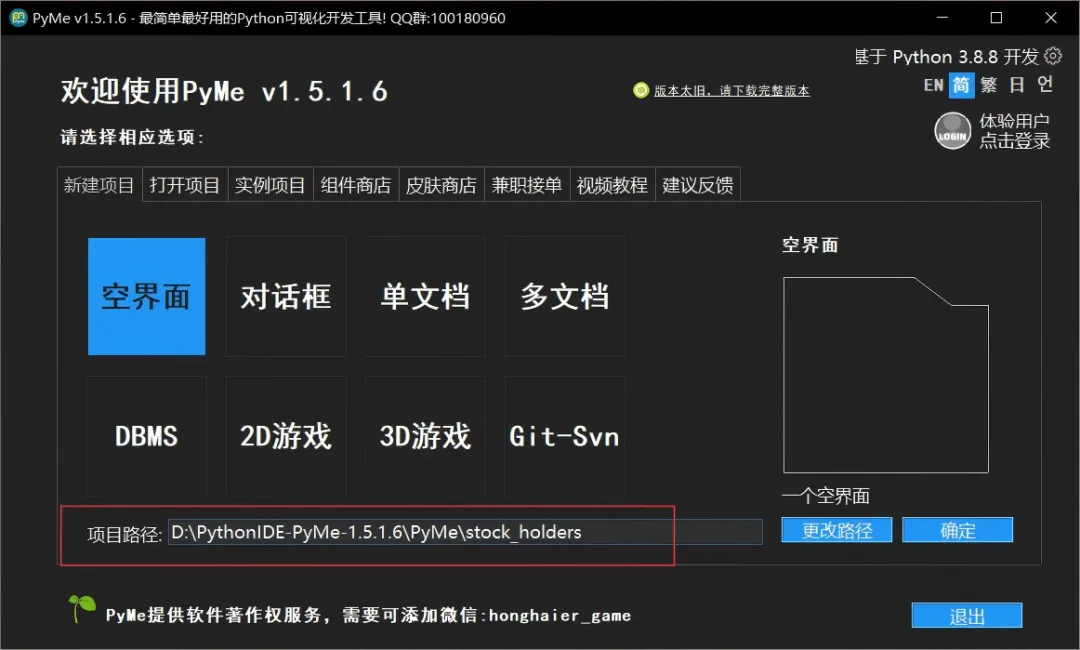
前文给大家分享了初次使用国产可视化Python编程工具PyMe的体验(国产可视化Python工具 PyMe 初体验:拖拖拽拽做桌面应用),今天继续分享 PyMe 输入框和列表框的使用,做一个股票十大股东查询桌面小程序,操作也非常简单。
依赖
Python 3.12.7 akshare 库,本案例使用版本为:1.18.27
创建 PyMe项目
我们创建一个名为:stock_holders 的项目
创建界面
在 PyMe 中创建以下控件
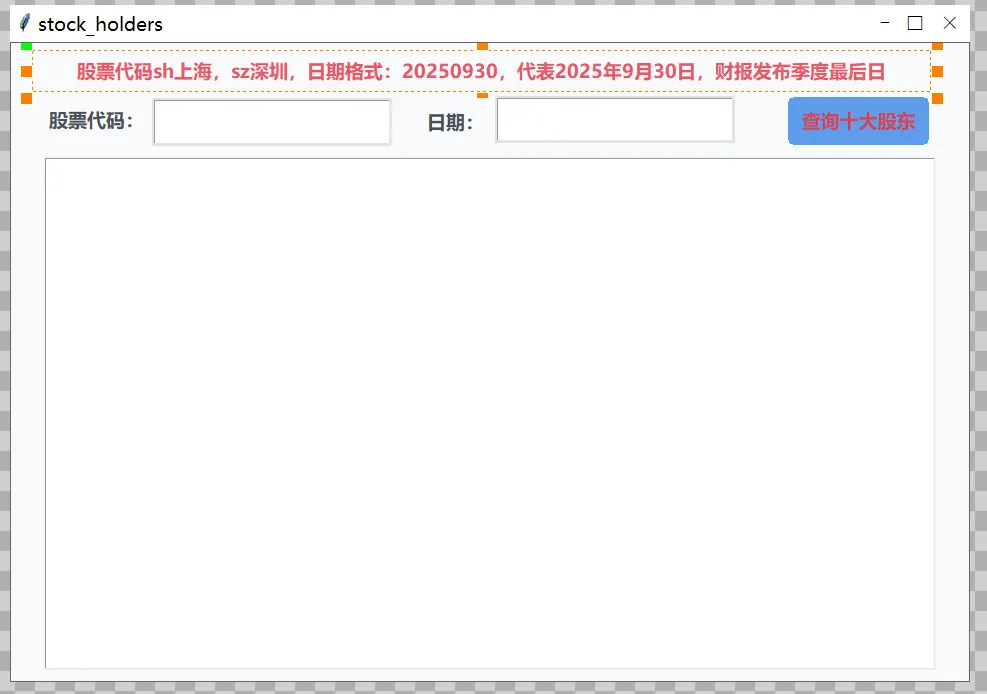
两个输入框:股票代码(必填)+ 日期(可选) 一个按钮:一键查询 一个列表框:显示格式化结果 一个标签作为状态显示:显示当前状态 两个标签作为提示:股票代码,日期
拖拽控件到设计区,然后在属性窗口设置参数即可
控件说明:
| 标签 | label_code | ||
| 输入框 | input_code | ||
| 标签 | label_date | ||
| 输入框 | input_date | ||
| 按钮 | button_query | ||
| 列表框 | listbox_holders | ||
| 标签 | label_status |
界面效果大致如下:
事件绑定(编写代码)
本案例主要绑定两个事件
button_query | button_query_onCommand | |
Form_1 | Form_1_onLoad |
导入库
import akshare as akForm_1_onLoad
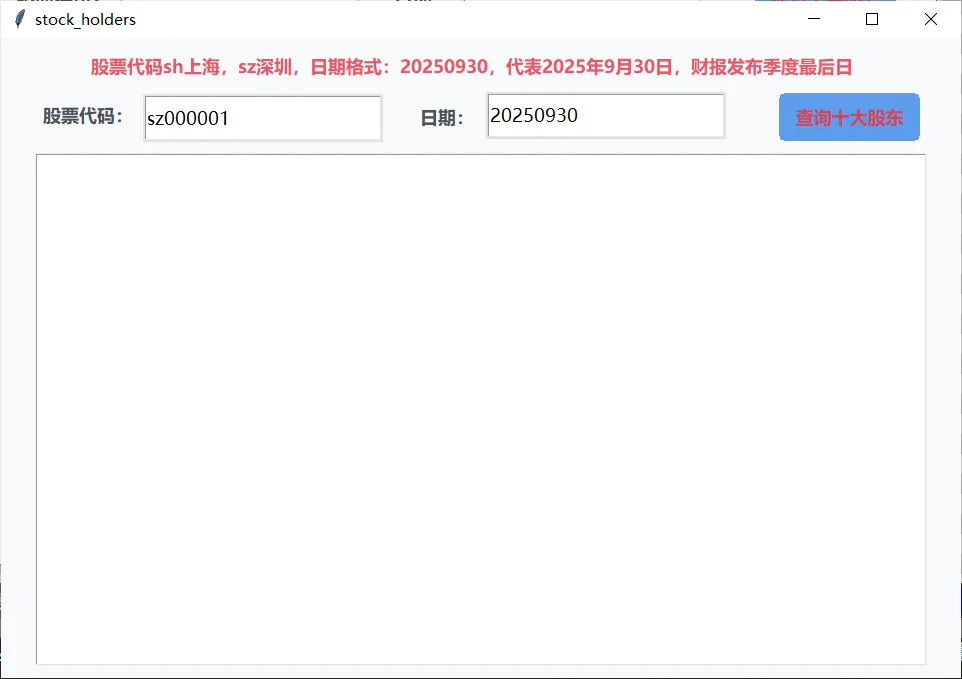
# Form 'Form_1's Load Event :defForm_1_onLoad(uiName, threadings=0): Fun.SetText(uiName,"input_code","sz000001") Fun.SetText(uiName,"input_date","20250930")passbutton_query_onCommand (简版查询)
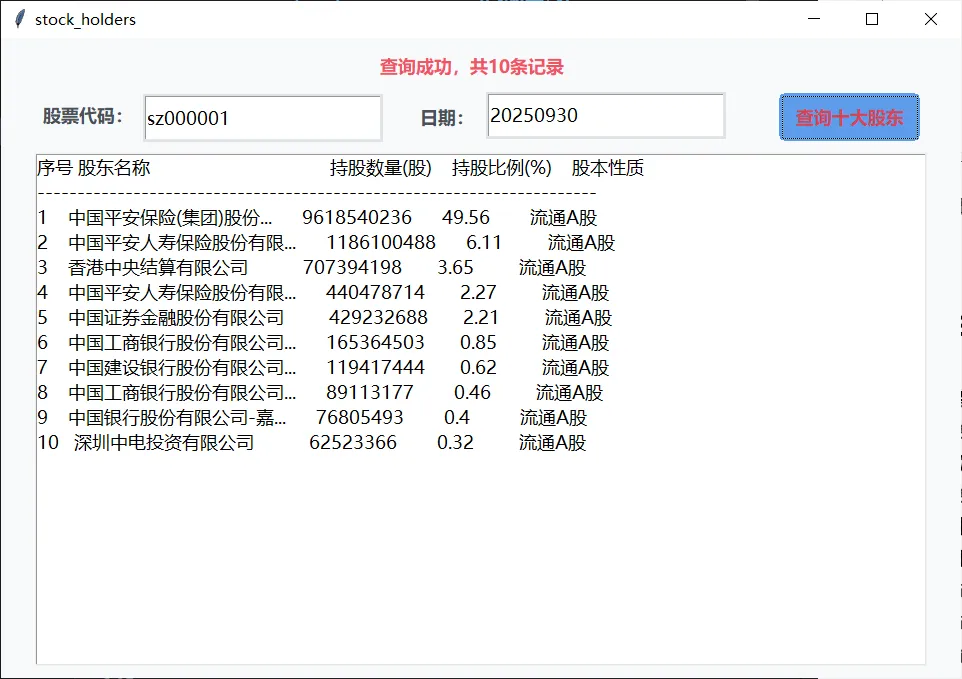
# Button 'button_query' 's Command Event :defbutton_query_onCommand(uiName, widgetName, threadings=0):# 1. 获取用户输入的股票代码和日期 code = Fun.GetText(uiName,"input_code").strip() date = Fun.GetText(uiName,"input_date").strip()ifnot code ornot date: Fun.SetText(uiName,"label_status","请输入股票代码和日期")return# 2. 更新状态 status_text = f"正在查询 {code} "if date: status_text += f" {date}" Fun.SetText(uiName,"label_status",status_text + "...")# 3. 执行查询try:# 调用 akshare 获取十大股东数据 df = ak.stock_gdfx_top_10_em(symbol=code, date=date)# 检查数据if df isNoneor df.empty: Fun.SetText(uiName,"label_status",f"未找到 {code} 的股东数据")return# 清空列表框 Fun.Clear(uiName,"listbox_holders")# 添加表头 Fun.AddLineText( uiName,"listbox_holders","序号 股东名称 持股数量(股) 持股比例(%) 股本性质", ) Fun.AddLineText(uiName,"listbox_holders","-" * 70)# 遍历数据并显示for index, row in df.iterrows():# 获取数据 rank = str(row.get("序号", index + 1)) name = str(row.get("股东名称", "")).strip() shares = str(row.get("持股数", "")) ratio = str(row.get("占总股本持股比例", "")) holder_type = str(row.get("股份类型", "")).strip()# 简单格式化if len(name) > 15: name = name[:12] + "..."if len(holder_type) > 8: holder_type = holder_type[:6] + "..."# 组合成一行 line = f"{rank:<4}{name:<20}{shares:<15}{ratio:<12}{holder_type}" Fun.AddLineText(uiName,"listbox_holders",line)# 更新状态 Fun.SetText(uiName,"label_status",f"查询成功,共{len(df)}条记录")except Exception as e: Fun.SetText(uiName,"label_status","查询失败") print(f"查询失败: {e}")运行代码
点击 PyMe 运行按钮,运行代码,查看效果。
输入股票代码,和季报日期,点击查询按钮
说明
股票代码格式:
沪市: sh600000深市: sz000858科创板: sh688686查询指定日期:同时输入股票代码和日期
例如:股票代码 sh688686,日期20240630
为了演示 PyMe 的组件使用,代码特意做了简化,后续可以丰富功能,今天就聊到这儿,后续有时间再分享。
作者简介:码上工坊,探索用编程为己赋能,定期分享编程知识和项目实战经验。持续学习、适应变化、记录点滴、复盘反思、成长进步。
重要提示:本文主要是记录自己的学习与实践过程,所提内容或者观点仅代表个人意见,只是我以为的,不代表完全正确,欢迎交流讨论。
本文来自网友投稿或网络内容,如有侵犯您的权益请联系我们删除,联系邮箱:596563534@qq.com 。
随机文章
-
 10个月宝宝每天需要喝多少奶粉?
- 别了KeeWeb!Linux下密码管理终极方案:KeePassXC + WebDAV无缝同步
- B 站 Python 封神课清单|零基础→就业全免费,照着学少走 90% 弯路(二、数据分析 / AI / 机器学习)
- NixOS: Linux世界里最有希望的解药,环境依赖有救了
- Linux 7.0-rc1 释出
- Linux 内核参数调优利器:sysctl 框架全解析
- Linux GPU服务器安装NVIDIA Container Toolkit指南
- Manjaro linux 对中文用户友好度攀升,系统更流畅!
- Python 用Tkinter造个"电气柜"?这活儿比你想的有意思多了
- 5个Python异步框架,性能炸裂!
- 超燃编程 | 26春季Python课程(9-15岁)