还可以拓展更多的容器
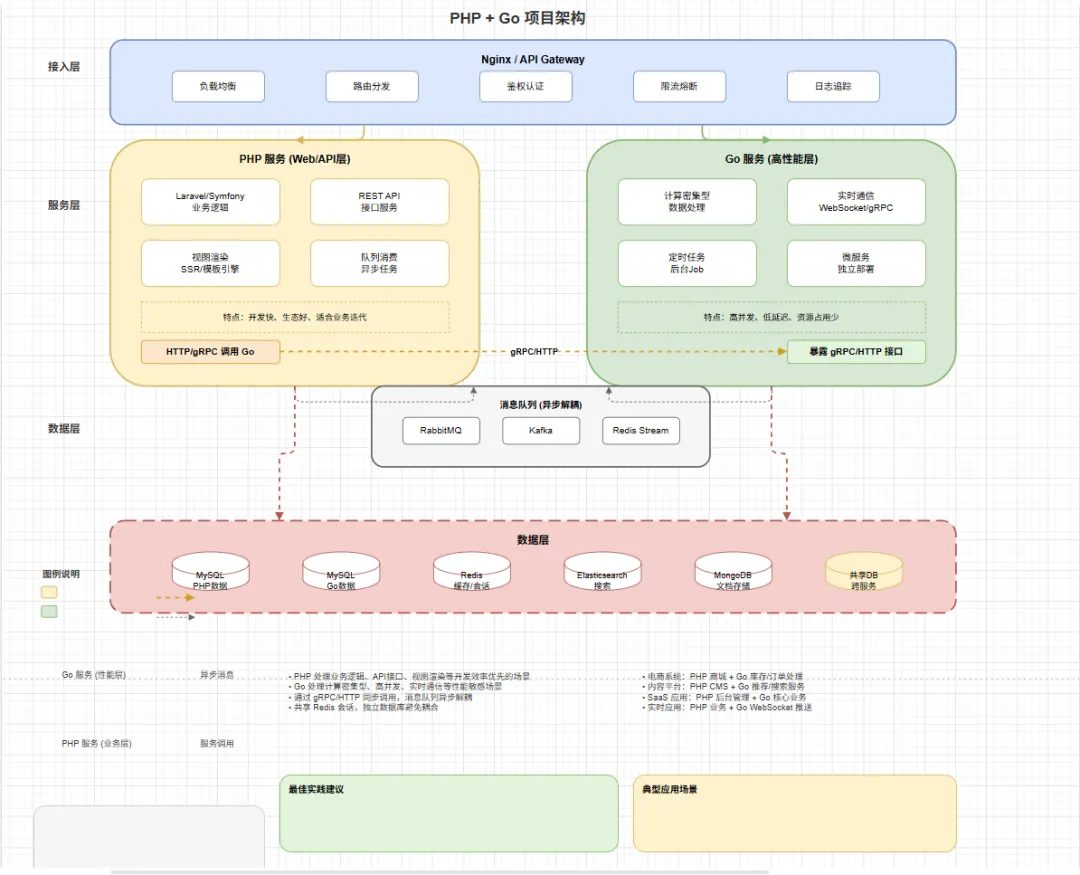
┌─────────────────────────────────┐
│         Nginx (80)               │
│   ├── /     → PHP 容器:9000      │
│   └── /go/ → Go 容器:88          │
└─────────────────────────────────┘
         │
    ┌────┴────┐
    ▼         ▼
┌────────┐ ┌────────┐
│PHP 容器│ │Go 容器 │
│:9000   │ │:88     │
└────────┘ └────────┘
三、Go 服务配置
3.1 服务配置
// server-go/conf/app.conf appname = server-go httpport = 88 // Go 服务监听端口 runmode = dev autorender = false EnableDocs = true
3.2 Go API 路由
四、请求调用方式
4.1 方式一:Nginx 代理(外部调用)
用户请求: https://example.com/go/v1/ai/summary
    │
    ▼
Nginx: location /go/ {
    proxy_pass http://127.0.0.1:88/;
}
    │
    ▼
Go 服务: /v1/ai/summary
4.2 方式二:PHP 内部调用(同容器内)
// config/safe.php
'go_server' => [
    'base_url' => 'http://127.0.0.1:88',  // 容器内访问
]

// app/adminapi/controller/go/AIController.php
$baseUrl = config('safe.go_server.base_url');
$url     = $baseUrl . '/v1/ai/summary';
$result  = (new RequestService())->post($url, $params);
优势:同容器内通过 127.0.0.1 调用,无需暴露 Go 服务端口到外部网络,安全性更高。
五、Nginx 配置详解
server {
    listen 80;

    # PHP 请求 → PHP-FPM 9000
    location ~ \.php$ {
        fastcgi_pass 127.0.0.1:9000;
        # ...
    }

    # /go/* 路径 → Go 服务 88 端口
    location /go/ {
        proxy_set_header Host $host;
        proxy_set_header X-Real-IP $remote_addr;
        proxy_pass http://127.0.0.1:88/;  # 关键:去除 /go/ 前缀
    }
}
七、配置变更注意事项
| | |
|---|
| | |
| | |
| docker-save/nginx/{env}/vhost.conf | |
修改配置后需重启对应服务:我直接跑阿里云流水线
两种调用方式
| | |
|---|
| https://example.com/go/v1/ai/summary | |
| http://127.0.0.1:88/v1/ai/summary | |
关键配置
- Go 服务端口:
server-go/conf/app.conf → httpport = 88 - PHP 调用地址:
server/config/safe.php → go_server.base_url = 'http://127.0.0.1:88' - Nginx 路由:
location /go/ → proxy_pass http://127.0.0.1:88/
我当前生产模式
PHP 和 Go 部署在同一容器内,通过 Supervisor 管理进程,PHP 通过 127.0.0.1:88 内部调用 Go 服务,无需暴露 Go 端口到外部。
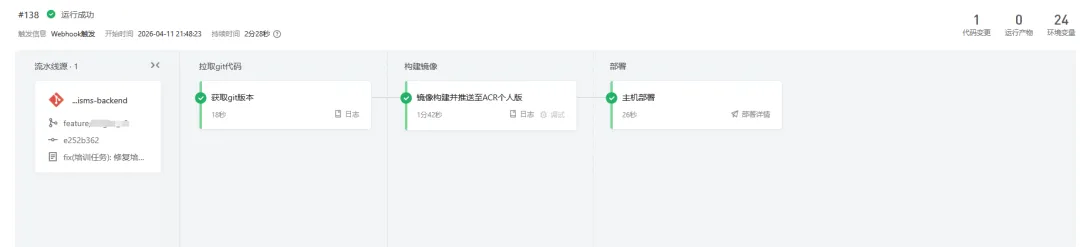
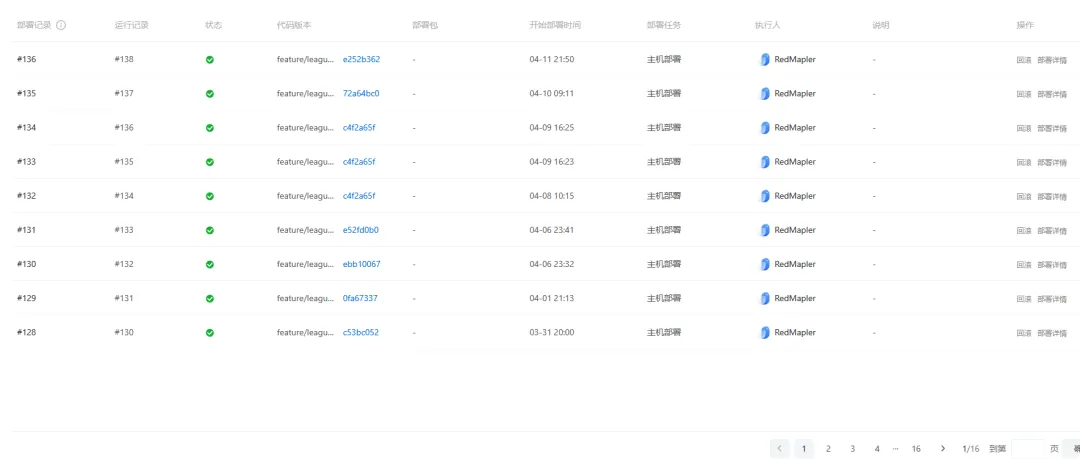
最后补充下, 我是通过阿里云流水线进行部署的.
如果发现代码有问题, 在部署历史里随时进行回滚操作.
附两张张对应的截图
阿里云流水线以上的架构, 临时起意,就干了起来, 目前项目稳定运行中.项目中使用到的go框架Beego, 后面又发现了go-zero, 轻量级,推荐. 感觉Beego又不香了;B站有个Kratos, 这个是重量级的,不喜欢.
 10个月宝宝每天需要喝多少奶粉?