HyperMesh Python二次开发 选择实体对象(Entity Selection)collection基础用法
- 2026-10-11 07:33:27
HyperMesh Python二次开发 选择实体对象(Entity Selection)collection基础用法
HyperMesh软件使用过程中频繁用到entity 选择,比如移动某个对象。 旧版本HyperMesh移动界面如下: 
新版本HyperMesh移动界面如下: 
以上是使用HyperMesh基于图形界面操作,如果是二次开发后台运行,怎么实现选择功能? 基于Tcl语言的API是: 也可以让用户交互选择,创建一个panel,只需在上面命令中加panel,例如: 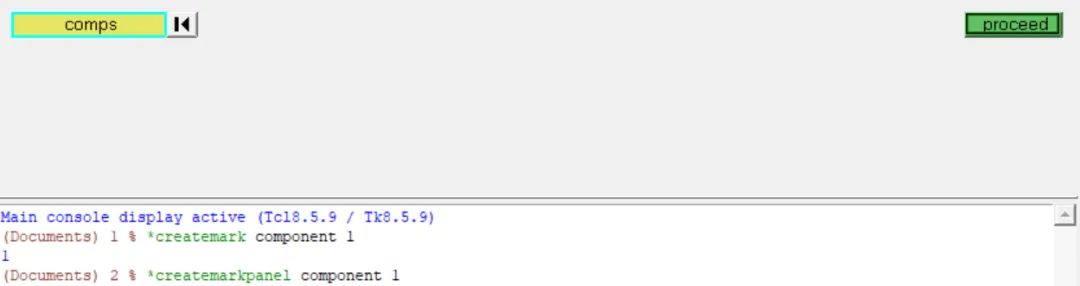
以上是基于Tcl API实现的选择功能,基于Python API是通过collection来实现。 下面开始本篇主要内容,创建collection的几种方式,以及collection对象所具有的方法。 创建collection: collection对象所具有的方法: contains方法: add 和subtract方法:增减元素 set_items: 例如将多个component赋统一材料(示例中材料id为1) filter:过滤 delete_items:直接从模型中删除collection中的entity。 intersect:集合求交
「CAE仿真记」
愿与您一同,用代码提升效率!
*createmark comp 1 10*createmark comp 1 "all"*createmark comp 1 "displayed"*createmarkpanel component 1方式1:直接全选模型中的某类entity
import hmimport hm.entities as entmodel = hm.Model()# 模型中有2个component#========================# Collection(model, type)#========================# 选择所有的componentcol_1 = hm.Collection(model, ent.Component)len(col_1) # 输出 2 说明全选方式2:方式2比方式1多了populate( 填充)参数
#========================# Collection(model, type, populate = True)#========================# populate = True 立即填充col_2 = hm.Collection(model, ent.Component,populate = True)len(col_2) #输出 2 说明全选# populate = False 只是创建空的collection 没有填充entitycol_3 = hm.Collection(model, ent.Component,populate = False)len(col_3) #输出 0 说明创建了一个空的collection方式3:按某列表选择,比如选id为 1 和 2 的两个component
#========================# Collection(model, type, Union[list[int],list[str]])#========================col_4 = hm.Collection(model, ent.Component,[1,2])len(col_4) #输出 2 按component id 1和2 选了两个componentcol_5 = hm.Collection(model, ent.Component,["suf0","suf1"])len(col_5) # 输出 0 说明没有选择成功,帮助文档说明如下# list (Union[list[int],list[str]]) – # List of integers (IDs) or # strings (valid only for hm.entities.Part).方式4:按entity实例选择,个人感觉这个比较麻烦,还得先实例化。
#========================# Collection(model, type, list[Entity])#========================comp1 = ent.Component(model, 1) # 为id为1的component 创建component entitycomp2 = ent.Component(model, 2) # 为id为2的component 创建component entitycol_6 = hm.Collection(model, ent.Component,[comp1,comp2])len(col_6) #输出 2 说明按component entity 选了两个component方式5:按已有collection选择
#========================# Collection(model, type, Collection)#========================col_7 = hm.Collection(model, ent.Component,[comp1])col_8 = hm.Collection(model, ent.Component,[comp2])col_9 = hm.Collection(model, ent.Component,col_7)len(col_9) #输出 1 说明按collection 选了col_7 中的一个componentcol_10 = hm.Collection(model, ent.Component,[col_7,col_8])# 输出 ValueError: Collection constructor: # List item type not valid. Must be objects, entities or uids(int/string)# 说明通过collection方式 只能用一个collection方式6:感觉和方式4一样。
#========================# Collection(model, EntityList)#========================# 感觉和col_6一样col_11 = hm.Collection(model, ent.Component,[comp1,comp2])方式7:按某种过滤规则选择,需要有一个filter(后期专门再更新一篇filter的介绍)
#========================# Collection(model, Filter)#========================# filter 按id选 无规律 直接枚举id 范围内用[*range(24029630,24029633)]col1 = hm.Collection(model, hm.FilterByEnumeration(ent.Element, ids=[24026501,24027444,24028418,24029020,24029442,24029625]+[*range(24029630,24029633)]))# contains 检查某个entity object 是否在collection中 返回 False or Turecol_3.contains(comp1)Out[42]: False # 说明col_3 不包含 comp1col_7.contains(comp1)Out[43]: True # 说明col_7 包含 comp1col_6.contains(comp1)Out[44]: True # 说明col_7 包含 comp1# add ,subtract# 先创建一个col_12col_12 = hm.Collection(model, ent.Component) #包含所有comp# 使用for 循环检查 col_12 中的comp idfor comp in col_12:print(comp.id)#输出 #1#2# 证明 col_12 中有两个pid 1和2# 创建一个filter规则 PID 大于 1filter = hm.FilterByAttribute(ent.Component, "id>1")## 将col_12 中pid>1的component 移除出col_12col_12.subtract(filter,col_12)for comp in col_12:print(comp.id)#输出 #1# 证明 col_12 id为2的comp被移除## 再新建一个包含两个comp 的col_14 作为源col_14 = hm.Collection(model, ent.Component)col_12.add(filter,col_14)for comp in col_12:print(comp.id)#输出 #1#2# 证明 col_12又 将col_14中大于1的pid加入# set_itemscol_15 = hm.Collection(model, ent.Component)materialid = ent.Material(model, 1)col_15.set_items("materialid",materialid)# filtercol_16 = hm.Collection(model, ent.Component)# 赛选出PID大于1的col_16.filter(filter,col_16)for comp in col_16:print(comp.id)#输出 2 # delete_items# 从模型中删除collection中的entitycol_17 = hm.Collection(model, ent.Component)col_17.delete_items() #intersect 模型中3个component, id 为 1,2,3col_18 = hm.Collection(model, ent.Component,[1,2])col_19 = hm.Collection(model, ent.Component,[3,2])col_20 = col_18.intersect(col_19)len(col_20)Out[3]: 1for comp in col_20:print(comp.id) # 输出 2 说明 col_20 是col_18 和 col_19的交集💡提示
如有问题,欢迎留言指正与交流。 本文已收录进合集,进入文末合集可查看更多笔记。
往期文章
CAE仿真 网格评价中的雅可比为什么是0-1?及参数单元是什么
本文来自网友投稿或网络内容,如有侵犯您的权益请联系我们删除,联系邮箱:596563534@qq.com 。
随机文章
-
 10个月宝宝每天需要喝多少奶粉?
- 强推!6款Python常用的开发工具
- Python驱动Fluent!建议所有做Fluent的硕博士都去学一遍,仿真效率提升十倍!!!
- 最新Python自学路线!存下吧,很难找全的
- 机器学习--基础入门--07Python入门机器学习
- 30个Python核心语法,背完你就牛了
- 为什么Linux要用“挂载”,而不像Windows那样直接分出C盘、D盘?
- Linux 发行版怎么选?一篇看懂差异
- 这个Linux命令,能从内核层面保护你的文件不被误删
- 刘建川・Gromacs 实战|必备Linux基础命令大全
- MX Linux 25.2 “Infinity” 正式发布,Linux 7.0 AHS 内核加持