文件监控从未如此简单!在开发过程中,你是否遇到过这些痛点?
## 为什么选择Watchdog?Watchdog是一个跨平台的文件系统事件监控库,支持Linux、macOS、Windows等主流操作系统。它通过底层系统API(如inotify、FSEvents)实现高效事件捕获,同时提供友好的Python接口和强大的命令行工具。无论是日志分析、自动化部署,还是实时编译、安全审计,Watchdog都能成为你的“隐形助手”!
## 3分钟快速上手只需几行代码即可开启监控之旅:
import timefrom watchdog.events import FileSystemEventHandlerfrom watchdog.observers import ObserverclassMyHandler(FileSystemEventHandler):defon_modified(self, event):print(f"文件被修改了!{event.src_path}")observer = Observer()observer.schedule(MyHandler(), path=".", recursive=True)observer.start()try:whileTrue: time.sleep(1)finally: observer.stop() observer.join()
这段代码会监控当前目录及其子目录的所有文件变动事件,实时打印修改信息。支持的事件类型包括:
## 命令行利器:watchmedo工具不想写代码?Watchdog附赠的watchmedo命令行工具让你直接在终端大显身手!
示例1:监控.py和.txt文件
watchmedo log \ --patterns='*.py;*.txt' \ --ignore-directories \ --recursive
示例2:文件变动自动执行命令
watchmedo shell-command \ --patterns='*.log' \ --command='echo "日志更新:${watch_src_path}"' \ --recursive
## 高级玩家必备技巧通过tricks.yaml配置文件实现复杂自动化场景:
tricks:-watchdog.tricks.LoggerTrick:patterns: ["*.py", "*.js"]-CustomTrick:trigger:-created-modifiedactions:-"git add ${src_path}"-"send_alert.py --file=${src_path}"
这个配置实现了:
记录所有Python/JS文件变动
自定义规则:文件变更时自动git add并发送告警
## 全场景覆盖的监控方案Watchdog支持多种监控模式,应对不同需求:
| | |
|---|
| Inotify(Linux) | | |
| FSEvents(macOS) | | |
| PollingObserver | | |
## 一键安装指南
# 基础安装pip install watchdog# 包含watchmedo工具pip install 'watchdog[watchmedo]'# 开发模式(修改源码立即生效)pip install -e '.[watchmedo]'
## 避开这些“坑”
from watchdog.observers.polling import PollingObserver as Observer
## 总结Watchdog以其极简API、跨平台支持、灵活扩展性,成为Python生态中文件监控的标杆级解决方案。无论是开发调试、运维监控,还是构建自动化流水线,它都能提供可靠支持。现在就在你的项目中加入这个“永不疲倦的守护者”吧!
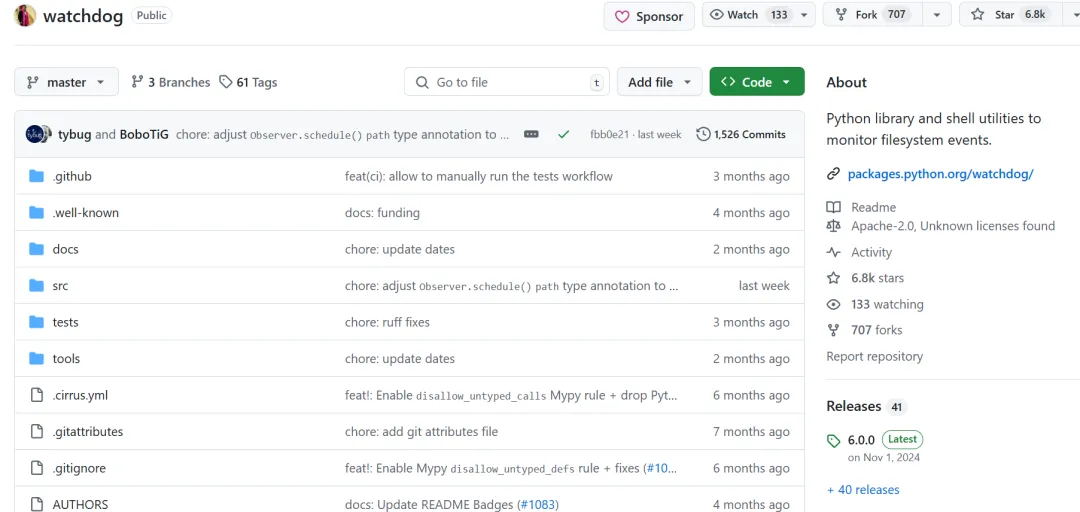
项目地址:https://github.com/gorakhargosh/watchdog
 10个月宝宝每天需要喝多少奶粉?