最近在年轻人都喜欢的视频网站上发布了几则利用python进行文本的情感分析的代码,有许多小伙伴纷纷私信我要相关代码。由于该站聊天窗口发不出文件,因此我将代码放在这个地方,大家有需要的自取哈。
中文情感分析
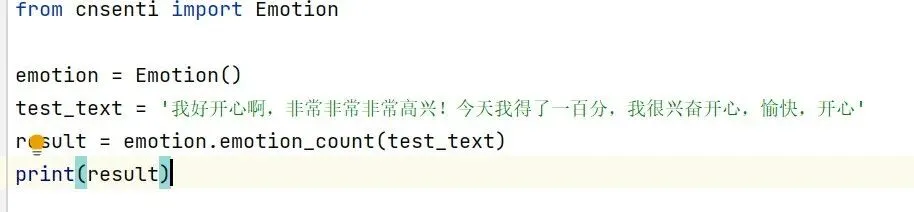
from cnsenti import Emotionemotion = Emotion()test_text = '我好开心啊,非常非常非常高兴!今天我得了一百分,我很兴奋开心,愉快,开心'result = emotion.emotion_count(test_text)print(result)
这串代码可以分析出文本情感的细分,效果如图

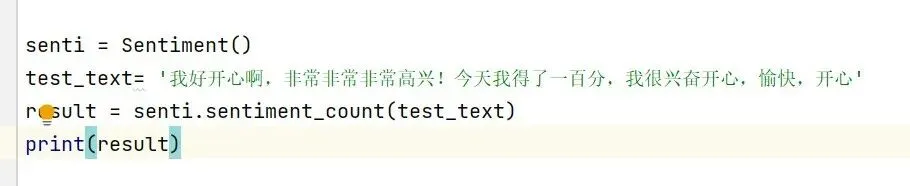
from cnsenti import Sentimentsenti = Sentiment()test_text= '我好开心啊,非常非常非常高兴!今天我得了一百分,我很兴奋开心,愉快,开心'result = senti.sentiment_count(test_text)print(result)
这串代码主要是区分积极与消极情感,效果如图

接下去分享的几串代码是基于前面两串代码,为更好地满足情感分析需要而写的,
以省时省力为目的。大家参照视频,自行复制操作。注意代码间的缩进。
TXT文本分析
from cnsenti import Emotionemotion = Emotion()# 初始化一个字典,用来保存总计的情感分析结果total_result = {'words': 0, 'sentences': 0, '好': 0, '乐': 0, '哀': 0, '怒': 0, '惧': 0, '恶': 0, '惊': 0}with open(fr'文件保存路径', 'r', encoding='utf-8') as f: for line in f: # 对于每一行,进行情感分析 line_result = emotion.emotion_count(line) # 将每行的情感分析结果加到总计中 for key, value in line_result.items(): if key in total_result: total_result[key] += value# 输出总计的情感分析结果print(total_result)
from cnsenti import Sentimentsenti = Sentiment()with open(fr'文件保存路径', 'r', encoding='utf-8') as f: text = f.read()result = senti.sentiment_count(text)print(result)
多文件分析
import osfrom cnsenti import Emotionemotion = Emotion()folder_path = r'文件保存路径'total_result_list = []for filename in os.listdir(folder_path): if filename.endswith('.txt'): file_path = os.path.join(folder_path, filename) file_result = {'filename': filename, 'result': {'words': 0, 'sentences': 0, '好': 0, '乐': 0, '哀': 0, '怒': 0, '惧': 0, '恶': 0, '惊': 0}} with open(file_path, 'r', encoding='utf-8') as f: for line in f: line_result = emotion.emotion_count(line) for key, value in line_result.items(): if key in file_result['result']: file_result['result'][key] += value total_result_list.append(file_result)# 输出每个文件的情感分析结果for file_result in total_result_list:print(f"{file_result['filename']}: {file_result['result']}")
import osfrom cnsenti import Sentimentsenti = Sentiment()folder_path = r'文件保存路径'for filename in os.listdir(folder_path): if filename.endswith('.txt'): file_path = os.path.join(folder_path, filename) with open(file_path, 'r', encoding='utf-8') as f: text = f.read() result = senti.sentiment_count(text)print(f"{filename}: {result}")
