【系列】每天一个 Linux 命令(47)ssh-copy-id 命令
- 2026-09-10 06:26:33
【系列】每天一个 Linux 命令(47)ssh-copy-id 命令
好课推荐 
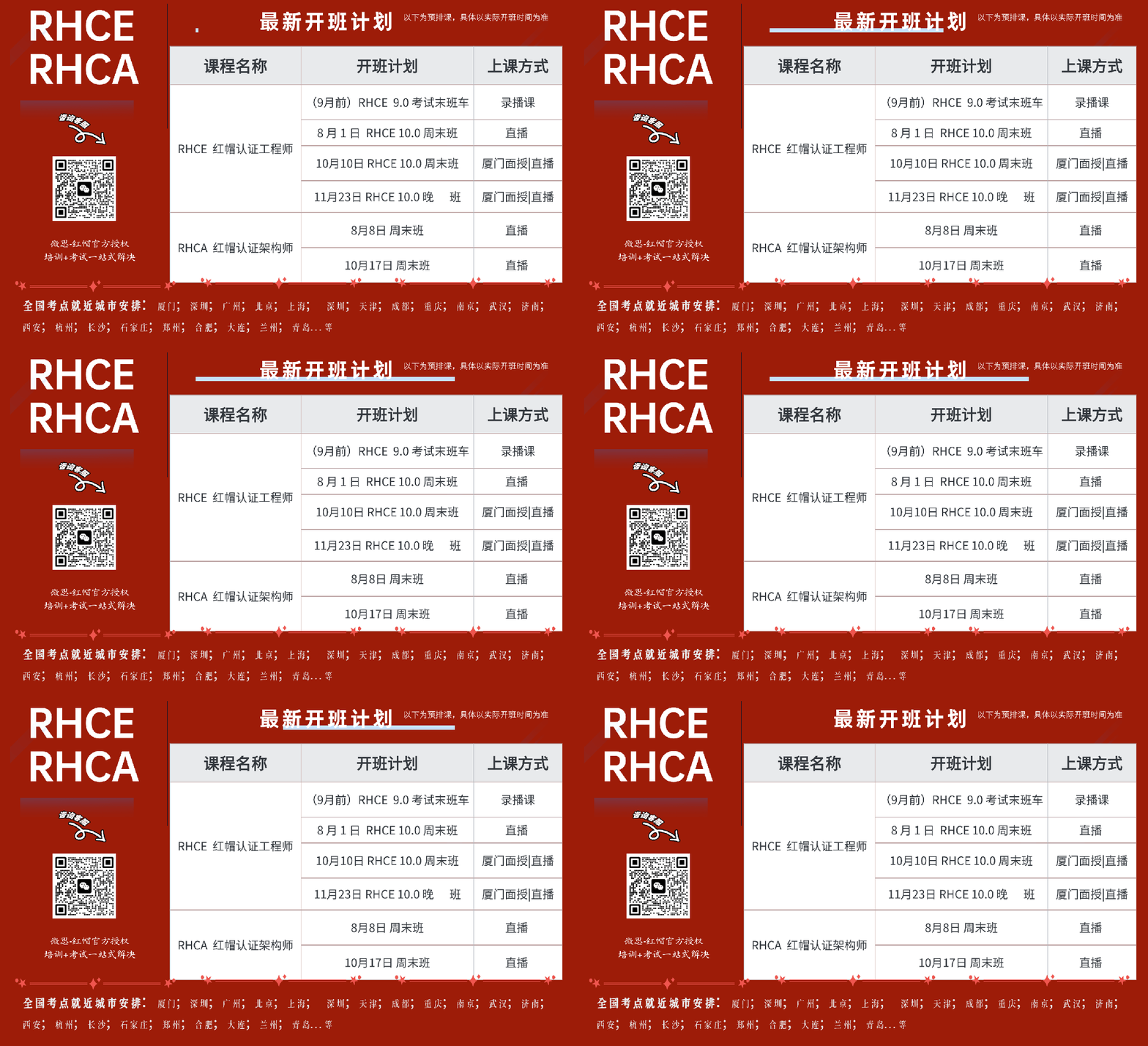
红帽认证-RHCE \ RHCA 红帽认证是全球公认的 Linux 权威认证,也是国内企业招聘 Linux 运维、云计算、容器、大数据工程师时,最常标注的 “优先条件”,甚至很多企业将 RHCE/RHCA 作为入职的基础技能要求。 








ssh-copy-id 命令来自英文词组 ssh copy id,其功能是将本地生成的 SSH 公钥信息复制到远程主机。通常情况下,运维人员会先使用 ssh-keygen 命令生成 SSH 密钥对(公钥/私钥)文件,随后使用 ssh-copy-id 命令将公钥文件复制到远程主机上,这样操作后,再进行远程 SSH访问时将无须进行账号密码验证,而是通过密钥方式登录。
1.命令格式:
ssh-copy-id 参数 域名或 IP 地址
2.常用参数:
-f 强制复制而不询问-n 仅测试,而不实际操作-i 设置公钥文件路径-p 设置使用的端口号
将 SSH 公钥文件复制到远程主机:
[root@linuxcool ~]# ssh-copy-id 192.168.10.10The authenticity of host '192.168.10.10 (192.168.10.10)' can't be established.ECDSA key fingerprint is SHA256:212/FhZ+6JFs5psuMJx9+5alyW6QDzviE0miulDPiKk.Are you sure you want to continue connecting (yes/no)? yes/usr/bin/ssh-copy-id: INFO: attempting to log in with the new key(s), to filter out anythat are already installed/usr/bin/ssh-copy-id: INFO: 1 key(s) remain to be installed -- if you are prompted now itis to install the new keysroot@192.168.10.10's password: 此处输入远程主机管理员密码Number of key(s) added: 1Now try logging into the machine, with: "ssh '192.168.10.10'"and check to make sure that only the key(s) you wanted were added.

【考证资讯】RHCE 9 将于 9 月 30 日停考,10 月启用 RHCE 10 新版考试! 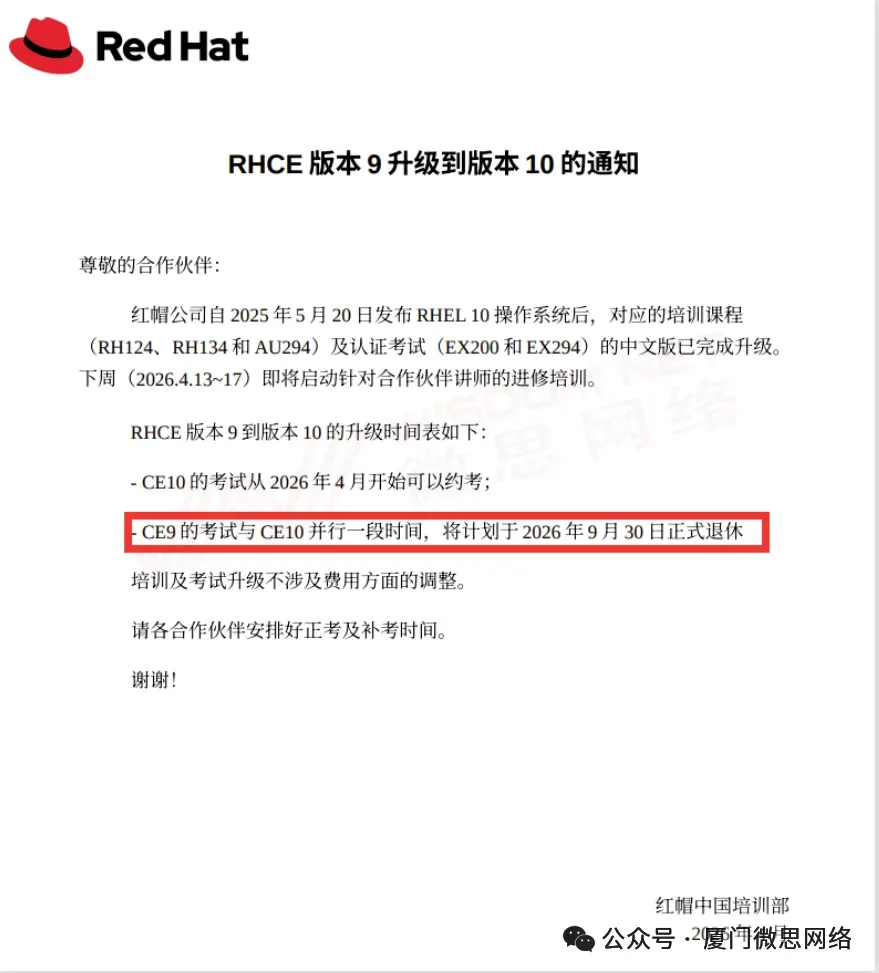
ssh-copy-id 命令来自英文词组 ssh copy id,其功能是将本地生成的 SSH 公钥信息复制到远程主机。通常情况下,运维人员会先使用 ssh-keygen 命令生成 SSH 密钥对(公钥/私钥)文件,随后使用 ssh-copy-id 命令将公钥文件复制到远程主机上,这样操作后,再进行远程 SSH访问时将无须进行账号密码验证,而是通过密钥方式登录。
1.命令格式:
ssh-copy-id 参数 域名或 IP 地址2.常用参数:
-f 强制复制而不询问-n 仅测试,而不实际操作-i 设置公钥文件路径-p 设置使用的端口号
将 SSH 公钥文件复制到远程主机:
[root@linuxcool ~]# ssh-copy-id 192.168.10.10The authenticity of host '192.168.10.10 (192.168.10.10)' can't be established.ECDSA key fingerprint is SHA256:212/FhZ+6JFs5psuMJx9+5alyW6QDzviE0miulDPiKk.Are you sure you want to continue connecting (yes/no)? yes/usr/bin/ssh-copy-id: INFO: attempting to log in with the new key(s), to filter out anythat are already installed/usr/bin/ssh-copy-id: INFO: 1 key(s) remain to be installed -- if you are prompted now itis to install the new keysroot@192.168.10.10's password: 此处输入远程主机管理员密码Number of key(s) added: 1Now try logging into the machine, with: "ssh '192.168.10.10'"and check to make sure that only the key(s) you wanted were added.
认准红帽官方授权
微思-红帽官方授权合作伙伴!
— Linux文章推荐 —
系统集成
认证培训
买设备,找我们
IT维保,找我们
IT培训,找我们
本文来自网友投稿或网络内容,如有侵犯您的权益请联系我们删除,联系邮箱:596563534@qq.com 。
随机文章
-
 10个月宝宝每天需要喝多少奶粉?
- Linux 磁盘命令总记混?网安全套维护命令整理好了
- Linux 7.2 发布!7.3 合并窗口开启,mm 还抛了 57 帖大 RFC
- OS31.【Linux】文件IO (2) 文件描述符
- 告别命令行黑盒!这款国产开源的 Linux & Docker 运维面板,真香!
- DotNetPy实战:C#里跑Python,到底能不能“引用”一整个目录?
- 2小时剪映活10秒干完,这个Python库把草稿文件玩明白了
- 财会审计专属 AI实战训练营:Python+Claude Code+VBA,Excel/PDF/Word自动化全流程 (更新)
- 《Python 从入门到精通》147|Pandas 常见操作:筛选、排序、分组、聚合
- 抓包3天,我用Python写了个MC协议解析器
- 【广角计划】第80期:Python 流程控制专题:PASS 与接口