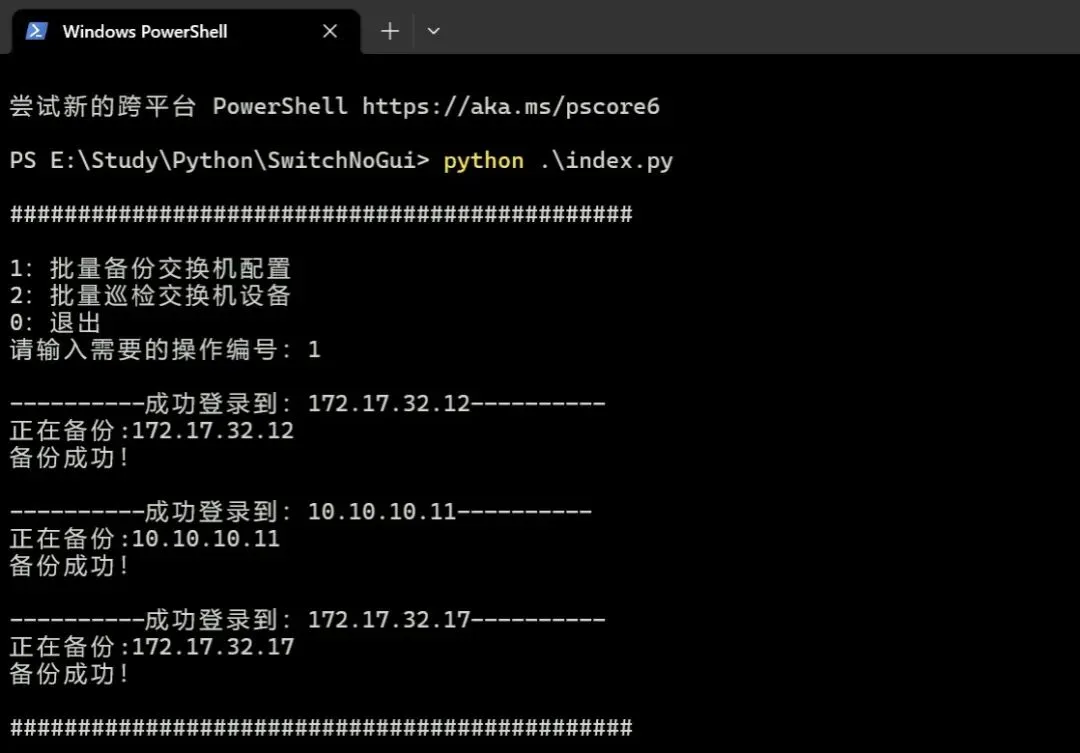
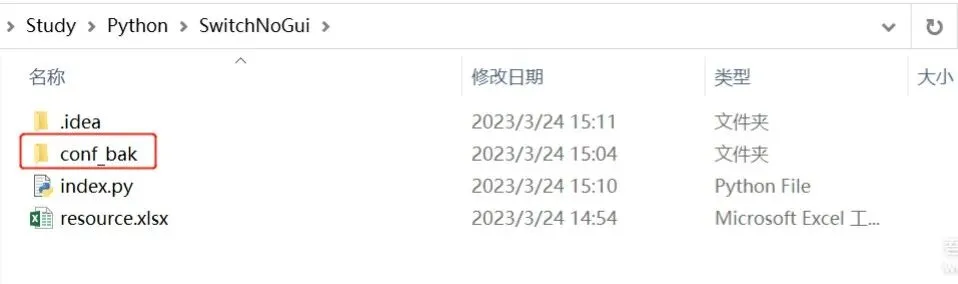
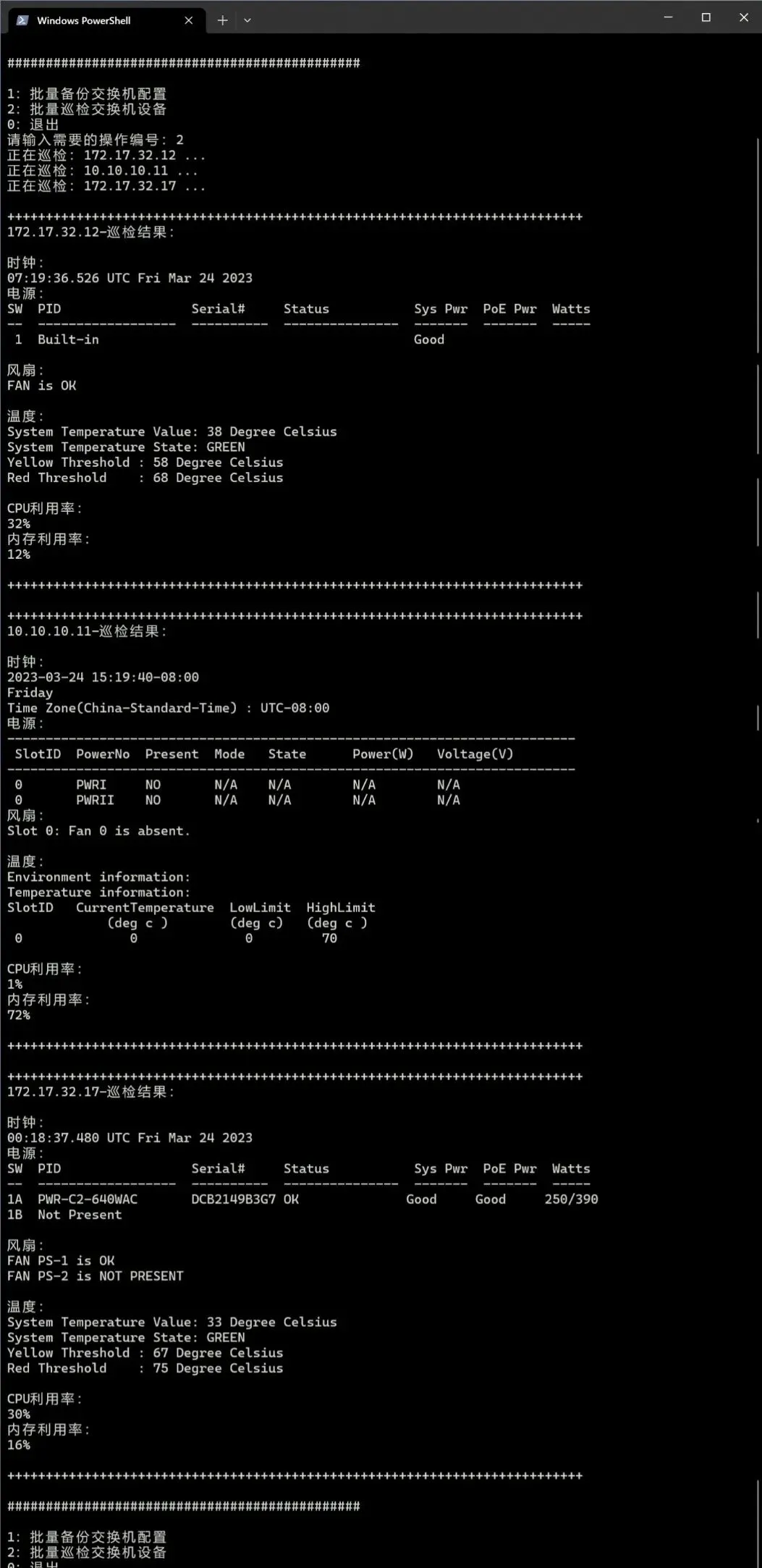
# coding=utf-8from netmiko import ConnectHandlerfrom openpyxl import load_workbookimport osfrom sys import exitfrom netmiko import exceptionsimport re# 读取excel内设备列表信息def check_and_get_dev_list(filename, sheet_name): excel_information = [] sheet_header = [] wb = load_workbook(filename) sh = wb[sheet_name] # 获取最大行数 row = sh.max_row # 获取最大列数 column = sh.max_column data = [] # 获取表头写入列表中方便调用 for data_1 in range(1, column+1): get_sheet_header = sh.cell(row=1, column=data_1).value sheet_header.append(get_sheet_header) # 第一行为表头, 此处 row +1 是pyton循环时不读取最后一个数 for row_1 in range(2, row + 1): # 存储一行信息 sheet_data_1 = dict() # 逐行读取表中的数据 for b in range(1, column + 1): cell = sh.cell(row=row_1, column=b).value # 将数据已字典形式写入 sheet_data_1 中 # if cell != None: sheet_data_1[sheet_header[b-1]] = cell excel_information.append(sheet_data_1) for i in excel_information: if i['ip'] != None: data.append(i) return data#获取excel数据并整合成dev字典def get_dev(): res = check_and_get_dev_list('./resource.xlsx', 'Sheet1') devices = [] for i in res: if i['protocol'] == 'telnet': i['type'] = i['type']+'_telnet' dev = {'device_type':i['type'], 'host': i['ip'], 'username': i['username'], 'password': i['password'], 'secret': i['enpassword'], 'port': i['port'],} devices.append(dev) return devices# 配置批量备份导出def devices_confbak(devices=''): # 创建备份文件夹 try: path = './conf_bak' os.makedirs(path) except FileExistsError: pass # 存储连接失败的IP failed_ips = [] # 循环登录设备获取配置 for dev in devices: try: with ConnectHandler(**dev) as conn: print('\n----------成功登录到:' + dev['host'] + '----------') conn.enable() if 'cisco_ios' in dev['device_type']: output = conn.send_command(command_string='show run') elif 'huawei' or 'hp_comware' in dev['device_type']: output = conn.send_command(command_string='dis current-configuration') else: print('error') with open('./conf_bak/'+ dev['host'] +'_conf_bak.txt', mode='w', encoding='utf8') as f: print('正在备份:'+dev['host']) # 文件读写异常处理 try: f.write(output) except PermissionError: print('*****-无写入权限,请将文件夹赋予读写权限-*****') continue else: print('备份成功!') # 连接异常处理 except exceptions.NetmikoAuthenticationException: print('\n**********'+dev['host']+':登录验证失败!**********') failed_ips.append(dev['host']) continue except exceptions.NetmikoTimeoutException: print('\n**********'+dev['host']+':目标不可达!**********') failed_ips.append(dev['host']) continue except exceptions.ReadTimeout: print('\n**********'+dev['host']+':读取超时,请检查enable密码是否正确!**********') failed_ips.append(dev['host']) continue if len(failed_ips) > 0: print('\n以下设备连接失败,请检查:') for x in failed_ips: print(x) return 1# 配置巡检def devices_autocheck(devices='', cmd=''): # 存储命令执行回显 results = [] try: for x in range(len(devices)): # 循环登录设备 with ConnectHandler(**devices[x]) as conn: conn.enable() print('正在巡检:'+devices[x]['host']+' ...') result = [devices[x]['host'],devices[x]['device_type']] for i in range(len(cmd)): # 循环执行命令,根据不同设备执行不同命令 if 'cisco_ios' in devices[x]['device_type']: output = conn.send_command(command_string=str(cmd[i]['cisco'])) elif 'huawei' or 'hp_comware' in devices[x]['device_type']: conn.send_command(command_string='sys',expect_string=']') output = conn.send_command(command_string=str(cmd[i]['huawei'])) result.append(output) results.append(result) except exceptions.NetmikoAuthenticationException: print('\n**********'+devices[x]['host']+':登录验证失败!**********') except exceptions.NetmikoTimeoutException: print('\n**********' + devices[x]['host'] + ':目标不可达!**********') except exceptions.ReadTimeout: print('\n**********' + devices[x]['host'] + ':读取超时,请检查enable密码是否正确!**********') return results# 计算内存使用率def get_mem(memstr,devtype=''): if 'cisco' in devtype: total_match = re.search(r'Processor Pool Total:\s+(\d+)', memstr) used_match = re.search(r'Used:\s+(\d+)', memstr) # 提取总数和已用数,并将其转换为整数 total = int(total_match.group(1)) used = int(used_match.group(1)) # 计算使用百分比 percentage = used / total * 100 return f"{percentage:.0f}%" elif 'huawei' in devtype: match = re.search(r"Memory Using Percentage Is:\s*(\d+)%", memstr) if match: memory_percentage = match.group(1) return memory_percentage+'%' else: return "No match found."# 获取CPU利用率def get_cpu(cpustr,devtype=''): if 'cisco' in devtype: pattern = r"CPU utilization for five seconds: (\d+)%" match = re.search(pattern, cpustr) if match: cpu_utilization = match.group(1) return cpu_utilization+'%' else: return "No match found." elif 'huawei' in devtype: match = re.search(r"\b(\d+(\.\d+)?)%.*?\bMax", cpustr) if match: cpu_utilization = match.group(1) return cpu_utilization+'%' else: return "No match found."# 运行主程序if __name__ == '__main__': while True: print("\n##############################################\n") print("1:批量备份交换机配置") print("2:批量巡检交换机设备") print("0:退出") option = str(input("请输入需要的操作编号:")) if option == '1': dev = get_dev() devices_confbak(devices=dev) continue elif option == '2': # 定义巡检命令 # cmds[x]['cisco'] # cmds[x]['huawei'] cmds = [ {'cisco':'show clock','huawei':'display clock'}, #检查时钟 {'cisco':'show env power','huawei':'display power'}, #检查电源 {'cisco':'show env fan','huawei':'display fan'}, #检查风扇 {'cisco':'show env temperature status', 'huawei': 'display environment'},#检查温度 {'cisco':'show processes cpu', 'huawei': 'display cpu-usage'}, #检查CPU利用率 {'cisco':'show processes memory', 'huawei': 'display memory-usage'}, #检查内存利用率 ] dev = get_dev() checkres = devices_autocheck(dev,cmds) for res in checkres: # print(res) print('\n+++++++++++++++++++++++++++++++++++++++++++++++++++++++++++++++++++++++++++') print(res[0]+'-巡检结果:') print('\n时钟:\n'+res[2]) print('电源:\n'+res[3]) print('风扇:\n'+res[4]) if 'Unrecognized command' in res[5]: print('温度:\n该设备不支持获取此数据!') else:print('温度:\n'+res[5]) print('CPU利用率:\n' + get_cpu(res[6],res[1])) print('内存利用率:\n' + get_mem(res[7],res[1])) print('\n+++++++++++++++++++++++++++++++++++++++++++++++++++++++++++++++++++++++++++') continue elif option == '0': break else: print("请输入正确的编号!")