作者:IT邦德
中国DBA联盟(ACDU)成员,10余年DBA工作经验,
Oracle、PostgreSQL ACE
CSDN博客专家及B站知名UP主,全网粉丝10万+
擅长主流Oracle、MySQL、PG、高斯及Greenplum备份恢复,
安装迁移,性能优化、故障应急处理

微信:jem_db
QQ交流群:587159446
公众号:IT邦德
@
1.用户登陆报错
2.静默安装Oracle软件报错
3.GLIBC版本过低报错
4.字符集及时区报错
5.DBCA建库报错
6.总结
Part1前言
本文分享了一次项目交付的场景,Linux6操作系统安装Oracle 19C的艰难过程
11.用户登陆报错
切换用户尽然报如下错误,出师不利啊!!!
-bash: ulimit: open files:
cannot modify limit: Operation not permitted.
处理方法:
--使用root账号修改UseLoin 为yes
#vi /etc/ssh/sshd_config
UseLogin yes
--重启ssh生效
# service sshd restart
22.静默安装Oracle软件报错
[WARNING] [INS-13001] Oracle Database is not supported on this operating system. Installer will not perform prerequisite checks on the system.
   CAUSE: This operating system may not have been in the certified list at the time of the release of this software.
   ACTION: Refer to My Oracle Support portal for the latest certification information for this operating system. Proceed with the installation if the operating system has been certified after the release of this software.
[FATAL] [INS-30060] Check for group existence failed.
   CAUSE: Unexpected error occurred while trying to check for group existence.
   ACTION: Refer to the logs or contact Oracle Support Services. Note for advanced users: Launch the installer by passing the following flag '-ignoreInternalDriverError'.
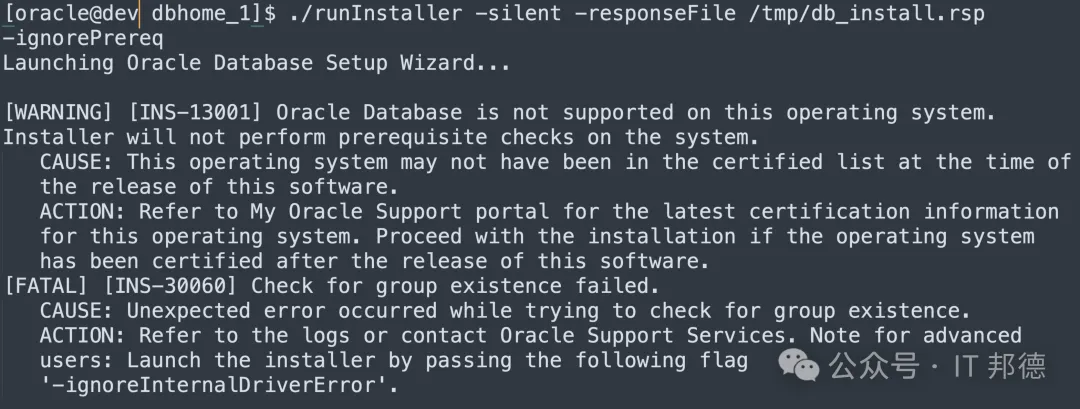
报错的原因是Linux6不兼容Oracle19C,
需要通过操作系统版本验证
echo "export CV_ASSUME_DISTID=OEL7" >> /home/oracle/.bash_profile
source /home/oracle/.bash_profile

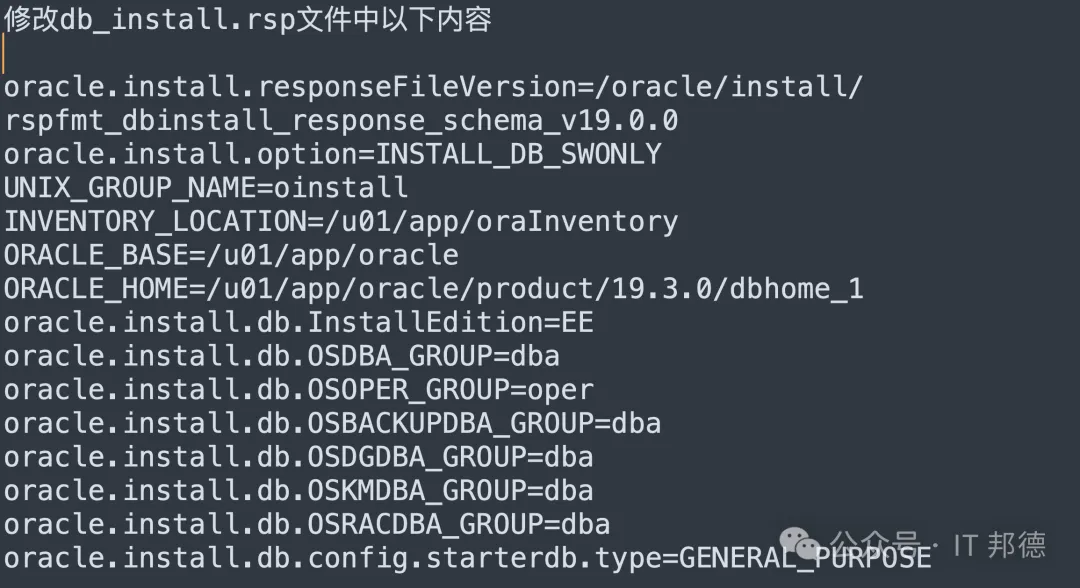
--安装如下方式静默安装
[oracle@dev ~]$ cd $ORACLE_HOME
./runInstaller -silent -responseFile /tmp/db_install.rsp -ignoreInternalDriverError
33.GLIBC版本过低报错
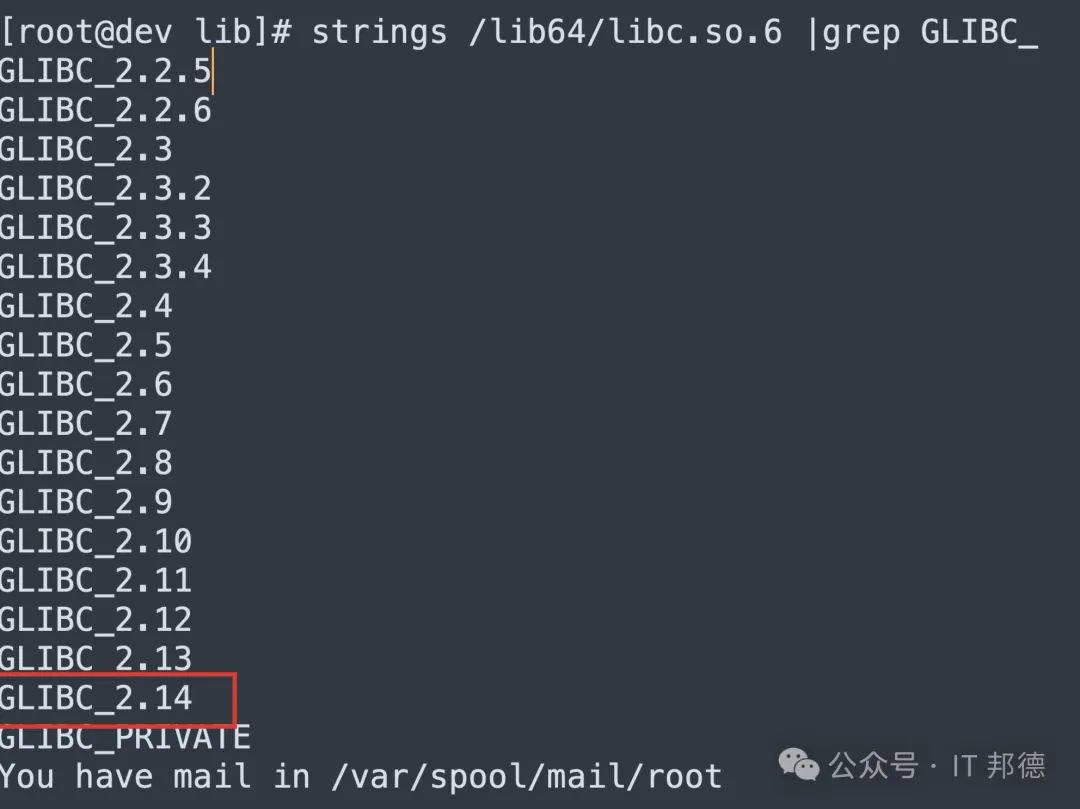
/u01/app/oracle/product/19.3.0/dbhome_1/perl/bin/perl: /lib64/libc.so.6: version `GLIBC_2.14' not found (required by /u01/app/oracle/product/19.3.0/dbhome_1/perl/bin/perl)
cd /opt
tar xf glibc-2.14.tar.gz
cd glibc-2.14
mkdir build
cd build
../configure --prefix=/usr/local/glibc-2.14
make -j4
make install

问题:/root/glibc-2.14/build/elf/ldconfig: Can't open configuration file /usr/local/glibc-2.14/etc/ld.so.conf: No such file or directory
因为操作删除软链接后系统无法操作任何命令,
我们需要复制上命令操作后才可以。
LD_PRELOAD=/usr/local/glibc-2.14/lib/libc-2.14.so ln -s /usr/local/glibc-2.14/lib/libc-2.14.so /lib64/libc.so.6
ln -s /usr/local/glibc-2.14/lib/libc-2.14.so /lib64/libc.so.6
44.字符集及时区报错
升级GLIBC后通过ssh连接会报如下错误:

-bash: warning: setlocale: LC_CTYPE: cannot change locale (en_US.UTF-8): No such file or directory
-bash: warning: setlocale: LC_COLLATE: cannot change locale (en_US.UTF-8): No such file or directory
-bash: warning: setlocale: LC_MESSAGES: cannot change locale (en_US.UTF-8): No such file or directory
-bash: warning: setlocale: LC_NUMERIC: cannot change locale (en_US.UTF-8): No such file or directory
-bash: warning: setlocale: LC_TIME: cannot change locale (en_US.UTF-8): No such file or directory
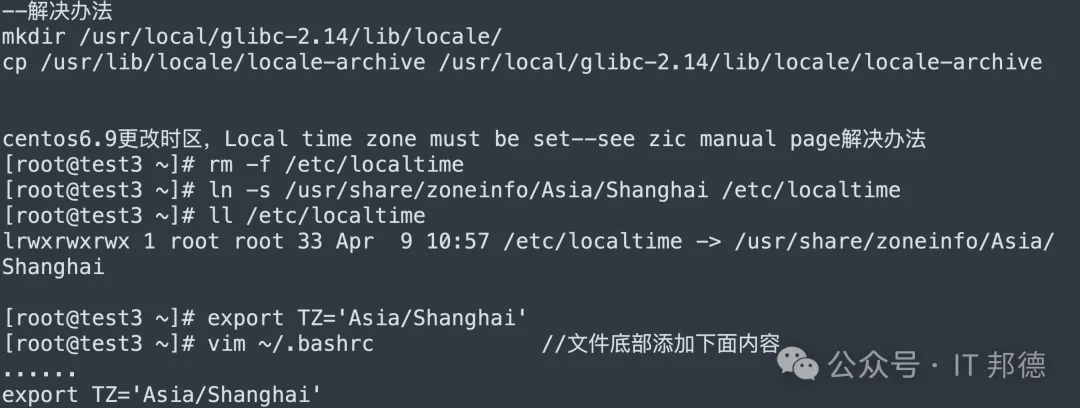
--解决办法
mkdir /usr/local/glibc-2.14/lib/locale/
cp /usr/lib/locale/locale-archive \
/usr/local/glibc-2.14/lib/locale/locale-archive
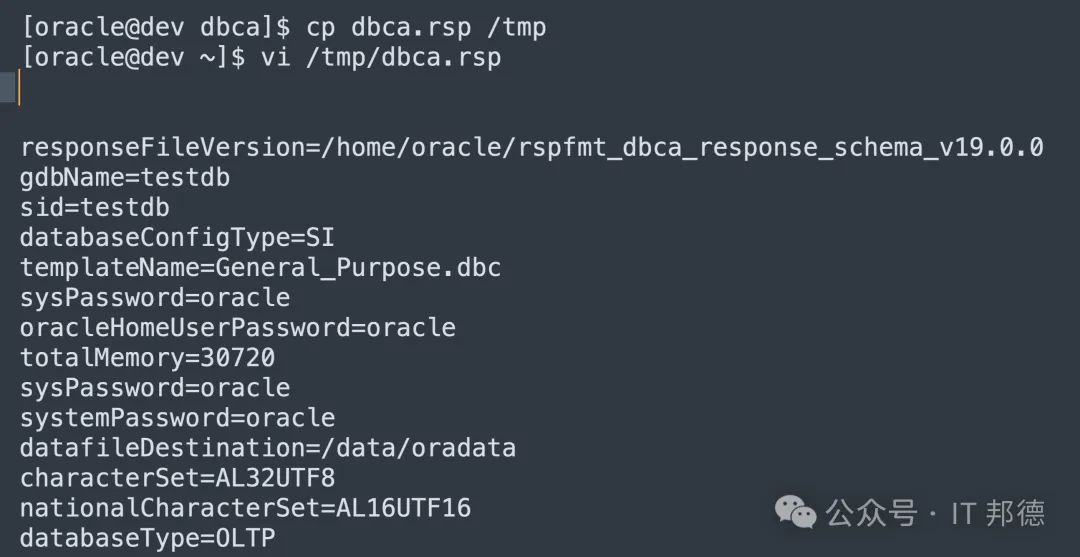
55.DBCA建库报错
[oracle@的v ~]$ dbca -silent -createDatabase -responseFile /tmp/dbca.rsp
[FATAL] [DBT-50000] Unable to check for available memory.
[FATAL] [DBT-50001] Unable to check the value of kernel parameter {0}
需要在运行 dbca 命令时,附加一个参数
dbca -silent -createDatabase \
-responseFile /tmp/dbca.rsp \
-J-Doracle.assistants.dbca.validate.ConfigurationParams=false
66.总结
Oracle数据库在特定的兼容linux平台上运行,oracle才能发挥最大的性能,如果不兼容,Oracle部署及运行的过程中,bug触发的几率比较大。
 10个月宝宝每天需要喝多少奶粉?