第一章:环境搭建与 Python 哲学
- 2026-08-27 04:12:48
1. 为什么选择 Python?
语法简洁直观:降低了非计算机专业人士的入门门槛。 生态极其丰富:无论是数据分析 (Pandas)、人工智能 (PyTorch),还是网页开发 (Django),都有现成的轮子。 高效开发: 解释型语言,无需编译,所写即所得,反馈迅速。
想象一下: Python 就像瑞士军刀,轻巧便携,却能应对各种复杂任务。
2. 环境搭建(避坑指南)
A. Python 官方安装:
访问 Python 官方网站(https://www.python.org/downloads/)下载最新稳定版 Python (3.x)。
安装时务必勾选 Add Python to PATH(这是最关键的一步,能让你的系统识别 python 命令)。
B. VS Code 安装:
访问 Visual Studio Code 官网 (https://code.visualstudio.com/)下载并安装。
在 VS Code 中安装 Python 扩展 (由 Microsoft 提供)。
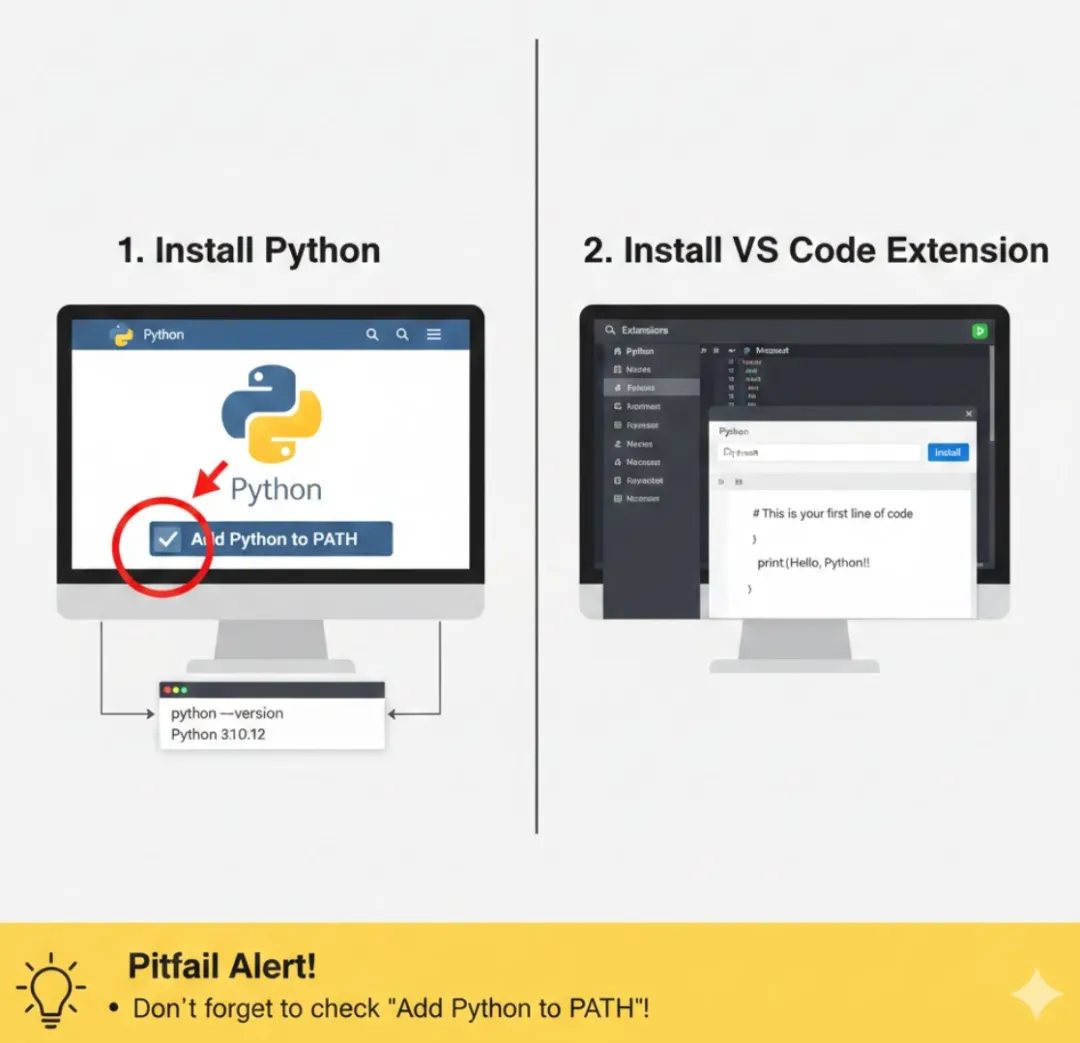
如果你主要从事数据科学、机器学习等领域,Anaconda 是一个不错的选择,它预装了大量常用库,环境隔离做得好。
安装步骤:
访问 Anaconda 官网(https://www.anaconda.com/download) 下载并安装。
3. Python 之禅 (The Zen of Python)
import thisThe Zen of Python, by Tim PetersBeautiful is better than ugly.Explicit is better than implicit.Simple is better than complex.Complex is better than complicated.Flat is better than nested.Sparse is better than dense.Readability counts.Special cases aren't special enough to break the rules.Although practicality beats purity.Errors should never pass silently.Unless explicitly silenced.In the face of ambiguity, refuse the temptation to guess.There should be one-- and preferably only one --obvious way to do it.Although that way may not be obvious at first unless you're Dutch.Now is better than never.Although never is often better than *right* now.If the implementation is hard to explain, it's a bad idea.If the implementation is easy to explain, it may be a good idea.Namespaces are one honking great idea -- let's do more of those!
Beautiful is better than ugly. (优美胜于丑陋)
Explicit is better than implicit. (显式胜于隐式)
Simple is better than complex. (简单胜于复杂)
Readability counts. (可读性至关重要)
4. 你的第一个程序:Hello World
让我们来编写并运行你的第一个 Python 程序。
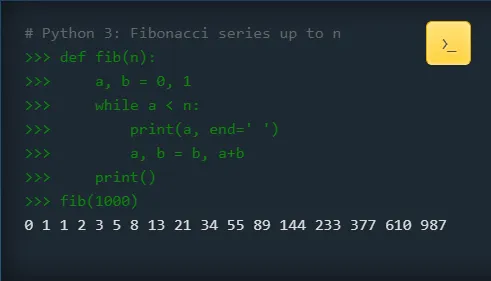
编写代码:
在 VS Code 中创建一个名为 hello.py 的文件,输入以下内容:
Python# 这是一个简单的 Python 程序,用于输出一条问候语# 使用 print() 函数将字符串内容输出到控制台print("Hello, Python Learners!")print('Welcome to the world of Python!')
运行程序:
在 VS Code 中,你可以点击右上角的“运行”按钮。或者,打开命令行 (Terminal),导航到你的文件所在目录,然后输入:
Bashpython hello.py
预期输出:
Hello, Python Learners!Welcome to the world of Python!
知识点拆解:
# 开头: 表示这是一行注释,Python 解释器会忽略它。注释是写给人类看的,用于解释代码。
print() 函数: Python 内置函数,用于将括号内的内容输出到标准输出(通常是你的屏幕或终端)。
字符串: 用单引号 ' ' 或双引号 " " 包裹起来的文本。在 Python 中,两者没有功能上的区别,但建议保持一致。
文件名: .py 是 Python 源文件的标准扩展名。
空白行: 在 Python 中,空白行(\n)通常用于提高代码的可读性,它们会被解释器忽略。
5. Python 代码是怎么运行的?
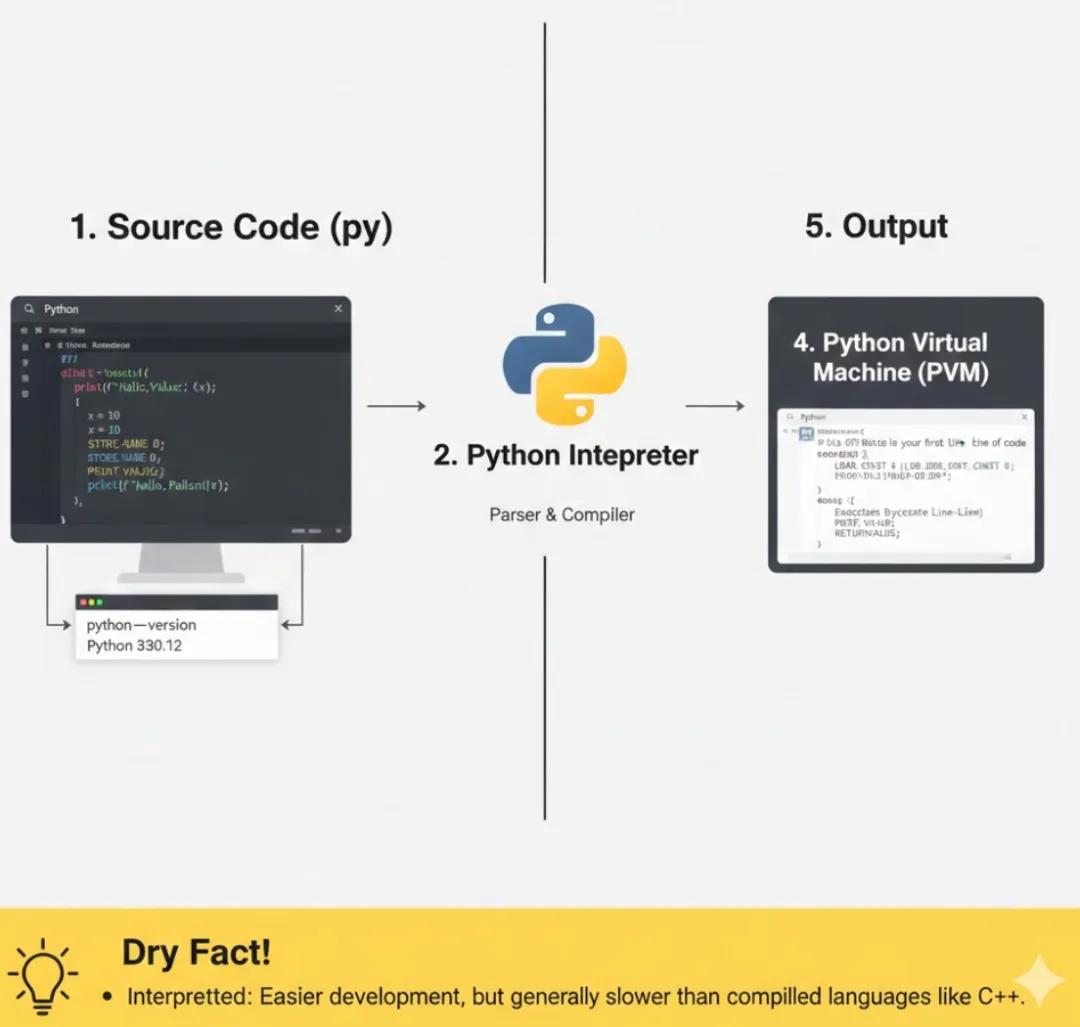
整个过程可以简化理解为:
源代码 (.py): 你编写的 Python 代码。
Python 解释器: 它会逐行读取你的 .py 文件。
字节码 (.pyc): 解释器会先将源代码翻译成一种中间形式(字节码),这些 .pyc 文件可能会被缓存起来,以便下次运行时加载更快。
Python 虚拟机 (PVM): 最终由 PVM 执行这些字节码,产生程序结果。
干货点: 这种机制使得 Python 开发效率高(无需漫长的编译),但通常执行速度会比编译型语言慢一些。
🐾干货小贴士
PATH 环境变量是生命线: 如果你的命令行无法识别 python 命令,99% 的原因就是 PATH 没设置好。可以去系统环境变量中手动添加 Python 安装路径。
交互式环境是好帮手: 除了运行 .py 文件,你也可以在命令行直接输入 python 进入交互式模式。这对于测试小段代码或验证语法非常方便。
Bash$ python>>> print("Hello interactive world!")Hello interactive world!>>> 1 + 12>>> exit() # 退出交互式环境
版本管理: 尽量使用 Python 3 的最新稳定版本(例如 Python 3.10+)。Python 2 已停止维护,不建议学习。
安装Python模块地址:https://docs.python.org/zh-cn/3/installing/index.html#basic-usage
如果喜欢小云咪的文章,点击下方名片关注哦
随机文章
-
 10个月宝宝每天需要喝多少奶粉?
- 技术贴|借助AI编程,轻松搞定ELF-RK3506开发板上光照传感器的数据读取
- 当规范编程遇见DDD:打造“会说话”的业务系统
- Python 数据可视化库全景指南 (2026版)
- 二次元类魂《噬血代码II》:吸血鬼妹妹向你发起组队邀请!
- 零停机更新代码:SpringBoot 新技能,妙啊~
- 暨南大学国青结题:揭示肝癌代谢重编程新机制:UHMK1 通过调控果糖激酶 RNA 可变剪接为靶向治疗提供新方向
- 学Python请死磕这几个项目渠道
- 让AI替你值夜班写代码:零基础医生的编程神器Ralph for Claude code
- 命比代码值钱,代码可以重构,命不能
- AI 编程工具 Trae,被喷了!