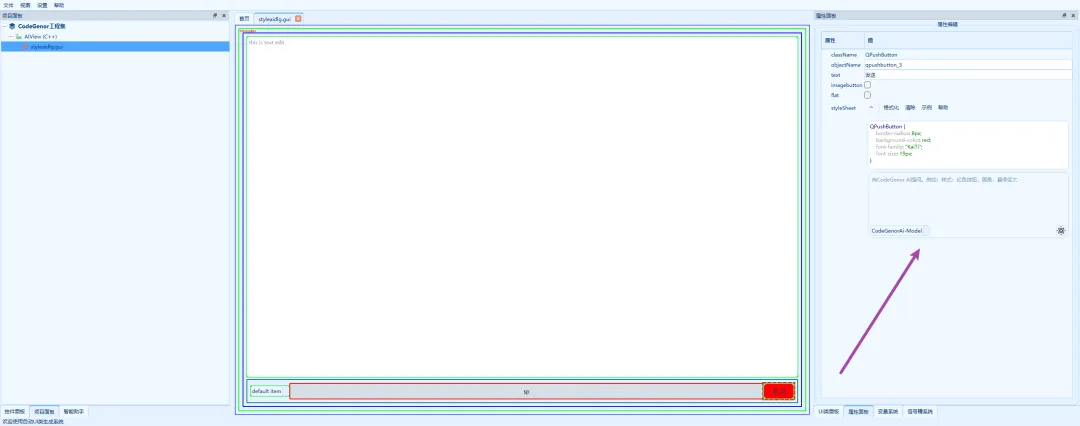
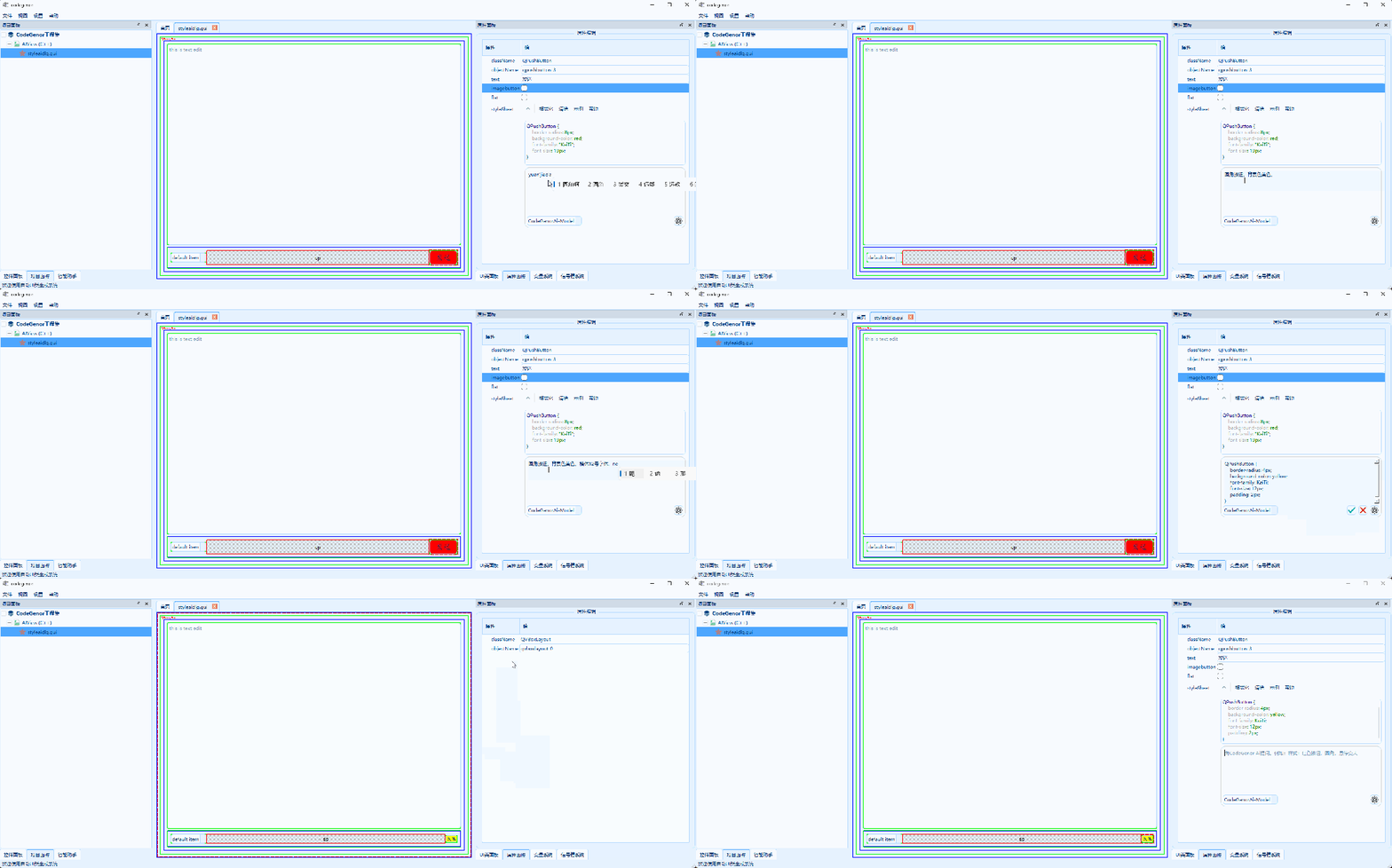
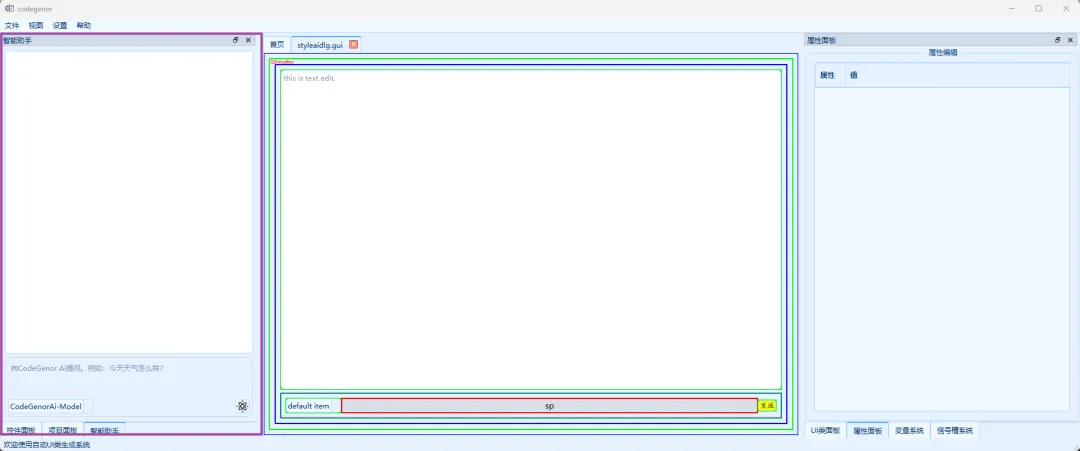
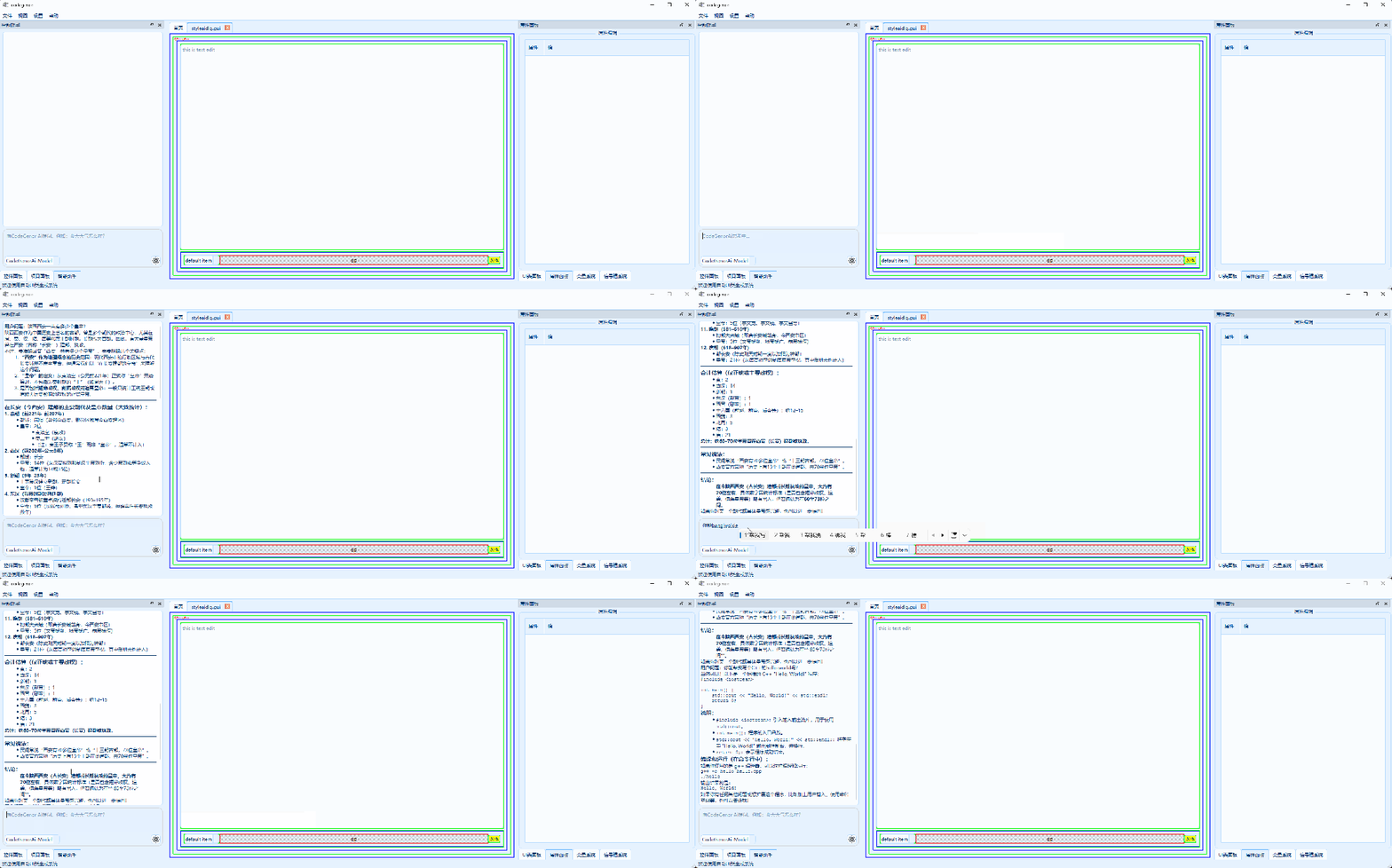
📌 CodeGenor,一款快速生成Python(PySide/PyQt)、C++ UI界面的超强利器。CodeGenor之家网站:http://106.12.173.80/Ai大模型是当下最为火热的技术手段,当然CodeGenor的原型由大模型产生,自然有必要拥抱大模型。本期CodeGenor强力推出智能助手模块,主要包括两两类。一是通用智能助手,二是Qss生成助手。CodeGenor的在UI界面开发方面分为三大部分:在属性编辑器部分,对于QWidget类控件比较有用的是样式编辑器。央样式编辑器中有部分示例,但往往还是不够的,于是Qss智能生成器就派上了用场,该助手的角色为Qss生成器。用户在选中了控件之后来到属性编辑器中,只需要写出自己的需求即可。比如:“圆角、红色背景、按下或悬浮颜色发生变化以显示效果”。点击发送智能助手将会获取对应的样式字符串,同时界面控件将应用样式效果。为了用户方便的使用智能助手,特意在软件主页中增加了智能助手面板。位于项目面板之后,分为提问区与结果区。我们可以向智能助手提问任何问题,只要他知道,绝对知无不言言无不尽。目前的智能助手只是初版,后面将会在易用性与美观性方面机型改善。不过他还是可以回答您任何的问题。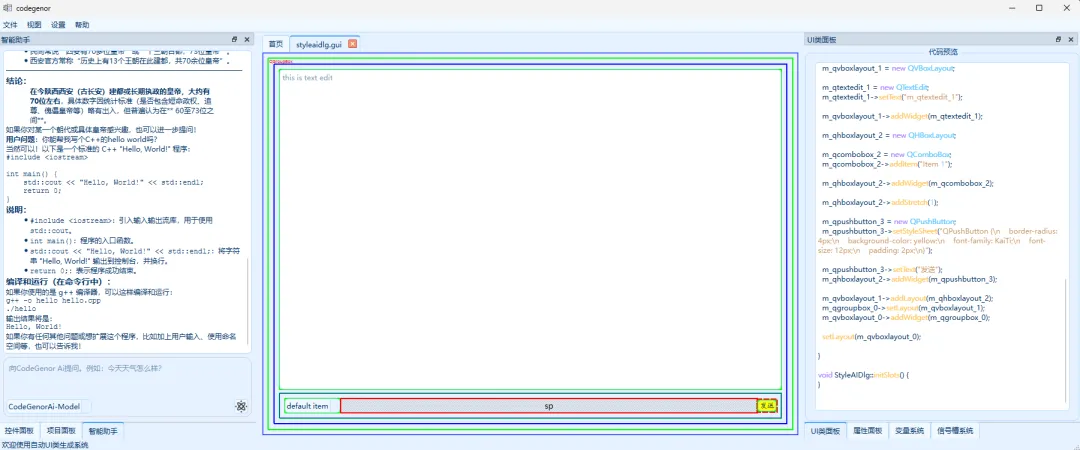
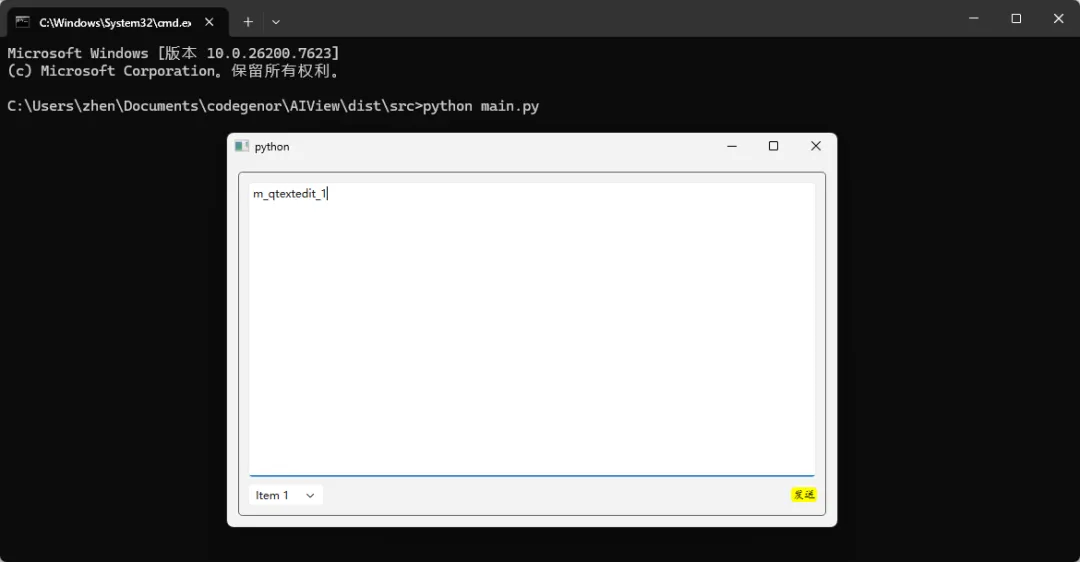
# -*- coding: utf-8 -*-import sysfrom PySide6.QtWidgets import *from PySide6.QtCore import *from PySide6.QtGui import *class StyleAIDlg(QWidget): def __init__(self, parent=None): super().__init__(parent) # init layout self.m_qhboxlayout_2 = None self.m_qvboxlayout_0 = None self.m_qvboxlayout_1 = None # init controls self.m_qcombobox_2 = None self.m_qgroupbox_0 = None self.m_qpushbutton_3 = None self.m_qtextedit_1 = None # 用户变量 self.initUI() self.initSlots() def initUI(self): # windows size setting self.resize(800, 600) self.setWindowFlags(self.windowFlags() & ~Qt.WindowType.WindowContextHelpButtonHint) # layout setting self.m_qvboxlayout_0 = QVBoxLayout(self) self.m_qgroupbox_0 = QGroupBox() self.m_qgroupbox_0.setTitle("") self.m_qvboxlayout_1 = QVBoxLayout() self.m_qtextedit_1 = QTextEdit() self.m_qtextedit_1.setText("m_qtextedit_1") self.m_qvboxlayout_1.addWidget(self.m_qtextedit_1) self.m_qhboxlayout_2 = QHBoxLayout() self.m_qcombobox_2 = QComboBox() self.m_qcombobox_2.addItem("Item 1") self.m_qhboxlayout_2.addWidget(self.m_qcombobox_2) self.m_qhboxlayout_2.addStretch(1) self.m_qpushbutton_3 = QPushButton() self.m_qpushbutton_3.setStyleSheet("QPushButton {\n border-radius: 4px;\n background-color: yellow;\n font-family: KaiTi;\n font-size: 12px;\n padding: 2px;\n}") self.m_qpushbutton_3.setText("发送") self.m_qhboxlayout_2.addWidget(self.m_qpushbutton_3) self.m_qvboxlayout_1.addLayout(self.m_qhboxlayout_2) self.m_qgroupbox_0.setLayout(self.m_qvboxlayout_1) self.m_qvboxlayout_0.addWidget(self.m_qgroupbox_0) self.setLayout(self.m_qvboxlayout_0) def initSlots(self): # connect signal slot pass
运行效果:
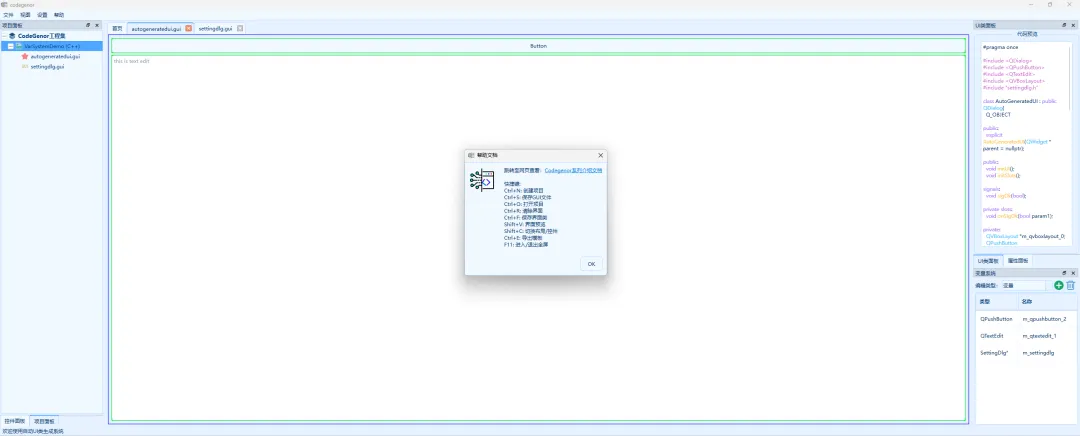
以上,我们可以看到CodeGenor的智能助手在专业生成样式方面能提高界面开发效率,AI的诞生增强了了CodeGenor UI设计器的实用性。掌握一款工具我们需要掌握他的快捷键,这样往往能效率倍增,接下来我们回味下CodGneor的快捷键。📌 CodeGenor自动 UI 类生成系统是一款功能强大、使用便捷的同时支持C++与Python(PySide/PyQt)的Qt UI 界面开发工具,一站式设计、项目生成、编译打包。它通过可视化设计和代码自动生成的方式,其中设计时期增加信号槽函数并绑定、自定义属性设置等功能大大简化了 UI 开发的流程,内部具有智能助手模块,能够极大提高了开发效率。无论是专业开发者还是初学者,都能从这款工具中受益。如果你正在寻找一款高效的 UI 开发工具,不妨尝试一下这款自动 UI 类生成系统。欢迎关注本人进行获取交流以及提供宝贵的意见。