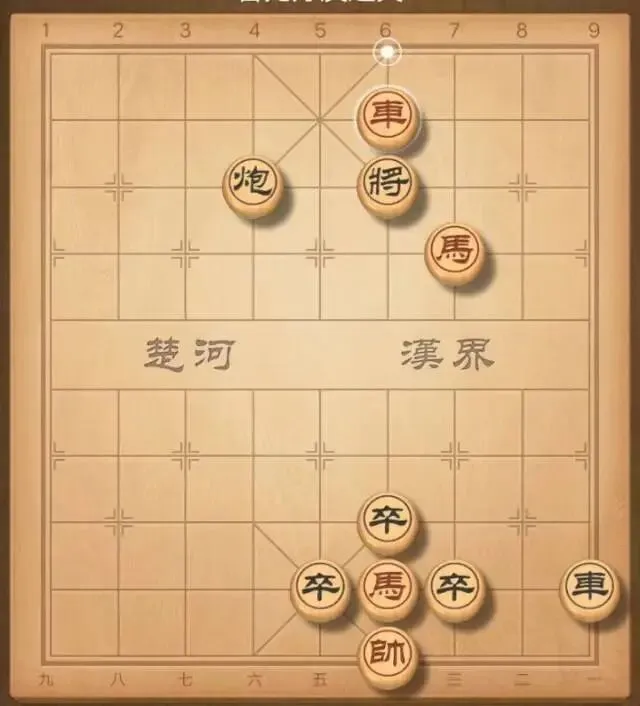
这是一个基于 Pygame 实现的完整中国象棋代码。它包含了标准的棋盘绘制、所有棋子的完整走法规则(马走日、象飞田、炮翻山等)、吃子逻辑以及红黑双方的回合制系统。
🛠️ 运行环境
请确保你已经安装了 pygame 库。
pip install pygame
🐍 完整源代码
import pygame
import sys
================= 游戏常量设置 =================
屏幕尺寸
BOARD_WIDTH = 700
BOARD_HEIGHT = 760
INFO_HEIGHT = 60 # 底部信息栏高度
棋盘绘制参数
RADIUS = 30 # 棋子半径
GRID_SIZE = 80 # 网格大小
MARGIN = 60 # 边距
颜色定义 (R, G, B)
RED = (255, 0, 0)
BLACK = (0, 0, 0)
BROWN = (227, 193, 111)
GREEN = (0, 128, 0)
WHITE = (255, 255, 255)
GRAY = (200, 200, 200)
棋盘行列数 (0-9行, 0-8列)
ROWS = 10
COLS = 9
class ChessGame:
def init(self):
pygame.init()
self.screen = pygame.display.set_mode((BOARD_WIDTH, BOARD_HEIGHT))
pygame.display.set_caption("中国象棋 - 完整规则版")
self.clock = pygame.time.Clock()
# 尝试使用系统中文字体,如果失败则回退到默认字体
try:
self.font = pygame.font.SysFont("SimHei", 32) # 黑体
except:
self.font = pygame.font.Font(None, 32)
# 初始化棋盘数据: 0 表示空,正数表示红方,负数表示黑方
# 1:兵, 2:炮, 3:车, 4:马, 5:相, 6:士, 7:将
self.board = self.init_board()
# 游戏状态
self.selected = None # 当前选中的棋子位置 (row, col)
self.current_player = 1 # 1 表示红方先手,-1 表示黑方
self.game_over = False
def init_board(self):
"""初始化棋盘布局"""
board = [[0]*COLS for _ in range(ROWS)]
# 设置红方 (下方)
board[0] = [-3, -4, -5, -6, -7, -6, -5, -4, -3] # 车马相士将士相马车
board[2] = [0, -2, 0, 0, 0, 0, 0, -2, 0] # 炮
for i in range(0, 9, 2):
board[3][i] = -1 # 兵
# 设置黑方 (上方)
board[9] = [3, 4, 5, 6, 7, 6, 5, 4, 3] # 车马相士将士相马车
board[7] = [0, 2, 0, 0, 0, 0, 0, 2, 0] # 炮
for i in range(0, 9, 2):
board[6][i] = 1 # 兵
return board
def draw_board(self):
"""绘制棋盘"""
self.screen.fill(BROWN)
# 绘制网格线
for row in range(ROWS):
for col in range(COLS):
x = MARGIN + col * GRID_SIZE
y = MARGIN + row * GRID_SIZE
pygame.draw.circle(self.screen, BROWN, (x, y), 3) # 画点
# 绘制横线和竖线
for row in range(ROWS):
pygame.draw.line(self.screen, BLACK,
(MARGIN, MARGIN + row * GRID_SIZE),
(MARGIN + 8 * GRID_SIZE, MARGIN + row * GRID_SIZE))
for col in range(COLS):
pygame.draw.line(self.screen, BLACK,
(MARGIN + col * GRID_SIZE, MARGIN),
(MARGIN + col * GRID_SIZE, MARGIN + 9 * GRID_SIZE))
# 绘制楚河汉界
pygame.draw.rect(self.screen, BROWN, (MARGIN + 2.5GRID_SIZE, MARGIN - 20, 3GRID_SIZE, 40))
text1 = self.font.render("楚 河", True, BLACK)
text2 = self.font.render("汉 界", True, BLACK)
self.screen.blit(text1, (MARGIN + 2.7*GRID_SIZE, MARGIN - 20))
self.screen.blit(text2, (MARGIN + 5.2*GRID_SIZE, MARGIN - 20))
# 绘制九宫格
# 红方九宫
pygame.draw.line(self.screen, BLACK, (MARGIN+3GRID_SIZE, MARGIN), (MARGIN+5GRID_SIZE, MARGIN+2*GRID_SIZE))
pygame.draw.line(self.screen, BLACK, (MARGIN+3GRID_SIZE, MARGIN+2GRID_SIZE), (MARGIN+5*GRID_SIZE, MARGIN))
# 黑方九宫
pygame.draw.line(self.screen, BLACK, (MARGIN+3GRID_SIZE, MARGIN+7GRID_SIZE), (MARGIN+5GRID_SIZE, MARGIN+9GRID_SIZE))
pygame.draw.line(self.screen, BLACK, (MARGIN+3GRID_SIZE, MARGIN+9GRID_SIZE), (MARGIN+5GRID_SIZE, MARGIN+7GRID_SIZE))
def draw_pieces(self):
"""绘制棋子"""
for row in range(ROWS):
for col in range(COLS):
piece = self.board[row][col]
if piece != 0:
x = MARGIN + col * GRID_SIZE
y = MARGIN + row * GRID_SIZE
# 判断颜色
color = RED if piece > 0 else BLACK
border_color = BLACK if piece > 0 else WHITE
# 绘制棋子圆圈
pygame.draw.circle(self.screen, color, (x, y), RADIUS)
pygame.draw.circle(self.screen, border_color, (x, y), RADIUS, 3)
# 获取棋子文字
text = self.get_piece_text(piece)
text_surface = self.font.render(text, True, border_color if piece > 0 else color)
text_rect = text_surface.get_rect(center=(x, y))
self.screen.blit(text_surface, text_rect)
# 高亮显示选中的棋子
if self.selected:
row, col = self.selected
x = MARGIN + col * GRID_SIZE
y = MARGIN + row * GRID_SIZE
pygame.draw.circle(self.screen, GREEN, (x, y), RADIUS + 5, 3)
def get_piece_text(self, piece):
"""根据数字返回对应的棋子文字"""
pieces = {1: "兵", 2: "炮", 3: "车", 4: "马", 5: "相", 6: "士", 7: "将",
-1: "卒", -2: "砲", -3: "車", -4: "馬", -5: "象", -6: "仕", -7: "帥"}
return pieces.get(piece, "")
def get_grid_pos(self, x, y):
"""将屏幕坐标转换为棋盘网格坐标"""
col = round((x - MARGIN) / GRID_SIZE)
row = round((y - MARGIN) / GRID_SIZE)
# 边界检查
if 0 0: # 红方 (下方九宫)
return 3 0: # 吃自己人
return False
if not (0 from_col else -1
for col in range(from_col + step, to_col, step):
if self.board[from_row][col] != 0:
return False
else: # 纵向
step = 1 if to_row > from_row else -1
for row in range(from_row + step, to_row, step):
if self.board[row][from_col] != 0:
return False
return True
def is_valid_horse(self, from_row, from_col, to_row, to_col):
"""马的走法:日字,蹩马腿"""
row_diff = abs(to_row - from_row)
col_diff = abs(to_col - from_col)
# 必须是 2x1 的移动
if sorted([row_diff, col_diff]) != [1, 2]:
return False
# 检查蹩马腿 (日字中心点)
if row_diff == 1: # 纵向跳2格
mid_row = (from_row + to_row) // 2
mid_col = from_col
if self.board[mid_row][mid_col] != 0:
return False
else: # 横向跳2格
mid_row = from_row
mid_col = (from_col + to_col) // 2
if self.board[mid_row][mid_col] != 0:
return False
return True
def is_valid_elephant(self, from_row, from_col, to_row, to_col, piece):
"""象的走法:田字,塞象眼,不能过河"""
if abs(to_row - from_row) != 2 or abs(to_col - from_col) != 2:
return False
# 检查塞象眼 (田字中心)
mid_row = (from_row + to_row) // 2
mid_col = (from_col + to_col) // 2
if self.board[mid_row][mid_col] != 0:
return False
# 不能过河
if piece > 0 and to_row > 4: # 红方象不能过河
return False
if piece 0: # 红方兵
if from_row = 5: # 没过河
return to_col == from_col and to_row == from_row + 1
else: # 过河了
return (to_row == from_row and abs(to_col - from_col) == 1) or (to_row == from_row + 1 and to_col == from_col)
def is_valid_cannon(self, from_row, from_col, to_row, to_col, target):
"""炮的走法:移动同车,吃子需隔一子"""
# 移动逻辑和车一样,但如果目标位置有棋子(吃子),中间必须有且仅有一个炮架
if target == 0:
# 没有吃子,走法同车
return self.is_valid_chariot(from_row, from_col, to_row, to_col)
else:
# 正在吃子,中间必须有且仅有一个棋子
if from_row != to_row and from_col != to_col:
return False
count = 0
if from_row == to_row: # 横向
step = 1 if to_col > from_col else -1
for col in range(from_col + step, to_col, step):
if self.board[from_row][col] != 0:
count += 1
else: # 纵向
step = 1 if to_row > from_row else -1
for row in range(from_row + step, to_row, step):
if self.board[row][from_col] != 0:
count += 1
return count == 1 # 必须有且仅有一个炮架
def make_move(self, from_row, from_col, to_row, to_col):
"""执行移动"""
if self.is_valid_move(from_row, from_col, to_row, to_col):
# 执行移动
self.board[to_row][to_col] = self.board[from_row][from_col]
self.board[from_row][from_col] = 0
# 切换玩家
self.current_player *= -1
self.selected = None
return True
return False
def run(self):
"""主游戏循环"""
while True:
for event in pygame.event.get():
if event.type == pygame.QUIT:
pygame.quit()
sys.exit()
if event.type == pygame.MOUSEBUTTONDOWN and not self.game_over:
x, y = pygame.mouse.get_pos()
pos = self.get_grid_pos(x, y)
if pos:
row, col = pos
# 如果已经选中一个棋子
if self.selected:
from_row, from_col = self.selected
# 如果点击的是同一个位置,取消选中
if from_row == row and from_col == col:
self.selected = None
else:
# 尝试移动
self.make_move(from_row, from_col, row, col)
else:
# 选中棋子 (必须是当前玩家的棋子)
piece = self.board[row][col]
if piece != 0 and (piece > 0) == (self.current_player > 0):
self.selected = (row, col)
# 绘制
self.draw_board()
self.draw_pieces()
# 绘制底部信息栏
pygame.draw.rect(self.screen, GRAY, (0, BOARD_HEIGHT - INFO_HEIGHT, BOARD_WIDTH, INFO_HEIGHT))
player_text = "红方回合" if self.current_player > 0 else "黑方回合"
info = self.font.render(f"状态: {player_text} | 点击棋子移动", True, BLACK)
self.screen.blit(info, (10, BOARD_HEIGHT - INFO_HEIGHT + 10))
pygame.display.flip()
self.clock.tick(30)
if name == "main":
game = ChessGame()
game.run()
 10个月宝宝每天需要喝多少奶粉?