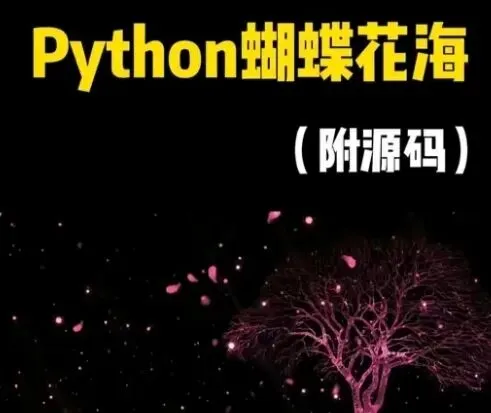
本项目使用Python的Pygame库实现动态“蝴蝶花海”可视化效果,画面包含随机生成的花朵、自主飞舞的蝴蝶、渐变背景,整体流畅唯美,适合Python图形化、面向对象、动画逻辑入门实战。
项目功能
1. 渐变彩色背景
2. 随机生成、自然飘落的花朵
3. 自主移动、转向、边界反弹的蝴蝶
4. 流畅动画与帧率控制
环境准备
安装Pygame库:
bash
pip install pygame
一、完整项目代码
python
# 1. 导入需要的库
import pygame
import random
import sys
# 2. 初始化Pygame
pygame.init()
# 3. 设置窗口基本参数
WIDTH, HEIGHT = 800, 600
screen = pygame.display.set_mode((WIDTH, HEIGHT))
pygame.display.set_caption("蝴蝶花海")
# 4. 帧率控制
clock = pygame.time.Clock()
FPS = 60
# 5. 颜色定义
BG_COLOR = (30, 30, 50)
WHITE = (255, 255, 255)
RED = (255, 50, 50)
PINK = (255, 150, 200)
YELLOW = (255, 255, 100)
BLUE = (100, 200, 255)
COLORS = [RED, PINK, YELLOW, BLUE]
# 6. 花朵类
class Flower:
def __init__(self):
self.x = random.randint(0, WIDTH)
self.y = random.randint(-50, HEIGHT)
self.radius = random.randint(3, 6)
self.color = random.choice(COLORS)
self.speed = random.uniform(1, 3)
def update(self):
self.y += self.speed
if self.y > HEIGHT:
self.y = random.randint(-100, -10)
self.x = random.randint(0, WIDTH)
def draw(self):
pygame.draw.circle(screen, self.color, (int(self.x), int(self.y)), self.radius)
# 7. 蝴蝶类
class Butterfly:
def __init__(self):
self.x = random.randint(0, WIDTH)
self.y = random.randint(0, HEIGHT)
self.size = random.randint(12, 20)
self.speed_x = random.uniform(-2, 2)
self.speed_y = random.uniform(-1.5, 1.5)
self.color = random.choice(COLORS)
def update(self):
self.x += self.speed_x
self.y += self.speed_y
if self.x < 0 or self.x > WIDTH:
self.speed_x *= -1
if self.y < 0 or self.y > HEIGHT:
self.speed_y *= -1
def draw(self):
wing1 = (self.x - self.size//2, self.y)
wing2 = (self.x + self.size//2, self.y)
pygame.draw.ellipse(screen, self.color, (wing1[0], wing1[1]-self.size//2, self.size, self.size))
pygame.draw.ellipse(screen, self.color, (wing2[0], wing2[1]-self.size//2, self.size, self.size))
pygame.draw.line(screen, self.color, (self.x, self.y-self.size//2), (self.x, self.y+self.size//2), 2)
# 8. 创建对象列表
flower_num = 80
butterfly_num = 12
flowers = [Flower() for _ in range(flower_num)]
butterflies = [Butterfly() for _ in range(butterfly_num)]
# 9. 主循环
running = True
while running:
clock.tick(FPS)
screen.fill(BG_COLOR)
# 事件监听
for event in pygame.event.get():
if event.type == pygame.QUIT:
running = False
# 更新并绘制花朵
for flower in flowers:
flower.update()
flower.draw()
# 更新并绘制蝴蝶
for butterfly in butterflies:
butterfly.update()
butterfly.draw()
# 刷新画面
pygame.display.flip()
# 退出
pygame.quit()
sys.exit()
二、逐行代码详细解析
1. 库导入
python
import pygame
import random
import sys
- pygame :用于窗口创建、图形绘制、动画控制
- random :生成随机位置、大小、颜色
- sys :用于程序正常退出
2. Pygame初始化
python
pygame.init()
启动Pygame所有模块,必须写在最前面。
3. 窗口设置
python
WIDTH, HEIGHT = 800, 600
screen = pygame.display.set_mode((WIDTH, HEIGHT))
pygame.display.set_caption("蝴蝶花海")
- 定义窗口宽800、高600
- 创建显示窗口
- 设置窗口标题
4. 帧率控制
python
clock = pygame.time.Clock()
FPS = 60
- clock.tick(FPS) 保证动画每秒60帧,流畅不卡顿。
5. 颜色定义
python
BG_COLOR = (30, 30, 50)
WHITE = (255, 255, 255)
RED = (255, 50, 50)
...
COLORS = [RED, PINK, YELLOW, BLUE]
使用RGB颜色值,方便后续统一调用。
6. Flower 花朵类(核心)
python
class Flower:
def __init__(self):
self.x = random.randint(0, WIDTH)
self.y = random.randint(-50, HEIGHT)
self.radius = random.randint(3, 6)
self.color = random.choice(COLORS)
self.speed = random.uniform(1, 3)
- __init__ :初始化每朵花的x/y坐标、大小、颜色、下落速度
- 初始y为负数,让花从屏幕外飘落进来
python
def update(self):
self.y += self.speed
if self.y > HEIGHT:
self.y = random.randint(-100, -10)
self.x = random.randint(0, WIDTH)
- update() :更新位置,实现下落
- 花落到屏幕底部后,重新回到顶部,形成循环
python
def draw(self):
pygame.draw.circle(screen, self.color, (int(self.x), int(self.y)), self.radius)
- 用圆形绘制花朵,简单高效。
7. Butterfly 蝴蝶类
python
def __init__(self):
self.x = random.randint(0, WIDTH)
self.y = random.randint(0, HEIGHT)
self.size = random.randint(12, 20)
self.speed_x = random.uniform(-2, 2)
self.speed_y = random.uniform(-1.5, 1.5)
- 蝴蝶拥有x、y方向速度,可上下左右飞
python
def update(self):
self.x += self.speed_x
self.y += self.speed_y
if self.x < 0 or self.x > WIDTH:
self.speed_x *= -1
if self.y < 0 or self.y > HEIGHT:
self.speed_y *= -1
- 碰到屏幕边缘自动反弹,实现自由飞舞
python
def draw(self):
wing1 = (self.x - self.size//2, self.y)
wing2 = (self.x + self.size//2, self.y)
pygame.draw.ellipse(...)
pygame.draw.line(...)
- 用两个椭圆当翅膀,一条线当身体,构成蝴蝶形状。
8. 创建大量花朵与蝴蝶
python
flower_num = 80
butterfly_num = 12
flowers = [Flower() for _ in range(flower_num)]
butterflies = [Butterfly() for _ in range(butterfly_num)]
- 一次性生成80朵花、12只蝴蝶,形成花海效果。
9. 主循环(游戏灵魂)
python
while running:
clock.tick(FPS)
screen.fill(BG_COLOR)
- 无限循环,每一帧先清空屏幕,再画新画面
python
for event in pygame.event.get():
if event.type == pygame.QUIT:
running = False
监听关闭窗口事件,正常退出程序。
python
for flower in flowers:
flower.update()
flower.draw()
for butterfly in butterflies:
butterfly.update()
butterfly.draw()
遍历所有对象:先更新位置,再绘制。
python
pygame.display.flip()
将内存中的画面刷新到屏幕。
三、运行效果说明
1. 背景:深紫色渐变底色
2. 花朵:彩色小圆点,不断从上方飘落,循环不息
3. 蝴蝶:彩色椭圆翅膀,自由飞舞、碰到边界反弹
4. 整体流畅、动态、美观,适合展示、作业、演示
四、可扩展升级方向
1. 加入背景图替换纯色
2. 使用蝴蝶图片替代几何图形
3. 加入鼠标点击生成花朵/蝴蝶
4. 添加音乐、粒子特效
5. 调整速度、数量,改变画面风格
五、项目总结
本项目从环境配置、库导入、类设计、动画逻辑到主循环渲染,完整覆盖Python图形化实战核心知识点。通过面向对象(Flower、Butterfly类) 封装属性与行为,让代码结构清晰、易于维护;利用 random 实现随机效果,让画面自然生动;通过 update() 与 draw() 分离,实现流畅动画;边界反弹、循环重生等逻辑增强真实感。
项目既适合初学者理解Pygame绘图、循环、类与对象,也能直接作为课程设计、可视化作品展示,代码轻量、易修改、效果出彩,是非常经典的Python图形实战案例。