期刊图片复现|Python绘制高颜值南丁格尔玫瑰图
- 2026-10-11 08:02:38
期刊图片复现|Python绘制高颜值南丁格尔玫瑰图

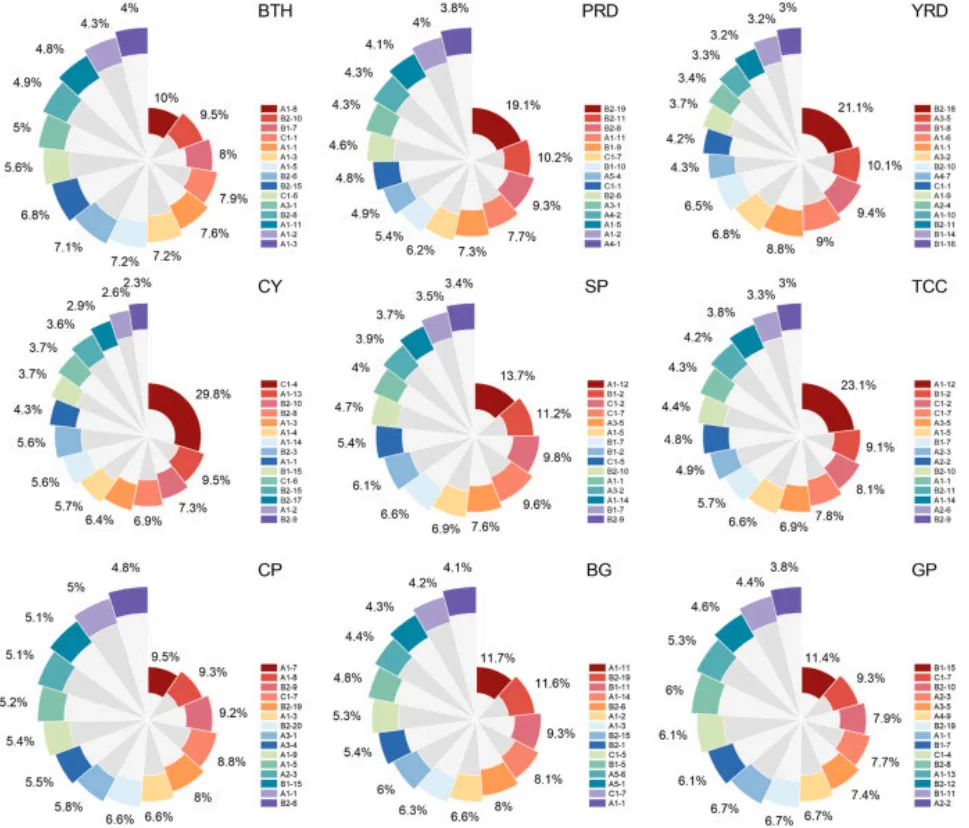
论文原图 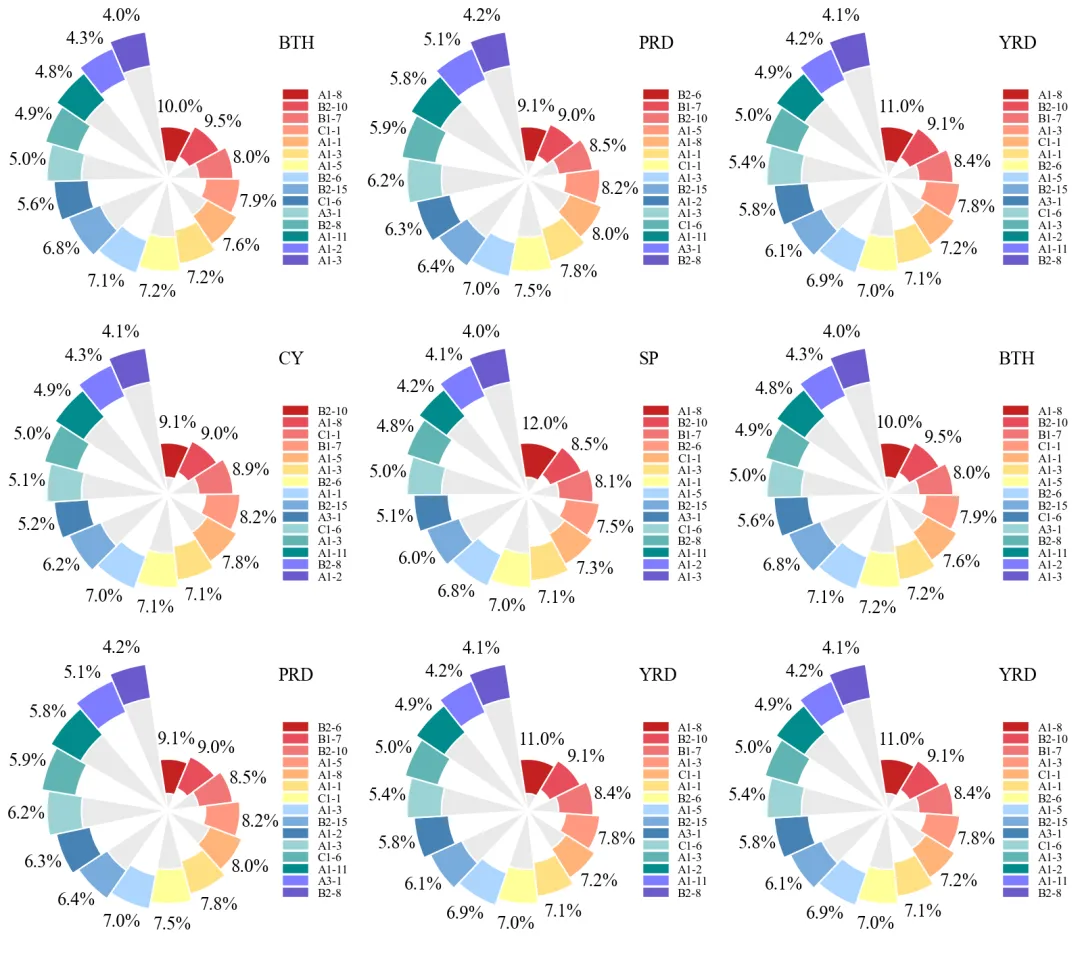
仿图 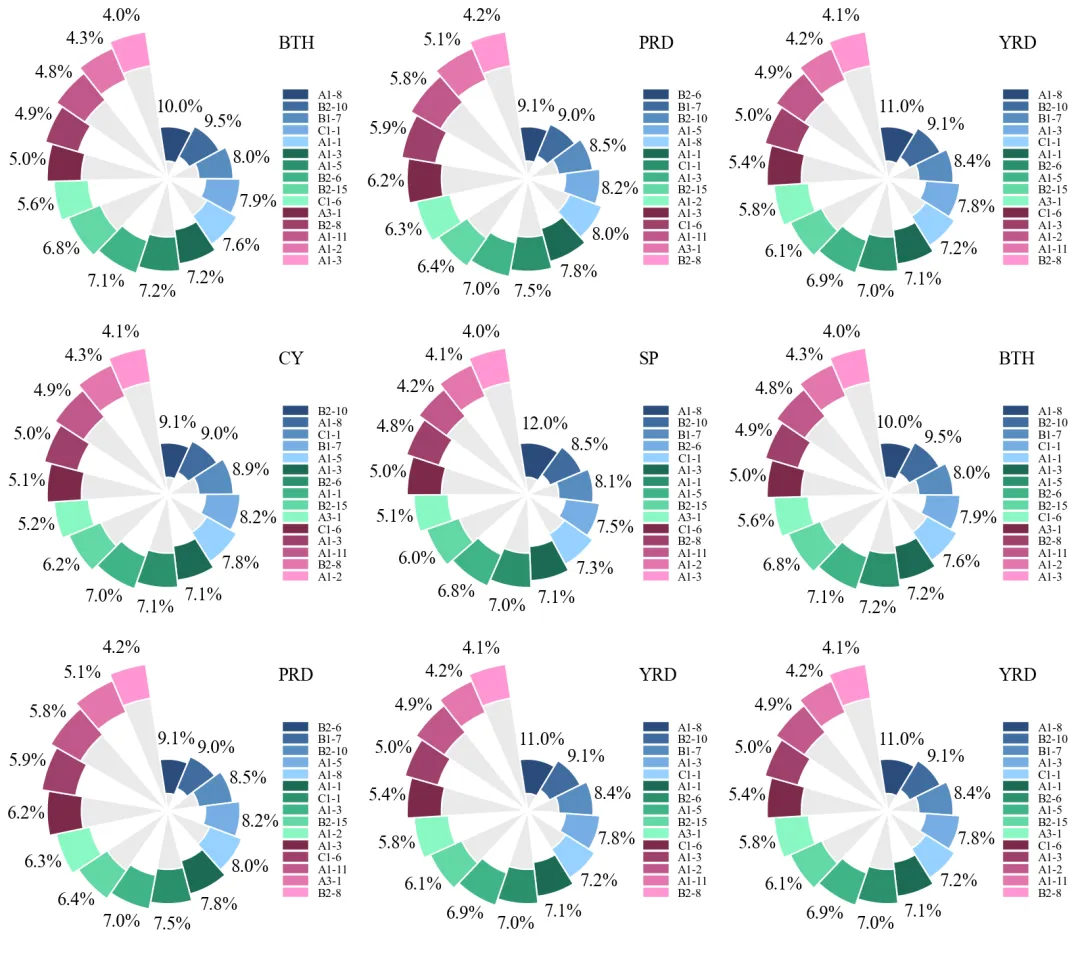
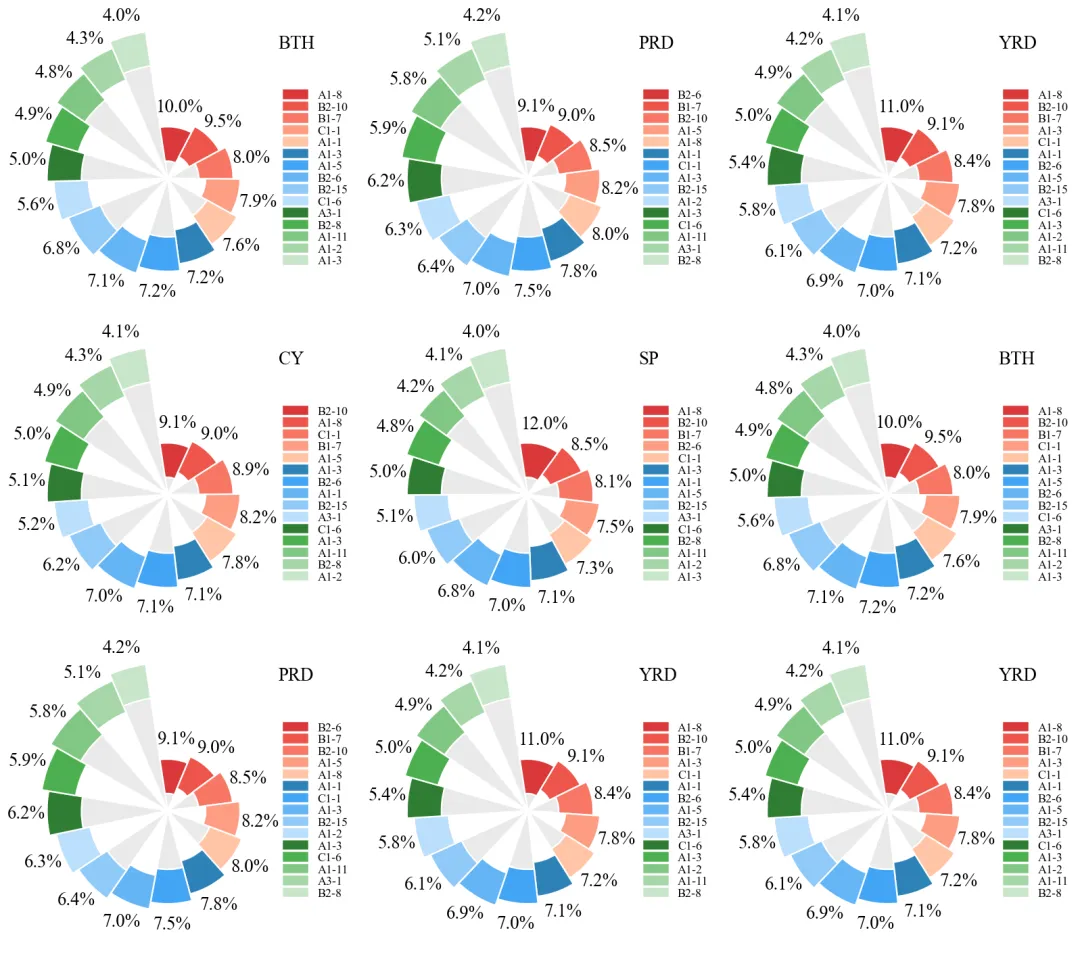
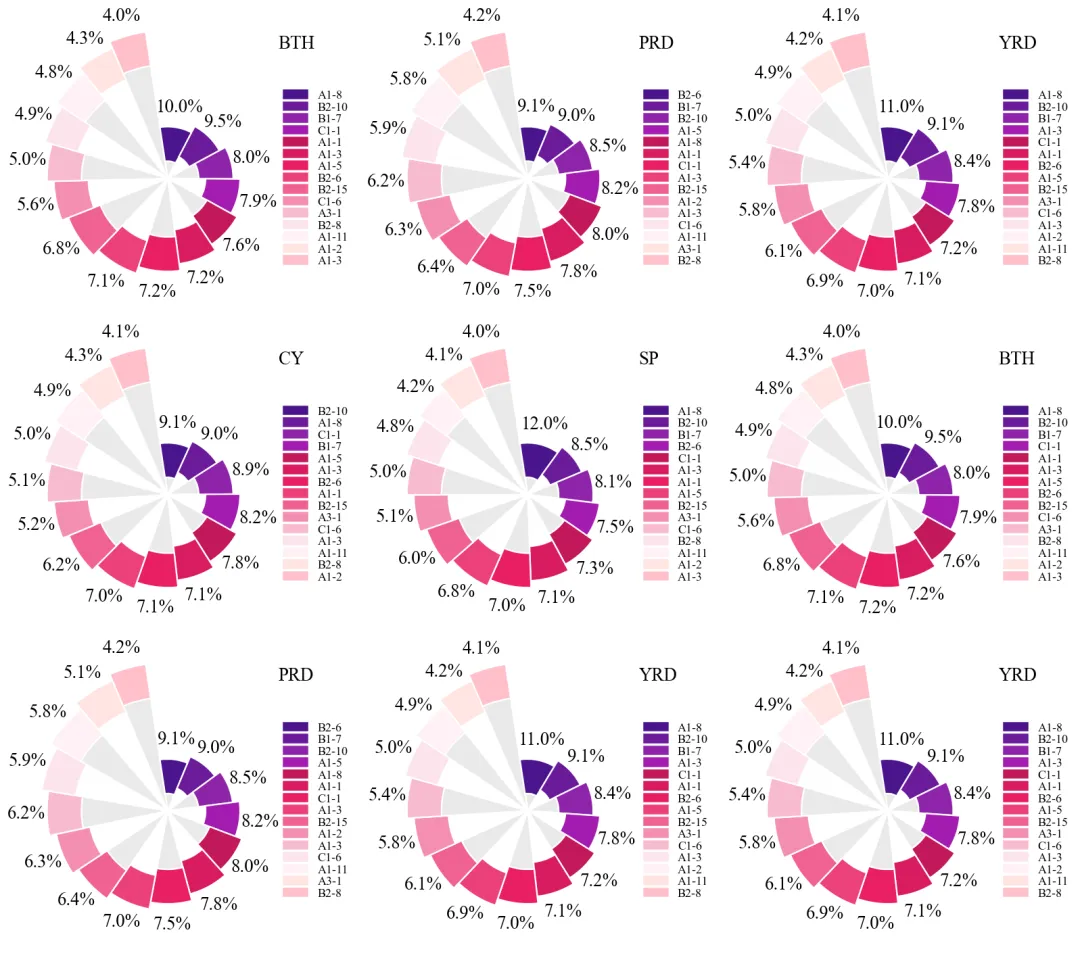
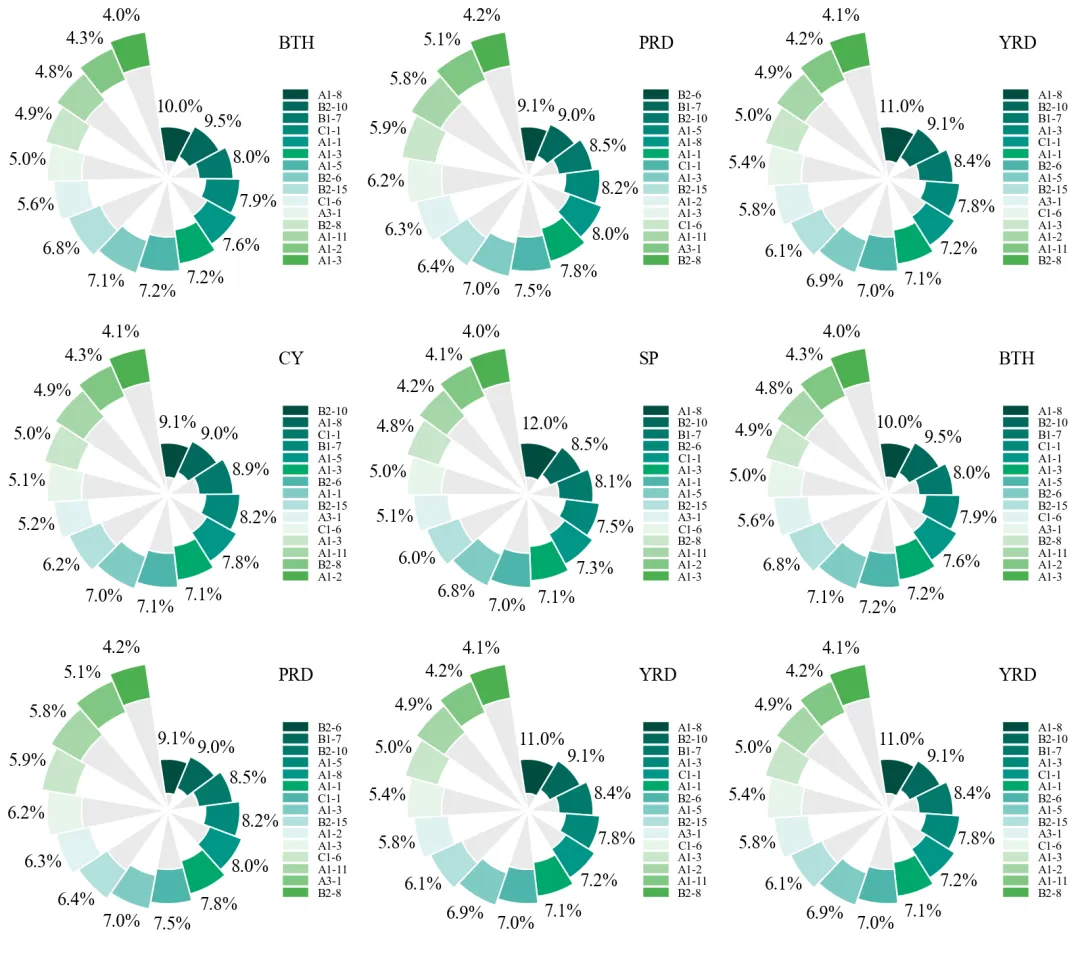
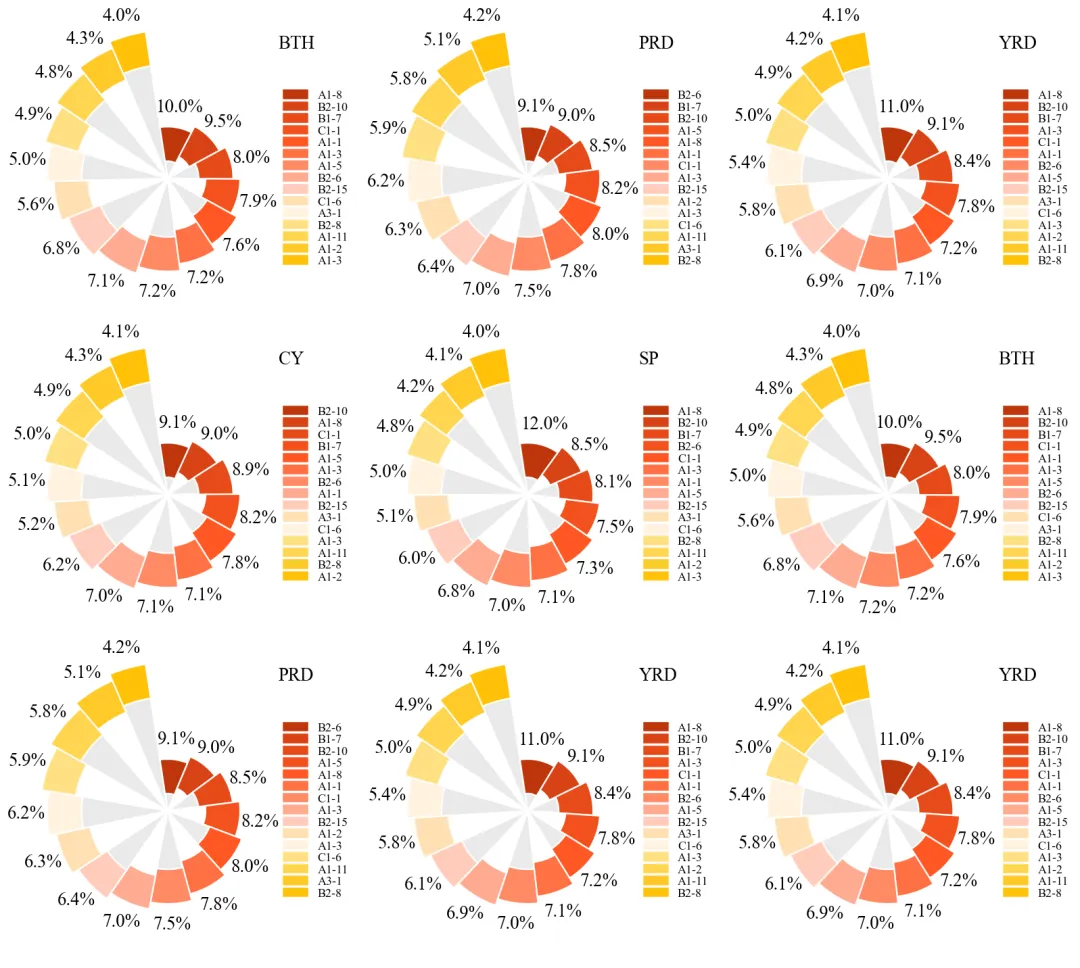
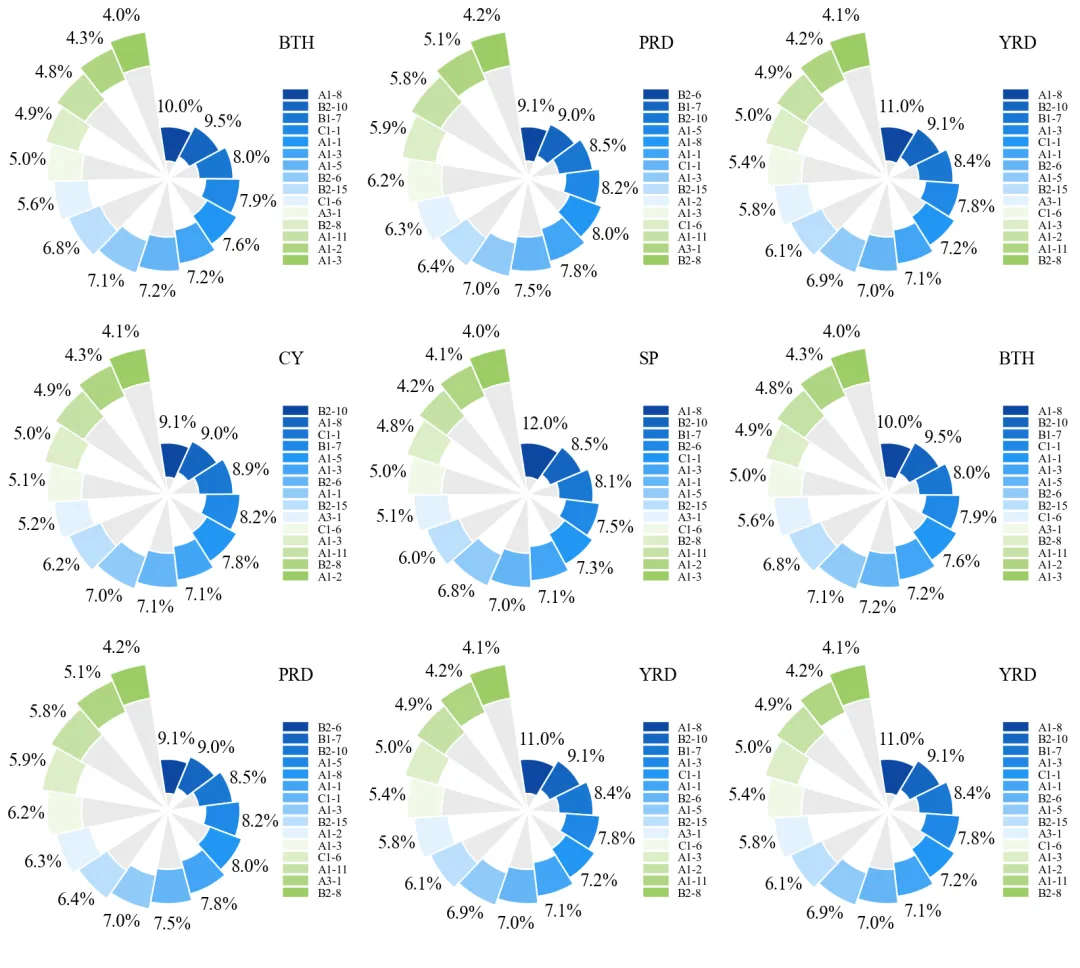
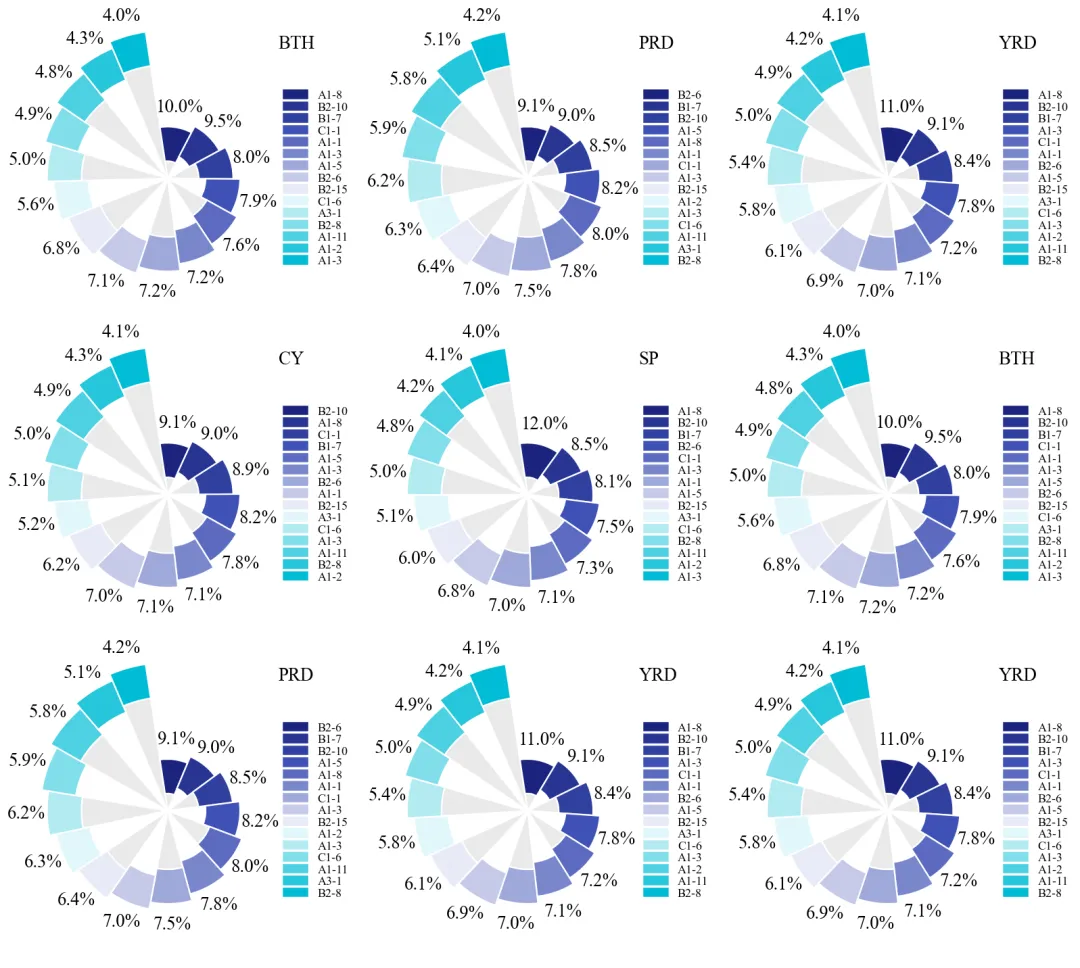
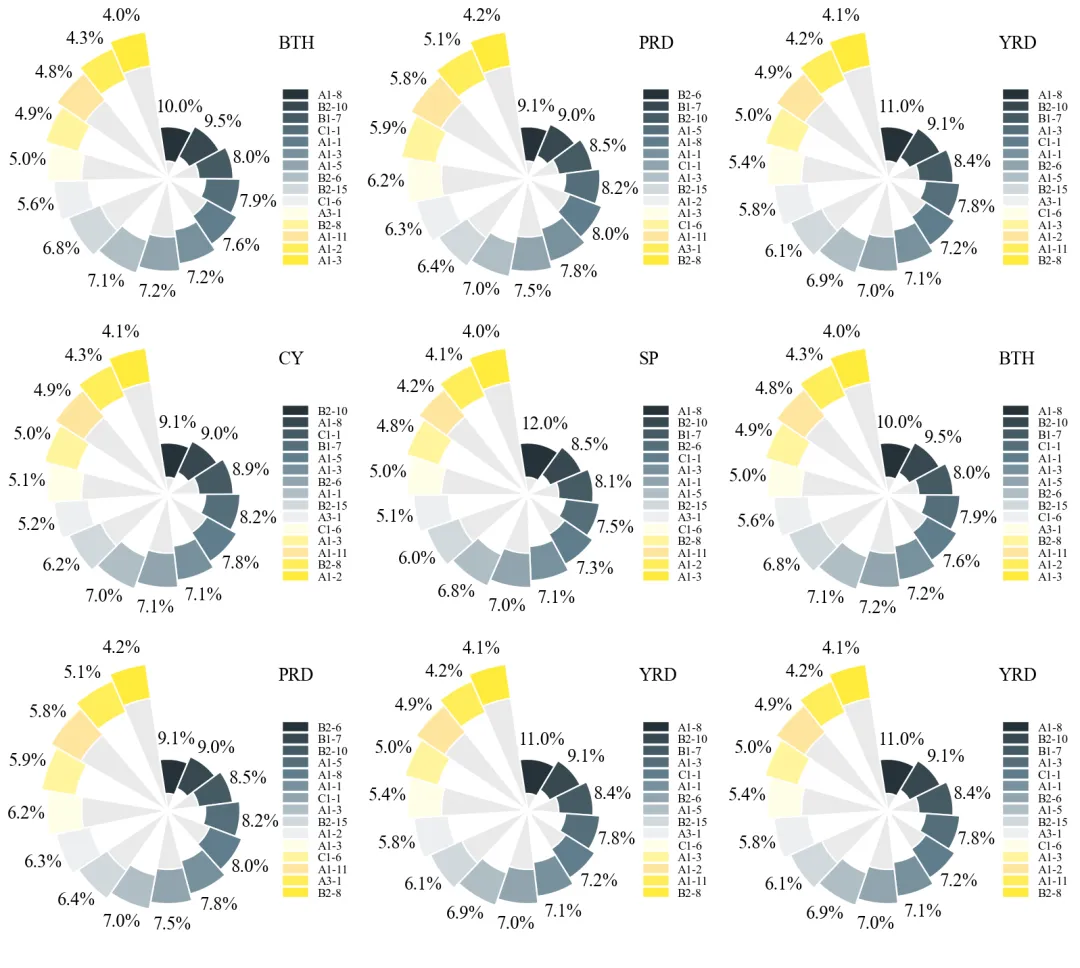
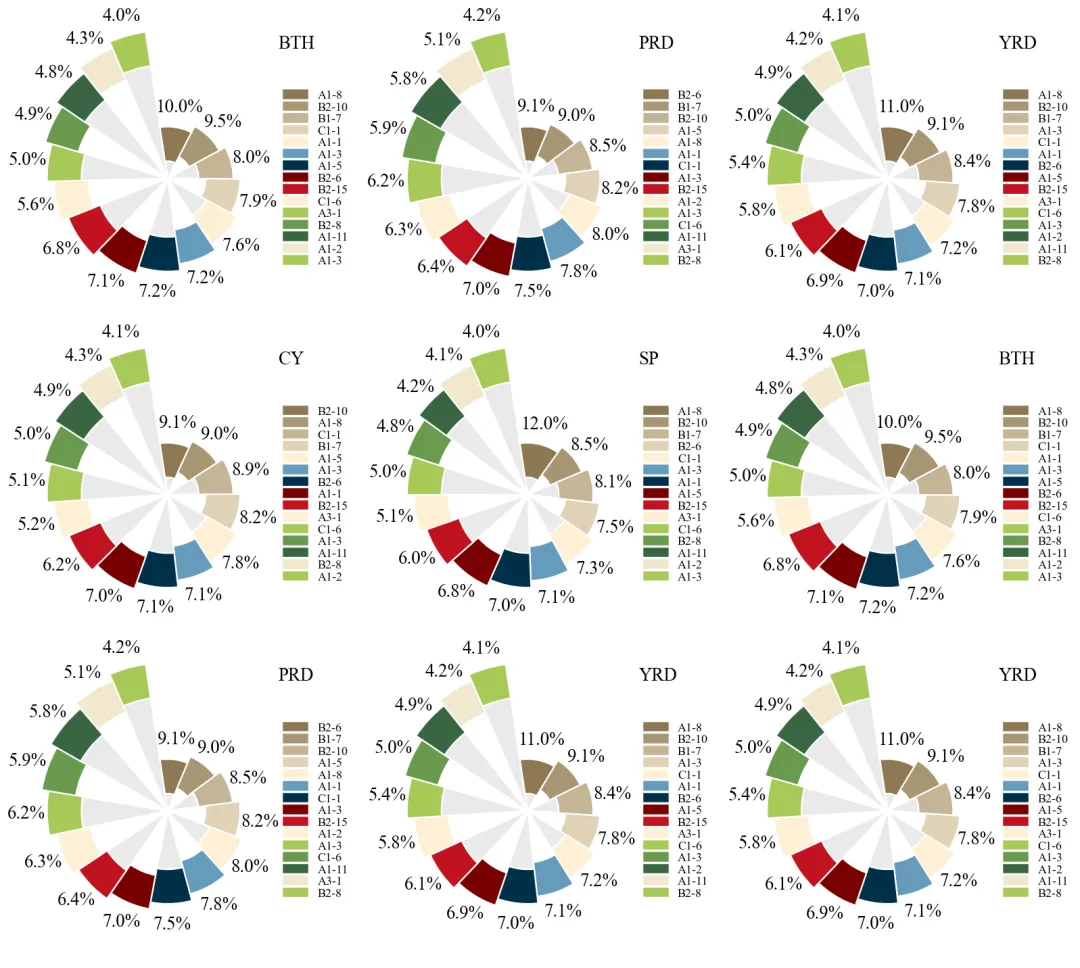
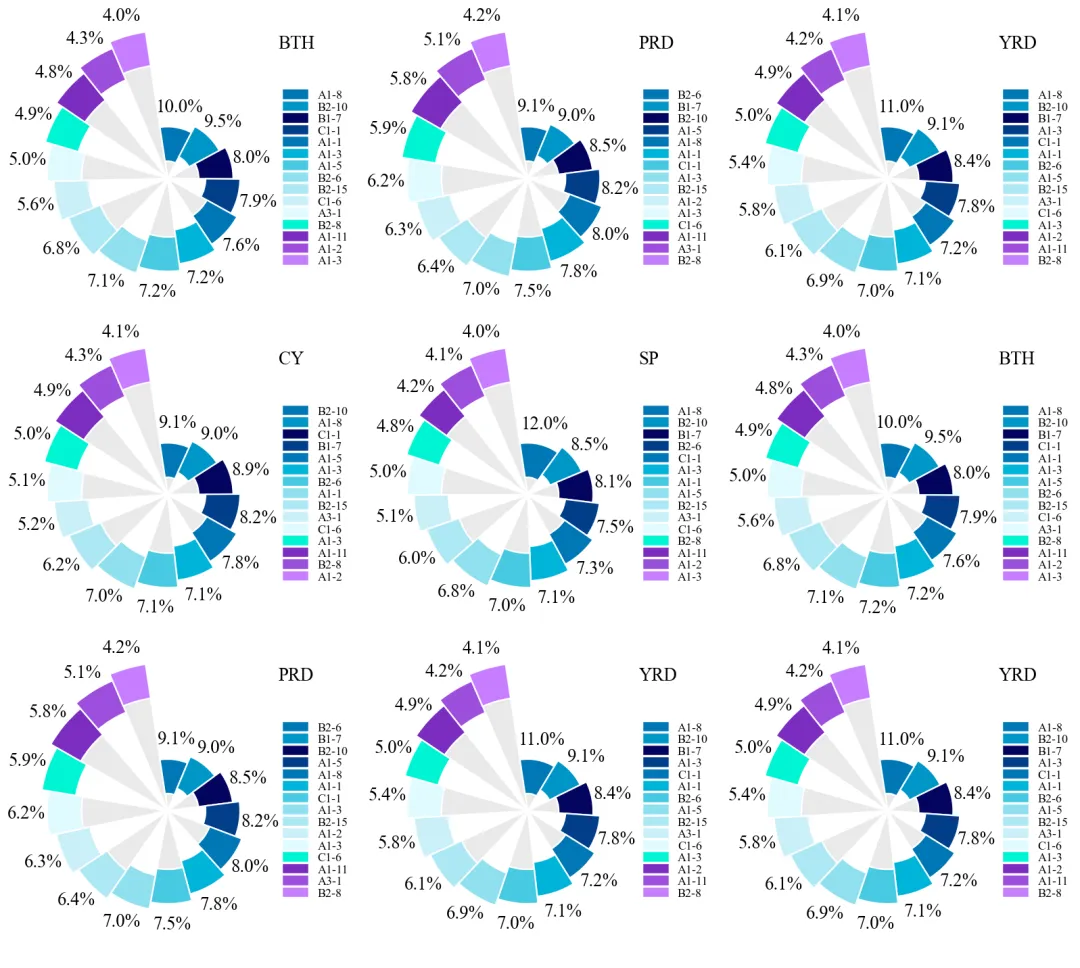
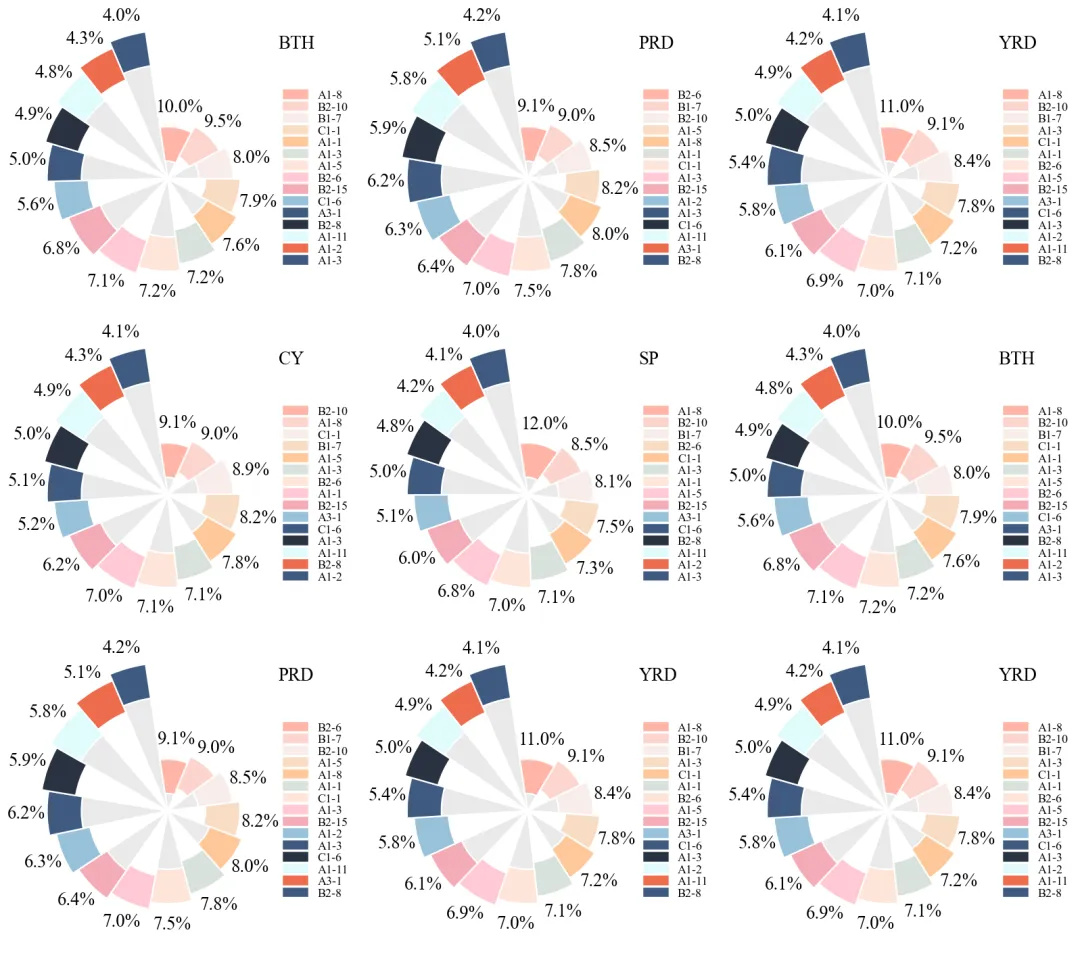
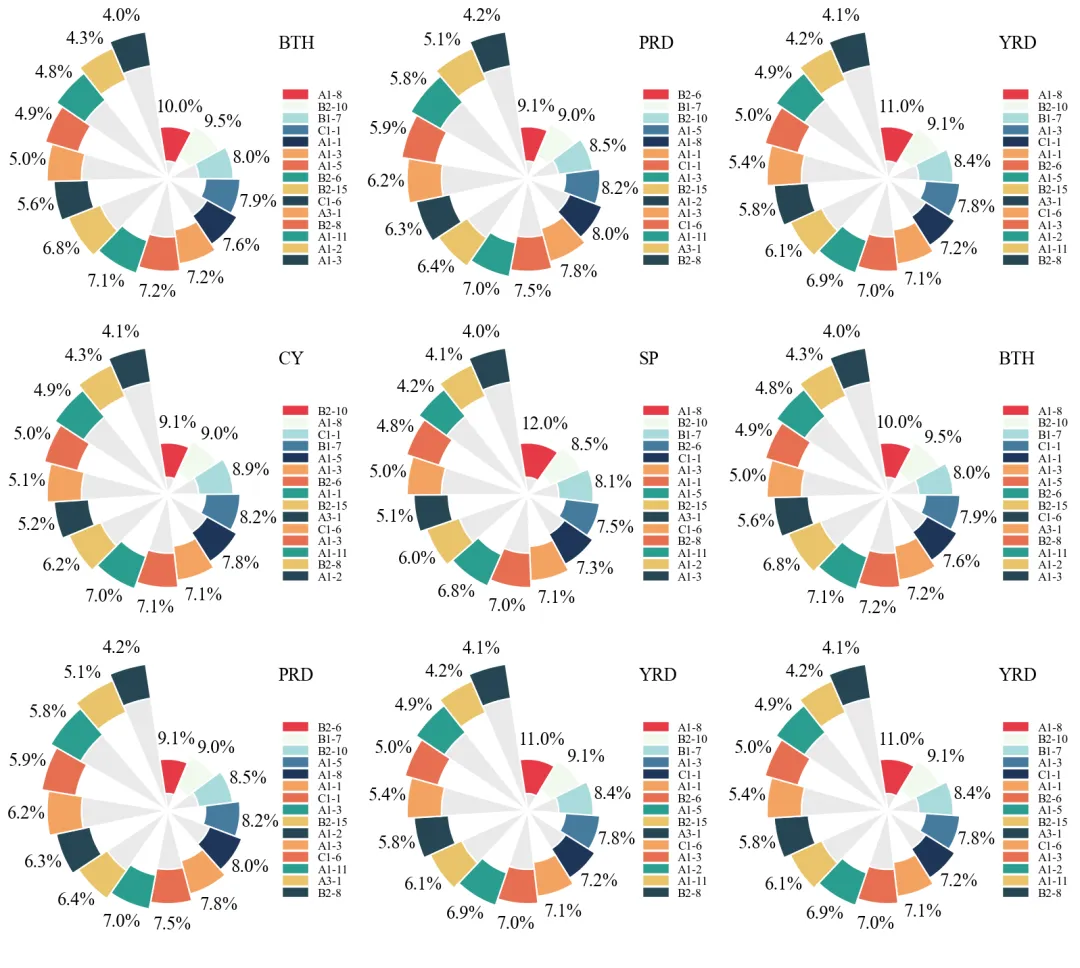
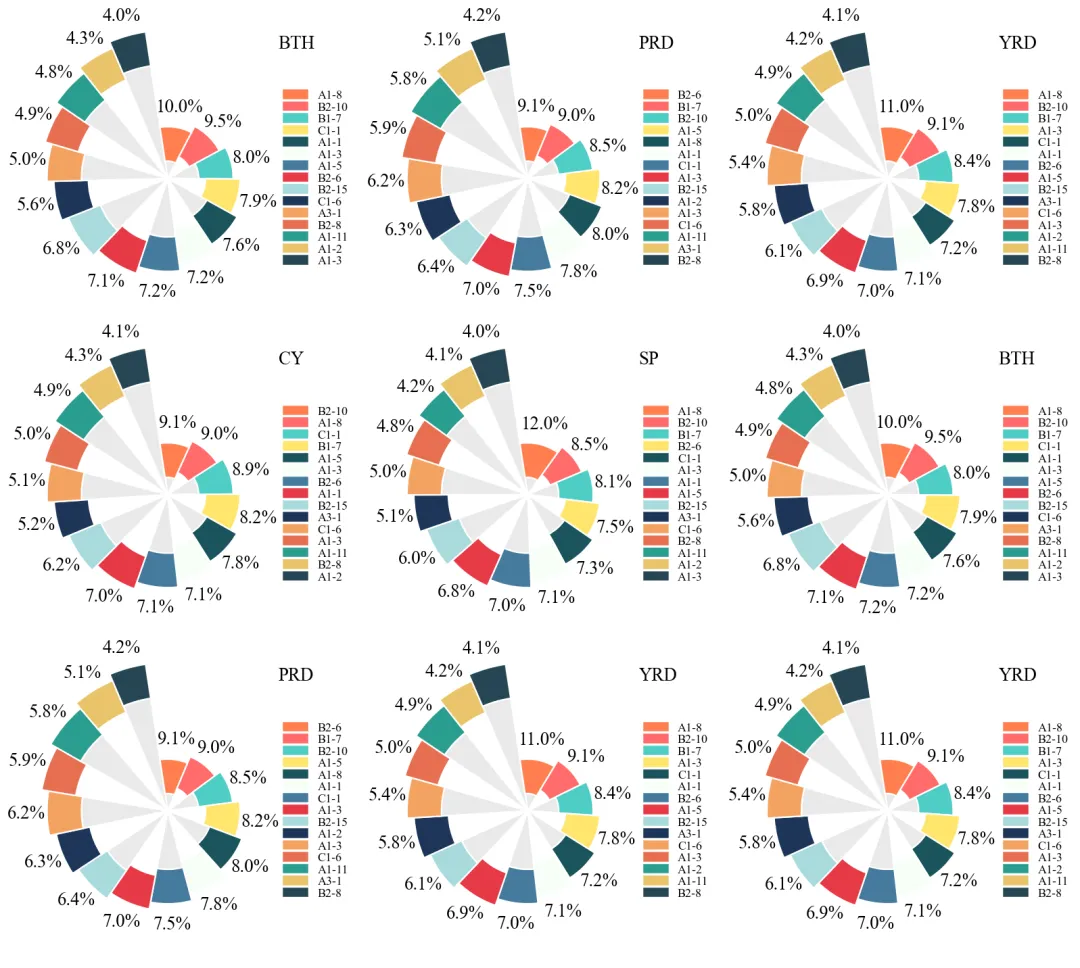
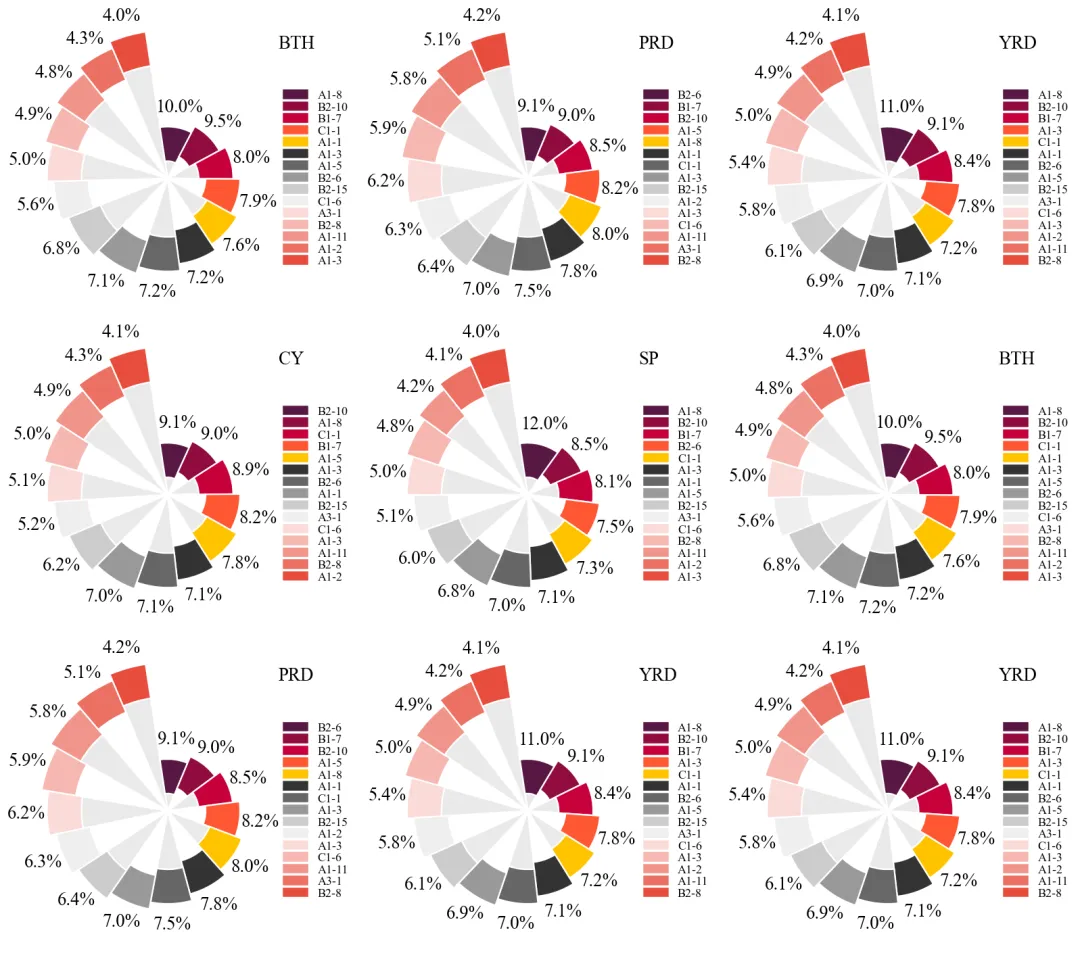
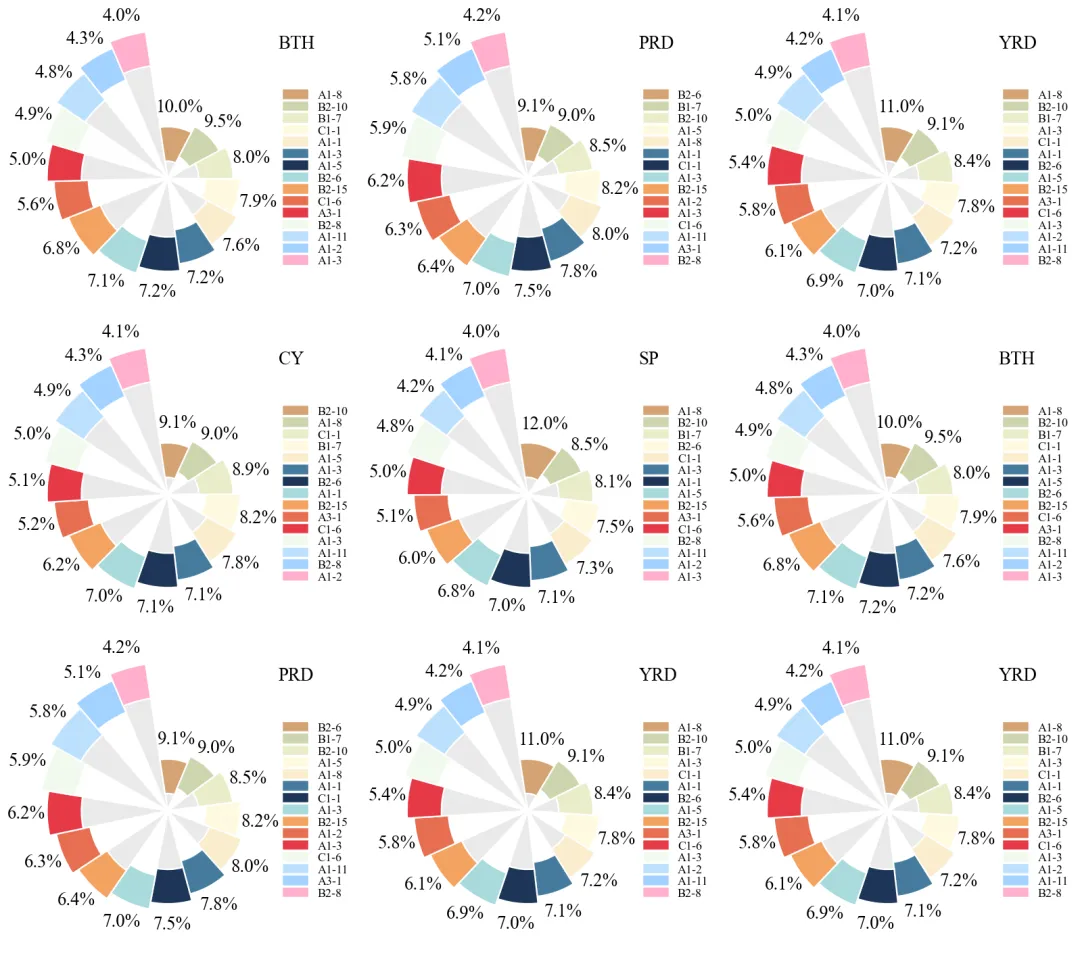
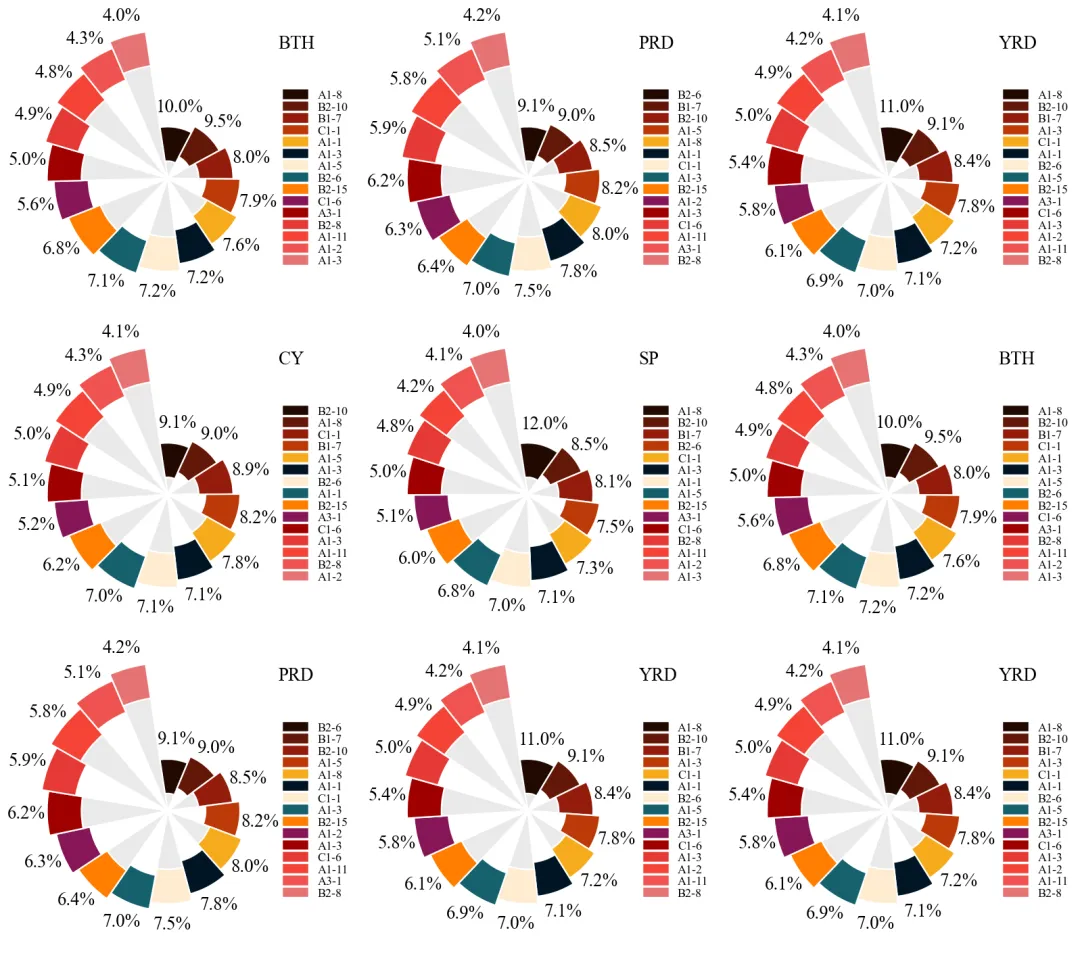
多种配色 



库的导入以及字体设置 

设置颜色库 

单个玫瑰图绘制函数 

主绘图函数 

执行部分 



期刊图片复现|Python绘制二维偏依赖PDP图 期刊复现|python绘制基于SHAP分析和GAM模型拟合的单特征依赖图 期刊图片复现|python绘制带有渐变颜色shap特征重要性组合图(条形图+蜂巢图) 期刊复现|用Python绘制SHAP特征重要性总览图、依赖图、双特征交互效应SHAP图,解锁XGBoost模型的终极奥秘 期刊图片复现|Python绘制shap重要性蜂巢图+单特征依赖图+交互效应强度气泡图+交互效应依赖图(回归+二分类+分类) 

公众号中的所有所有的免费代码都已经下架了,都并入到付费部分里了,付费合集代码和数据的购买通道已经开通,全部合集100元,后续将会持续更新,决定购买请后台私信我,注意只会分享练习数据和代码文件,不会提供答疑服务,代码文件中已经包含了每行代码的完整注释,购买前请确保真的需要!!!
代码绘制成果展示
论文:Closing maize yield gaps in North China plain: Based on plot-scale farmer survey and simulation
代码解释
第一部分
# =========================================================================================# ====================================== 1. 环境设置 =======================================# =========================================================================================import numpy as npimport matplotlib.pyplot as pltimport matplotlibimport matplotlib.patches as mpatches
第二部分
# =========================================================================================# ======================================2.颜色库=======================================# =========================================================================================COLOR_SCHEMES = {1: ['#C42121', '#E84D5B', '#F27676', '#FF9980', '#FFB479', '#FFE083', '#FFFF99', '#ACD6FF', '#79ABDC', '#4682B4','#9AD4D4', '#60B4B4', '#008B8B', '#7D7DFF', '#6A5ACD'],}
第三部分
# =========================================================================================# ======================================3.单个玫瑰图绘制函数=======================================# =========================================================================================def draw_final_chart(ax, chart_data):title = chart_data['title'] #子图标题values = chart_data['values'] #数值colors = chart_data['colors'] #配色#子图标题ax.text(0.87, #x0.95, #ytitle, #文本transform=ax.transAxes, #坐标系fontsize=18, #大小ha='left', #水平va='center') #垂直#去掉轴刻度、轴线、网格线等ax.set_yticklabels([])ax.set_xticklabels([])ax.legend(handles=legend_handles, #句柄loc='center left', #位置bbox_to_anchor=(0.85, 0.5), #坐标frameon=False, #去掉边框fontsize=12, #字体大小labelspacing=0.05) #间距
第四部分
# =========================================================================================# ======================================4.主绘图函数=======================================# =========================================================================================def plot_advanced_forest_chart(df_real, scheme_id):#创建画布fig, axes = plt.subplots(nrows, ncols, figsize=(ncols * 5, nrows * 5), subplot_kw={'projection': 'polar'})axes = np.atleast_1d(axes).flatten() #展平用于遍历sorted_pairs = sorted(zip(values, legend_labels), key=lambda x: x[0], reverse=True) #把数值跟对应的图例名拼合,并排序sorted_values = [x[0] for x in sorted_pairs] #排序后数值sorted_labels = [x[1] for x in sorted_pairs] #排序后名#打包绘图数据chart_data = {'title': title,'values': sorted_values,'colors': selected_colors,'legend_labels': sorted_labels}
第五部分
# =========================================================================================# ======================================5.执行部分=======================================# =========================================================================================if __name__ == '__main__':excel_file_path = r'data.xlsx' #原始数据df_real = pd.read_excel(excel_file_path) #读取数据#设置是否批量绘图plot_all = Trueif plot_all:for scheme_id in COLOR_SCHEMES.keys():selected_hex_colors = COLOR_SCHEMES[scheme_id]print('正在绘制并保存方案:', scheme_id)plot_advanced_forest_chart(df_real, scheme_id)else:scheme_id = 1selected_hex_colors = COLOR_SCHEMES[scheme_id]print('正在绘制并保存方案:', scheme_id)plot_advanced_forest_chart(df_real, scheme_id)
如何应用到你自己的数据
1.设置原始数据的保存路径,执行部分:
excel_file_path = r'data.xlsx' #原始数据2.设置是否要进行批量绘图,执行部分:
plot_all = True3.设置绘图结果得保存地址,执行部分:
plt.savefig( fr'\scheme_{scheme_id}.png', dpi=108, bbox_inches='tight')推荐
获取方式
本文来自网友投稿或网络内容,如有侵犯您的权益请联系我们删除,联系邮箱:596563534@qq.com 。
