python进阶之文件操作
- 2026-09-02 17:48:34
python进阶之文件操作
接下来会继续更新商城项目。 需要了解服务器和域名的购买以及返佣政策的可以找我,我有朋友做这方面对这些比较了解。 需要源码联系 
今天开始建立两个群,第一个群:只讨论java+vue的项目,学历提升和卖服务器的就别进了,进了也会被踢。 
第二个群:只讨论python项目,以后python的代码和教程会在群里开源,学历提升和卖服务器的就别进了,进了也会被踢。 
QQ群 
文件操作
文件操作在写代码中很常见,文件实际分为两种
1.纯文本文件
如.txt,.html,.md
2.二进制文件
如.mp3,.mp4,.word
绝对路径VS相对路径
绝对路径:d\text\demo
相对路径:../../demo
python中操作文件的流程
1.创建文件对象
2.操作文件(读取/写入)
3.关闭文件
文件操作的核心函数open()
1. file:要操作的文件路径
2. mode:文件的打开模式
        r :读取(默认值)
        w :写入,并先截断文件
       x :排它性创建,如果文件已存在,则创建失败
        a :打开文件用于写入,如果文件存在,则在文件末尾追加内容
        b :二进制模式
      t :文本模式(默认值)
        + :打开用于更新(读取与写入)
3. encoding:字符编码
read方法,使用文件中的read方法进行读取文件
#创建文件
file=open("a.txt","x",encoding="utf-8")
file = open("a.txt", "rt", encoding="utf-8")
# 操作文件
r1 = file.read(2)
r2 = file.read(3)
r3 = file.read(4)
r4 = file.read()
print(r1)
print(r2)
print(r3)
print(r4)

while True:
    result=file.read(10)
if result == '':
break
print(result)
#关闭文件
file.close()
读取文件的每一行,以下为两种方法
r1=file.readline()
r2=file.readline()
print(r1)
print(r2)

while True:
    line=file.readline()
if line == '':
break
print(line)
for循环遍历文件
for line in file:
print(line)
readlines方法:一次性将文件读完
results=file.readlines()
print(results)
推荐使用for进行逐行读取
with open("a.txt","rt",encoding="utf-8") as file:
for line in file:
print(line)
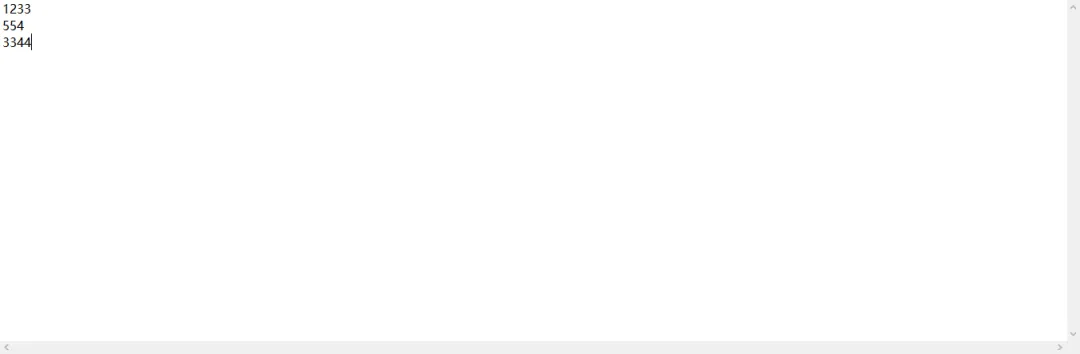
输出:1233

554

3344
关于with
● Python 中的with主要用于管理程序中“需要成对出现的操作”,例如:
   🔸上锁 / 解锁
   🔸打开 / 关闭
   🔸借用 / 归还
使用with的目标:编码者只管做具体的事,“进入”和“离开”的事,让 Python 自动处理
with 能得到一个上下文管理器的表达式 as 变量:
    具体的事1
    具体的事2
    具体的事3
写入文件
1.w模式,写入模式,写入前会清空文件
with open("a.txt","wt",encoding="utf-8") as file:
    file.write("这是一个测试")
2.x模式,排他性创建,如果已经创建,则报错
with open("b.txt","xt",encoding="utf-8") as files:
    files.write("这世界那么多人")
3.a模式,打开文件写入,在末尾添加内容
with open("a.txt","at",encoding="utf-8") as file:
    file.write("这是一个测试1")
flush方法,python写入文件中,不是立刻落盘,而是通过一个缓冲区,先写到缓冲区,通过flush方法写入磁盘中
with open("a.txt","at",encoding="utf-8") as file:
    file.write("这是一个测试1")
    file.flush()
组合模式
1.rt+模式
#offset偏移量
#whence 0:从文件开头计算 1从当前位置计算 2从文件末尾计算
with open("a.txt","rt+",encoding="utf-8") as file:
    file.seek(0,2)
    file.write("88")
2.wr+模式:更新模式,原有内容清空,重新写入
with open("a.txt","wt+",encoding="utf-8") as file:
    file.write("你好哦")
    file.seek(0,0)
    result=file.read()
print(result)
3.xt+模式:可用于更新或读写
with open("a1.txt","xt+",encoding="utf-8") as file:
    file.write("你好呀")
    file.seek(0,0)
    result=file.read()
print(result)
4.at+模式:在文件末尾加内容
with open("a.txt","at+",encoding="utf-8") as file:
    file.write("你好呀1")
    file.seek(0,0)
    result=file.read()
print(result)
练习:
1.复制纯文本文件到另一个纯文本文件
with open("bc.txt","xt+",encoding="utf-8") as files:
    file1 = open("a.txt", "rt", encoding="utf-8")
for item in file1:
        files.write(item)
2.复制一个二进制文件到另一个二进制文件
import os
source="music.mp3"
target="../demo"
if not os.path.isdir(target):
    os.makedirs(target)

with open(source,"rb") as f1,open(target+"/"+source,"wb") as files:
while True:
        data=f1.read(1024)
if not data:
break
        files.write(data)
print("成功")
2.日志记录
用户输入用户名和密码后,程序进行校验:
用户名不存在,提示“用户名未注册”,并记录日志。
用户名存在,但密码错误,提示“密码错误”,并记录日志。
username="admin"
password="123456"

while True:
    user=input("请输入用户名")
pwd=input("请输入密码")
    with open("log.txt", "at+") as file:
if(user!=username):
print("用户名未注册")
            file.write("用户名未注册"+"\n")
if (user == username and pwd!=password):
print("密码错误")
            file.write("密码错误" + "\n")
if (user == username and pwd==password):
print("登录成功")
            file.write("登录成功" + "\n")
break;
会做上面的练习,说明你本节通关了。
arcMallV2版AI智能购物功能正在开发ing,大家敬请期待~
本文来自网友投稿或网络内容,如有侵犯您的权益请联系我们删除,联系邮箱:596563534@qq.com 。
