HyperView Python 二次开发 自动导出PPT报告
- 2026-09-24 19:27:41
HyperView Python 二次开发 自动导出PPT报告
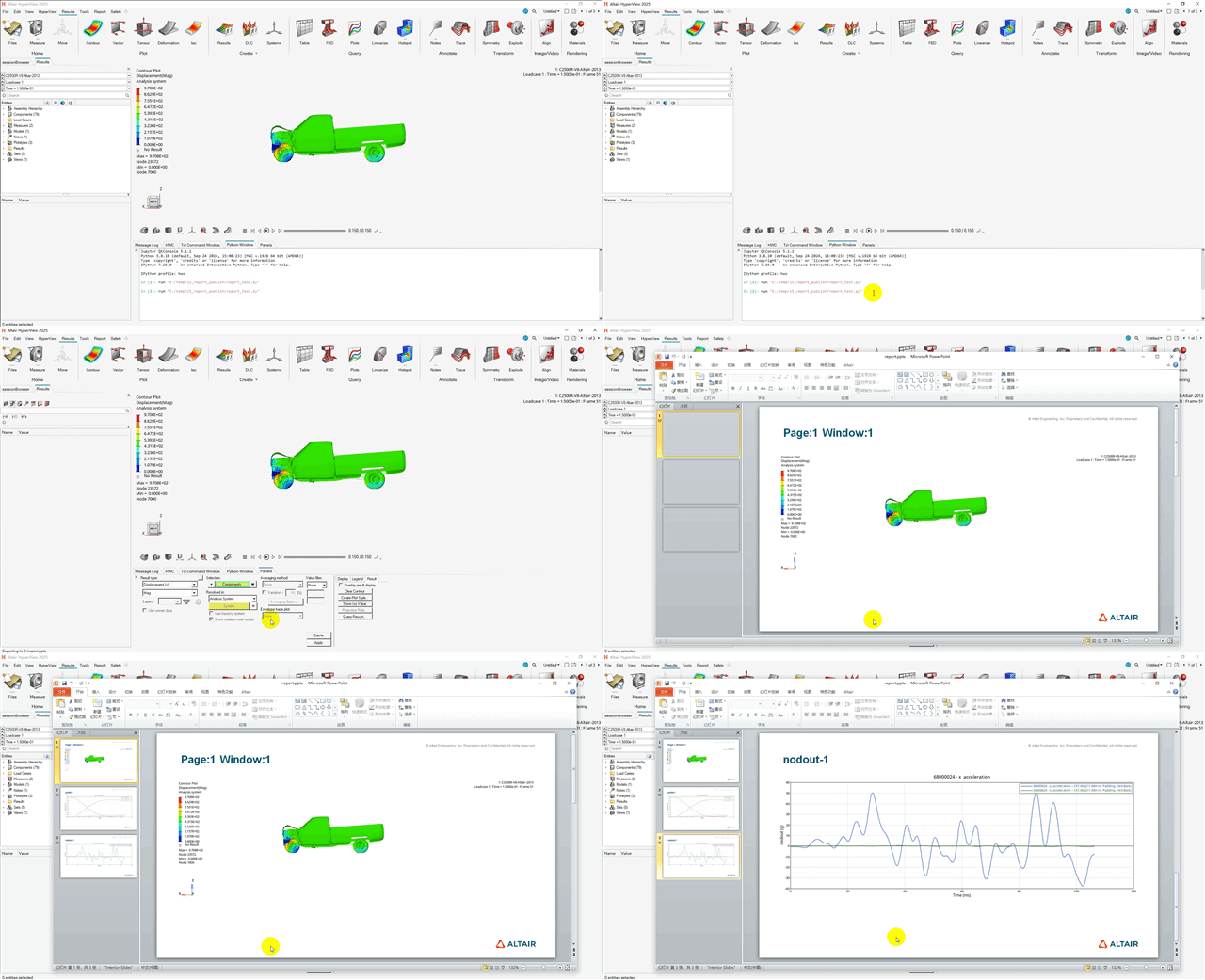
Hyperview二次开发之自动截图和导出PPT报告 💡往期文章
HyperView基于Tcl语言导出PPT方法:
HyperView基于Python语言导出PPT方法:
import hwimport hmimport os#=====================# 使用HWC窗口录制命令,一条命令导出所有窗口#=====================ses = hw.Session()win=ses.get(hw.Window)# 某个窗口需要输出成动画win.publishFormat = "gif"hw.evalHWC('report sessionreport export presentation E:/report.pptx oneslideperwindow=true')## 使用report.hwxpptxtypes模块#import report.hwxpptxtypes as reportingrep_ses = reporting.ReportSession(name="Report Demo")# presentation 相当于新建PPTpres = reporting.Presentation()# 导出分辨率pres.resolution = "Desktop"# PPT模板pres.template = "C:/temp.pptx"# 截取图片capture = hw.CaptureImageTool()capture.type = "jpg"capture.width = 1920capture.height = 1080imgList = list()imgPath = "C:/image01.jpg"imgList.append(imgPath)capture.file = imgPathcapture.capture()## slide 相当于 新建一页幻灯片slide = reporting.Slide("Report Demo | Images", presentation=pres,)# 幻灯片布局slide.layout("One Image with Caption")# 新建一个图片对象image = reporting.Image()image.path = imgPath# 将图片插入slide 相当于图片插入幻灯片slide.add(image, "pic1")# 保存 PPTpres.savePPTX("C:/temp_save.pptx", open=True, mode="write",)# 删除图片for img in imgList: os.remove(img)rep_ses.reset()# 图片插入幻灯片另外一种方法image2 = reporting.Image()image2.path = "C:/123.gif"slideimage = reporting.SlideImage(name="pic2",image=image,slide=slide)HyperMesh Python 二次开发 提高脚本运行速度的方法(以每个solid建立一个component为例)
本文来自网友投稿或网络内容,如有侵犯您的权益请联系我们删除,联系邮箱:596563534@qq.com 。
随机文章
-
 10个月宝宝每天需要喝多少奶粉?
- 代码学习 | Linux | awk 处理表格全套命令
- 麒麟 Linux 文件只读,chmod 777 也没用?谈谈麒麟 KYSEC安全机制
- Python教程(18)综合项目——简易打字练习小程序
- Python 3.14 这个新功能救了多少新手?再也不用为漏写一个冒头发愁了
- Python玩转数学|一键算出两个数的最大公因数
- Python的字符串驻留机制,内存优化产生的小心思
- 离线安装 ArchLinux 操作系统 (DVD 光盘)
- Python核心开发者的演讲我连看三遍,理解透这条设计哲学终生受益
- 用Python画词云展示年终总结,发到朋友圈被赞爆了
- 2023年12月GESP认证Python七级试卷解析