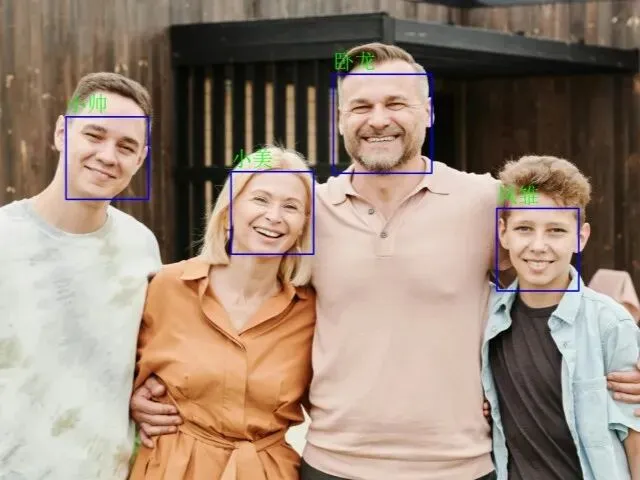
项目环境
PyCharm最好使用专业版,社区版可能存在部分问题。 TensorFlow 默认不使用 GPU 处理,如需开启请参考cuda_test.py请确保 tensorflow 与 Python、CUDA、cuDNN 版本一致。
安装依赖
1、克隆本项目
git clone https://gitee.com/qq153128151/FaceMaster.git
或
git clone https://github.com/36Dyyds/FaceMaster.git
2、更换国内镜像
pip config set global.index-url https://mirrors.aliyun.com/pypi/simple/pip config set install.trusted-host mirrors.aliyun.compip config get global.index-url
3、安装依赖
pip install -r requirements.txt
项目结构
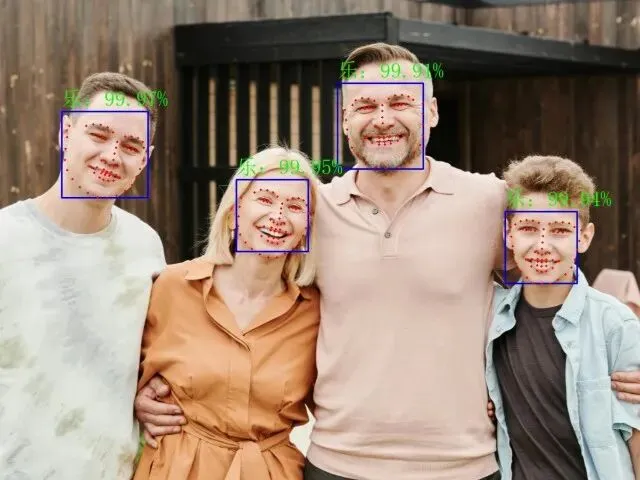
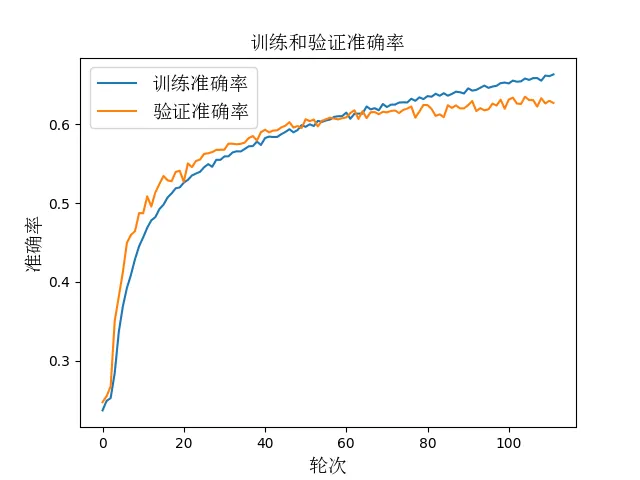
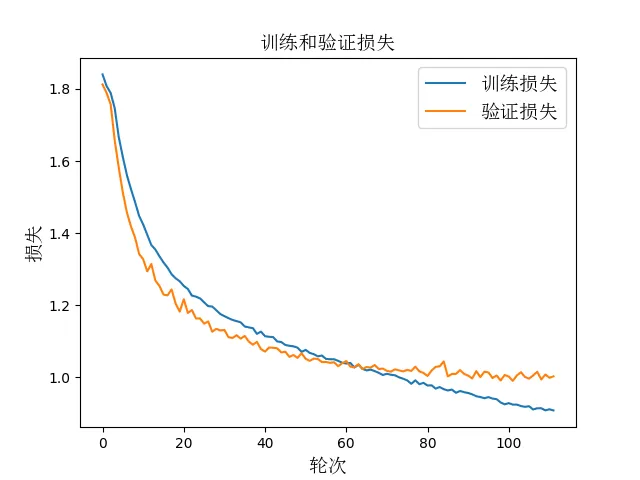
+-- FaceMaster +-- easyocr_models ---------------------------------------------- easyocr模型 |-- craft_mlt_25k.pth --------------------------------------- 文本检测模型 |-- zh_sim_g2.pth ------------------------------------------- 文本识别模型 |-- face_names -------------------------------------------------- 姓名识别素材 |-- FER2013.zip ------------------------------------------------- 训练数据集 |-- add_chinese_text_to_image.py -------------------------------- 图片添加中文文本 |-- cuda_test.py ------------------------------------------------ CUDA 检测 |-- emotion_detection_cv2.py ------------------------------------ 表情识别 opencv 算法 |-- emotion_detection_dlib.py ----------------------------------- 表情识别 dlib 算法 |-- face_detection_cv2.py --------------------------------------- 人脸识别 opencv 算法 |-- face_detection_dlib.py -------------------------------------- 人脸识别 dlib 算法 |-- video_face_detection_cv2.py --------------------------------- 视频人脸识别 opencv 算法 |-- video_face_detection_dlib.py -------------------------------- 视频人脸识别 dlib 算法 |-- camera_face_detection_cv2.py -------------------------------- 摄像头实时人脸识别 opencv 算法 |-- camera_face_detection_dlib.py ------------------------------- 摄像头实时人脸识别 dlib 算法 |-- camera_face_recognition_name.py ----------------------------- 摄像头实时人脸姓名识别 face_recognition 开源库 |-- face_recognition_demo.py ------------------------------------ 人脸识别 face_recognition 开源库 |-- face_recognition_name.py ------------------------------------ 人脸姓名识别 face_recognition 开源库 |-- video_face_recognition_name.py ------------------------------ 视频人脸姓名识别 face_recognition 开源库 |-- easyocr_demo.py --------------------------------------------- 文字识别 easyocr 开源库 +-- images ------------------------------------------------------ 测试素材 |-- 001.jpg |-- 002.jpg |-- 003.jpg +-- models ------------------------------------------------------ 模型 |-- emotion_detection_model.h5 ------------------------------ 表情识别模型 损失:0.99,准确率:0.63 |-- haarcascade_frontalface_default.xml --------------------- Haar 级联分类器模型 |-- shape_predictor_68_face_landmarks.dat ------------------- Dlib 库训练的模型 +-- output ------------------------------------------------------ 输出文件 |-- accuracy_plot.png |-- loss_plot.png +-- videos ------------------------------------------------------ 姓名识别素材 |-- 001.mp4 |-- requirements.txt -------------------------------------------- 依赖模块 |-- train_emotion_model.py -------------------------------------- 训练表情识别模型
运行说明
项目中的代码都有详细的注释,不依赖其他文件右键运行即可。
表情识别采用 FER2013 数据集,人脸表情模型:测试集损失:0.9903802275657654,测试集准确率:0.6338813304901123
解压项目中的FER2013.zip你可以运行train_emotion_model.py来训练你的人脸表情模型。
常见问题
——The End——
喜欢请点击关注,收藏一哈!
请点击下方“分享、在看”扩散,周知!

 10个月宝宝每天需要喝多少奶粉?