梦寐以求的ggplot2扩展几何对象(geom),能够在ggplot2绘图中添加猫咪元素。该包属于趣味R包生态(memeverse),其源代码基于ggimage包中的geom_image函数开发。- 关注推特(Twitter)https://twitter.com/RCoderWeb
- 关注脸书(Facebook) https://www.facebook.com/RCODERweb
- 访问R语言编程网站 https://r-coder.com/
这是一系列趣味R包的集合,非常适合在R语言新手入门第1课中,用来绘制趣味图表以激发学员的学习兴趣。这个(目前规模较小的)趣味生态中,还有另外2个包:ggdogs(添加狗狗元素)和ggbernie(添加伯尼相关元素)。统计学和编程也可以充满乐趣!# 先安装remotes包(用于从GitHub安装非CRAN包)## install.packages("remotes")remotes::install_github("R-CoderDotCom/ggcats@main")
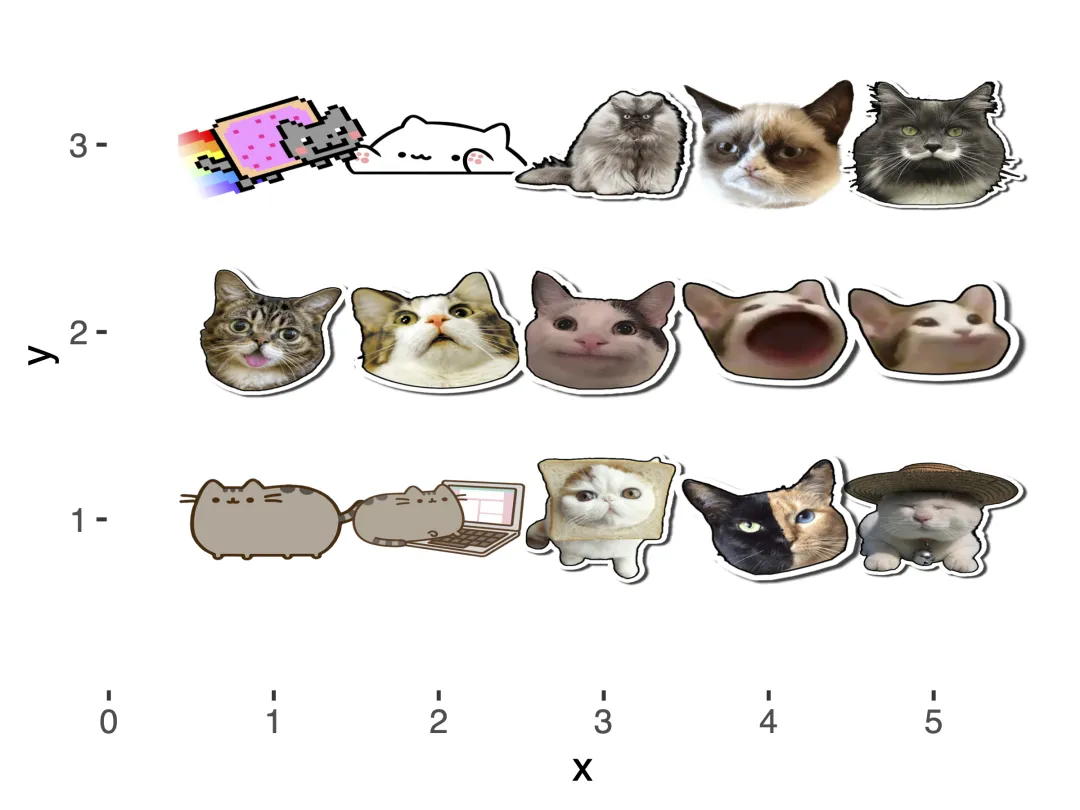
目前提供15种猫咪样式可供选择:
"nyancat"(彩虹猫,默认样式)、"bongo"(邦戈猫)、"colonel"、"grumpy"(暴躁猫)、"hipster"、"lil_bub"、"maru"、"mouth"、"pop"、"pop_close"、"pusheen"(胖吉猫)、"pusheen_pc"、"toast"、"venus" 和 "shironeko"
# 生成网格坐标数据(5列3行,对应15个猫咪样式)grid <- expand.grid(1:5, 3:1)# 构建数据框,包含x/y坐标和对应的猫咪样式名称df <- data.frame( x = grid[, 1], # x轴坐标 y = grid[, 2], # y轴坐标 image = c("nyancat", "bongo", "colonel", "grumpy", "hipster", "lil_bub", "maru", "mouth", "pop", "pop_close", "pusheen", "pusheen_pc", "toast", "venus", "shironeko"))# 加载绘图必需包library(ggplot2)library(ggcats)# 绘制网格猫咪图(纯白色背景)ggplot(df) + geom_cat(aes(x, y, cat = image), size = 5) + # 添加猫咪元素,指定猫咪样式映射,设置猫咪大小 xlim(c(0.25, 5.5)) + # 调整x轴范围,避免猫咪被裁剪 ylim(c(0.25, 3.5)) + # 调整y轴范围,避免猫咪被裁剪 theme( panel.background = element_rect(fill = "white"), # 绘图面板背景设为纯白色 plot.background = element_rect(fill = "white"), # 整个图表画布背景设为纯白色 panel.grid = element_blank() # 隐藏网格线(可选,让纯白背景更干净) )ggsave( filename = "transparent_cat_grid.pdf", plot = last_plot(), # 保存最后绘制的图表 width = 4, height = 3, device = "pdf", bg = "transparent" # 保存时保留透明背景)
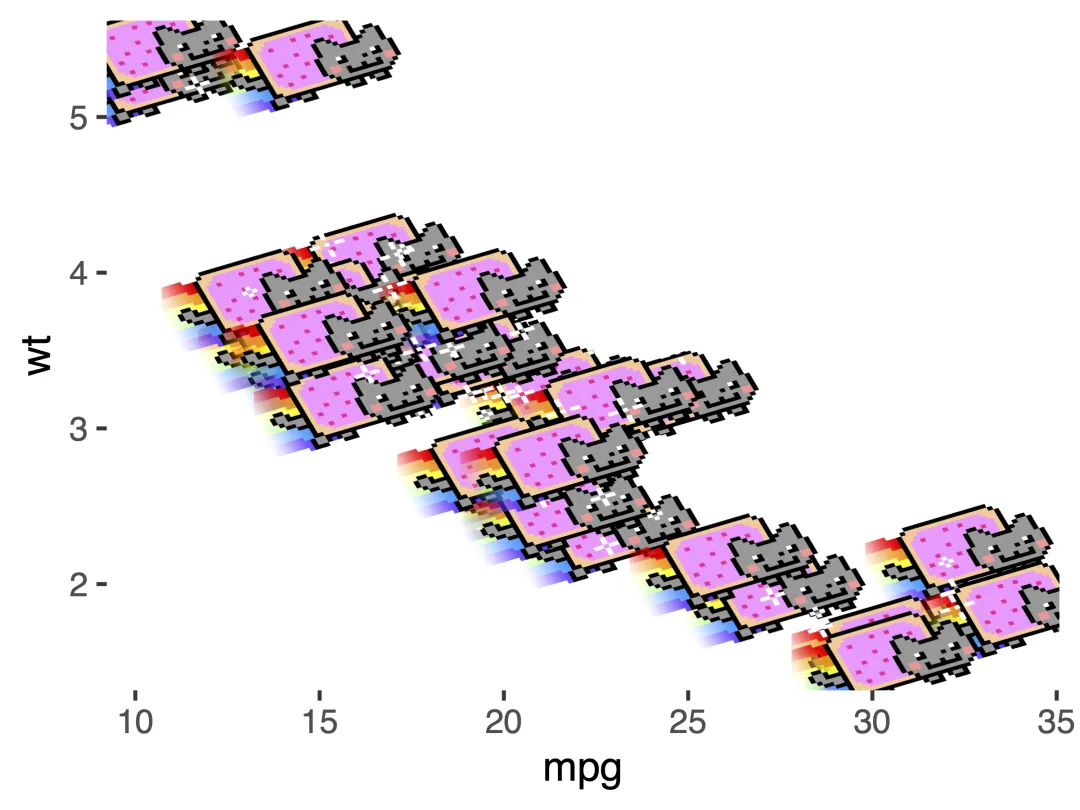
🍀 基于mtcars数据,绘制固定样式猫咪(nyancat)ggplot(mtcars) + # 以mpg为x轴、wt为y轴,所有点都使用nyancat样式,猫咪大小为5 geom_cat(aes(mpg, wt), cat = "nyancat", size = 5)+ # 调整y轴范围,避免猫咪被裁剪 theme( panel.background = element_rect(fill = "white"), # 绘图面板背景设为纯白色 plot.background = element_rect(fill = "white"), # 整个图表画布背景设为纯白色 panel.grid = element_blank() # 隐藏网格线(可选,让纯白背景更干净) )ggsave( filename = "transparent_nyancat_grid.pdf", plot = last_plot(), # 保存最后绘制的图表 width = 4, height = 3, device = "pdf", bg = "transparent" # 保存时保留透明背景)
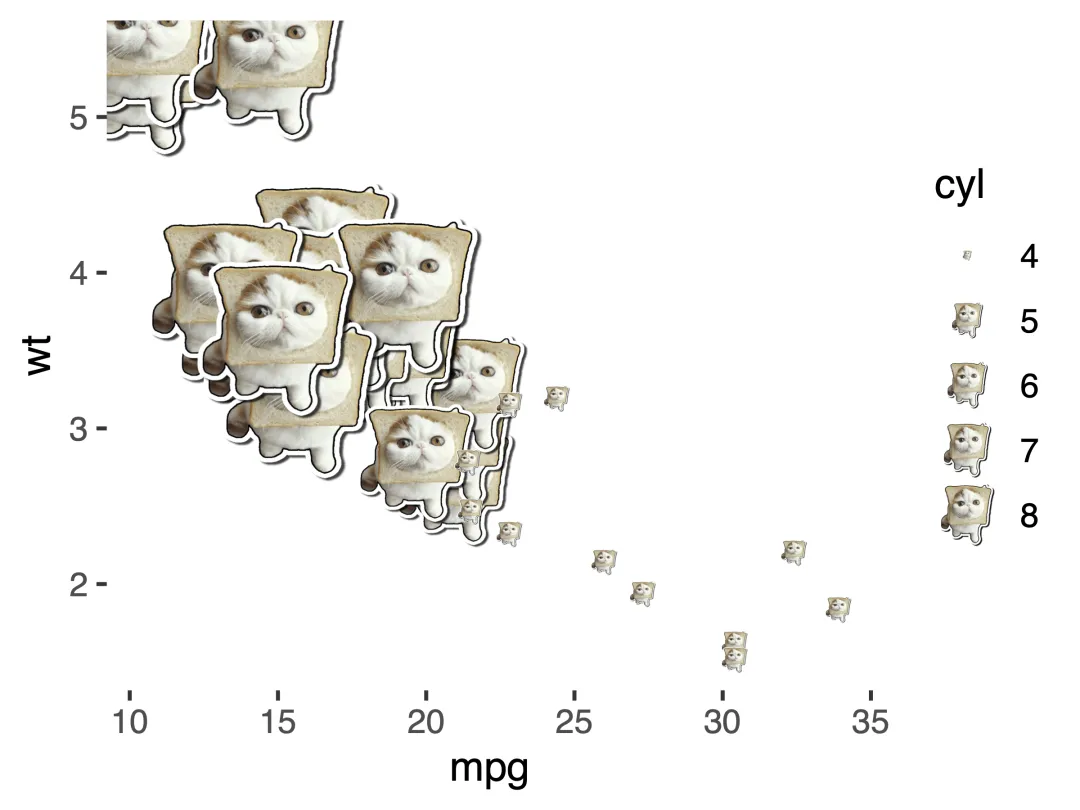
🍀 基于mtcars数据,猫咪大小随cyl(气缸数)变化ggplot(mtcars) + # 以mpg为x轴、wt为y轴,猫咪样式为toast,大小随cyl数值变化 geom_cat(aes(mpg, wt, size = cyl), cat = "toast")+ # 调整y轴范围,避免猫咪被裁剪 theme( panel.background = element_rect(fill = "white"), # 绘图面板背景设为纯白色 plot.background = element_rect(fill = "white"), # 整个图表画布背景设为纯白色 panel.grid = element_blank() # 隐藏网格线(可选,让纯白背景更干净) )ggsave( filename = "transparent_toast_grid.pdf", plot = last_plot(), # 保存最后绘制的图表 width = 4, height = 3, device = "pdf", bg = "transparent" # 保存时保留透明背景)
示例中的大部分代码改编自乔纳森・赫希(Jonathan Hersh)
https://twitter.com/DogmaticPrior
🐎马上有福🧧
1年系统教学,实打实包教包会
每月中、月底共24节,全年无休1对1答疑
含代码、数据等完整资料包,限50人
https://github.com/R-CoderDotCom/ggcats