当前位置:首页>Linux>Linux C++ ONNX 开发 2026.01.26

Linux C++ ONNX 开发 2026.01.26

  • 2026-02-05 04:08:22
Linux C++ ONNX 开发 2026.01.26

Linux C++ ONNX 开发

📋 目录

  1. 1. 环境概述
  2. 2. 系统准备
  3. 3. 编译安装 ONNX
  4. 4. 编译安装 ONNX Runtime
  5. 5. 环境验证
  6. 6. 常见问题解决

1. 环境概述

1.1 目标

  • • ✅ 从源代码编译安装 ONNX
  • • ✅ 从源代码编译安装 ONNX Runtime
  • • ✅ 支持 C++ 开发
  • • ✅ 支持 Python 开发

1.2 预计时间

  • • 大约需要 1 小时左右

2. 系统准备

2.1 更新系统

sudo apt update && sudo apt upgrade -y

2.2 安装基础编译工具

sudo apt install -y \    build-essential \    cmake \    ninja-build \    git \    curl \    wget \    unzip \    pkg-config

2.3 安装编译依赖

sudo apt install -y \    libprotobuf-dev \    protobuf-compiler \    libssl-dev \    libcurl4-openssl-dev \    zlib1g-dev \    libeigen3-dev \    libflatbuffers-dev \    libre2-dev

2.4 安装 Python 开发环境

# 安装 Python 及开发包sudo apt install -y \    python3 \    python3-dev \    python3-pip \    python3-venv \    python3-numpy \    python3-setuptools \    python3-wheel \    pybind11-dev

2.5 创建工作目录

# 创建项目工作目录mkdir -p ~/onnx_devcd ~/onnx_dev# 创建Python虚拟环境python3 -m venv venvsource venv/bin/activate# 升级pip并安装必要的Python包pip install --upgrade pip setuptools wheelpip install numpy protobuf pybind11 pytest

2.6 验证工具版本

echo "=== 环境版本检查 ==="echo "GCC 版本: $(gcc --version | head -1)"echo "CMake 版本: $(cmake --version | head -1)"echo "Python 版本: $(python3 --version)"echo "protoc 版本: $(protoc --version)"echo "pip 版本: $(pip --version)"

预期输出示例:

=== 环境版本检查 ===GCC 版本: gcc (Ubuntu 13.2.0-23ubuntu4) 13.2.0CMake 版本: cmake version 3.28.3Python 版本: Python 3.12.3protoc 版本: libprotoc 3.21.12pip 版本: pip 24.0 from .../venv/lib/python3.12/site-packages/pip (python 3.12)

3. 编译安装 ONNX

3.1 克隆 ONNX 源代码

cd ~/onnx_dev# 克隆ONNX仓库git clone --recursive https://github.com/onnx/onnx.gitcd onnx# 查看可用版本并切换到稳定版本git tag -l "v1.*" | tail -10git checkout v1.16.1git submodule update --init --recursive

3.2 设置编译环境变量

# 确保在虚拟环境中source ~/onnx_dev/venv/bin/activate# 设置编译选项export CMAKE_ARGS="-DONNX_USE_PROTOBUF_SHARED_LIBS=ON"export ONNX_ML=1

3.3 编译并安装 ONNX Python 包

cd ~/onnx_dev/onnx# 使用pip从源码安装pip install -v -e .

3.4 安装 ONNX C++ 库

cd ~/onnx_dev/onnx# 创建构建目录mkdir -p build && cd build# 配置CMakecmake .. \    -DCMAKE_INSTALL_PREFIX=/usr/local \    -DONNX_USE_PROTOBUF_SHARED_LIBS=ON \    -DBUILD_SHARED_LIBS=ON \    -DBUILD_ONNX_PYTHON=OFF \    -DCMAKE_BUILD_TYPE=Release# 编译make -j2# 安装到系统目录sudo make install# 更新动态库缓存sudo ldconfig

3.5 验证 ONNX 安装

# 验证Python安装python3 -c "import onnx; print(f'ONNX版本: {onnx.__version__}')"# 验证C++库安装ls -la /usr/local/lib/libonnx*ls -la /usr/local/include/onnx/

预期输出:

ONNX版本: 1.16.1

4. 编译安装 ONNX Runtime

4.1 克隆 ONNX Runtime 源代码

cd ~/onnx_dev# 克隆ONNX Runtime仓库git clone --recursive https://github.com/microsoft/onnxruntime.gitcd onnxruntime# 查看并切换到稳定版本git tag -l "v1.*" | tail -10git checkout v1.18.1git submodule update --init --recursive

4.2 安装额外依赖

# 安装ONNX Runtime的Python依赖pip install coloredlogs flatbuffers sympy packaging

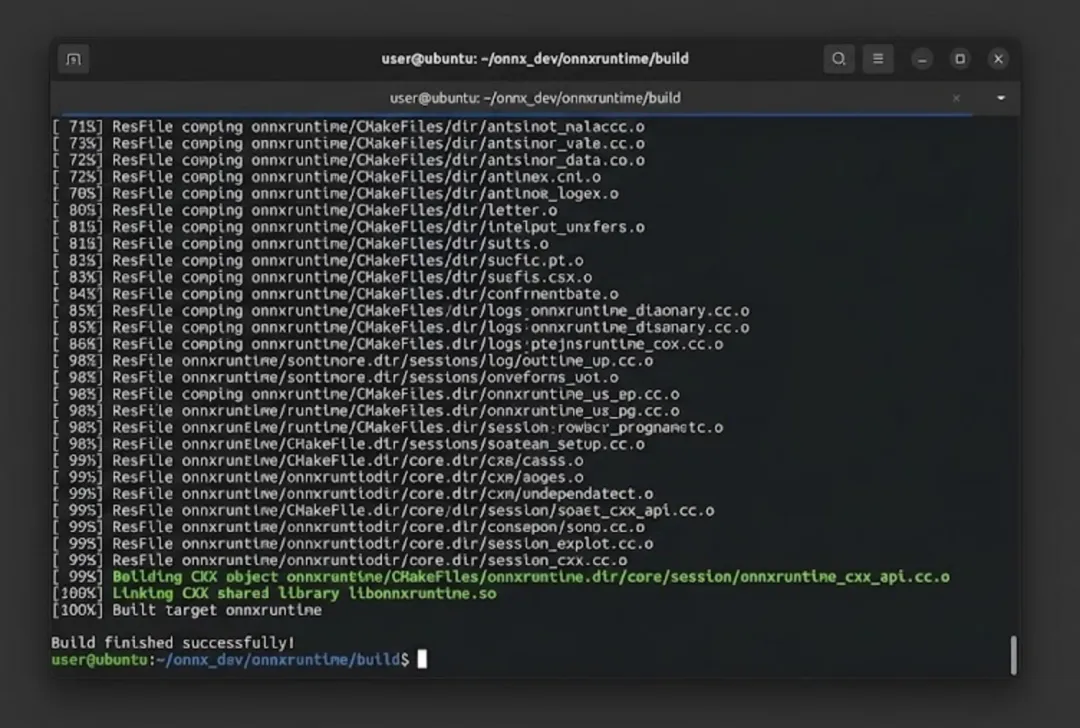
4.3 编译 ONNX Runtime

cd ~/onnx_dev/onnxruntime# 使用官方构建脚本编译./build.sh \    --config Release \    --build_shared_lib \    --compile_no_warning_as_error \    --skip_submodule_sync \    --allow_running_as_root \    --build_wheel \    --enable_pybind

⏰ 注意:此步骤耗时较长,可能需要 40 分钟,请耐心等待。

4.4 安装 ONNX Runtime Python 包

# 找到编译生成的wheel文件并安装pip install ~/onnx_dev/onnxruntime/build/Linux/Release/dist/onnxruntime-*.whl

4.5 安装 ONNX Runtime C++ 库

cd ~/onnx_dev/onnxruntime# 创建安装目录sudo mkdir -p /usr/local/onnxruntime# 复制头文件sudo cp -r include/onnxruntime /usr/local/include/# 复制库文件sudo cp build/Linux/Release/libonnxruntime*.so* /usr/local/lib/# 创建符号链接cd /usr/local/libsudo ln -sf libonnxruntime.so.1.18.1 libonnxruntime.so# 更新动态库缓存sudo ldconfig

4.6 创建 CMake 配置文件

为了方便在 CMake 项目中使用 ONNX Runtime,创建配置文件:

sudo mkdir -p /usr/local/lib/cmake/onnxruntimesudo tee /usr/local/lib/cmake/onnxruntime/onnxruntimeConfig.cmake << 'EOF'# ONNXRuntime CMake Config Fileset(ONNXRUNTIME_INCLUDE_DIRS "/usr/local/include")set(ONNXRUNTIME_LIBRARIES "/usr/local/lib/libonnxruntime.so")# 创建导入目标if(NOT TARGET onnxruntime::onnxruntime)    add_library(onnxruntime::onnxruntime SHARED IMPORTED)    set_target_properties(onnxruntime::onnxruntime PROPERTIES        IMPORTED_LOCATION "${ONNXRUNTIME_LIBRARIES}"        INTERFACE_INCLUDE_DIRECTORIES "${ONNXRUNTIME_INCLUDE_DIRS}"    )endif()message(STATUS "Found ONNXRuntime: ${ONNXRUNTIME_LIBRARIES}")EOF

4.7 验证 ONNX Runtime 安装

# 验证Python安装python3 -c "import onnxruntime as ort; print(f'ONNX Runtime版本: {ort.__version__}')"python3 -c "import onnxruntime as ort; print(f'可用Provider: {ort.get_available_providers()}')"# 验证C++库ls -la /usr/local/lib/libonnxruntime*ls -la /usr/local/include/onnxruntime/

预期输出:

ONNX Runtime版本: 1.18.1可用Provider: ['CPUExecutionProvider']

5. 环境验证

5.1 创建验证项目目录

mkdir -p ~/onnx_dev/test_projectcd ~/onnx_dev/test_project

5.2 创建测试用的 ONNX 模型

创建一个简单的 ONNX 模型用于测试:

cat > create_test_model.py << 'EOF'#!/usr/bin/env python3"""创建一个简单的测试ONNX模型"""import numpy as npimport onnxfrom onnx import helper, TensorProtodef create_simple_model():    # 定义输入    X = helper.make_tensor_value_info('X', TensorProto.FLOAT, [1, 3])    # 定义输出    Y = helper.make_tensor_value_info('Y', TensorProto.FLOAT, [1, 3])    # 定义权重 (常量)    W = helper.make_tensor('W', TensorProto.FLOAT, [3, 3],                            [1.0, 0.0, 0.0,                            0.0, 2.0, 0.0,                            0.0, 0.0, 3.0])    B = helper.make_tensor('B', TensorProto.FLOAT, [3],                            [0.1, 0.2, 0.3])    # 创建MatMul节点    matmul_node = helper.make_node('MatMul', ['X', 'W'], ['matmul_out'])    # 创建Add节点    add_node = helper.make_node('Add', ['matmul_out', 'B'], ['Y'])    # 创建图    graph = helper.make_graph(        [matmul_node, add_node],  # 节点        'simple_linear',          # 图名称        [X],                      # 输入        [Y],                      # 输出        [W, B]                    # 初始化器(权重)    )    # 创建模型    model = helper.make_model(graph, opset_imports=[helper.make_opsetid('', 13)])    model.ir_version = 8    # 检查模型    onnx.checker.check_model(model)    # 保存模型    onnx.save(model, 'simple_model.onnx')    print("✅ 模型已保存到 simple_model.onnx")    # 打印模型信息    print(f"\n模型信息:")    print(f"  IR版本: {model.ir_version}")    print(f"  Opset版本: {model.opset_import[0].version}")    print(f"  输入: {[i.name for i in model.graph.input]}")    print(f"  输出: {[o.name for o in model.graph.output]}")if __name__ == '__main__':    create_simple_model()EOF# 运行脚本创建模型source ~/onnx_dev/venv/bin/activatepython3 create_test_model.py

5.3 Python 验证程序

cat > test_python.py << 'EOF'#!/usr/bin/env python3"""Python环境验证脚本"""import numpy as npimport onnximport onnxruntime as ortdef main():    print("=" * 60)    print("ONNX Python 环境验证")    print("=" * 60)    # 1. 验证ONNX    print(f"\n[1] ONNX 版本: {onnx.__version__}")    # 加载并验证模型    model = onnx.load('simple_model.onnx')    onnx.checker.check_model(model)    print("    ✅ 模型验证通过")    # 2. 验证ONNX Runtime    print(f"\n[2] ONNX Runtime 版本: {ort.__version__}")    print(f"    可用Provider: {ort.get_available_providers()}")    # 3. 运行推理    print("\n[3] 运行推理测试:")    session = ort.InferenceSession('simple_model.onnx'                                   providers=['CPUExecutionProvider'])    # 准备输入数据    input_data = np.array([[1.0, 2.0, 3.0]], dtype=np.float32)    print(f"    输入: {input_data}")    # 运行推理    outputs = session.run(None, {'X': input_data})    print(f"    输出: {outputs[0]}")    # 验证结果 (X @ W + B = [1,2,3] @ diag([1,2,3]) + [0.1,0.2,0.3])    expected = np.array([[1.1, 4.2, 9.3]], dtype=np.float32)    if np.allclose(outputs[0], expected, rtol=1e-5):        print("    ✅ 推理结果正确!")    else:        print(f"    ❌ 结果不匹配,期望: {expected}")    print("\n" + "=" * 60)    print("✅ Python 环境验证完成!")    print("=" * 60)if __name__ == '__main__':    main()EOF# 运行Python测试python3 test_python.py

预期输出:

============================================================ONNX Python 环境验证============================================================[1] ONNX 版本: 1.16.1    ✅ 模型验证通过[2] ONNX Runtime 版本: 1.18.1    可用Provider: ['CPUExecutionProvider'][3] 运行推理测试:    输入: [[1. 2. 3.]]    输出: [[1.1 4.2 9.3]]    ✅ 推理结果正确!============================================================✅ Python 环境验证完成!============================================================

5.4 C++ 验证程序

创建 C++ 测试项目:

cat > test_cpp.cpp << 'EOF'/** * ONNX Runtime C++ 环境验证程序 */#include <iostream>#include <vector>#include <array>#include <onnxruntime/core/session/onnxruntime_cxx_api.h>intmain() {    std::cout << "============================================================\n";    std::cout << "ONNX Runtime C++ 环境验证\n";    std::cout << "============================================================\n\n";    try {        // 1. 显示版本信息        std::cout << "[1] ONNX Runtime API 版本: " << ORT_API_VERSION << "\n";        // 2. 创建环境        std::cout << "\n[2] 创建 ONNX Runtime 环境...\n";        Ort::Env env(ORT_LOGGING_LEVEL_WARNING, "test");        std::cout << "    ✅ 环境创建成功\n";        // 3. 创建会话选项        Ort::SessionOptions session_options;        session_options.SetIntraOpNumThreads(1);        session_options.SetGraphOptimizationLevel(GraphOptimizationLevel::ORT_ENABLE_EXTENDED);        // 4. 加载模型        std::cout << "\n[3] 加载模型...\n";        const char* model_path = "simple_model.onnx";        Ort::Session session(env, model_path, session_options);        std::cout << "    ✅ 模型加载成功\n";        // 5. 获取输入输出信息        Ort::AllocatorWithDefaultOptions allocator;        // 输入信息        size_t num_input_nodes = session.GetInputCount();        auto input_name = session.GetInputNameAllocated(0, allocator);        auto input_type_info = session.GetInputTypeInfo(0);        auto input_tensor_info = input_type_info.GetTensorTypeAndShapeInfo();        auto input_shape = input_tensor_info.GetShape();        std::cout << "\n[4] 模型信息:\n";        std::cout << "    输入数量: " << num_input_nodes << "\n";        std::cout << "    输入名称: " << input_name.get() << "\n";        std::cout << "    输入形状: [";        for (size_t i = 0; i < input_shape.size(); i++) {            std::cout << input_shape[i];            if (i < input_shape.size() - 1) std::cout << ", ";        }        std::cout << "]\n";        // 输出信息        size_t num_output_nodes = session.GetOutputCount();        auto output_name = session.GetOutputNameAllocated(0, allocator);        std::cout << "    输出数量: " << num_output_nodes << "\n";        std::cout << "    输出名称: " << output_name.get() << "\n";        // 6. 准备输入数据        std::cout << "\n[5] 运行推理测试:\n";        std::vector<float> input_tensor_values = {1.0f, 2.0f, 3.0f};        std::vector<int64_t> input_tensor_shape = {1, 3};        std::cout << "    输入数据: [";        for (size_t i = 0; i < input_tensor_values.size(); i++) {            std::cout << input_tensor_values[i];            if (i < input_tensor_values.size() - 1) std::cout << ", ";        }        std::cout << "]\n";        // 创建输入tensor        auto memory_info = Ort::MemoryInfo::CreateCpu(OrtArenaAllocator, OrtMemTypeDefault);        Ort::Value input_tensor = Ort::Value::CreateTensor<float>(            memory_info,             input_tensor_values.data(),             input_tensor_values.size(),            input_tensor_shape.data(),             input_tensor_shape.size()        );        // 7. 运行推理        const char* input_names[] = {input_name.get()};        const char* output_names[] = {output_name.get()};        auto output_tensors = session.Run(            Ort::RunOptions{nullptr},             input_names,             &input_tensor,             1,             output_names,             1        );        // 8. 获取输出结果        float* output_data = output_tensors.front().GetTensorMutableData<float>();        auto output_type_info = output_tensors.front().GetTensorTypeAndShapeInfo();        auto output_shape = output_type_info.GetShape();        size_t output_size = output_type_info.GetElementCount();        std::cout << "    输出数据: [";        for (size_t i = 0; i < output_size; i++) {            std::cout << output_data[i];            if (i < output_size - 1) std::cout << ", ";        }        std::cout << "]\n";        // 9. 验证结果        std::vector<float> expected = {1.1f, 4.2f, 9.3f};        bool correct = true;        for (size_t i = 0; i < output_size && i < expected.size(); i++) {            if (std::abs(output_data[i] - expected[i]) > 1e-5) {                correct = false;                break;            }        }        if (correct) {            std::cout << "    ✅ 推理结果正确!\n";        } else {            std::cout << "    ❌ 结果不匹配\n";        }        std::cout << "\n============================================================\n";        std::cout << "✅ C++ 环境验证完成!\n";        std::cout << "============================================================\n";    } catch (const Ort::Exception& e) {        std::cerr << "ONNX Runtime 错误: " << e.what() << std::endl;        return 1;    } catch (const std::exception& e) {        std::cerr << "错误: " << e.what() << std::endl;        return 1;    }    return 0;}EOF

5.5 创建 CMakeLists.txt

cat > CMakeLists.txt << 'EOF'cmake_minimum_required(VERSION 3.18)project(onnx_test LANGUAGES CXX)set(CMAKE_CXX_STANDARD 17)set(CMAKE_CXX_STANDARD_REQUIRED ON)# 查找ONNX Runtimefind_package(onnxruntime REQUIRED)# 如果find_package失败,手动设置if(NOT TARGET onnxruntime::onnxruntime)    message(STATUS "手动配置 ONNX Runtime")    set(ONNXRUNTIME_INCLUDE_DIRS "/usr/local/include")    set(ONNXRUNTIME_LIBRARIES "/usr/local/lib/libonnxruntime.so")    add_library(onnxruntime::onnxruntime SHARED IMPORTED)    set_target_properties(onnxruntime::onnxruntime PROPERTIES        IMPORTED_LOCATION "${ONNXRUNTIME_LIBRARIES}"        INTERFACE_INCLUDE_DIRECTORIES "${ONNXRUNTIME_INCLUDE_DIRS}"    )endif()# 创建可执行文件add_executable(test_cpp test_cpp.cpp)# 链接ONNX Runtimetarget_link_libraries(test_cpp PRIVATE onnxruntime::onnxruntime)# 打印配置信息message(STATUS "ONNX Runtime Include: ${ONNXRUNTIME_INCLUDE_DIRS}")message(STATUS "ONNX Runtime Library: ${ONNXRUNTIME_LIBRARIES}")EOF

5.6 编译并运行 C++ 测试

cd ~/onnx_dev/test_project# 创建构建目录mkdir -p build && cd build# 配置cmake ..# 编译make -j$(nproc)# 复制模型文件cp ../simple_model.onnx .# 运行测试./test_cpp

预期输出:

============================================================ONNX Runtime C++ 环境验证============================================================[1] ONNX Runtime API 版本: 18[2] 创建 ONNX Runtime 环境...    ✅ 环境创建成功[3] 加载模型...    ✅ 模型加载成功[4] 模型信息:    输入数量: 1    输入名称: X    输入形状: [1, 3]    输出数量: 1    输出名称: Y[5] 运行推理测试:    输入数据: [1, 2, 3]    输出数据: [1.1, 4.2, 9.3]    ✅ 推理结果正确!============================================================✅ C++ 环境验证完成!============================================================

6. 常见问题解决

6.1 编译时内存不足

症状:编译过程中系统卡死或被 OOM Killer 终止

解决方案

# 创建临时swap文件sudo fallocate -l 8G /swapfilesudo chmod 600 /swapfilesudo mkswap /swapfilesudo swapon /swapfile# 限制编译并行度./build.sh --config Release --parallel 4  # 减少并行数# 编译完成后移除swapsudo swapoff /swapfilesudo rm /swapfile

6.2 找不到动态库

症状:运行时报错 libonnxruntime.so: cannot open shared object file

解决方案

# 方法1: 更新ldconfigsudo ldconfig# 方法2: 添加库路径echo 'export LD_LIBRARY_PATH=/usr/local/lib:$LD_LIBRARY_PATH' >> ~/.bashrcsource ~/.bashrc# 方法3: 创建配置文件echo "/usr/local/lib" | sudo tee /etc/ld.so.conf.d/local.confsudo ldconfig

6.3 Python 模块导入失败

症状ModuleNotFoundError: No module named 'onnxruntime'

解决方案

# 确保在虚拟环境中source ~/onnx_dev/venv/bin/activate# 重新安装wheelpip install --force-reinstall ~/onnx_dev/onnxruntime/build/Linux/Release/dist/onnxruntime-*.whl

6.4 CMake 找不到包

症状Could not find package onnxruntime

解决方案

# 直接在CMakeLists.txt中指定路径set(ONNXRUNTIME_ROOT "/usr/local")set(ONNXRUNTIME_INCLUDE_DIRS "${ONNXRUNTIME_ROOT}/include")set(ONNXRUNTIME_LIBRARIES "${ONNXRUNTIME_ROOT}/lib/libonnxruntime.so")

6.5 Git 子模块更新失败

症状fatal: unable to access 'https://github.com/...'

解决方案

# 设置代理(如果需要)git config --global http.proxy http://proxy:portgit config --global https.proxy http://proxy:port# 或使用SSH代替HTTPSgit config --global url."git@github.com:".insteadOf "https://github.com/"

7. 环境变量汇总

将以下内容添加到 ~/.bashrc 以便永久保存:

cat >> ~/.bashrc << 'EOF'# ONNX Development Environmentexport ONNX_DEV_HOME="$HOME/onnx_dev"export LD_LIBRARY_PATH="/usr/local/lib:$LD_LIBRARY_PATH"export CMAKE_PREFIX_PATH="/usr/local:$CMAKE_PREFIX_PATH"# 激活虚拟环境的快捷命令alias onnxenv='source $ONNX_DEV_HOME/venv/bin/activate'EOFsource ~/.bashrc

8. 快速检查清单

完成安装后,运行以下命令确认所有组件正常:

#!/bin/bashecho "===== ONNX 开发环境检查 ====="# 激活虚拟环境source ~/onnx_dev/venv/bin/activateecho ""echo "1. Python 包检查:"python3 -c "import onnx; print(f'   ONNX: {onnx.__version__}')" 2>/dev/null || echo "   ONNX: ❌ 未安装"python3 -c "import onnxruntime; print(f'   ONNX Runtime: {onnxruntime.__version__}')" 2>/dev/null || echo "   ONNX Runtime: ❌ 未安装"echo ""echo "2. C++ 库检查:"[ -f /usr/local/lib/libonnx.so ] && echo "   libonnx.so: ✅" || echo "   libonnx.so: ❌"[ -f /usr/local/lib/libonnxruntime.so ] && echo "   libonnxruntime.so: ✅" || echo "   libonnxruntime.so: ❌"echo ""echo "3. 头文件检查:"[ -d /usr/local/include/onnx ] && echo "   onnx headers: ✅" || echo "   onnx headers: ❌"[ -d /usr/local/include/onnxruntime ] && echo "   onnxruntime headers: ✅" || echo "   onnxruntime headers: ❌"echo ""echo "===== 检查完成 ====="

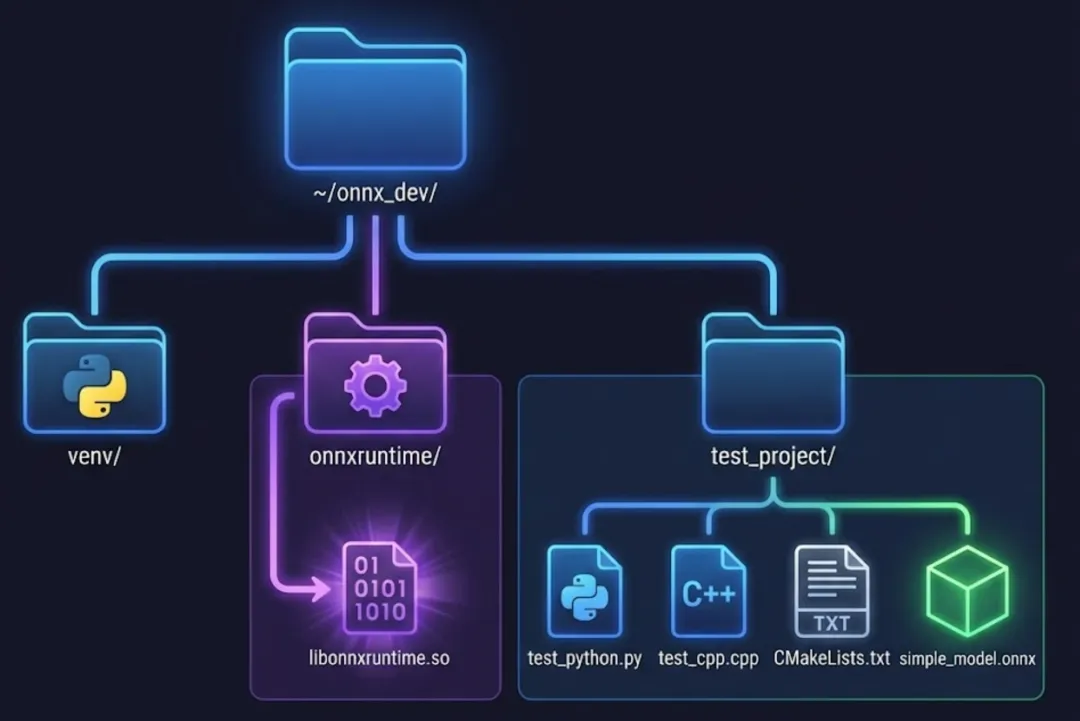
📝 附录:项目结构

完成安装后,目录结构如下:

~/onnx_dev/├── venv/                    # Python虚拟环境├── onnx/                    # ONNX源代码│   └── build/              # ONNX编译目录├── onnxruntime/             # ONNX Runtime源代码│   └── build/│       └── Linux/│           └── Release/│               ├── dist/   # Python wheel文件│               └── *.so    # 编译的库文件└── test_project/            # 验证项目    ├── create_test_model.py    ├── test_python.py    ├── test_cpp.cpp    ├── CMakeLists.txt    ├── simple_model.onnx    └── build/        └── test_cpp

到这里,大家都完成了ONNX C++开发环境的安装与验证

最新文章

随机文章

基本 文件 流程 错误 SQL 调试
  1. 请求信息 : 2026-02-08 04:35:56 HTTP/2.0 GET : https://f.mffb.com.cn/a/467200.html
  2. 运行时间 : 0.396557s [ 吞吐率:2.52req/s ] 内存消耗:4,716.66kb 文件加载:140
  3. 缓存信息 : 0 reads,0 writes
  4. 会话信息 : SESSION_ID=66701552dcbd094ab800dcc2d5388cf4
  1. /yingpanguazai/ssd/ssd1/www/f.mffb.com.cn/public/index.php ( 0.79 KB )
  2. /yingpanguazai/ssd/ssd1/www/f.mffb.com.cn/vendor/autoload.php ( 0.17 KB )
  3. /yingpanguazai/ssd/ssd1/www/f.mffb.com.cn/vendor/composer/autoload_real.php ( 2.49 KB )
  4. /yingpanguazai/ssd/ssd1/www/f.mffb.com.cn/vendor/composer/platform_check.php ( 0.90 KB )
  5. /yingpanguazai/ssd/ssd1/www/f.mffb.com.cn/vendor/composer/ClassLoader.php ( 14.03 KB )
  6. /yingpanguazai/ssd/ssd1/www/f.mffb.com.cn/vendor/composer/autoload_static.php ( 4.90 KB )
  7. /yingpanguazai/ssd/ssd1/www/f.mffb.com.cn/vendor/topthink/think-helper/src/helper.php ( 8.34 KB )
  8. /yingpanguazai/ssd/ssd1/www/f.mffb.com.cn/vendor/topthink/think-validate/src/helper.php ( 2.19 KB )
  9. /yingpanguazai/ssd/ssd1/www/f.mffb.com.cn/vendor/topthink/think-orm/src/helper.php ( 1.47 KB )
  10. /yingpanguazai/ssd/ssd1/www/f.mffb.com.cn/vendor/topthink/think-orm/stubs/load_stubs.php ( 0.16 KB )
  11. /yingpanguazai/ssd/ssd1/www/f.mffb.com.cn/vendor/topthink/framework/src/think/Exception.php ( 1.69 KB )
  12. /yingpanguazai/ssd/ssd1/www/f.mffb.com.cn/vendor/topthink/think-container/src/Facade.php ( 2.71 KB )
  13. /yingpanguazai/ssd/ssd1/www/f.mffb.com.cn/vendor/symfony/deprecation-contracts/function.php ( 0.99 KB )
  14. /yingpanguazai/ssd/ssd1/www/f.mffb.com.cn/vendor/symfony/polyfill-mbstring/bootstrap.php ( 8.26 KB )
  15. /yingpanguazai/ssd/ssd1/www/f.mffb.com.cn/vendor/symfony/polyfill-mbstring/bootstrap80.php ( 9.78 KB )
  16. /yingpanguazai/ssd/ssd1/www/f.mffb.com.cn/vendor/symfony/var-dumper/Resources/functions/dump.php ( 1.49 KB )
  17. /yingpanguazai/ssd/ssd1/www/f.mffb.com.cn/vendor/topthink/think-dumper/src/helper.php ( 0.18 KB )
  18. /yingpanguazai/ssd/ssd1/www/f.mffb.com.cn/vendor/symfony/var-dumper/VarDumper.php ( 4.30 KB )
  19. /yingpanguazai/ssd/ssd1/www/f.mffb.com.cn/vendor/topthink/framework/src/think/App.php ( 15.30 KB )
  20. /yingpanguazai/ssd/ssd1/www/f.mffb.com.cn/vendor/topthink/think-container/src/Container.php ( 15.76 KB )
  21. /yingpanguazai/ssd/ssd1/www/f.mffb.com.cn/vendor/psr/container/src/ContainerInterface.php ( 1.02 KB )
  22. /yingpanguazai/ssd/ssd1/www/f.mffb.com.cn/app/provider.php ( 0.19 KB )
  23. /yingpanguazai/ssd/ssd1/www/f.mffb.com.cn/vendor/topthink/framework/src/think/Http.php ( 6.04 KB )
  24. /yingpanguazai/ssd/ssd1/www/f.mffb.com.cn/vendor/topthink/think-helper/src/helper/Str.php ( 7.29 KB )
  25. /yingpanguazai/ssd/ssd1/www/f.mffb.com.cn/vendor/topthink/framework/src/think/Env.php ( 4.68 KB )
  26. /yingpanguazai/ssd/ssd1/www/f.mffb.com.cn/app/common.php ( 0.03 KB )
  27. /yingpanguazai/ssd/ssd1/www/f.mffb.com.cn/vendor/topthink/framework/src/helper.php ( 18.78 KB )
  28. /yingpanguazai/ssd/ssd1/www/f.mffb.com.cn/vendor/topthink/framework/src/think/Config.php ( 5.54 KB )
  29. /yingpanguazai/ssd/ssd1/www/f.mffb.com.cn/config/app.php ( 0.95 KB )
  30. /yingpanguazai/ssd/ssd1/www/f.mffb.com.cn/config/cache.php ( 0.78 KB )
  31. /yingpanguazai/ssd/ssd1/www/f.mffb.com.cn/config/console.php ( 0.23 KB )
  32. /yingpanguazai/ssd/ssd1/www/f.mffb.com.cn/config/cookie.php ( 0.56 KB )
  33. /yingpanguazai/ssd/ssd1/www/f.mffb.com.cn/config/database.php ( 2.48 KB )
  34. /yingpanguazai/ssd/ssd1/www/f.mffb.com.cn/vendor/topthink/framework/src/think/facade/Env.php ( 1.67 KB )
  35. /yingpanguazai/ssd/ssd1/www/f.mffb.com.cn/config/filesystem.php ( 0.61 KB )
  36. /yingpanguazai/ssd/ssd1/www/f.mffb.com.cn/config/lang.php ( 0.91 KB )
  37. /yingpanguazai/ssd/ssd1/www/f.mffb.com.cn/config/log.php ( 1.35 KB )
  38. /yingpanguazai/ssd/ssd1/www/f.mffb.com.cn/config/middleware.php ( 0.19 KB )
  39. /yingpanguazai/ssd/ssd1/www/f.mffb.com.cn/config/route.php ( 1.89 KB )
  40. /yingpanguazai/ssd/ssd1/www/f.mffb.com.cn/config/session.php ( 0.57 KB )
  41. /yingpanguazai/ssd/ssd1/www/f.mffb.com.cn/config/trace.php ( 0.34 KB )
  42. /yingpanguazai/ssd/ssd1/www/f.mffb.com.cn/config/view.php ( 0.82 KB )
  43. /yingpanguazai/ssd/ssd1/www/f.mffb.com.cn/app/event.php ( 0.25 KB )
  44. /yingpanguazai/ssd/ssd1/www/f.mffb.com.cn/vendor/topthink/framework/src/think/Event.php ( 7.67 KB )
  45. /yingpanguazai/ssd/ssd1/www/f.mffb.com.cn/app/service.php ( 0.13 KB )
  46. /yingpanguazai/ssd/ssd1/www/f.mffb.com.cn/app/AppService.php ( 0.26 KB )
  47. /yingpanguazai/ssd/ssd1/www/f.mffb.com.cn/vendor/topthink/framework/src/think/Service.php ( 1.64 KB )
  48. /yingpanguazai/ssd/ssd1/www/f.mffb.com.cn/vendor/topthink/framework/src/think/Lang.php ( 7.35 KB )
  49. /yingpanguazai/ssd/ssd1/www/f.mffb.com.cn/vendor/topthink/framework/src/lang/zh-cn.php ( 13.70 KB )
  50. /yingpanguazai/ssd/ssd1/www/f.mffb.com.cn/vendor/topthink/framework/src/think/initializer/Error.php ( 3.31 KB )
  51. /yingpanguazai/ssd/ssd1/www/f.mffb.com.cn/vendor/topthink/framework/src/think/initializer/RegisterService.php ( 1.33 KB )
  52. /yingpanguazai/ssd/ssd1/www/f.mffb.com.cn/vendor/services.php ( 0.14 KB )
  53. /yingpanguazai/ssd/ssd1/www/f.mffb.com.cn/vendor/topthink/framework/src/think/service/PaginatorService.php ( 1.52 KB )
  54. /yingpanguazai/ssd/ssd1/www/f.mffb.com.cn/vendor/topthink/framework/src/think/service/ValidateService.php ( 0.99 KB )
  55. /yingpanguazai/ssd/ssd1/www/f.mffb.com.cn/vendor/topthink/framework/src/think/service/ModelService.php ( 2.04 KB )
  56. /yingpanguazai/ssd/ssd1/www/f.mffb.com.cn/vendor/topthink/think-trace/src/Service.php ( 0.77 KB )
  57. /yingpanguazai/ssd/ssd1/www/f.mffb.com.cn/vendor/topthink/framework/src/think/Middleware.php ( 6.72 KB )
  58. /yingpanguazai/ssd/ssd1/www/f.mffb.com.cn/vendor/topthink/framework/src/think/initializer/BootService.php ( 0.77 KB )
  59. /yingpanguazai/ssd/ssd1/www/f.mffb.com.cn/vendor/topthink/think-orm/src/Paginator.php ( 11.86 KB )
  60. /yingpanguazai/ssd/ssd1/www/f.mffb.com.cn/vendor/topthink/think-validate/src/Validate.php ( 63.20 KB )
  61. /yingpanguazai/ssd/ssd1/www/f.mffb.com.cn/vendor/topthink/think-orm/src/Model.php ( 23.55 KB )
  62. /yingpanguazai/ssd/ssd1/www/f.mffb.com.cn/vendor/topthink/think-orm/src/model/concern/Attribute.php ( 21.05 KB )
  63. /yingpanguazai/ssd/ssd1/www/f.mffb.com.cn/vendor/topthink/think-orm/src/model/concern/AutoWriteData.php ( 4.21 KB )
  64. /yingpanguazai/ssd/ssd1/www/f.mffb.com.cn/vendor/topthink/think-orm/src/model/concern/Conversion.php ( 6.44 KB )
  65. /yingpanguazai/ssd/ssd1/www/f.mffb.com.cn/vendor/topthink/think-orm/src/model/concern/DbConnect.php ( 5.16 KB )
  66. /yingpanguazai/ssd/ssd1/www/f.mffb.com.cn/vendor/topthink/think-orm/src/model/concern/ModelEvent.php ( 2.33 KB )
  67. /yingpanguazai/ssd/ssd1/www/f.mffb.com.cn/vendor/topthink/think-orm/src/model/concern/RelationShip.php ( 28.29 KB )
  68. /yingpanguazai/ssd/ssd1/www/f.mffb.com.cn/vendor/topthink/think-helper/src/contract/Arrayable.php ( 0.09 KB )
  69. /yingpanguazai/ssd/ssd1/www/f.mffb.com.cn/vendor/topthink/think-helper/src/contract/Jsonable.php ( 0.13 KB )
  70. /yingpanguazai/ssd/ssd1/www/f.mffb.com.cn/vendor/topthink/think-orm/src/model/contract/Modelable.php ( 0.09 KB )
  71. /yingpanguazai/ssd/ssd1/www/f.mffb.com.cn/vendor/topthink/framework/src/think/Db.php ( 2.88 KB )
  72. /yingpanguazai/ssd/ssd1/www/f.mffb.com.cn/vendor/topthink/think-orm/src/DbManager.php ( 8.52 KB )
  73. /yingpanguazai/ssd/ssd1/www/f.mffb.com.cn/vendor/topthink/framework/src/think/Log.php ( 6.28 KB )
  74. /yingpanguazai/ssd/ssd1/www/f.mffb.com.cn/vendor/topthink/framework/src/think/Manager.php ( 3.92 KB )
  75. /yingpanguazai/ssd/ssd1/www/f.mffb.com.cn/vendor/psr/log/src/LoggerTrait.php ( 2.69 KB )
  76. /yingpanguazai/ssd/ssd1/www/f.mffb.com.cn/vendor/psr/log/src/LoggerInterface.php ( 2.71 KB )
  77. /yingpanguazai/ssd/ssd1/www/f.mffb.com.cn/vendor/topthink/framework/src/think/Cache.php ( 4.92 KB )
  78. /yingpanguazai/ssd/ssd1/www/f.mffb.com.cn/vendor/psr/simple-cache/src/CacheInterface.php ( 4.71 KB )
  79. /yingpanguazai/ssd/ssd1/www/f.mffb.com.cn/vendor/topthink/think-helper/src/helper/Arr.php ( 16.63 KB )
  80. /yingpanguazai/ssd/ssd1/www/f.mffb.com.cn/vendor/topthink/framework/src/think/cache/driver/File.php ( 7.84 KB )
  81. /yingpanguazai/ssd/ssd1/www/f.mffb.com.cn/vendor/topthink/framework/src/think/cache/Driver.php ( 9.03 KB )
  82. /yingpanguazai/ssd/ssd1/www/f.mffb.com.cn/vendor/topthink/framework/src/think/contract/CacheHandlerInterface.php ( 1.99 KB )
  83. /yingpanguazai/ssd/ssd1/www/f.mffb.com.cn/app/Request.php ( 0.09 KB )
  84. /yingpanguazai/ssd/ssd1/www/f.mffb.com.cn/vendor/topthink/framework/src/think/Request.php ( 55.78 KB )
  85. /yingpanguazai/ssd/ssd1/www/f.mffb.com.cn/app/middleware.php ( 0.25 KB )
  86. /yingpanguazai/ssd/ssd1/www/f.mffb.com.cn/vendor/topthink/framework/src/think/Pipeline.php ( 2.61 KB )
  87. /yingpanguazai/ssd/ssd1/www/f.mffb.com.cn/vendor/topthink/think-trace/src/TraceDebug.php ( 3.40 KB )
  88. /yingpanguazai/ssd/ssd1/www/f.mffb.com.cn/vendor/topthink/framework/src/think/middleware/SessionInit.php ( 1.94 KB )
  89. /yingpanguazai/ssd/ssd1/www/f.mffb.com.cn/vendor/topthink/framework/src/think/Session.php ( 1.80 KB )
  90. /yingpanguazai/ssd/ssd1/www/f.mffb.com.cn/vendor/topthink/framework/src/think/session/driver/File.php ( 6.27 KB )
  91. /yingpanguazai/ssd/ssd1/www/f.mffb.com.cn/vendor/topthink/framework/src/think/contract/SessionHandlerInterface.php ( 0.87 KB )
  92. /yingpanguazai/ssd/ssd1/www/f.mffb.com.cn/vendor/topthink/framework/src/think/session/Store.php ( 7.12 KB )
  93. /yingpanguazai/ssd/ssd1/www/f.mffb.com.cn/vendor/topthink/framework/src/think/Route.php ( 23.73 KB )
  94. /yingpanguazai/ssd/ssd1/www/f.mffb.com.cn/vendor/topthink/framework/src/think/route/RuleName.php ( 5.75 KB )
  95. /yingpanguazai/ssd/ssd1/www/f.mffb.com.cn/vendor/topthink/framework/src/think/route/Domain.php ( 2.53 KB )
  96. /yingpanguazai/ssd/ssd1/www/f.mffb.com.cn/vendor/topthink/framework/src/think/route/RuleGroup.php ( 22.43 KB )
  97. /yingpanguazai/ssd/ssd1/www/f.mffb.com.cn/vendor/topthink/framework/src/think/route/Rule.php ( 26.95 KB )
  98. /yingpanguazai/ssd/ssd1/www/f.mffb.com.cn/vendor/topthink/framework/src/think/route/RuleItem.php ( 9.78 KB )
  99. /yingpanguazai/ssd/ssd1/www/f.mffb.com.cn/route/app.php ( 1.72 KB )
  100. /yingpanguazai/ssd/ssd1/www/f.mffb.com.cn/vendor/topthink/framework/src/think/facade/Route.php ( 4.70 KB )
  101. /yingpanguazai/ssd/ssd1/www/f.mffb.com.cn/vendor/topthink/framework/src/think/route/dispatch/Controller.php ( 4.74 KB )
  102. /yingpanguazai/ssd/ssd1/www/f.mffb.com.cn/vendor/topthink/framework/src/think/route/Dispatch.php ( 10.44 KB )
  103. /yingpanguazai/ssd/ssd1/www/f.mffb.com.cn/app/controller/Index.php ( 4.81 KB )
  104. /yingpanguazai/ssd/ssd1/www/f.mffb.com.cn/app/BaseController.php ( 2.05 KB )
  105. /yingpanguazai/ssd/ssd1/www/f.mffb.com.cn/vendor/topthink/think-orm/src/facade/Db.php ( 0.93 KB )
  106. /yingpanguazai/ssd/ssd1/www/f.mffb.com.cn/vendor/topthink/think-orm/src/db/connector/Mysql.php ( 5.44 KB )
  107. /yingpanguazai/ssd/ssd1/www/f.mffb.com.cn/vendor/topthink/think-orm/src/db/PDOConnection.php ( 52.47 KB )
  108. /yingpanguazai/ssd/ssd1/www/f.mffb.com.cn/vendor/topthink/think-orm/src/db/Connection.php ( 8.39 KB )
  109. /yingpanguazai/ssd/ssd1/www/f.mffb.com.cn/vendor/topthink/think-orm/src/db/ConnectionInterface.php ( 4.57 KB )
  110. /yingpanguazai/ssd/ssd1/www/f.mffb.com.cn/vendor/topthink/think-orm/src/db/builder/Mysql.php ( 16.58 KB )
  111. /yingpanguazai/ssd/ssd1/www/f.mffb.com.cn/vendor/topthink/think-orm/src/db/Builder.php ( 24.06 KB )
  112. /yingpanguazai/ssd/ssd1/www/f.mffb.com.cn/vendor/topthink/think-orm/src/db/BaseBuilder.php ( 27.50 KB )
  113. /yingpanguazai/ssd/ssd1/www/f.mffb.com.cn/vendor/topthink/think-orm/src/db/Query.php ( 15.71 KB )
  114. /yingpanguazai/ssd/ssd1/www/f.mffb.com.cn/vendor/topthink/think-orm/src/db/BaseQuery.php ( 45.13 KB )
  115. /yingpanguazai/ssd/ssd1/www/f.mffb.com.cn/vendor/topthink/think-orm/src/db/concern/TimeFieldQuery.php ( 7.43 KB )
  116. /yingpanguazai/ssd/ssd1/www/f.mffb.com.cn/vendor/topthink/think-orm/src/db/concern/AggregateQuery.php ( 3.26 KB )
  117. /yingpanguazai/ssd/ssd1/www/f.mffb.com.cn/vendor/topthink/think-orm/src/db/concern/ModelRelationQuery.php ( 20.07 KB )
  118. /yingpanguazai/ssd/ssd1/www/f.mffb.com.cn/vendor/topthink/think-orm/src/db/concern/ParamsBind.php ( 3.66 KB )
  119. /yingpanguazai/ssd/ssd1/www/f.mffb.com.cn/vendor/topthink/think-orm/src/db/concern/ResultOperation.php ( 7.01 KB )
  120. /yingpanguazai/ssd/ssd1/www/f.mffb.com.cn/vendor/topthink/think-orm/src/db/concern/WhereQuery.php ( 19.37 KB )
  121. /yingpanguazai/ssd/ssd1/www/f.mffb.com.cn/vendor/topthink/think-orm/src/db/concern/JoinAndViewQuery.php ( 7.11 KB )
  122. /yingpanguazai/ssd/ssd1/www/f.mffb.com.cn/vendor/topthink/think-orm/src/db/concern/TableFieldInfo.php ( 2.63 KB )
  123. /yingpanguazai/ssd/ssd1/www/f.mffb.com.cn/vendor/topthink/think-orm/src/db/concern/Transaction.php ( 2.77 KB )
  124. /yingpanguazai/ssd/ssd1/www/f.mffb.com.cn/vendor/topthink/framework/src/think/log/driver/File.php ( 5.96 KB )
  125. /yingpanguazai/ssd/ssd1/www/f.mffb.com.cn/vendor/topthink/framework/src/think/contract/LogHandlerInterface.php ( 0.86 KB )
  126. /yingpanguazai/ssd/ssd1/www/f.mffb.com.cn/vendor/topthink/framework/src/think/log/Channel.php ( 3.89 KB )
  127. /yingpanguazai/ssd/ssd1/www/f.mffb.com.cn/vendor/topthink/framework/src/think/event/LogRecord.php ( 1.02 KB )
  128. /yingpanguazai/ssd/ssd1/www/f.mffb.com.cn/vendor/topthink/think-helper/src/Collection.php ( 16.47 KB )
  129. /yingpanguazai/ssd/ssd1/www/f.mffb.com.cn/vendor/topthink/framework/src/think/facade/View.php ( 1.70 KB )
  130. /yingpanguazai/ssd/ssd1/www/f.mffb.com.cn/vendor/topthink/framework/src/think/View.php ( 4.39 KB )
  131. /yingpanguazai/ssd/ssd1/www/f.mffb.com.cn/vendor/topthink/framework/src/think/Response.php ( 8.81 KB )
  132. /yingpanguazai/ssd/ssd1/www/f.mffb.com.cn/vendor/topthink/framework/src/think/response/View.php ( 3.29 KB )
  133. /yingpanguazai/ssd/ssd1/www/f.mffb.com.cn/vendor/topthink/framework/src/think/Cookie.php ( 6.06 KB )
  134. /yingpanguazai/ssd/ssd1/www/f.mffb.com.cn/vendor/topthink/think-view/src/Think.php ( 8.38 KB )
  135. /yingpanguazai/ssd/ssd1/www/f.mffb.com.cn/vendor/topthink/framework/src/think/contract/TemplateHandlerInterface.php ( 1.60 KB )
  136. /yingpanguazai/ssd/ssd1/www/f.mffb.com.cn/vendor/topthink/think-template/src/Template.php ( 46.61 KB )
  137. /yingpanguazai/ssd/ssd1/www/f.mffb.com.cn/vendor/topthink/think-template/src/template/driver/File.php ( 2.41 KB )
  138. /yingpanguazai/ssd/ssd1/www/f.mffb.com.cn/vendor/topthink/think-template/src/template/contract/DriverInterface.php ( 0.86 KB )
  139. /yingpanguazai/ssd/ssd1/www/f.mffb.com.cn/runtime/temp/067d451b9a0c665040f3f1bdd3293d68.php ( 11.98 KB )
  140. /yingpanguazai/ssd/ssd1/www/f.mffb.com.cn/vendor/topthink/think-trace/src/Html.php ( 4.42 KB )
  1. CONNECT:[ UseTime:0.000590s ] mysql:host=127.0.0.1;port=3306;dbname=f_mffb;charset=utf8mb4
  2. SHOW FULL COLUMNS FROM `fenlei` [ RunTime:0.000670s ]
  3. SELECT * FROM `fenlei` WHERE `fid` = 0 [ RunTime:0.002739s ]
  4. SELECT * FROM `fenlei` WHERE `fid` = 63 [ RunTime:0.019124s ]
  5. SHOW FULL COLUMNS FROM `set` [ RunTime:0.000663s ]
  6. SELECT * FROM `set` [ RunTime:0.010828s ]
  7. SHOW FULL COLUMNS FROM `article` [ RunTime:0.000694s ]
  8. SELECT * FROM `article` WHERE `id` = 467200 LIMIT 1 [ RunTime:0.084532s ]
  9. UPDATE `article` SET `lasttime` = 1770496556 WHERE `id` = 467200 [ RunTime:0.039287s ]
  10. SELECT * FROM `fenlei` WHERE `id` = 67 LIMIT 1 [ RunTime:0.001255s ]
  11. SELECT * FROM `article` WHERE `id` < 467200 ORDER BY `id` DESC LIMIT 1 [ RunTime:0.004510s ]
  12. SELECT * FROM `article` WHERE `id` > 467200 ORDER BY `id` ASC LIMIT 1 [ RunTime:0.001567s ]
  13. SELECT * FROM `article` WHERE `id` < 467200 ORDER BY `id` DESC LIMIT 10 [ RunTime:0.011187s ]
  14. SELECT * FROM `article` WHERE `id` < 467200 ORDER BY `id` DESC LIMIT 10,10 [ RunTime:0.065008s ]
  15. SELECT * FROM `article` WHERE `id` < 467200 ORDER BY `id` DESC LIMIT 20,10 [ RunTime:0.083113s ]
0.398092s