当前位置:首页>Linux>我见过太多服务器被黑,这份Linux安全加固脚本建议你直接抄走

我见过太多服务器被黑,这份Linux安全加固脚本建议你直接抄走

  • 2026-07-02 03:43:40
我见过太多服务器被黑,这份Linux安全加固脚本建议你直接抄走

先测测智商和情商,看你适不适合做运维

说出来你可能不信,2024年我们公司一台测试服务器被人挖矿了,跑了一个月才发现。排查的时候一看:SSH密码还是 123456,防火墙全开着,root 满世界都能登录,关键二进制文件早被替换了。

那台机器上跑了三年业务,从来没做过一次安全加固。运维同事换了一茬又一茬,每个人上来都是 systemctl start xxx 跑起来就算完事,谁也没管过安全的事。

事后我翻了一下日志,从发现 SSH 暴力破解到被植入挖矿木马,中间整整 11 天。这 11 天里,如果我们装了一个 fail2ban,或者开着 AIDE 做文件校验,大概率能在第一周就把这事按住。

所以这次,我把生产环境常用的 Linux 安全配置整理成了 8 个能直接跑的 Shell 脚本,涵盖账号、SSH、防火墙、ClamAV 杀毒、fail2ban 防护、AIDE 文件校验、SELinux 加固、sysctl 内核参数。所有脚本都在 CentOS 7/8 和 RHEL 上验证过,Ubuntu/Debian 改一下包管理器也能直接用。

文章有点长,建议先收藏再慢慢看。

一、账号与密码策略:把门锁换一把

Linux 默认是没有强制密码复杂度要求的,这点在生产环境绝对不能容忍。咱们先把最基础的账号安全配置好。

1.1 密码复杂度策略

修改 /etc/security/pwquality.conf:

# 密码长度至少 12 位

minlen = 12

# 至少 1 个数字

dcredit = -1

# 至少 1 个小写

lcredit = -1

# 至少 1 个大写

ucredit = -1

# 至少 1 个特殊字符

ocredit = -1

# 禁止使用旧密码,记住最近 5 次

remember = 5

# 同一类字符连续最多 3 个

maxrepeat = 3

# 新密码与旧密码至少有 4 个字符不同

difok = 4

1.2 账号登录失败锁定

修改 /etc/pam.d/system-auth/etc/pam.d/password-auth:

# 在 auth 段开头添加(连续失败 5 次锁定 900 秒)

auth required pam_faillock.so preauth deny=5 unlock_time=900 even_deny_root

auth sufficient pam_unix.so nullok try_first_pass

auth [default=die] pam_faillock.so authfail deny=5 unlock_time=900 even_deny_root

# 在 account 段添加

account required pam_faillock.so

1.3 清理无用账号

这条很多人不在意。我见过一台机器跑了两年没人管,/etc/passwd 里躺着 30 多个测试账号,密码全是 123456。删了吧,顺手的事。

# 锁定或删除无用系统账号

for user in lp sync shutdown halt mail news uucp operator games gopher; do

 if id "$user" &>/dev/null; then

   usermod -L -s /sbin/nologin "$user" 2>/dev/null

 fi

done

# 检查 uid=0 的账号(除了 root 以外的超级账号)

awk -F: '($3==0){print $1}' /etc/passwd

二、SSH 加固:这才是黑客的真正入口

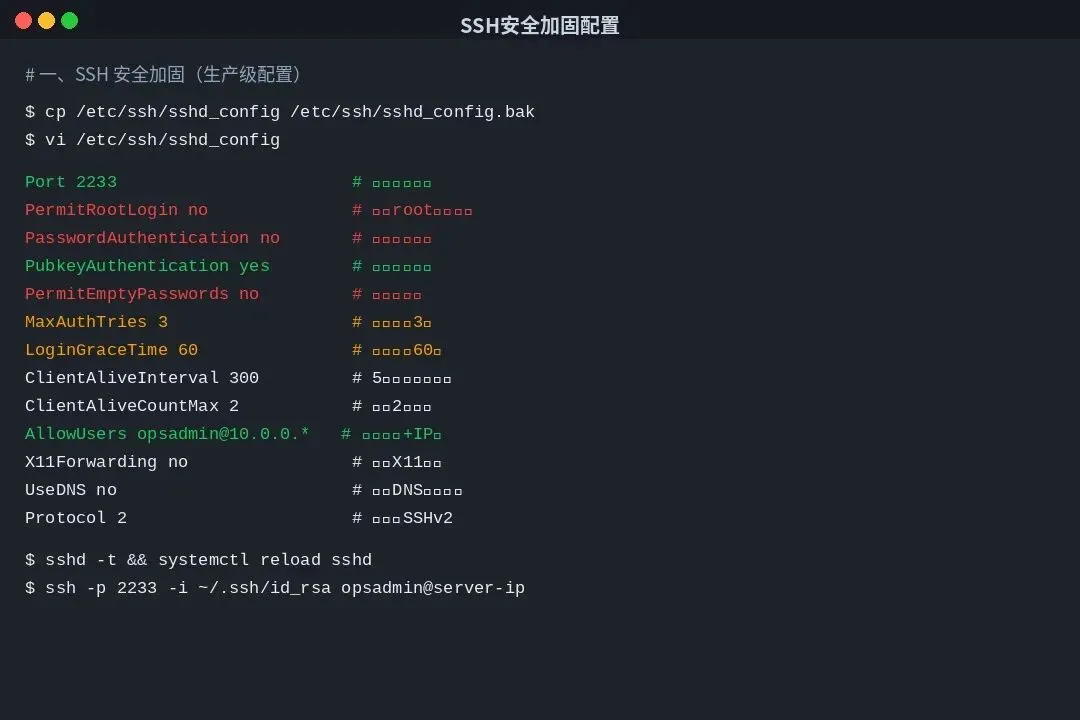
我前面提到那台被挖矿的机器,八成是 SSH 弱口令进去的。SSH 是 Linux 服务器被攻击的"重灾区",90% 以上的入侵都是从这开始的。生产环境我推荐这样配置:

# 备份原配置

cp /etc/ssh/sshd_config{,.bak.$(date +%F)}

# 写入生产级配置(端口改 2233,关闭密码登录)

cat > /etc/ssh/sshd_config.d/00-hardening.conf <<'EOF'

# 基础

Port 2233

AddressFamily inet

Protocol 2

# 认证

PermitRootLogin no

PasswordAuthentication no

PubkeyAuthentication yes

PermitEmptyPasswords no

ChallengeResponseAuthentication no

KerberosAuthentication no

GSSAPIAuthentication no

UsePAM yes

# 限制

MaxAuthTries 3

MaxSessions 5

LoginGraceTime 60

ClientAliveInterval 300

ClientAliveCountMax 2

# 显示与转发

X11Forwarding no

PrintMotd no

PrintLastLog yes

TCPKeepAlive no

Compression no

# 登录限制:仅允许 opsadmin 从 10.0.0.0/16 段登录

AllowUsers opsadmin@10.0.0.*

EOF

# 验证配置 + 重载(不会断当前会话)

sshd -t && systemctl reload sshd

这里要特别说一下 AllowUsers opsadmin@10.0.0.* 这行。我自己在生产里习惯的做法是:不允许 root 直接登录,创建一个普通账号 opsadmin,通过 sudo 提权;同时只允许这个账号从办公网段登录。即使 SSH 端口被扫到、密钥泄露,没有 IP 段也进不来。

如果你还想要更强的防护,可以加 Google Authenticator 做二次认证,或者上堡垒机。具体的二次认证配置比较长,后面单独写一篇。

三、Linux 杀软与防病毒:不是 Windows 才需要

很多人觉得 Linux 不中毒,这是最大的误解。Linux 服务器上的威胁主要不是"病毒",而是挖矿木马、WebShell、Rootkit、勒索软件。尤其邮件服务器、文件存储服务器、Web 服务器上,这些恶意程序非常活跃。

3.1 ClamAV:开源杀软的事实标准

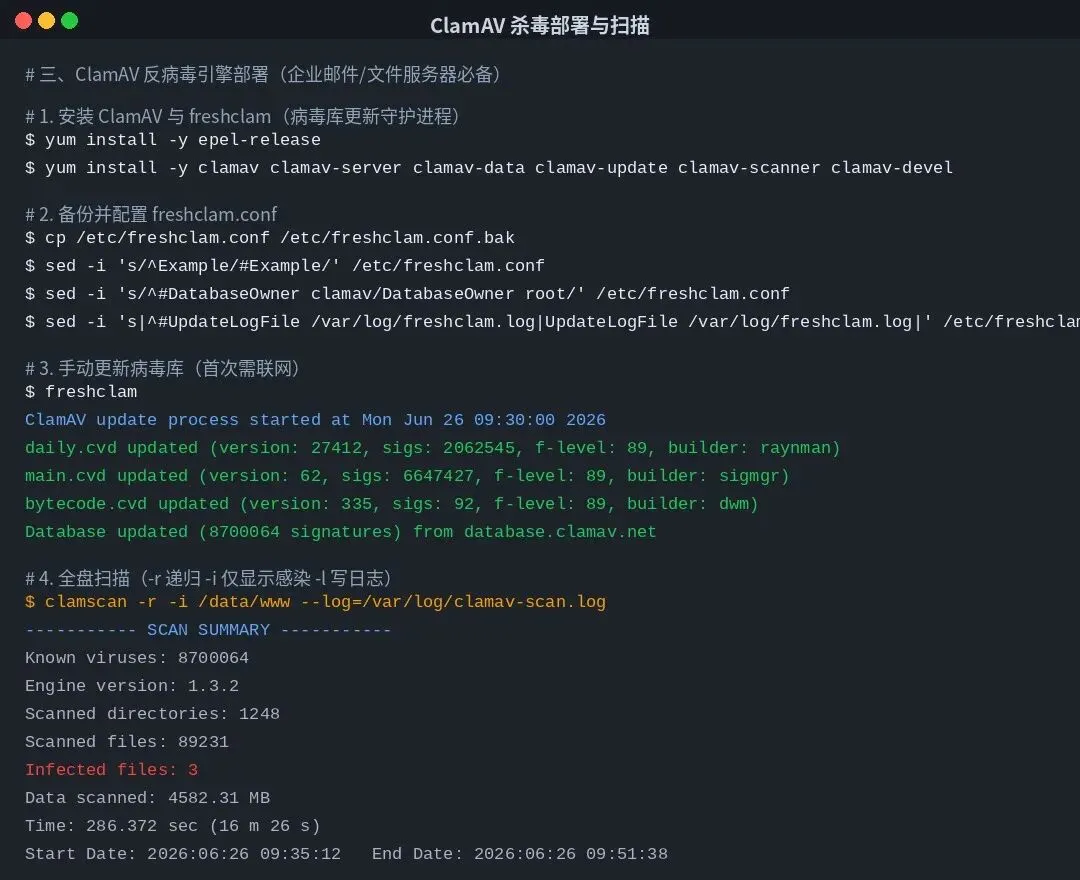
ClamAV 是 Linux 上最常用的开源杀毒引擎,病毒库每天更新,签名超过 800 万条。邮件网关、文件存储都靠它。部署也简单:

# 一键安装 ClamAV(CentOS/RHEL)

yum install -y epel-release

yum install -y clamav clamav-server clamav-data clamav-update \

   clamav-scanner clamav-devel clamav-milter

# 备份默认配置

cp /etc/freshclam.conf{,.bak}

# 关键配置:取消 Example 注释、设置日志

sed -i "s/^Example/#Example/" /etc/freshclam.conf

sed -i "s/^#DatabaseOwner clamav/DatabaseOwner root/" /etc/freshclam.conf

sed -i "s|^#UpdateLogFile /var/log/freshclam.log|UpdateLogFile /var/log/freshclam.log|" /etc/freshclam.conf

# 立即更新病毒库(首次较慢,约 80MB)

freshclam

# 加入定时任务,每天凌晨 3 点更新病毒库

cat > /etc/cron.daily/freshclam-update <<'EOF'

#!/bin/bash

/usr/bin/freshclam --quiet

EOF

chmod +x /etc/cron.daily/freshclam-update

日常扫描命令我整理了几个常用的:

# 全盘扫描,只显示感染文件,记录到日志

clamscan -r -i / --log=/var/log/clamav-full.log

# 仅扫描 /data/www 目录(Web 应用常见路径)

clamscan -r -i /data/www --log=/var/log/clamav-web.log

# 扫描后自动删除感染文件(慎用,建议先隔离)

clamscan -r -i /data/www --remove

# 扫描后移动到 /tmp/quarantine 隔离目录(推荐)

clamscan -r -i /data/www --move=/tmp/quarantine

# 仅扫描邮件附件目录(Maildir 格式)

clamscan -r -i /var/mail/

3.2 其他常用安全检测工具

除了 ClamAV,生产环境我还会再部署几样东西,形成纵深防御:

Lynis:开源的系统安全审计工具,跑一次能给服务器打个安全分,告诉你哪里不合规。装上之后 lynis audit system 一把梭。

rkhunter:专门查 rootkit 的工具,会检查系统二进制文件是否被替换、是否有隐藏的后门进程、是否加载了可疑内核模块。定期 rkhunter --check --skip-keypress 跑一下。

chkrootkit:轻量级的 rootkit 扫描工具,跟 rkhunter 配合用,作为 rkhunter 的补充。

OSSEC:开源的 HIDS(主机入侵检测系统),做日志聚合、文件完整性监控、Rootkit 检测一站式。稍微重一些,但企业版功能很强。

Wazuh:OSSEC 的演进版,带 Web 控制台,看告警很方便。中小企业用这个比较合适。

四、防火墙:80% 的攻击在门口就被挡住了

很多新手装完 Linux 第一件事就是关掉防火墙,说"怕业务跑不通"。这是个非常糟糕的起点。正确的姿势应该是:默认拒绝,按需开放。

现在主流的 Linux 防火墙有三套:CentOS 7+ 的 firewalld(基于 nftables/iptables 的封装)、Debian/Ubuntu 默认的 ufw、还有直接操作 iptables/nftables 命令。生产环境我推荐 firewalld 或 nftables,CentOS 8/RHEL 8 之后 nftables 是默认后端。

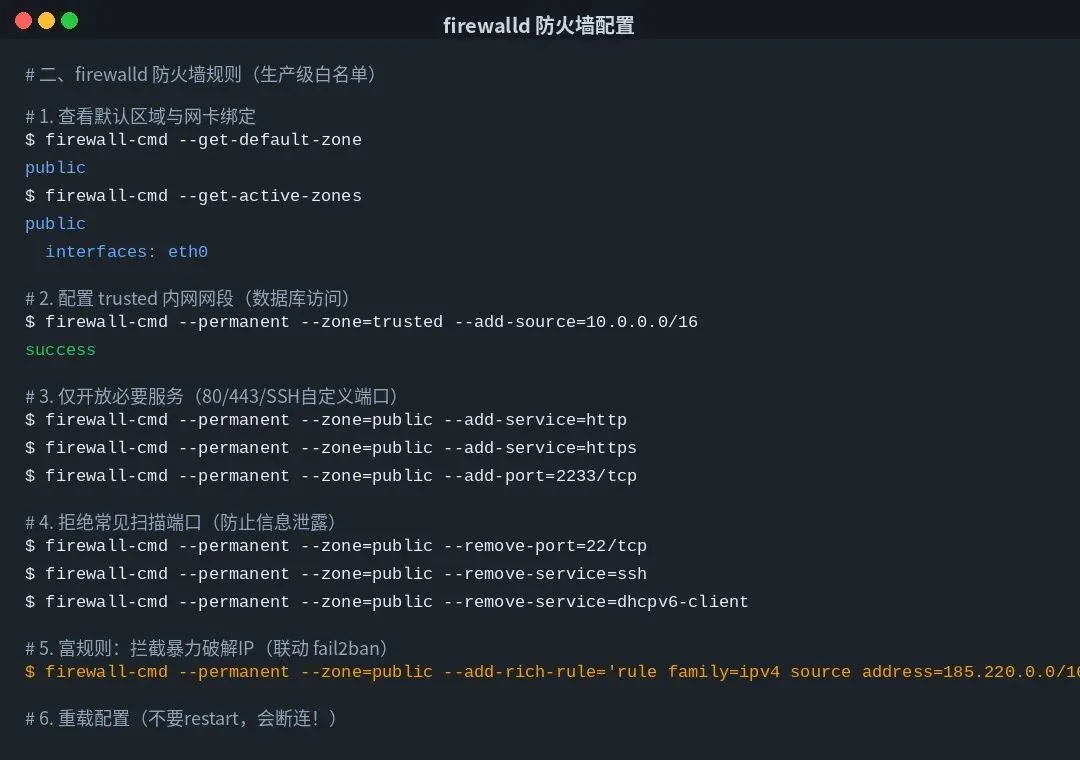
4.1 firewalld 生产级配置

# 启动并设为开机自启

systemctl enable --now firewalld

# 1. 把数据库/内网网卡划入 trusted 区域(默认全放行)

firewall-cmd --permanent --zone=trusted --add-source=10.0.0.0/16

firewall-cmd --permanent --zone=trusted --add-interface=eth1

# 2. 移除公共区域的不必要服务

firewall-cmd --permanent --zone=public --remove-service=ssh

firewall-cmd --permanent --zone=public --remove-service=dhcpv6-client

firewall-cmd --permanent --zone=public --remove-service=cockpit

# 3. 仅开放业务需要的端口

firewall-cmd --permanent --zone=public --add-service=http

firewall-cmd --permanent --zone=public --add-service=https

firewall-cmd --permanent --zone=public --add-port=2233/tcp   # 自定义 SSH

firewall-cmd --permanent --zone=public --add-port=9090/tcp   # 监控/Prometheus

# 4. 富规则:拦截常见扫描地区/恶意 IP 段

firewall-cmd --permanent --zone=public --add-rich-rule='rule family=ipv4 source address=185.220.0.0/16 reject'

firewall-cmd --permanent --zone=public --add-rich-rule='rule family=ipv4 source address=198.51.100.0/24 drop'

# 5. 防 ICMP 洪水(可选,内部机器可以打开)

firewall-cmd --permanent --zone=public --add-icmp-block=echo-request

# 6. 重载配置(不中断已建立连接)

firewall-cmd --reload

firewall-cmd --list-all-zones

4.2 nftables 高级配置(推荐新部署使用)

如果你是 CentOS 8+/RHEL 8+ 全新部署,直接上 nftables 性能更好、规则更清晰。脚本如下:

# 安装 nftables

yum install -y nftables

systemctl enable --now nftables

# 写入生产级规则集

cat > /etc/nftables/main.nft <<'EOF'

#!/usr/sbin/nft -f

flush ruleset

table inet filter {

 chain input {

   type filter hook input priority 0; policy drop;

   # 放行本地回环和已建立连接

   iif lo accept

   ct state established,related accept

   ct state invalid drop

   # 放行 ICMP(按需调整)

   ip protocol icmp accept

   ip6 nexthdr icmpv6 accept

   # 放行 SSH(限制并发与速率,防爆破)

   tcp dport 2233 ct state new meter ssh-meter { ip saddr limit rate 10/minute } accept

   # 放行业务端口

   tcp dport { 80, 443 } accept

   # 日志未匹配流量(每分钟最多 10 条,防日志洪水)

   log prefix "nft-dropped: " limit rate 10/minute

 }

 chain forward {

   type filter hook forward priority 0; policy drop;

 }

 chain output {

   type filter hook output priority 0; policy accept;

 }

}

EOF

# 应用并验证

nft -f /etc/nftables/main.nft

nft list ruleset

五、fail2ban:把暴破 IP 全部拉黑

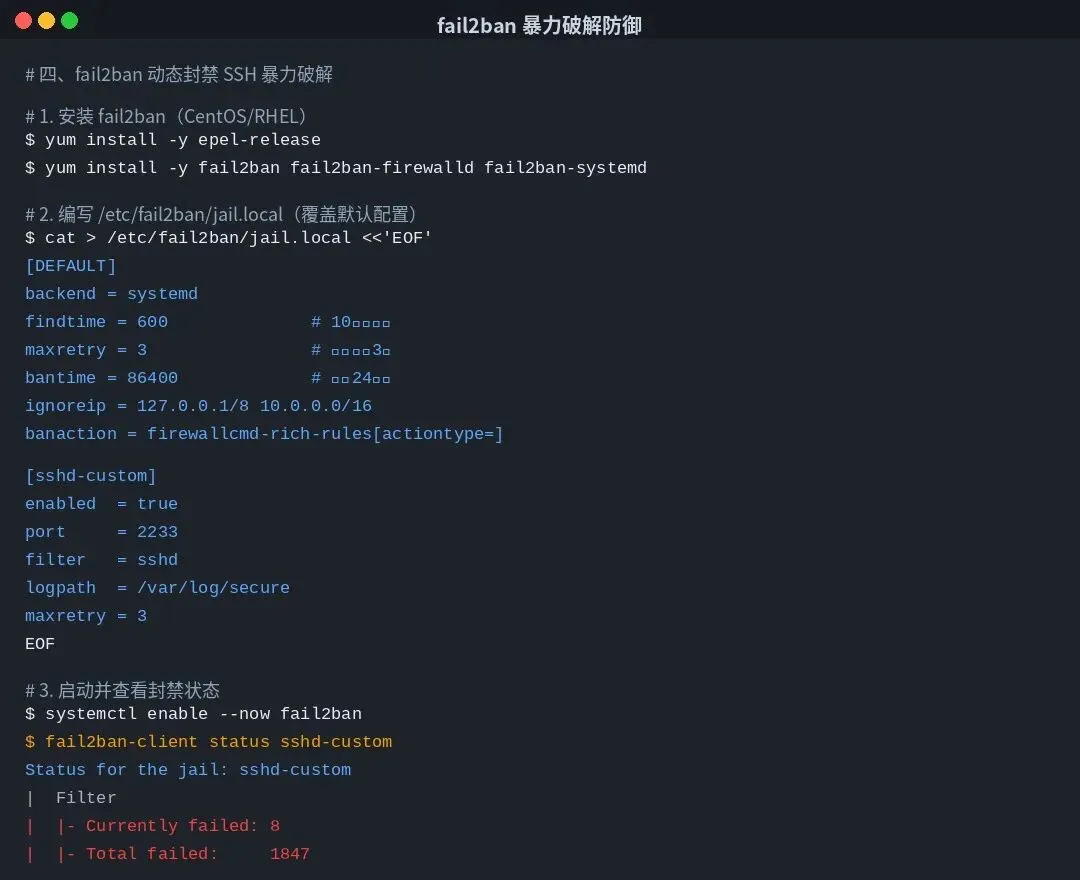
fail2ban 这个东西我强烈建议所有对外提供 SSH 服务的机器都装一个。它会盯着 auth.log/secure 日志,一旦发现某个 IP 在规定时间内连续登录失败超过设定次数,自动调用 iptables/防火墙规则封禁这个 IP。

安装配置不复杂,但默认配置封禁时间太短,生产里我会自己调大一点:

# 安装(CentOS 需先装 epel)

yum install -y epel-release fail2ban fail2ban-firewalld fail2ban-systemd

# 写入 /etc/fail2ban/jail.local(覆盖默认,推荐做法)

cat > /etc/fail2ban/jail.local <<'EOF'

[DEFAULT]

# 检测时间窗口 10 分钟,失败 3 次封禁 24 小时

findtime = 600

maxretry = 3

bantime  = 86400

# 白名单(内网段必须加上,否则自己运维人员连错密码就被封了)

ignoreip = 127.0.0.1/8 ::1 10.0.0.0/16 172.16.0.0/12 192.168.0.0/16

# 与 firewalld 联动(比直接 iptables 干净)

banaction = firewallcmd-rich-rules[actiontype=]

banaction_allports = firewallcmd-rich-rules[actiontype=]

backend = systemd

[sshd-custom]

enabled  = true

port     = 2233

filter   = sshd

logpath  = /var/log/secure

maxretry = 3

# 同时保护 nginx 和 apache 登录

[nginx-http-auth]

enabled = true

[apache-auth]

enabled = true

EOF

# 启动

systemctl enable --now fail2ban

# 查看封禁状态

fail2ban-client status sshd-custom

fail2ban-client status

# 手动解封某个 IP

fail2ban-client set sshd-custom unbanip 185.220.101.42

六、AIDE 文件完整性监控:发现被篡改的二进制

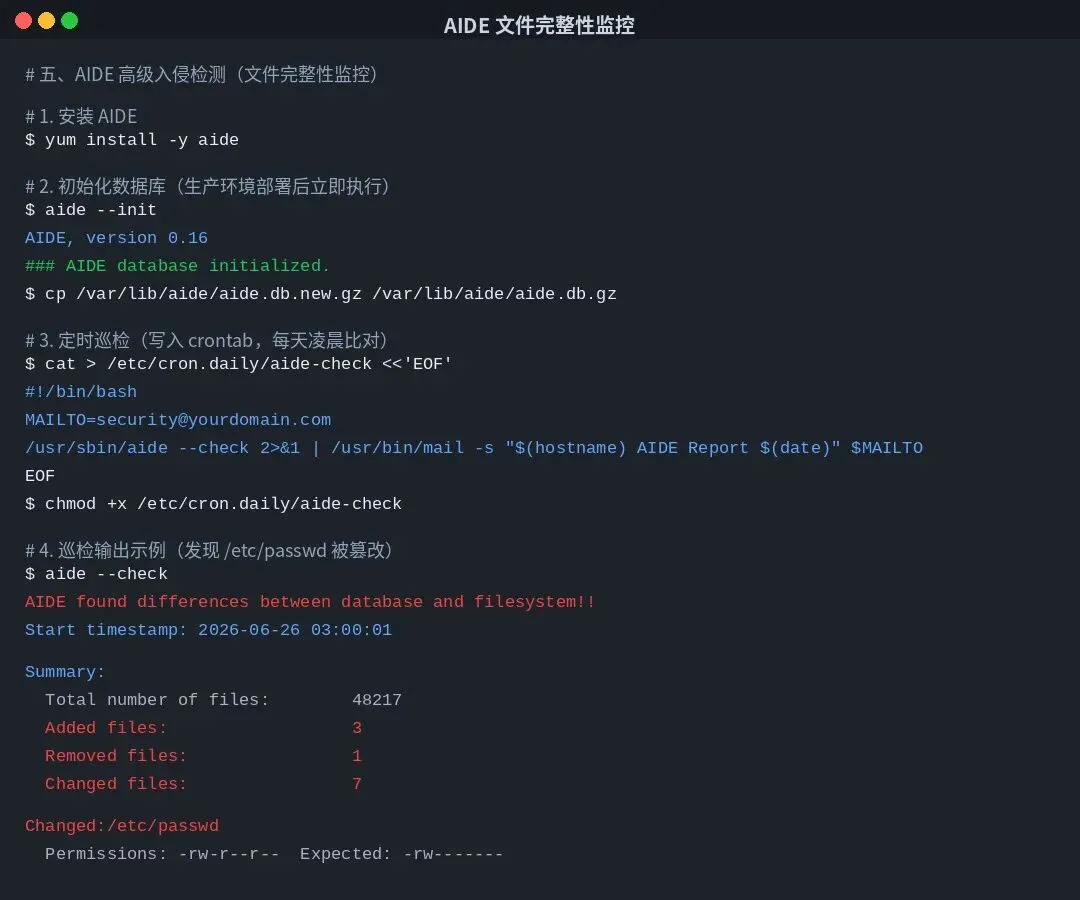
挖矿木马植入后,第一件事就是替换系统命令(lspsnetstat 等),让管理员看不到真实的进程和连接。AIDE 就是用来发现这种篡改的——它会记录关键文件的哈希值,定期校验,变了就报警。

# 安装

yum install -y aide

# 自定义监控规则 /etc/aide.conf(精简版,生产推荐加入更多关键目录)

cat > /etc/aide.conf <<'EOF'

database=file:/var/lib/aide/aide.db.gz

database_out=file:/var/lib/aide/aide.db.new.gz

# 报告级别:sha256 + bsize + 权限 + 时间戳

FIPSR = p+u+g+sha256+acl+xattrs+bsize+mtime+ctime

# 关键目录

/boot   FIPSR

/etc    FIPSR

/usr    FIPSR

/bin    FIPSR

/sbin   FIPSR

/lib    FIPSR

/lib64  FIPSR

/opt    FIPSR

# 排除不需要监控的目录(频繁变化会刷屏)

!/var/log

!/var/spool

!/var/cache

!/tmp

!/proc

!/sys

!/run

EOF

# 初始化数据库(部署完成后第一时间执行,作为基线)

aide --init

mv /var/lib/aide/aide.db.new.gz /var/lib/aide/aide.db.gz

# 加入每日巡检(发现变更邮件告警)

cat > /etc/cron.daily/aide-check <<'EOF'

#!/bin/bash

export LANG=en_US.UTF-8

REPORT=$(/usr/sbin/aide --check 2>&1)

if echo "$REPORT" | grep -q "found differences"; then

 echo "$REPORT" | /usr/bin/mail -s "【告警】$(hostname) AIDE 发现文件变更" sec-team@yourdomain.com

fi

EOF

chmod +x /etc/cron.daily/aide-check

七、SELinux + 内核参数:高级防护

很多运维嫌 SELinux 麻烦直接关掉,我以前也是这么干的,直到有一次被一个 0day 钻了空子。从那之后我所有生产机器都开着 SELinux 的 enforcing 模式。

7.1 SELinux 启用与排错

# 查看当前模式

getenforce

# 临时切到 enforcing(重启失效)

setenforce 1

# 永久修改 /etc/selinux/config

sed -i "s/^SELINUX=.*/SELINUX=enforcing/" /etc/selinux/config

# 常见业务场景的 SELinux 排错

# Web 服务无法访问文件

semanage fcontext -a -t httpd_sys_content_t '/data/www(/.*)?'

restorecon -Rv /data/www

# Web 服务需要连接数据库

setsebool -P httpd_can_network_connect_db 1

# 查看某个进程被拒绝的操作

ausearch -m avc -ts recent | audit2why

7.2 sysctl 内核安全参数

这是我整理的生产级 sysctl 配置,直接覆盖就能用:

cat > /etc/sysctl.d/99-security.conf <<'EOF'

# IP 转发与 SYN 防护

net.ipv4.ip_forward = 0

net.ipv4.tcp_syncookies = 1

net.ipv4.tcp_max_syn_backlog = 4096

# 禁用 IP 源路由(防 IP 欺骗)

net.ipv4.conf.all.accept_source_route = 0

net.ipv4.conf.default.accept_source_route = 0

net.ipv6.conf.all.accept_source_route = 0

# 禁用 ICMP 重定向(防中间人攻击)

net.ipv4.conf.all.accept_redirects = 0

net.ipv4.conf.default.accept_redirects = 0

net.ipv6.conf.all.accept_redirects = 0

# 启用反向路径过滤

net.ipv4.conf.all.rp_filter = 1

net.ipv4.conf.default.rp_filter = 1

# 关闭 IP 广播(防 smurf 攻击)

net.ipv4.icmp_echo_ignore_broadcasts = 1

# 记录可疑包

net.ipv4.conf.all.log_martians = 1

net.ipv4.icmp_ignore_bogus_error_responses = 1

# 内核随机化(防缓冲区溢出攻击)

kernel.randomize_va_space = 2

# 限制核心转储

fs.suid_dumpable = 0

# 禁用 IPv6(如不需要)

net.ipv6.conf.all.disable_ipv6 = 1

EOF

# 立即生效

sysctl --system

八、生产级一键加固脚本(建议收藏)

把前面的配置合在一起,我写了一个一键加固脚本,新机器初始化的时候直接跑一次就行。脚本默认在 CentOS 7/8、RHEL 7/8 上验证过,Ubuntu 改一下 apt 也能用。

⚠️ 注意:跑这个脚本会改 SSH 端口、关闭 root 直接登录、修改防火墙规则。一定要先在测试机验证,且提前准备一个应急登录通道(云控制台 VNC / IPMI)。

#!/bin/bash

# =========================================

# Linux 生产环境一键加固脚本

# 适用: CentOS 7/8、RHEL 7/8

# 作者: 运维老司机

# =========================================

set -e

SSH_PORT=2233

ADMIN_USER=opsadmin

BACKUP_DIR=/root/security-backup-$(date +%F)

mkdir -p $BACKUP_DIR

echo "[1/8] 备份关键配置..."

cp /etc/ssh/sshd_config $BACKUP_DIR/ 2>/dev/null || true

cp -r /etc/firewalld $BACKUP_DIR/ 2>/dev/null || true

cp /etc/sysctl.conf $BACKUP_DIR/ 2>/dev/null || true

echo "[2/8] 创建运维账号..."

if ! id "$ADMIN_USER" &>/dev/null; then

 useradd -m -s /bin/bash $ADMIN_USER

 echo "$ADMIN_USER ALL=(ALL) NOPASSWD: ALL" > /etc/sudoers.d/$ADMIN_USER

 mkdir -p /home/$ADMIN_USER/.ssh

 chmod 700 /home/$ADMIN_USER/.ssh

fi

echo "[3/8] 配置密码策略..."

yum install -y libpwquality >/dev/null 2>&1 || true

cat > /etc/security/pwquality.conf <<EOF

minlen = 12

dcredit = -1

lcredit = -1

ucredit = -1

ocredit = -1

remember = 5

EOF

echo "[4/8] SSH 加固..."

cat > /etc/ssh/sshd_config.d/00-hardening.conf <<EOF

Port $SSH_PORT

PermitRootLogin no

PasswordAuthentication no

PubkeyAuthentication yes

MaxAuthTries 3

ClientAliveInterval 300

ClientAliveCountMax 2

X11Forwarding no

AllowUsers $ADMIN_USER

EOF

sshd -t && systemctl reload sshd

echo "[5/8] 配置防火墙..."

systemctl enable --now firewalld >/dev/null 2>&1

firewall-cmd --permanent --zone=trusted --add-source=10.0.0.0/16

firewall-cmd --permanent --zone=public --remove-service=ssh

firewall-cmd --permanent --zone=public --add-port=$SSH_PORT/tcp

firewall-cmd --permanent --zone=public --add-service=http

firewall-cmd --permanent --zone=public --add-service=https

firewall-cmd --reload

echo "[6/8] 应用内核安全参数..."

cat > /etc/sysctl.d/99-security.conf <<EOF

net.ipv4.tcp_syncookies = 1

net.ipv4.conf.all.accept_source_route = 0

net.ipv4.conf.all.accept_redirects = 0

net.ipv4.conf.all.rp_filter = 1

net.ipv4.icmp_echo_ignore_broadcasts = 1

net.ipv4.conf.all.log_martians = 1

kernel.randomize_va_space = 2

fs.suid_dumpable = 0

EOF

sysctl --system >/dev/null

echo "[7/8] 部署 fail2ban + AIDE..."

yum install -y epel-release >/dev/null 2>&1

yum install -y fail2ban aide clamav clamav-update >/dev/null 2>&1

systemctl enable --now fail2ban aide-check.timer 2>/dev/null || true

systemctl enable --now fail2ban

echo "[8/8] 配置审计日志..."

yum install -y auditd >/dev/null 2>&1

systemctl enable --now auditd

echo "========================================"

echo "  加固完成!请做以下事项:"

echo "  1. 把 SSH 公钥复制到 ${ADMIN_USER}@服务器"

echo "     ssh-copy-id -p $SSH_PORT ${ADMIN_USER}@本机IP"

echo "  2. 验证新端口可以登录后再退出当前会话"

echo "  3. 备份目录: $BACKUP_DIR"

echo "========================================"
把上面这段保存为 /root/harden.sh,赋可执行权限 chmod +x /root/harden.sh,然后在新机器上跑就行。注意:跑之前先把自己的公钥复制到服务器的 opsadmin 账号下,否则跑完就连不进去了。

写在最后

Linux 安全这件事,说到底是个"木桶效应":最弱的那块板决定了整台机器的安全性。我见过太多公司花大钱买了 WAF、等保设备,结果服务器上 SSH 还是 22 端口 + 密码登录 + root 直接登录,等于大门敞开。

上面这些脚本不是万能的,但至少能给一台新机器打下一个合格的安全底子。最后再啰嗦几句:

• 定期 yum update,尤其是内核和高危组件

• 关键操作走堡垒机,所有操作可审计

• 每天看一次 /var/log/secure 和 /var/log/audit/audit.log

• 异地备份,备份要加密,且恢复演练至少每季度做一次

如果你觉得这篇文章有帮助,欢迎转发给身边做运维的朋友。有什么问题或想看的内容,评论区告诉我,后面我专门写。

最新文章

随机文章

基本 文件 流程 错误 SQL 调试
  1. 请求信息 : 2026-07-03 00:54:43 HTTP/2.0 GET : https://f.mffb.com.cn/a/501882.html
  2. 运行时间 : 0.151788s [ 吞吐率:6.59req/s ] 内存消耗:4,571.83kb 文件加载:140
  3. 缓存信息 : 0 reads,0 writes
  4. 会话信息 : SESSION_ID=7d95411c3db60320c02a20fc53143eaa
  1. /yingpanguazai/ssd/ssd1/www/f.mffb.com.cn/public/index.php ( 0.79 KB )
  2. /yingpanguazai/ssd/ssd1/www/f.mffb.com.cn/vendor/autoload.php ( 0.17 KB )
  3. /yingpanguazai/ssd/ssd1/www/f.mffb.com.cn/vendor/composer/autoload_real.php ( 2.49 KB )
  4. /yingpanguazai/ssd/ssd1/www/f.mffb.com.cn/vendor/composer/platform_check.php ( 0.90 KB )
  5. /yingpanguazai/ssd/ssd1/www/f.mffb.com.cn/vendor/composer/ClassLoader.php ( 14.03 KB )
  6. /yingpanguazai/ssd/ssd1/www/f.mffb.com.cn/vendor/composer/autoload_static.php ( 4.90 KB )
  7. /yingpanguazai/ssd/ssd1/www/f.mffb.com.cn/vendor/topthink/think-helper/src/helper.php ( 8.34 KB )
  8. /yingpanguazai/ssd/ssd1/www/f.mffb.com.cn/vendor/topthink/think-validate/src/helper.php ( 2.19 KB )
  9. /yingpanguazai/ssd/ssd1/www/f.mffb.com.cn/vendor/topthink/think-orm/src/helper.php ( 1.47 KB )
  10. /yingpanguazai/ssd/ssd1/www/f.mffb.com.cn/vendor/topthink/think-orm/stubs/load_stubs.php ( 0.16 KB )
  11. /yingpanguazai/ssd/ssd1/www/f.mffb.com.cn/vendor/topthink/framework/src/think/Exception.php ( 1.69 KB )
  12. /yingpanguazai/ssd/ssd1/www/f.mffb.com.cn/vendor/topthink/think-container/src/Facade.php ( 2.71 KB )
  13. /yingpanguazai/ssd/ssd1/www/f.mffb.com.cn/vendor/symfony/deprecation-contracts/function.php ( 0.99 KB )
  14. /yingpanguazai/ssd/ssd1/www/f.mffb.com.cn/vendor/symfony/polyfill-mbstring/bootstrap.php ( 8.26 KB )
  15. /yingpanguazai/ssd/ssd1/www/f.mffb.com.cn/vendor/symfony/polyfill-mbstring/bootstrap80.php ( 9.78 KB )
  16. /yingpanguazai/ssd/ssd1/www/f.mffb.com.cn/vendor/symfony/var-dumper/Resources/functions/dump.php ( 1.49 KB )
  17. /yingpanguazai/ssd/ssd1/www/f.mffb.com.cn/vendor/topthink/think-dumper/src/helper.php ( 0.18 KB )
  18. /yingpanguazai/ssd/ssd1/www/f.mffb.com.cn/vendor/symfony/var-dumper/VarDumper.php ( 4.30 KB )
  19. /yingpanguazai/ssd/ssd1/www/f.mffb.com.cn/vendor/topthink/framework/src/think/App.php ( 15.30 KB )
  20. /yingpanguazai/ssd/ssd1/www/f.mffb.com.cn/vendor/topthink/think-container/src/Container.php ( 15.76 KB )
  21. /yingpanguazai/ssd/ssd1/www/f.mffb.com.cn/vendor/psr/container/src/ContainerInterface.php ( 1.02 KB )
  22. /yingpanguazai/ssd/ssd1/www/f.mffb.com.cn/app/provider.php ( 0.19 KB )
  23. /yingpanguazai/ssd/ssd1/www/f.mffb.com.cn/vendor/topthink/framework/src/think/Http.php ( 6.04 KB )
  24. /yingpanguazai/ssd/ssd1/www/f.mffb.com.cn/vendor/topthink/think-helper/src/helper/Str.php ( 7.29 KB )
  25. /yingpanguazai/ssd/ssd1/www/f.mffb.com.cn/vendor/topthink/framework/src/think/Env.php ( 4.68 KB )
  26. /yingpanguazai/ssd/ssd1/www/f.mffb.com.cn/app/common.php ( 0.03 KB )
  27. /yingpanguazai/ssd/ssd1/www/f.mffb.com.cn/vendor/topthink/framework/src/helper.php ( 18.78 KB )
  28. /yingpanguazai/ssd/ssd1/www/f.mffb.com.cn/vendor/topthink/framework/src/think/Config.php ( 5.54 KB )
  29. /yingpanguazai/ssd/ssd1/www/f.mffb.com.cn/config/app.php ( 0.95 KB )
  30. /yingpanguazai/ssd/ssd1/www/f.mffb.com.cn/config/cache.php ( 0.78 KB )
  31. /yingpanguazai/ssd/ssd1/www/f.mffb.com.cn/config/console.php ( 0.23 KB )
  32. /yingpanguazai/ssd/ssd1/www/f.mffb.com.cn/config/cookie.php ( 0.56 KB )
  33. /yingpanguazai/ssd/ssd1/www/f.mffb.com.cn/config/database.php ( 2.48 KB )
  34. /yingpanguazai/ssd/ssd1/www/f.mffb.com.cn/vendor/topthink/framework/src/think/facade/Env.php ( 1.67 KB )
  35. /yingpanguazai/ssd/ssd1/www/f.mffb.com.cn/config/filesystem.php ( 0.61 KB )
  36. /yingpanguazai/ssd/ssd1/www/f.mffb.com.cn/config/lang.php ( 0.91 KB )
  37. /yingpanguazai/ssd/ssd1/www/f.mffb.com.cn/config/log.php ( 1.35 KB )
  38. /yingpanguazai/ssd/ssd1/www/f.mffb.com.cn/config/middleware.php ( 0.19 KB )
  39. /yingpanguazai/ssd/ssd1/www/f.mffb.com.cn/config/route.php ( 1.89 KB )
  40. /yingpanguazai/ssd/ssd1/www/f.mffb.com.cn/config/session.php ( 0.57 KB )
  41. /yingpanguazai/ssd/ssd1/www/f.mffb.com.cn/config/trace.php ( 0.34 KB )
  42. /yingpanguazai/ssd/ssd1/www/f.mffb.com.cn/config/view.php ( 0.82 KB )
  43. /yingpanguazai/ssd/ssd1/www/f.mffb.com.cn/app/event.php ( 0.25 KB )
  44. /yingpanguazai/ssd/ssd1/www/f.mffb.com.cn/vendor/topthink/framework/src/think/Event.php ( 7.67 KB )
  45. /yingpanguazai/ssd/ssd1/www/f.mffb.com.cn/app/service.php ( 0.13 KB )
  46. /yingpanguazai/ssd/ssd1/www/f.mffb.com.cn/app/AppService.php ( 0.26 KB )
  47. /yingpanguazai/ssd/ssd1/www/f.mffb.com.cn/vendor/topthink/framework/src/think/Service.php ( 1.64 KB )
  48. /yingpanguazai/ssd/ssd1/www/f.mffb.com.cn/vendor/topthink/framework/src/think/Lang.php ( 7.35 KB )
  49. /yingpanguazai/ssd/ssd1/www/f.mffb.com.cn/vendor/topthink/framework/src/lang/zh-cn.php ( 13.70 KB )
  50. /yingpanguazai/ssd/ssd1/www/f.mffb.com.cn/vendor/topthink/framework/src/think/initializer/Error.php ( 3.31 KB )
  51. /yingpanguazai/ssd/ssd1/www/f.mffb.com.cn/vendor/topthink/framework/src/think/initializer/RegisterService.php ( 1.33 KB )
  52. /yingpanguazai/ssd/ssd1/www/f.mffb.com.cn/vendor/services.php ( 0.14 KB )
  53. /yingpanguazai/ssd/ssd1/www/f.mffb.com.cn/vendor/topthink/framework/src/think/service/PaginatorService.php ( 1.52 KB )
  54. /yingpanguazai/ssd/ssd1/www/f.mffb.com.cn/vendor/topthink/framework/src/think/service/ValidateService.php ( 0.99 KB )
  55. /yingpanguazai/ssd/ssd1/www/f.mffb.com.cn/vendor/topthink/framework/src/think/service/ModelService.php ( 2.04 KB )
  56. /yingpanguazai/ssd/ssd1/www/f.mffb.com.cn/vendor/topthink/think-trace/src/Service.php ( 0.77 KB )
  57. /yingpanguazai/ssd/ssd1/www/f.mffb.com.cn/vendor/topthink/framework/src/think/Middleware.php ( 6.72 KB )
  58. /yingpanguazai/ssd/ssd1/www/f.mffb.com.cn/vendor/topthink/framework/src/think/initializer/BootService.php ( 0.77 KB )
  59. /yingpanguazai/ssd/ssd1/www/f.mffb.com.cn/vendor/topthink/think-orm/src/Paginator.php ( 11.86 KB )
  60. /yingpanguazai/ssd/ssd1/www/f.mffb.com.cn/vendor/topthink/think-validate/src/Validate.php ( 63.20 KB )
  61. /yingpanguazai/ssd/ssd1/www/f.mffb.com.cn/vendor/topthink/think-orm/src/Model.php ( 23.55 KB )
  62. /yingpanguazai/ssd/ssd1/www/f.mffb.com.cn/vendor/topthink/think-orm/src/model/concern/Attribute.php ( 21.05 KB )
  63. /yingpanguazai/ssd/ssd1/www/f.mffb.com.cn/vendor/topthink/think-orm/src/model/concern/AutoWriteData.php ( 4.21 KB )
  64. /yingpanguazai/ssd/ssd1/www/f.mffb.com.cn/vendor/topthink/think-orm/src/model/concern/Conversion.php ( 6.44 KB )
  65. /yingpanguazai/ssd/ssd1/www/f.mffb.com.cn/vendor/topthink/think-orm/src/model/concern/DbConnect.php ( 5.16 KB )
  66. /yingpanguazai/ssd/ssd1/www/f.mffb.com.cn/vendor/topthink/think-orm/src/model/concern/ModelEvent.php ( 2.33 KB )
  67. /yingpanguazai/ssd/ssd1/www/f.mffb.com.cn/vendor/topthink/think-orm/src/model/concern/RelationShip.php ( 28.29 KB )
  68. /yingpanguazai/ssd/ssd1/www/f.mffb.com.cn/vendor/topthink/think-helper/src/contract/Arrayable.php ( 0.09 KB )
  69. /yingpanguazai/ssd/ssd1/www/f.mffb.com.cn/vendor/topthink/think-helper/src/contract/Jsonable.php ( 0.13 KB )
  70. /yingpanguazai/ssd/ssd1/www/f.mffb.com.cn/vendor/topthink/think-orm/src/model/contract/Modelable.php ( 0.09 KB )
  71. /yingpanguazai/ssd/ssd1/www/f.mffb.com.cn/vendor/topthink/framework/src/think/Db.php ( 2.88 KB )
  72. /yingpanguazai/ssd/ssd1/www/f.mffb.com.cn/vendor/topthink/think-orm/src/DbManager.php ( 8.52 KB )
  73. /yingpanguazai/ssd/ssd1/www/f.mffb.com.cn/vendor/topthink/framework/src/think/Log.php ( 6.28 KB )
  74. /yingpanguazai/ssd/ssd1/www/f.mffb.com.cn/vendor/topthink/framework/src/think/Manager.php ( 3.92 KB )
  75. /yingpanguazai/ssd/ssd1/www/f.mffb.com.cn/vendor/psr/log/src/LoggerTrait.php ( 2.69 KB )
  76. /yingpanguazai/ssd/ssd1/www/f.mffb.com.cn/vendor/psr/log/src/LoggerInterface.php ( 2.71 KB )
  77. /yingpanguazai/ssd/ssd1/www/f.mffb.com.cn/vendor/topthink/framework/src/think/Cache.php ( 4.92 KB )
  78. /yingpanguazai/ssd/ssd1/www/f.mffb.com.cn/vendor/psr/simple-cache/src/CacheInterface.php ( 4.71 KB )
  79. /yingpanguazai/ssd/ssd1/www/f.mffb.com.cn/vendor/topthink/think-helper/src/helper/Arr.php ( 16.63 KB )
  80. /yingpanguazai/ssd/ssd1/www/f.mffb.com.cn/vendor/topthink/framework/src/think/cache/driver/File.php ( 7.84 KB )
  81. /yingpanguazai/ssd/ssd1/www/f.mffb.com.cn/vendor/topthink/framework/src/think/cache/Driver.php ( 9.03 KB )
  82. /yingpanguazai/ssd/ssd1/www/f.mffb.com.cn/vendor/topthink/framework/src/think/contract/CacheHandlerInterface.php ( 1.99 KB )
  83. /yingpanguazai/ssd/ssd1/www/f.mffb.com.cn/app/Request.php ( 0.09 KB )
  84. /yingpanguazai/ssd/ssd1/www/f.mffb.com.cn/vendor/topthink/framework/src/think/Request.php ( 55.78 KB )
  85. /yingpanguazai/ssd/ssd1/www/f.mffb.com.cn/app/middleware.php ( 0.25 KB )
  86. /yingpanguazai/ssd/ssd1/www/f.mffb.com.cn/vendor/topthink/framework/src/think/Pipeline.php ( 2.61 KB )
  87. /yingpanguazai/ssd/ssd1/www/f.mffb.com.cn/vendor/topthink/think-trace/src/TraceDebug.php ( 3.40 KB )
  88. /yingpanguazai/ssd/ssd1/www/f.mffb.com.cn/vendor/topthink/framework/src/think/middleware/SessionInit.php ( 1.94 KB )
  89. /yingpanguazai/ssd/ssd1/www/f.mffb.com.cn/vendor/topthink/framework/src/think/Session.php ( 1.80 KB )
  90. /yingpanguazai/ssd/ssd1/www/f.mffb.com.cn/vendor/topthink/framework/src/think/session/driver/File.php ( 6.27 KB )
  91. /yingpanguazai/ssd/ssd1/www/f.mffb.com.cn/vendor/topthink/framework/src/think/contract/SessionHandlerInterface.php ( 0.87 KB )
  92. /yingpanguazai/ssd/ssd1/www/f.mffb.com.cn/vendor/topthink/framework/src/think/session/Store.php ( 7.12 KB )
  93. /yingpanguazai/ssd/ssd1/www/f.mffb.com.cn/vendor/topthink/framework/src/think/Route.php ( 23.73 KB )
  94. /yingpanguazai/ssd/ssd1/www/f.mffb.com.cn/vendor/topthink/framework/src/think/route/RuleName.php ( 5.75 KB )
  95. /yingpanguazai/ssd/ssd1/www/f.mffb.com.cn/vendor/topthink/framework/src/think/route/Domain.php ( 2.53 KB )
  96. /yingpanguazai/ssd/ssd1/www/f.mffb.com.cn/vendor/topthink/framework/src/think/route/RuleGroup.php ( 22.43 KB )
  97. /yingpanguazai/ssd/ssd1/www/f.mffb.com.cn/vendor/topthink/framework/src/think/route/Rule.php ( 26.95 KB )
  98. /yingpanguazai/ssd/ssd1/www/f.mffb.com.cn/vendor/topthink/framework/src/think/route/RuleItem.php ( 9.78 KB )
  99. /yingpanguazai/ssd/ssd1/www/f.mffb.com.cn/route/app.php ( 1.72 KB )
  100. /yingpanguazai/ssd/ssd1/www/f.mffb.com.cn/vendor/topthink/framework/src/think/facade/Route.php ( 4.70 KB )
  101. /yingpanguazai/ssd/ssd1/www/f.mffb.com.cn/vendor/topthink/framework/src/think/route/dispatch/Controller.php ( 4.74 KB )
  102. /yingpanguazai/ssd/ssd1/www/f.mffb.com.cn/vendor/topthink/framework/src/think/route/Dispatch.php ( 10.44 KB )
  103. /yingpanguazai/ssd/ssd1/www/f.mffb.com.cn/app/controller/Index.php ( 4.81 KB )
  104. /yingpanguazai/ssd/ssd1/www/f.mffb.com.cn/app/BaseController.php ( 2.05 KB )
  105. /yingpanguazai/ssd/ssd1/www/f.mffb.com.cn/vendor/topthink/think-orm/src/facade/Db.php ( 0.93 KB )
  106. /yingpanguazai/ssd/ssd1/www/f.mffb.com.cn/vendor/topthink/think-orm/src/db/connector/Mysql.php ( 5.44 KB )
  107. /yingpanguazai/ssd/ssd1/www/f.mffb.com.cn/vendor/topthink/think-orm/src/db/PDOConnection.php ( 52.47 KB )
  108. /yingpanguazai/ssd/ssd1/www/f.mffb.com.cn/vendor/topthink/think-orm/src/db/Connection.php ( 8.39 KB )
  109. /yingpanguazai/ssd/ssd1/www/f.mffb.com.cn/vendor/topthink/think-orm/src/db/ConnectionInterface.php ( 4.57 KB )
  110. /yingpanguazai/ssd/ssd1/www/f.mffb.com.cn/vendor/topthink/think-orm/src/db/builder/Mysql.php ( 16.58 KB )
  111. /yingpanguazai/ssd/ssd1/www/f.mffb.com.cn/vendor/topthink/think-orm/src/db/Builder.php ( 24.06 KB )
  112. /yingpanguazai/ssd/ssd1/www/f.mffb.com.cn/vendor/topthink/think-orm/src/db/BaseBuilder.php ( 27.50 KB )
  113. /yingpanguazai/ssd/ssd1/www/f.mffb.com.cn/vendor/topthink/think-orm/src/db/Query.php ( 15.71 KB )
  114. /yingpanguazai/ssd/ssd1/www/f.mffb.com.cn/vendor/topthink/think-orm/src/db/BaseQuery.php ( 45.13 KB )
  115. /yingpanguazai/ssd/ssd1/www/f.mffb.com.cn/vendor/topthink/think-orm/src/db/concern/TimeFieldQuery.php ( 7.43 KB )
  116. /yingpanguazai/ssd/ssd1/www/f.mffb.com.cn/vendor/topthink/think-orm/src/db/concern/AggregateQuery.php ( 3.26 KB )
  117. /yingpanguazai/ssd/ssd1/www/f.mffb.com.cn/vendor/topthink/think-orm/src/db/concern/ModelRelationQuery.php ( 20.07 KB )
  118. /yingpanguazai/ssd/ssd1/www/f.mffb.com.cn/vendor/topthink/think-orm/src/db/concern/ParamsBind.php ( 3.66 KB )
  119. /yingpanguazai/ssd/ssd1/www/f.mffb.com.cn/vendor/topthink/think-orm/src/db/concern/ResultOperation.php ( 7.01 KB )
  120. /yingpanguazai/ssd/ssd1/www/f.mffb.com.cn/vendor/topthink/think-orm/src/db/concern/WhereQuery.php ( 19.37 KB )
  121. /yingpanguazai/ssd/ssd1/www/f.mffb.com.cn/vendor/topthink/think-orm/src/db/concern/JoinAndViewQuery.php ( 7.11 KB )
  122. /yingpanguazai/ssd/ssd1/www/f.mffb.com.cn/vendor/topthink/think-orm/src/db/concern/TableFieldInfo.php ( 2.63 KB )
  123. /yingpanguazai/ssd/ssd1/www/f.mffb.com.cn/vendor/topthink/think-orm/src/db/concern/Transaction.php ( 2.77 KB )
  124. /yingpanguazai/ssd/ssd1/www/f.mffb.com.cn/vendor/topthink/framework/src/think/log/driver/File.php ( 5.96 KB )
  125. /yingpanguazai/ssd/ssd1/www/f.mffb.com.cn/vendor/topthink/framework/src/think/contract/LogHandlerInterface.php ( 0.86 KB )
  126. /yingpanguazai/ssd/ssd1/www/f.mffb.com.cn/vendor/topthink/framework/src/think/log/Channel.php ( 3.89 KB )
  127. /yingpanguazai/ssd/ssd1/www/f.mffb.com.cn/vendor/topthink/framework/src/think/event/LogRecord.php ( 1.02 KB )
  128. /yingpanguazai/ssd/ssd1/www/f.mffb.com.cn/vendor/topthink/think-helper/src/Collection.php ( 16.47 KB )
  129. /yingpanguazai/ssd/ssd1/www/f.mffb.com.cn/vendor/topthink/framework/src/think/facade/View.php ( 1.70 KB )
  130. /yingpanguazai/ssd/ssd1/www/f.mffb.com.cn/vendor/topthink/framework/src/think/View.php ( 4.39 KB )
  131. /yingpanguazai/ssd/ssd1/www/f.mffb.com.cn/vendor/topthink/framework/src/think/Response.php ( 8.81 KB )
  132. /yingpanguazai/ssd/ssd1/www/f.mffb.com.cn/vendor/topthink/framework/src/think/response/View.php ( 3.29 KB )
  133. /yingpanguazai/ssd/ssd1/www/f.mffb.com.cn/vendor/topthink/framework/src/think/Cookie.php ( 6.06 KB )
  134. /yingpanguazai/ssd/ssd1/www/f.mffb.com.cn/vendor/topthink/think-view/src/Think.php ( 8.38 KB )
  135. /yingpanguazai/ssd/ssd1/www/f.mffb.com.cn/vendor/topthink/framework/src/think/contract/TemplateHandlerInterface.php ( 1.60 KB )
  136. /yingpanguazai/ssd/ssd1/www/f.mffb.com.cn/vendor/topthink/think-template/src/Template.php ( 46.61 KB )
  137. /yingpanguazai/ssd/ssd1/www/f.mffb.com.cn/vendor/topthink/think-template/src/template/driver/File.php ( 2.41 KB )
  138. /yingpanguazai/ssd/ssd1/www/f.mffb.com.cn/vendor/topthink/think-template/src/template/contract/DriverInterface.php ( 0.86 KB )
  139. /yingpanguazai/ssd/ssd1/www/f.mffb.com.cn/runtime/temp/067d451b9a0c665040f3f1bdd3293d68.php ( 11.98 KB )
  140. /yingpanguazai/ssd/ssd1/www/f.mffb.com.cn/vendor/topthink/think-trace/src/Html.php ( 4.42 KB )
  1. CONNECT:[ UseTime:0.000462s ] mysql:host=127.0.0.1;port=3306;dbname=f_mffb;charset=utf8mb4
  2. SHOW FULL COLUMNS FROM `fenlei` [ RunTime:0.000659s ]
  3. SELECT * FROM `fenlei` WHERE `fid` = 0 [ RunTime:0.000300s ]
  4. SELECT * FROM `fenlei` WHERE `fid` = 63 [ RunTime:0.000251s ]
  5. SHOW FULL COLUMNS FROM `set` [ RunTime:0.000518s ]
  6. SELECT * FROM `set` [ RunTime:0.000200s ]
  7. SHOW FULL COLUMNS FROM `article` [ RunTime:0.000503s ]
  8. SELECT * FROM `article` WHERE `id` = 501882 LIMIT 1 [ RunTime:0.000496s ]
  9. UPDATE `article` SET `lasttime` = 1783011284 WHERE `id` = 501882 [ RunTime:0.026993s ]
  10. SELECT * FROM `fenlei` WHERE `id` = 67 LIMIT 1 [ RunTime:0.000360s ]
  11. SELECT * FROM `article` WHERE `id` < 501882 ORDER BY `id` DESC LIMIT 1 [ RunTime:0.000535s ]
  12. SELECT * FROM `article` WHERE `id` > 501882 ORDER BY `id` ASC LIMIT 1 [ RunTime:0.003604s ]
  13. SELECT * FROM `article` WHERE `id` < 501882 ORDER BY `id` DESC LIMIT 10 [ RunTime:0.041070s ]
  14. SELECT * FROM `article` WHERE `id` < 501882 ORDER BY `id` DESC LIMIT 10,10 [ RunTime:0.005996s ]
  15. SELECT * FROM `article` WHERE `id` < 501882 ORDER BY `id` DESC LIMIT 20,10 [ RunTime:0.000888s ]
0.153445s