继续折腾,当前这个工控机已经成为twincat runtime了,,接下来折腾node-red以及fuxa。目前在这个工控机上安装的软件来自不同的软件仓库:
从底层到上层,形成了三层软件生态:
Linux系统层(Debian) → 工业控制层(Beckhoff) → 应用生态层(npm)。
这也是工业PC相比传统PLC的一个变化:除了实时控制能力之外,还可以借助Linux生态扩展更多边缘计算和数据应用功能。
开始,相比TwinCAT Runtime安装时需要配置倍福软件仓库认证,Node-RED和FUXA属于Node.js开源生态软件,通常可以直接通过npm软件仓库获取。
1、检查Node.js环境
看看是否安装了
没有安装
-bash: node: command not found
2、配置npm软件源
测试npm仓库访问,输出可以访问
Administrator@BTN-000t12m0:~$ curl -I https://registry.npmjs.orgHTTP/2 200
3、准备Node.js运行环境
Administrator@BTN-000t12m0:~$ sudo apt install nodejs[sudo] password for Administrator: Installing: nodejsInstalling dependencies: libcares2 node-balanced-match node-minimatch libicu76 node-brace-expansion node-undici libnode115 node-cjs-module-lexer node-xtend node-acorn node-corepack nodejs-docSuggested packages: npmSummary: Upgrading: 0, Installing: 13, Removing: 0, Not Upgrading: 12 Download size: 29.7 MB Space needed: 123 MB / 156 GB availableContinue? [Y/n] YGet:1 https://deb-mirror.beckhoff.com/debian trixie/main amd64 libcares2 amd64 1.34.5-1+deb13u1 [98.3 kB]Get:2 https://deb-mirror.beckhoff.com/debian trixie/main amd64 libicu76 amd64 76.1-4 [9722 kB]Get:3 https://deb-mirror.beckhoff.com/debian trixie/main amd64 node-xtend all 4.0.2-3 [3932 B]Get:4 https://deb-mirror.beckhoff.com/debian trixie/main amd64 node-corepack all 0.24.0-5 [712 kB]Get:5 https://deb-mirror.beckhoff.com/debian trixie/main amd64 nodejs amd64 20.19.2+dfsg-1+deb13u2 [353 kB]Get:6 https://deb-mirror.beckhoff.com/debian trixie/main amd64 node-acorn all 8.8.1+ds+~cs25.17.7-2 [128 kB]Get:7 https://deb-mirror.beckhoff.com/debian trixie/main amd64 node-cjs-module-lexer all 1.2.3+dfsg-1 [30.6 kB]Get:8 https://deb-mirror.beckhoff.com/debian trixie/main amd64 node-balanced-match all 2.0.0-1 [4872 B]Get:9 https://deb-mirror.beckhoff.com/debian trixie/main amd64 node-brace-expansion all 2.0.1+~1.1.0-2 [8012 B]Get:10 https://deb-mirror.beckhoff.com/debian trixie/main amd64 node-minimatch all 9.0.3-6 [76.8 kB]Get:11 https://deb-mirror.beckhoff.com/debian trixie/main amd64 node-undici all 7.3.0+dfsg1+~cs24.12.11-1 [333 kB]Get:12 https://deb-mirror.beckhoff.com/debian trixie/main amd64 libnode115 amd64 20.19.2+dfsg-1+deb13u2 [12.1 MB]Get:13 https://deb-mirror.beckhoff.com/debian trixie/main amd64 nodejs-doc all 20.19.2+dfsg-1+deb13u2 [6084 kB]Fetched 29.7 MB in 22s (1340 kB/s) perl: warning: Setting locale failed.perl: warning: Please check that your locale settings: LANGUAGE = (unset), LC_ALL = (unset), LC_CTYPE = (unset), LC_NUMERIC = (unset), LC_COLLATE = (unset), LC_TIME = (unset), LC_MESSAGES = (unset), LC_MONETARY = (unset), LC_ADDRESS = (unset), LC_IDENTIFICATION = (unset), LC_MEASUREMENT = (unset), LC_PAPER = (unset), LC_TELEPHONE = (unset), LC_NAME = (unset), LANG = "zh_CN.UTF-8" are supported and installed on your system.perl: warning: Falling back to the standard locale ("C").debconf: unable to initialize frontend: Dialogdebconf: (No usable dialog-like program is installed, so the dialog based frontend cannot be used. at /usr/share/perl5/Debconf/FrontEnd/Dialog.pm line 79, <STDIN> line 13.)debconf: falling back to frontend: Readlinedebconf: unable to initialize frontend: Readlinedebconf: (Can't locate Term/ReadLine.pm in @INC (you may need to install the Term::ReadLine module) (@INC entries checked: /etc/perl /usr/local/lib/x86_64-linux-gnu/perl/5.40.1 /usr/local/share/perl/5.40.1 /usr/lib/x86_64-linux-gnu/perl5/5.40 /usr/share/perl5 /usr/lib/x86_64-linux-gnu/perl-base /usr/lib/x86_64-linux-gnu/perl/5.40 /usr/share/perl/5.40 /usr/local/lib/site_perl) at /usr/share/perl5/Debconf/FrontEnd/Readline.pm line 8, <STDIN> line 13.)debconf: falling back to frontend: TeletypeSelecting previously unselected package libcares2:amd64.(Reading database ... 13840 files and directories currently installed.)Preparing to unpack .../00-libcares2_1.34.5-1+deb13u1_amd64.deb ...Progress: [ 0%] [......................................] Unpacking libcares2:amd64 (1.34.5-1+deb13u1) ...........] Selecting previously unselected package libicu76:amd64..] Preparing to unpack .../01-libicu76_76.1-4_amd64.deb ...Unpacking libicu76:amd64 (76.1-4) ......................] Selecting previously unselected package node-xtend......] Preparing to unpack .../02-node-xtend_4.0.2-3_all.deb ...Unpacking node-xtend (4.0.2-3) .........................] Selecting previously unselected package node-corepack...] Preparing to unpack .../03-node-corepack_0.24.0-5_all.deb ...Unpacking node-corepack (0.24.0-5) .....................] Selecting previously unselected package nodejs..........] Preparing to unpack .../04-nodejs_20.19.2+dfsg-1+deb13u2_amd64.deb ...Unpacking nodejs (20.19.2+dfsg-1+deb13u2) ..............] Selecting previously unselected package node-acorn......] Preparing to unpack .../05-node-acorn_8.8.1+ds+~cs25.17.7-2_all.deb ...Unpacking node-acorn (8.8.1+ds+~cs25.17.7-2) ...........] Selecting previously unselected package node-cjs-module-lexer.Preparing to unpack .../06-node-cjs-module-lexer_1.2.3+dfsg-1_all.deb ...Unpacking node-cjs-module-lexer (1.2.3+dfsg-1) .........] Selecting previously unselected package node-balanced-match.Preparing to unpack .../07-node-balanced-match_2.0.0-1_all.deb ...Unpacking node-balanced-match (2.0.0-1) ................] Selecting previously unselected package node-brace-expansion.Preparing to unpack .../08-node-brace-expansion_2.0.1+~1.1.0-2_all.deb ...Unpacking node-brace-expansion (2.0.1+~1.1.0-2) ........] Selecting previously unselected package node-minimatch..] Preparing to unpack .../09-node-minimatch_9.0.3-6_all.deb ...Unpacking node-minimatch (9.0.3-6) .....................] Selecting previously unselected package node-undici.....] Preparing to unpack .../10-node-undici_7.3.0+dfsg1+~cs24.12.11-1_all.deb ...Unpacking node-undici (7.3.0+dfsg1+~cs24.12.11-1) ......] Selecting previously unselected package libnode115:amd64. Preparing to unpack .../11-libnode115_20.19.2+dfsg-1+deb13u2_amd64.deb ...Unpacking libnode115:amd64 (20.19.2+dfsg-1+deb13u2) ....] Selecting previously unselected package nodejs-doc......] Preparing to unpack .../12-nodejs-doc_20.19.2+dfsg-1+deb13u2_all.deb ...Unpacking nodejs-doc (20.19.2+dfsg-1+deb13u2) ..........] Setting up node-cjs-module-lexer (1.2.3+dfsg-1) ........] Progress: [ 51%] [###################...................] Setting up node-balanced-match (2.0.0-1) ...............] Progress: [ 55%] [####################..................] Setting up node-brace-expansion (2.0.1+~1.1.0-2) .......] Progress: [ 58%] [######################................] Setting up libcares2:amd64 (1.34.5-1+deb13u1) ..........] Progress: [ 62%] [#######################...............] Setting up nodejs-doc (20.19.2+dfsg-1+deb13u2) .........] Progress: [ 66%] [#########################.............] Setting up node-undici (7.3.0+dfsg1+~cs24.12.11-1) .....] Progress: [ 70%] [##########################............] Setting up libicu76:amd64 (76.1-4) ...#######...........] Progress: [ 74%] [###########################...........] Setting up node-minimatch (9.0.3-6) ...#######..........] Progress: [ 77%] [#############################.........] Setting up node-xtend (4.0.2-3) ...#############........] Progress: [ 81%] [##############################........] Setting up node-acorn (8.8.1+ds+~cs25.17.7-2) ..........] Progress: [ 85%] [################################......] Setting up node-corepack (0.24.0-5) ...###########......] Progress: [ 89%] [#################################.....] Setting up libnode115:amd64 (20.19.2+dfsg-1+deb13u2) ...] Progress: [ 92%] [###################################...] Setting up nodejs (20.19.2+dfsg-1+deb13u2) ...#######...] update-alternatives: using /usr/bin/nodejs to provide /usr/bin/js (js) in auto modeProcessing triggers for man-db (2.13.1-1) ...##########.] Processing triggers for libc-bin (2.41-12+deb13u3) ...Administrator@BTN-000t12m0:~$
4、安装npm软件包管理工具
Node.js安装完成后,还需要安装npm(Node Package Manager),后续安装的Node-RED和FUXA,都将通过npm软件仓库获取和管理。
有一点很有趣,执行npm安装前,系统使用的仍然是前面配置好的Debian软件源,deb-mirror.beckhoff.com/debian,通过这个软件源,apt可以找到npm及其相关依赖。
npm安装完了,看看软件源
Administrator@BTN-000t12m0:~$ npm config get registryhttps://registry.npmjs.org/
Node.js和npm分别来自两个不同的软件生态:Node.js/npm工具本身通过Debian apt安装,而后续Node-RED、FUXA等应用则通过npm仓库获取。
5、通过npm安装Node-RED
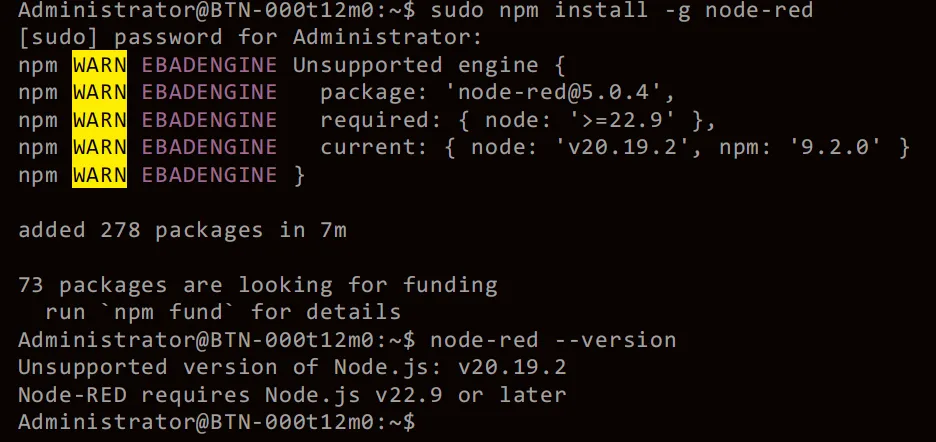
安装过程中出现版本警告了,我选择了忽视,结束后检查发现不支持。
没办法,只能------卸载V20、换源、再安装V22
卸载
sudo apt remove nodejs npm
换源
curl -fsSL https://deb.nodesource.com/setup_22.x | sudo -E bash -
再次安装,这回对了。
sudo apt install nodejs -y
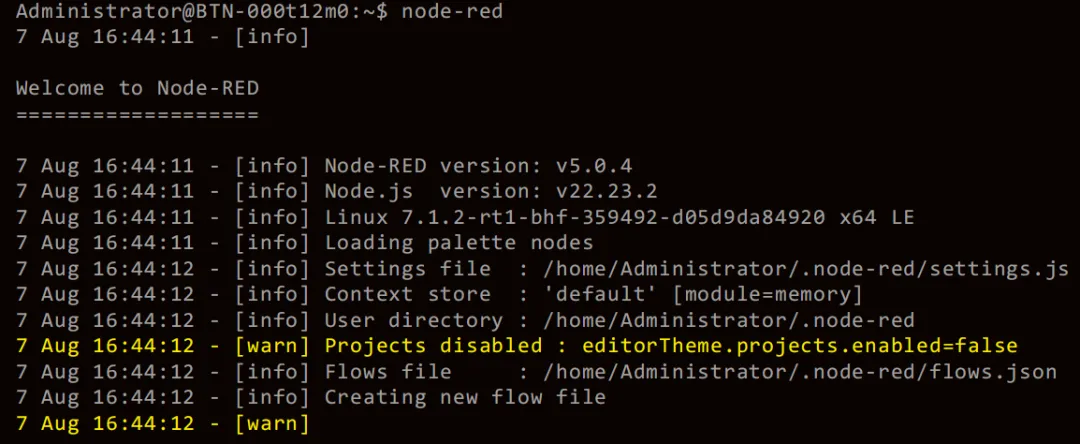
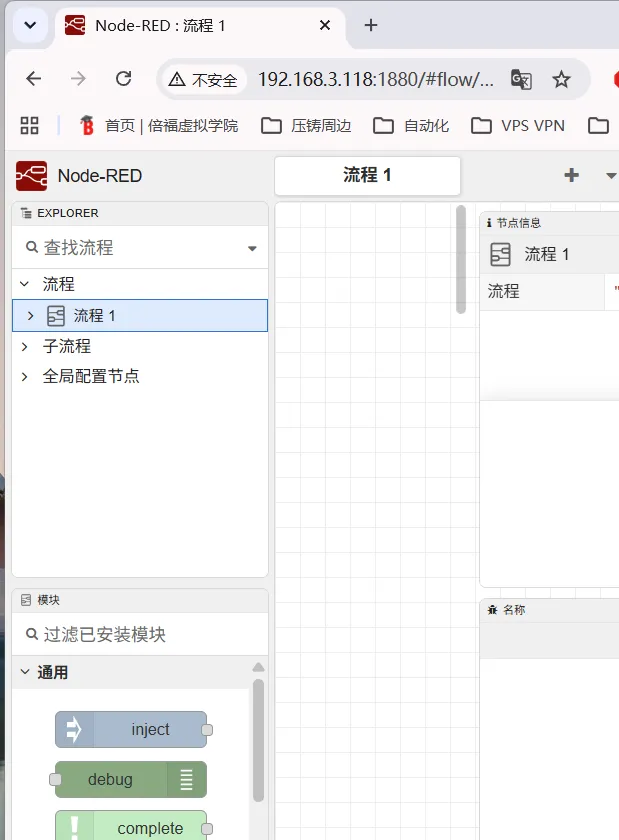
试试启动一下,再用另外pc的浏览器访问一下 192.168.3.118:1880
启动了,掉坑里了,浏览器无法访问,---省略1000字---,最后确认是防火墙规则,得加个白名单,加上1880,顺便把1881 1883也加上。
Administrator@BTN-000t12m0:~$ sudo nft list chain inet filter inputtable inet filter { chain input { type filter hook input priority filter; policy drop; ct state { established, related } accept iifname "lo" accept ip protocol icmp accept ip6 nexthdr ipv6-icmp accept tcp dport 22 accept tcp dport 443 accept tcp dport 8016 accept udp dport 48899 accept udp dport 5353 ip daddr 224.0.0.251 accept udp dport 5353 ip6 daddr ff02::fb accept }}
Administrator@BTN-000t12m0:~$ sudo nft add rule inet filter input tcp dport 1880 acceptAdministrator@BTN-000t12m0:~$ sudo nft add rule inet filter input tcp dport 1881 acceptAdministrator@BTN-000t12m0:~$ sudo nft add rule inet filter input tcp dport 1883 accept
安装FUXA
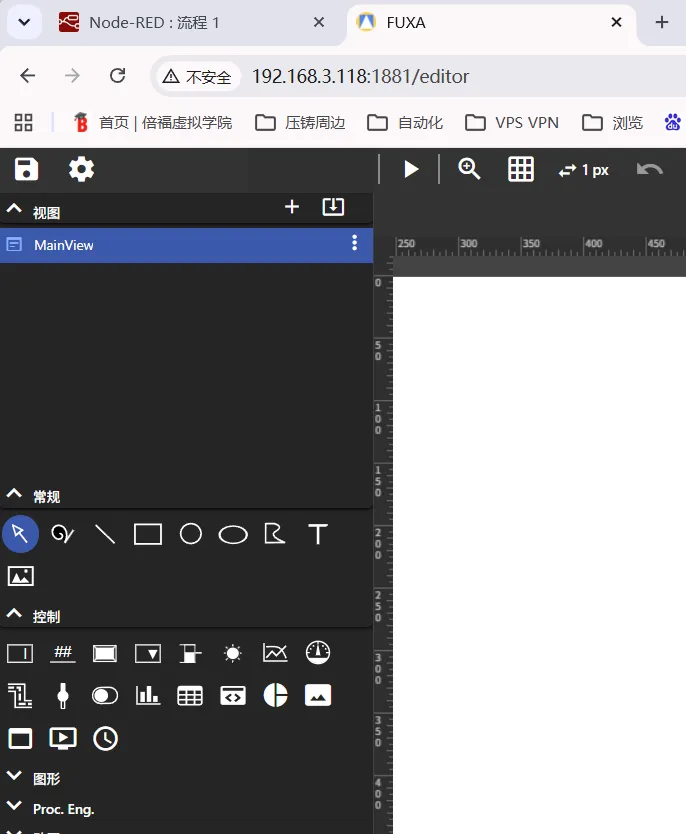
安装完成,浏览器可以访问。说一下踩了哪几个坑。
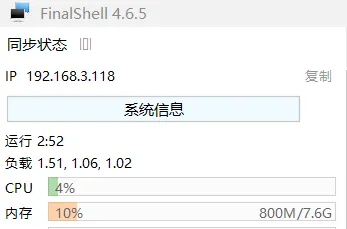
测试、测试而已。当前都是ssh登录启动服务项的,以后再配置成上电自动运行吧。框架有了,过两天往里面填写的东西,再看看资源消耗。